door switch Acura MDX 2011 Owner's Guide
[x] Cancel search | Manufacturer: ACURA, Model Year: 2011, Model line: MDX, Model: Acura MDX 2011Pages: 609, PDF Size: 12.7 MB
Page 152 of 609
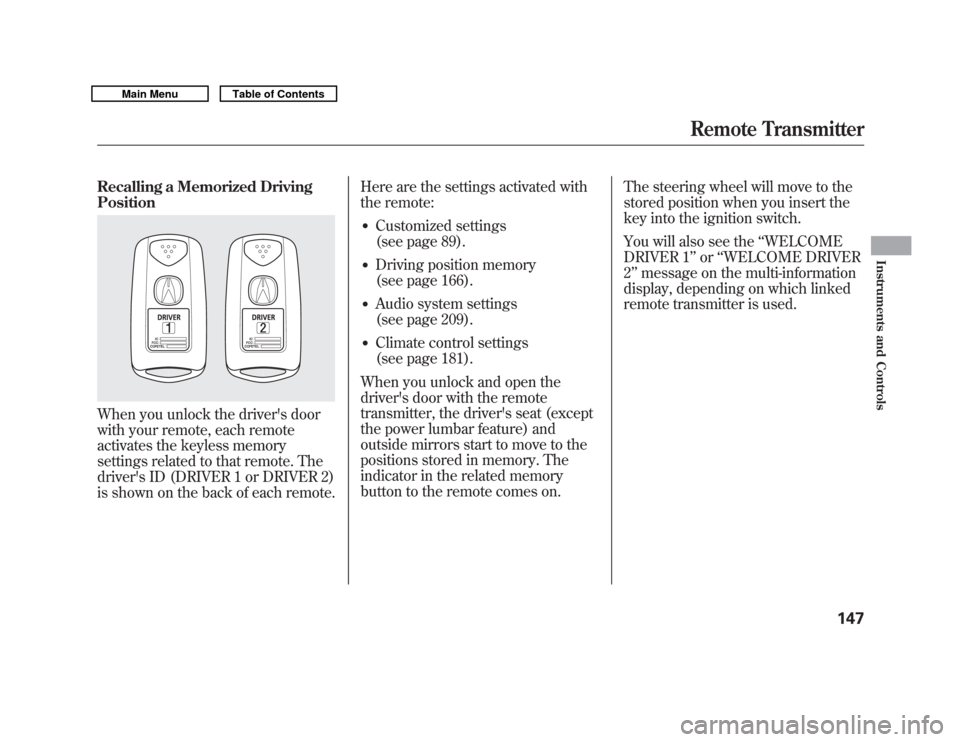
Recalling a Memorized Driving
PositionWhen you unlock the driver's door
with your remote, each remote
activates the keyless memory
settings related to that remote. The
driver's ID (DRIVER 1 or DRIVER 2)
is shown on the back of each remote.Here are the settings activated with
the remote:
●
Customized settings
(see page 89).
●
Driving position memory
(see page 166).
●
Audio system settings
(see page 209).
●
Climate control settings
(see page 181).
When you unlock and open the
driver's door with the remote
transmitter, the driver's seat (except
the power lumbar feature) and
outside mirrors start to move to the
positions stored in memory. The
indicator in the related memory
button to the remote comes on. The steering wheel will move to the
stored position when you insert the
key into the ignition switch.
You will also see the
‘‘WELCOME
DRIVER 1’’ or‘‘WELCOME DRIVER
2’’ message on the multi-information
display, depending on which linked
remote transmitter is used.
Remote Transmitter
147
Instruments and Controls
10/06/29 11:59:04 11 ACURA MDX MMC North America Owner's M 50 31STX640 enu
Page 164 of 609

The windows will operate for up to 10
minutes after you turn off the ignition
switch. Opening either front door
cancels this function.
Closing a power window on
someone's hands or fingers can
cause serious injury.
Make sure your passengers are
away from the windows before
closing them.
AUTO -To open either front
window fully, push the window
switch firmly down to the second
detent, then release it. The window
automatically goes down all the way.
To stop the window from going all
the way down, pull back on the
window switch briefly. To close either front window fully,
pull back the window switch firmly to
the second detent, then release it.
The window automatically goes all
the way up. To stop the window from
going all the way up, push down on
the window switch briefly.
When you push the MAIN switch in,
the switch is off, and the passengers'
windows cannot be raised or
lowered. To cancel this feature, push
on the switch again to get it to pop
out. Keep the MAIN switch pushed
in when you have children in the
vehicle so they do not injure
themselves by operating the
windows unintentionally.
AUTO REVERSE
-If either front
window senses any obstacle while it
is closing automatically, it will
reverse direction and then stop. To
close the window, remove the
obstacle, then use the window switch
again.
Auto reverse stops sensing when the
window is almost closed. You should
always check that all passengers and
objects are away from the window
before closing it.
CONTINUED
Power Windows
159
Instruments and Controls
10/06/29 11:59:04 11 ACURA MDX MMC North America Owner's M 50 31STX640 enu
Page 165 of 609
If your vehicle's battery is
disconnected or goes dead, or the
driver's window fuse is removed, the
AUTO function may be disabled. If
the AUTO function is disabled, the
power window system will need to be
reset after reconnecting the battery
or installing the fuse.1. Start the engine. Push down and hold the driver's window switch
until the window is fully open.
2. Pull and hold the driver's window switch to close the window
completely, then hold the switch
for about 2 seconds.
If the power windows do not operate
properly after resetting, have your
vehicle checked by your dealer. Opening the Windows and
Moonroof with the Remote
Transmitter
You can open all of the windows and
the moonroof from outside with the
remote transmitter.
1. Press the UNLOCK button once to
unlock the driver's door.
2. Press the UNLOCK button a second time, and hold it. All the
doors unlock, and all four windows
and moonroof start to open. To
stop the windows and moonroof,
release the button.
3. To open the windows and moonroof further, press the button
again (within 10 seconds of step 1)
and hold it. If the windows and the
moonroof stop before the desired
position, repeat steps 1 and 2.
You cannot close the windows or the
moonroof with the remote
transmitter. Opening/Closing the Windows
and Moonroof with the Key
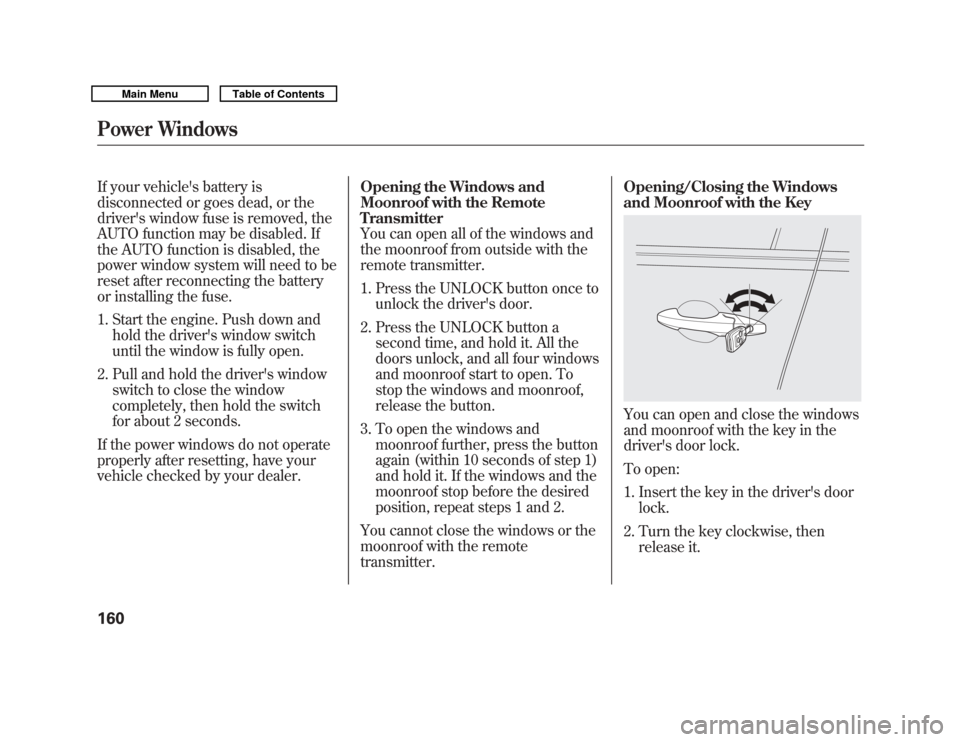
You can open and close the windows
and moonroof with the key in the
driver's door lock.
To open:
1. Insert the key in the driver's door
lock.
2. Turn the key clockwise, then release it.
Power Windows16010/06/29 11:59:04 11 ACURA MDX MMC North America Owner's M 50 31STX640 enu
Page 166 of 609
3. Turn the key clockwise again, andhold it. All four windows and the
moonroof start to open. To stop
the windows and the moonroof,
release the key.
4. To open the windows and the moonroof further, turn and hold
the key again (within 10 seconds
of step 2).
To close: 1. Insert the key in the driver's door lock.
2. Turn the key counterclockwise, then release it.
3. Turn the key counterclockwise again, and hold it. All four windows
and the moonroof start to close. To
stop the windows and the
moonroof, release the key. 4. To close the windows and the
moonroof further, turn and hold
the key again (within 10 seconds
of step 2).
Auto reverse does not work when
closing the windows and moonroof
with the key.
NOTE: If the windows and the
moonroof stop before the desired
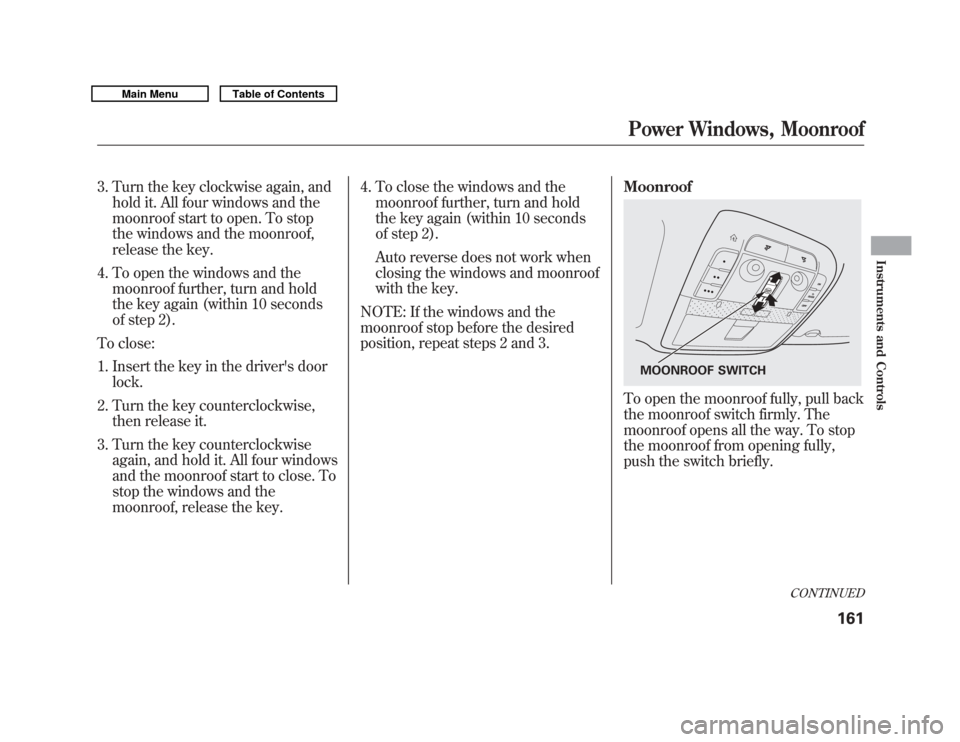
position, repeat steps 2 and 3. Moonroof
To open the moonroof fully, pull back
the moonroof switch firmly. The
moonroof opens all the way. To stop
the moonroof from opening fully,
push the switch briefly.
MOONROOF SWITCH
CONTINUED
Power Windows, Moonroof
161
Instruments and Controls
10/06/29 11:59:04 11 ACURA MDX MMC North America Owner's M 50 31STX640 enu
Page 167 of 609

To tilt up the moonroof, push the
center of the moonroof switch
straight up. To stop the moonroof
from tilting up fully, push the
moonroof switch forward.
To close the moonroof fully, push the
moonroof switch forward to the
second detent, then release it. The
moonroof closes all the way. To stop
the moonroof from closing all the
way, push the switch briefly.
To open or close the moonroof
partially, pull back or push forward
on the moonroof switch lightly to the
first detent and hold it. The moonroof
will stop when you release the
switch.Auto Reverse
If the moonroof runs into any
obstacle while it is closing
automatically, it will reverse
direction, and then stop. To close the
moonroof, remove the obstacle, then
use the moonroof switch again.
Auto reverse stops sensing when the
moonroof is almost closed. You
should always check that all
passengers and objects are away
from the moonroof before closing it.
Opening or closing the
moonroof on someone's hands
or fingers can cause serious
injury.
Make sure all hands and fingers
are clear of the moonroof
before opening or closing it.You can open and close the
moonroof for up to 10 minutes after
you turn off the ignition switch.
Opening either front door cancels
this function.
If you try to open the moonroof in
below-freezing temperatures, or when it
is covered with snow or ice, you can
damage the moonroof panel or its
motor.
Moonroof16210/06/29 11:59:04 11 ACURA MDX MMC North America Owner's M 50 31STX640 enu
Page 170 of 609

3. Push the appropriate edge of theadjustment switch to move the
mirror right, left, up, or down.
4. When you finish, move the selector switch to the center (off)
position. This turns the adjustment
switch off to keep your settings. Reverse Tilt Door Mirror
Both outside door mirrors have a
reverse tilt feature. When in reverse,
the selected mirror will tilt down
slightly to improve your view as you
parallel park. Shifting out of reverse
will return the mirror to its original
position.
●
To tilt the driver's mirror, place the
selector switch in the left position.
●
To tilt the passenger's mirror,
place the switch in the right
position.
●
To turn the feature off, place the
switch in the center position.
Outside mirror positions can be
stored in the driving position
memory system (see page 166). Heated Mirrors
The outside mirrors are heated to
remove fog and frost. With the
ignition switch in the ON (II)
position, turn on the heaters by
pressing the button. The indicator in
the button comes on as a reminder.
Press the button again to turn the
heaters off. Pressing this button also
turns the rear window defogger on
and off.
HEATED MIRROR BUTTON
Mirrors
165
Instruments and Controls
10/06/29 11:59:04 11 ACURA MDX MMC North America Owner's M 50 31STX640 enu
Page 174 of 609

Individual Map LightsTurn on the front individual map
lights by pushing each map light
button (
). Push the button again to
turn it off. When the door activated
position is selected with the light
control button, the second and the
third row map lights can be turned
on by pushing each map light button
(
). Push the button again to turn it
off. If any map light is left on when the
ignition switch is turned off and all
doors are closed, it will turn off when
the vehicle is locked with the remote
transmitter, or after 15 minutes.
Courtesy Lights
The courtesy lights between the
front map lights come on when the
parking lights are turned on. To
adjust its brightness, press either of
the instrument panel brightness
control buttons (+
or-) with the
ignition switch in the ON (II)
position.
Second and Third row
Front
COURTESY LIGHT
CONTINUED
Interior Lights
169
Instruments and Controls
10/06/29 11:59:04 11 ACURA MDX MMC North America Owner's M 50 31STX640 enu
Page 175 of 609

Tailgate Lights
The lights in the tailgate have an on-
off switch to control if the lights
come on when the tailgate is opened.
The tailgate lights do not come on
when any other doors are opened.Individual Interior Lights
The courtesy lights in all four doors
come on when you open any door.
The light around the ignition switch
comes on when any door is opened.
After you close the door, the ignition
switch light stays on for about 30
seconds regardless of the interior
light dimming time setting (see page
110).Interior Lights17010/06/29 11:59:04 11 ACURA MDX MMC North America Owner's M 50 31STX640 enu
Page 342 of 609
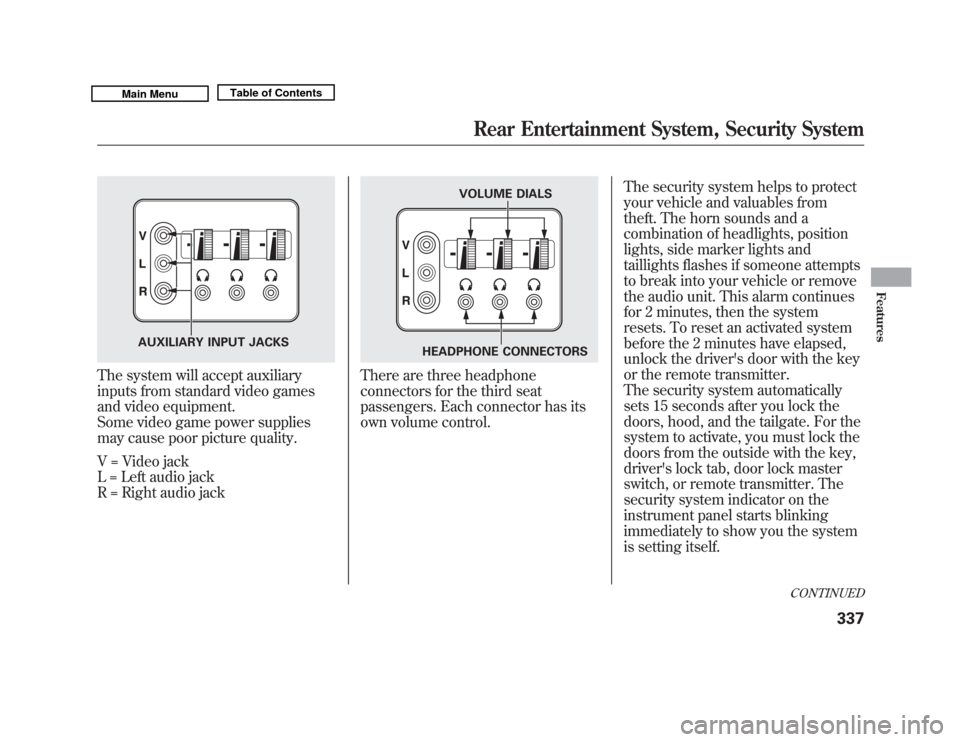
The system will accept auxiliary
inputs from standard video games
and video equipment.
Some video game power supplies
may cause poor picture quality.
V = Video jack
L = Left audio jack
R = Right audio jack
There are three headphone
connectors for the third seat
passengers. Each connector has its
own volume control.The security system helps to protect
your vehicle and valuables from
theft. The horn sounds and a
combination of headlights, position
lights, side marker lights and
taillights flashes if someone attempts
to break into your vehicle or remove
the audio unit. This alarm continues
for 2 minutes, then the system
resets. To reset an activated system
before the 2 minutes have elapsed,
unlock the driver's door with the key
or the remote transmitter.
The security system automatically
sets 15 seconds after you lock the
doors, hood, and the tailgate. For the
system to activate, you must lock the
doors from the outside with the key,
driver's lock tab, door lock master
switch, or remote transmitter. The
security system indicator on the
instrument panel starts blinking
immediately to show you the system
is setting itself.
AUXILIARY INPUT JACKS
VOLUME DIALS
HEADPHONE CONNECTORS
CONTINUED
Rear Entertainment System, Security System
337
Features
10/06/29 11:59:04 11 ACURA MDX MMC North America Owner's M 50 31STX640 enu
Page 568 of 609
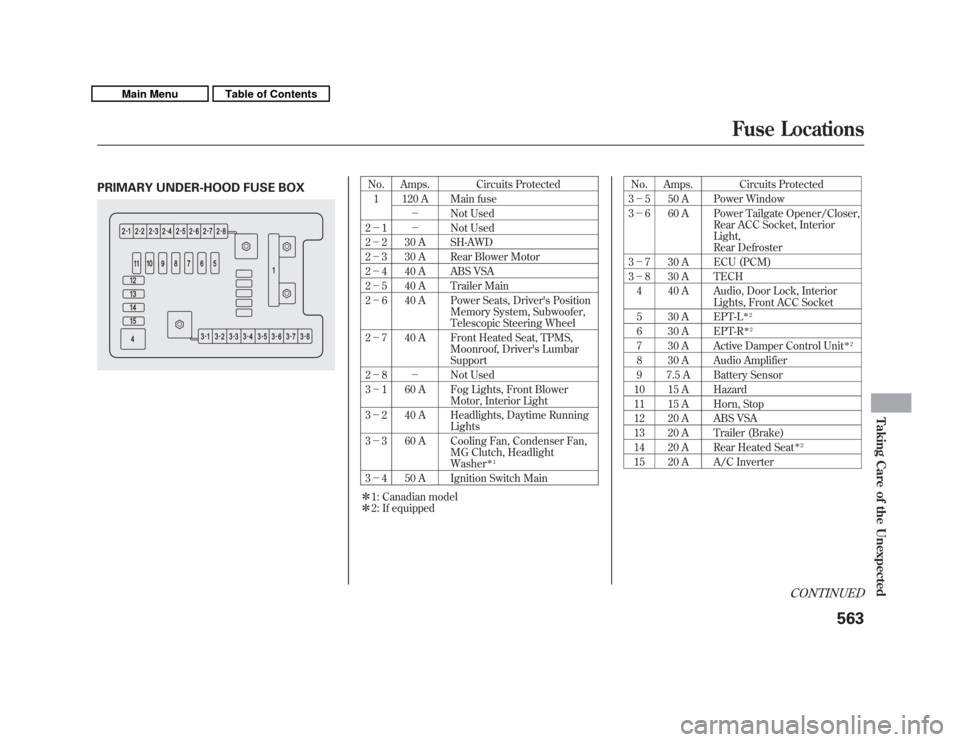
PRIMARY UNDER-HOOD FUSE BOX
No. Amps. Circuits Protected1 120 A Main fuse - Not Used
2 - 1 - Not Used
2 - 2 30 A SH-AWD
2 - 3 30 A Rear Blower Motor
2 - 4 40 A ABS VSA
2 - 5 40 A Trailer Main
2 - 6 40 A Power Seats, Driver's Position
Memory System, Subwoofer,
Telescopic Steering Wheel
2 - 7 40 A Front Heated Seat, TPMS,
Moonroof, Driver's Lumbar
Support
2 - 8 - Not Used
3 - 1 60 A Fog Lights, Front Blower
Motor, Interior Light
3 - 2 40 A Headlights, Daytime Running
Lights
3 - 3 60 A Cooling Fan, Condenser Fan,
MG Clutch, Headlight
Washer
ꭧ1
3- 4 50 A Ignition Switch Main
ꭧ 1: Canadian model
ꭧ 2: If equipped No. Amps. Circuits Protected
3 - 5 50 A Power Window
3 - 6 60 A Power Tailgate Opener/Closer,
Rear ACC Socket, Interior
Light,
Rear Defroster
3 - 7 30 A ECU (PCM)
3 - 8 30 A TECH
4 40 A Audio, Door Lock, Interior Lights, Front ACC Socket
5 30 A EPT-L
ꭧ 2
6 30 A EPT-R
ꭧ2
7 30 A Active Damper Control Unit
ꭧ2
8 30 A Audio Amplifier
9 7.5 A Battery Sensor
10 15 A Hazard
11 15 A Horn, Stop
12 20 A ABS VSA
13 20 A Trailer (Brake)
14 20 A Rear Heated Seat
ꭧ 2
15 20 A A/C Inverter
CONTINUED
Fuse Locations
563
Taking Care of the Unexpected
10/06/29 11:59:04 11 ACURA MDX MMC North America Owner's M 50 31STX640 enu