phone Acura MDX 2011 Workshop Manual
[x] Cancel search | Manufacturer: ACURA, Model Year: 2011, Model line: MDX, Model: Acura MDX 2011Pages: 609, PDF Size: 12.7 MB
Page 406 of 609
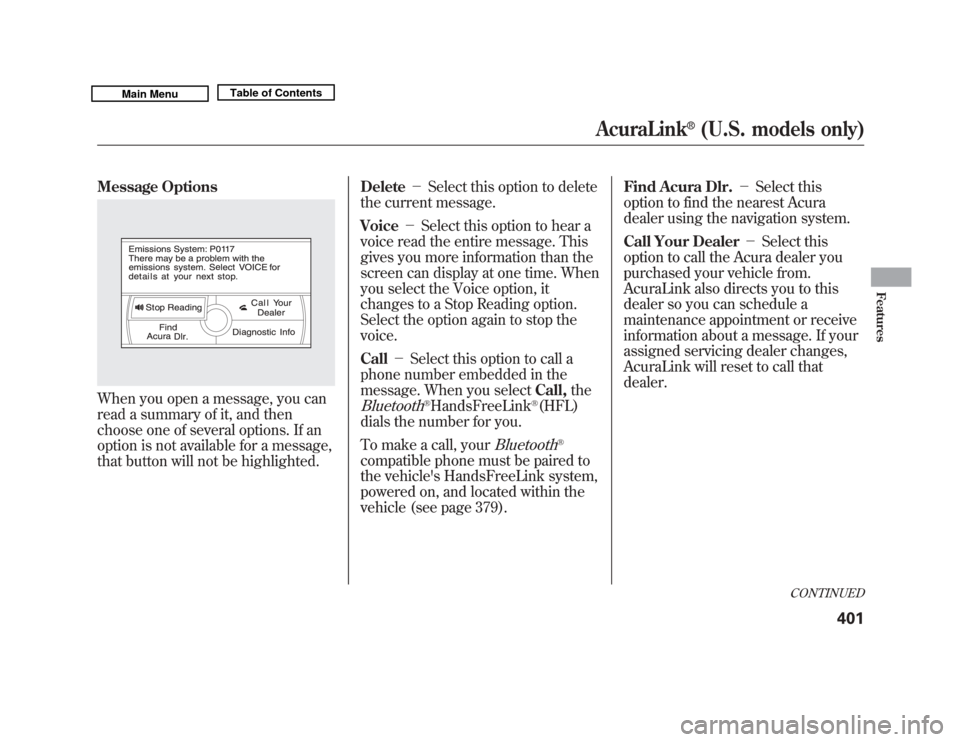
Message OptionsWhen you open a message, you can
read a summary of it, and then
choose one of several options. If an
option is not available for a message,
that button will not be highlighted.Delete
-Select this option to delete
the current message.
Voice -Select this option to hear a
voice read the entire message. This
gives you more information than the
screen can display at one time. When
you select the Voice option, it
changes to a Stop Reading option.
Select the option again to stop the
voice.
Call -Select this option to call a
phone number embedded in the
message. When you select Call,the
Bluetooth
®HandsFreeLink
®(HFL)
dials the number for you.
To make a call, your
Bluetooth
®
compatible phone must be paired to
the vehicle's HandsFreeLink system,
powered on, and located within the
vehicle (see page 379). Find Acura Dlr.
-Select this
option to find the nearest Acura
dealer using the navigation system.
Call Your Dealer -Select this
option to call the Acura dealer you
purchased your vehicle from.
AcuraLink also directs you to this
dealer so you can schedule a
maintenance appointment or receive
information about a message. If your
assigned servicing dealer changes,
AcuraLink will reset to call that
dealer.
CONTINUED
AcuraLink
®
(U.S. models only)
401
Features
10/06/29 11:59:04 11 ACURA MDX MMC North America Owner's M 50 31STX640 enu
Page 407 of 609
Diagnostic Info-Select this option
to get more information about the
current diagnostic message. To use
this option, your cellphone must be
paired with the HFL. In addition, the
paired phone must have a compatible
data service and be set up with the
AcuraLink system to make a data
connection. Access the
handsfreelink.com website to find
out which data services are currently
compatible with AcuraLink.
Message Preferences
To set your AcuraLink preferences
(the types of messages you want to
receive, if any), visit the My Acura
website at
www.owners.acura.com,
and
choose what you would like to
receive. If you do not have internet
access, call Acura Client Services at
(800) 382-2238; they can set your
message preferences for you. Deleting Messages
NOTE:
Diagnostic info and recall/
campaign messages can only be
deleted by your dealer.
To delete a single message:
●
Press the INFO button to bring up
the Information screen.
●
Scroll to the Messages option,
then select it by pressing ENTER
on the interface selector.
●
Select the message category that
contains the message you want to
delete.
●
Use the interface knob to scroll up
or down to the message title you
want to delete, and select it by
pressing ENTER on the interface
selector.
●
Scroll to Delete with the interface
knob, and select it by pressing
ENTER on the interface selector. To delete all messages:
NOTE:
The Delete All Messages
command does not apply to
Diagnostic Info and Recall messages.
They can only be deleted by your
dealer.
●
Press the SETUP button to view
the setup screen.
●
Select Other by pushing the
interface selector to the right.
AcuraLink
®
(U.S. models only)
40210/06/29 11:59:04 11 ACURA MDX MMC North America Owner's M 50 31STX640 enu
Page 410 of 609
Automated AppointmentYou can make an appointment with
your dealer through the AcuraLink
when you receive a Maintenance
Minder message.
To use the automated appointment
function, you should visit the My
Acura website atwww.owners.acura.com
, register some
required settings, and complete the
Phone-Data Connection set-up (see
page 412). Your
Bluetooth
®
compatible phone should also be
paired and linked to your vehicle'sBluetooth
®HFL (see page 385).
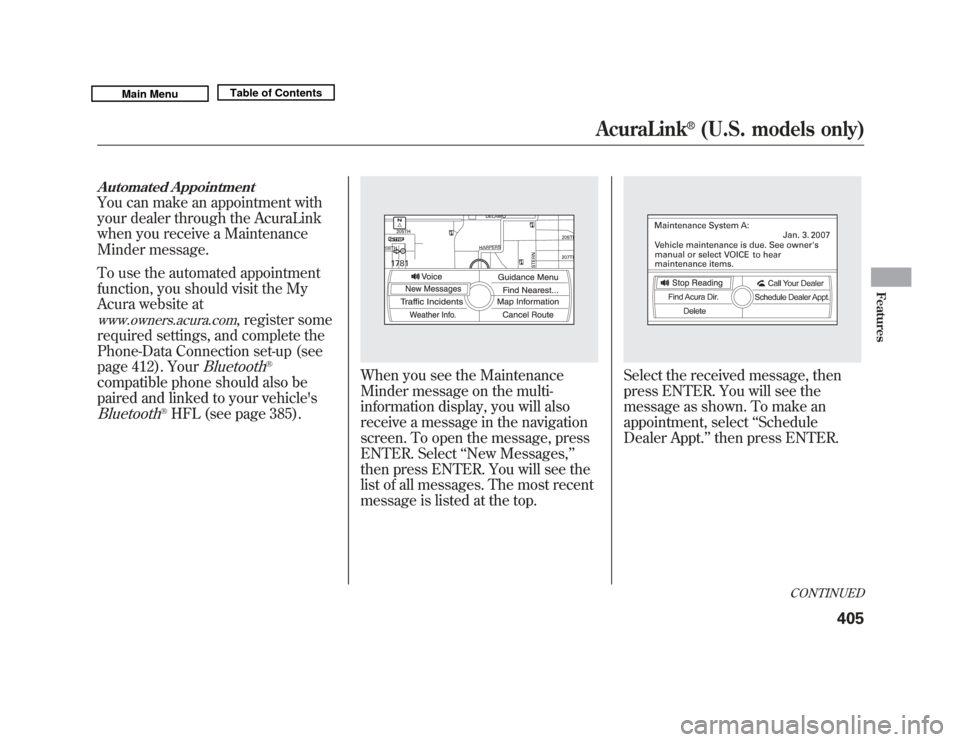
When you see the Maintenance
Minder message on the multi-
information display, you will also
receive a message in the navigation
screen. To open the message, press
ENTER. Select ‘‘New Messages, ’’
then press ENTER. You will see the
list of all messages. The most recent
message is listed at the top.
Select the received message, then
press ENTER. You will see the
message as shown. To make an
appointment, select ‘‘Schedule
Dealer Appt. ’’then press ENTER.
CONTINUED
AcuraLink
®
(U.S. models only)
405
Features
10/06/29 11:59:04 11 ACURA MDX MMC North America Owner's M 50 31STX640 enu
Page 411 of 609
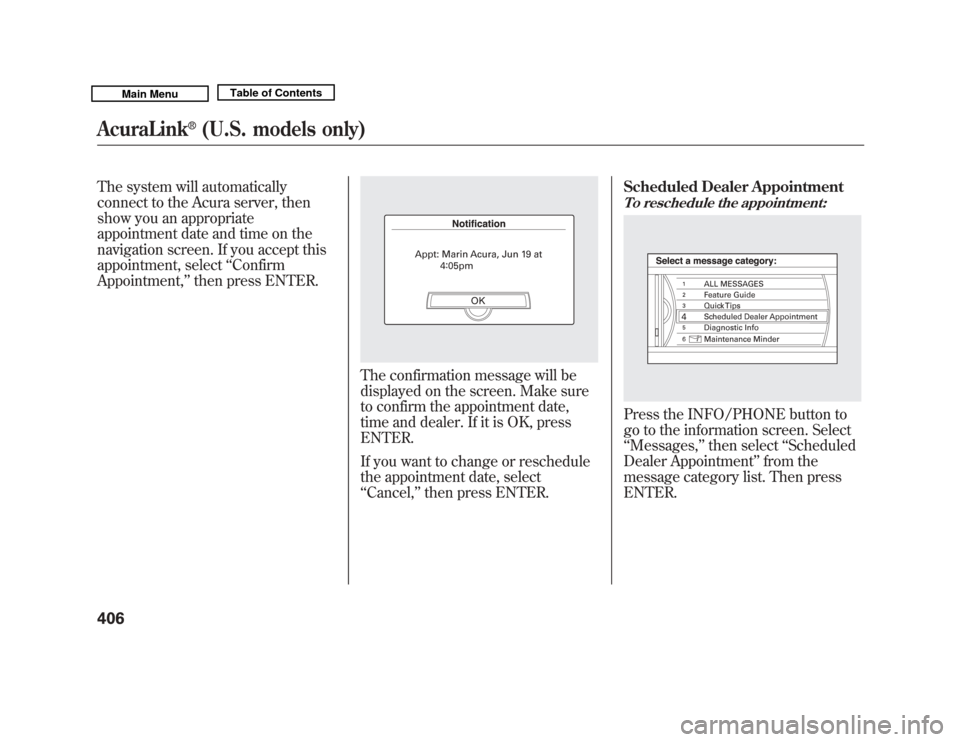
The system will automatically
connect to the Acura server, then
show you an appropriate
appointment date and time on the
navigation screen. If you accept this
appointment, select‘‘Confirm
Appointment, ’’then press ENTER.
The confirmation message will be
displayed on the screen. Make sure
to confirm the appointment date,
time and dealer. If it is OK, press
ENTER.
If you want to change or reschedule
the appointment date, select
‘‘Cancel,’’ then press ENTER. Scheduled Dealer Appointment
To reschedule the appointment:Press the INFO/PHONE button to
go to the information screen. Select
‘‘
Messages, ’’then select ‘‘Scheduled
Dealer Appointment ’’from the
message category list. Then press
ENTER.
AcuraLink
®
(U.S. models only)
40610/06/29 11:59:04 11 ACURA MDX MMC North America Owner's M 50 31STX640 enu
Page 412 of 609
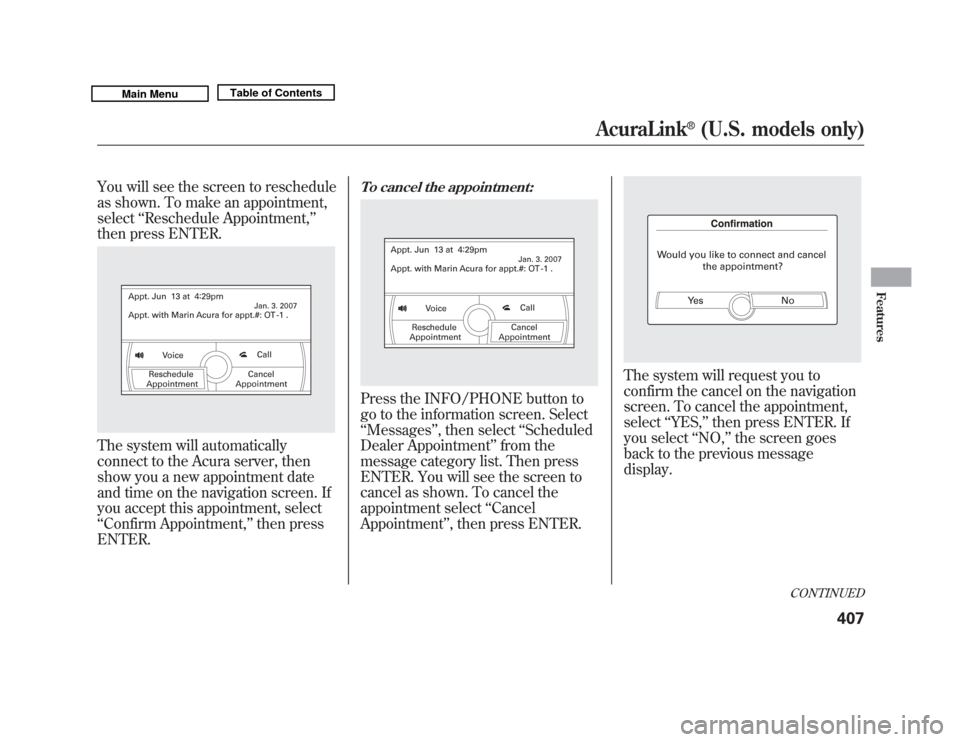
You will see the screen to reschedule
as shown. To make an appointment,
select‘‘Reschedule Appointment, ’’
then press ENTER.The system will automatically
connect to the Acura server, then
show you a new appointment date
and time on the navigation screen. If
you accept this appointment, select
‘‘ Confirm Appointment, ’’then press
ENTER.
To cancel the appointment:Press the INFO/PHONE button to
go to the information screen. Select
‘‘ Messages ’’, then select ‘‘Scheduled
Dealer Appointment ’’from the
message category list. Then press
ENTER. You will see the screen to
cancel as shown. To cancel the
appointment select ‘‘Cancel
Appointment ’’, then press ENTER.
The system will request you to
confirm the cancel on the navigation
screen. To cancel the appointment,
select ‘‘YES, ’’then press ENTER. If
you select ‘‘NO, ’’the screen goes
back to the previous message
display.
CONTINUED
AcuraLink
®
(U.S. models only)
407
Features
10/06/29 11:59:04 11 ACURA MDX MMC North America Owner's M 50 31STX640 enu
Page 414 of 609
For this reason, it is important that
we retain your current phone
number. Please update your
information using My Acura atwww.owners.acura.com.
Diagnostic Info
When an indicator comes on or a
message is displayed on the Multi-
Information Display (MID),
AcuraLink can provide information
about the cause of the indicator or
message and the recommended
action to address it. This helps you
handle the problem as it occurs,
preventing or limiting costly repairs.
The AcuraLink system cannot
determine some mechanical
problems (such as squeaks or
rattles) that are not triggered by the
diagnostic indicator monitors.
For more information on the
instrument panel indicators, see page
66.
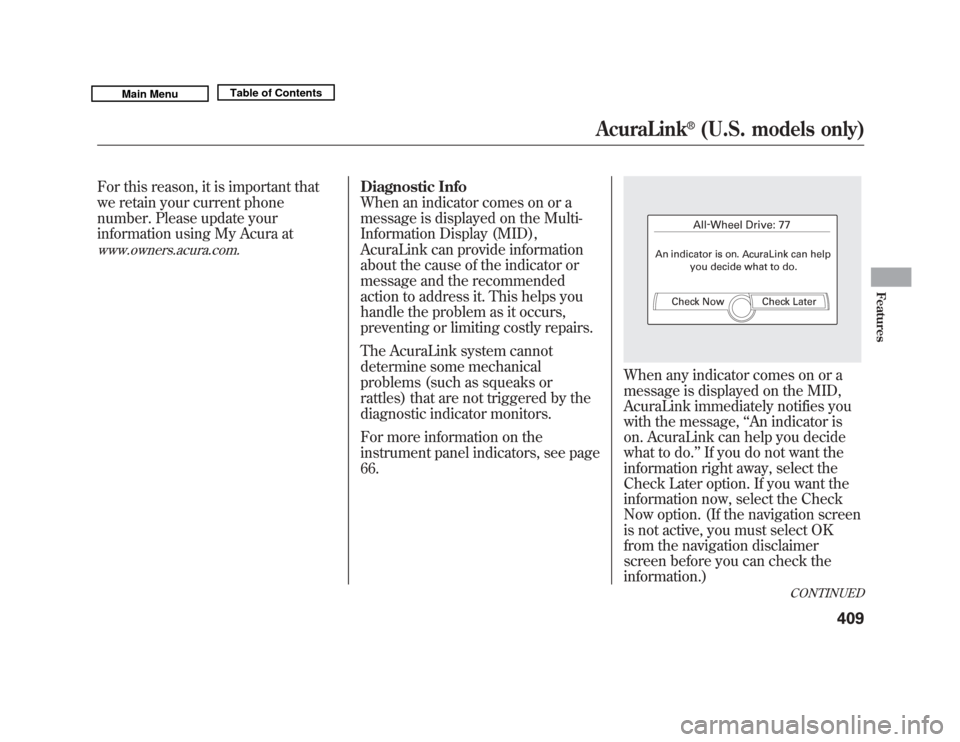
When any indicator comes on or a
message is displayed on the MID,
AcuraLink immediately notifies you
with the message,‘‘An indicator is
on. AcuraLink can help you decide
what to do. ’’If you do not want the
information right away, select the
Check Later option. If you want the
information now, select the Check
Now option. (If the navigation screen
is not active, you must select OK
from the navigation disclaimer
screen before you can check the
information.)
CONTINUED
AcuraLink
®
(U.S. models only)
409
Features
10/06/29 11:59:04 11 ACURA MDX MMC North America Owner's M 50 31STX640 enu
Page 416 of 609

Turning the Automated Appointment
preference off will disable
appointment notifications in the
vehicle based on appointments
created or changed at My Acura's
online scheduling website.
Appointments can still be created,
rescheduled, and canceled from the
vehicle; however, the appointment
information stored in the vehicle will
not be updated. Any changes to
those appointments should be made
from the My Acura website.AcuraLink/Message Screen
To access the following functions,
press the INFO/PHONE button,
then select the SETUP option, push
the interface selector to the right to
select Other, then rotate the interface
knob to select AcuraLink/Messages.
Delete Messages
-Select this
option to delete all stored messages
within a category, except for
diagnostic info and recall campaign
messages. These messages can only
be deleted by a certified technician
after the recall is done or the
problem is corrected, or through a
broadcast message from Acura.
CONTINUED
AcuraLink
®
(U.S. models only)
411
Features
10/06/29 11:59:04 11 ACURA MDX MMC North America Owner's M 50 31STX640 enu
Page 417 of 609
New Message Notification-
Select ON if you want to be notified
of new messages (envelope icon
appears on the navigation screen).
Select OFF if you do not want to be
notified of new messages (envelope
icon does not appear on the screen).
Messages can still be accessed using
the INFO menu. If you would like to
stop receiving messages, visit the My
Acura website at
www.owners.acura.
com
to change your messaging
preferences.
Auto Reading -Select ON to have
the system automatically read each
message to you. Select OFF to
manually select the Voice button
when you want a message read to
you. Phone-Data Connection
-Select
this option to begin the process
required to connect to Acura. This is
used to access the most recent
diagnostic information when a
problem occurs.
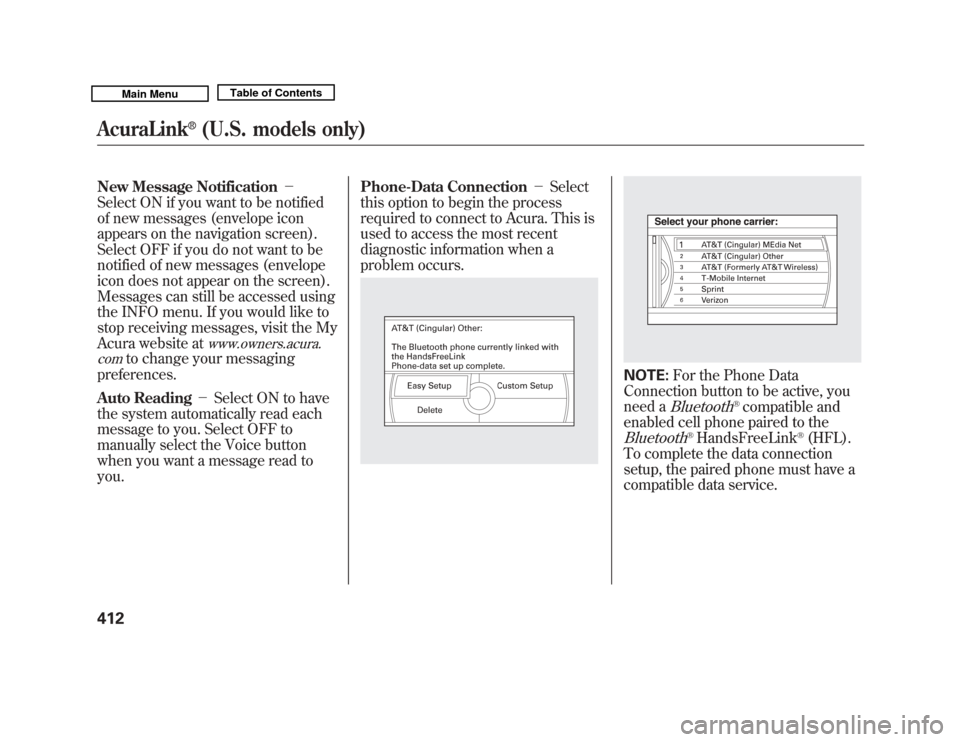
NOTE: For the Phone Data
Connection button to be active, you
need a
Bluetooth
®compatible and
enabled cell phone paired to the
Bluetooth
®HandsFreeLink
®(HFL).
To complete the data connection
setup, the paired phone must have a
compatible data service.
AcuraLink
®
(U.S. models only)
41210/06/29 11:59:04 11 ACURA MDX MMC North America Owner's M 50 31STX640 enu
Page 418 of 609

To find more information onBluetooth
®compatible and enabled
cell phones, visit
www.acura.com/handsfreelink
or call
the HandsFreeLink
®consumer
support at 1-888-528-7876. Connect to the Acura Server
-
The default setting is prompt. When
a diagnostic info message appears,
and you select the Check Now
option, the system will prompt you
before connecting to the Acura
server. If you do not wish to connect
at that time, select No at the prompt,
and you will see the information from
the onboard database. The ‘‘Auto ’’
setting will remove the prompt when
you select the Check Now option and
will automatically connect to the
Acura server. This setting only
applies when you have a
Bluetooth
®
enabled phone that is paired with the
HFL and you have completed the
Phone-Data Connection setup.
As required by the FCC:
This device complies with Part 15 of theFCC rules. Operation is subject to the
following two conditions: (1) This devicemay not cause harmful interference, and(2) this device must accept any
interference received, includinginterference that may cause undesiredoperation.
Changes or modifications not expresslyapproved by the party responsible for
compliance could void the user'sauthority to operate the equipment.
AcuraLink
®
(U.S. models only)
413
Features
10/06/29 11:59:04 11 ACURA MDX MMC North America Owner's M 50 31STX640 enu
Page 431 of 609

Modifying your vehicle, or installing
some non-Acura accessories, can
make your vehicle unsafe. Before
you make any modifications or add
any accessories, be sure to read the
following information.
Accessories
Your dealer has Acura accessories
that allow you to personalize your
vehicle. These accessories have been
designed and approved for your
vehicle, and are covered by warranty.
Although non-Acura accessories may
fit on your vehicle, they may not
meet factory specifications, and could
adversely affect your vehicle's
handling, stability, and reliability.
Improper accessories or
modifications can affect your
vehicle's handling, stability, and
performance, and cause a
crash in which you can be hurt
or killed.
Follow all instructions in this
owner's manual regarding
accessories and modifications.
When properly installed, cellular
phones, alarms, two-way radios, and
low-powered audio systems should
not interfere with your vehicle's
computer controlled systems, such
as your airbags, anti-lock brakes, and
tire pressure monitoring system. Before installing any accessory:
●
Make sure the accessory does not
obscure any lights, or interfere
with proper vehicle operation or
performance.
●
Be sure electronic accessories do
not overload electrical circuits (see
page 560) or interfere with proper
operation of your vehicle.
●
Do not install accessories on the
side pillars or across the rear
windows. Accessories installed in
these areas may interfere with
proper operation of the side
curtain airbags.
●
Before installing any electronic
accessory, have the installer
contact your dealer for assistance.
If possible, have your dealer
inspect the final installation.
Accessories and Modifications42610/06/29 11:59:04 11 ACURA MDX MMC North America Owner's M 50 31STX640 enu