instrument panel Acura MDX 2012 Owner's Guide
[x] Cancel search | Manufacturer: ACURA, Model Year: 2012, Model line: MDX, Model: Acura MDX 2012Pages: 621, PDF Size: 11.15 MB
Page 171 of 621

You can open and close the
moonroof for up to 10 minutes after
you turn off the ignition switch.
Opening either front door cancels
this function.If you try to open the moonroof in
below-freezing temperatures, or when it
is covered with snow or ice, you can
damage the moonroof panel or its
motor.Parking Brake
To apply the parking brake, push the
pedal down with your foot. To
release it, pull the release handle
fully. The parking brake indicator on
the instrument panel should go out
when the parking brake is fully
released (see page 69).
You will also see a‘‘RELEASE
PARKING BRAKE’’message on the
multi-information display (see page
87).
Driving the vehicle with the parking
brake applied can damage the rear
brakes and axles. A beeper will sound if
the vehicle is driven with the parking
brake on.
RELEASE HANDLE
PARKING BRAKE PEDAL
Moonroof, Parking Brake164
Page 176 of 621

3. Press and release the MEMO
button on the control panel. You
will hear a beep. Immediately
press and hold one of the memory
buttons (1 or 2) until you hear two
beeps. The indicator in the
memory button will come on. The
current positions of the driver's
seat, steering wheel, and outside
mirrors are now stored.Doing any of the following after
pressing the MEMO button will
cancel the storing procedure.
●
Not pressing a memory button
within 5 seconds.
●
Readjusting the seat position.
●
Readjusting the outside mirror
position.
Each memory button stores only one
driving position. Storing a new
position erases the previous setting
stored in that button's memory. If
you want to add a new position while
retaining the current one, use the
other memory button.Selecting a Memorized Position
To select a memorized position, do
this:
1. Make sure the vehicle is parked.
2. Press the desired memory button
(1 or 2) until you hear a beep, then
release the button.
The system will move the seat,
steering wheel, and outside mirrors
to the memorized positions. The
indicator in the selected memory
button will flash during movement.
When the adjustments are complete,
you will hear two beeps, and the
indicator will remain on.
To change the‘‘MEMORY
POSITION LINK’’setting, see page
108.
MEMO BUTTON MEMORY BUTTONS
CONTINUED
Driving Position Memory System
169
Instruments and Controls
Page 179 of 621

Courtesy LightsThe courtesy lights between the
front map lights come on when the
parking lights are turned on. To
adjust its brightness, press either of
the instrument panel brightness
control buttons (+or-) with the
ignition switch in the ON (II)
position.Tailgate Lights
The lights in the tailgate have an on-
off switch to control if the lights
come on when the tailgate is opened.
The tailgate lights do not come on
when any other doors are opened.Individual Interior Lights
The courtesy lights in all four doors
come on when you open any door.
The light around the ignition switch
comes on when any door is opened.
After you close the door, the ignition
switch light stays on for about 30
seconds regardless of the interior
light dimming time setting (see page
111).
COURTESY LIGHT
Interior Lights172
Page 203 of 621
Adjusting the Sound
Press the TUNE (SOUND) knob
repeatedly to display the BASS,
TREBLE, FADER, BALANCE,
SUBWOOFER, CENTER, and SVC
(speed-sensitive volume
compensation) settings.
BASS-Adjusts the bass.
TREBLE-Adjusts the treble.
FADER-Adjusts the front-to-back
strength of the sound.
BALANCE-Adjusts the side-to-
side strength of the sound.
SUBWOOFER-Adjusts the
strength of sound from the
subwoofer speaker.
CENTER-Adjusts the strength of
sound from the center speaker.SVC-Adjusts the volume level
based on the vehicle speed.
Each mode is shown in the display as
it changes. Turn the TUNE knob to
adjust the setting to your liking.
When the level reaches the center,
you will see‘‘C’’in the display.
The system will return to the audio
display about 5 seconds after you
stop adjusting a mode.
Speed-sensitive Volume
Compensation (SVC)The SVC mode controls the volume
based on vehicle speed. The faster
you go, the louder the audio volume
becomes. As you slow down, the
audio volume decreases.
The SVC has four modes: SVC OFF,
SVC LOW, SVC MID, and SVC
HIGH. Turn the TUNE knob to
adjust the setting to your liking. If
you feel the sound is too loud,
choose low. If you feel the sound is
too quiet, choose high.Audio System Lighting
You can use the instrument panel
brightness control buttons to adjust
the illumination of the audio system
(see page 133). The audio system
illuminates when the parking lights
are on, even if the radio is off.
Playing the AM/FM Radio (Models without navigation system)196
Page 348 of 621
The security system helps to protect
your vehicle and valuables from
theft. The horn sounds and a
combination of headlights, position
lights, side marker lights and
taillights flashes if someone attempts
to break into your vehicle or remove
the audio unit. This alarm continues
for two minutes, then the system
resets. To deactivate the system
before the two minutes have elapsed,
unlock the driver's door with the key
or the remote transmitter.
The security system automatically
sets 15 seconds after you lock the
doors, hood, and tailgate. For the
system to activate, you must lock the
doors from the outside with the key,
or use driver's lock tab, door lock
master switch, or remote transmitter.
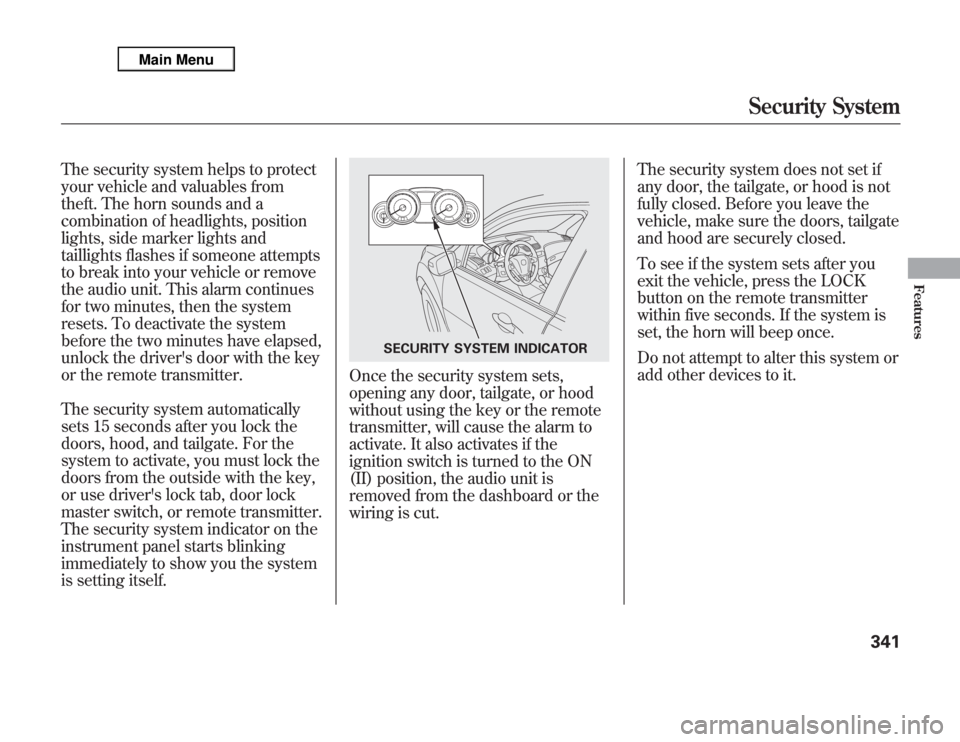
The security system indicator on the
instrument panel starts blinking
immediately to show you the system
is setting itself.
Once the security system sets,
opening any door, tailgate, or hood
without using the key or the remote
transmitter, will cause the alarm to
activate. It also activates if the
ignition switch is turned to the ON
(II) position, the audio unit is
removed from the dashboard or the
wiring is cut.The security system does not set if
any door, the tailgate, or hood is not
fully closed. Before you leave the
vehicle, make sure the doors, tailgate
and hood are securely closed.
To see if the system sets after you
exit the vehicle, press the LOCK
button on the remote transmitter
within five seconds. If the system is
set, the horn will beep once.
Do not attempt to alter this system or
add other devices to it.
SECURITY SYSTEM INDICATOR
Security System
341
Features
Page 352 of 621

Cruise control allows you to maintain
a set speed above 25 mph (40 km/h)
without keeping your foot on the
accelerator pedal. It should be used
for cruising on straight, open
highways. It is not recommended for
city driving, winding roads, slippery
roads, heavy rain, or bad weather.
Improper use of the cruise
control can lead to a crash.
Use the cruise control only
when traveling on open
highways in good weather.Using Cruise Control
1. Push in the CRUISE button or
MAIN button (models with
adaptive cruise control) on the
steering wheel. The CRUISE
MAIN indicator or green ACC
indicator (models with ACC) on
the instrument panel comes on.
On models with adaptive cruise
controlTo switch from ACC to cruise
control, press the distance button
on the steering wheel, and hold it
for 1 second (see page 362).
2. Accelerate to the desired cruising
speed above 25 mph (40 km/h).
3. Press and release the SET/
DECEL button on the steering
wheel. The CRUISE CONTROL
indicator on the instrument panel
comes on to show the system is
now activated.
CRUISE (MAIN) BUTTON
RES/ACCEL
BUTTON
SET/DECEL
BUTTON
Non-ACC model is shown
CONTINUED
Cruise Control
345
Features
Page 353 of 621

Cruise control may not hold the set
speed when you are going up and
down hills. If your vehicle speed
increases going down a hill, use the
brakes to slow down. This will cancel
the cruise control. On models with
adaptive cruise control (ACC), this
also causes the cruise control
indicator on the instrument panel to
go off and the cruise mode indicator
to come on. To resume the set speed,
press the RES/ACCEL button. The
CRUISE CONTROL indicator on the
instrument panel will come back on.Changing the Set Speed
You can increase the set cruising
speed in any of these ways:
●
Press and hold the RES/ACCEL
button. When you reach the
desired cruising speed, release the
button.
●
Push on the accelerator pedal.
Accelerate to the desired cruising
speed, then press the SET/
DECEL button.
●
To increase the speed in very
small amounts, tap the RES/
ACCEL button. Each time you do
this, your vehicle will speed up
about 1 mph (1.6 km/h).You can decrease the set cruising
speed in any of these ways:
●
Press and hold the SET/DECEL
button. Release the button when
you reach the desired speed.
●
To slow down in very small
amounts, tap the SET/DECEL
button. Each time you do this,
your vehicle will slow down about
1 mph (1.6 km/h).
●
Tap the brake pedal lightly with
your foot. The CRUISE CONTROL
indicator on the instrument panel
will go out. When the vehicle
slows to the desired speed, press
the SET/DECEL button.
Cruise Control346
Page 360 of 621

Using the ACC1. Push the MAIN button on the
steering wheel. The ACC indicator
on the instrument panel comes on,
and‘‘ACC’’is shown on the multi-
information display.
2. Accelerate to the desired speed
above 25 mph (40 km/h).
3. Press and release the SET/
DECEL button on the steering
wheel, then release the accelerator
pedal.
If you press the SET/DECEL button
when the vehicle speed is below 25
mph (40 km/h), you will hear a beep
for about 1 second. This means ACC
is not activated, and you cannot set
your speed.
When your speed reaches 25 mph
(40 km/h), ACC goes into wait
mode, and‘‘ACC’’is shown on the
multi-information display.
MAIN BUTTON
SET/DECEL BUTTON
CONTINUED
Adaptive Cruise Control (ACC)
353
Features
Page 365 of 621

Canceling the ACCACC is canceled whenever you do
any of these actions:●
Push the CANCEL button on the
steering wheel.
●
Tap the brake pedal.
●
Press the MAIN button. The ACC
indicator in the instrument panel
goes off.When you push the CANCEL button
or tap the brake pedal to cancel ACC,
the set cruising speed stays in
memory. When you turn on ACC
again, the speed is shown on the
multi-information display. To return
to that speed, accelerate to over 25
mph (40 km/h), then press the RES/
ACCEL button.
If you cancel ACC by pressing the
MAIN button, the previously set
cruising speed is erased from
memory.Automatic ACC Cancelation
When ACC is automatically canceled,
the beeper sounds for about 1
second, and the ACC OFF message
appears on the multi-information
display for 3 seconds.
Any of these conditions may cause
ACC to cancel:
●
The vehicle speed decreases
below 22 mph (35 km/h).
●
Poor weather (rain, fog, snow, etc.)
●
When the radar sensor in the front
grille gets dirty.
●
The vehicle ahead of you cannot
be detected.
●
An abnormal tire condition is
detected, or the tires are skidding.
CANCEL BUTTON
Adaptive Cruise Control (ACC)358
Page 420 of 621
Diagnostic Info
When an indicator comes on or a
message is displayed on the Multi-
Information Display (MID),
AcuraLink can provide information
about the cause of the indicator or
message and the recommended
action to address it. This helps you
handle the problem as it occurs,
preventing or limiting costly repairs.
The AcuraLink system cannot
determine some mechanical
problems (such as squeaks or
rattles) that are not triggered by the
diagnostic indicator monitors.
For more information on the
instrument panel indicators, see page
68.
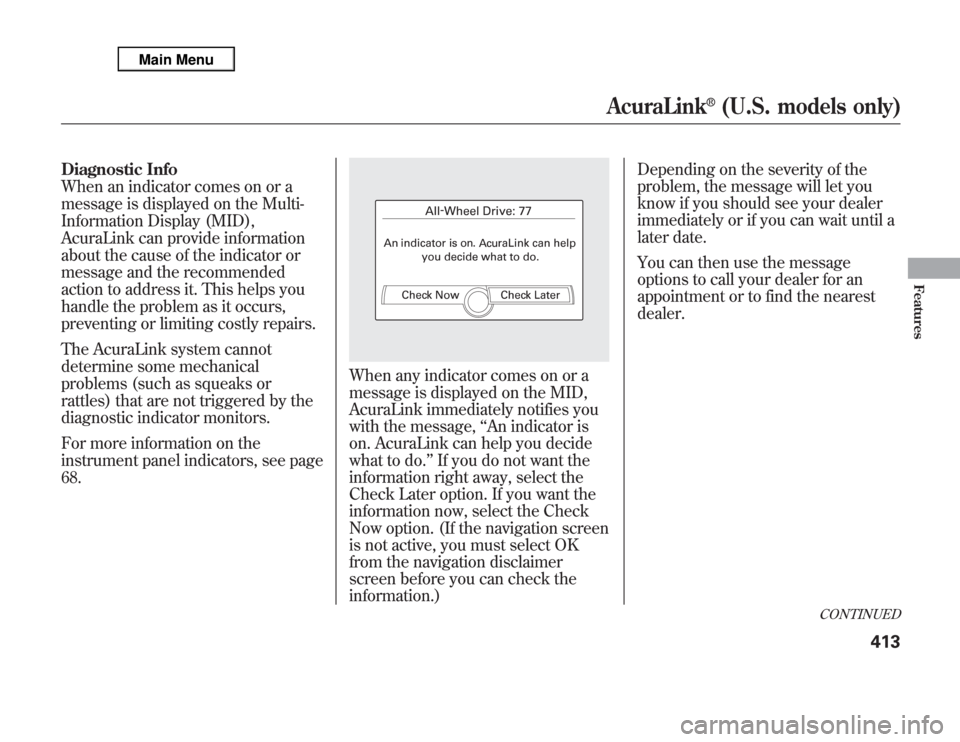
When any indicator comes on or a
message is displayed on the MID,
AcuraLink immediately notifies you
with the message,‘‘An indicator is
on. AcuraLink can help you decide
what to do.’’If you do not want the
information right away, select the
Check Later option. If you want the
information now, select the Check
Now option. (If the navigation screen
is not active, you must select OK
from the navigation disclaimer
screen before you can check the
information.)Depending on the severity of the
problem, the message will let you
know if you should see your dealer
immediately or if you can wait until a
later date.
You can then use the message
options to call your dealer for an
appointment or to find the nearest
dealer.
CONTINUED
AcuraLink
®
(U.S. models only)
413
Features