reset Acura MDX 2012 Workshop Manual
[x] Cancel search | Manufacturer: ACURA, Model Year: 2012, Model line: MDX, Model: Acura MDX 2012Pages: 621, PDF Size: 11.15 MB
Page 216 of 621
In MP3 or WMA modeF-SCAN-This feature, when
activated, samples the first file in
each folder on the disc in the order
they are recorded. To activate the
folder scan feature, press and release
the SCAN button repeatedly. You will
see F-SCAN in the display. The
system will then play the first file in
the main folders for about 10
seconds. If you do nothing, the
system will then play the following
first files for 10 seconds each. When
it plays a file that you want to
continue listening to, press and hold
the SCAN button.
Pressing either SKIP button, or
selecting a different disc (using the
preset buttons) or folder (using the
TUNE knob) turns off the SCAN or
F-SCAN feature.D-SCAN-This feature, when
activated, samples the first track in
each disc in order (the first file in the
main folder on each disc in MP3 or
WMA mode). To activate the disc
scan feature, press and release the
SCAN button repeatedly until
D-SCAN shows in the display. The
system will then play the first track/
file in the first main folder on the first
disc for about 10 seconds. If you do
nothing, the system will then play the
following first tracks/files for 10
seconds each. When it plays a track/
file that you want to continue
listening to, press and hold the
SCAN button again.When the first track in the last disc,
or the first file in the last main folder
in the last disc begins to play, the
disc scan mode will be canceled.
Pressing either skip button or
selecting a different folder with the
TUNE knob also turns off the scan
feature.
Each time you press and release the
SCAN button, the mode changes
from scan, disc scan, then to normal
playing.
In MP3 or WMA modeEach time you press and release the
SCAN button, the mode changes
from file scan, folder scan, disc scan,
then to normal playing.
CONTINUED
Playing Discs (Models without navigation system)
209
Features
Page 217 of 621
To Stop Playing a Disc
Press the eject button (
)to
remove the disc. If you eject the disc,
but do not remove it from the slot,
the system will automatically reload
the disc after 10 seconds. To begin
playing, press the DISC button.
You can also eject the disc when the
ignition switch is off.
To play the radio when a disc is
playing, press the AM or FM button.
Press the DISC button again to
switch back to the disc changer.If you turn the system off while a disc
is playing, either with the VOL/
knob or by turning off the ignition
switch, the disc will stay in the drive.
When you turn the system back on,
the disc will begin playing where it
left off.Removing Discs from the In-dash
Disc ChangerTo remove the disc currently in play,
press the eject button. When a disc is
removed from a slot, the system
automatically begins the load
sequence so you can load another
disc in that position. If you do not
remove the disc from the changer
within 10 seconds, the disc will
reload into the slot. Then the system
returns to the previous mode (AM,
FM, or XM).To remove a different disc from the
changer, first select it with the
appropriate preset button. When that
disc begins playing, press the eject
button. Continue pressing the eject
button to remove all the discs from
the changer.
You can also eject discs when the
ignition switch is off. The disc that
was last selected is ejected first.
Protecting Discs
For information on how to handle
and protect compact discs, see page
247.
Playing Discs (Models without navigation system)210
Page 219 of 621
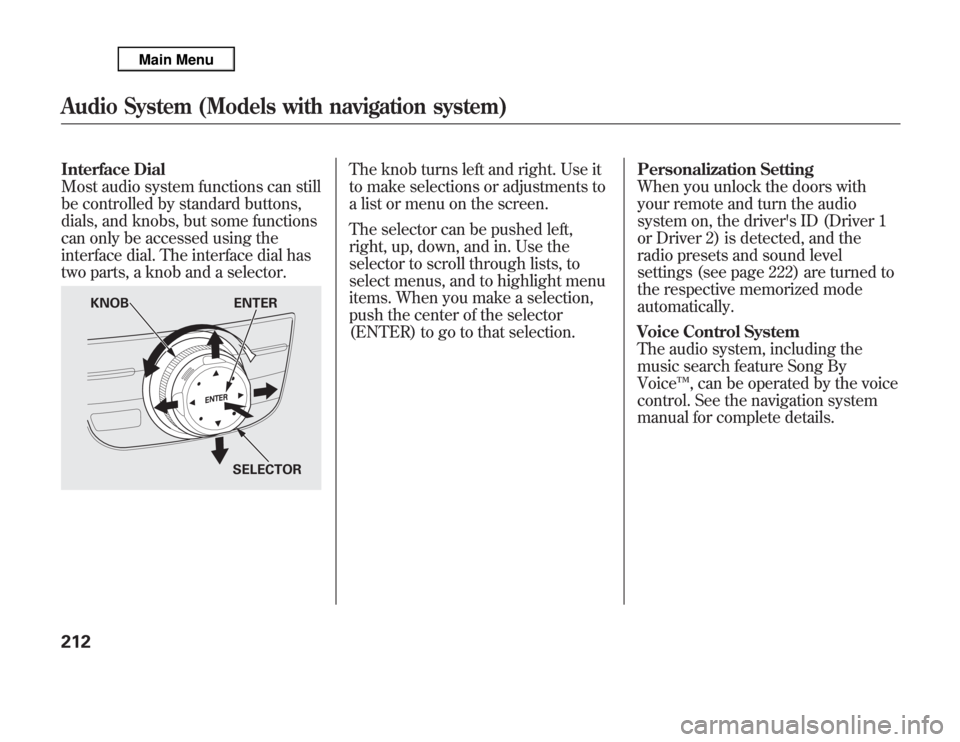
Interface Dial
Most audio system functions can still
be controlled by standard buttons,
dials, and knobs, but some functions
can only be accessed using the
interface dial. The interface dial has
two parts, a knob and a selector.
The knob turns left and right. Use it
to make selections or adjustments to
a list or menu on the screen.
The selector can be pushed left,
right, up, down, and in. Use the
selector to scroll through lists, to
select menus, and to highlight menu
items. When you make a selection,
push the center of the selector
(ENTER) to go to that selection.Personalization Setting
When you unlock the doors with
your remote and turn the audio
system on, the driver's ID (Driver 1
or Driver 2) is detected, and the
radio presets and sound level
settings (see page 222) are turned to
the respective memorized mode
automatically.
Voice Control System
The audio system, including the
music search feature Song By
Voice™, can be operated by the voice
control. See the navigation system
manual for complete details.
KNOB ENTER
SELECTOR
Audio System (Models with navigation system)212
Page 220 of 621
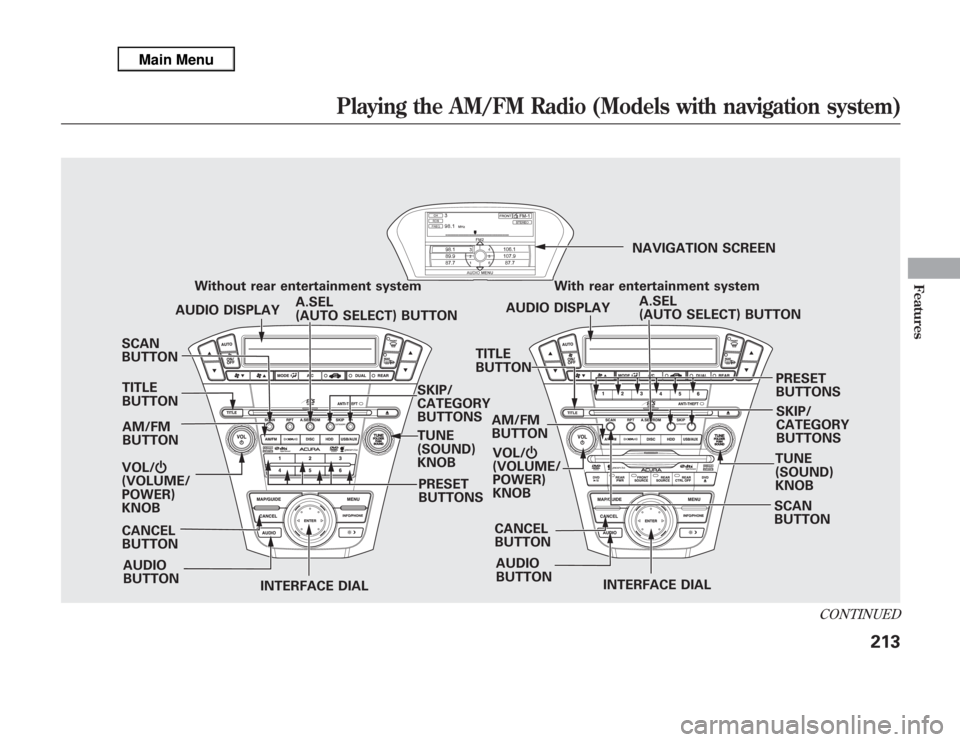
SCAN
BUTTON
AM/FM
BUTTON
VOL/Ⴛ
(VOLUME/
POWER)
KNOB
INTERFACE DIALINTERFACE DIAL PRESET
BUTTONS Without rear entertainment system
SKIP/
CATEGORY
BUTTONS
TUNE
(SOUND)
KNOB
SCAN
BUTTON AM/FM
BUTTON
AUDIO
BUTTONA.SEL
(AUTO SELECT) BUTTON AUDIO DISPLAY
PRESET
BUTTONS With rear entertainment system
AUDIO DISPLAYNAVIGATION SCREEN
A.SEL
(AUTO SELECT) BUTTON
AUDIO
BUTTONSKIP/
CATEGORY
BUTTONS TITLE
BUTTON
CANCEL
BUTTONCANCEL
BUTTON TITLE
BUTTON
TUNE
(SOUND)
KNOB VOL/Ⴛ
(VOLUME/
POWER)
KNOB
CONTINUED
Playing the AM/FM Radio (Models with navigation system)
213
Features
Page 221 of 621
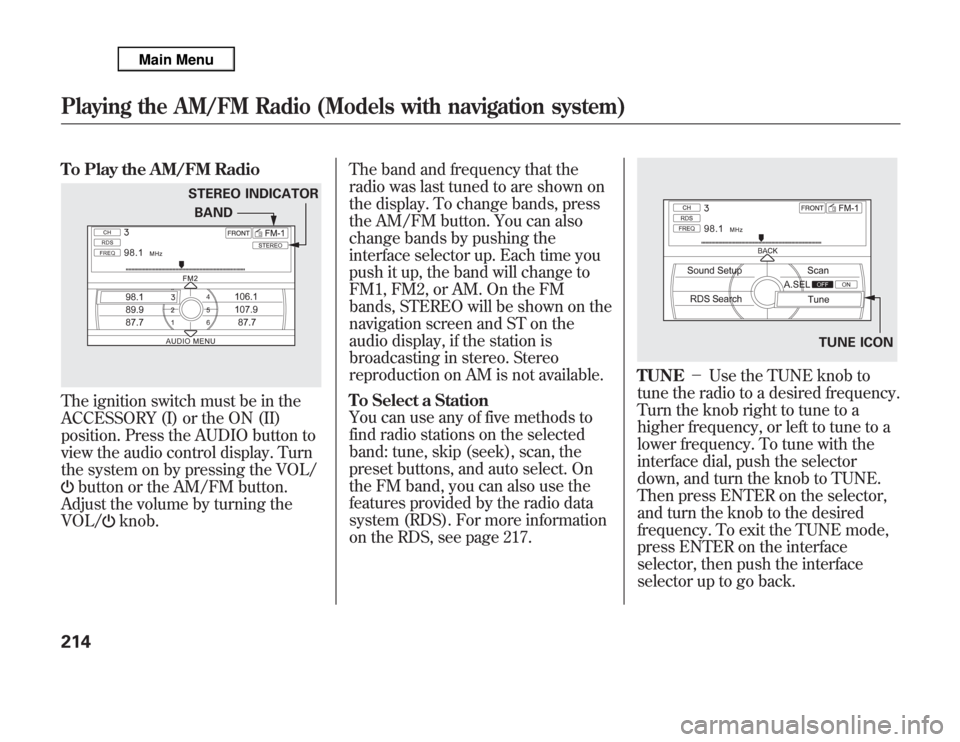
To Play the AM/FM RadioThe ignition switch must be in the
ACCESSORY (I) or the ON (II)
position. Press the AUDIO button to
view the audio control display. Turn
the system on by pressing the VOL/
button or the AM/FM button.
Adjust the volume by turning the
VOL/
knob.The band and frequency that the
radio was last tuned to are shown on
the display. To change bands, press
the AM/FM button. You can also
change bands by pushing the
interface selector up. Each time you
push it up, the band will change to
FM1, FM2, or AM. On the FM
bands, STEREO will be shown on the
navigation screen and ST on the
audio display, if the station is
broadcasting in stereo. Stereo
reproduction on AM is not available.
To Select a Station
You can use any of five methods to
find radio stations on the selected
band: tune, skip (seek), scan, the
preset buttons, and auto select. On
the FM band, you can also use the
features provided by the radio data
system (RDS). For more information
on the RDS, see page 217.
TUNE-Use the TUNE knob to
tune the radio to a desired frequency.
Turn the knob right to tune to a
higher frequency, or left to tune to a
lower frequency. To tune with the
interface dial, push the selector
down, and turn the knob to TUNE.
Then press ENTER on the selector,
and turn the knob to the desired
frequency. To exit the TUNE mode,
press ENTER on the interface
selector, then push the interface
selector up to go back.
STEREO INDICATOR
BAND
TUNE ICON
Playing the AM/FM Radio (Models with navigation system)214
Page 223 of 621
Preset-Each preset button or
preset icon can store one frequency
on AM and two frequencies on FM.To store a preset memory location:1. Select the desired band, AM or
FM. FM1 and FM2 let you store
two sets of FM frequencies with
the preset buttons (on-screen
icons).
2. Use the tune, skip (seek), scan, or
RDS function to tune the radio to a
desired station.
3. Press the preset button, and hold it
until you hear a beep. You can also
store frequencies with the
interface dial. Select the preset
icon you want to store the
frequency on, then press ENTER
on the interface selector, and hold
it for more than 2 seconds.
4. Repeat steps 1 through 3 to store a
total of six stations on AM and
twelve stations on FM.
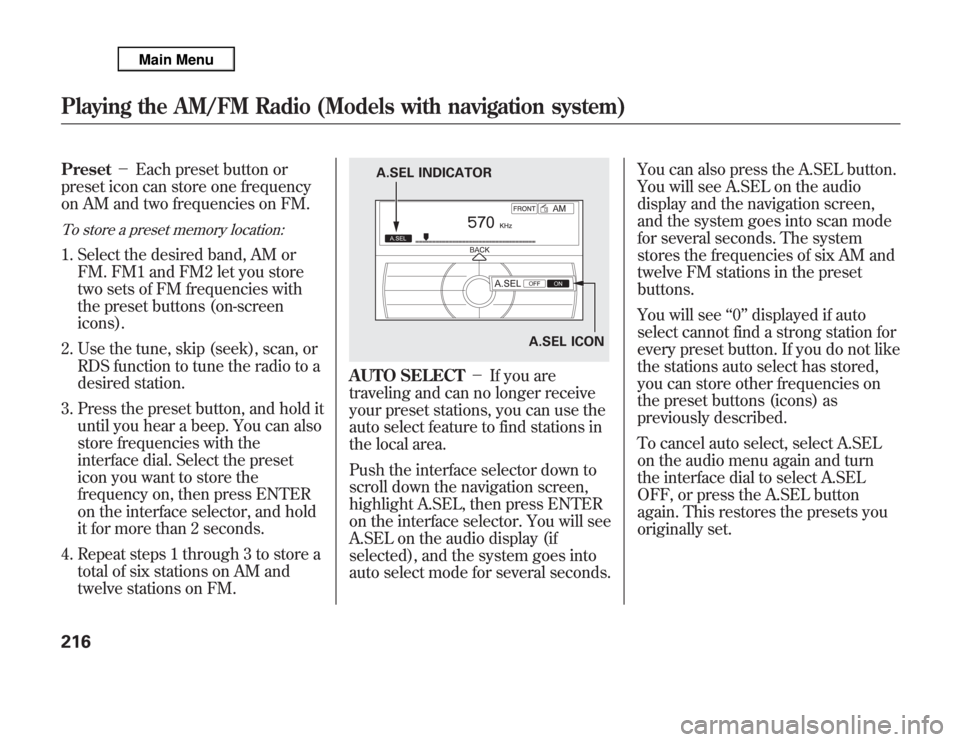
AUTO SELECT-If you are
traveling and can no longer receive
your preset stations, you can use the
auto select feature to find stations in
the local area.
Push the interface selector down to
scroll down the navigation screen,
highlight A.SEL, then press ENTER
on the interface selector. You will see
A.SEL on the audio display (if
selected), and the system goes into
auto select mode for several seconds.You can also press the A.SEL button.
You will see A.SEL on the audio
display and the navigation screen,
and the system goes into scan mode
for several seconds. The system
stores the frequencies of six AM and
twelve FM stations in the preset
buttons.
You will see‘‘0’’displayed if auto
select cannot find a strong station for
every preset button. If you do not like
the stations auto select has stored,
you can store other frequencies on
the preset buttons (icons) as
previously described.
To cancel auto select, select A.SEL
on the audio menu again and turn
the interface dial to select A.SEL
OFF, or press the A.SEL button
again. This restores the presets you
originally set.
A.SEL ICON A.SEL INDICATOR
Playing the AM/FM Radio (Models with navigation system)216
Page 233 of 621
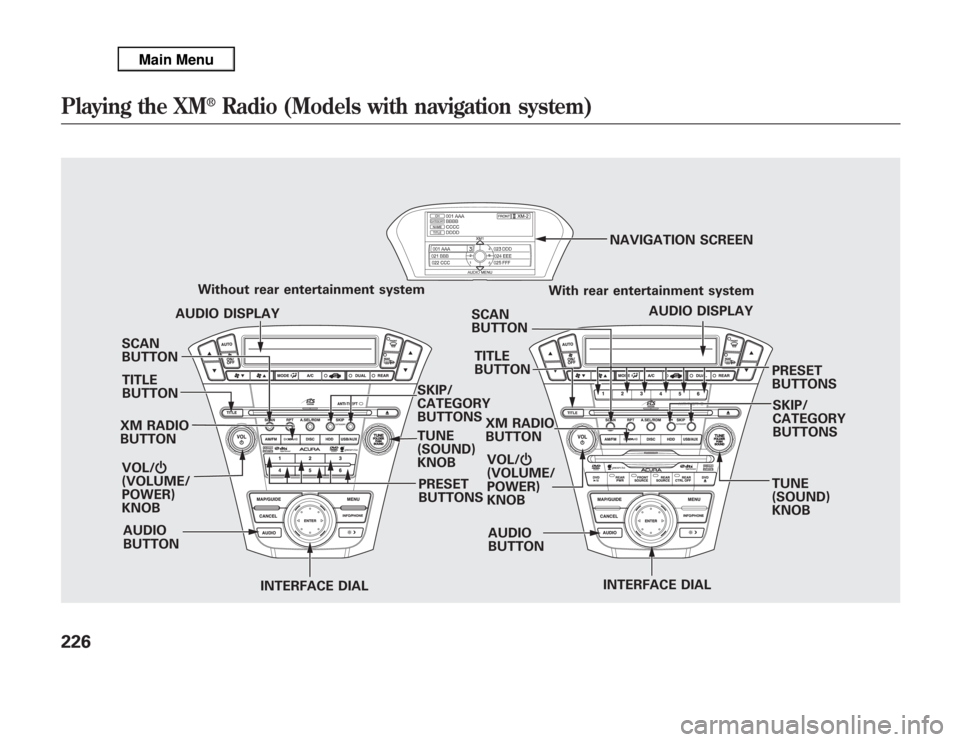
SCAN
BUTTON
XM RADIO
BUTTON
VOL/Ⴛ
(VOLUME/
POWER)
KNOB
INTERFACE DIALINTERFACE DIAL PRESET
BUTTONS Without rear entertainment system
SKIP/
CATEGORY
BUTTONS
TUNE
(SOUND)
KNOBSCAN
BUTTON
AUDIO
BUTTONAUDIO DISPLAY
PRESET
BUTTONS With rear entertainment system
AUDIO DISPLAY NAVIGATION SCREEN
AUDIO
BUTTONSKIP/
CATEGORY
BUTTONS TITLE
BUTTONTITLE
BUTTON
TUNE
(SOUND)
KNOB XM RADIO
BUTTON
VOL/Ⴛ
(VOLUME/
POWER)
KNOB
Playing the XM
®
Radio (Models with navigation system)
226
Page 236 of 621
SCAN-The scan function gives
you a sampling of all channels while
in the channel mode. In the category
mode, only the channels within that
category are scanned. To activate
SCAN, press the SCAN button. You
will see SCAN on the screen and
audio display.
The system plays each channel in
numerical order for about 10
seconds, then selects the next
channel. When you hear a channel
you want to continue listening to,
press the SCAN button to cancel.
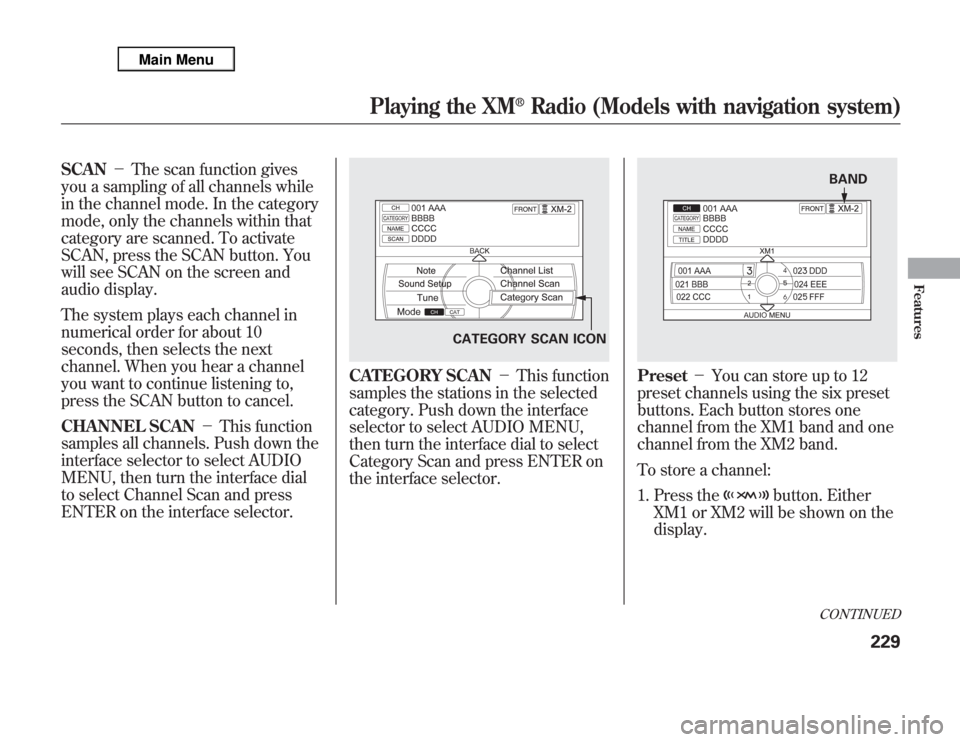
CHANNEL SCAN-This function
samples all channels. Push down the
interface selector to select AUDIO
MENU, then turn the interface dial
to select Channel Scan and press
ENTER on the interface selector.
CATEGORY SCAN-This function
samples the stations in the selected
category. Push down the interface
selector to select AUDIO MENU,
then turn the interface dial to select
Category Scan and press ENTER on
the interface selector.
Preset-You can store up to 12
preset channels using the six preset
buttons. Each button stores one
channel from the XM1 band and one
channel from the XM2 band.
To store a channel:
1. Press the
button. Either
XM1 or XM2 will be shown on the
display.
CATEGORY SCAN ICON
BANDCONTINUED
Playing the XM
®
Radio (Models with navigation system)
229
Features
Page 237 of 621
2. Use the tune, list, or scan function
to tune to a desired channel.
In category mode, only channels
within that category can be
selected. In channel mode, all
channels can be selected.
3. Pick the preset button you want for
that channel. Press and hold the
preset button until you hear a
beep. You can also pick the
number with the interface dial.
Select your desired number and
press and hold ENTER on the
interface selector.
4. Repeat steps 2 and 3 to store the
first six channels.
5. Press the
button or scroll
up again. The other XM band will
be shown. Store the next six
channels using steps 2 and 3.Once a channel is stored, press
and release the proper preset
button to tune to it.
XM Radio Display Messages
‘‘OFF AIR’’-The channel
currently selected is no longer
broadcasting.
‘‘LOADING’’-XM is loading the
audio or program information.
‘‘UPDATING’’-The encryption
code is being updated. Wait until the
encryption code is fully updated.
Channels 0 and 1 should still work
normally.‘‘NO SIGNAL’’-The signal is
currently too weak. Move the vehicle
to an area away from tall buildings,
and with an unobstructed view of the
southern horizon.
‘‘
’’-The selected channel
number does not exist, or is not part
of your subscription, or this channel
has no artist or title information at
this time.
‘‘CHECK ANTENNA’’-There is a
problem with the XM antenna.
Please consult your dealer.
Playing the XM
®
Radio (Models with navigation system)
230
Page 288 of 621
If the iPod indicator does not appear
in the audio display, check the
connections, and try to reconnect the
iPod a few times.
If the audio system still does not
recognize the iPod, the iPod may
need to be reset. Follow the
instructions that came with your
iPod, or you can find reset
instructions online at
www.apple.com/
ipod
.
The current file number and total of
the selected playable files are
displayed in the center display.
Pressing the AUDIO button displays
the artist, album and track (file)
names on the navigation screen.
To Change or Select FilesUse the SKIP button an iPod is
playing to select passages and
change files.
SKIP-Each time you press and
release the
side of the SKIP
button, the system skips forward to
the beginning of the next track.
Press and release the
side of the
button to skip backward to the
beginning of the current track. Press
it again to skip to the beginning of
the previous track.
To move rapidly within playing track,
press and hold either side (
or
) of the SKIP button.
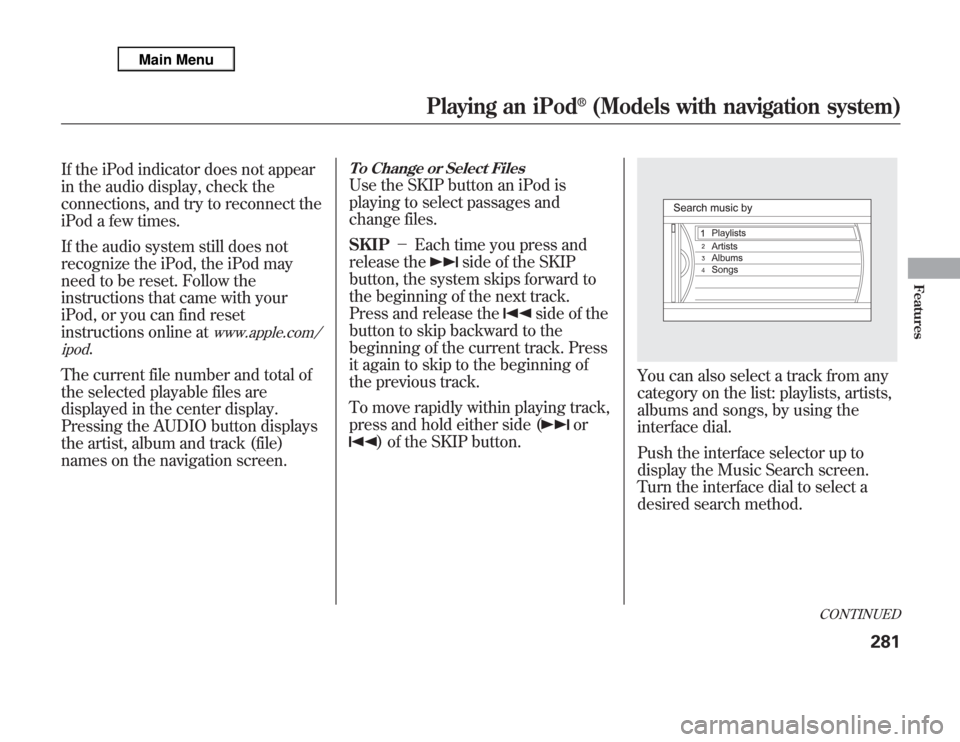
You can also select a track from any
category on the list: playlists, artists,
albums and songs, by using the
interface dial.
Push the interface selector up to
display the Music Search screen.
Turn the interface dial to select a
desired search method.
CONTINUED
Playing an iPod
®
(Models with navigation system)
281
Features