audio Acura MDX 2015 Navigation Manual
[x] Cancel search | Manufacturer: ACURA, Model Year: 2015, Model line: MDX, Model: Acura MDX 2015Pages: 341, PDF Size: 9.42 MB
Page 67 of 341
66
GuidanceNon-map screens
System Setup
Non-map screens
HSETTINGS button Navi Settings Guidance Non-map screens
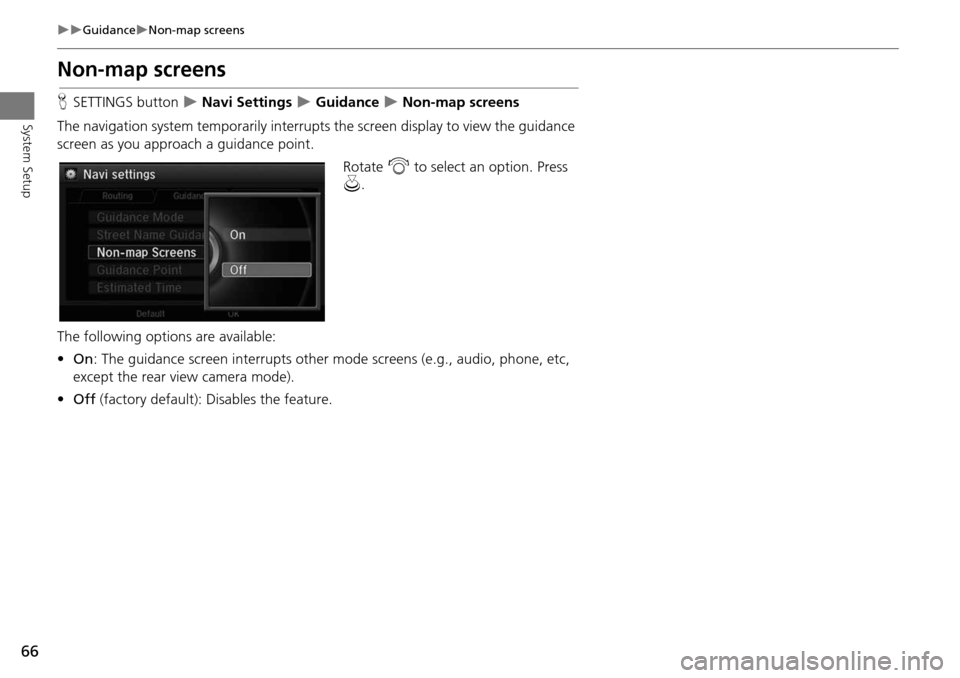
The navigation system temporarily interrupts the screen display to view the guidance
screen as you approach a guidance point.
Rotate i to select an option. Press
u .
The following options are available:
• On : The guidance screen interrupts other mode screens (e.g., audio, phone, etc,
except the rear view camera mode).
• Off (factory default): Disables the feature.
Page 140 of 341
139
Audio
This section describes how to operate the audio system. You can play
music from a wide array of media s ources, and control the audio system
using the audio buttons, the Interface Dial, or voice control.
Audio System .................................................. 140
About Your Audio System .............................. 140
USB Port ........................................................ 141
Auxiliary Input Jack ......... .......................... ..... 142
Audio System Theft Protection ....................... 143
Setting Audio Shortcuts ................................. 144
Audio Remote Controls .................................. 146
Steering Wheel Controls ................................ 146
Audio Settings ................................................. 147
Adjusting the Sound ...................................... 149
Playing FM/AM Radio ..................................... 151
Selecting FM/AM Mode.................................. 151
Audio Screen Control ..................................... 151
Audio Menu .................................................. 153
Playing SiriusXM® Radio ................................ 157
Selecting SiriusXM® Mode............................. 157
Audio Screen Control ..................................... 157
Audio Menu .................................................. 159 SiriusXM® Radio Service................................. 161
Playing a Disc ................................................... 162
Selecting Disc Mode ....................................... 162
Audio Screen Control ..................................... 163
Audio Menu ................................................... 164
Recommended CDs ........................................ 167
Playing Hard Disc Drive (HDD) Audio ............ 169
Selecting HDD Mode ...................................... 169
Recording a Music CD to HDD........................ 170
Audio Screen Control ..................................... 171
Audio Menu ................................................... 172
Playing an iPod® ............................................. 181
Selecting iPod® Mode .................................... 182
Audio Screen Control ..................................... 183
Audio Menu ................................................... 185
Song By Voice
TM (SBV) .................................... 188
Playing Internet Radio ..................................... 193
Selecting Internet Radio Mode........................ 193 Pandora® Menu ............................................ 194
Aha
TM Radio Menu ......................................... 195
Playing a USB Flash Drive ............................... 197
Selecting USB Mode....................................... 198
Audio Screen Control..................................... 199
Audio Menu .................................................. 200
Playing Bluetooth ® Audio............................. 203
Selecting Bluetooth ® Audio Mode ................ 203
Audio Screen Control..................................... 204
Page 141 of 341
140
Audio
Audio System
About Your Audio System
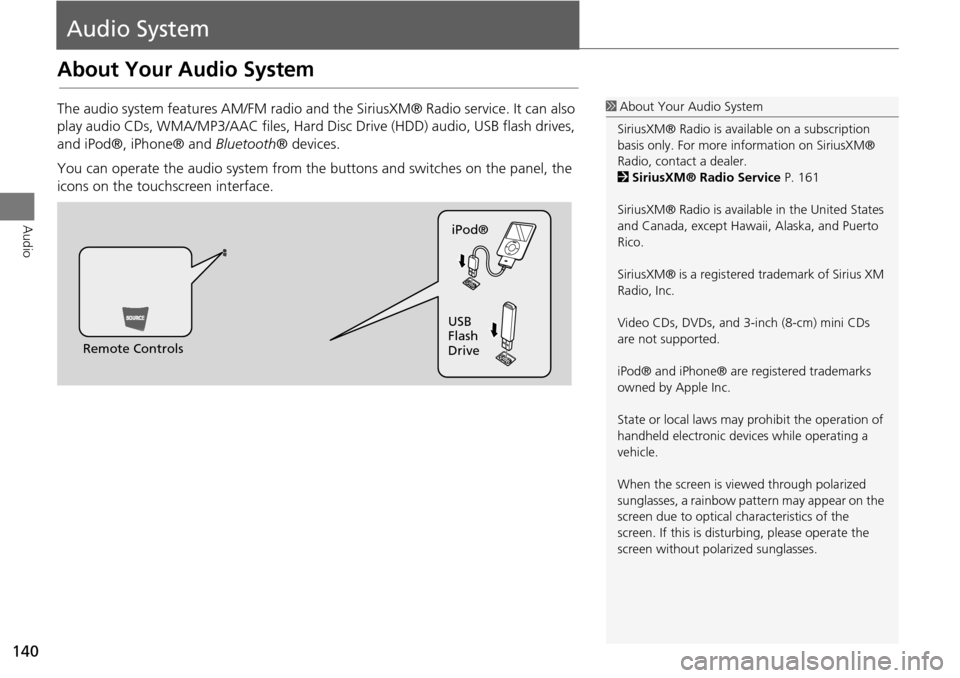
The audio system features AM/FM radio and the SiriusXM® Radio service. It can also
play audio CDs, WMA/MP3/AAC fi les, Hard Disc Drive (HDD) audio, USB flash drives,
and iPod®, iPhone® and Bluetooth® devices.
You can operate the audio system from the buttons and switches on the panel, the
icons on the touchscreen interface.1 About Your Audio System
SiriusXM® Radio is avai lable on a subscription
basis only. For more information on SiriusXM®
Radio, contact a dealer.
2 SiriusXM® Radio Service P. 161
SiriusXM® Radio is available in the United States
and Canada, except Hawa ii, Alaska, and Puerto
Rico.
SiriusXM® is a registered trademark of Sirius XM
Radio, Inc.
Video CDs, DVDs, and 3-inch (8-cm) mini CDs
are not supported.
iPod® and iPhone® are registered trademarks
owned by Apple Inc.
State or local laws may prohibit the operation of
handheld electronic devices while operating a
vehicle.
When the screen is vi ewed through polarized
sunglasses, a rainbow pattern may appear on the
screen due to optical characteristics of the
screen. If this is distur bing, please operate the
screen without polarized sunglasses.
Remote Controls iPod®
USB
Flash
Drive
Page 142 of 341
141
Audio SystemUSB Port
Audio
USB Port
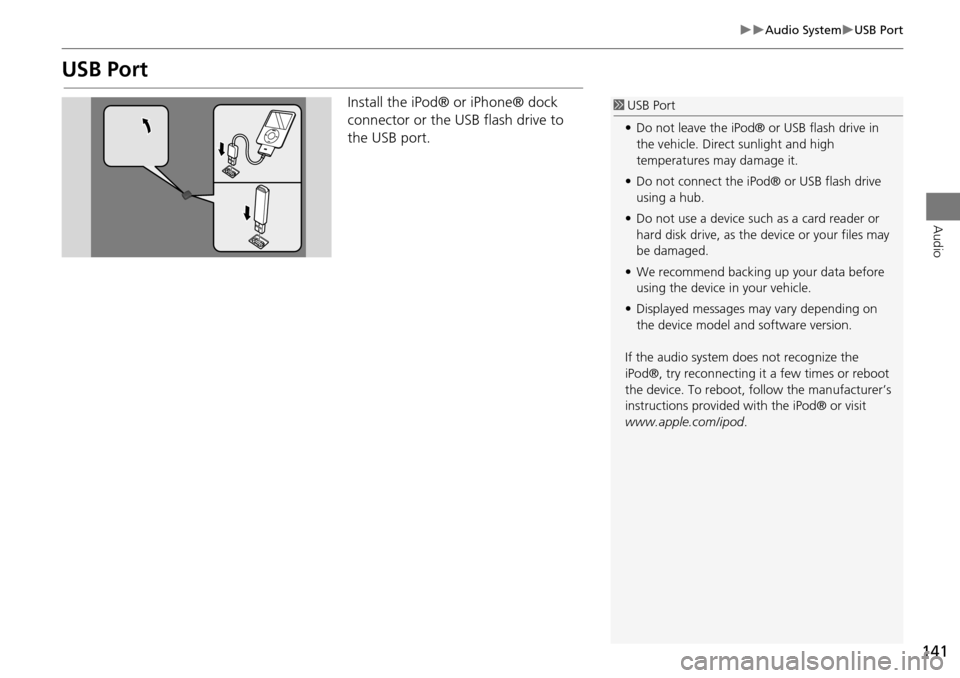
Install the iPod® or iPhone® dock
connector or the USB flash drive to
the USB port.1 USB Port
• Do not leave the iPod® or USB flash drive in
the vehicle. Direct sunlight and high
temperatures may damage it.
• Do not connect the iPod® or USB flash drive
using a hub.
• Do not use a device such as a card reader or
hard disk drive, as the device or your files may
be damaged.
• We recommend backing up your data before
using the device in your vehicle.
• Displayed messages may vary depending on
the device model a nd software version.
If the audio system does not recognize the
iPod®, try reconnecting it a few times or reboot
the device. To reboot, fo llow the manufacturer’s
instructions provided wi th the iPod® or visit
www.apple.com/ipod.
Page 143 of 341
142
Audio SystemAuxiliary Input Jack
Audio
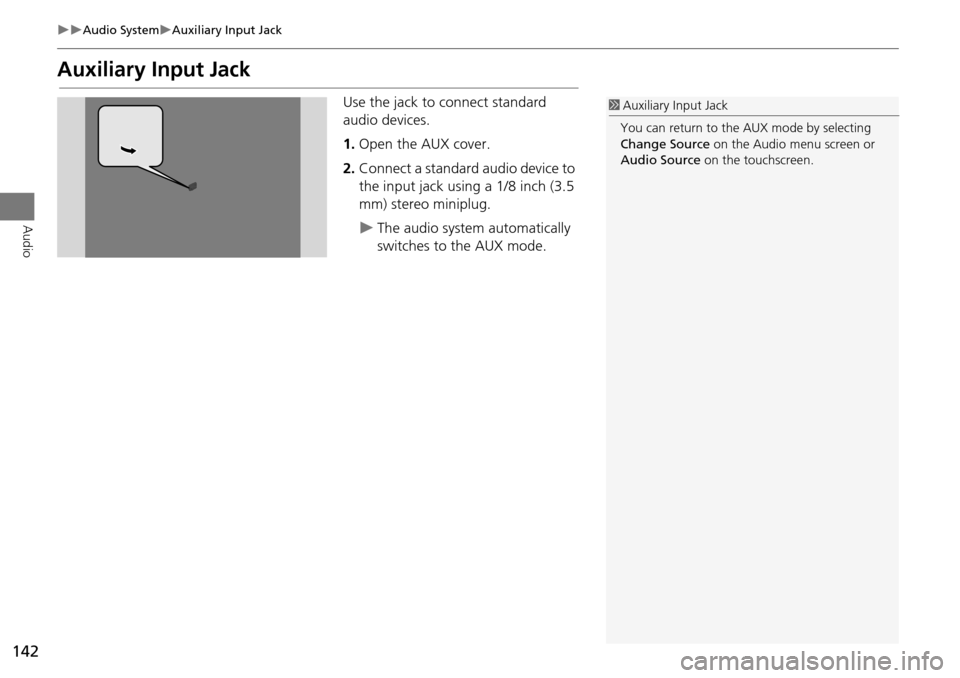
Auxiliary Input Jack
Use the jack to connect standard
audio devices.
1.Open the AUX cover.
2. Connect a standard audio device to
the input jack using a 1/8 inch (3.5
mm) stereo miniplug.
The audio system automatically
switches to the AUX mode.
1Auxiliary Input Jack
You can return to the AUX mode by selecting
Change Source on the Audio menu screen or
Audio Source on the touchscreen.
Page 144 of 341
143
Audio SystemAudio System Theft Protection
Audio
Audio System Theft Protection
The audio system is disabled when it is disconnected from the power source, such as
when the battery is disconnected or goes dead. In certain conditions, the system may
display Enter code . If this occurs, reactivate the audio system.
1. Set the power mode to ON.
2. Turn on the audio system.
3. Press and hold the audio system power button for more than two seconds.
The audio system is reac tivated when the audio c ontrol unit establishes a
connection with the vehicle control unit. If the control unit fails to recognize
the audio unit, you must go to a deal er and have the audio unit checked.
■Reactivate the audio system
Page 145 of 341
144
Audio SystemSetting Audio Shortcuts
Audio
Setting Audio Shortcuts
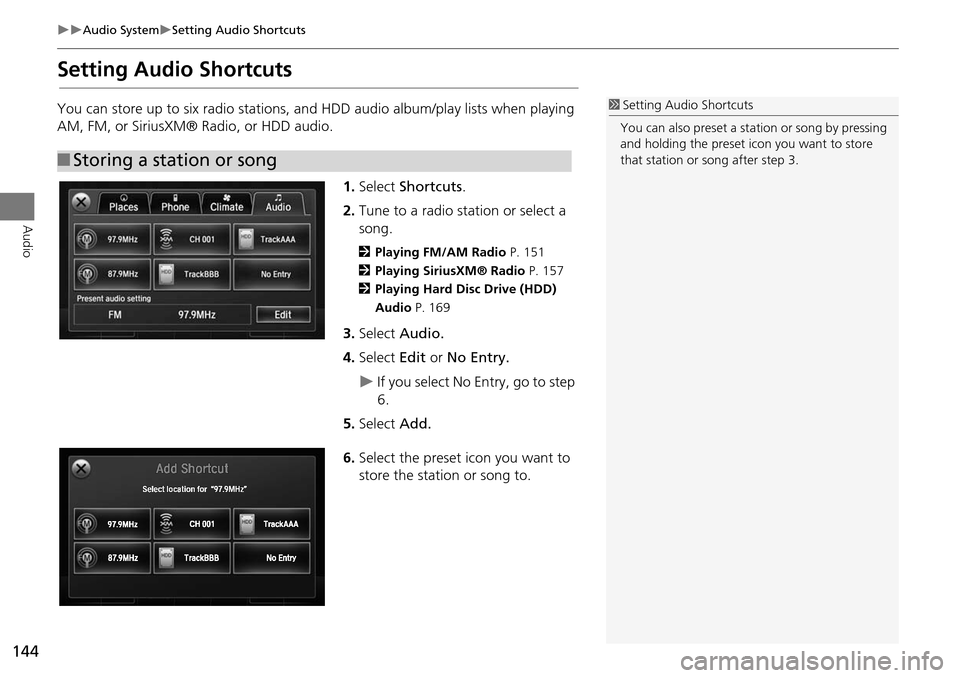
You can store up to six radio stations, and HDD audio album/play lists when playing
AM, FM, or SiriusXM® Radio, or HDD audio.1.Select Shortcuts .
2. Tune to a radio station or select a
song.
2 Playing FM/AM Radio P. 151
2 Playing SiriusXM® Radio P. 157
2 Playing Hard Disc Drive (HDD)
Audio P. 169
3.Select Audio.
4. Select Edit or No Entry.
If you select No Entry, go to step
6.
5. Select Add.
6. Select the preset icon you want to
store the station or song to.
■Storing a station or song
1 Setting Audio Shortcuts
You can also preset a st ation or song by pressing
and holding the preset icon you want to store
that station or song after step 3.
Page 146 of 341
145
Audio SystemSetting Audio Shortcuts
Audio
1.Select Shortcuts .
2. Select Audio .
3. Select Edit.
4. Select Delete .
5. Select the preset icon with the radio st ation or a song you want to delete.
■Deleting a preset station or song
Page 147 of 341
146
Audio
Audio Remote Controls
Steering Wheel Controls
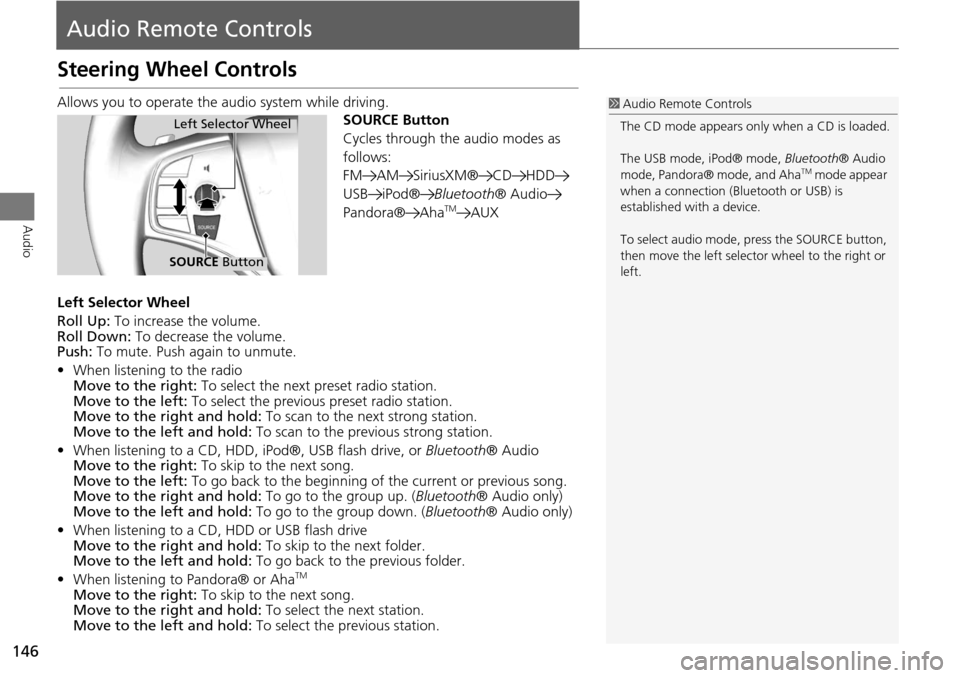
Allows you to operate the audio system while driving.
SOURCE Button
Cycles through the audio modes as
follows:
FM AM SiriusXM® CD HDD
USB iPod®Bluetooth® Audio
Pandora® Aha
TMAUX
Left Selector Wheel
Roll Up: To increase the volume.
Roll Down: To decrease the volume.
Push: To mute. Push again to unmute.
• When listening to the radio
Move to the right: To select the next preset radio station.
Move to the left: To select the previous preset radio station.
Move to the right and hold: To scan to the next strong station.
Move to the left and hold: To scan to the previous strong station.
• When listening to a CD, HDD, iPod®, USB flash drive, or Bluetooth® Audio
Move to the right: To skip to the next song.
Move to the left: To go back to the beginning of the current or previous song.
Move to the right and hold: To go to the group up. (Bluetooth® Audio only)
Move to the left and hold: To go to the group down. (Bluetooth® Audio only)
• When listening to a CD, HDD or USB flash drive
Move to the right and hold: To skip to the next folder.
Move to the left and hold: To go back to the previous folder.
• When listening to Pandora® or Aha
TM
Move to the right: To skip to the next song.
Move to the right and hold: To select the next station.
Move to the left and hold: To select the previous station.
1Audio Remote Controls
The CD mode appears only when a CD is loaded.
The USB mode, iPod® mode, Bluetooth® Audio
mode, Pandora® mode, and Aha
TM mode appear
when a connection (Bluetooth or USB) is
established with a device.
To select audio mode, pr ess the SOURCE button,
then move the left selector wheel to the right or
left.
Left Selector Wheel
SOURCE Button
Page 148 of 341
147
Audio
Audio Settings
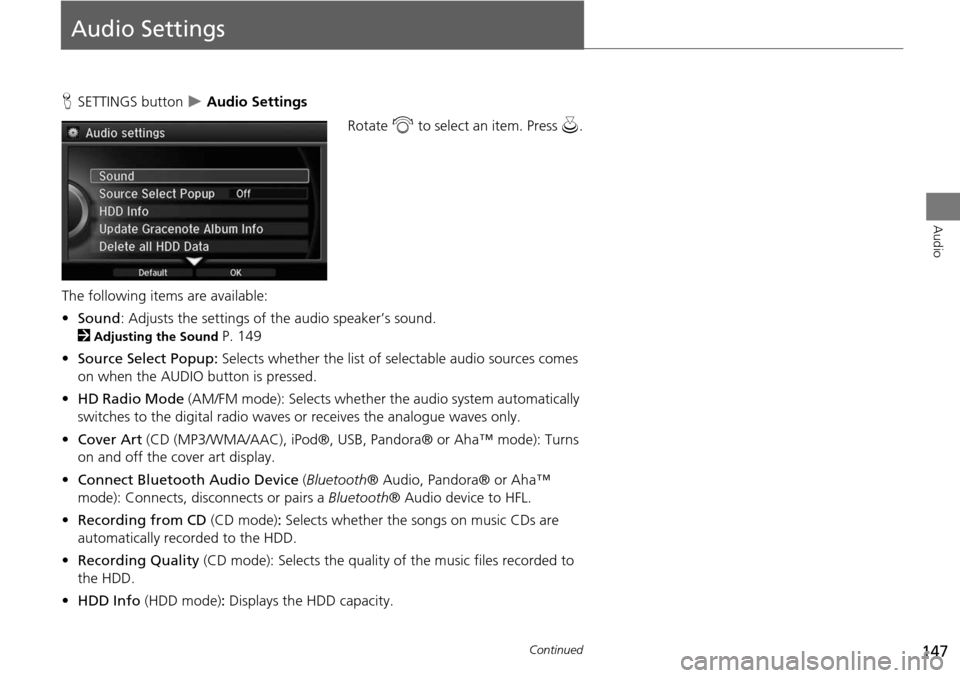
HSETTINGS button Audio Settings
Rotate i to select an item. Press u.
The following items are available:
• Sound : Adjusts the settings of the audio speaker’s sound.
2
Adjusting the Sound P. 149
• Source Select Popup: Selects whether the list of selectable audio sources comes
on when the AUDIO button is pressed.
• HD Radio Mode (AM/FM mode): Selects whether the audio system automatically
switches to the digital radio waves or receives the analogue waves only.
• Cover Art (CD (MP3/WMA/AAC), iPod ®, USB, Pandora® or Aha™ mode): Turns
on and off the cover art display.
• Connect Bluetooth Audio Device (Bluetooth ® Audio, Pandora® or Aha™
mode): Connects, disconnects or pairs a Bluetooth® Audio device to HFL.
• Recording from CD (CD mode): Selects whether the songs on music CDs are
automatically recorded to the HDD.
• Recording Quality (CD mode): Selects the quality of the music files recorded to
the HDD.
• HDD Info (HDD mode) : Displays the HDD capacity.
Continued