brake Acura MDX 2015 Workshop Manual
[x] Cancel search | Manufacturer: ACURA, Model Year: 2015, Model line: MDX, Model: Acura MDX 2015Pages: 505, PDF Size: 18.62 MB
Page 359 of 505

uuWhen Driving uLane Keeping Assist System (LKAS)
*
358Driving
The system can be used when the following conditions are met.
• The lane you are driving in has detectable lane markers on both sides, and your
vehicle is in the center of the lane.
• The vehicle speed is between 45 and 90 mph (72 and 145 km/h).
• You are driving on a straight or slightly curved road.
• The turn signals are off.
• The brake pedal is not depressed.
• The wipers are not in continuous operation.■How to activate the system
1.Press the MAIN button.
u The LKAS is on in the MID.
The system is ready to use.
2. Press the LKAS button.
u Lane outlines appear on the multi-
information display.
The system is activated.■
When the System can be Used
1Lane Keeping Assist System (LKAS)
*
•Shadows of adjacent objects are parallel to lane
markings.•The windshield is dirty.•Where the roadway has crossing or other lines
(e.g., such as at an intersection).
1LKAS camera
Never apply a film or attach any objects to the
windshield that could obstruct the LKAS camera’s
field of vision.
Scratches, nicks, and other damage to the windshield
within the LKAS camera’s field of vision can cause the
system to operate abnormally. If this occurs, we
recommend that you replace the windshield with a
genuine Acura replacement windshield. Making even
minor repairs withi n the camera’s field of vision or
installing an aftermarket replacement windshield
may also cause the system to operate abnormally.
After replacing the windshield, have a dealer
recalibrate the camera. Proper calibration of the LKAS
camera is necessary for the system to operate properly.
If the Can Not Operate: Camera Too Hot message
appears:•Use the climate control system to cool down the
interior and, if necessary, the defroster mode when
windows are fogged.•Start driving the vehicle to lower the windshield
temperature, which cools down the area around
the LKAS camera.
1 When the System can be Used
If the vehicle drifts toward either left or right lane line
due to the system applying torque, turn off the LKAS
and have your vehicle checked by a dealer.
MAIN Button
LKAS Button
* Not available on all models
Page 361 of 505

360
uuWhen Driving uLane Keeping Assist System (LKAS)
*
Driving
■The system operation is suspended if
you:
• Set the wipers to continuous operation.
u Turning the wipers off resumes the
LKAS.
• Decrease the vehicle speed to about 40
mph (64 km/h) or less.
u Increasing the vehicle speed to about 45
mph (72 km/h) or more resumes the
LKAS.
• Depress the brake pedal.
u The LKAS resumes and starts detecting
the lane lines again once you release the
brake pedal.
■The LKAS may automatically be suspended when:
• The system fails to detect lane lines.
• The steering wheel is quickly turned.
• You fail to steer the vehicle.
• The vehicle is driven on a curved road over the speed limit.
• The camera temperature gets extremely high or low.
Once these conditions no long er exist, the LKAS automatically resumes.When the LKAS is suspended,
the lane lines on the multi-
information display change to
contour lines.
Page 363 of 505
362
uuWhen Driving uVehicle Stability Assist (VSA ®), aka Electronic Stability Control (ESC), System
Driving
Vehicle Stability Assist (VSA ®), aka Electronic Stability Control (ESC), SystemVSA ® helps to stabilize the vehicle during cornering if the vehicle turns more or less
than what was intended. It also assists in maintaining traction on slippery surfaces.
It does so by regulating engine output and selectively applying the brakes.
When VSA® activates, you may notice that the
engine does not respond to the accelerator.
You may also notice some noise from the
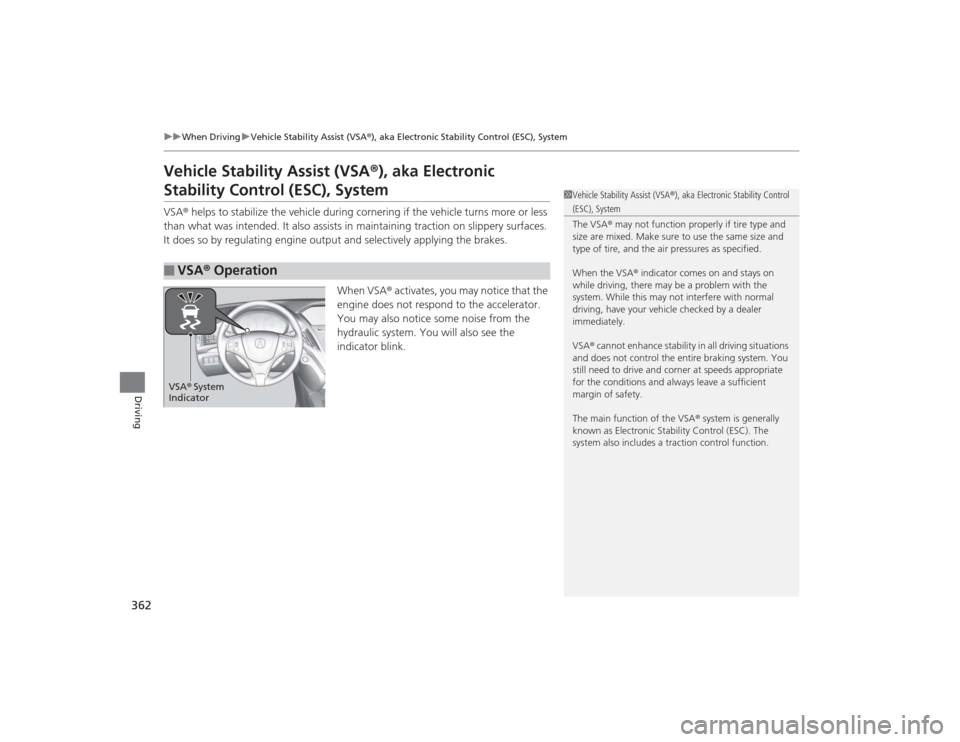
hydraulic system. You will also see the
indicator blink.■
VSA ® Operation
1 Vehicle Stability Assist (VSA ®), aka Electronic Stability Control (ESC), System
The VSA ® may not function properly if tire type and
size are mixed. Make sure to use the same size and
type of tire, and the ai r pressures as specified.
When the VSA ® indicator comes on and stays on
while driving, there may be a problem with the
system. While this may not interfere with normal
driving, have your vehicle checked by a dealer
immediately.
VSA ® cannot enhance stability in all driving situations
and does not control the entire braking system. You
still need to drive and cor ner at speeds appropriate
for the conditions and always leave a sufficient
margin of safety.
The main function of the VSA ® system is generally
known as Electronic Stability Control (ESC). The
system also includes a traction control function.
VSA ® System
Indicator
Page 365 of 505

364
uuWhen Driving uAgile Handling Assist System
Driving
Agile Handling Assist SystemLightly brakes each of the front and rear wheels, as needed, when you turn the
steering wheel, and helps support the vehicle’s stability and performance during
cornering.
1Agile Handling Assist System
The agile handling assist system cannot enhance
stability in all driving situations. You still need to drive
and corner at speeds appropriate for the conditions
and always leave a suffi cient margin of safety.
When the VSA ® indicator comes on and stays on
while driving, the agile handling assist system does
not activate.
You may hear a sound coming from the engine
compartment while the system is activated. This is
normal.
Page 368 of 505
367
uuWhen Driving uSuper Handling-All Wheel Drive
TM (SH-AWD ®)
*
Continued
Driving
Super Handling-All Wheel Drive
TM
(SH-AWD ®)
*
The system controls and transfers varying amounts of engine torque to each wheel
in accordance with the driving conditions.
SH-AWD ® helps to enhance driving stability, and le ts you handle situations like
slippery surfaces, such as snow, sand, mud, and steep hills, better than when driving
with two wheel drive. However, the system does not help to enhance braking. Be
precautious about the following:
• It is still your responsibility to drive safely when you steer, accelerate, and apply
brakes.
• Leave a sufficient margin when braking on slippery surfaces.Tire Pressure Monitoring System (TPMS)
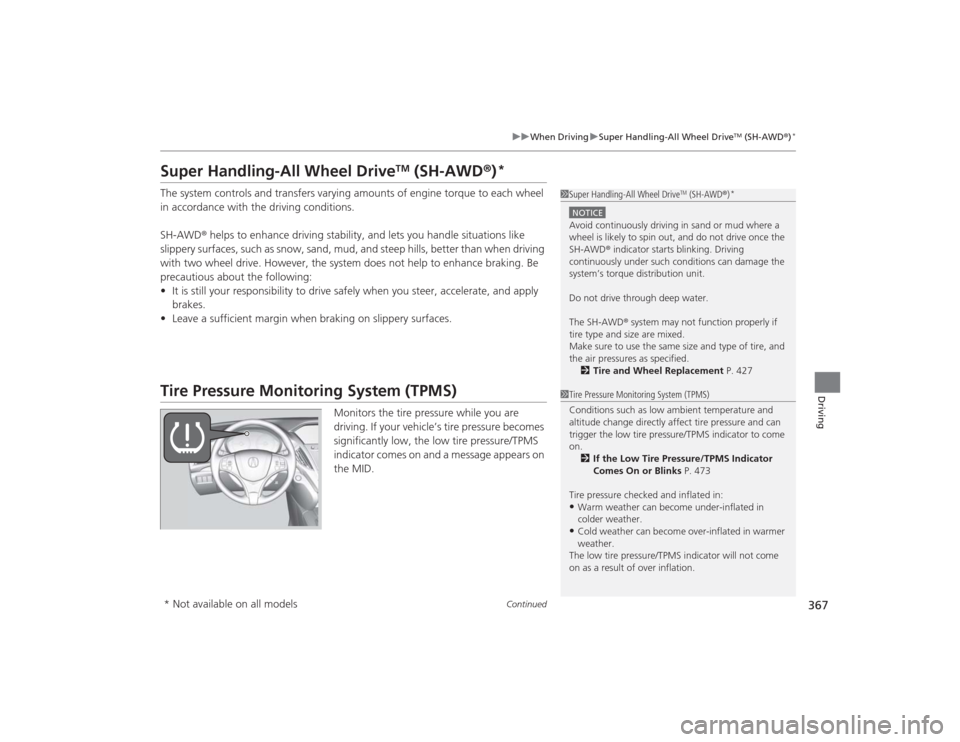
Monitors the tire pressure while you are
driving. If your vehicle’s tire pressure becomes
significantly low, the low tire pressure/TPMS
indicator comes on and a message appears on
the MID.
1Super Handling-All Wheel Drive
TM (SH-AWD ®)
*
NOTICEAvoid continuously driving in sand or mud where a
wheel is likely to spin out, and do not drive once the
SH-AWD ® indicator starts blinking. Driving
continuously under such conditions can damage the
system’s torque distribution unit.
Do not drive through deep water.
The SH-AWD ® system may not function properly if
tire type and size are mixed.
Make sure to use the same size and type of tire, and
the air pressures as specified. 2 Tire and Wheel Replacement P. 4271Tire Pressure Monitoring System (TPMS)
Conditions such as low ambient temperature and
altitude change di rectly affect tire pressure and can
trigger the low tire pr essure/TPMS indicator to come
on.
2 If the Low Tire Pressure/TPMS Indicator
Comes On or Blinks P. 473
Tire pressure checked and inflated in:•Warm weather can become under-inflated in
colder weather.•Cold weather can become over-inflated in warmer
weather.
The low tire pressure/TPMS indicator will not come
on as a result of over inflation.
* Not available on all models
Page 372 of 505
371
Continued
Driving
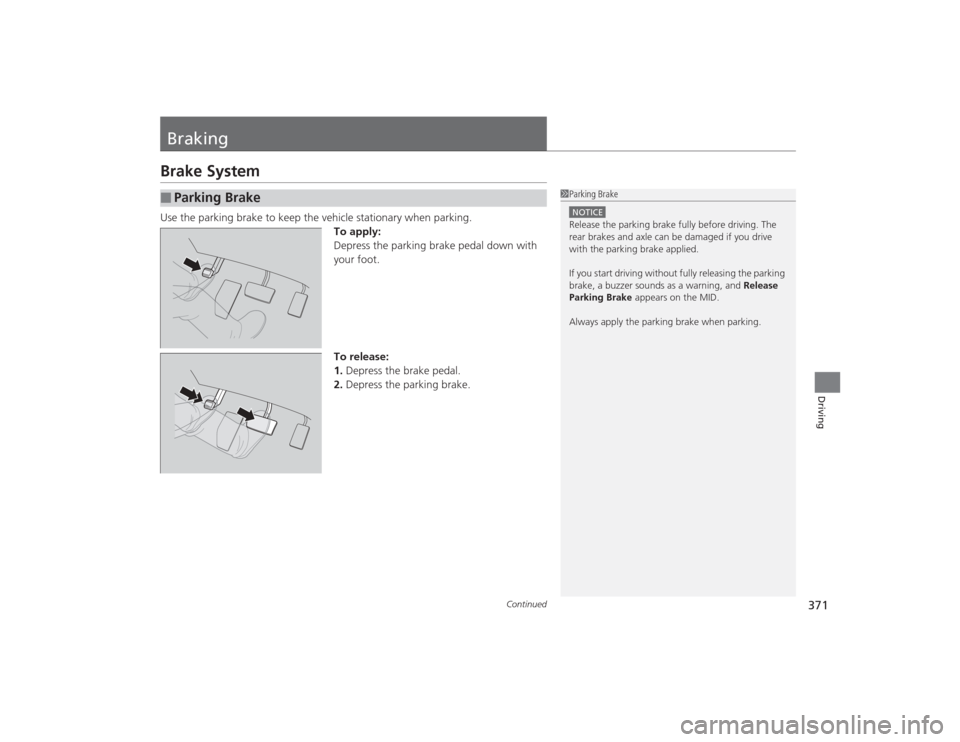
BrakingBrake SystemUse the parking brake to keep the vehicle stationary when parking.To apply:
Depress the parking brake pedal down with
your foot.
To release:
1.Depress the brake pedal.
2. Depress the parking brake.■
Parking Brake
1Parking BrakeNOTICERelease the parking brake fully before driving. The
rear brakes and axl e can be damaged if you drive
with the parking brake applied.
If you start driving without fully releasing the parking
brake, a buzzer sounds as a warning, and Release
Parking Brake appears on the MID.
Always apply the parking brake when parking.
Page 373 of 505
uuBraking uBrake System
372Driving
Your vehicle is equipped with disc brakes at all four wheels. A vacuum power assist
helps reduce the effort needed on the brake pedal. The brake assist system increases
the stopping force when you depress the brake pedal hard in an emergency
situation. The anti-lock brake system (ABS) helps you retain steering control when
braking very hard.2 Brake Assist System P. 374
2 Anti-lock Brake System (ABS) P. 373■
Foot Brake
1Foot Brake
Check the brakes after driving through deep water,
or if there is a buildup of road surface water. If
necessary, dry the brakes by lightly depressing the
pedal several times.
If you hear a continuous metallic friction sound when
applying the brakes, the brake pads need to be
replaced. Have the vehicle checked by a dealer.
Constantly using the brake pedal while going down a
long hill builds up heat, which reduces the brake
effectiveness. Apply engine braking by taking your
foot off the accelerator pedal and downshifting to a
lower gear.
Do not rest your foot on the brake pedal while
driving, as it will lightly apply the brakes and cause
them to lose effectiveness over time and reduce pad
life. It will also confuse drivers behind you.
Page 374 of 505

373
uuBraking uAnti-lock Brake System (ABS)
Driving
Anti-lock Brake System (ABS)Helps prevent the wheels from locking up, and helps you retain steering control by
pumping the brakes rapidly, much faster than you.
The electronic brake distribution (EBD) system, which is part of the ABS, also
balances the front-to-rear braking distribution according to vehicle loading.
You should never pump the brake pedal. Let the ABS work for you by always
keeping firm, steady pressure on the brake pedal. This is sometimes referred to as
“stomp and steer.”■ABS operation
The brake pedal may pulsate slightly when the ABS is working. Keep holding the
pedal firmly down. On dry pavement, you will need to press on the brake pedal very
hard before the ABS activates. However, you may feel the ABS activate immediately
if you are trying to stop on snow or ice.
When the vehicle speed goes under 6 mph (10 km/h), the ABS stops.■
ABS
1 Anti-lock Brake System (ABS)NOTICEThe ABS may not function correctly if you use an
incorrect tire type and size.
When the ABS indicator comes on while driving,
there may be a problem with the system.
While normal braking is not affected, there is a
possibility of the ABS not operating. Have the vehicle
checked by a dealer immediately.
The ABS does not reduce the time or distance it takes
to stop the vehicle. It only helps with steering control
during hard braking.
In the following cases, your vehicle may need more
stopping distance than a vehicle without the ABS:•When driving on rough road surfaces, including
when driving on uneven surfaces, such as gravel or
snow.•When tire chains are installed.
You may hear a motor sound coming from the
engine compartment while system checks are being
performed immediatel y after starting the engine or
while driving. This is normal.
Page 375 of 505

374
uuBraking uBrake Assist System
Driving
Brake Assist SystemDesigned to assist the driver by generating greater braking force when you depress
the brake pedal hard during emergency braking.■Brake assist system operation
Press the brake pedal firmly for more powerful braking.
When brake assist operates, the pedal may wiggle slightly and an operating noise
may be heard. This is normal. Keep holding the brake pedal firmly down.
Page 376 of 505

375
uuBraking uCollision Mitigation Braking System
TM (CMBS
TM)*
Continued
Driving
Collision Mitigation Braking System
TM
(CMBS
TM
)*
Can assist you when there is a possibility of your vehicle colliding with a vehicle
detected in front of yours. The CMBS
TM is designed to alert you when a potential
collision is determined, as well as to reduce your vehicle speed when a collision is
deemed unavoidable to help minimize collision severity.
■How the system works
1 Collision Mitigation Braking System
TM (CMBS
TM)*
Important Safety Reminder
The CMBS
TM is designed to reduce the severity of an
unavoidable collision. It does not prevent a collision
nor stop the vehicle automatically. It is still your
responsibility to operate the brake pedal and steering
wheel appropriately according to the driving
conditions.
The CMBSTM may not activate or may not detect a
vehicle in front of your vehicle under the following
conditions:
•The distance between your vehicle and the vehicle
ahead of you is too short.•A vehicle cuts in front of you at a slow speed, and
it brakes suddenly.•When you accelerate rapidly and approach the
vehicle ahead of you at high speed.•The vehicle ahead of you is a motorcycle or other
small vehicle.•A vehicle suddenly crosses in front of you.•When you drive on a curved or winding road that
makes it difficult for the sensor to properly detect a
vehicle in front of you.•When there are pedestrians or animals in front of
your vehicle.
A radar sensor starts to monitor if there is a vehicl e in front of you when your
vehicle speed is above about 10 mph (15 km/h).
The radar sensor is
in the front grille.
The CMBS
TM activates when the speed difference between your vehicle and a
vehicle detected in front of you becomes more than about 10 mph (15 km/h) with
a chance of a collision.
* Not available on all models