Brake Acura MDX 2016 User Guide
[x] Cancel search | Manufacturer: ACURA, Model Year: 2016, Model line: MDX, Model: Acura MDX 2016Pages: 557, PDF Size: 31.09 MB
Page 36 of 557
35
uuSeat Belts uAbout Your Seat Belts
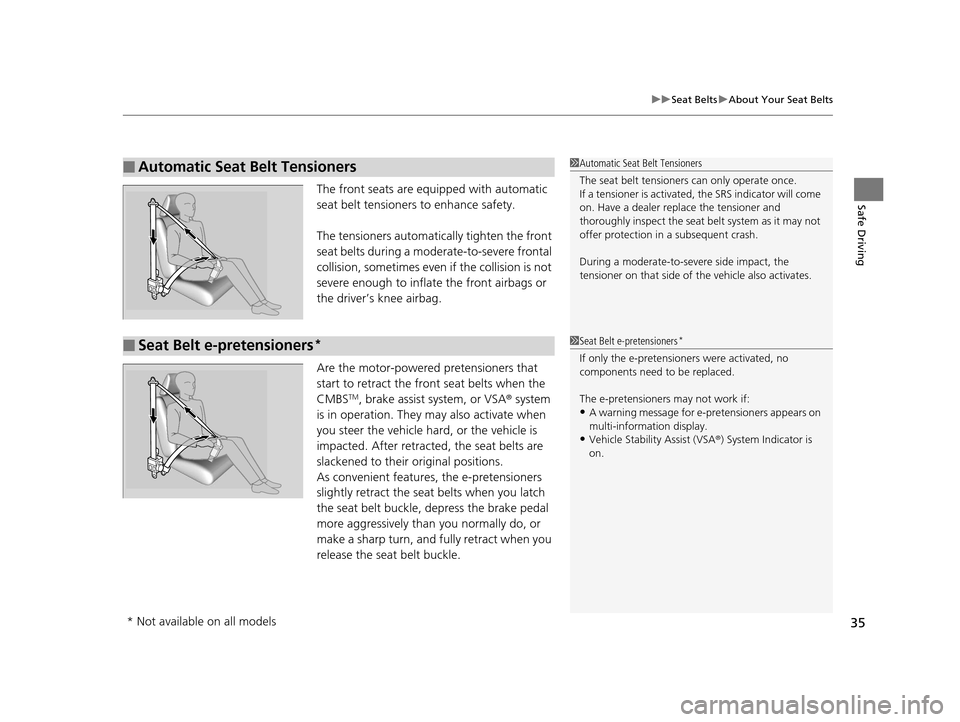
Safe DrivingThe front seats are equi pped with automatic
seat belt tensioners to enhance safety.
The tensioners automatically tighten the front
seat belts during a moderate-to-severe frontal
collision, sometimes even if the collision is not
severe enough to inflate the front airbags or
the driver’s knee airbag.
Are the motor-powered pretensioners that
start to retract the front seat belts when the
CMBS
TM, brake assist system, or VSA ® system
is in operation. They may also activate when
you steer the vehicle hard, or the vehicle is
impacted. After retracted, the seat belts are
slackened to their original positions.
As convenient features, the e-pretensioners
slightly retract the seat belts when you latch
the seat belt buckle, depress the brake pedal
more aggressively than you normally do, or
make a sharp turn, and fu lly retract when you
release the seat belt buckle.
■Automatic Seat Belt Tensioners1 Automatic Seat Belt Tensioners
The seat belt tensioners can only operate once.
If a tensioner is activated, the SRS indicator will come
on. Have a dealer replace the tensioner and
thoroughly inspect the seat belt system as it may not
offer protection in a subsequent crash.
During a moderate-to-severe side impact, the
tensioner on that side of the vehicle also activates.
■Seat Belt e-pretensioners*1Seat Belt e-pretensioners*
If only the e-pretensione rs were activated, no
components need to be replaced.
The e-pretensioners may not work if:
•A warning message for e- pretensioners appears on
multi-information display.
•Vehicle Stability Assist (VSA® ) System Indicator is
on.
* Not available on all models
16 ACURA MDX-31TZ56200.book 35 ページ 2015年3月4日 水曜日 午後2時59分
Page 73 of 557

72
Instrument Panel
Indicators
IndicatorNameOn/BlinkingExplanationMessage
Parking Brake and
Brake System
Indicator (Red)
●Comes on for a few seconds
when you set the power mode to
ON, then goes off if the parking
brake has been released.
●Comes on when the parking
brake is applied, and goes off
when it is released.
●Comes on when the brake fluid
level is low.
●Comes on if there is a problem
with the brake system.
●The beeper sounds and the
indicator comes on if you drive
with the parking brake not fully
released.
●Comes on while driving - Make sure the
parking brake is released. Check the brake
fluid level.
2 What to do when th e indicator comes on
while driving P. 521
●Comes on along with the ABS indicator -
Have your vehicle checked by a dealer.
2 If the Brake System Indicator (Red)
Comes On P. 521
Brake System
Indicator (Amber)
●Comes on for a few seconds
when you set the power mode to
ON, then goes off.
●Comes on if there is a problem
with a system related to braking
other than the conventional
brake system.
●Comes on while driving - Have your vehicle
checked by a dealer.
●With this indicator on, your vehicle still has
normal braking ability.
U.S.
Canada
(Red)
U.S.
Canada
(Amber)
U.S.
Canada
16 ACURA MDX-31TZ56200.book 72 ページ 2015年3月4日 水曜日 午後2時59分
Page 76 of 557
75
uuIndicators u
Continued
Instrument Panel
IndicatorNameOn/BlinkingExplanationMessage
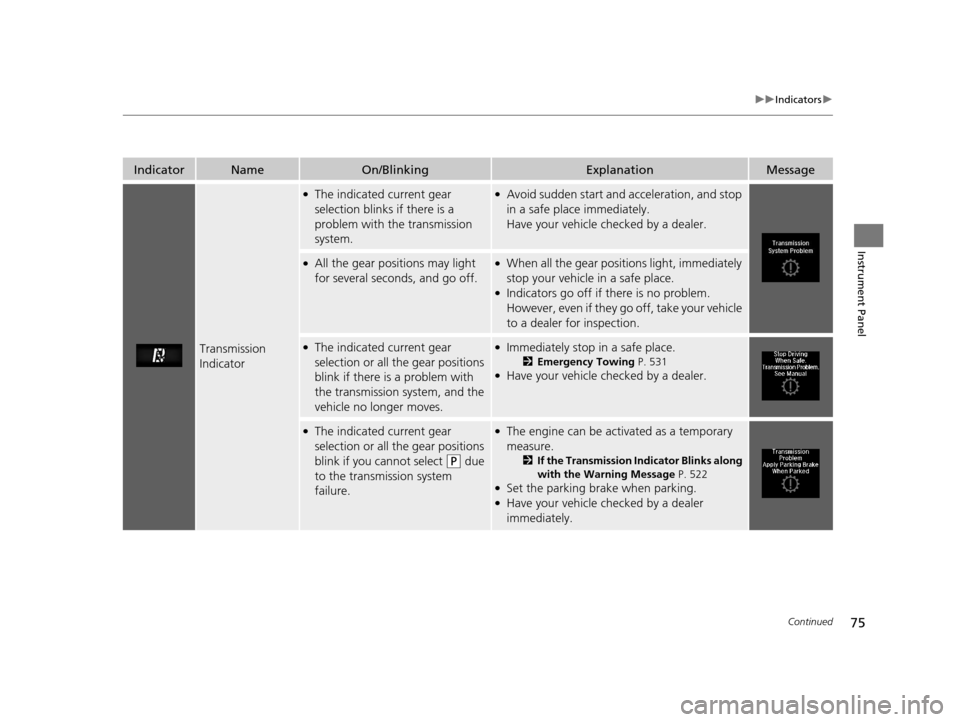
Transmission
Indicator
●The indicated current gear
selection blinks if there is a
problem with the transmission
system.●Avoid sudden start and acceleration, and stop
in a safe place immediately.
Have your vehicle checked by a dealer.
●All the gear positions may light
for several seconds, and go off.●When all the gear positions light, immediately
stop your vehicle in a safe place.
●Indicators go off if there is no problem.
However, even if they go off, take your vehicle
to a dealer for inspection.
●The indicated current gear
selection or all the gear positions
blink if there is a problem with
the transmission system, and the
vehicle no longer moves.●Immediately stop in a safe place.
2Emergency Towing P. 531●Have your vehicle checked by a dealer.
●The indicated current gear
selection or all the gear positions
blink if you cannot select
(P due
to the transmission system
failure.
●The engine can be activated as a temporary
measure.
2 If the Transmission Indicator Blinks along
with the Warning Message P. 522
●Set the parking brake when parking.●Have your vehicle checked by a dealer
immediately.
16 ACURA MDX-31TZ56200.book 75 ページ 2015年3月4日 水曜日 午後2時59分
Page 78 of 557

77
uuIndicators u
Continued
Instrument Panel
IndicatorNameOn/BlinkingExplanationMessage
Anti-lock Brake
System (ABS)
Indicator
●Comes on for a few seconds
when you set the power mode to
ON, then goes off.
●If it comes on at any other time,
there is a problem with the ABS.
●Stays on constantly - Have your vehicle
checked by a dealer. Wi th this indicator on,
your vehicle still has normal braking ability but
no anti-lock function.
2 Anti-lock Brake System (ABS) P. 414
Supplemental
Restraint System
Indicator
●Comes on for a few seconds
when you set the power mode to
ON, then goes off.
●Comes on if a problem with any
of the following is detected:
-Supplemental restraint system
- Side airbag system
- Side curtain airbag system
- Seat belt tensioner
●Stays on constantly or does not come on
at all - Have your vehicle checked by a dealer.
16 ACURA MDX-31TZ56200.book 77 ページ 2015年3月4日 水曜日 午後2時59分
Page 79 of 557

78
uuIndicators u
Instrument Panel
IndicatorNameOn/BlinkingExplanationMessage
Vehicle Stability
Assist (VSA ®)
System Indicator
●Comes on for a few seconds
when you set the power mode to
ON, then goes off.
●Blinks when VSA ®, or trailer
stability assist is active.
●Comes on if there is a problem
with the VSA ®, hill start assist,
trailer stability assist or brake
lighting system.
●Stays on constantly - Have your vehicle
checked by a dealer.
2 Vehicle Stability Assist (VSA ®), aka
Electronic Stability Control (ESC), System
P. 402
2 Trailer Stability Assist
* P. 335
2 Hill start assist system P. 344
●When Trailer Stability Assist Problem is
displayed on the MID, the VSA ® does not
activate.
VSA ® OFF
Indicator
●Comes on for a few seconds
when you set the power mode to
ON, then goes off.
●Comes on when you deactivate
VSA ®.
2 VSA ® On and Off P. 403—
* Not available on all models
16 ACURA MDX-31TZ56200.book 78 ページ 2015年3月4日 水曜日 午後2時59分
Page 97 of 557
96
uuIndicators uMulti-Information Display (MID) Warning and Information Messages
Instrument Panel
MessageConditionExplanation
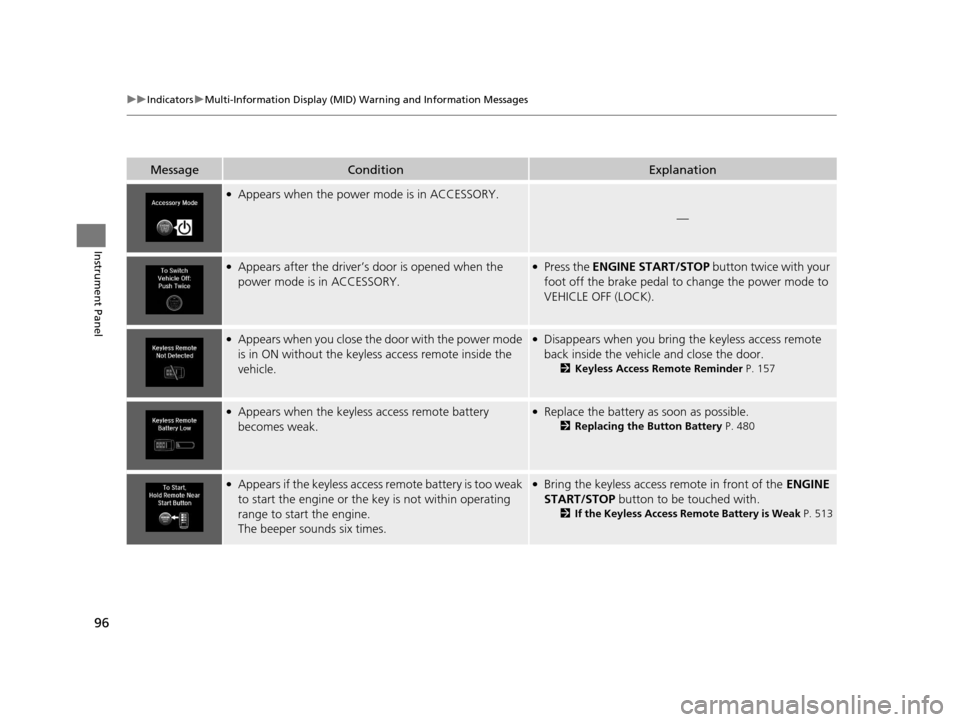
●Appears when the power mode is in ACCESSORY.
—
●Appears after the driver’s door is opened when the
power mode is in ACCESSORY.●Press the ENGINE START/STOP button twice with your
foot off the brake pedal to change the power mode to
VEHICLE OFF (LOCK).
●Appears when you close the door with the power mode
is in ON without the keyless access remote inside the
vehicle.●Disappears when you bring the keyless access remote
back inside the vehicle and close the door.
2 Keyless Access Remote Reminder P. 157
●Appears when the keyless access remote battery
becomes weak.●Replace the battery as soon as possible.
2Replacing the Button Battery P. 480
●Appears if the keyless access remote battery is too weak
to start the engine or the key is not within operating
range to start the engine.
The beeper sounds six times.●Bring the keyless access remote in front of the ENGINE
START/STOP button to be touched with.
2 If the Keyless Access Remote Battery is Weak P. 513
16 ACURA MDX-31TZ56200.book 96 ページ 2015年3月4日 水曜日 午後2時59分
Page 98 of 557
97
uuIndicators uMulti-Information Display (MID) Warning and Information Messages
Continued
Instrument Panel
MessageConditionExplanation
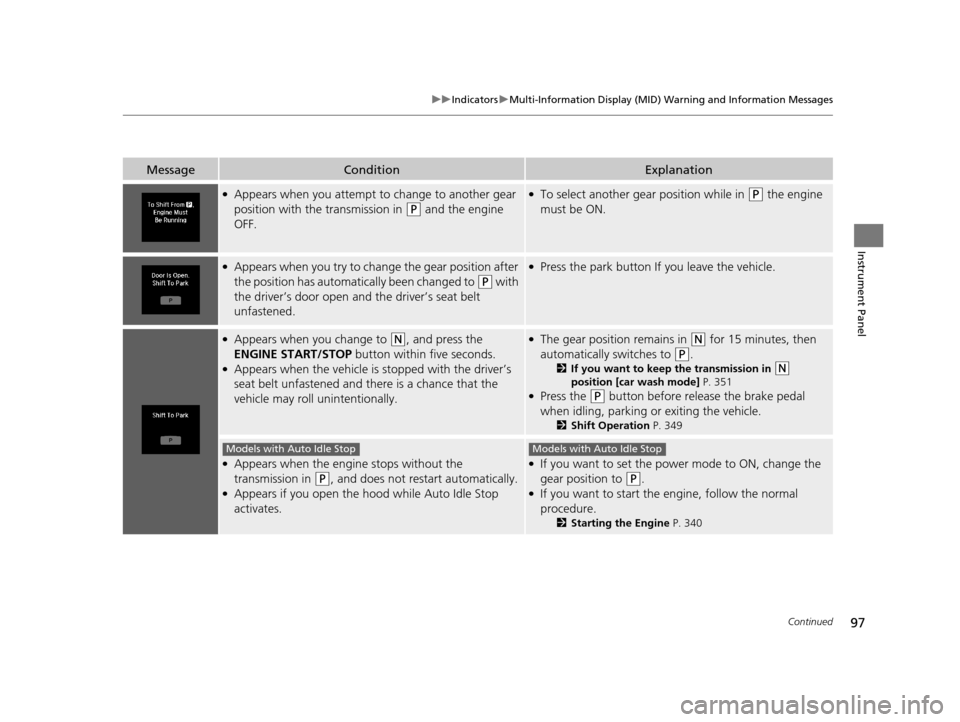
●Appears when you attempt to change to another gear
position with the transmission in
(P and the engine
OFF.
●To select another gear position while in (P the engine
must be ON.
●Appears when you try to change the gear position after
the position has automatically been changed to
(P with
the driver’s door open and the driver’s seat belt
unfastened.
●Press the park button If you leave the vehicle.
●Appears when you change to (N, and press the
ENGINE START/STOP button within five seconds.
●Appears when the vehicle is stopped with the driver’s
seat belt unfastened and there is a chance that the
vehicle may roll unintentionally.
●The gear position remains in (N for 15 minutes, then
automatically switches to
(P.
2 If you want to keep the transmission in (N
position [car wash mode] P. 351
●Press the (P button before release the brake pedal
when idling, parking or exiting the vehicle.
2 Shift Operation P. 349
●Appears when the engine stops without the
transmission in
(P, and does not restart automatically.●Appears if you open the hood while Auto Idle Stop
activates.
●If you want to set the power mode to ON, change the
gear position to
(P.●If you want to start the engine, follow the normal
procedure.
2Starting the Engine P. 340
Models with Auto Idle StopModels with Auto Idle Stop
16 ACURA MDX-31TZ56200.book 97 ページ 2015年3月4日 水曜日 午後2時59分
Page 99 of 557

98
uuIndicators uMulti-Information Display (MID) Warning and Information Messages
Instrument Panel
MessageConditionExplanation
●Appears when you try to ch ange the gear position
without depressing the brake pedal.●Depress the brake pedal, then select a shift button.
●Appears when you try to ch ange the gear position
without releasing your foot off the accelerator pedal.●Release your foot off the accelerator pedal, then select a
shift button.
●Appears when the (P button is pressed while the
vehicle is moving.
●Appears if you change the gear position to (R while the
vehicle is moving forward, or to
(D while the vehicle is
reversing.
●Make sure that the vehicle comes to a stop before
operating the select button.
●Appears when you set the po wer mode to ON without
fastening the driver’s seat belt.
●Appears when you change the gear position after (P
has been automatically select ed with the driver’s door
open, the driver’s seat belt unfastened, then the brake
pedal is released.
●Fasten the seat belt properly before you start to drive.
2 Shift Operation P. 349
●Appears when you press the (P button but it is not
engaged due to low ATF temperature.●Depress the brake pedal until this message disappear.
16 ACURA MDX-31TZ56200.book 98 ページ 2015年3月4日 水曜日 午後2時59分
Page 101 of 557
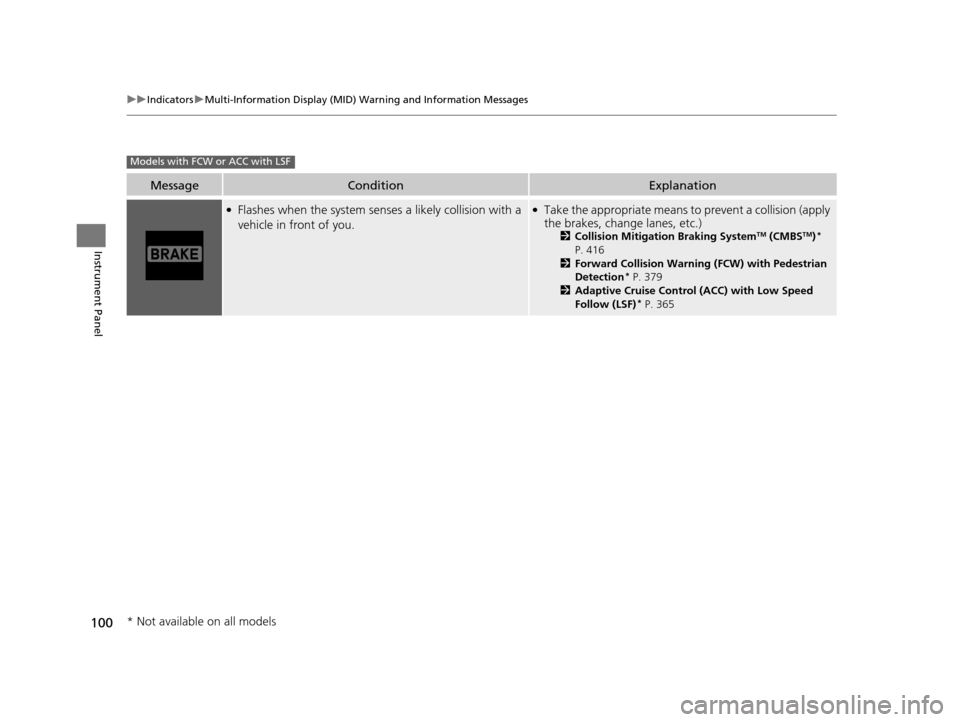
100
uuIndicators uMulti-Information Display (MID) Warning and Information Messages
Instrument Panel
MessageConditionExplanation
●Flashes when the system sens es a likely collision with a
vehicle in front of you.●Take the appropriate means to prevent a collision (apply
the brakes, change lanes, etc.)
2 Collision Mitigation Braking SystemTM (CMBSTM)*
P. 416
2 Forward Collision Warning (FCW) with Pedestrian
Detection
* P. 379
2 Adaptive Cruise Control (ACC) with Low Speed
Follow (LSF)
* P. 365
Models with FCW or ACC with LSF
* Not available on all models
16 ACURA MDX-31TZ56200.book 100 ページ 2015年3月4日 水曜日 午後2時59分
Page 104 of 557
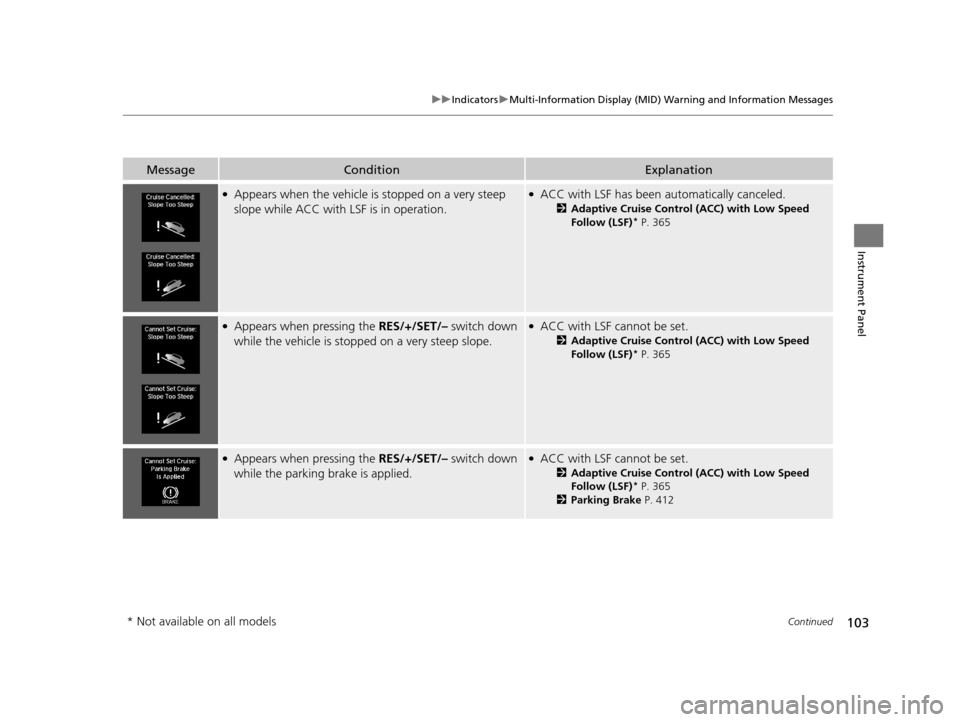
103
uuIndicators uMulti-Information Display (MID) Warning and Information Messages
Continued
Instrument Panel
MessageConditionExplanation
●Appears when the vehicle is stopped on a very steep
slope while ACC with LSF is in operation.●ACC with LSF has been automatically canceled.
2 Adaptive Cruise Control (ACC) with Low Speed
Follow (LSF)* P. 365
●Appears when pressing the RES/+/SET/– switch down
while the vehicle is stoppe d on a very steep slope.●ACC with LSF cannot be set.
2Adaptive Cruise Control (ACC) with Low Speed
Follow (LSF)* P. 365
●Appears when pressing the RES/+/SET/– switch down
while the parking brake is applied.●ACC with LSF cannot be set.
2Adaptive Cruise Control (ACC) with Low Speed
Follow (LSF)* P. 365
2 Parking Brake P. 412
* Not available on all models
16 ACURA MDX-31TZ56200.book 103 ページ 2015年3月4日 水曜日 午後2時59分