open hood Acura MDX 2016 Owner's Manual
[x] Cancel search | Manufacturer: ACURA, Model Year: 2016, Model line: MDX, Model: Acura MDX 2016Pages: 557, PDF Size: 31.09 MB
Page 4 of 557
Contents
Child Safety P. 56Exhaust Gas Hazard P. 68Safety Labels P. 69
Opening and Closing the Tailgate P. 142 Security System P. 149 Opening and Closing the Windows P. 152
Operating the Switches Around the Steering Wheel P. 155 Adjusting the Mirrors P. 172
Interior Lights/Interior Convenience It ems P. 186 Climate Control System P. 200
Audio Error Messages P. 254General Information on the Audio System P. 259
Bluetooth® HandsFreeLink ® P. 284 Compass* P. 318
Off-Highway Driving Guidelines P. 338 When Driving P. 340 Braking P. 412
Refueling P. 435 Fuel Economy P. 437Accessories and Modifications P. 438
Maintenance Under the Hood P. 447 Replacing Light Bulbs P. 459
Checking and Maintaining Tires P. 469 Battery P. 478 Remote Transmitter Care P. 480
Climate Control System Maintenance P. 484 Cleaning P. 485
Engine Does Not Start P. 512Jump Starting P. 515Overheating P. 517
Emergency Towing P. 531 When You Cannot Unlock the Fuel Fill Door P. 532
Devices that Emit Radio Waves P. 539 Reporting Safety Defects P. 540
Authorized Manuals P. 545 Client Service Information P. 546
Quick Reference GuideP. 4
Safe DrivingP. 27
Instrument PanelP. 71
ControlsP. 127
FeaturesP. 213
DrivingP. 321
MaintenanceP. 439
Handling the UnexpectedP. 491
InformationP. 535
IndexP. 547
16 ACURA MDX-31TZ56200.book 3 ページ 2015年3月4日 水曜日 午後2時59分
Page 9 of 557
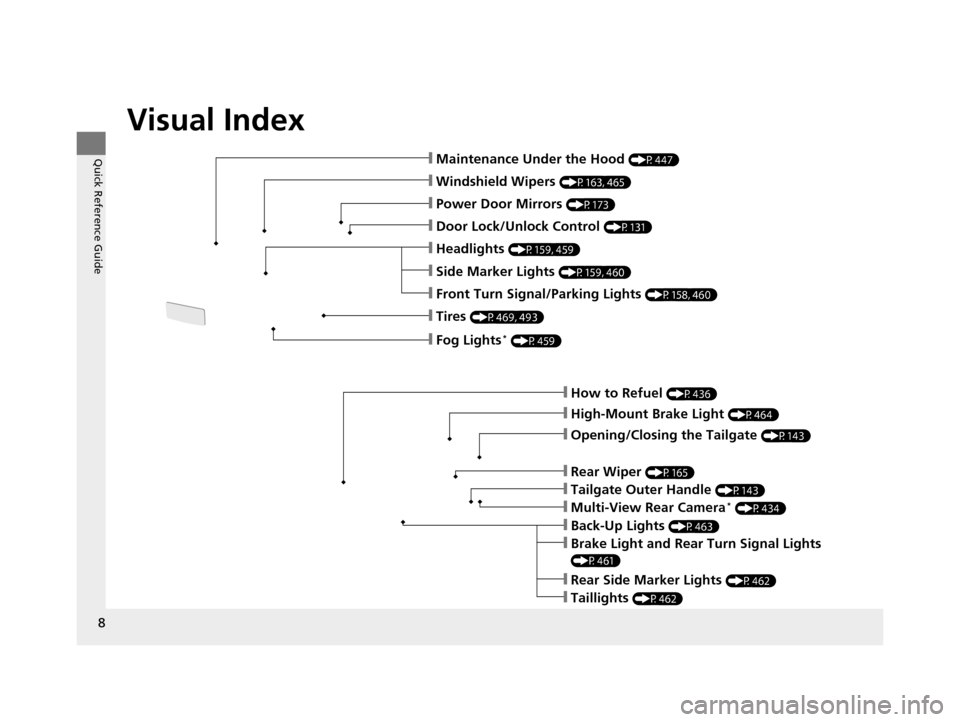
Visual Index
8
Quick Reference Guide
❙How to Refuel (P436)
❙High-Mount Brake Light (P464)
❙Opening/Closing the Tailgate (P143)
❙Back-Up Lights (P463)
❙Multi-View Rear Camera* (P434)
❙Tailgate Outer Handle (P143)
❙Rear Side Marker Lights (P462)
❙Taillights (P462)
❙Brake Light and Rear Turn Signal Lights
(P461)
❙Rear Wiper (P165)
❙Maintenance Under the Hood (P447)
❙Windshield Wipers (P163, 465)
❙Tires (P469, 493)
❙Door Lock/Unlock Control (P131)
❙Power Door Mirrors (P173)
❙Headlights (P159, 459)
❙Side Marker Lights (P159, 460)
❙Front Turn Signal/Parking Lights (P158, 460)
❙Fog Lights* (P459)
16 ACURA MDX-31TZ56200.book 8 ページ 2015年3月4日 水曜日 午後2時59分
Page 23 of 557
22
Quick Reference Guide
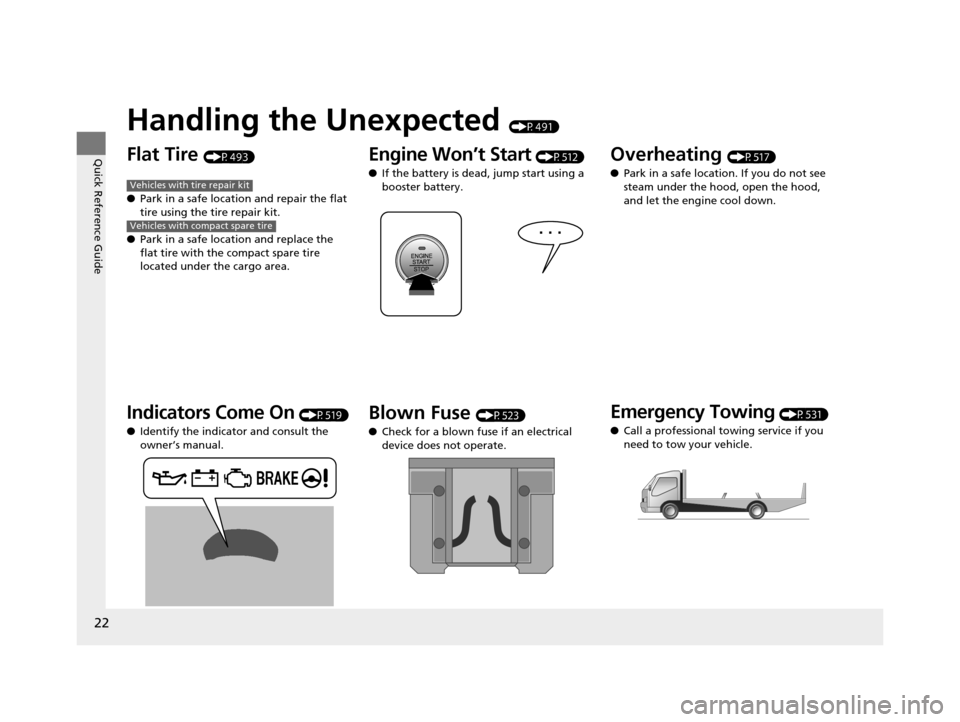
Handling the Unexpected (P491)
Flat Tire (P493)
● Park in a safe location and repair the flat
tire using the tire repair kit.
● Park in a safe location and replace the
flat tire with the compact spare tire
located under the cargo area.
Indicators Come On (P519)
● Identify the indicator and consult the
owner’s manual.
Vehicles with tire repair kit
Vehicles with compact spare tire
Engine Won’t Start (P512)
● If the battery is dead, jump start using a
booster battery.
Blown Fuse (P523)
● Check for a blown fuse if an electrical
device does not operate.
Overheating (P517)
● Park in a safe location. If you do not see
steam under the hood, open the hood,
and let the engine cool down.
Emergency Towing (P531)
● Call a professional towing service if you
need to tow your vehicle.
16 ACURA MDX-31TZ56200.book 22 ページ 2015年3月4日 水曜日 午後2時59分
Page 93 of 557
92
uuIndicators uMulti-Information Display (MID) Warning and Information Messages
Instrument Panel
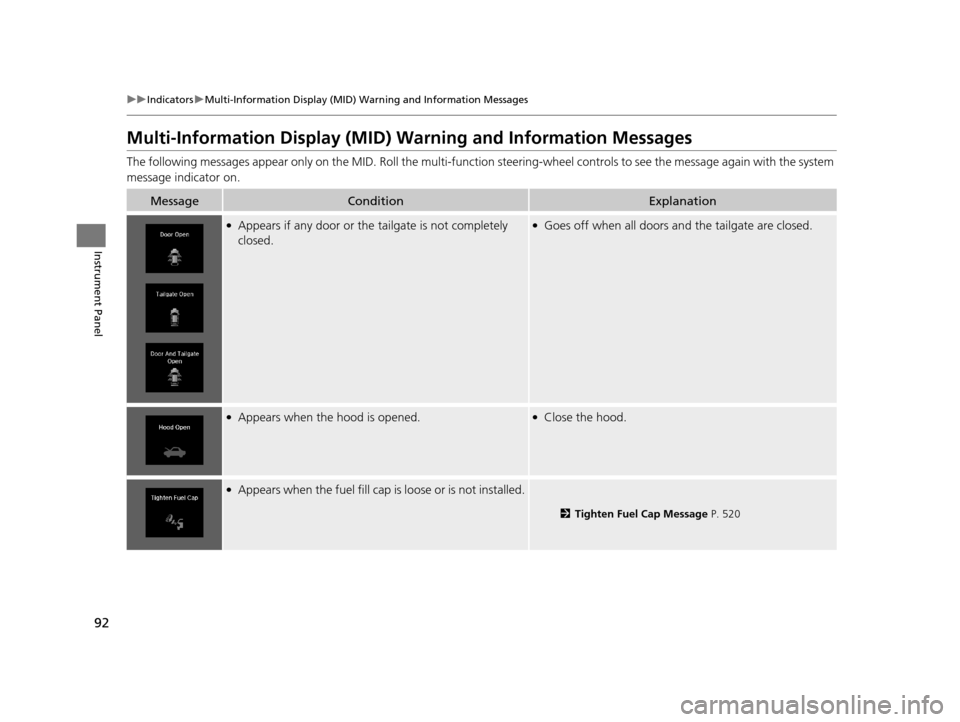
Multi-Information Display (MID) Warning and Information Messages
The following messages appear only on the MID. Roll the multi-function steering-wheel controls to see the message again with the system
message indicator on.
MessageConditionExplanation
●Appears if any door or the tailgate is not completely
closed.●Goes off when all doors an d the tailgate are closed.
●Appears when the hood is opened.●Close the hood.
●Appears when the fuel fill cap is loose or is not installed.
2Tighten Fuel Cap Message P. 520
16 ACURA MDX-31TZ56200.book 92 ページ 2015年3月4日 水曜日 午後2時59分
Page 96 of 557
95
uuIndicators uMulti-Information Display (MID) Warning and Information Messages
Continued
Instrument Panel
MessageConditionExplanation
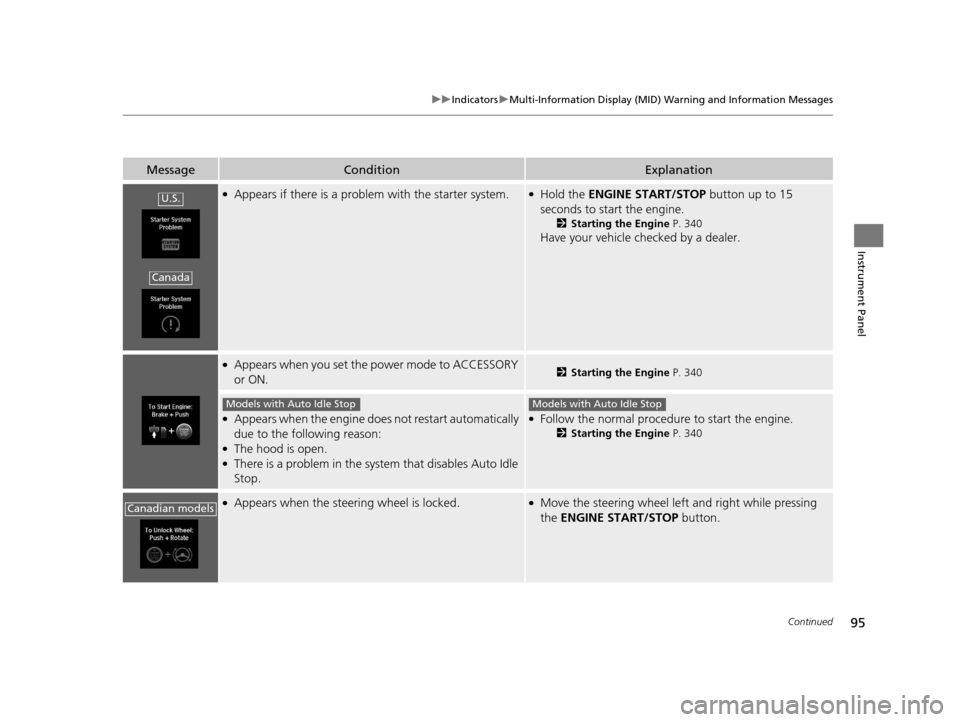
●Appears if there is a problem with the starter system.●Hold the ENGINE START/STOP button up to 15
seconds to start the engine.
2 Starting the Engine P. 340
Have your vehicle checked by a dealer.
●Appears when you set the power mode to ACCESSORY
or ON.2Starting the Engine P. 340
●Appears when the engine doe s not restart automatically
due to the following reason:
●The hood is open.●There is a problem in the syst em that disables Auto Idle
Stop.
●Follow the normal procedure to start the engine.
2 Starting the Engine P. 340
●Appears when the steering wheel is locked.●Move the steering wheel left and right while pressing
the ENGINE START/STOP button.
U.S.
Canada
Models with Auto Idle StopModels with Auto Idle Stop
Canadian models
16 ACURA MDX-31TZ56200.book 95 ページ 2015年3月4日 水曜日 午後2時59分
Page 98 of 557
97
uuIndicators uMulti-Information Display (MID) Warning and Information Messages
Continued
Instrument Panel
MessageConditionExplanation
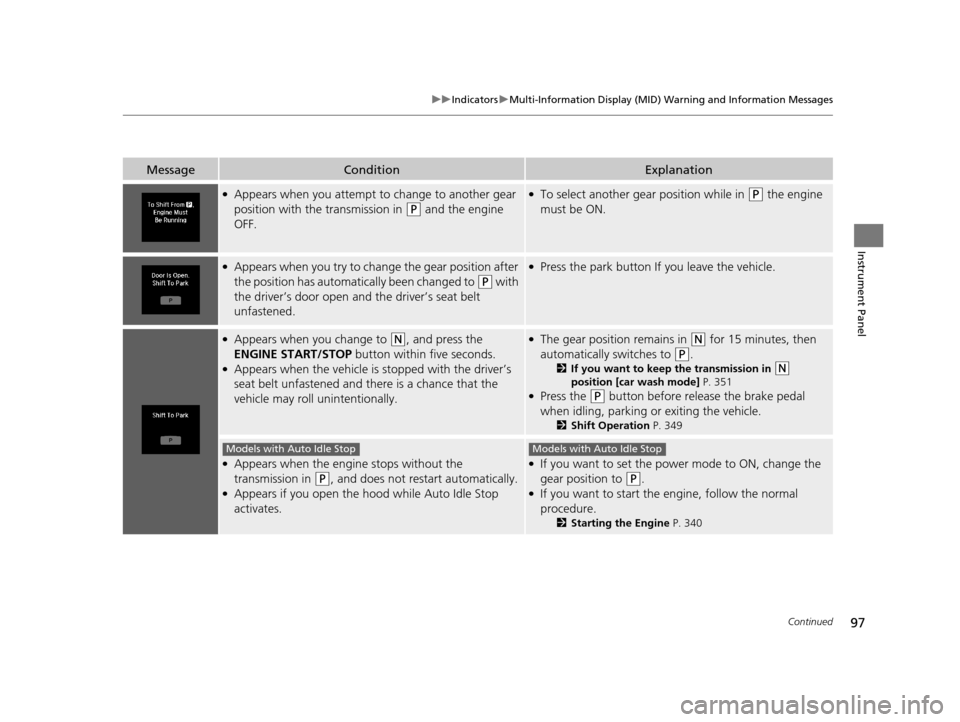
●Appears when you attempt to change to another gear
position with the transmission in
(P and the engine
OFF.
●To select another gear position while in (P the engine
must be ON.
●Appears when you try to change the gear position after
the position has automatically been changed to
(P with
the driver’s door open and the driver’s seat belt
unfastened.
●Press the park button If you leave the vehicle.
●Appears when you change to (N, and press the
ENGINE START/STOP button within five seconds.
●Appears when the vehicle is stopped with the driver’s
seat belt unfastened and there is a chance that the
vehicle may roll unintentionally.
●The gear position remains in (N for 15 minutes, then
automatically switches to
(P.
2 If you want to keep the transmission in (N
position [car wash mode] P. 351
●Press the (P button before release the brake pedal
when idling, parking or exiting the vehicle.
2 Shift Operation P. 349
●Appears when the engine stops without the
transmission in
(P, and does not restart automatically.●Appears if you open the hood while Auto Idle Stop
activates.
●If you want to set the power mode to ON, change the
gear position to
(P.●If you want to start the engine, follow the normal
procedure.
2Starting the Engine P. 340
Models with Auto Idle StopModels with Auto Idle Stop
16 ACURA MDX-31TZ56200.book 97 ページ 2015年3月4日 水曜日 午後2時59分
Page 150 of 557
149Continued
Controls
Security System
Immobilizer System
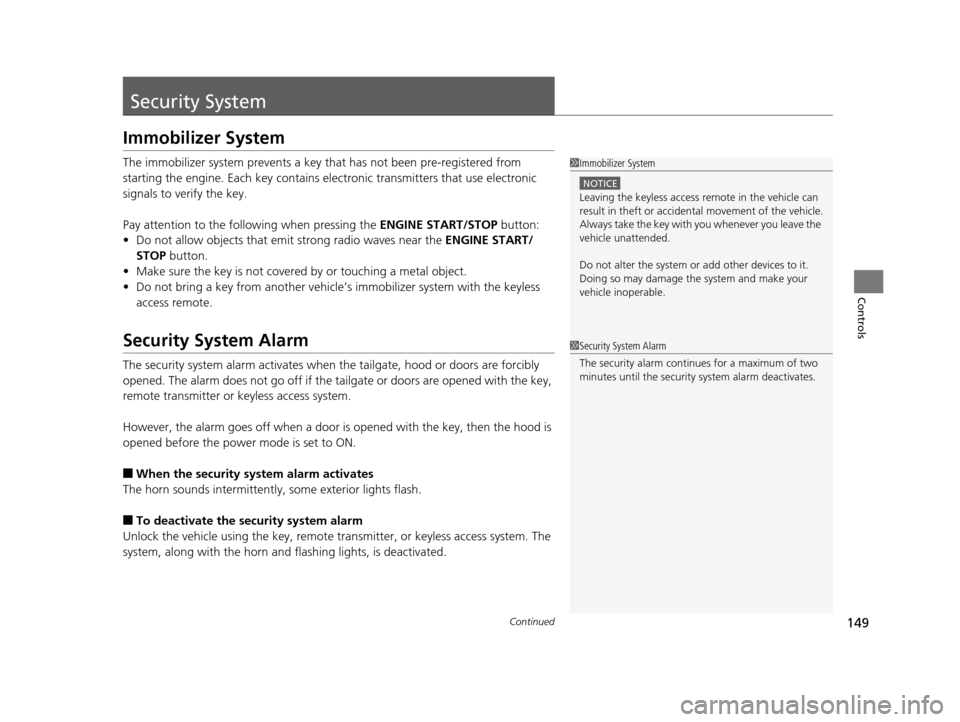
The immobilizer system prevents a key that has not been pre-registered from
starting the engine. Each key contains electronic transmitters that use electronic
signals to verify the key.
Pay attention to the follo wing when pressing the ENGINE START/STOP button:
• Do not allow objects that emit strong radio waves near the ENGINE START/
STOP button.
• Make sure the key is not covered by or touching a metal object.
• Do not bring a key from another vehicle’s immobilizer system with the keyless
access remote.
Security System Alarm
The security system alarm activates when the tailgate, hood or doors are forcibly
opened. The alarm does not go off if the tailgate or doors are opened with the key,
remote transmitter or keyless access system.
However, the alarm goes off when a door is opened with the key, then the hood is
opened before the power mode is set to ON.
■When the security system alarm activates
The horn sounds intermittently , some exterior lights flash.
■To deactivate the security system alarm
Unlock the vehicle using the key, remote tra nsmitter, or keyless access system. The
system, along with the horn and flashing lights, is deactivated.
1 Immobilizer System
NOTICE
Leaving the keyless access re mote in the vehicle can
result in theft or accident al movement of the vehicle.
Always take the key with you whenever you leave the
vehicle unattended.
Do not alter the system or add other devices to it.
Doing so may damage the system and make your
vehicle inoperable.
1 Security System Alarm
The security alarm continues for a maximum of two
minutes until the security system alarm deactivates.
16 ACURA MDX-31TZ56200.book 149 ページ 2015年3月4日 水曜日 午後2時59分
Page 151 of 557
uuSecurity System uSecurity System Alarm
150
Controls
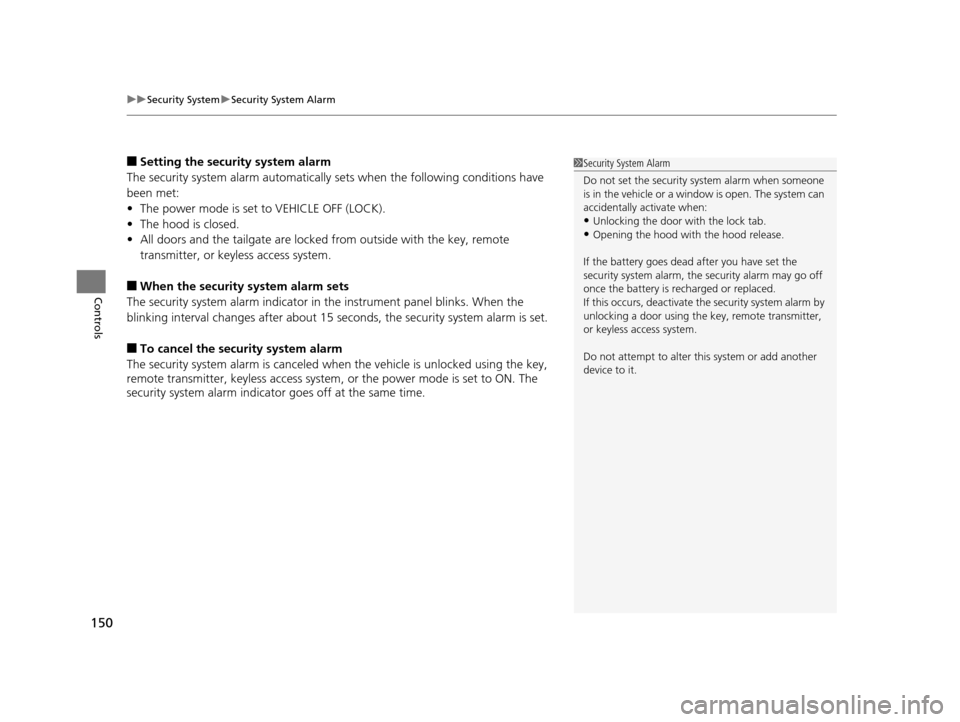
■Setting the security system alarm
The security system alarm automatically sets when the following conditions have
been met:
• The power mode is set to VEHICLE OFF (LOCK).
• The hood is closed.
• All doors and the tailgate are locked from outside with the key, remote
transmitter, or keyless access system.
■When the security system alarm sets
The security system alarm indicator in the instrument panel blinks. When the
blinking interval changes after about 15 seconds, the security system alarm is set.
■To cancel the security system alarm
The security system alarm is canceled when the vehicle is unlocked using the key,
remote transmitter, keyless access system, or the power mode is set to ON. The
security system alarm indicator goes off at the same time.
1 Security System Alarm
Do not set the security system alarm when someone
is in the vehicle or a window is open. The system can
accidentally activate when:
•Unlocking the door with the lock tab.•Opening the hood with the hood release.
If the battery goes dead after you have set the
security system alarm, the security alarm may go off
once the battery is re charged or replaced.
If this occurs, deactivate the security system alarm by
unlocking a door using the ke y, remote transmitter,
or keyless access system.
Do not attempt to alter th is system or add another
device to it.
16 ACURA MDX-31TZ56200.book 150 ページ 2015年3月4日 水曜日 午後2時59分
Page 323 of 557
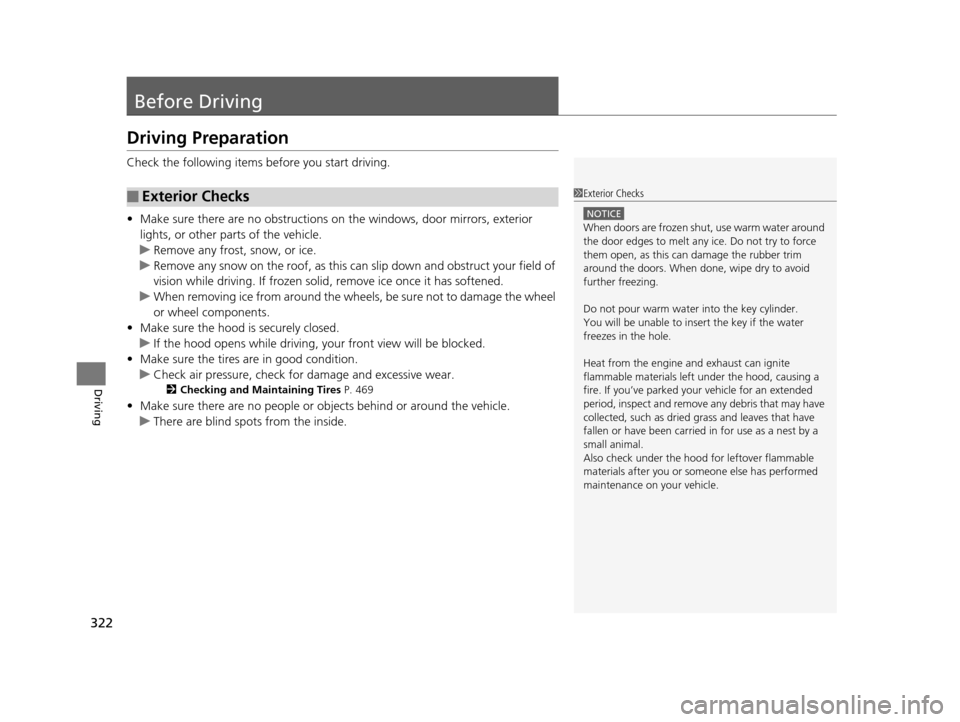
322
Driving
Before Driving
Driving Preparation
Check the following items before you start driving.
• Make sure there are no obstructions on th e windows, door mirrors, exterior
lights, or other parts of the vehicle.
u Remove any frost, snow, or ice.
u Remove any snow on the roof, as this can slip down and obstruct your field of
vision while driving. If frozen solid , remove ice once it has softened.
u When removing ice from around the wheel s, be sure not to damage the wheel
or wheel components.
• Make sure the hood is securely closed.
u If the hood opens while driving, your front view will be blocked.
• Make sure the tires are in good condition.
u Check air pressure, check for damage and excessive wear.
2 Checking and Maintaining Tires P. 469
•Make sure there are no people or ob jects behind or around the vehicle.
u There are blind spots from the inside.
■Exterior Checks1Exterior Checks
NOTICE
When doors are frozen s hut, use warm water around
the door edges to melt any ice. Do not try to force
them open, as this can damage the rubber trim
around the doors. When done, wipe dry to avoid
further freezing.
Do not pour warm water into the key cylinder.
You will be unable to insert the key if the water
freezes in the hole.
Heat from the engine and exhaust can ignite
flammable material s left under the hood, causing a
fire. If you’ve parked y our vehicle for an extended
period, inspect and remove any debris that may have
collected, such as dried grass and leaves that have
fallen or have been carried in for use as a nest by a
small animal.
Also check under the hood fo r leftover flammable
materials after you or so meone else has performed
maintenance on your vehicle.
16 ACURA MDX-31TZ56200.book 322 ページ 2015年3月4日 水曜日 午後2時59分
Page 343 of 557

uuWhen Driving uStarting the Engine
342
Driving
You can remotely start the engine using the two-way keyless access remote from
extended distances.
■To start the engine
The engine runs for up to 10 minu tes without you starting the vehicle.
To extend the run time for another 10 minutes during the first run, press the
button, then press and hold the button. u The amber LED blinks, then the green LED comes back on if a 10-minute
extension request was tra nsmitted successfully.
After pressing the (lock) button, wait for th e green LED to blink. This indicates that
the all the doors and the tailgate are locked.
■Remote Engine Start with Vehicle Feedback*1 Remote Engine Start with Vehicle Feedback*
If there are buildings an d obstacles between your
vehicle and the remote, th e range will be reduced.
This distance may vary by external electrical
interference.
The engine may not start by the remote engine start
if:
•You have disabled a remo te engine start setting
using the multi-information display (MID).
•The power mode is not in VEHICLE OFF (LOCK).
•The gear is in a position other than ( P.
•The hood is open, or any door or the tailgate is
unlocked.
•You have already used the remote twice to start
the engine.
•Another registered keyless access remote is in the
vehicle.
•There is any antenna failure.•Door is unlocked with the built-in key.
3WARNING
Engine exhaust contains toxic carbon
monoxide.
Breathing carbon monoxide can kill you or
cause unconsciousness.
Never use the remote engine starter when
the vehicle is parked in a garage or other
area with limited ventilation.
With the doors locked, Press the button,
then press and hold the button.
Amber LED: Blinks when any button is pressed.
Continues to blink
during a vehicle
self check until the
engine starts. Go within the range,
and try again.
Green LED: Comes on while
the engine is running. Red LED: Blinks when the
remote is out of the keyless
access system range.
* Not available on all models
16 ACURA MDX-31TZ56200.book 342 ページ 2015年3月4日 水曜日 午後2時59分