audio Acura MDX 2017 Service Manual
[x] Cancel search | Manufacturer: ACURA, Model Year: 2017, Model line: MDX, Model: Acura MDX 2017Pages: 581, PDF Size: 32.65 MB
Page 253 of 581

252
uuAudio System Basic Operation uPlaying SiriusXM ® Radio
Features
■Multi-channel preset (for music channels only)
You can store up to four of your preferred music channels per preset and listen to
them randomly.
1.Tune a station.
2. Select More.
3. Select Save Preset.
4. Select Edit TuneMix .
5. Select a preset number where you want to
add a music channel.
6. Select Add.
u Select OK or to return the previous
screen.
To delete a multi-channel preset:
1. Select More.
2. Select Save Preset .
3. Select Edit TuneMix.
4. Select a multi-channel preset number.
5. Select Delete.
6. Select channel icon.
u Select OK or to return the previous screen.
On Demand Multi-Use DisplayTM
X
X
17 ACURA MDX-31TZ56300.book 252 ページ 2016年5月13日 金曜日 午後7時46分
Page 254 of 581
Continued253
uuAudio System Basic Operation uPlaying SiriusXM ® Radio
Features
Suggested channel listing received from SiriusXM ® can be displayed and selected.
1. Press the MENU button.
2. Move to select Advanced.
3. Rotate to select Featured Channels , then press .
4. Rotate to select a channel, then press .
You can check a channel schedule by sele cted channel list on the audio/information
screen.
1. Press the MENU button.
2. Move to select Advanced.
3. Rotate to select View Channel Schedule, then press .
■Listening to Featured Channels
■Displaying a Channel Schedule
1Listening to Featured Channels
Up to three featured channels by SiriusXM ® can be
displayed.
17 ACURA MDX-31TZ56300.book 253 ページ 2016年5月13日 金曜日 午後7時46分
Page 255 of 581
uuAudio System Basic Operation uPlaying SiriusXM ® Radio
254
Features
The system constantly records up to the la st 60 minutes of your currently tuned
channel and all the preset channel broadcas t, starting from the moment you turn the
power mode to ON. You can rewind and replay the last 60 minutes of each broadcast.
1. Press the MENU button.
2. Rotate to select Playback, then press .
Select Playback.
2Playing SiriusXM ® Radio P. 249
The following items are available:
Play/Pause: Pauses or plays a storing broadcast.
Go to Live: Returns to real-time broadcast.
Skip Down: Skips to the previously stored channel.
Skip Up: Skips to the next channel.
15sec Back: Select to skip back 15 seconds in the current selection. Select and hold
to fast-rewind the current selection.
15sec Skip: Select to skip forward 15 seconds in the current selection. Select and
hold to fast-forward the current selection.
OK: Returns to previous channel.
■Returning to real-time broadcast
Rotate to select Go to Live, press while listening to the playback channel.
Select Go to Live while listening to the playback channel.
■Replay Function1Replay Function
The system starts storing broadcast in memory when
the power mode is turned ON. You can go back to
the program from that point.
You can no longer repl ay any program once the
power mode is turned OFF as it erases memory.
You can check how long the program has been
stored in memory from th e audio/information screen.
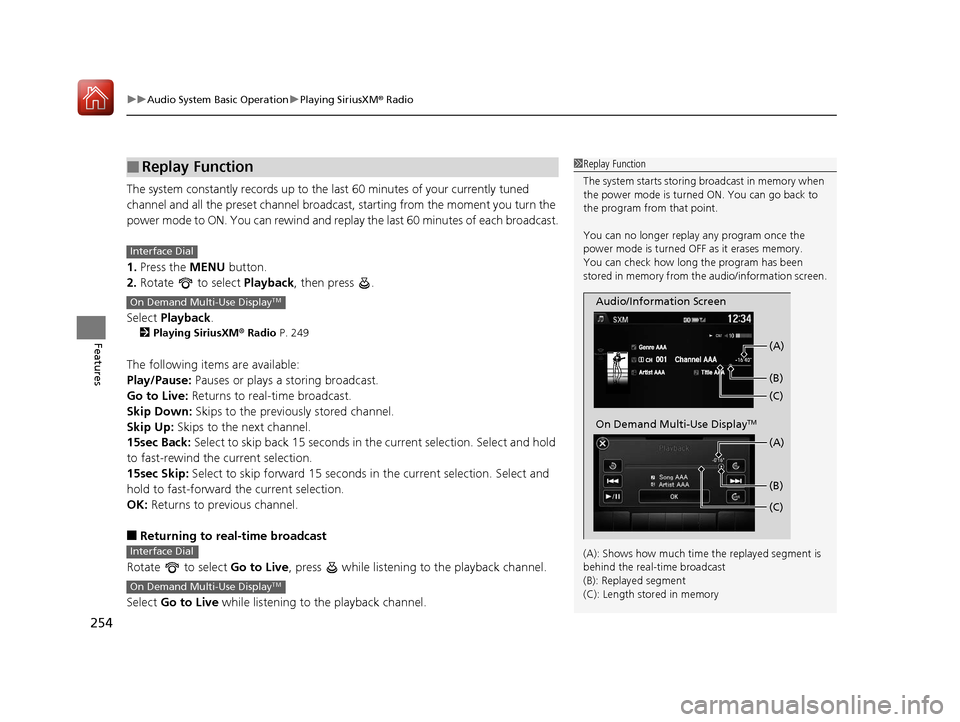
(A): Shows how much time the replayed segment is
behind the real-time broadcast
(B): Replayed segment
(C): Length stored in memory
Audio/Information Screen (C) (B) (A)
On Demand Multi-Use DisplayTM
(C) (B) (A)
Interface Dial
On Demand Multi-Use DisplayTM
Interface Dial
On Demand Multi-Use DisplayTM
17 ACURA MDX-31TZ56300.book 254 ページ 2016年5月13日 金曜日 午後7時46分
Page 256 of 581
Continued255
uuAudio System Basic Operation uPlaying SiriusXM ® Radio
Features
While listening to other channels you can re ceive sports alerts such as scores from
your favorite teams.
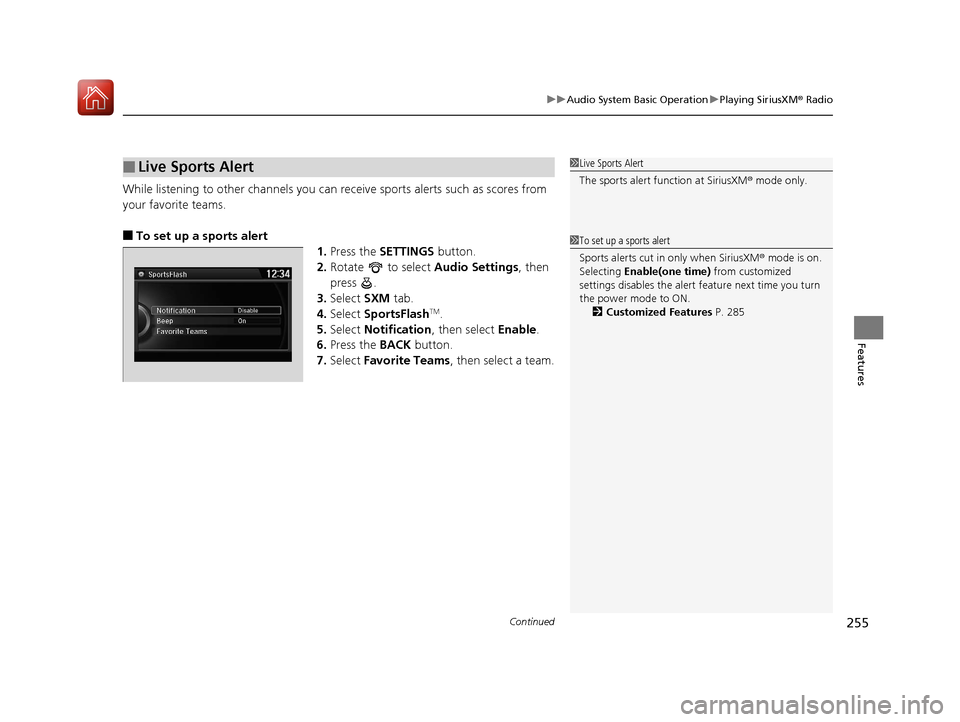
■To set up a sports alert 1.Press the SETTINGS button.
2. Rotate to select Audio Settings, then
press .
3. Select SXM tab.
4. Select SportsFlash
TM.
5. Select Notification , then select Enable.
6. Press the BACK button.
7. Select Favorite Teams, then select a team.
■Live Sports Alert1Live Sports Alert
The sports alert function at SiriusXM ® mode only.
1 To set up a sports alert
Sports alerts cut in only when SiriusXM ® mode is on.
Selecting Enable(one time) from customized
settings disables the alert feature next time you turn
the power mode to ON. 2 Customized Features P. 285
17 ACURA MDX-31TZ56300.book 255 ページ 2016年5月13日 金曜日 午後7時46分
Page 257 of 581
256
uuAudio System Basic Operation uPlaying SiriusXM ® Radio
Features
■Receiving a sports alert
1. A pop-up appears and notifies you of a sports alert.
2. Rotate to select Listen Now, then press .
1. A pop-up appears and notifies you of a sports alert.
2. Select Listen Now .
The following items are available:
Play/Pause: Pauses or plays a current sports alert.
Go to Live: Returns to real-time broadcast.
Skip Down: Skips to the previously stored sports alert.
Skip Up: Skips to the next stored sports alert.
15sec Back: Select to skip back 15 seconds to th e current sports alert. Select and
hold to fast-rewind the current sports alert.
15sec Skip: Select to skip forward 15 seconds to the current sports alert. Select and
hold to fast-forward the current sports alert.
Back: Returns to previous channel.
■Listening to a miss ed sports alert
If you have missed a sports alert:
1. Press the MENU button.
2. Move to select Advanced.
3. Rotate to select SportsFlash
TM, then press .
4. Rotate to select alert, then press .
Interface Dial
On Demand Multi-Use DisplayTM
Interface Dial
17 ACURA MDX-31TZ56300.book 256 ページ 2016年5月13日 金曜日 午後7時46分
Page 258 of 581

Continued257
uuAudio System Basic Operation uPlaying SiriusXM ® Radio
Features
You can receive the SiriusXM ® traffic and weather inform ation service in SiriusXM®
mode.
■To set up a traffic & weather information 1.Press the SETTINGS button.
2. Rotate to select Audio Settings, then
press .
3. Rotate to select Traffic & Weather
Now Setup , then press .
4. Rotate to select a city, then press .
■Traffic and Weather Information1Traffic and Weather Information
The traffic and weather information function at
SiriusXM ® mode only.
Traffic & Weather Now are registered trademarks of
SiriusXM ® Radio, Inc.
1 To set up a traffic & weather information
When you listen to the traffic and weather
information service, set up the applicable city using
Traffic & Weather Now Setup .
17 ACURA MDX-31TZ56300.book 257 ページ 2016年5月13日 金曜日 午後7時46分
Page 259 of 581
258
uuAudio System Basic Operation uPlaying SiriusXM ® Radio
Features
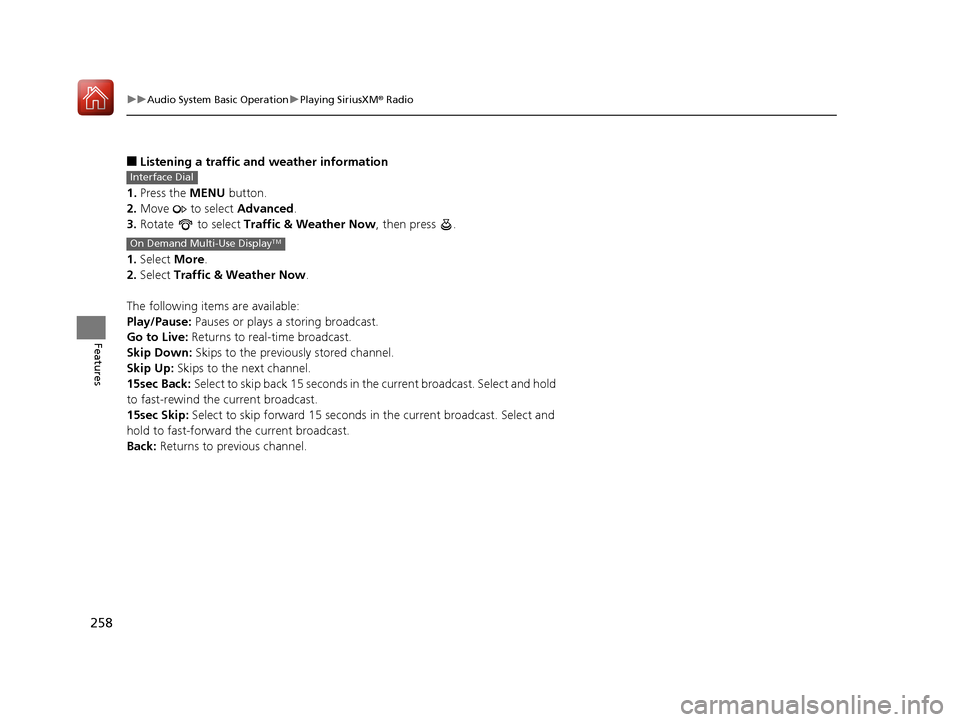
■Listening a traffic an d weather information
1. Press the MENU button.
2. Move to select Advanced.
3. Rotate to select Traffic & Weather Now , then press .
1. Select More.
2. Select Traffic & Weather Now .
The following items are available:
Play/Pause: Pauses or plays a storing broadcast.
Go to Live: Returns to real-time broadcast.
Skip Down: Skips to the previously stored channel.
Skip Up: Skips to the next channel.
15sec Back: Select to skip back 15 seconds in the current broadcast. Select and hold
to fast-rewind the current broadcast.
15sec Skip: Select to skip forward 15 seconds in the current broadcast. Select and
hold to fast-forward the current broadcast.
Back: Returns to previous channel.
Interface Dial
On Demand Multi-Use DisplayTM
17 ACURA MDX-31TZ56300.book 258 ページ 2016年5月13日 金曜日 午後7時46分
Page 260 of 581
259
uuAudio System Basic Operation uPlaying SiriusXM ® Radio
Features
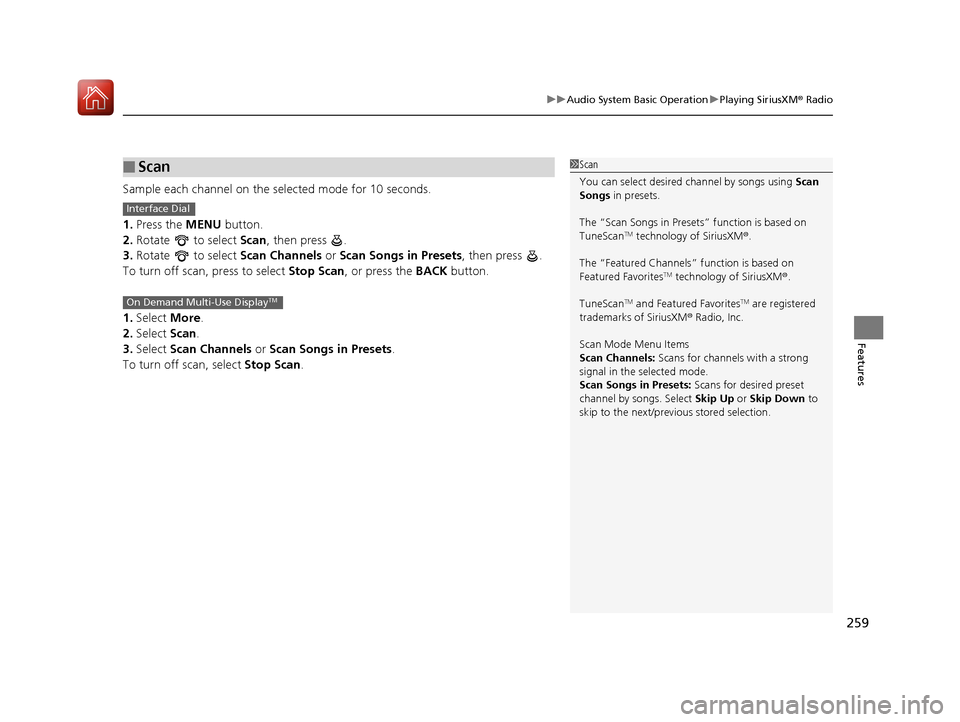
Sample each channel on the selected mode for 10 seconds.
1. Press the MENU button.
2. Rotate to select Scan, then press .
3. Rotate to select Scan Channels or Scan Songs in Presets , then press .
To turn off scan, press to select Stop Scan, or press the BACK button.
1. Select More.
2. Select Scan.
3. Select Scan Channels or Scan Songs in Presets .
To turn off scan, select Stop Scan.
■Scan1Scan
You can select desired channel by songs using Scan
Songs in presets.
The “Scan Songs in Preset s” function is based on
TuneScan
TM technology of SiriusXM ®.
The “Featured Channels ” function is based on
Featured Favorites
TM technology of SiriusXM ®.
TuneScan
TM and Featured FavoritesTM are registered
trademarks of SiriusXM ® Radio, Inc.
Scan Mode Menu Items
Scan Channels: Scans for channels with a strong
signal in the selected mode.
Scan Songs in Presets: Scans for desired preset
channel by songs. Select Skip Up or Skip Down to
skip to the next/previ ous stored selection.
Interface Dial
On Demand Multi-Use DisplayTM
17 ACURA MDX-31TZ56300.book 259 ページ 2016年5月13日 金曜日 午後7時46分
Page 261 of 581
260
uuAudio System Basic Operation uPlaying a CD
Features
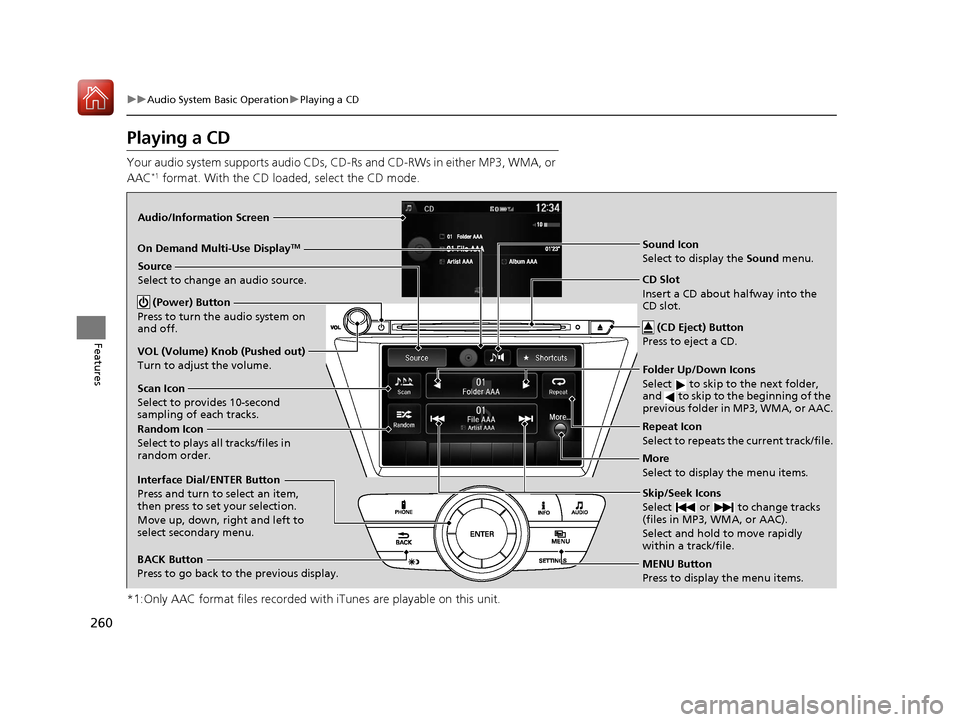
Playing a CD
Your audio system supports audio CDs, CD-Rs and CD-RWs in either MP3, WMA, or
AAC*1 format. With the CD load ed, select the CD mode.
*1:Only AAC format files recorded with iTunes are playable on this unit.
Audio/Information Screen
MENU Button
Press to display the menu items.
CD Slot
Insert a CD about halfway into the
CD slot. (CD Eject) Button
Press to eject a CD.
Source
Select to change an audio source.
More
Select to display the menu items.
BACK Button
Press to go back to the previous display.
Interface Dial/ENTER Button
Press and turn to select an item,
then press to set your selection.
Move up, down, right and left to
select secondary menu.
On Demand Multi-Use DisplayTM
(Power) Button
Press to turn the audio system on
and off.
VOL (Volume) Knob (Pushed out)
Turn to adjust the volume.
Scan Icon
Select to provides 10-second
sampling of each tracks.
Random Icon
Select to plays all tracks/files in
random order.
Repeat Icon
Select to repeats the current track/file. Sound Icon
Select to display the Sound menu.
Skip/Seek Icons
Select or to change tracks
(files in MP3, WMA, or AAC).
Select and hold to move rapidly
within a track/file.
Folder Up/Down Icons
Select to skip to the next folder,
and to skip to the beginning of the
previous folder in MP3, WMA, or AAC.
17 ACURA MDX-31TZ56300.book 260 ページ 2016年5月13日 金曜日 午後7時46分
Page 262 of 581
Continued261
uuAudio System Basic Operation uPlaying a CD
Features
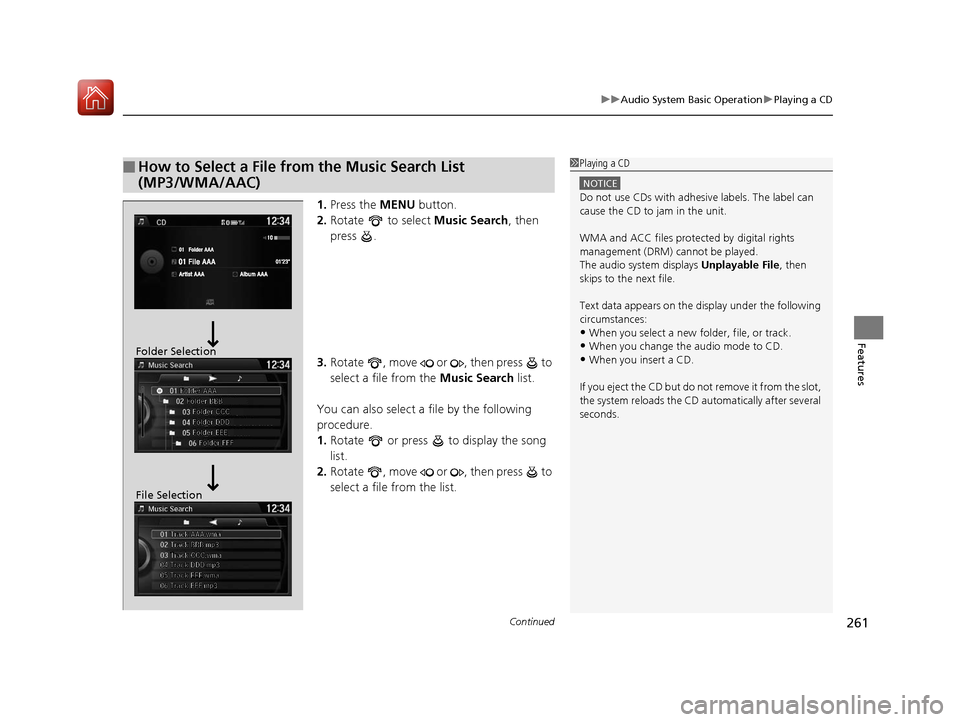
1. Press the MENU button.
2. Rotate to select Music Search, then
press .
3. Rotate , move or , then press to
select a file from the Music Search list.
You can also select a file by the following
procedure.
1. Rotate or press to display the song
list.
2. Rotate , move or , then press to
select a file from the list.
■How to Select a File from the Music Search List
(MP3/WMA/AAC)1Playing a CD
NOTICE
Do not use CDs with adhesive labels. The label can
cause the CD to jam in the unit.
WMA and ACC files protected by digital rights
management (DRM) cannot be played.
The audio system displays Unplayable File, then
skips to the next file.
Text data appears on the di splay under the following
circumstances:
•When you select a new folder, file, or track.
•When you change the audio mode to CD.
•When you insert a CD.
If you eject the CD but do not remove it from the slot,
the system reloads the CD automatically after several
seconds.Folder Selection
File Selection
17 ACURA MDX-31TZ56300.book 261 ページ 2016年5月13日 金曜日 午後7時46分