Brake Acura MDX 2017 Repair Manual
[x] Cancel search | Manufacturer: ACURA, Model Year: 2017, Model line: MDX, Model: Acura MDX 2017Pages: 581, PDF Size: 32.65 MB
Page 402 of 581
Continued401
uuWhen Driving uAdaptive Cruise Control (ACC) with Low Speed Follow (LSF)
Driving
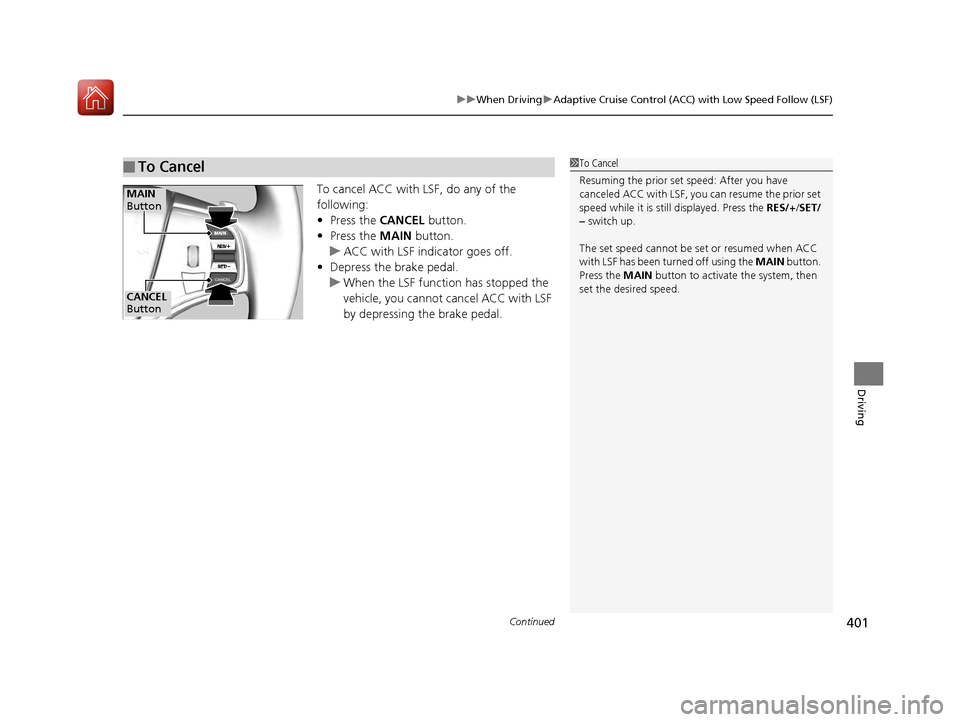
To cancel ACC with LSF, do any of the
following:
• Press the CANCEL button.
• Press the MAIN button.
u ACC with LSF indicator goes off.
• Depress the brake pedal.
u When the LSF function has stopped the
vehicle, you cannot cancel ACC with LSF
by depressing the brake pedal.
■To Cancel1 To Cancel
Resuming the prior set speed: After you have
canceled ACC with LSF, you can resume the prior set
speed while it is still displayed. Press the RES/+ /SET/
– switch up.
The set speed cannot be set or resumed when ACC
with LSF has been turned off using the MAIN button.
Press the MAIN button to activate the system, then
set the desired speed.
CANCEL
Button
MAIN
Button
17 ACURA MDX-31TZ56300.book 401 ページ 2016年5月13日 金曜日 午後7時46分
Page 403 of 581
uuWhen Driving uAdaptive Cruise Control (ACC) with Low Speed Follow (LSF)
402
Driving
■Automatic cancellation
The beeper sounds and a message app ears on the MID when ACC with LSF is
automatically canceled. Any of these co nditions may cause the ACC with LSF to
automatically cancel:
• Bad weather (rain, fog, snow, etc.)
• When the radar sensor in the front grille gets dirty.
• The vehicle ahead of you cannot be detected.
• An abnormal tire condition is detected, or the tires are skidding.
• Driving on a mountainous road, or driving off road for extended periods.
• Abrupt steering wheel movement.
• When the ABS, VSA ® or CMBS
TM is activated.
• When the ABS or VSA ® system indicator comes on.
• When the vehicle is stopped on a very steep slope.
• When you manually apply the parking brake.
• When the detected vehicle within the ACC with LSF range is too close to your
vehicle.
• When a detected vehicle goes out of th e ACC with LSF range while your vehicle
is stationary.
• The camera behind the rearview mirror, or the area around the camera, including
the windshield, gets dirty.
The ACC with LSF automatic cancellation can be also triggered by the following
causes. In these cases, the electric park ing brake will be automatically applied.
• The driver’s seat belt is unfastened when the vehicl e is stationary.
• The vehicle stops for mo re than 10 minutes.
• The engine is turned off.
• When trailer stability assist is activated.
2 Trailer Stability Assist P. 362
1Automatic cancellation
Even though ACC with LSF has been automatically
canceled, you can still resu me the prior set speed.
Wait until the condition that caused ACC with LSF to
cancel improves, then press the RES/+/SET/– switch
up.
17 ACURA MDX-31TZ56300.book 402 ページ 2016年5月13日 金曜日 午後7時46分
Page 405 of 581
uuWhen Driving uAdaptive Cruise Control (ACC) with Low Speed Follow (LSF)
404
Driving
To cancel cruise control, do any of the following:
• Press the CANCEL button.
• Press the MAIN button.
• Depress the brake pedal.
The CRUISE CONTROL indicator goes off.
■To Cancel1To Cancel
Resuming the prior set speed:
After cruise control has be en canceled, you can still
resume the prior set speed by pressing the RES/+/
SET/– switch up while driving at a speed of at least
25 mph (40 km/h) or more.
You cannot set or resume in the following situations:
•When vehicle speed is less than 25 mph (40 km/h).
•When the MAIN button is turned off.
At vehicle speeds of 22 m ph (35 km/h) or less, cruise
control canceled automatically.
17 ACURA MDX-31TZ56300.book 404 ページ 2016年5月13日 金曜日 午後7時46分
Page 407 of 581
uuWhen Driving uRoad Departure Mitigation (RDM) System
406
Driving
The system becomes ready to start sear ching for lane markings when all the
following conditions are met:
• The vehicle is traveling between about 45 and 90 mph (72 and 145 km/h).
• The vehicle is on a straight or slightly curved road.
• The turn signals are off.
• The brake pedal is not depressed.
• The wipers are not in continuous operation.
• The vehicle is not accelerating or braking, and the steering wheel is not being
turned.
• The system makes a determination that the driver is not actively accelerating,
braking or steering.
■How the System Activates1How the System Activates
The RDM system may automa tically shut off and the
indicator comes and stays on.
2 Indicators P. 90
RDM system function can be impacted when the
vehicle is:
•Not driven within a traffic lane.
•Driven on the inside edge of a curve, or outside of
a lane.
•Driven in a narrow lane.
17 ACURA MDX-31TZ56300.book 406 ページ 2016年5月13日 金曜日 午後7時46分
Page 413 of 581
uuWhen Driving uLane Keeping Assist System (LKAS)
412
Driving
The system can be used when the following conditions are met.
• The lane in which you are driving has dete ctable lane markers on both sides, and
your vehicle is in the center of the lane.
• The vehicle speed is be tween about 45 and 90 mph (72 and 145 km/h).
• You are driving on a straight or slightly curved road.
• The turn signals are off.
• The brake pedal is not depressed.
• The wipers are not in continuous operation.
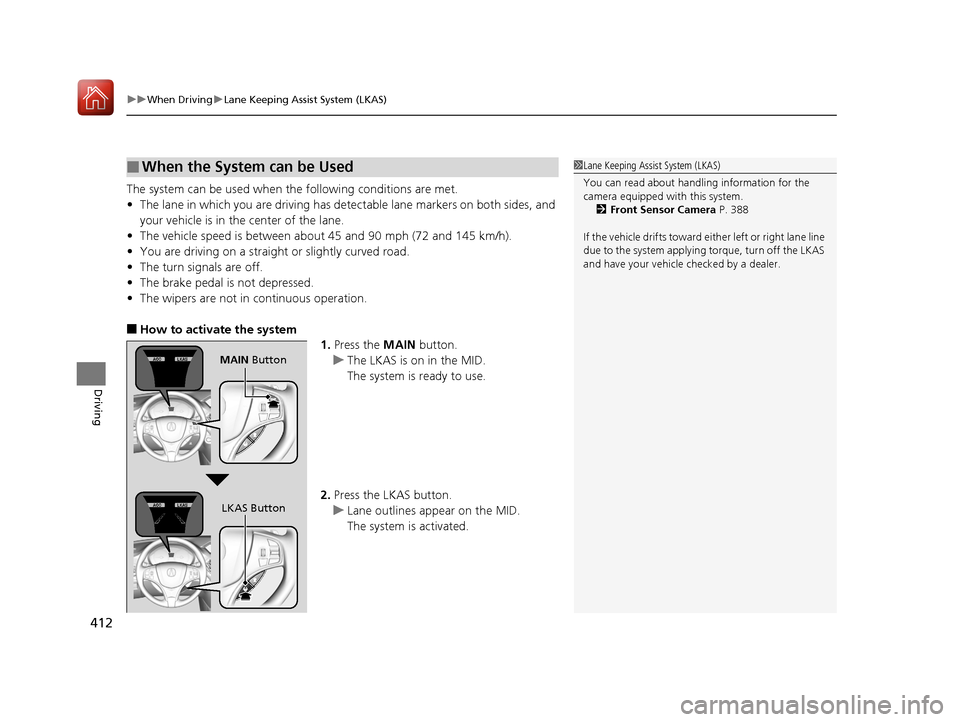
■How to activate the system
1.Press the MAIN button.
u The LKAS is on in the MID.
The system is ready to use.
2. Press the LKAS button.
u Lane outlines appear on the MID.
The system is activated.
■When the System can be Used1Lane Keeping Assist System (LKAS)
You can read about handling information for the
camera equipped with this system.
2 Front Sensor Camera P. 388
If the vehicle drifts toward ei th e r l ef t o r r ight lane line
due to the system applying torque, turn off the LKAS
and have your vehicle checked by a dealer.
MAIN Button
LKAS Button
17 ACURA MDX-31TZ56300.book 412 ページ 2016年5月13日 金曜日 午後7時46分
Page 415 of 581

414
uuWhen Driving uLane Keeping Assist System (LKAS)
Driving
■The system operation is suspended if
you:
• Set the wipers to continuous operation.
u Turning the wipers off resumes the
LKAS.
• Decrease the vehicle speed to about 40
mph (64 km/h) or less.
u Increasing the vehicle speed to about 45
mph (72 km/h) or more resumes the
LKAS.
• Depress the brake pedal.
u The LKAS resumes and starts detecting
the lane lines again once you release the
brake pedal.
• Set the wiper switch to AUTO and the
wipers operate continuously.
u The LKAS resumes when the wipers stop
or operate intermittently.
When the LKAS is suspended,
the lane lines on the MID
change to contour lines.
Models with automatic intermittent wipers
17 ACURA MDX-31TZ56300.book 414 ページ 2016年5月13日 金曜日 午後7時46分
Page 419 of 581
418
uuWhen Driving uVehicle Stability Assist (VSA® ), aka Electronic Stability Control (ESC), System
Driving
Vehicle Stability Assist (VSA®), aka Electronic
Stability Control (ESC), System
VSA ® helps to stabilize the vehicle during cornering if the vehicle turns more or less
than what was intended. It also assists in maintaining traction on slippery surfaces.
It does so by regulating engine output and selectively applying the brakes.
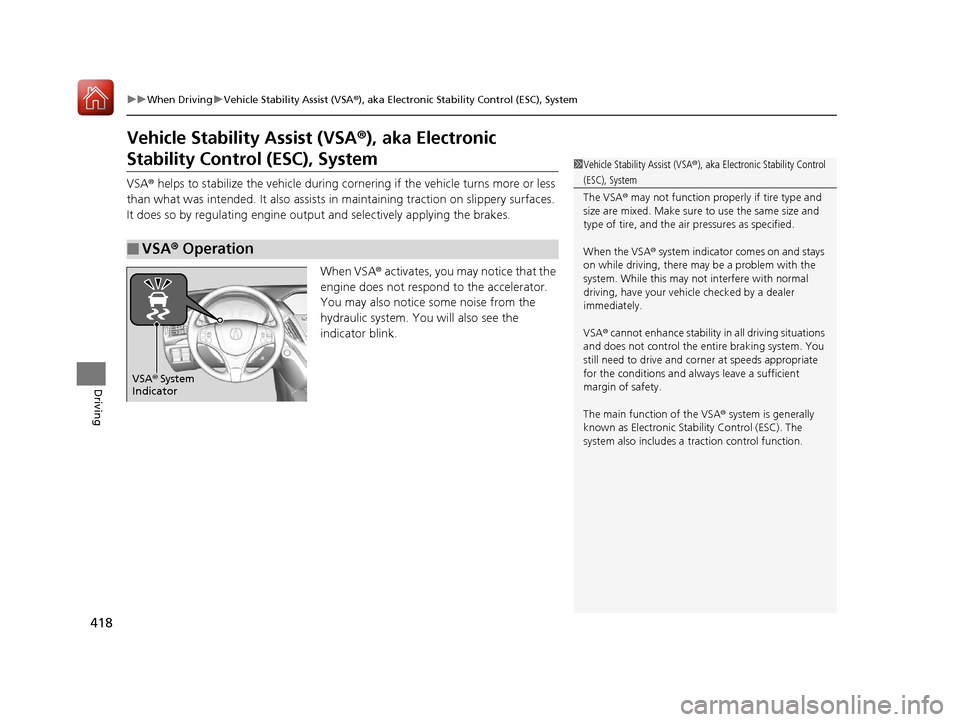
When VSA® activates, you may notice that the
engine does not respond to the accelerator.
You may also notice some noise from the
hydraulic system. You will also see the
indicator blink.
■VSA ® Operation
1 Vehicle Stability Assist (VSA ®), aka Electronic Stability Control
(ESC), System
The VSA ® may not function properl y if tire type and
size are mixed. Make sure to use the same size and
type of tire, and the air pressures as specified.
When the VSA ® system indicator comes on and stays
on while driving, there may be a problem with the
system. While this may not interfere with normal
driving, have your vehi cle checked by a dealer
immediately.
VSA ® cannot enhance stability in all driving situations
and does not control the entire braking system. You
still need to drive and corner at speeds appropriate
for the conditions and always leave a sufficient
margin of safety.
The main function of the VSA ® system is generally
known as Electronic Stab ility Control (ESC). The
system also includes a traction control function.
VSA® System
Indicator
17 ACURA MDX-31TZ56300.book 418 ページ 2016年5月13日 金曜日 午後7時46分
Page 421 of 581

420
uuWhen Driving uAgile Handling Assist System
Driving
Agile Handling Assist System
Lightly brakes each of the front and rear wheels, as needed, when you turn the
steering wheel, and helps support the vehi cle’s stability and performance during
cornering.1 Agile Handling Assist System
The agile handling assist system cannot enhance
stability in all driving situat ions. You still need to drive
and corner at speeds appr opriate for the conditions
and always leave a sufficient margin of safety.
When the VSA ® system indicator comes on and stays
on while driving, the agil e handling assist system
does not activate.
You may hear a sound coming from the engine
compartment while the system is activated. This is
normal.
17 ACURA MDX-31TZ56300.book 420 ページ 2016年5月13日 金曜日 午後7時46分
Page 424 of 581
423
uuWhen Driving uSuper Handling-All Wheel DriveTM (SH-AWD ®)*
Driving
Super Handling-Al l Wheel DriveTM (SH-AWD®)*
The system controls and trans fers varying amounts of engine torque to each wheel
in accordance with the driving conditions.
SH-AWD ® helps to enhance driving stability, and lets you handle situations like
slippery surfaces, such as snow, sand, mud, and steep hills, better than when driving
with two wheel drive. Howeve r, the system does not help to enhance braking. Be
precautious about the following:
• It is still your responsibility to drive sa fely when you steer, accelerate, and apply
brakes.
• Leave a sufficient margin when braking on slippery surfaces.1Super Handling-All Wheel DriveTM (SH-AWD ®)*
NOTICE
Avoid continuously driving in sand or mud where a
wheel is likely to spin out, and do not drive once the
SH-AWD ® indicator starts blinking. Driving
continuously under such conditions can damage the
system’s torque distribution unit.
Do not drive through deep water.
The SH-AWD ® system may not function properly if
tire type and size are mixed.
Make sure to use the same size and type of tire, and
the air pressures as specified. 2 Tire and Wheel Replacement P. 496
* Not available on all models
17 ACURA MDX-31TZ56300.book 423 ページ 2016年5月13日 金曜日 午後7時46分
Page 429 of 581
428
Driving
Braking
Brake System
Use the parking brake to keep the vehicle stationary when parked. You can
manually apply and release, or automatically release it.
■Manual operations
Use the electric parking brake switch to apply or release the brake. Manually
releasing the parking brake using the switch helps your vehicle start slowly and
smoothly when facing down hill on steep hills.
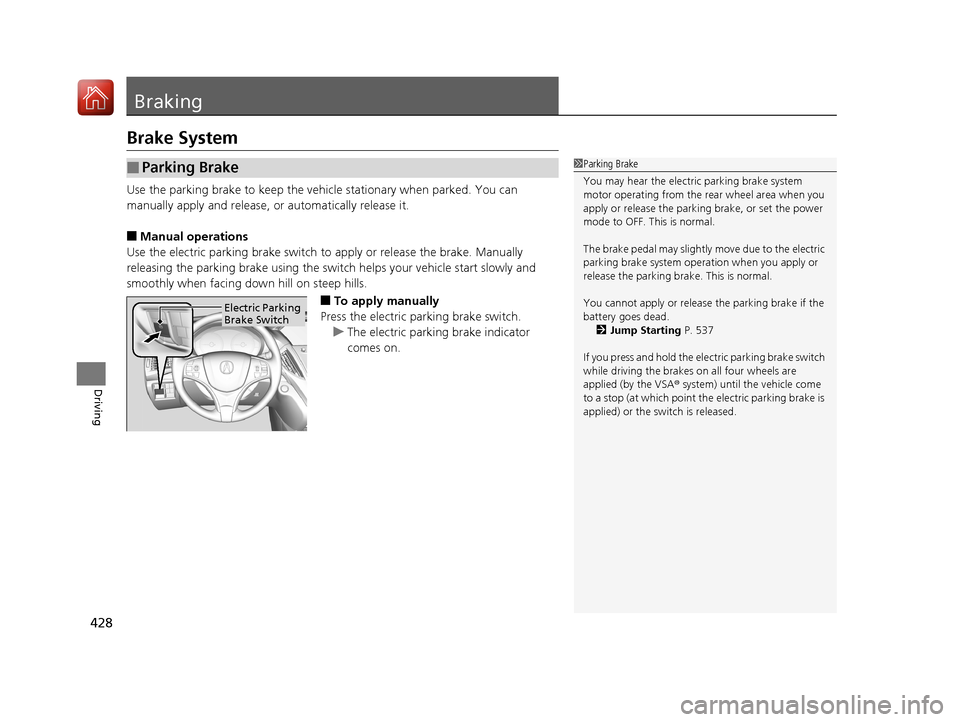
■To apply manually
Press the electric parking brake switch. u The electric parking brake indicator
comes on.
■Parking Brake1Parking Brake
You may hear the electric parking brake system
motor operating from the re ar wheel area when you
apply or release the parki ng brake, or set the power
mode to OFF. This is normal.
The brake pedal may slightly move due to the electric
parking brake system opera tion when you apply or
release the parking br ake. This is normal.
You cannot apply or release the parking brake if the
battery goes dead. 2 Jump Starting P. 537
If you press and hold the el ectric parking brake switch
while driving the brakes on all four wheels are
applied (by the VSA ® system) until the vehicle come
to a stop (at which point the electric parking brake is
applied) or the sw itch is released.
Electric Parking
Brake Switch
17 ACURA MDX-31TZ56300.book 428 ページ 2016年5月13日 金曜日 午後7時46分