service Acura MDX 2018 Workshop Manual
[x] Cancel search | Manufacturer: ACURA, Model Year: 2018, Model line: MDX, Model: Acura MDX 2018Pages: 697, PDF Size: 38.45 MB
Page 651 of 697

650
uuJump Starting u
Handling the Unexpected
5.Connect the other end of the second
jumper cable to the engine hanger as
shown. Do not connect this jumper cable to
any other part.
6. If your vehicle is connected to another
vehicle, start the assi sting vehicle’s engine
and increase its rpm slightly.
7. Attempt to start your vehicle’s engine. If it
turns over slowly, check that the jumper
cables have good metal-to-metal contact.
Once your vehicle’s engine has started, remove the jumper cabl es in the following
order.
1. Disconnect the jumper cable from your vehicle’s ground.
2. Disconnect the other end of the jumper cable from the booster battery -
terminal.
3. Disconnect the jumper cable from your vehicle’s battery + terminal.
4. Disconnect the other end of the jumper cable from the booster battery +
terminal.
Have your vehicle inspected by a n earby service station or a dealer.
■What to Do After the Engine Starts
18 ACURA MDX-31TZ56400.book 650 ページ 2017年8月23日 水曜日 午後4時1分
Page 658 of 697
657
uuIndicator, Coming On/Blinking uIf the Low Tire Pressure/TPMS Indicator Comes On or Blinks
Handling the Unexpected
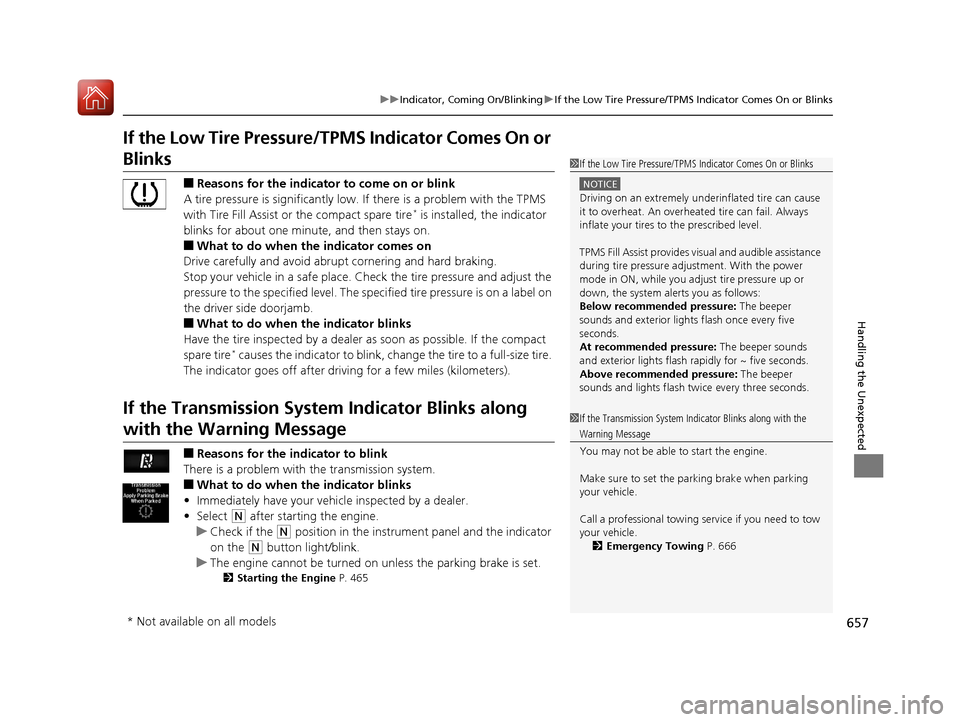
If the Low Tire Pressure/ TPMS Indicator Comes On or
Blinks
■Reasons for the indicator to come on or blink
A tire pressure is significantly low. If there is a problem with the TPMS
with Tire Fill Assist or the compact spare tire
* is installed, the indicator
blinks for about one minute, and then stays on.
■What to do when th e indicator comes on
Drive carefully and avoid abrupt cornering and hard braking.
Stop your vehicle in a safe place. Ch eck the tire pressure and adjust the
pressure to the specified level. The spec ified tire pressure is on a label on
the driver side doorjamb.
■What to do when the indicator blinks
Have the tire inspected by a dealer as soon as possible. If the compact
spare tire
* causes the indicator to blink, ch ange the tire to a full-size tire.
The indicator goes off after driving for a few miles (kilometers).
If the Transmission Syst em Indicator Blinks along
with the Warning Message
■Reasons for the indicator to blink
There is a problem with the transmission system.
■What to do when the indicator blinks
• Immediately have your vehicle inspected by a dealer.
• Select
(N after starting the engine.
u Check if the
(N position in the instrume nt panel and the indicator
on the
(N button light/blink.
u The engine cannot be turned on unless the parking brake is set.
2 Starting the Engine P. 465
1If the Low Tire Pressure/TPMS Indicator Comes On or Blinks
NOTICE
Driving on an extremely unde rinflated tire can cause
it to overheat. An overheated tire can fail. Always
inflate your tires to the prescribed level.
TPMS Fill Assist provides visual and audible assistance
during tire pressure adjustment. With the power
mode in ON, while you adjust tire pressure up or
down, the system alerts you as follows:
Below recommended pressure: The beeper
sounds and exterior lights flash once every five
seconds.
At recommended pressure: The beeper sounds
and exterior lights flash ra pidly for ~ five seconds.
Above recommended pressure: The beeper
sounds and lights flash twice every three seconds.
1 If the Transmission System In dicator Blinks along with the
Warning Message
You may not be able to start the engine.
Make sure to set the pa rking brake when parking
your vehicle.
Call a professional towing service if you need to tow
your vehicle. 2 Emergency Towing P. 666
* Not available on all models
18 ACURA MDX-31TZ56400.book 657 ページ 2017年8月23日 水曜日 午後4時1分
Page 667 of 697

666
Handling the Unexpected
Emergency Towing
Call a professional towing service if you need to tow your vehicle.
■Flat bed equipment
The operator loads your vehicle on the back of a truck.
This is the best way to transport your vehicle.
■Wheel lift equipment
The tow truck uses two pivoti ng arms that go under the front tires and lift them off
the ground. The rear tires remain on the ground. This is an acceptable way to
tow your vehicle.
1 Emergency Towing
NOTICE
Trying to lift or tow your vehicle by the bumpers will
cause serious damage. The bumpers are not designed
to support the vehicle’s weight.
NOTICE
Improper towing such as towing behind a
motorhome or other motor vehicle can damage the
transmission.
Never tow your vehicle with just a rope or chain.
It is very dangerous, since ropes or chains may shift
from side to side or break.
All models
2WD models
18 ACURA MDX-31TZ56400.book 666 ページ 2017年8月23日 水曜日 午後4時1分
Page 672 of 697

671
Information
This chapter includes your vehicle’s specifications, locations of identification numbers, and other
information required by regulation.
Specifications.................................... 672
Identification Numbers Vehicle Identification Number (VIN), Engine Number, and Transmission
Number ......................................... 674
Devices that Emit Radio Waves ....... 675
Reporting Safety Defects ................. 677Emissions Testing
Testing of Readiness Codes.............. 678
Warranty Coverages ........................ 680
Authorized Manuals ......................... 682
Client Service Information ............... 683
18 ACURA MDX-31TZ56400.book 671 ページ 2017年8月23日 水曜日 午後4時1分
Page 683 of 697

682
Information
Authorized Manuals
■Service Express
For electronic copies of se rvice publications, you can purchase a subscription to
Service Express. Visit www.techinfo.honda.com for pricing and options.
■For U.S. Owners
Manuals can be purchased from Helm Incorporated. You can order a manual by
phone at 1 (800) 782-4356 (credit ca rd orders only), or online at www.helminc.com.
■For Canadian Owners
Please contact a dealer to order any manuals that you may require.
18 ACURA MDX-31TZ56400.book 682 ページ 2017年8月23日 水曜日 午後4時1分
Page 684 of 697

683Continued
Information
Client Service Information
Acura dealership personnel are trained professionals who should be able to deal
with any problems you may encounter with your vehicle. If, however, you are faced
with a problem that they cannot resolve to your satisf action, contact Acura Client
Relations/Services.
U.S. Owners
American Honda Motor Co., Inc.
Acura Client Relations
Mail Stop 100-5E-8F
1919 Torrance Blvd.
Torrance, CA 90501-2746
Tel: 1 (800) 382-2238 Canadian Owners
Honda Canada Inc.
Acura Client Services
180 Honda Boulevard
Markham, ON
L6C 0H9
Tel: 1-888-9-ACURA-9
Fax: 1-877-939-0909
E-mail: [email protected]
In Puerto Rico and the U.S. Virgin
Islands
Bella International
P.O. Box 190816
San Juan, PR 00919-0816
Tel: 1 (787) 620-75461 Client Service Information
When you call or write, pl ease give us the following
information:
•Vehicle Identification Number
2Vehicle Identification Number (VIN),
Engine Number, and Transmission
Number P. 674
•Date of purchase•Odometer reading of your vehicle
•Your name, address, and telephone number
•A detailed description of the problem•Name of the dealer who sold the vehicle to you
18 ACURA MDX-31TZ56400.book 683 ページ 2017年8月23日 水曜日 午後4時1分
Page 685 of 697

684
uuClient Service Information u
Information
Music recognition technology and related
data are provided by Gracenote ®.
Gracenote is the industry standard in music
recognition technology and related content
delivery.
For more information, visit
www.gracenote.com.
When music is recorded to the HDD from a
CD, information such as the recording artist
and track name are retrieved from the
Gracenote Database and displayed (when
available).
Gracenote may not contain information for
all albums.
Gracenote is an internet-based music
recognition service that allows artist, album,
and track information from CDs to display
on the HDD.
Gracenote users are allowed 4 free updates
a year. More information about Gracenote,
its features, and downloads are available at
■Gracenote Music Recognition
Service (CDDB)*
www.acura.com (in U.S.) or www.acura.ca
(in Canada).
CD and music-related data from Gracenote,
Inc., copyright © 2000 to present
Gracenote. Gracenote Software, copyright
© 2000 to present Gracenote.
One or more patents owned by Gracenote
apply to this product and service. See the
Gracenote website for a non-exhaustive list
of applicable Gracenote patents.
Gracenote, CDDB, MusicID, MediaVOCS,
the Gracenote logo and logotype, and the
“Powered by Gracenote” logo are either
registered trademarks or trademarks of
Gracenote in the United States and/or other
countries.
This application or de vice contains software
from Gracenote, Inc. of Emeryville,
California (“Gracen ote”). The software
from Gracenote (the “Gracenote
Software”) enables th is application to
perform disc and/or file identification and
obtain music- related information, including
name, artist, track, and title information
(“Gracenote Data”) from online servers or
■Gracenote® END USER LICENSE
AGREEMENT*
embedded databases (collectively,
“Gracenote Servers”) and to perform other
functions. You may use Gracenote Data
only by means of th e intended End-User
functions or this application or device.
You agree that you will use Gracenote Data,
the Gracenote Software, and Gracenote
Servers for your own personal non-
commercial use only.
You agree not to assign, copy, transfer, or
transmit the Gracenote Software or any
Gracenote Data to any third party.
YOU AGREE NOT TO USE OR EXPLOIT
GRACENOTE DATA, THE GRACENOTE
SOFTWARE, OR GRACENOTE SERVERS,
EXCEPT AS EXPRESSLY PERMITTED HEREIN.
You agree that your no n-exclusive license to
use the Gracenote Data, the Gracenote
Software, and Gracenote Servers will
terminate if you violate these restrictions. If
your license terminates, you agree to cease
any and all use of the Gracenote Data, the
Gracenote Software, and Gracenote
Servers.
* Not available on all models
18 ACURA MDX-31TZ56400.book 684 ページ 2017年8月23日 水曜日 午後4時1分
Page 686 of 697

685
uuClient Service Information u
Continued
Information
Gracenote reserves all rights in Gracenote
Data, the Gracenote Software, and the
Gracenote Servers, including all ownership
rights. Under no circumstances will
Gracenote become liable for any payment
to you for any information that you provide.
You agree that Gracenote, Inc. may enforce
its rights under this Agreement against you
directly in its own name.
The Gracenote service uses a unique
identifier to track queries for statistical
purposes. The purpose of a randomly
assigned numeric identi fier is to allow the
Gracenote service to count queries without
knowing anything about who you are. For
more information, see the web page for the
Gracenote Privacy Policy for the Gracenote
service.
The Gracenote Software and each item of
Gracenote Data are licensed to you “AS IS.”
Gracenote makes no representations or
warranties, express or implied, regarding
the accuracy of any Gracenote Data from in
the Gracenote Servers. Gracenote reserves
the right to delete data from the Gracenote
Servers or to change data categories for any cause that Gracenote deems sufficient. No
warranty is made that the Gracenote
Software or Gracenote Servers are error-
free or that functioning of Gracenote
Software or Gracenote Servers will be
uninterrupted.
Gracenote is not obligated to provide you
with new enhanced or additional data types
or categories that Gracenote may provide in
the future and is free to discontinue its
services at any time.
GRACENOTE DISCLAIMS ALL WARRANTIES
EXPRESS OR IMPLIED, INCLUDING, BUT
NOT LIMITED TO, IMPL
IED WARRANTIES OF
MERCHANTABILITY, FITNESS FOR A
PARTICULAR PURPOSE, TITLE, AND
NONINFRINGEMENT. GRACENOTE DOES
NOT WARRANT THE RESULTS THAT WILL BE
OBTAINED BY YOUR USE OF THE
GRACENOTE SOFTWARE OR ANY
GRACENOTE SERVER. IN NO CASE WILL
GRACENOTE BE LIABLE FOR ANY
CONSEQUENTIAL OR INCIDENTAL
DAMAGES OR FOR ANY LOST PROFITS OR
LOST REVENUES.
© Gracenote 2009
18 ACURA MDX-31TZ56400.book 685 ページ 2017年8月23日 水曜日 午後4時1分
Page 687 of 697

686
uuClient Service Information u
Information
Requirements to access Pandora ®
• Latest version of the Pandora app
installed on your Android, Blackberry, or
iPhone.
• Registered Pandora account (you can
create a free account at
www.pandora.com
smartphone)
• Connection to the internet via Wi-Fi or
cellular data network.
■Disclaimer of Pandora ®*Limitations
•Access to Pandora requires an active
internet connection
• Ability to access Pandora through this
system is subject to change without
notice
• Certain functionality of Pandora service is
not available when accessing the service
through this system including, but not
limited to, creating new stations, deleting
stations, emailing current stations,
buying tracks, viewing additional text
information, logging in to Pandora, and
adjusting Cell Network Audio Quality.
Pandora internet radio is a music service
not affiliated with HONDA. More
information is available at http://
www.pandora.com
Pandora logo, and the Pandora trade
dress are trademarks or registered
trademarks of Pandora Media, Inc., used
with permission.
• Mobile access requires a smartphone
with an active data plan. Standard data
rates may apply.
• Pandora is only available in the United
States.
* Not available on all models
18 ACURA MDX-31TZ56400.book 686 ページ 2017年8月23日 水曜日 午後4時1分
Page 689 of 697
688
Index
Automatic Transmission........................... 471
Creeping ................................................. 471
Fluid ........................................................ 591
Kickdown ................................................ 471
Operating the Shift Button....................... 474
Shifting.................................................... 472
Auxiliary Console Panel ............................ 336
Auxiliary Input Jack .................................. 236
Average Fuel Economy ............................. 122
Average Speed .......................................... 123
AWD .......................................................... 523
B
Back-Up Light ............................................ 596
Battery ....................................................... 611
Charging System Indicator ................. 82, 653
Jump Starting .......................................... 649
Maintenance (Checking the Battery) ........ 611
Belts (Seat) .................................................. 33
Beverage Holders ...................................... 211
Blind Spot Information (BSI) System ........ 520
Indicator .................................................... 99
Bluetooth ® Audio ..................................... 296
Bluetooth ® HandsFreeLink ®..................... 393
Blu-ray/DVD Rear Entertainment System Operating the System .............................. 339
Overhead Screen ..................................... 338
Playing a DVD/Blu-ray
TM........................... 340
Booster Seats (For Children) ....................... 73Brake System
............................................ 528
Anti-lock Brake System (ABS)................... 534
Automatic Brake Hold ............................. 532
Brake Assist System ................................. 535
Brake System Indicator .............................. 79
Fluid ........................................................ 592
Foot Brake............................................... 531
Indicator...................................... 78, 79, 655
Parking Brake .......................................... 528
Brake System (Amber) Indicator.................................................... 79
Brake System (Red) Indicator............................................ 78, 655
Brightness Control (Instrument Panel).... 184
BSI (Blind Spot Information) System ....... 520
Built-in Key ............................................... 140
Bulb Replacement .................................... 593
Back-Up Light.......................................... 596
Brake Light and Rear Turn Signal Light .... 594
Fog Lights ............................................... 593
Front Turn Signal/Parking, Daytime Running and Front Side Marker Lights ... 593
Headlights ............................................... 593
High-Mount Brake Light .......................... 597
Puddle Lights........................................... 597
Rear License Plate Lights .......................... 597
Side Turn Signal/Emergency Indicator Lights .................................................... 593
Taillights.................................................. 596
Taillights/Rear Side Maker Lights.............. 595
Bulb Specifications ................................... 672
C
CAMERA Button....................................... 559
Carbon Monoxide Gas ............................... 74
Carrying Cargo ................................. 447, 449
CD Player .................................................. 268
Center Pocket ........................................... 210
Certification Label ................................... 674
Changing Bulbs ........................................ 593
Charging System Indicator ................ 82, 653
Child Safety ................................................ 56
Childproof Door Locks ............................ 153
Child Seat ................................................... 56
Booster Seats ............................................ 73
Child Seat for Infants ................................ 58
Child Seat for Small Children .................... 59
Installing a Child Seat with a Lap/Shoulder
Seat Belt ................................................. 66
Larger Children ......................................... 72
Rear-facing Child Seat............................... 58
Selecting a Child Seat ............................... 60
Childproof Door Locks ............................. 153
Cleaning the Exterior ............................... 620
Cleaning the Interior ............................... 618
Client Service Information ....................... 683
Climate Control System ........................... 219
Changing the Mode................................ 222
Defrosting the Windshield and Windows .............................................. 225
Dust and Pollen Filter .............................. 617
Rear Climate Control System................... 226
Sensors ................................................... 230
18 ACURA MDX-31TZ56400.book 688 ページ 2017年8月23日 水曜日 午後4時1分