acc Acura MDX 2019 Owner's Guide
[x] Cancel search | Manufacturer: ACURA, Model Year: 2019, Model line: MDX, Model: Acura MDX 2019Pages: 701, PDF Size: 38.75 MB
Page 52 of 701
51
uuAirbags uSide Airbags
Safe Driving
■When a side airbag deploys with little or no visible damage
Because the airbag system senses sudden acceleration, a strong impact to the side
of the vehicle’s framework can cause a side airbag to deploy. In such cases, there
may be little or no damage, but the side impact sensors detected a severe enough
impact to deploy the airbag.
■When a side airbag may not deploy, even though visible damage appears
severe
It is possible for a side airbag not to deploy during an impact that results in
apparently severe damage. This can occur when the point of impact was toward the
far front or rear of the vehicle, or when the vehicle’s crushable body parts absorbed
most of the crash energy. In either case , the side airbag would not have been
needed nor provided protection even if it had deployed.
19 ACURA MDX-31TZ56510.book 51 ページ 2018年12月11日 火曜日 午後4時47分
Page 56 of 701
55
uuAirbags uAirbag Care
Safe Driving
Airbag Care
You do not need to, and should not, perform any maintenance on or replace any
airbag system components yourself. However, you should have your vehicle
inspected by a dealer in the following situations:
■When the airbags have deployed
If an airbag has inflated, th e control unit and other related parts must be replaced.
Similarly, once an automatic seat belt te nsioner has been activated, it must be
replaced.
■When the vehicle has been in a moderate-to-severe collision
Even if the airbags did not infl ate, have your dealer inspect the following: the driver’s
seat position sensor, weight sensors in the passenger’s seat, front seat belt
tensioners, and each seat belt that was worn during the crash.
■Do not remove or modify a fron t seat without consulting a dealer
This would likely disable or affect the proper operation of the driver’s seat position
sensor or the weight sensors in the passenge r’s seat. If it is necessary to remove or
modify a front seat to accommodate a pers on with disabilities, contact an Acura
dealer, or for U.S. vehicles, Acura Clie nt Relations at 1-800-382-2238 and for
Canadian vehicles, Acura Client Services at 1-888-9-ACURA-9.
1Airbag Care
We recommend against the use of salvaged airbag
system components, including the airbag, tensioners,
sensors, and control unit.
19 ACURA MDX-31TZ56510.book 55 ページ 2018年12月11日 火曜日 午後4時47分
Page 63 of 701
uuChild Safety uSafety of Infants and Small Children
62
Safe Driving
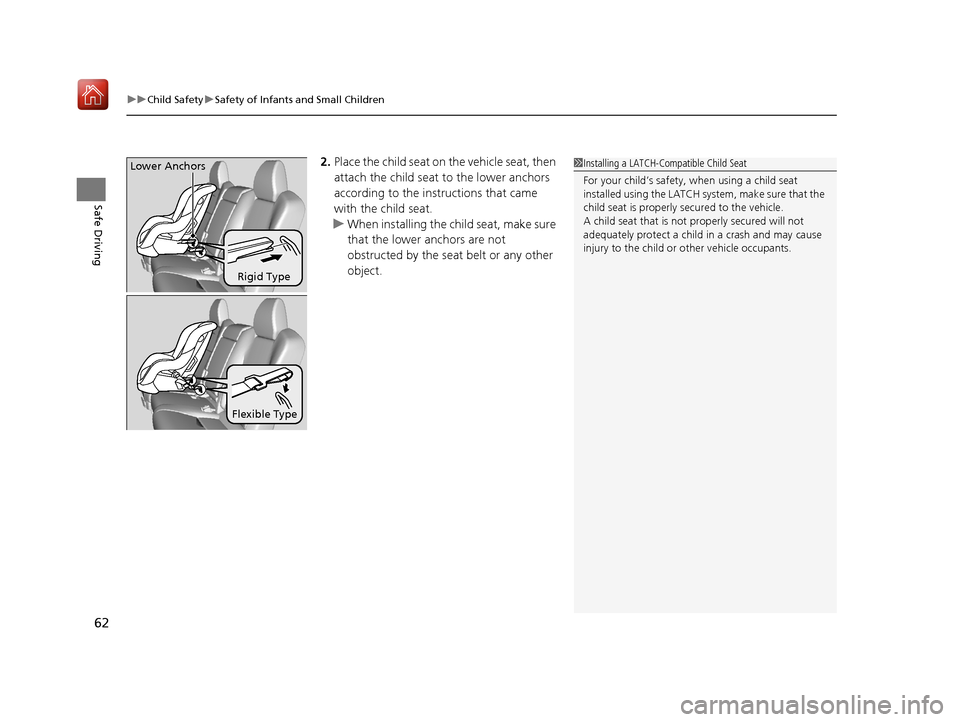
2. Place the child seat on the vehicle seat, then
attach the child seat to the lower anchors
according to the instructions that came
with the child seat.
u When installing the child seat, make sure
that the lower anchors are not
obstructed by the seat belt or any other
object.
Rigid Type
Lower Anchors
Flexible Type
1
Installing a LATCH-Compatible Child Seat
For your child’s safety, when using a child seat
installed using the LATCH system, make sure that the
child seat is properly secured to the vehicle.
A child seat that is not properly secured will not
adequately protect a child in a crash and may cause
injury to the child or other vehicle occupants.
19 ACURA MDX-31TZ56510.book 62 ページ 2018年12月11日 火曜日 午後4時47分
Page 67 of 701
uuChild Safety uSafety of Infants and Small Children
66
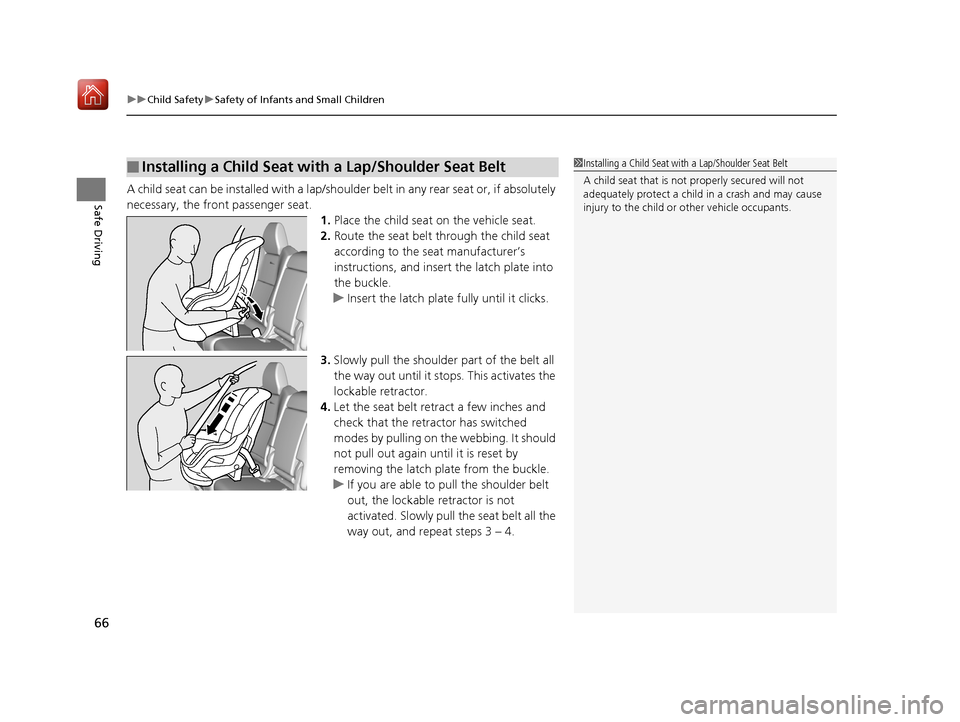
Safe DrivingA child seat can be installed with a lap/should er belt in any rear seat or, if absolutely
necessary, the front passenger seat. 1.Place the child seat on the vehicle seat.
2. Route the seat belt through the child seat
according to the seat manufacturer’s
instructions, and insert the latch plate into
the buckle.
u Insert the latch plate fully until it clicks.
3. Slowly pull the shoulder part of the belt all
the way out until it stops. This activates the
lockable retractor.
4. Let the seat belt retract a few inches and
check that the retractor has switched
modes by pulling on the webbing. It should
not pull out again until it is reset by
removing the latch plate from the buckle.
u If you are able to pull the shoulder belt
out, the lockable retractor is not
activated. Slowly pull the seat belt all the
way out, and repeat steps 3 – 4.
■Installing a Child Seat with a Lap/Shoulder Seat Belt1Installing a Child Seat with a Lap/Shoulder Seat Belt
A child seat that is not properly secured will not
adequately protect a child in a crash and may cause
injury to the child or other vehicle occupants.
19 ACURA MDX-31TZ56510.book 66 ページ 2018年12月11日 火曜日 午後4時47分
Page 74 of 701
73
uuChild Safety uSafety of Larger Children
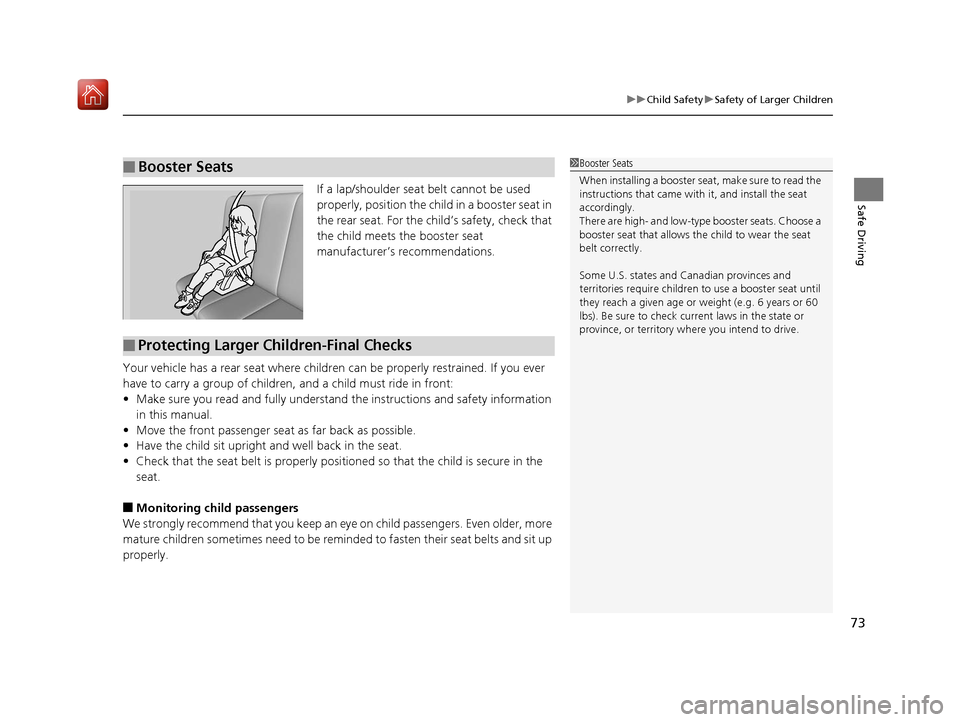
Safe DrivingIf a lap/shoulder seat belt cannot be used
properly, position the child in a booster seat in
the rear seat. For the child’s safety, check that
the child meets the booster seat
manufacturer’s recommendations.
Your vehicle has a rear seat where children can be properly restrained. If you ever
have to carry a group of children, and a child must ride in front:
• Make sure you read and fully understand the instructions and safety information
in this manual.
• Move the front passenger seat as far back as possible.
• Have the child sit upright and well back in the seat.
• Check that the seat belt is properly positi oned so that the child is secure in the
seat.
■Monitoring child passengers
We strongly recommend that you keep an ey e on child passengers. Even older, more
mature children sometimes need to be remind ed to fasten their seat belts and sit up
properly.
■Booster Seats1 Booster Seats
When installing a booster seat, make sure to read the
instructions that came with it, and install the seat
accordingly.
There are high- and low-type booster seats. Choose a
booster seat that allows the child to wear the seat
belt correctly.
Some U.S. states and Canadian provinces and
territories require children to use a booster seat until
they reach a given age or weight (e.g. 6 years or 60
lbs). Be sure to check current laws in the state or
province, or territory where you intend to drive.
■Protecting Larger Children-Final Checks
19 ACURA MDX-31TZ56510.book 73 ページ 2018年12月11日 火曜日 午後4時47分
Page 85 of 701
84
uuIndicators u
Instrument Panel
IndicatorNameOn/BlinkingExplanationMessage
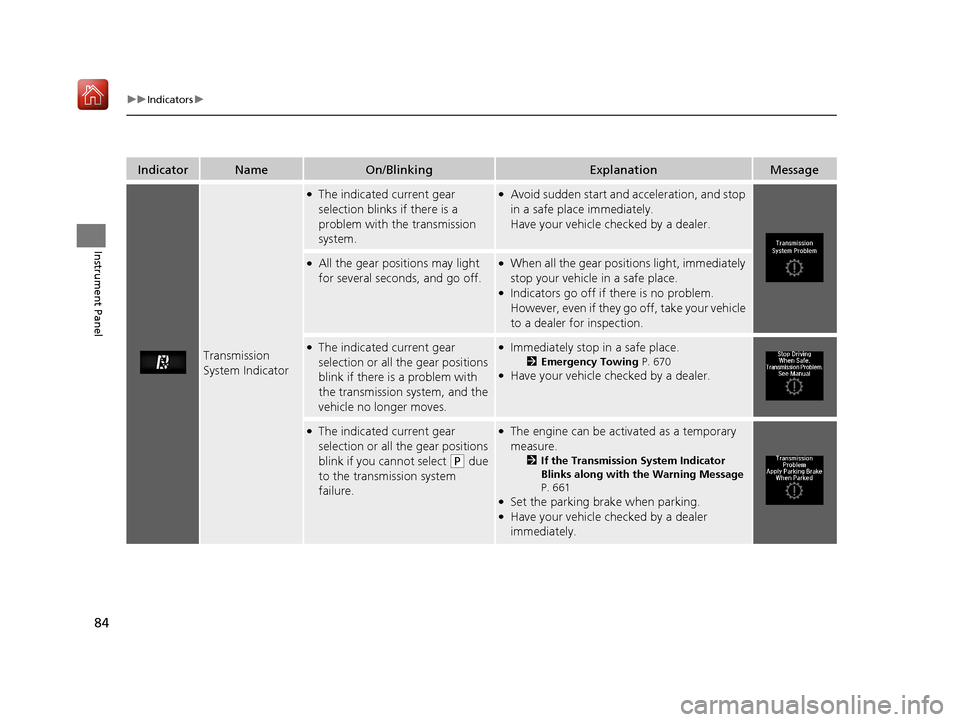
Transmission
System Indicator
●The indicated current gear
selection blinks if there is a
problem with the transmission
system.●Avoid sudden start and acceleration, and stop
in a safe place immediately.
Have your vehicle checked by a dealer.
●All the gear positions may light
for several seconds, and go off.●When all the gear positions light, immediately
stop your vehicle in a safe place.
●Indicators go off if there is no problem.
However, even if they go off, take your vehicle
to a dealer for inspection.
●The indicated current gear
selection or all the gear positions
blink if there is a problem with
the transmission system, and the
vehicle no longer moves.●Immediately stop in a safe place.
2Emergency Towing P. 670●Have your vehicle checked by a dealer.
●The indicated current gear
selection or all the gear positions
blink if you cannot select
(P due
to the transmission system
failure.
●The engine can be activated as a temporary
measure.
2 If the Transmission System Indicator
Blinks along with the Warning Message
P. 661
●Set the parking brake when parking.●Have your vehicle checked by a dealer
immediately.
19 ACURA MDX-31TZ56510.book 84 ページ 2018年12月11日 火曜日 午後4時47分
Page 90 of 701
89
uuIndicators u
Continued
Instrument Panel
IndicatorNameOn/BlinkingExplanationMessage
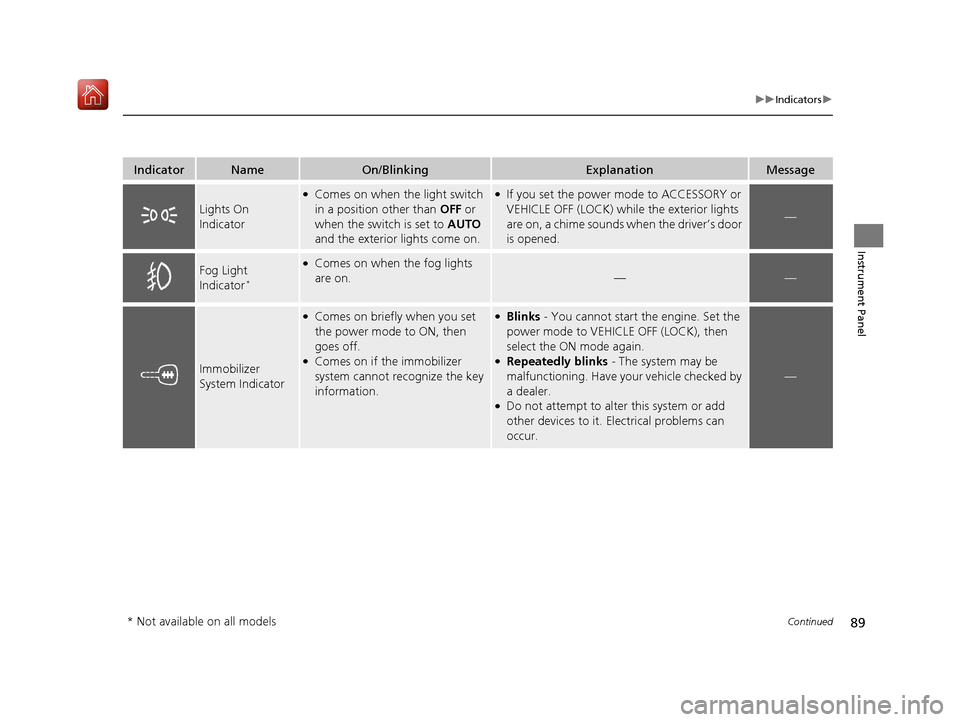
Lights On
Indicator
●Comes on when the light switch
in a position other than OFF or
when the switch is set to AUTO
and the exterior lights come on.●If you set the power mode to ACCESSORY or
VEHICLE OFF (LOCK) while the exterior lights
are on, a chime sounds wh en the driver’s door
is opened.
—
Fog Light
Indicator*
●Comes on when the fog lights
are on.
——
Immobilizer
System Indicator
●Comes on briefly when you set
the power mode to ON, then
goes off.
●Comes on if the immobilizer
system cannot recognize the key
information.
●Blinks - You cannot start the engine. Set the
power mode to VEHICL E OFF (LOCK), then
select the ON mode again.
●Repeatedly blinks - The system may be
malfunctioning. Have your vehicle checked by
a dealer.
●Do not attempt to alter this system or add
other devices to it. Electrical problems can
occur.
—
* Not available on all models
19 ACURA MDX-31TZ56510.book 89 ページ 2018年12月11日 火曜日 午後4時47分
Page 92 of 701
91
uuIndicators u
Continued
Instrument Panel
IndicatorNameOn/BlinkingExplanationMessage
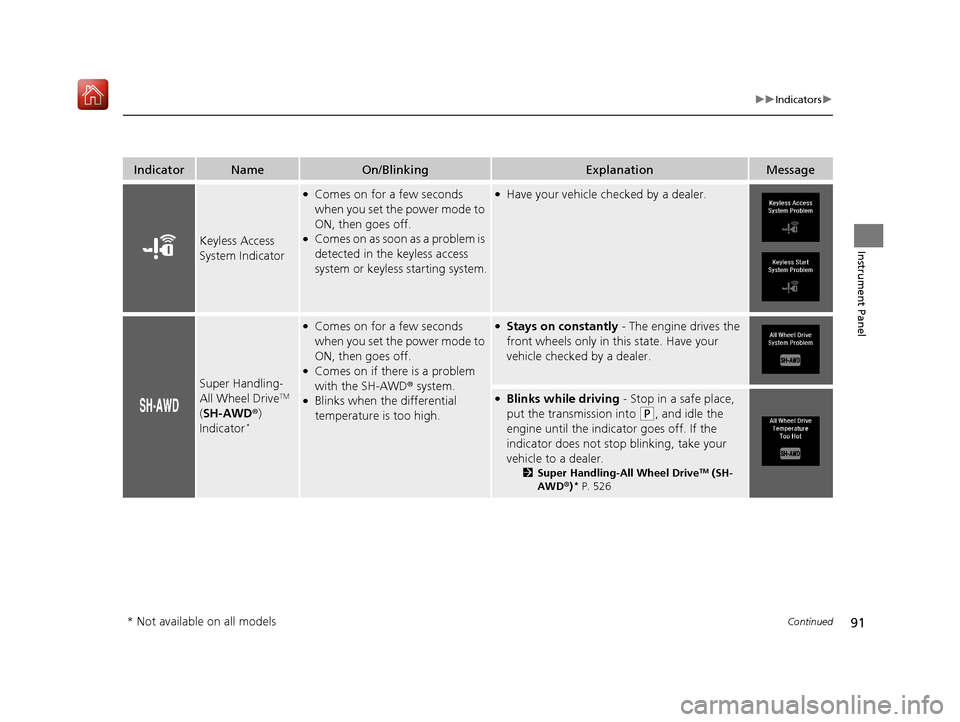
Keyless Access
System Indicator
●Comes on for a few seconds
when you set the power mode to
ON, then goes off.
●Comes on as soon as a problem is
detected in the keyless access
system or keyless starting system.
●Have your vehicle checked by a dealer.
Super Handling-
All Wheel DriveTM
( SH-AWD ®)
Indicator
*
●Comes on for a few seconds
when you set the power mode to
ON, then goes off.
●Comes on if there is a problem
with the SH-AWD ® system.
●Blinks when the differential
temperature is too high.
●Stays on constantly - The engine drives the
front wheels only in this state. Have your
vehicle checked by a dealer.
●Blinks while driving - Stop in a safe place,
put the transmission into
(P, and idle the
engine until the indica tor goes off. If the
indicator does not stop blinking, take your
vehicle to a dealer.
2 Super Handling-All Wheel DriveTM (SH-
AWD® )* P. 526
* Not available on all models
19 ACURA MDX-31TZ56510.book 91 ページ 2018年12月11日 火曜日 午後4時47分
Page 96 of 701
95
uuIndicators u
Continued
Instrument Panel
IndicatorNameOn/BlinkingExplanationMessage
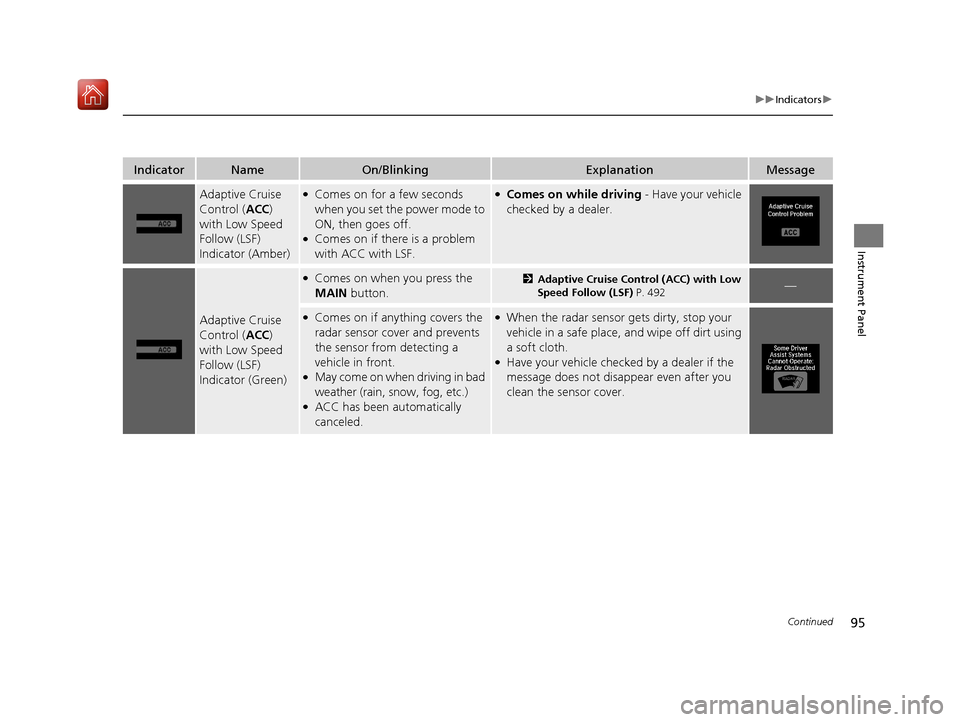
Adaptive Cruise
Control (ACC)
with Low Speed
Follow (LSF)
Indicator (Amber)●Comes on for a few seconds
when you set the power mode to
ON, then goes off.
●Comes on if there is a problem
with ACC with LSF.
●Comes on while driving - Have your vehicle
checked by a dealer.
Adaptive Cruise
Control ( ACC)
with Low Speed
Follow (LSF)
Indicator (Green)
●Comes on when you press the
MAIN button.2Adaptive Cruise Control (ACC) with Low
Speed Follow (LSF) P. 492—
●Comes on if anything covers the
radar sensor cover and prevents
the sensor from detecting a
vehicle in front.
●May come on when driving in bad
weather (rain, s now, fog, etc.)
●ACC has been automatically
canceled.
●When the radar sensor gets dirty, stop your
vehicle in a safe place, and wipe off dirt using
a soft cloth.
●Have your vehicle checke d by a dealer if the
message does not disappear even after you
clean the sensor cover.
19 ACURA MDX-31TZ56510.book 95 ページ 2018年12月11日 火曜日 午後4時47分
Page 97 of 701
96
uuIndicators u
Instrument Panel
IndicatorNameOn/BlinkingExplanationMessage
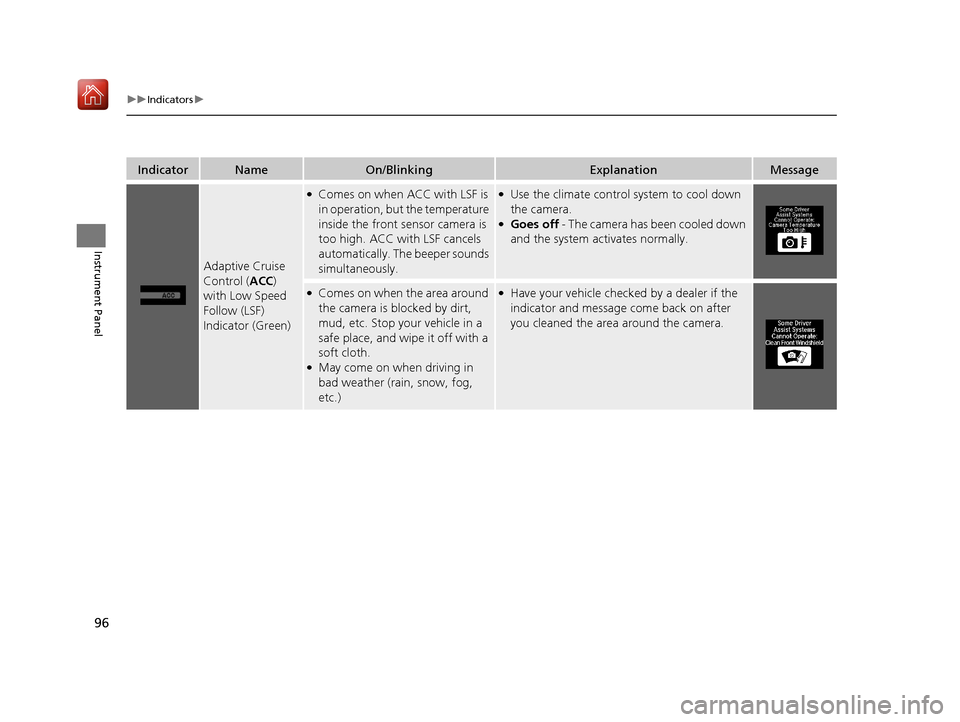
Adaptive Cruise
Control (ACC)
with Low Speed
Follow (LSF)
Indicator (Green)
●Comes on when ACC with LSF is
in operation, but the temperature
inside the front sensor camera is
too high. ACC with LSF cancels
automatically. The beeper sounds
simultaneously.●Use the climate control system to cool down
the camera.
●Goes off - The camera has been cooled down
and the system activates normally.
●Comes on when the area around
the camera is blocked by dirt,
mud, etc. Stop your vehicle in a
safe place, and wipe it off with a
soft cloth.
●May come on when driving in
bad weather (rain, snow, fog,
etc.)
●Have your vehicle checked by a dealer if the
indicator and message come back on after
you cleaned the area around the camera.
19 ACURA MDX-31TZ56510.book 96 ページ 2018年12月11日 火曜日 午後4時47分