acc Acura MDX 2019 Owner's Guide
[x] Cancel search | Manufacturer: ACURA, Model Year: 2019, Model line: MDX, Model: Acura MDX 2019Pages: 701, PDF Size: 38.75 MB
Page 100 of 701

99
uuIndicators u
Instrument Panel
IndicatorNameOn/BlinkingExplanationMessage
Blind spot
information
System Indicator
●Comes on for a few seconds
when you set the power mode to
ON, then goes off.
●Stays on while blind spot
information system is turned off.
2Customized Features P. 126
●Comes on when mud, snow, or
ice accumulates in the vicinity of
sensor.●Comes on while driving - Remove the
obstacle in the vicinity of sensor.
2 Blind spot information System* P. 523
●Comes on if there is a problem
with the system.●Comes on while driving - Have your vehicle
checked by a dealer.
Models with Blind spot information System
* Not available on all models
19 ACURA MDX-31TZ56510.book 99 ページ 2018年12月11日 火曜日 午後4時47分
Page 102 of 701
101
uuIndicators uMulti-Information Display (MID) Warning and Information Messages
Continued
Instrument Panel
MessageConditionExplanation
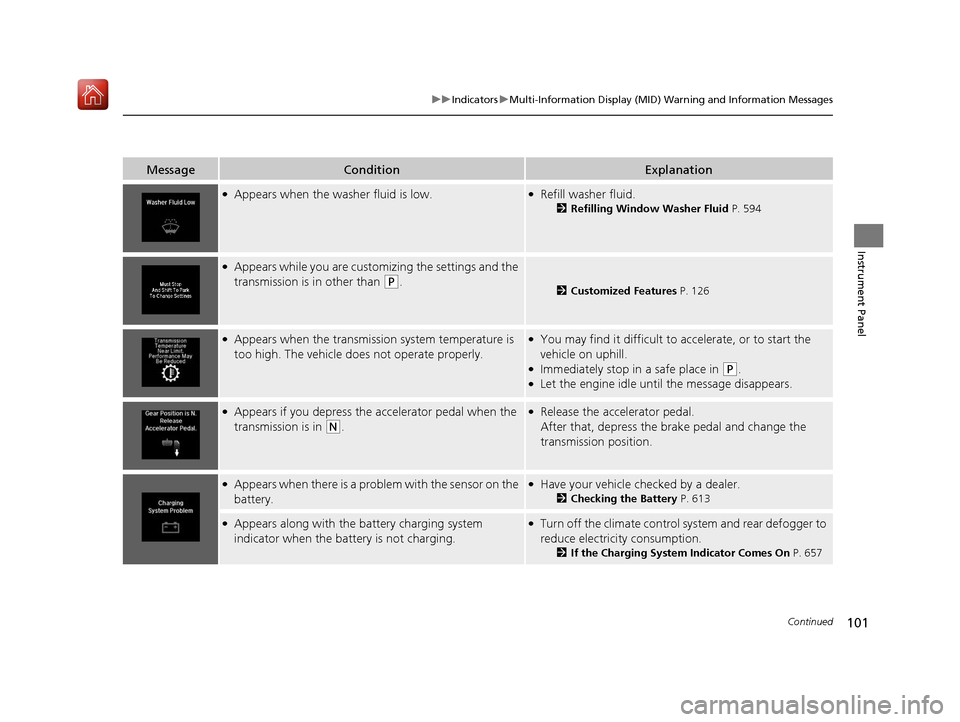
●Appears when the wa sher fluid is low.●Refill washer fluid.
2Refilling Window Washer Fluid P. 594
●Appears while you are customizing the settings and the
transmission is in other than
(P.2 Customized Features P. 126
●Appears when the transmission system temperature is
too high. The vehicle does not operate properly.●You may find it difficult to accelerate, or to start the
vehicle on uphill.
●Immediately stop in a safe place in (P.●Let the engine idle until the message disappears.
●Appears if you depress the accelerator pedal when the
transmission is in
(N.
●Release the accelerator pedal.
After that, depress the brake pedal and change the
transmission position.
●Appears when there is a problem with the sensor on the
battery.●Have your vehicle checked by a dealer.
2Checking the Battery P. 613
●Appears along with the battery charging system
indicator when the batte ry is not charging.●Turn off the climate control system and rear defogger to
reduce electricity consumption.
2If the Charging System Indicator Comes On P. 657
19 ACURA MDX-31TZ56510.book 101 ページ 2018年12月11日 火曜日 午後4時47分
Page 104 of 701

103
uuIndicators uMulti-Information Display (MID) Warning and Information Messages
Continued
Instrument Panel
MessageConditionExplanation
●Appears if there is a problem with the starter system.●Hold the ENGINE START/STOP button up to 15
seconds to start the engine.
2 Starting the Engine P. 467
Have your vehicle checked by a dealer.
●Appears when you set the power mode to ACCESSORY
or ON.2Starting the Engine P. 467
●Appears when the engine doe s not restart automatically
due to the following reason:
- The hood is open.
- There is a problem in the sy stem that disables Auto
Idle Stop.●Follow the normal procedure to start the engine.
2 Starting the Engine P. 467●Close the hood.
●Appears when the steering wheel is locked.●Move the steering wheel left and right while pressing
the ENGINE START/STOP button.
U.S.
Canada
Canadian models
19 ACURA MDX-31TZ56510.book 103 ページ 2018年12月11日 火曜日 午後4時47分
Page 105 of 701
104
uuIndicators uMulti-Information Display (MID) Warning and Information Messages
Instrument Panel
MessageConditionExplanation
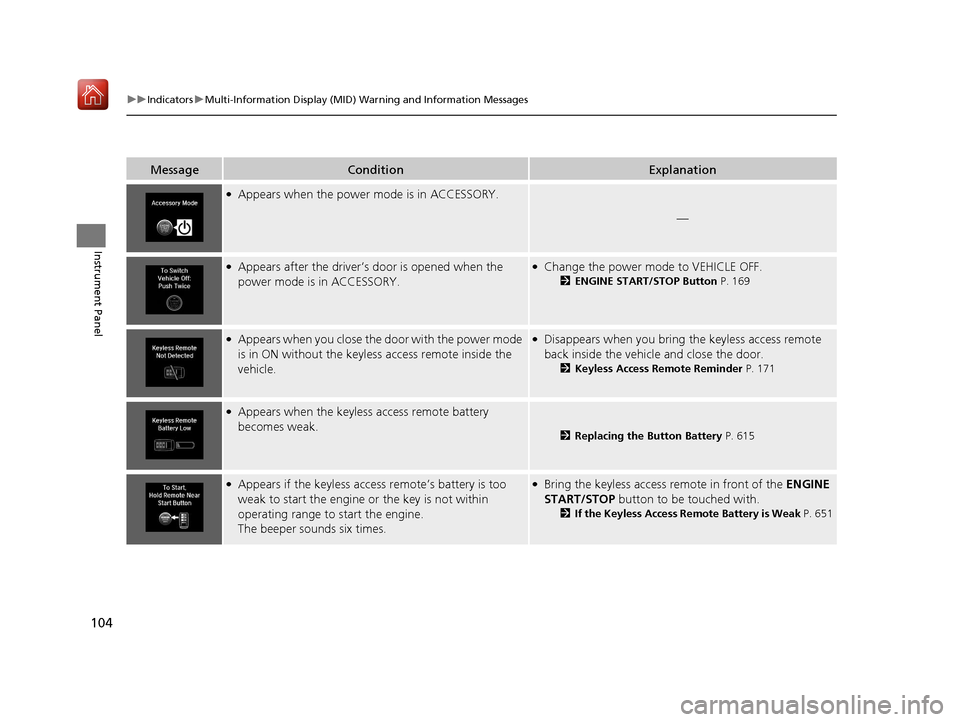
●Appears when the power mode is in ACCESSORY.
—
●Appears after the driver’s door is opened when the
power mode is in ACCESSORY.●Change the power mode to VEHICLE OFF.
2 ENGINE START/STOP Button P. 169
●Appears when you close the door with the power mode
is in ON without the keyless access remote inside the
vehicle.●Disappears when you bring the keyless access remote
back inside the vehicle and close the door.
2Keyless Access Remote Reminder P. 171
●Appears when the keyless access remote battery
becomes weak.
2Replacing the Button Battery P. 615
●Appears if the keyless access remote’s battery is too
weak to start the engine or the key is not within
operating range to start the engine.
The beeper sounds six times.●Bring the keyless access remote in front of the ENGINE
START/STOP button to be touched with.
2 If the Keyless Access Remote Battery is Weak P. 651
19 ACURA MDX-31TZ56510.book 104 ページ 2018年12月11日 火曜日 午後4時47分
Page 108 of 701
107
uuIndicators uMulti-Information Display (MID) Warning and Information Messages
Continued
Instrument Panel
MessageConditionExplanation
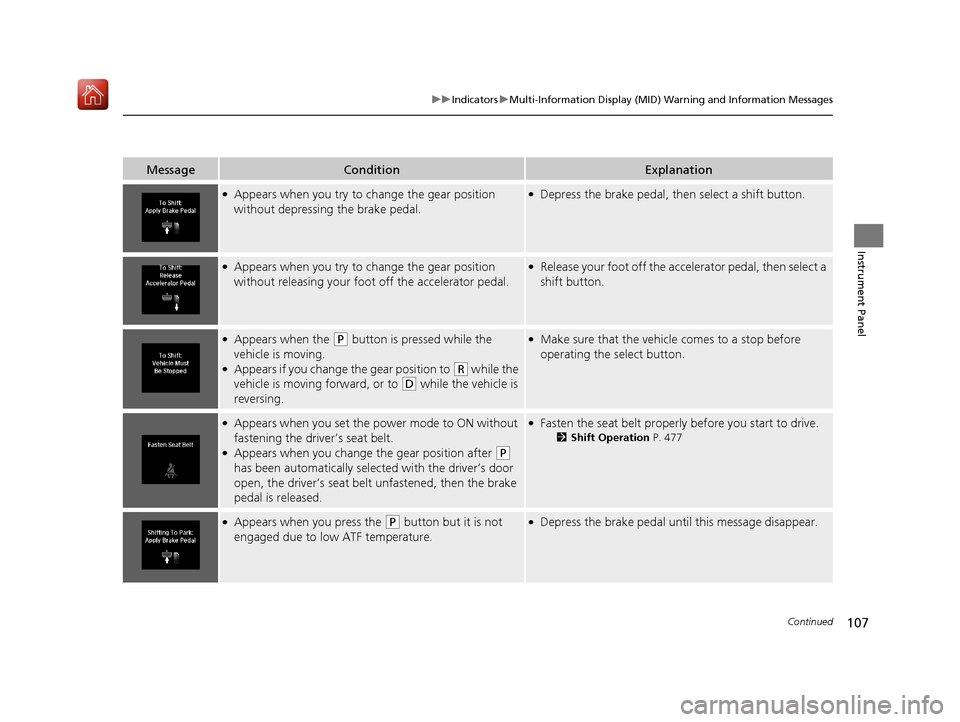
●Appears when you try to change the gear position
without depressing the brake pedal.●Depress the brake pedal, then select a shift button.
●Appears when you try to change the gear position
without releasing your foot off the accelerator pedal.●Release your foot off the acce lerator pedal, then select a
shift button.
●Appears when the (P button is pressed while the
vehicle is moving.
●Appears if you change the gear position to (R while the
vehicle is moving forward, or to
(D while the vehicle is
reversing.
●Make sure that the vehicle comes to a stop before
operating the select button.
●Appears when you set the po wer mode to ON without
fastening the driver’s seat belt.
●Appears when you change the gear position after (P
has been automatically selected with the driver’s door
open, the driver’s seat belt unfastened, then the brake
pedal is released.
●Fasten the seat belt properly before you start to drive.
2 Shift Operation P. 477
●Appears when you press the (P button but it is not
engaged due to low ATF temperature.●Depress the brake pedal until this message disappear.
19 ACURA MDX-31TZ56510.book 107 ページ 2018年12月11日 火曜日 午後4時47分
Page 112 of 701
111
uuIndicators uMulti-Information Display (MID) Warning and Information Messages
Continued
Instrument Panel
MessageConditionExplanation
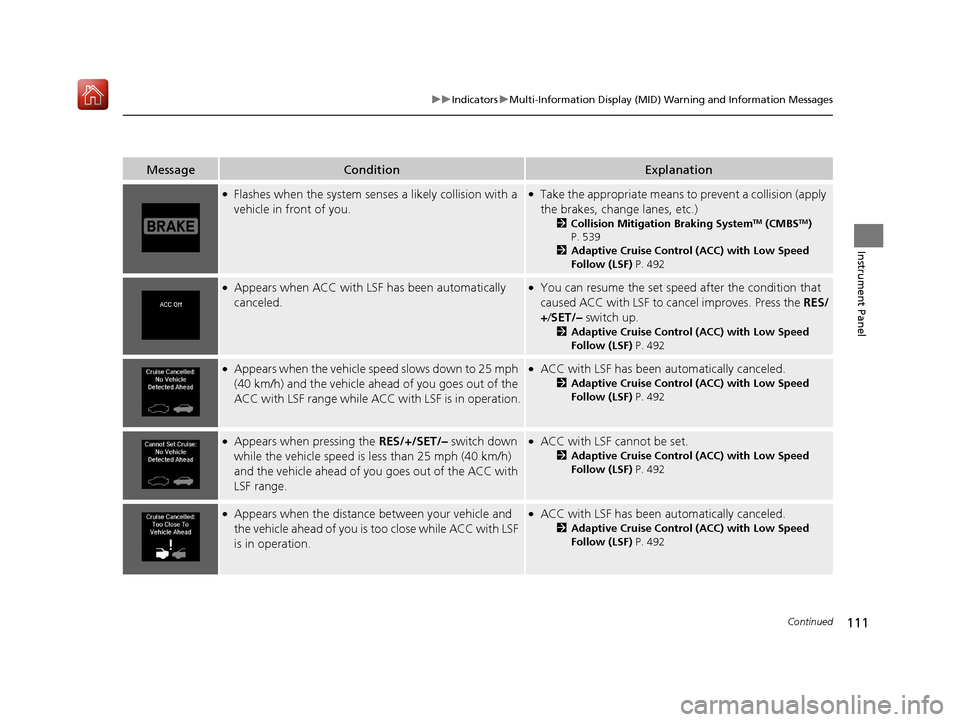
●Flashes when the system sens es a likely collision with a
vehicle in front of you.●Take the appropriate means to prevent a collision (apply
the brakes, change lanes, etc.)
2 Collision Mitigation Braking SystemTM (CMBSTM)
P. 539
2 Adaptive Cruise Control (ACC) with Low Speed
Follow (LSF) P. 492
●Appears when ACC with LSF has been automatically
canceled.●You can resume the set speed after the condition that
caused ACC with LSF to cancel improves. Press the RES/
+/ SET/– switch up.
2Adaptive Cruise Control (ACC) with Low Speed
Follow (LSF) P. 492
●Appears when the vehicle speed slows down to 25 mph
(40 km/h) and the vehicle ahead of you goes out of the
ACC with LSF range while ACC with LSF is in operation.●ACC with LSF has been automatically canceled.
2Adaptive Cruise Control (ACC) with Low Speed
Follow (LSF) P. 492
●Appears when pressing the RES/+/SET/– switch down
while the vehicle speed is le ss than 25 mph (40 km/h)
and the vehicle ahead of yo u goes out of the ACC with
LSF range.●ACC with LSF cannot be set.
2 Adaptive Cruise Control (ACC) with Low Speed
Follow (LSF) P. 492
●Appears when the distance between your vehicle and
the vehicle ahead of you is too close while ACC with LSF
is in operation.●ACC with LSF has been automatically canceled.
2 Adaptive Cruise Control (ACC) with Low Speed
Follow (LSF) P. 492
19 ACURA MDX-31TZ56510.book 111 ページ 2018年12月11日 火曜日 午後4時47分
Page 113 of 701
112
uuIndicators uMulti-Information Display (MID) Warning and Information Messages
Instrument Panel
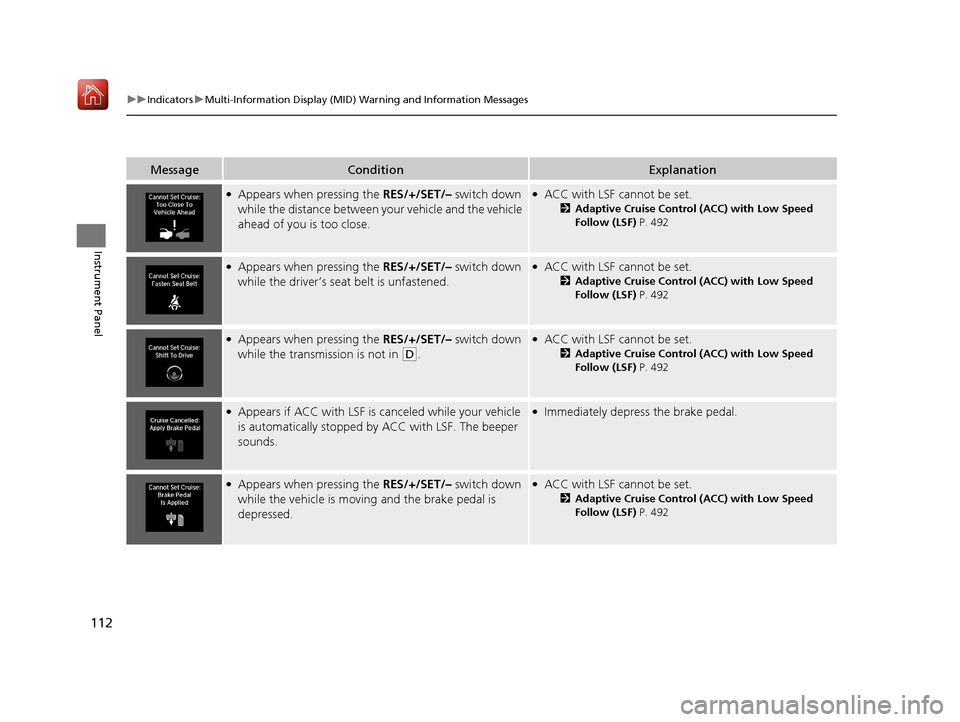
MessageConditionExplanation
●Appears when pressing the RES/+/SET/– switch down
while the distance between y our vehicle and the vehicle
ahead of you is too close.●ACC with LSF cannot be set.
2 Adaptive Cruise Control (ACC) with Low Speed
Follow (LSF) P. 492
●Appears when pressing the RES/+/SET/– switch down
while the driver’s seat belt is unfastened.●ACC with LSF cannot be set.
2 Adaptive Cruise Control (ACC) with Low Speed
Follow (LSF) P. 492
●Appears when pressing the RES/+/SET/– switch down
while the transmission is not in
(D.
●ACC with LSF cannot be set.
2 Adaptive Cruise Control (ACC) with Low Speed
Follow (LSF) P. 492
●Appears if ACC with LSF is canceled while your vehicle
is automatically stopped by ACC with LSF. The beeper
sounds.●Immediately depress the brake pedal.
●Appears when pressing the RES/+/SET/– switch down
while the vehicle is moving and the brake pedal is
depressed.●ACC with LSF cannot be set.
2 Adaptive Cruise Control (ACC) with Low Speed
Follow (LSF) P. 492
19 ACURA MDX-31TZ56510.book 112 ページ 2018年12月11日 火曜日 午後4時47分
Page 114 of 701
113
uuIndicators uMulti-Information Display (MID) Warning and Information Messages
Continued
Instrument Panel
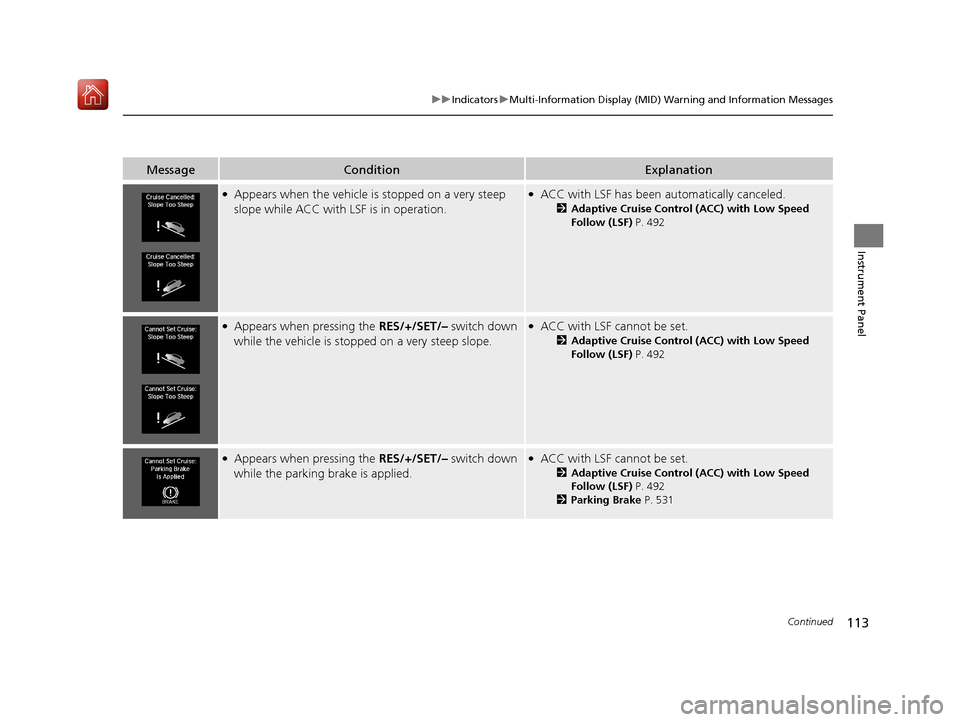
MessageConditionExplanation
●Appears when the vehicle is stopped on a very steep
slope while ACC with LSF is in operation.●ACC with LSF has been automatically canceled.
2 Adaptive Cruise Control (ACC) with Low Speed
Follow (LSF) P. 492
●Appears when pressing the RES/+/SET/– switch down
while the vehicle is stoppe d on a very steep slope.●ACC with LSF cannot be set.
2Adaptive Cruise Control (ACC) with Low Speed
Follow (LSF) P. 492
●Appears when pressing the RES/+/SET/– switch down
while the parking brake is applied.●ACC with LSF cannot be set.
2Adaptive Cruise Control (ACC) with Low Speed
Follow (LSF) P. 492
2 Parking Brake P. 531
19 ACURA MDX-31TZ56510.book 113 ページ 2018年12月11日 火曜日 午後4時47分
Page 119 of 701
118
uuIndicators uMulti-Information Display (MID) Warning and Information Messages
Instrument Panel
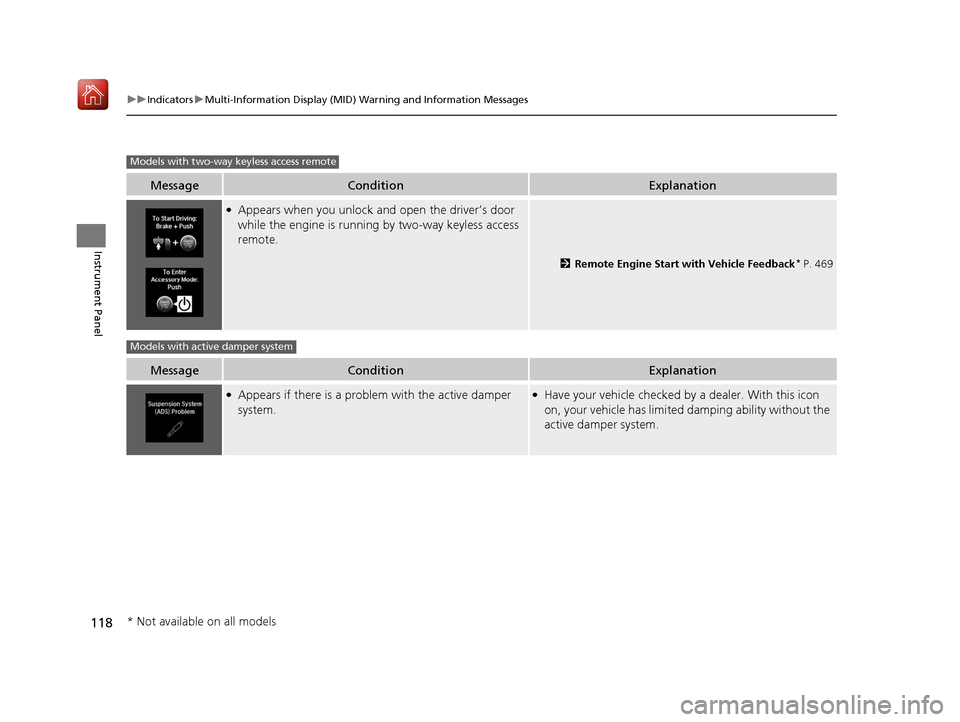
MessageConditionExplanation
●Appears when you unlock and open the driver’s door
while the engine is running by two-way keyless access
remote.
2 Remote Engine Start with Vehicle Feedback* P. 469
MessageConditionExplanation
●Appears if there is a problem with the active damper
system.●Have your vehicle checked by a dealer. With this icon
on, your vehicle has limited damping ability without the
active damper system.
Models with two-way keyless access remote
Models with active damper system
* Not available on all models
19 ACURA MDX-31TZ56510.book 118 ページ 2018年12月11日 火曜日 午後4時47分
Page 122 of 701

121
uuGauges and Multi-Info rmation Display (MID)uMID
Continued
Instrument Panel
■Lower displays
Press the TRIP button to change the display.
Shows the total number of miles (U.S.) or kilometers (Canada) that your vehicle has
accumulated.
■Odometer
TRIP Button
Outside Temperature
Trip A Trip B
Odometer
TRIPTRIP
TRIP
19 ACURA MDX-31TZ56510.book 121 ページ 2018年12月11日 火曜日 午後4時47分