brake Acura MDX 2019 Repair Manual
[x] Cancel search | Manufacturer: ACURA, Model Year: 2019, Model line: MDX, Model: Acura MDX 2019Pages: 701, PDF Size: 38.75 MB
Page 504 of 701
Continued503
uuWhen Driving uAdaptive Cruise Control (ACC) with Low Speed Follow (LSF)
Driving
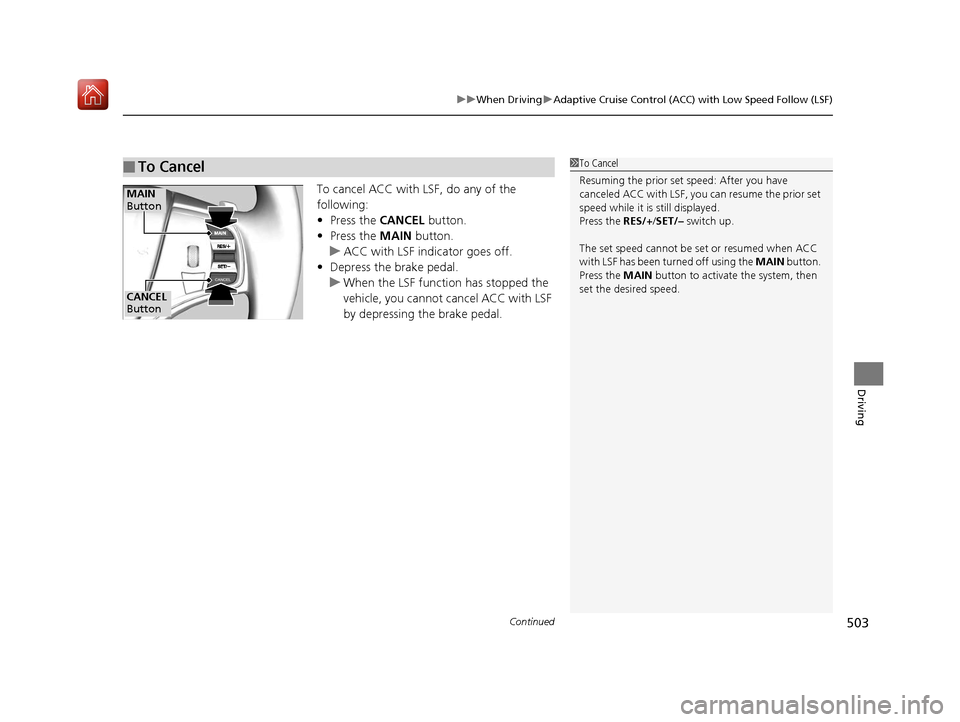
To cancel ACC with LSF, do any of the
following:
• Press the CANCEL button.
• Press the MAIN button.
u ACC with LSF indicator goes off.
• Depress the brake pedal.
u When the LSF function has stopped the
vehicle, you cannot cancel ACC with LSF
by depressing the brake pedal.
■To Cancel1 To Cancel
Resuming the prior set speed: After you have
canceled ACC with LSF, you can resume the prior set
speed while it is still displayed.
Press the RES/+ /SET/– switch up.
The set speed cannot be set or resumed when ACC
with LSF has been turned off using the MAIN button.
Press the MAIN button to activate the system, then
set the desired speed.
CANCEL
Button
MAIN
Button
19 ACURA MDX-31TZ56510.book 503 ページ 2018年12月11日 火曜日 午後4時47分
Page 505 of 701
uuWhen Driving uAdaptive Cruise Control (ACC) with Low Speed Follow (LSF)
504
Driving
■Automatic cancellation
The beeper sounds and a message app ears on the MID when ACC with LSF is
automatically canceled. Any of these co nditions may cause the ACC with LSF to
automatically cancel:
• Bad weather (rain, fog, snow, etc.)
• When the radar sensor behind the emblem gets dirty.
• The vehicle ahead of you cannot be detected.
• An abnormal tire condition is detected, or the tires are skidding.
• Driving on a mountainous road, or driving off road for extended periods.
• Abrupt steering wheel movement.
• When the ABS, VSA ® or CMBS
TM is activated.
• When the ABS or VSA ® system indicator comes on.
• When the vehicle is stopped on a very steep slope.
• When you manually apply the parking brake.
• When the detected vehicle within the ACC with LSF range is too close to your
vehicle.
• When a detected vehicle goes out of th e ACC with LSF range while your vehicle
is stationary.
• The camera behind the rearview mirror, or the area around the camera, including
the windshield, gets dirty.
The ACC with LSF automatic cancellation can be also triggered by the following
causes. In these cases, the electric park ing brake will be automatically applied.
• The driver’s seat belt is unfastened when the vehicl e is stationary.
• The vehicle stops for mo re than 10 minutes.
• The engine is turned off.
• When trailer stability assist is activated.
2 Trailer Stability Assist P. 462
1Automatic cancellation
Even though ACC with LSF has been automatically
canceled, you can still resu me the prior set speed.
Wait until the condition that caused ACC with LSF to
cancel improves, then press the RES/+/SET/– switch
up.
19 ACURA MDX-31TZ56510.book 504 ページ 2018年12月11日 火曜日 午後4時47分
Page 507 of 701
uuWhen Driving uAdaptive Cruise Control (ACC) with Low Speed Follow (LSF)
506
Driving
To cancel cruise control, do any of the following:
• Press the CANCEL button.
• Press the MAIN button.
• Depress the brake pedal.
The CRUISE CONTROL indicator goes off.
■To Cancel1To Cancel
Resuming the prior set speed:
After cruise control has be en canceled, you can still
resume the prior set speed by pressing the RES/+/
SET/– switch up while driving at a speed of at least
25 mph (40 km/h) or more.
You cannot set or resume in the following situations:
•When vehicle speed is less than 25 mph (40 km/h).
•When the MAIN button is turned off.
At vehicle speeds of 22 m ph (35 km/h) or less, cruise
control is canceled automatically.
19 ACURA MDX-31TZ56510.book 506 ページ 2018年12月11日 火曜日 午後4時47分
Page 509 of 701
uuWhen Driving uRoad Departure Mitigation (RDM) System
508
Driving
The system cancels assisting operations when you turn th e steering wheel to avoid
crossing over detected lane markings.
If the system operates several times without detecting driver response, the system
beeps to alert you.
The system becomes ready to start sear ching for lane markings when all the
following conditions are met:
• The vehicle is traveling between about 45 and 90 mph (72 and 145 km/h).
• The vehicle is on a straight or slightly curved road.
• The turn signals are off.
• The brake pedal is not depressed.
• The wipers are not in continuous operation.
• The vehicle is not accelerating or braking, and the steering wheel is not being
turned.
• The system makes a determination that the driver is not actively accelerating,
braking or steering.
■How the System Activates1How the System Activates
The RDM system may automa tically shut off and the
indicator comes and stays on.
2 Indicators P. 94
RDM system function can be impacted when the
vehicle is:
•Not driven within a traffic lane.
•Driven on the inside edge of a curve, or outside of
a lane.
•Driven in a narrow lane.
19 ACURA MDX-31TZ56510.book 508 ページ 2018年12月11日 火曜日 午後4時47分
Page 515 of 701

uuWhen Driving uLane Keeping Assist System (LKAS)
514
Driving
The system can be used when the following conditions are met.
• The lane in which you are driving has dete ctable lane markers on both sides, and
your vehicle is in the center of the lane.
• The vehicle speed is between 45 and 90 mph (72 and 145 km/h).
• You are driving on a straight or slightly curved road.
• The turn signals are off.
• The brake pedal is not depressed.
• The wipers are not in continuous operation.
■How to activate the system
1.Press the MAIN button.
u The LKAS is on in the MID.
The system is ready to use.
2. Press the LKAS button.
u Lane outlines appear on the MID.
The system is activated.
■When the System can be Used1When the System can be Used
If the vehicle drifts toward ei th e r l ef t o r r ight lane line
due to the system applying torque, turn off the LKAS
and have your vehicle checked by a dealer.
MAIN Button
LKAS Button
19 ACURA MDX-31TZ56510.book 514 ページ 2018年12月11日 火曜日 午後4時47分
Page 517 of 701

516
uuWhen Driving uLane Keeping Assist System (LKAS)
Driving
■The system operation is suspended if
you:
• Set the wipers to continuous operation.
u Turning the wipers off resumes the
LKAS.
• Set the wiper switch to AUTO and the
wipers operate continuously.
u The LKAS resumes when the wipers stop
or operate intermittently.
• Decrease the vehicle speed to about 40
mph (64 km/h) or less.
u Increasing the vehicle speed to about 45
mph (72 km/h) or more resumes the
LKAS.
• Depress the brake pedal.
u The LKAS resumes and starts detecting
the lane lines again once you release the
brake pedal.
When the LKAS is suspended,
the lane lines on the MID
change to contour lines, and the
beeper sounds (if activated).
Models with automatic intermittent wipers
All models
19 ACURA MDX-31TZ56510.book 516 ページ 2018年12月11日 火曜日 午後4時47分
Page 521 of 701
520
uuWhen Driving uVehicle Stability Assist ® (VSA ®), aka Electronic Stability Control (ESC), System
Driving
Vehicle Stability Assist ® (VSA ®), aka Electronic
Stability Control (ESC), System
VSA ® helps to stabilize the vehicle during cornering if the vehicle turns more or less
than what was intended. It also assists in maintaining traction on slippery surfaces.
It does so by regulating engine output and selectively applying the brakes.
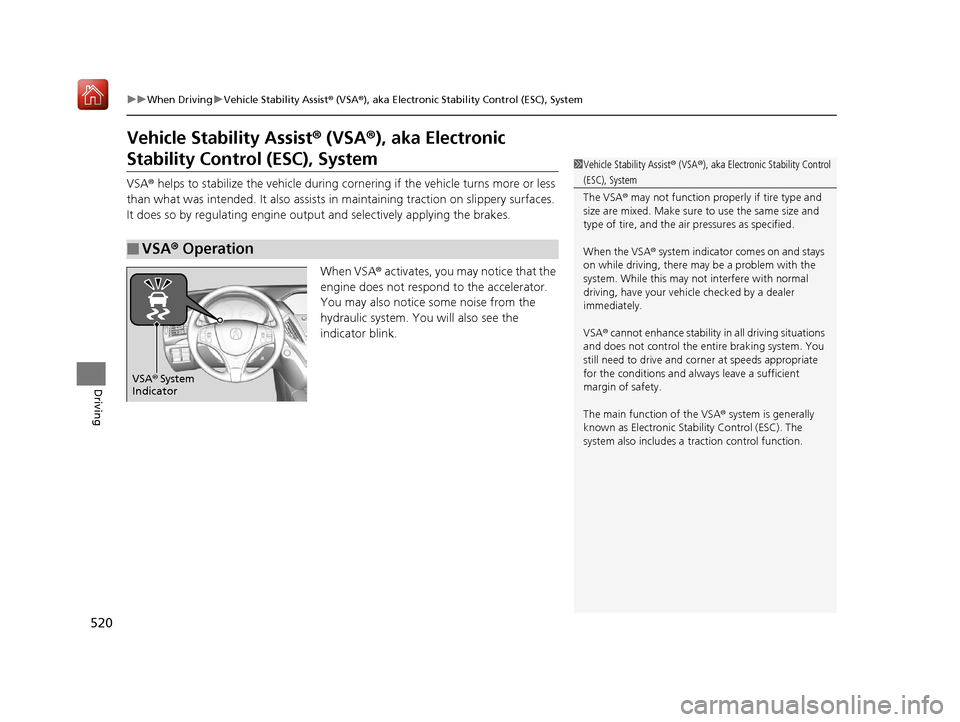
When VSA® activates, you may notice that the
engine does not respond to the accelerator.
You may also notice some noise from the
hydraulic system. You will also see the
indicator blink.
■VSA ® Operation
1 Vehicle Stability Assist ® (VSA ®), aka Electronic Stability Control
(ESC), System
The VSA ® may not function properl y if tire type and
size are mixed. Make sure to use the same size and
type of tire, and the air pressures as specified.
When the VSA ® system indicator comes on and stays
on while driving, there may be a problem with the
system. While this may not interfere with normal
driving, have your vehi cle checked by a dealer
immediately.
VSA ® cannot enhance stability in all driving situations
and does not control the entire braking system. You
still need to drive and corner at speeds appropriate
for the conditions and always leave a sufficient
margin of safety.
The main function of the VSA ® system is generally
known as Electronic Stab ility Control (ESC). The
system also includes a traction control function.
VSA® System
Indicator
19 ACURA MDX-31TZ56510.book 520 ページ 2018年12月11日 火曜日 午後4時47分
Page 523 of 701
522
uuWhen Driving uAgile Handling Assist
Driving
Agile Handling Assist
Lightly brakes each of the front and rear wheels, as needed, when you turn the
steering wheel, and helps support the vehi cle’s stability and performance during
cornering.1 Agile Handling Assist
The agile handling assist cannot enhance stability in
all driving situations. You still need to drive and
corner at speeds appropriate for the conditions and
always leave a sufficient margin of safety.
When the VSA ® system indicator comes on and stays
on while driving, the agil e handling assist does not
activate.
You may hear a sound coming from the engine
compartment while the agile handling assist is
activated. This is normal.
19 ACURA MDX-31TZ56510.book 522 ページ 2018年12月11日 火曜日 午後4時47分
Page 527 of 701
526
uuWhen Driving uSuper Handling-All Wheel DriveTM (SH-AWD ®)*
Driving
Super Handling-All Wheel DriveTM (SH-AWD® )*
The system controls and transfers varying amounts of engine torque to each wheel
in accordance with the driving conditions.
SH-AWD ® helps to enhance driving stability, and lets you handle situations like
sli ppe r y sur f a c es , suc h a s o n w e t, i cy , o r sno wy r oa ds , b e tt e r t ha n wh e n dr iv ing wi t h
two wheel drive. However, the system do es not help to enhance braking. Be
precautious about the following:
• It is still your responsibility to drive safely when you steer, accelerate, and apply
brakes.
• Leave a sufficient margin when braking on slippery surfaces.1Super Handling-All Wheel DriveTM (SH-AWD ®)*
The SH-AWD ® system may not function properly if
tire type and size are mixed.
Make sure to use the same size and type of tire, and
the air pressures as specified. 2 Tire and Wheel Replacement P. 610
Do not continuously spin the front tires of your
vehicle. Continuously spinning the front tires can
cause damage to the transmission and SH-AWD ®
unit.
If the SH-AWD indicator blinks while driving, it
indicates the differential te mperature is too high. If
this happens, pull to the side of the road when it is
safe, change the gear position to
( P, and idle the
engine until the indicator goes out.
* Not available on all models
19 ACURA MDX-31TZ56510.book 526 ページ 2018年12月11日 火曜日 午後4時47分
Page 532 of 701
531Continued
Driving
Braking
Brake System
Use the parking brake to keep the vehicle stationary when parked. When the
parking brake is applied, you can manu ally or automatically release it.
■To apply
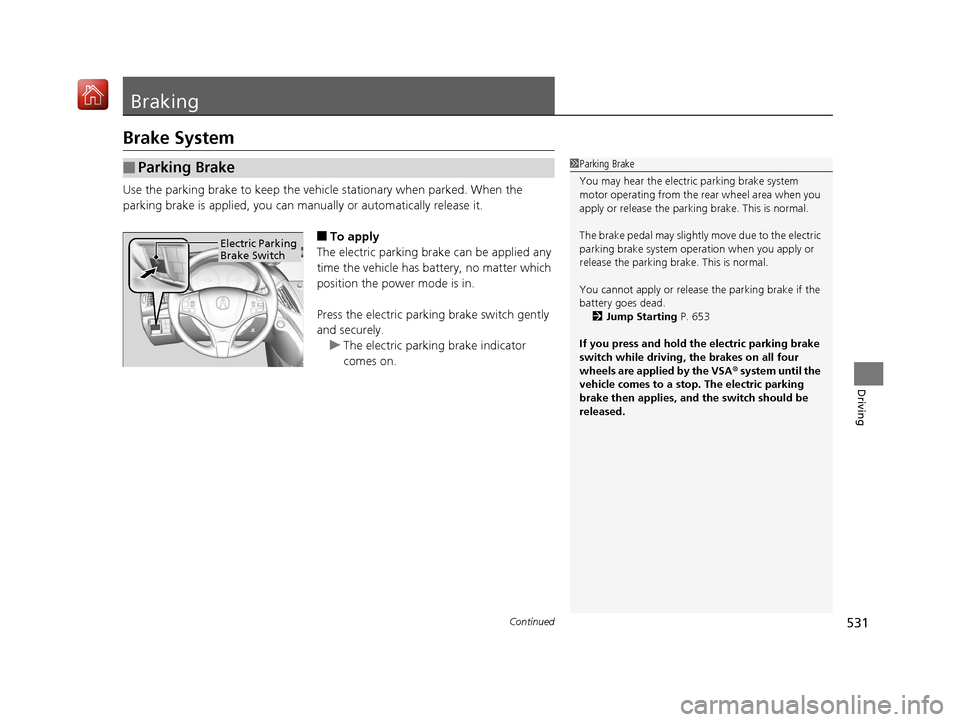
The electric parking brake can be applied any
time the vehicle has battery, no matter which
position the power mode is in.
Press the electric parking brake switch gently
and securely. u The electric parking brake indicator
comes on.
■Parking Brake1Parking Brake
You may hear the electric parking brake system
motor operating from the re ar wheel area when you
apply or release the parki ng brake. This is normal.
The brake pedal may slightly move due to the electric
parking brake system opera tion when you apply or
release the parking br ake. This is normal.
You cannot apply or release the parking brake if the
battery goes dead.
2 Jump Starting P. 653
If you press and hold the electric parking brake
switch while driving, the brakes on all four
wheels are applied by the VSA ® system until the
vehicle comes to a stop. The electric parking
brake then applies, and the switch should be
released.
Electric Parking
Brake Switch
19 ACURA MDX-31TZ56510.book 531 ページ 2018年12月11日 火曜日 午後4時47分