wheel ACURA MDX 2022 User Guide
[x] Cancel search | Manufacturer: ACURA, Model Year: 2022, Model line: MDX, Model: ACURA MDX 2022Pages: 712, PDF Size: 22.65 MB
Page 52 of 712

Continued51
uuAirbags uFront Airbags (SRS)
Safe DrivingThe airbags have advanced features to help reduce the likelihood of airbag related
injuries to smaller occupants. The driver’s advanced airbag system includes a
seat position sensor.
Based on information from this sensor and the
severity of the impact, the advanced airbag
system determines the optimal deployment of
the driver’s airbag.
■Advanced Airbags1 Advanced Airbags
If there is a problem with the driver’s seat position
sensor or the passenger’s s eat weight sensors, the
SRS indicator will come on, and in the event of a
crash, the airbag will deploy (regardless of the driver’s
seating position or passenger’s occupant
classification) with a force corresponding to the
severity of the impact. 2 Supplemental Restraint System (SRS)
Indicator P. 59
For the advanced front airbags to work properly,
confirm that:
•The occupant is sitting in an upright position,
wearing the seat belt prope rly and the seat back is
not excessively reclined.
•The occupant is not leaning against the door or
center console.
•The occupant’s feet are plac ed on the floor in front
of them.
•There are no objects ha nging from the front
passenger’s seat.
•Only small, lightweight objec ts are in the seat back
pocket.
•The steering wheel and passenger’s side dashboard
are not obstructed by any object.
•No liquid has been spille d on or under the seat.•There is no child seat or other object pressing
against the rear of the seat or seat back.
•There is no rear passenger pushing or pulling on
the back of the front passenger’s seat.
Driver’s
Seat
Position
Sensor
22 ACURA MDX-31TYA6000_02.book 51 ページ 2020年11月5日 木曜日 午前11時39分
Page 100 of 712

99
uuIndicators u
Continued
Instrument Panel
IndicatorNameOn/BlinkingExplanation
System Message
Indicator
•Comes on along with a beep when a
problem is detected. A system message on
the driver information interface appears at
the same time.• While the indicator is on, roll the right selector
wheel to see the message again.
2 Switching the Display P. 109
•Refer to the Indicators in formation in this chapter
when a system message appears on the driver
information interface. Respond to the message
accordingly.
• The driver information interface will not return to
the normal screen unless the warning is canceled,
or the right selector wheel is rolled.
Adaptive Cruise
Control (ACC)
with Low Speed
Follow Indicator
(Amber)
●Comes on if there is a problem with ACC
with Low Speed Follow.●Comes on while driving - Have your vehicle
checked by a dealer.
●Indicator may come on temporarily when the
Maximum Load Limit is exceeded.
●ACC with Low Speed Follow has been
automatically canceled.
●Make sure the total load is within the Maximum
Load Limit.
2 Maximum Load Limit P. 419●Stays on constantly - Have your vehicle checked
by a dealer.
●Comes on if the ACC is deactivated
temporarily after the battery has been
disconnected, then re-connected.●Drive a short distance at more than 12 mph (20
km/h). The indicator should go off. If it does not,
have your vehicle checked by a dealer.
22 ACURA MDX-31TYA6000_02.book 99 ページ 2020年11月5日 木曜日 午前11時39分
Page 110 of 712
109
uuGauges and Displays uDriver Information Interface (Right Side Area)
Continued
Instrument Panel
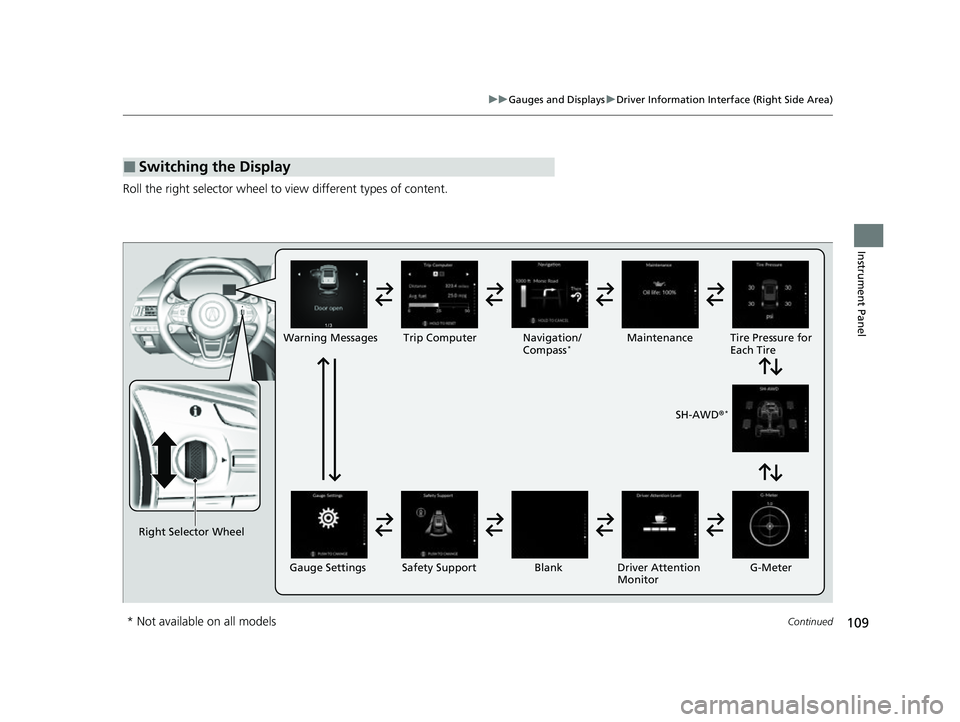
Roll the right selector wheel to view different types of content.
■Switching the Display
Right Selector Wheel Warning Messages Trip Computer
Gauge Settings Maintenance
Navigation/
Compass
*
Safety Support Driver Attention
Monitor
Blank Tire Pressure for
Each Tire
SH-AWD ®
*
G-Meter
* Not available on all models
22 ACURA MDX-31TYA6000_02.book 109 ページ 2020年11月5日 木曜日 午前11時39分
Page 111 of 712
110
uuGauges and Displays uDriver Information Interface (Right Side Area)
Instrument Panel
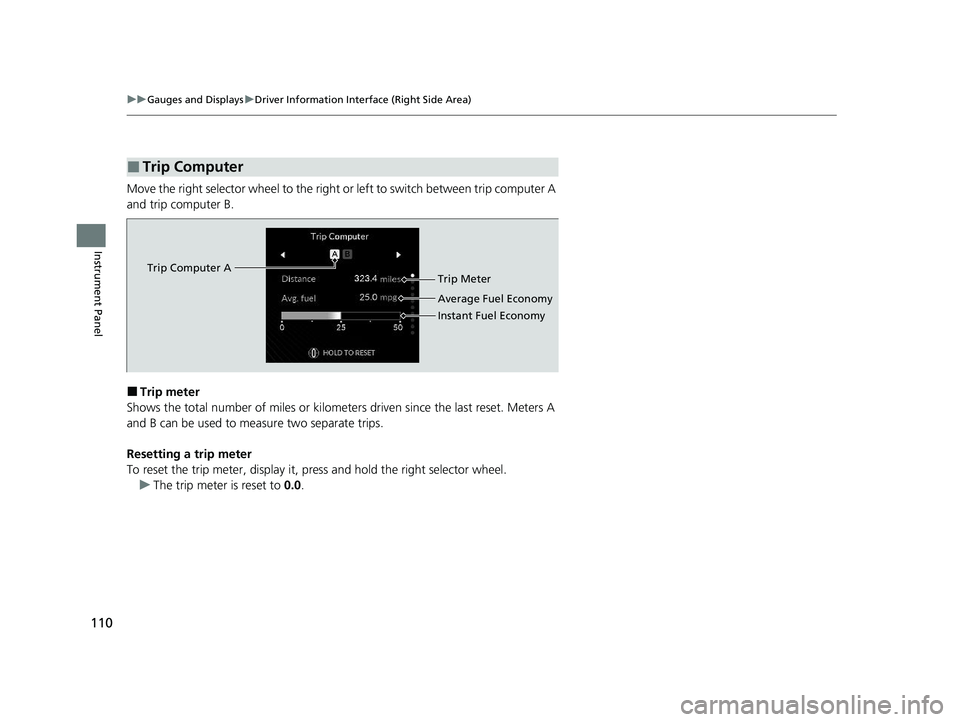
Move the right selector wheel to the right or left to switch between trip computer A
and trip computer B.
■Trip meter
Shows the total number of miles or kilomete rs driven since the last reset. Meters A
and B can be used to measure two separate trips.
Resetting a trip meter
To reset the trip meter, display it, pr ess and hold the right selector wheel.
u The trip meter is reset to 0.0.
■Trip Computer
Trip Computer A
Trip Meter
Average Fuel Economy
Instant Fuel Economy
22 ACURA MDX-31TYA6000_02.book 110 ページ 2020年11月5日 木曜日 午前11時39分
Page 112 of 712
Continued111
uuGauges and Displays uDriver Information Interface (Right Side Area)
Instrument Panel
■Average fuel economy
Shows the estimated average fuel economy of each trip meter in mpg or l/100 km.
The display is updated at set intervals. Wh en a trip meter is reset, the average fuel
economy is also reset.
■Instant fuel economy
Shows the instant fuel economy as a bar graph in mpg or l/100 km.
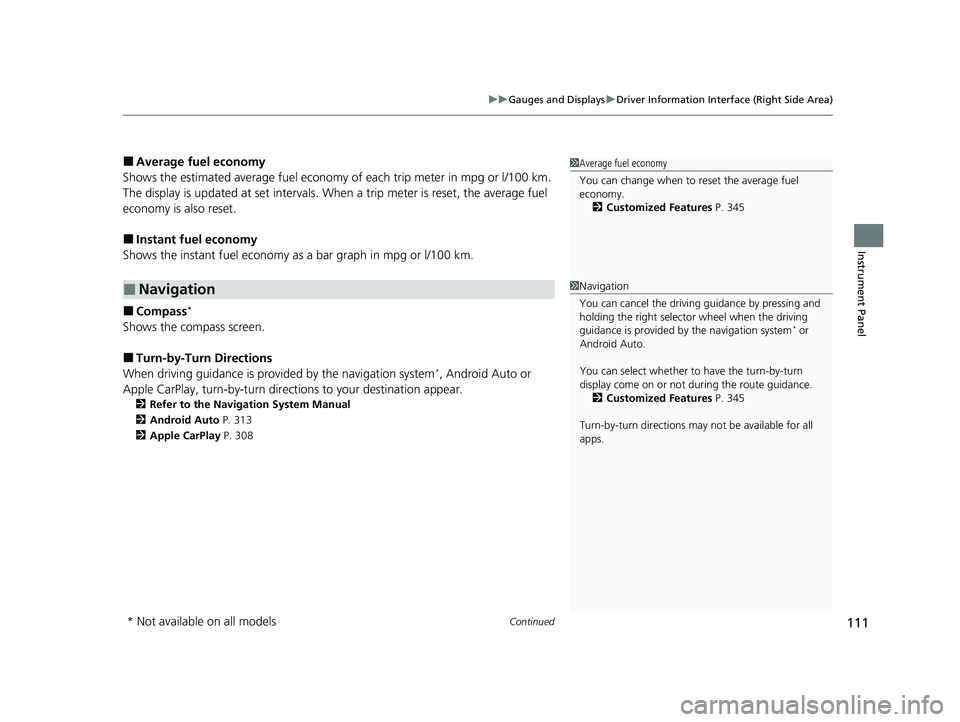
■Compass*
Shows the compass screen.
■Turn-by-Turn Directions
When driving guidance is provided by the navigation system*, Android Auto or
Apple CarPlay, turn-by-turn direct ions to your destination appear.
2Refer to the Navigation System Manual
2 Android Auto P. 313
2 Apple CarPlay P. 308
■Navigation
1Average fuel economy
You can change when to reset the average fuel
economy.
2 Customized Features P. 345
1Navigation
You can cancel the drivin g guidance by pressing and
holding the right selector wheel when the driving
guidance is provided by the navigation system
* or
Android Auto.
You can select whether to have the turn-by-turn
display come on or not dur ing the route guidance.
2 Customized Features P. 345
Turn-by-turn directions may not be available for all
apps.
* Not available on all models
22 ACURA MDX-31TYA6000_02.book 111 ページ 2020年11月5日 木曜日 午前11時39分
Page 113 of 712
uuGauges and Displays uDriver Information Interface (Right Side Area)
112
Instrument Panel
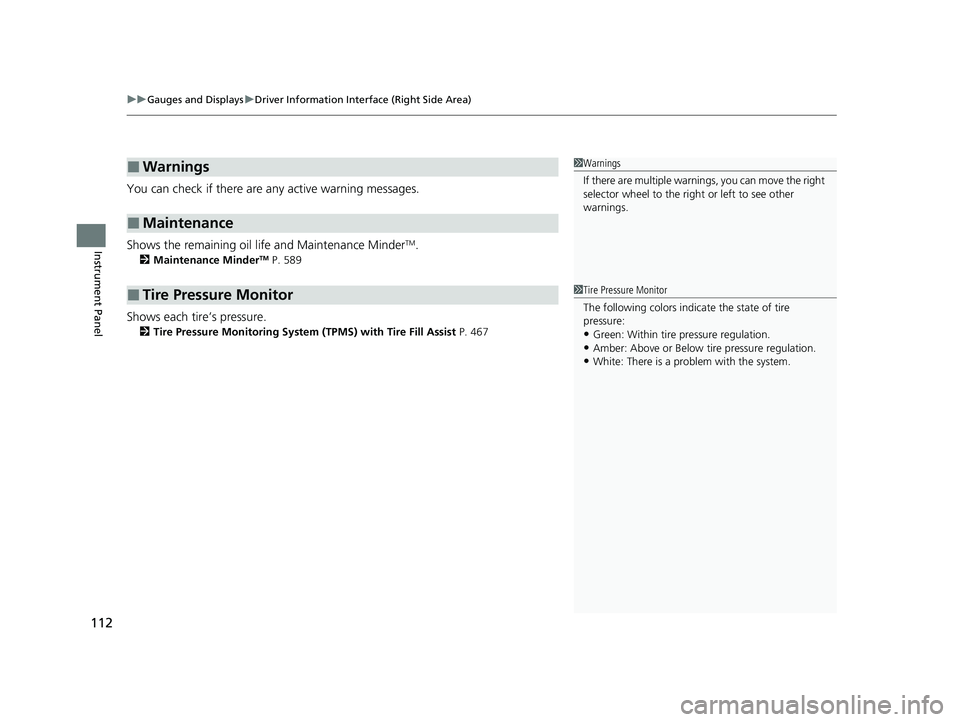
You can check if there are any active warning messages.
Shows the remaining oil life and Maintenance Minder
TM.
2 Maintenance MinderTM P. 589
Shows each tire’s pressure.
2Tire Pressure Monitoring System (TPMS) with Tire Fill Assist P. 467
■Warnings
■Maintenance
■Tire Pressure Monitor
1Warnings
If there are multiple warnings, you can move the right
selector wheel to the right or left to see other
warnings.
1 Tire Pressure Monitor
The following colors indicate the state of tire
pressure:
•Green: Within tire pressure regulation.
•Amber: Above or Below ti re pressure regulation.•White: There is a problem with the system.
22 ACURA MDX-31TYA6000_02.book 112 ページ 2020年11月5日 木曜日 午前11時39分
Page 114 of 712
113
uuGauges and Displays uDriver Information Interface (Right Side Area)
Continued
Instrument Panel
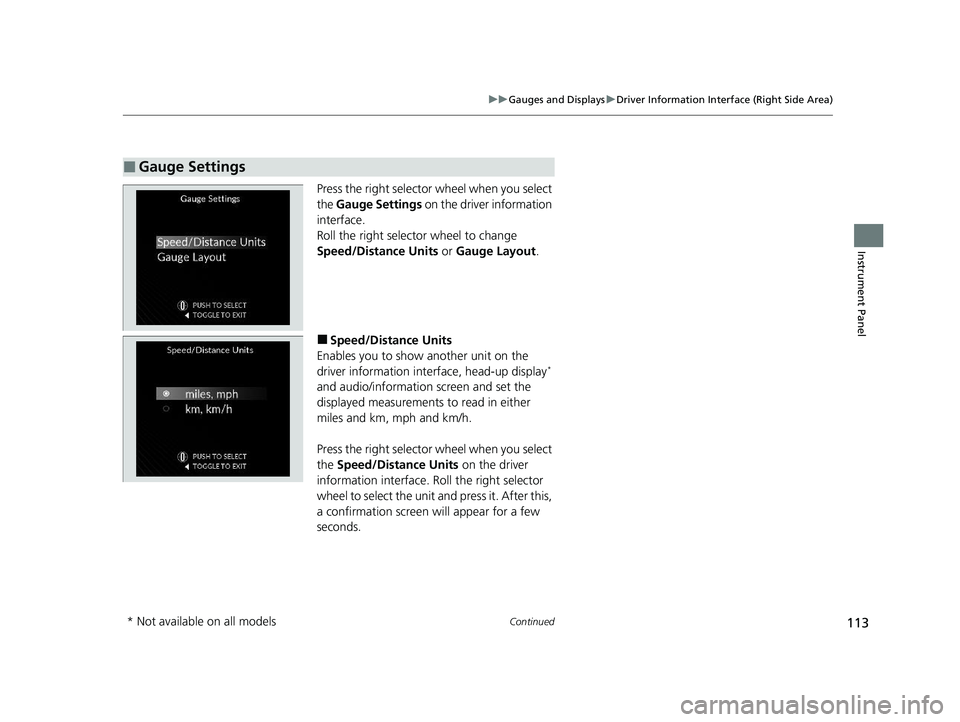
Press the right selector wheel when you select
the Gauge Settings on the driver information
interface.
Roll the right selector wheel to change
Speed/Distance Units or Gauge Layout .
■Speed/Distance Units
Enables you to show another unit on the
driver information interface, head-up display
*
and audio/information screen and set the
displayed measurements to read in either
miles and km, mph and km/h.
Press the right selector wheel when you select
the Speed/Distance Units on the driver
information interface. Roll the right selector
wheel to select the unit and press it. After this,
a confirmation screen will appear for a few
seconds.
■Gauge Settings
* Not available on all models
22 ACURA MDX-31TYA6000_02.book 113 ページ 2020年11月5日 木曜日 午前11時39分
Page 115 of 712
114
uuGauges and Displays uDriver Information Interface (Right Side Area)
Instrument Panel
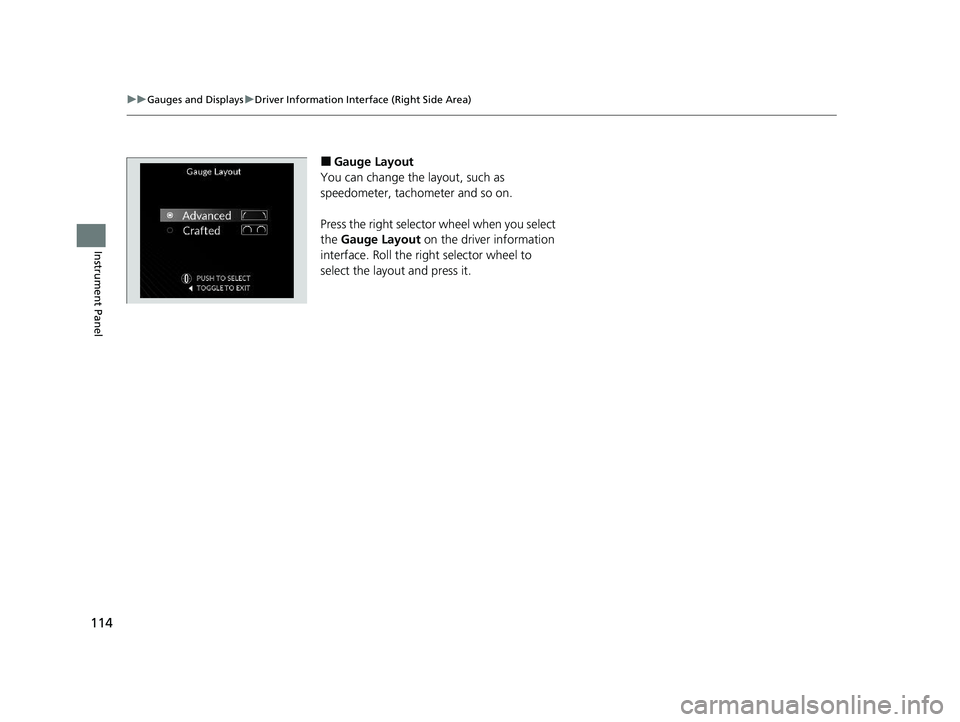
■Gauge Layout
You can change the layout, such as
speedometer, tachometer and so on.
Press the right selector wheel when you select
the Gauge Layout on the driver information
interface. Roll the right selector wheel to
select the layout and press it.
22 ACURA MDX-31TYA6000_02.book 114 ページ 2020年11月5日 木曜日 午前11時39分
Page 117 of 712
116
uuGauges and Displays uDriver Information Interface (Right Side Area)
Instrument Panel
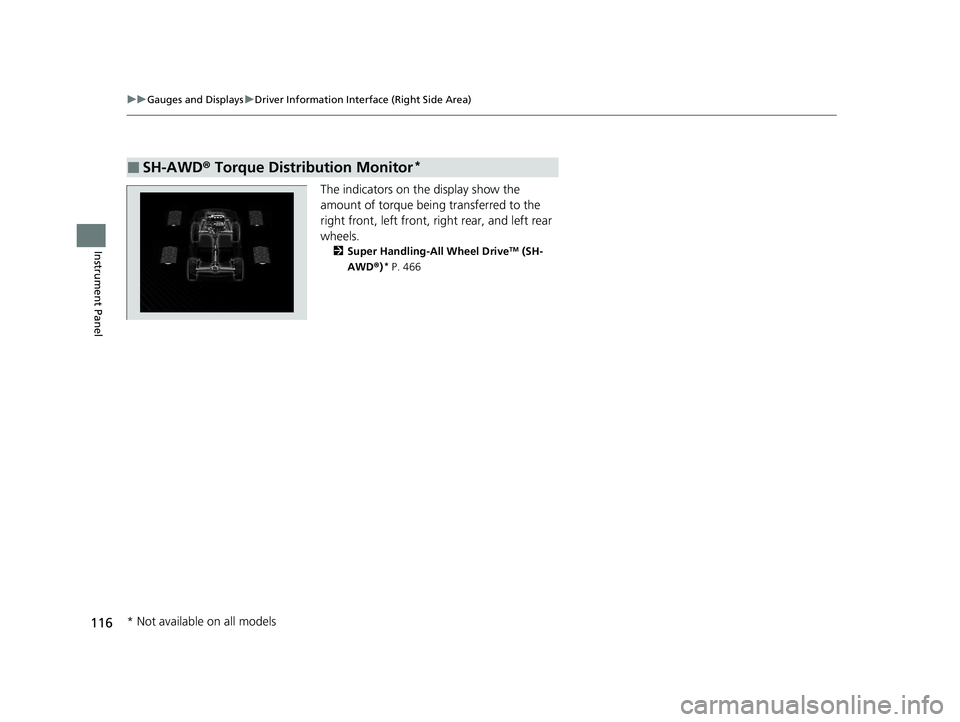
The indicators on th e display show the
amount of torque being transferred to the
right front, left front, right rear, and left rear
wheels.
2 Super Handling-All Wheel DriveTM (SH-
AWD® )* P. 466
■SH-AWD ® Torque Distribution Monitor*
* Not available on all models
22 ACURA MDX-31TYA6000_02.book 116 ページ 2020年11月5日 木曜日 午前11時39分
Page 118 of 712
Continued117
uuGauges and Displays uDriver Information Interface (Right Side Area)
Instrument Panel
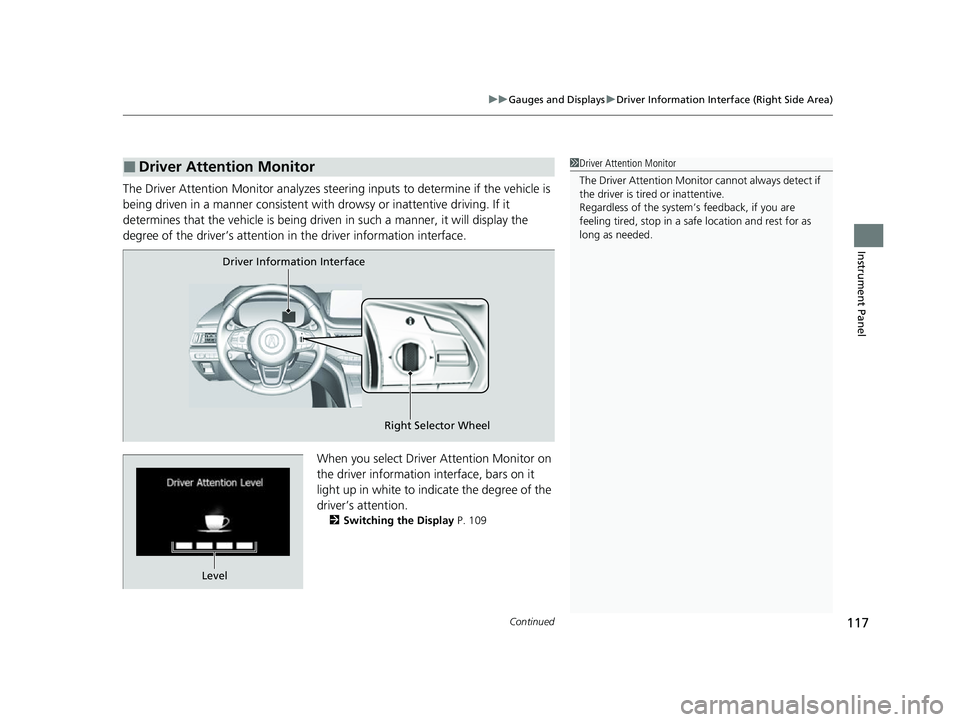
The Driver Attention Monitor an alyzes steering inputs to determine if the vehicle is
being driven in a manner consistent with drowsy or inattentive driving. If it
determines that the vehicle is being driven in such a manner, it will display the
degree of the driver’s attention in the driver information interface.
When you select Driver Attention Monitor on
the driver information in terface, bars on it
light up in white to indicate the degree of the
driver’s attention.
2 Switching the Display P. 109
■Driver Attention Monitor1Driver Attention Monitor
The Driver Attenti on Monitor cannot always detect if
the driver is tired or inattentive.
Regardless of the system’s feedback, if you are
feeling tired, stop in a safe location and rest for as
long as needed.
Driver Information Interface
Right Selector Wheel
Level
22 ACURA MDX-31TYA6000_02.book 117 ページ 2020年11月5日 木曜日 午前11時39分