battery ACURA MDX 2022 Owner's Manual
[x] Cancel search | Manufacturer: ACURA, Model Year: 2022, Model line: MDX, Model: ACURA MDX 2022Pages: 712, PDF Size: 22.65 MB
Page 220 of 712

219
uuInterior Convenience Items uOther Interior Convenience Items
Continued
Controls
Other Interior Convenience Items
The accessory power sockets can be used when the power mode is in ACCESSORY
or ON.
■Accessory power socket (passenger
lower pocket)
Open the cover to use it.
■Accessory power socket (console
compartment)
Pull the knob to open the console
compartment and open the cover to use it.
■Accessory Power Sockets1 Accessory Power Sockets
NOTICE
Do not insert an automotive type cigarette lighter
element. This can overheat the accessory power
socket.
The accessory power socket s are designed to supply
power for 12-volt DC accessories that are rated 180
watts (15 amps) or less.
To prevent battery drain, only use the accessory
power socket with the engine running.
When both sockets are being used, the combined
power rating of the accesso ries should not exceed
180 watts (15 amps).
When the accessory power soc ket is not in use, close
the cover to prevent any small foreign objects from
getting into the accessory power socket.
22 ACURA MDX-31TYA6000_02.book 219 ページ 2020年11月5日 木曜日 午前11時39分
Page 224 of 712

Continued223
uuInterior Convenience Items uOther Interior Convenience Items
Controls
■When charging does not start
Perform one of the solutions in the following table.
IndicatorCauseSolution
Green &
AmberBlinking
simulta- neously
There is an obstacle(s) between
the charging area and the
device.Remove the
obstacle(s).
The device is not within the
charging area. Reset the device to the
center of the charging
area where is
located.
The temperature of the wireless
charger pad increases. Temporary suspend
charging the device.
Wait for temperature
to drop and attempt to
charge the device
again.
AmberBlinkingThe wireless charger is faulty.Contact a dealer for
repairs.
1
Wireless Charger
This system consumes a lot of power. Do not use the
system for a long time when the engine is not
running. This may weaken the battery, making it
difficult to start the engine.
When using the wireless charger, check the user’s
manual that came with th e compatible device you
want to charge.
3CAUTION
Metal objects between the charge pad and
the device to be charged will get hot and
can burn you.
• Always remove foreign objects from the
charge pad before charging the device.
• Be sure the surface is clear of dust and
other debris before charging.
• Do not spill liquids (i. e. water, drinks,
etc.) on the charger and the device.
• Do not use oil, grease, alcohol, benzine or
thinner for cleaning the charge pad.
• Do not cover the system with towels,
clothing, or other objects while charging
etc.
• Avoid spraying aerosols which may come
in contact with the charge pad surface.
22 ACURA MDX-31TYA6000_02.book 223 ページ 2020年11月5日 木曜日 午前11時39分
Page 226 of 712
Continued225
uuInterior Convenience Items uOther Interior Convenience Items
Controls
1Wireless Charger
A device may not charge if the size or shape of its
chargeable side is not a ppropriate for use with the
charging area.
Not all devices are compatible with the system.
During the charging phase, it is normal for the
charging area and de vice to heat up.
Charging may be briefl y interrupted when:
•All the doors or the tailgate are closed
- to avoid interference with the proper functioning
of the keyless access system.
•The position of the device is altered.
Do not charge more than one device at a time on a
charging area.
If the device becomes too hot and its battery
protection function activates, it may charge
extremely slowly or no longer charge. The
temperature at which the battery protection function
activates depends on the device.
22 ACURA MDX-31TYA6000_02.book 225 ページ 2020年11月5日 木曜日 午前11時39分
Page 227 of 712

uuInterior Convenience Items uOther Interior Convenience Items
226
Controls
The power mode must be in ON to use the
heated steering wheel.
Press the button on the left side of the
steering wheel.
When a comfortable temperature is reached,
press the button again to turn it off.
The heated steering wheel is turned off every
time you start the engine, even if you turned it
on the last time you drove the vehicle.
■Heated Steering Wheel*1Heated Steering Wheel*
Do not use the heated st eering wheel continuously
when the engine is off. Under such conditions, the
battery may be weaken ed, making the engine
difficult to start.
* Not available on all models
22 ACURA MDX-31TYA6000_02.book 226 ページ 2020年11月5日 木曜日 午前11時39分
Page 228 of 712

Continued227
uuInterior Convenience Items uOther Interior Convenience Items
Controls
The seat heaters or ventilators* can be used
when the power mode is in ON.
The seat heaters: Use them to warm up the
seat.
The seat ventilators
*: Use them when you
want to ventilate the surface of the seats.
When used with the air conditioning, the
surface of the seats will become easier to cool.
Press the seat heater or the seat ventilation
*
button:
Once - The HI setting (three indicators on)
Twice - The MID setting (two indicators on)
Three times - The LO setting (one indicator on)
Four times - The OFF setting (no indicators on)
Press the AUTO button:
The system automatically selects the setting
most suitable to the ambient environment.
When the power mode is turned on after it is
turned off, the previous setting is maintained.
■Front Seat Heaters and Ventilation*1 Front Seat Heaters and Ventilation*
Do not use the seat heater s and the seat ventilation
even in LO when the engine is off. Under such
conditions, the battery ma y be weakened, making
the engine difficult to start.
After a certain period of time, the strength setting for
the seat heaters will automatically be reduced by one
level at a time until the seat heater shuts off. The
elapsed time varies according to the interior
environment.
3WARNING
Heat induced burns are possible when
using seat heaters.
Persons with a diminished ability to sense
temperature (e.g., persons with diabetes,
lower-limb nerve damage, or paralysis) or
with sensitive skin should not use seat
heaters.
Models with seat ventilation
Models without seat ventilation
* Not available on all models
22 ACURA MDX-31TYA6000_02.book 227 ページ 2020年11月5日 木曜日 午前11時39分
Page 229 of 712

uuInterior Convenience Items uOther Interior Convenience Items
228
Controls
The seat heaters can be used when the power
mode is in ON.
Press the seat heater button:
Once - The HI setting (three indicators on)
Twice - The MID setting (two indicators on)
Three times - The LO setting (one indicator on)
Four times - The OFF se tting (no indicators on)
Pull the tab and roll up the sunshade all the
way. Use the hooks to hang it.
■Second Row Outer Seat Heaters*1 Second Row Outer Seat Heaters*
Do not use the seat heaters even in LO when the
engine is off. Under such conditions, the battery may
be weakened, making the engine difficult to start.
After a certain period of time, the strength setting for
the seat heaters will automatically be reduced by one
level at a time until the seat heater shuts off. The
elapsed time varies according to the interior
environment.
3WARNING
Heat induced burns are possible when
using seat heaters.
Persons with a diminished ability to sense
temperature (e.g., persons with diabetes,
lower-limb nerve damage, or paralysis) or
with sensitive skin should not use seat
heaters.
■Integrated Sunshades*
1Integrated Sunshades*
Use the sunshades only when the windows are fully
closed. Using the shade while a window is open can
unhook and blow off the sh ade, hitting and hurting
anyone sitting near the window.
Hook
Tab
* Not available on all models
22 ACURA MDX-31TYA6000_02.book 228 ページ 2020年11月5日 木曜日 午前11時39分
Page 239 of 712
238
Features
Audio System
About Your Audio System
The audio system features AM/FM radio and SiriusXM® Radio service. It can also play
USB flash drives, iPod, iPhone, iPad and Bluetooth ® devices.
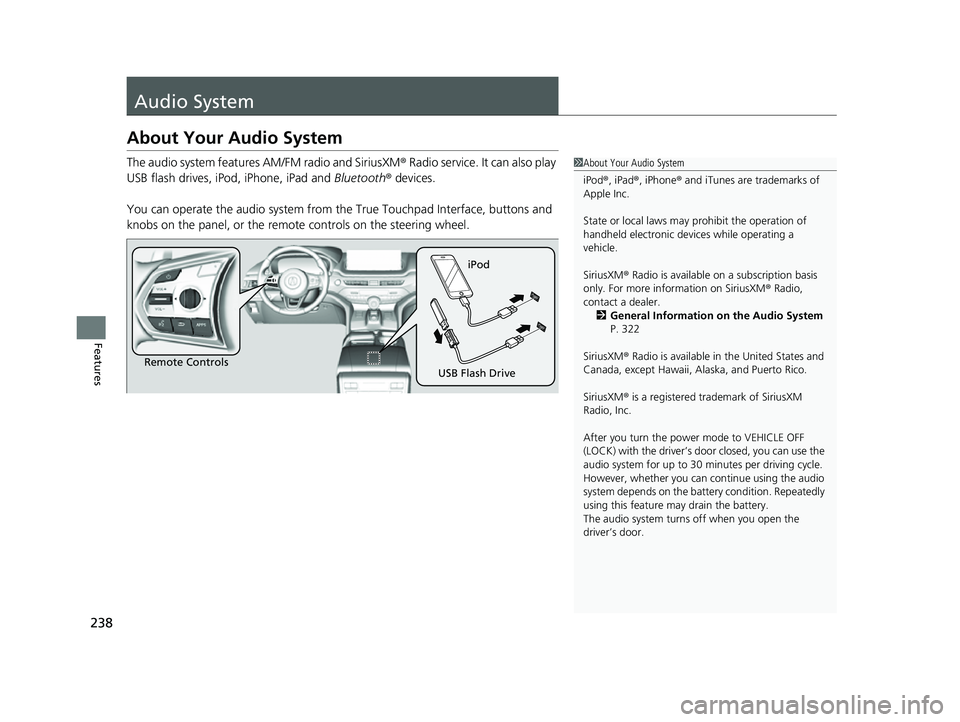
You can operate the audio sy stem from the True Touchpad Interface, buttons and
knobs on the panel, or the remote controls on the steering wheel.1About Your Audio System
iPod ®, iPad ®, iPhone ® and iTunes are trademarks of
Apple Inc.
State or local laws may prohibit the operation of
handheld electronic devi ces while operating a
vehicle.
SiriusXM ® Radio is available on a subscription basis
only. For more information on SiriusXM ® Radio,
contact a dealer. 2 General Information on the Audio System
P. 322
SiriusXM ® Radio is available in the United States and
Canada, except Ha waii, Alaska, and Puerto Rico.
SiriusXM ® is a registered trademark of SiriusXM
Radio, Inc.
After you turn the power mode to VEHICLE OFF
(LOCK) with the driver’s door closed, you can use the
audio system for up to 30 minutes per driving cycle.
However, whether you can continue using the audio
system depends on the batter y condition. Repeatedly
using this feature ma y drain the battery.
The audio system turns off when you open the
driver’s door.
Remote Controls iPod
USB Flash Drive
22 ACURA MDX-31TYA6000_02.book 238 ページ 2020年11月5日 木曜日 午前11時39分
Page 242 of 712
241
uuAudio System uAudio System Theft Protection
Features
Audio System Theft Protection
The audio system is disabled when it is disconnected from the power source, such as
when the battery is disconnected or goes dead. In certain conditions, the system
may display a code entry screen. If this occurs, reactivate the audio system.
■Reactivating the audio system
1. Set the power mode to ON.
2. Turn on the audio system.
3. Press and hold the audio system powe r knob for more than two seconds.
u The audio system is reac tivated when the audio co ntrol unit establishes a
connection with the vehicl e control unit. If the control unit fails to recognize
the audio unit, you must go to a deal er and have the audio unit checked.
22 ACURA MDX-31TYA6000_02.book 241 ページ 2020年11月5日 木曜日 午前11時39分
Page 268 of 712
Continued267
uuAudio System Basic Operation uSystem Updates
Features
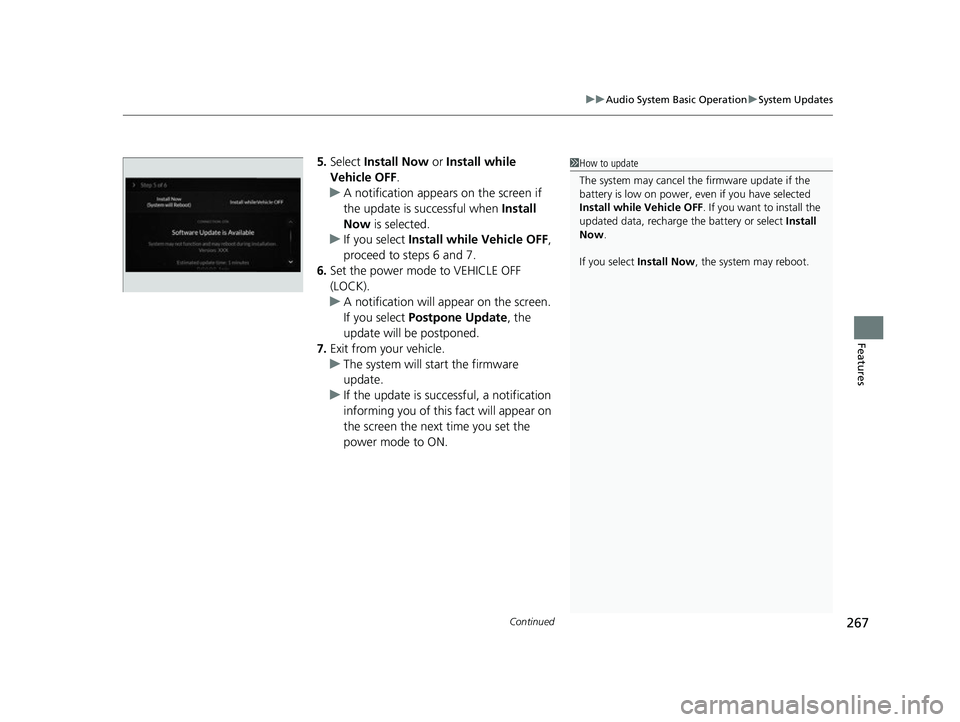
5. Select Install Now or Install while
Vehicle OFF .
u A notification appears on the screen if
the update is su ccessful when Install
Now is selected.
u If you select Install while Vehicle OFF ,
proceed to steps 6 and 7.
6. Set the power mode to VEHICLE OFF
(LOCK).
u A notification will appear on the screen.
If you select Postpone Update , the
update will be postponed.
7. Exit from your vehicle.
u The system will start the firmware
update.
u If the update is succ essful, a notification
informing you of this fact will appear on
the screen the next time you set the
power mode to ON.1 How to update
The system may cancel the firmware update if the
battery is low on power, even if you have selected
Install while Vehicle OFF . If you want to install the
updated data, recharge th e battery or select Install
Now .
If you select Install Now , the system may reboot.
22 ACURA MDX-31TYA6000_02.book 267 ページ 2020年11月5日 木曜日 午前11時39分
Page 271 of 712
uuAudio System Basic Operation uSystem Updates
270
Features
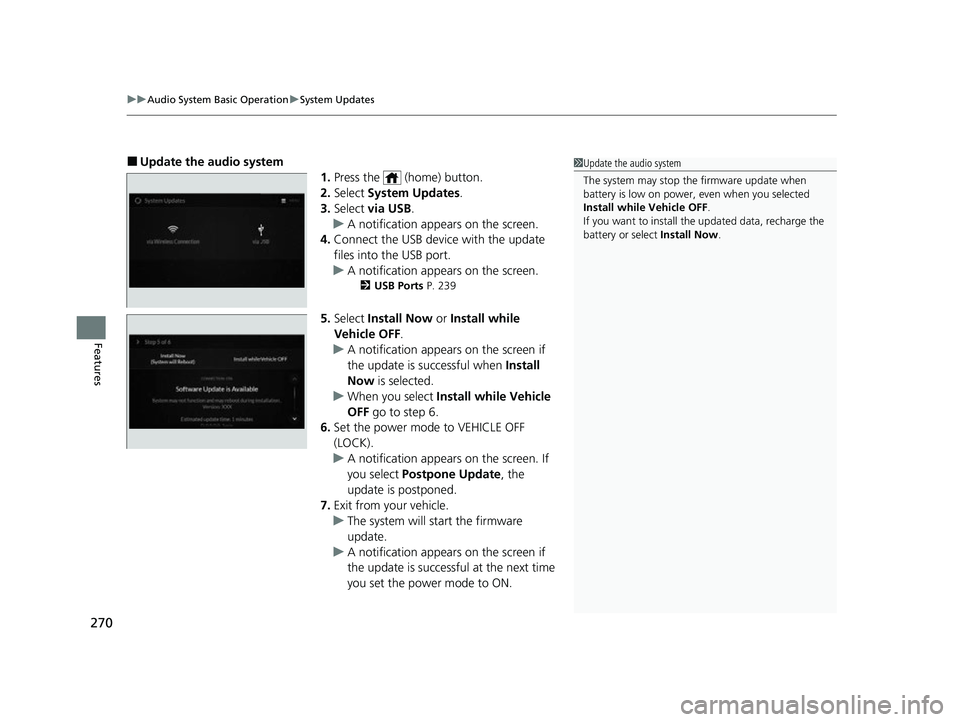
■Update the audio system
1.Press the (home) button.
2. Select System Updates .
3. Select via USB .
u A notification appears on the screen.
4. Connect the USB device with the update
files into the USB port.
u A notification appears on the screen.
2 USB Ports P. 239
5.Select Install Now or Install while
Vehicle OFF .
u A notification appears on the screen if
the update is successful when Install
Now is selected.
u When you select Install while Vehicle
OFF go to step 6.
6. Set the power mode to VEHICLE OFF
(LOCK).
u A notification appears on the screen. If
you select Postpone Update , the
update is postponed.
7. Exit from your vehicle.
u The system will start the firmware
update.
u A notification appears on the screen if
the update is successful at the next time
you set the power mode to ON.
1Update the audio system
The system may stop the firmware update when
battery is low on power, even when you selected
Install while Vehicle OFF .
If you want to install the updated data, recharge the
battery or select Install Now.
22 ACURA MDX-31TYA6000_02.book 270 ページ 2020年11月5日 木曜日 午前11時39分