light ACURA MDX 2022 Workshop Manual
[x] Cancel search | Manufacturer: ACURA, Model Year: 2022, Model line: MDX, Model: ACURA MDX 2022Pages: 712, PDF Size: 22.65 MB
Page 210 of 712

Continued209
uuInterior Convenience Items uInterior Lights
Controls
■Front
The map lights can be turned on and off by
pressing the (map light) button.
■Second and third row
The map lights can be turned on and off by
pressing the (map light) button when the
front interior light sw itch is in the door
activated position.
■Map Light Switches1 Map Light Switches
When the interior light swit ch is in the door activated
position and any door is open, the map light will not
go off when you press the button.
Front
Second row
Third row
22 ACURA MDX-31TYA6000_02.book 209 ページ 2020年11月5日 木曜日 午前11時39分
Page 211 of 712

uuInterior Convenience Items uInterior Lights
210
Controls
The tailgate lights come on when you open
the tailgate.
■Tailgate Lights1Tailgate Lights
The tailgate lights do not have an on/off switch. In
case the tailgate is left open for an extended period
of time, they automatically go out in 30 minutes.
22 ACURA MDX-31TYA6000_02.book 210 ページ 2020年11月5日 木曜日 午前11時39分
Page 217 of 712

uuInterior Convenience Items uStorage Items
216
Controls
The cargo hook on the driver’s side of the
cargo area can be used to hang light items.
To open the sunglasses holder, press and
release the indent. To close, press it again until
it latches.
You can store eyeglasses and other small
items in this holder.
■Cargo Hook1Cargo Hook
NOTICE
Do not hang a large object or an object that weighs
more than 6 lbs (3 kg) on the cargo hook. Hanging
heavy or large objects may damage the hook.
■Sunglasses Holder1 Sunglasses Holder
Keep the holder closed wh ile driving except when
accessing stored items.
Press
22 ACURA MDX-31TYA6000_02.book 216 ページ 2020年11月5日 木曜日 午前11時39分
Page 220 of 712

219
uuInterior Convenience Items uOther Interior Convenience Items
Continued
Controls
Other Interior Convenience Items
The accessory power sockets can be used when the power mode is in ACCESSORY
or ON.
■Accessory power socket (passenger
lower pocket)
Open the cover to use it.
■Accessory power socket (console
compartment)
Pull the knob to open the console
compartment and open the cover to use it.
■Accessory Power Sockets1 Accessory Power Sockets
NOTICE
Do not insert an automotive type cigarette lighter
element. This can overheat the accessory power
socket.
The accessory power socket s are designed to supply
power for 12-volt DC accessories that are rated 180
watts (15 amps) or less.
To prevent battery drain, only use the accessory
power socket with the engine running.
When both sockets are being used, the combined
power rating of the accesso ries should not exceed
180 watts (15 amps).
When the accessory power soc ket is not in use, close
the cover to prevent any small foreign objects from
getting into the accessory power socket.
22 ACURA MDX-31TYA6000_02.book 219 ページ 2020年11月5日 木曜日 午前11時39分
Page 222 of 712

Continued221
uuInterior Convenience Items uOther Interior Convenience Items
Controls
The AC power outlet can be used when the engine is running.
Open the cover to use it. Plug in the appliance
slightly, turn it 90° clockwise, then push it all
the way.
■AC Power Outlet*1AC Power Outlet*
NOTICE
Do not use the AC power outlet for electric
appliances that require hi gh initial peak wattage,
such as cathode-ray tube type televisions,
refrigerators, electric pumps, etc. It is not suitable for
devices that process precis e data, such as medical
equipment, and that require an extremely stable
power supply, such as microcomputer-controlled
electric blankets, touc h sensor lamps, etc.
The AC power outlet is desi gned to supply power for
up to 115 volt appliances that are rated 150 watts or
less.
Continued use of any elec tric appliance/device
exceeding these ratings may result in damage to the
appliance/device.
When the AC power outlet is not in use, close the
cover to prevent any small foreign objects from
getting into the AC power outlet.
* Not available on all models
22 ACURA MDX-31TYA6000_02.book 221 ページ 2020年11月5日 木曜日 午前11時39分
Page 223 of 712

uuInterior Convenience Items uOther Interior Convenience Items
222
Controls
To use the wireless charger, the power mode must be in ACCESSORY or ON.
Charge any devices compatible with Qi wi reless charging on the area indicated by
the mark as follows:
1.To turn the system on and off, press and
hold the (power) button.
u When the system is activated, the green
indicator light comes on.
2. Place the device you want to charge on the
charging area.
u The system will automatically start
charging the device, and the amber
indicator light will come on.
u Make sure that the device is compatible
with the system, and placed with the
chargeable side in the center of the
charging area.
3. When charging is completed, the green
indicator light will come on.
u Depending on the device, the amber
indicator light will stay on.
■Wireless Charger1Wireless Charger
RF Radiation Exposure Statement:
This equipment complies with FCC RF Radiation
exposure limits set forth for an uncontrolled
environment. This device an d its antenna must not be
co-located or operating in conjunction with any other
antenna or transmitter.
In order to use safely:
•Remove any metal objects from the charge pad
before charging a device.
•Do not open the charger case.
•Do not use the charger if it malfunctions. Contact
your dealer.
If the charger interferes with radio communications,
attempt to correct the interference:
•Press and hold the switch on the charger for a few
seconds to turn off the charger.
appears on the audio/information screen when
the device is being charge d by the wireless charger.
Green Indicator
Amber Indicator
Charging Area (Power) Button
22 ACURA MDX-31TYA6000_02.book 222 ページ 2020年11月5日 木曜日 午前11時39分
Page 240 of 712
239
uuAudio System uUSB Ports
Continued
Features
USB Ports
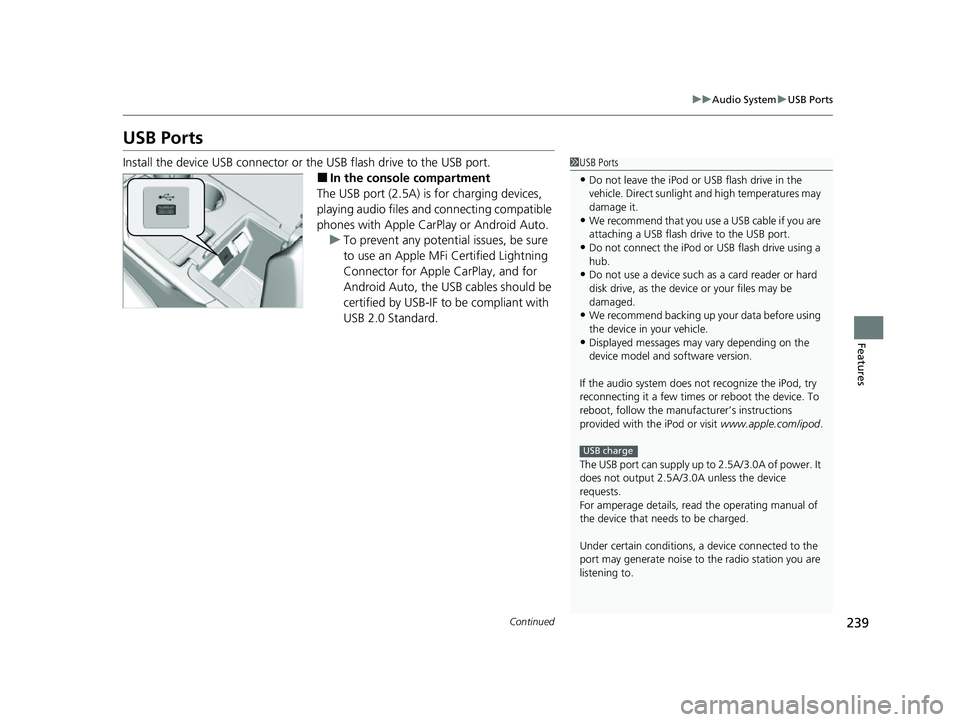
Install the device USB connector or the USB flash drive to the USB port.
■In the consol e compartment
The USB port (2.5A) is for charging devices,
playing audio files and connecting compatible
phones with Apple CarPlay or Android Auto. u To prevent any potenti al issues, be sure
to use an Apple MFi Certified Lightning
Connector for Apple CarPlay, and for
Android Auto, the USB cables should be
certified by USB-IF to be compliant with
USB 2.0 Standard.
1 USB Ports
•Do not leave the iPod or USB flash drive in the
vehicle. Direct sunlight and high temperatures may
damage it.
•We recommend that you us e a USB cable if you are
attaching a USB flash drive to the USB port.
•Do not connect the iPod or USB flash drive using a
hub.
•Do not use a device such as a card reader or hard
disk drive, as the device or your files may be
damaged.
•We recommend backing up yo ur data before using
the device in your vehicle.
•Displayed messages may vary depending on the
device model and software version.
If the audio system does not recognize the iPod, try
reconnecting it a few times or reboot the device. To
reboot, follow the manufac turer’s instructions
provided with the iPod or visit www.apple.com/ipod.
The USB port can supply up to 2.5A/3.0A of power. It
does not output 2.5A/3.0A unless the device
requests.
For amperage details, read the operating manual of
the device that ne eds to be charged.
Under certain condi tions, a device connected to the
port may generate noise to the radio station you are
listening to.
USB charge
22 ACURA MDX-31TYA6000_02.book 239 ページ 2020年11月5日 木曜日 午前11時39分
Page 246 of 712
245
uuAudio System Basic Operation uTrue Touchpad Interface
Continued
Features
True Touchpad Interface
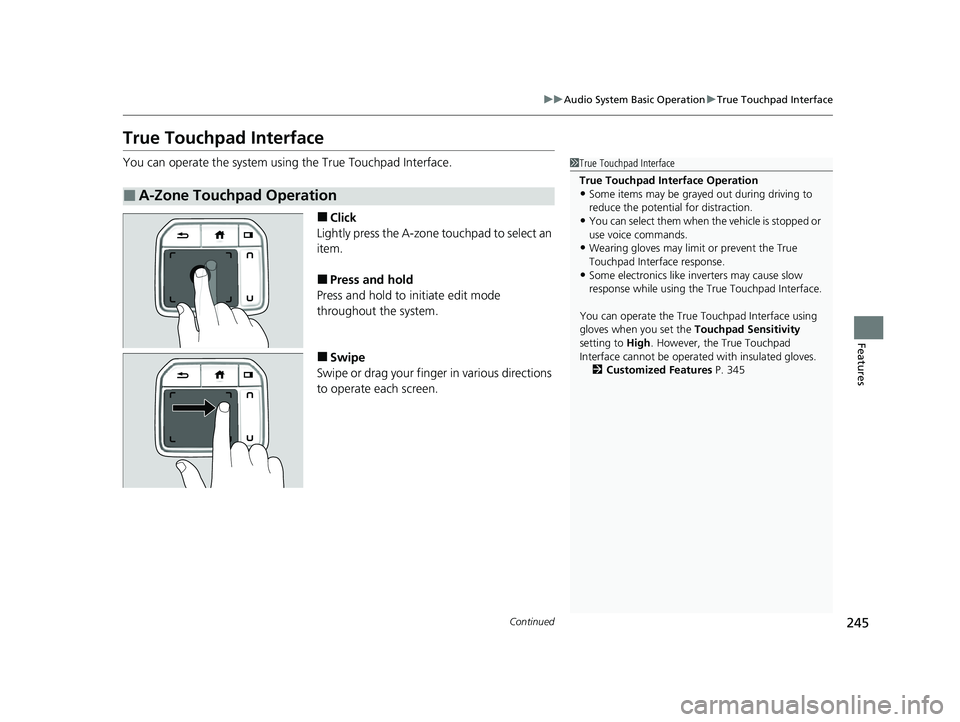
You can operate the system using the True Touchpad Interface.
■Click
Lightly press the A-zone touchpad to select an
item.
■Press and hold
Press and hold to initiate edit mode
throughout the system.
■Swipe
Swipe or drag your finger in various directions
to operate each screen.
■A-Zone Touchpad Operation
1 True Touchpad Interface
True Touchpad Interface Operation
•Some items may be grayed out during driving to
reduce the potential for distraction.
•You can select them when the vehicle is stopped or
use voice commands.
•Wearing gloves may limi t or prevent the True
Touchpad Interfa ce response.
•Some electronics like inverters may cause slow
response while using the True Touchpad Interface.
You can operate the True Touchpad Interface using
gloves when you set the Touchpad Sensitivity
setting to High . However, the True Touchpad
Interface cannot be operated with insulated gloves.
2 Customized Features P. 345
22 ACURA MDX-31TYA6000_02.book 245 ページ 2020年11月5日 木曜日 午前11時39分
Page 248 of 712
247
uuAudio System Basic Operation uTrue Touchpad Interface
Features
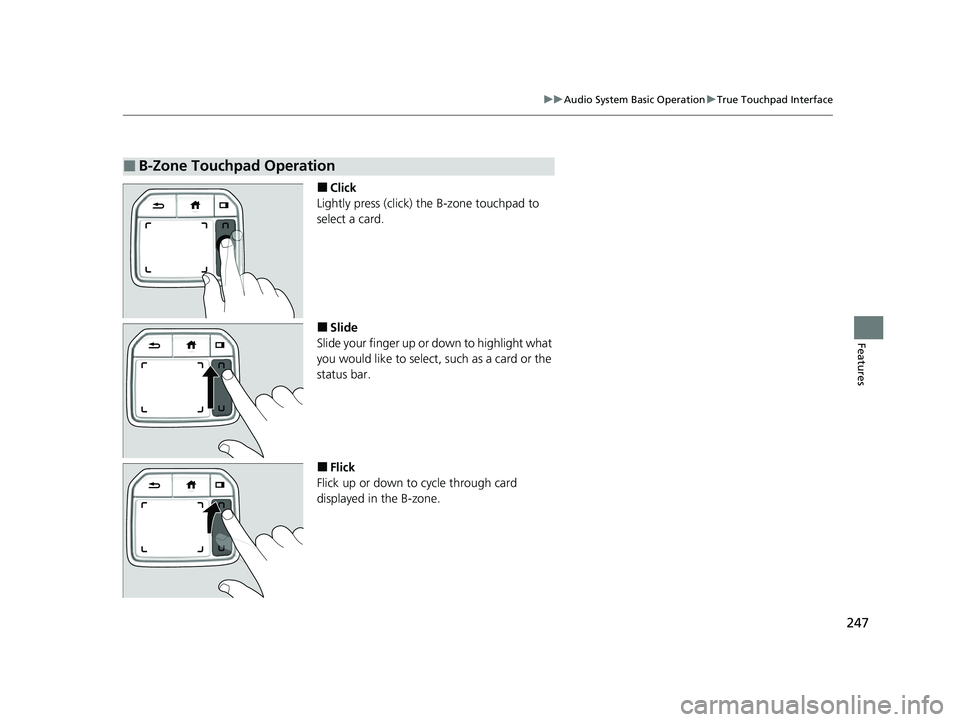
■Click
Lightly press (click) th e B-zone touchpad to
select a card.
■Slide
Slide your finger up or down to highlight what
you would like to select, such as a card or the
status bar.
■Flick
Flick up or down to cycle through card
displayed in the B-zone.
■B-Zone Touchpad Operation
22 ACURA MDX-31TYA6000_02.book 247 ページ 2020年11月5日 木曜日 午前11時39分
Page 275 of 712
274
uuAudio System Basic Operation uVoice Control Operation
Features
Voice Control Operation
Your vehicle has a voice control system that allows hands-free operation.
The voice control system uses the (tal k) and (back) buttons on the steering
wheel and a microphone near the map lights on the ceiling.
To achieve optimum voice recognition when using the voice control system:
• The system recognize a natural language and accept your free form voice
command.
An example of voice commands:
2 Voice Recognition Screen P. 275
•Close the windows and panoramic roof.
• Adjust the dashboard and side vents so air does not blow onto the microphone
on the ceiling.
• Speak clearly in a clear, natural speakin g voice without pausing between words.
• Reduce any background noise if possible. The system may misinterpret your
command if more than one person is speaking at the same time.
■Voice Recognition
1Voice Control Operation
When you press the button, the system beeps and
the display changes to the voice recognition screen.
Press the (home) button, (back) button on
the True Touchpad Interface or APPS button on the
steering wheel to cancel a voice recognition function.
22 ACURA MDX-31TYA6000_02.book 274 ページ 2020年11月5日 木曜日 午前11時39分