phone ACURA MDX 2022 Workshop Manual
[x] Cancel search | Manufacturer: ACURA, Model Year: 2022, Model line: MDX, Model: ACURA MDX 2022Pages: 712, PDF Size: 22.65 MB
Page 383 of 712
uuBluetooth ® HandsFreeLink ®u HFL Menus
382
Features
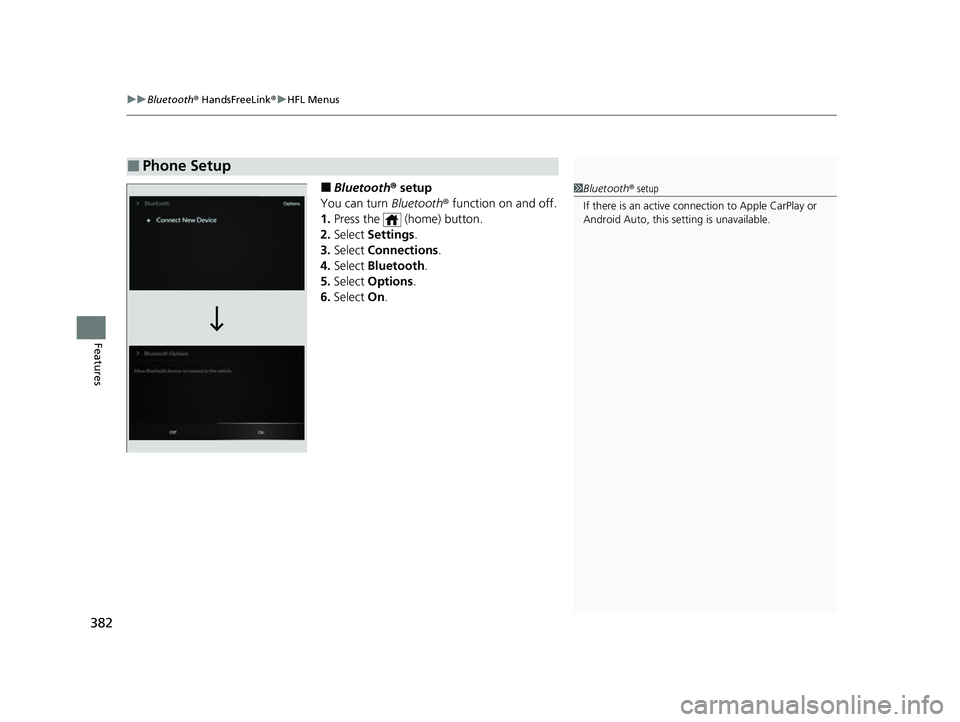
■Bluetooth ® setup
You can turn Bluetooth® function on and off.
1. Press the (home) button.
2. Select Settings .
3. Select Connections .
4. Select Bluetooth .
5. Select Options.
6. Select On.
■Phone Setup
1Bluetooth ® setup
If there is an active connection to Appl e CarPlay or
Android Auto, this se tting is unavailable.
22 ACURA MDX-31TYA6000_02.book 382 ページ 2020年11月5日 木曜日 午前11時39分
Page 384 of 712
Continued383
uuBluetooth ® HandsFreeLink ®u HFL Menus
Features
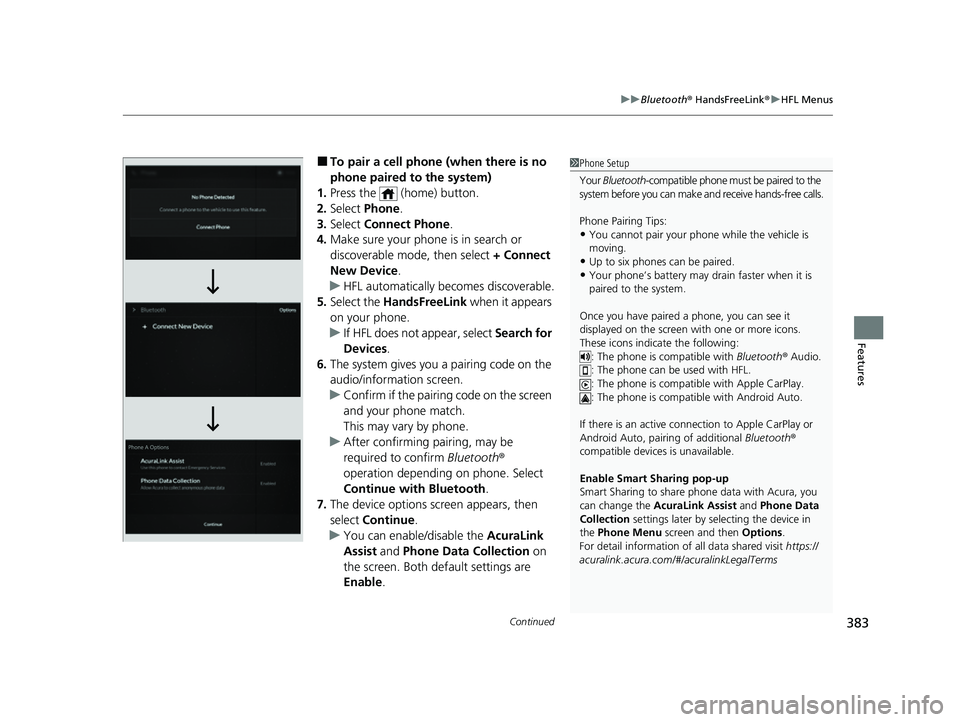
■To pair a cell phone (when there is no
phone paired to the system)
1. Press the (home) button.
2. Select Phone.
3. Select Connect Phone .
4. Make sure your phone is in search or
discoverable mode, then select + Connect
New Device .
u HFL automatically becomes discoverable.
5. Select the HandsFreeLink when it appears
on your phone.
u If HFL does not appear, select Search for
Devices.
6. The system gives you a pairing code on the
audio/information screen.
u Confirm if the pairing code on the screen
and your phone match.
This may vary by phone.
u After confirming pairing, may be
required to confirm Bluetooth ®
operation depending on phone. Select
Continue with Bluetooth .
7. The device options sc reen appears, then
select Continue .
u You can enable/disable the AcuraLink
Assist and Phone Data Collection on
the screen. Both default settings are
Enable .1Phone Setup
Your Bluetooth -compatible phone must be paired to the
system before you can make and receive hands-free calls.
Phone Pairing Tips:
•You cannot pair your phone while the vehicle is
moving.
•Up to six phones can be paired.•Your phone’s battery may dr ain faster when it is
paired to the system.
Once you have paired a phone, you can see it
displayed on the screen with one or more icons.
These icons indicate the following: : The phone is compatible with Bluetooth ® Audio.
: The phone can be used with HFL.
: The phone is compatible with Apple CarPlay.
: The phone is compatible with Android Auto.
If there is an active connection to Appl e CarPlay or
Android Auto, pairing of additional Bluetooth®
compatible devices is unavailable.
Enable Smart Sharing pop-up
Smart Sharing to share phone data with Acura, you
can change the AcuraLink Assist and Phone Data
Collection settings later by selecting the device in
the Phone Menu screen and then Options .
For detail information of all data shared visit https://
acuralink.acura.com/#/acuralinkLegalTerms
22 ACURA MDX-31TYA6000_02.book 383 ページ 2020年11月5日 木曜日 午前11時39分
Page 385 of 712
uuBluetooth ® HandsFreeLink ®u HFL Menus
384
Features
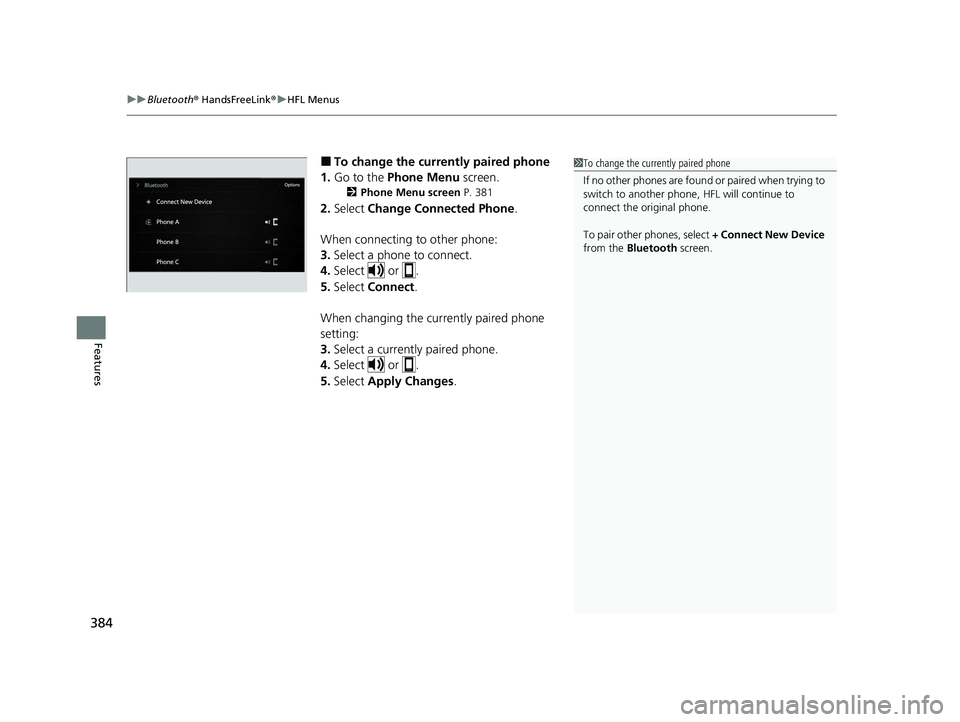
■To change the currently paired phone
1. Go to the Phone Menu screen.
2Phone Menu screen P. 381
2.Select Change Connected Phone .
When connecting to other phone:
3. Select a phone to connect.
4. Select or .
5. Select Connect .
When changing the currently paired phone
setting:
3. Select a currently paired phone.
4. Select or .
5. Select Apply Changes .
1To change the currently paired phone
If no other phones are found or paired when trying to
switch to another phone, HFL will continue to
connect the original phone.
To pair other phones, select + Connect New Device
from the Bluetooth screen.
22 ACURA MDX-31TYA6000_02.book 384 ページ 2020年11月5日 木曜日 午前11時39分
Page 386 of 712
Continued385
uuBluetooth ® HandsFreeLink ®u HFL Menus
Features
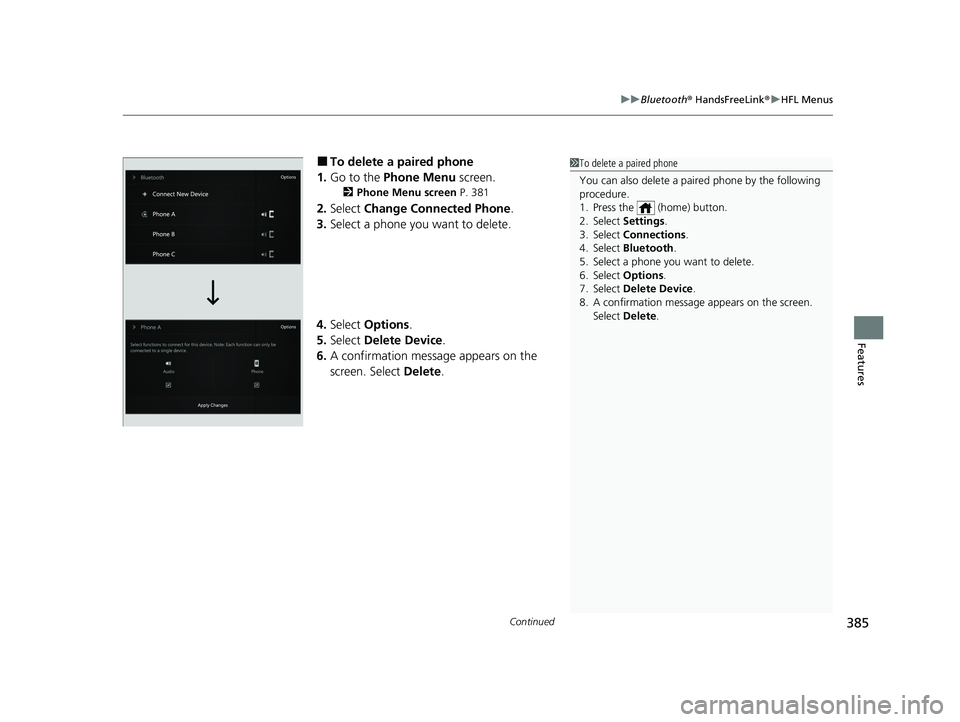
■To delete a paired phone
1. Go to the Phone Menu screen.
2Phone Menu screen P. 381
2.Select Change Connected Phone .
3. Select a phone you want to delete.
4. Select Options .
5. Select Delete Device .
6. A confirmation message appears on the
screen. Select Delete.
1To delete a paired phone
You can also delete a pair ed phone by the following
procedure.
1. Press the (home) button.
2. Select Settings .
3. Select Connections .
4. Select Bluetooth .
5. Select a phone you want to delete.
6. Select Options .
7. Select Delete Device .
8. A confirmation message appears on the screen.
Select Delete .
22 ACURA MDX-31TYA6000_02.book 385 ページ 2020年11月5日 木曜日 午前11時39分
Page 387 of 712
uuBluetooth ® HandsFreeLink ®u HFL Menus
386
Features
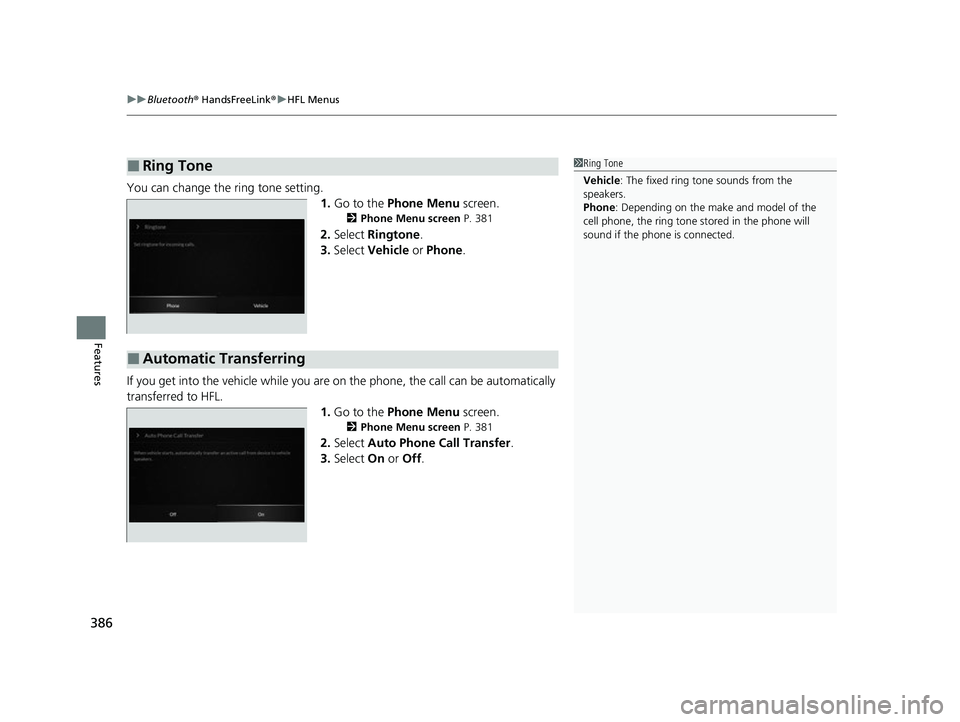
You can change the ring tone setting.
1.Go to the Phone Menu screen.
2Phone Menu screen P. 381
2.Select Ringtone .
3. Select Vehicle or Phone .
If you get into the vehicle while you are on the phone, the call can be automatically
transferred to HFL. 1.Go to the Phone Menu screen.
2Phone Menu screen P. 381
2.Select Auto Phone Call Transfer .
3. Select On or Off .
■Ring Tone1Ring Tone
Vehicle : The fixed ring tone sounds from the
speakers.
Phone : Depending on the make and model of the
cell phone, the ring tone st ored in the phone will
sound if the phone is connected.
■Automatic Transferring
22 ACURA MDX-31TYA6000_02.book 386 ページ 2020年11月5日 木曜日 午前11時39分
Page 388 of 712
Continued387
uuBluetooth ® HandsFreeLink ®u HFL Menus
Features
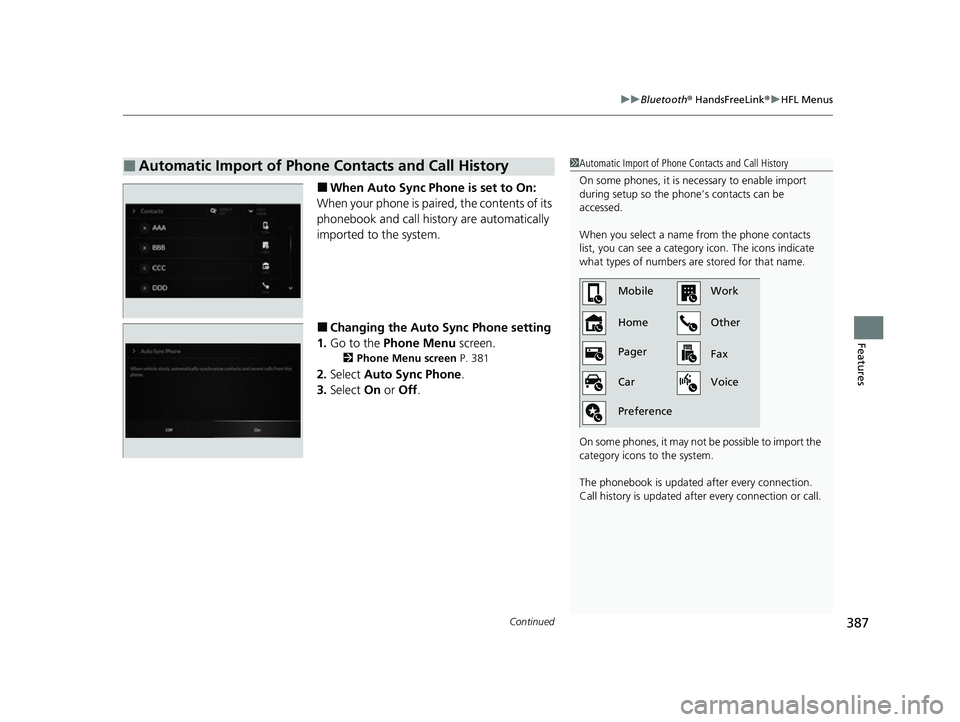
■When Auto Sync Phone is set to On:
When your phone is paired, the contents of its
phonebook and call history are automatically
imported to the system.
■Changing the Auto Sync Phone setting
1. Go to the Phone Menu screen.
2Phone Menu screen P. 381
2.Select Auto Sync Phone.
3. Select On or Off .
■Automatic Import of Phone Contacts and Call History1Automatic Import of Phone Co ntacts and Call History
On some phones, it is ne cessary to enable import
during setup so the phone’s contacts can be
accessed.
When you select a name from the phone contacts
list, you can see a category icon. The icons indicate
what types of numbers are stored for that name.
On some phones, it may no t be possible to import the
category icons to the system.
The phonebook is updated after every connection.
Call history is updated after every connection or call.
Home MobileWork
Other
Pager
Car
Preference Fax
Voice
22 ACURA MDX-31TYA6000_02.book 387 ページ 2020年11月5日 木曜日 午前11時39分
Page 389 of 712
388
uuBluetooth ® HandsFreeLink ®u HFL Menus
Features
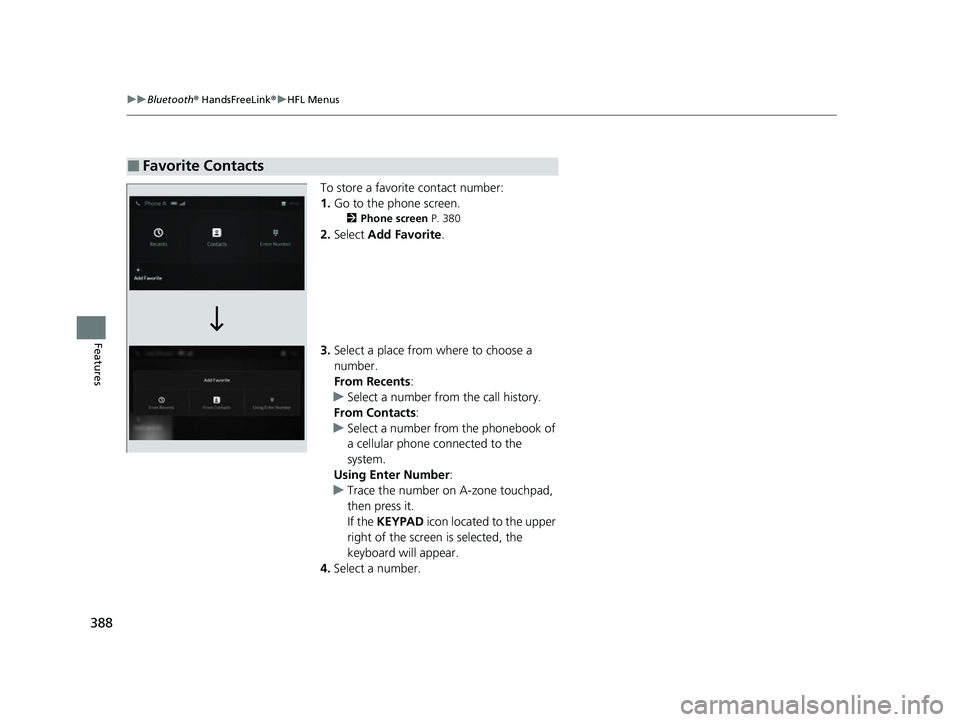
To store a favorite contact number:
1. Go to the phone screen.
2 Phone screen P. 380
2.Select Add Favorite .
3. Select a place from where to choose a
number.
From Recents:
u Select a number from the call history.
From Contacts :
u Select a number from the phonebook of
a cellular phone connected to the
system.
Using Enter Number :
u Trace the number on A-zone touchpad,
then press it.
If the KEYPAD icon located to the upper
right of the screen is selected, the
keyboard will appear.
4. Select a number.
■Favorite Contacts
22 ACURA MDX-31TYA6000_02.book 388 ページ 2020年11月5日 木曜日 午前11時39分
Page 390 of 712
Continued389
uuBluetooth ® HandsFreeLink ®u HFL Menus
Features
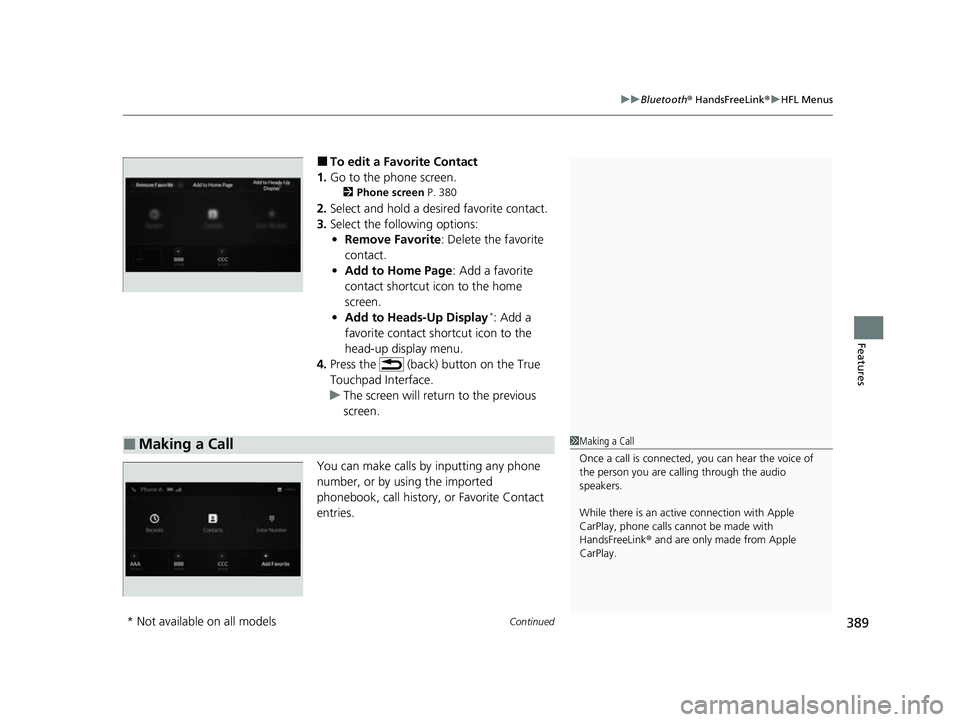
■To edit a Favorite Contact
1. Go to the phone screen.
2 Phone screen P. 380
2.Select and hold a desired favorite contact.
3. Select the following options:
• Remove Favorite : Delete the favorite
contact.
• Add to Home Page : Add a favorite
contact shortcut icon to the home
screen.
• Add to Heads-Up Display
*: Add a
favorite contact shortcut icon to the
head-up display menu.
4. Press the (back) button on the True
Touchpad Interface.
u The screen will return to the previous
screen.
You can make calls by inputting any phone
number, or by using the imported
phonebook, call history, or Favorite Contact
entries.
■Making a Call1 Making a Call
Once a call is connected, you can hear the voice of
the person you are call ing through the audio
speakers.
While there is an active connection with Apple
CarPlay, phone calls ca nnot be made with
HandsFreeLink ® and are only made from Apple
CarPlay.
* Not available on all models
22 ACURA MDX-31TYA6000_02.book 389 ページ 2020年11月5日 木曜日 午前11時39分
Page 391 of 712

uuBluetooth ® HandsFreeLink ®u HFL Menus
390
Features
■To make a call using the imported
phonebook
1. Go to the phone screen.
2 Phone screen P. 380
2.Select Contacts .
3. Select a name.
u You can sort by First Name or Last
Name . Select the icon on the upper right
of the screen.
4. Select a number.
u Dialing starts automatically.
■To make a call using a phone number
1. Go to the phone screen.
2 Phone screen P. 380
2.Select Enter Number .
3. Trace the number on A-zone touchpad,
then press it.
u You can enter the number using the on-
screen keyboard. Select KEYPAD located
to the upper right of the screen.
4. Press the A-zone touchpad.
u Dialing starts automatically.
u If the on screen keyboard is displayed,
select Call.
1To make a call using the imported phonebook
You can also send a mess age or set a navigation
*
route to a contact’s address.
2 Text Message P. 394
2 Refer to Navigation System Manual
* Not available on all models
22 ACURA MDX-31TYA6000_02.book 390 ページ 2020年11月5日 木曜日 午前11時39分
Page 392 of 712
391
uuBluetooth ® HandsFreeLink ®u HFL Menus
Continued
Features
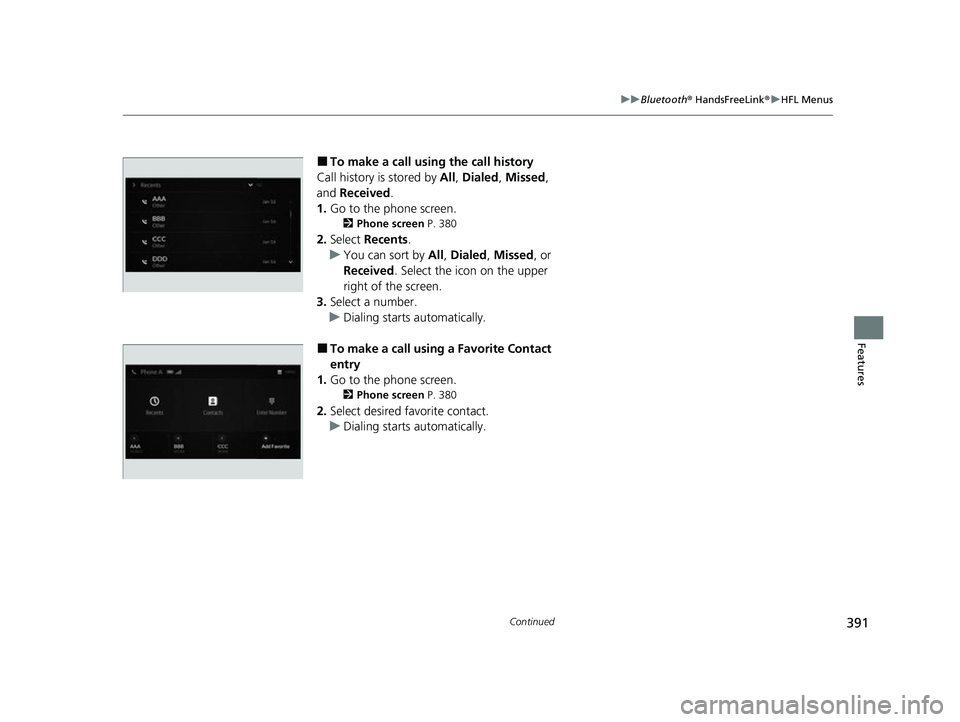
■To make a call using the call history
Call history is stored by All, Dialed , Missed ,
and Received.
1. Go to the phone screen.
2 Phone screen P. 380
2.Select Recents .
u You can sort by All, Dialed , Missed , or
Received . Select the icon on the upper
right of the screen.
3. Select a number.
u Dialing starts automatically.
■To make a call using a Favorite Contact
entry
1. Go to the phone screen.
2 Phone screen P. 380
2.Select desired favorite contact.
u Dialing starts automatically.
22 ACURA MDX-31TYA6000_02.book 391 ページ 2020年11月5日 木曜日 午前11時39分