climate control ACURA NSX 2022 User Guide
[x] Cancel search | Manufacturer: ACURA, Model Year: 2022, Model line: NSX, Model: ACURA NSX 2022Pages: 492, PDF Size: 16.2 MB
Page 159 of 492
157
uuClimate Control System uUsing Automatic Climate Control
Continued
Controls
■Switching between the recirculation and fresh air modes
Press the (recirculation) button a nd switch the mode depending on
environmental conditions.
Recirculation mode (indicator on): Recirculates air from the vehicle’s interior through
the system.
Fresh air mode (indicator off): Maintains outside ventilation. Keep the system in
fresh air mode in normal situations.
22 ACURA NSX PMC-31T6N6500.book 157 ページ 2021年9月28日 火曜日 午後4時7分
Page 160 of 492
uuClimate Control System uUsing Automatic Climate Control
158
Controls
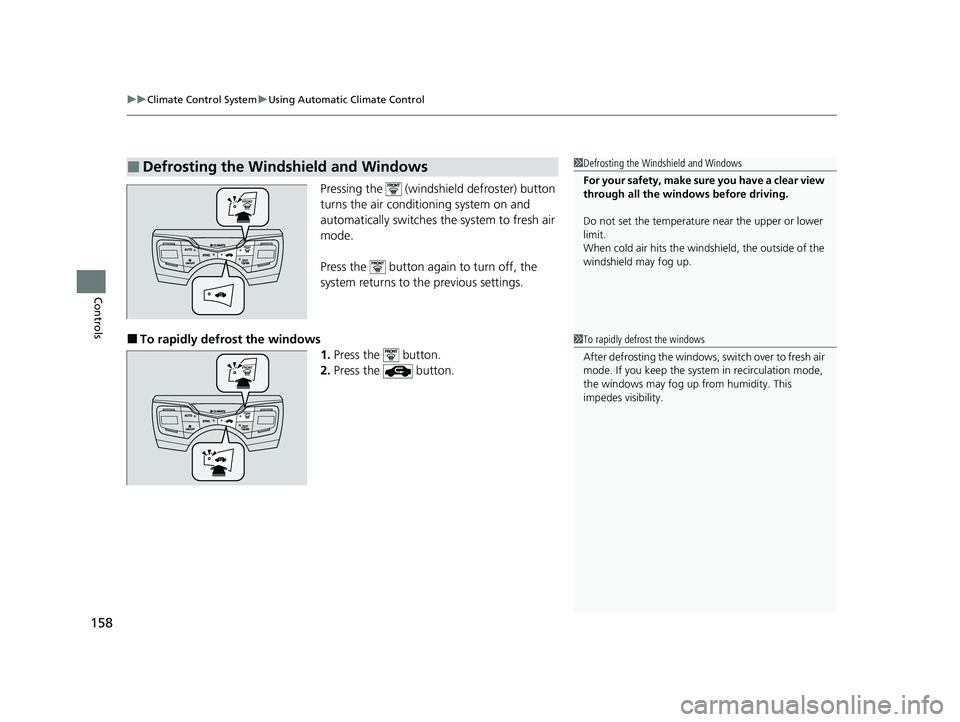
Pressing the (windshield defroster) button
turns the air conditioning system on and
automatically switches th e system to fresh air
mode.
Press the button again to turn off, the
system returns to the previous settings.
■To rapidly defro st the windows
1.Press the button.
2. Press the button.
■Defrosting the Windshield and Windows1Defrosting the Windshield and Windows
For your safety, make sure you have a clear view
through all the windows before driving.
Do not set the temperatur e near the upper or lower
limit.
When cold air hits the windshield, the outside of the
windshield may fog up.
1 To rapidly defrost the windows
After defrosting the windows, switch over to fresh air
mode. If you keep the syst em in recirculation mode,
the windows may fog up from humidity. This
impedes visibility.
22 ACURA NSX PMC-31T6N6500.book 158 ページ 2021年9月28日 火曜日 午後4時7分
Page 161 of 492

159
uuClimate Control System uUsing Automatic Climate Control
Controls
You can set the temperature synchronously for the driver’s side and the passenger’s
side in synchronization mode.
1. Press the SYNC button.
u The system switches to synchronization mode.
2. Adjust the temperature using the driver’s side temperature control buttons.
Press the SYNC button to return to dual mode.
■Synchronization Mode1Synchronization Mode
When the system is in dua l mode, the driver’s side
temperature and the passe nger’s side temperature
can be set separately.
SYNC Button
Driver’s Side
Temper
atu
re
Control
Buttons Passenger’s
Side
Temperature
Control
Buttons
22 ACURA NSX PMC-31T6N6500.book 159 ページ 2021年9月28日 火曜日 午後4時7分
Page 162 of 492
160
uuClimate Control System uAutomatic Climate Control Sensors
Controls
Automatic Climate Control Sensors
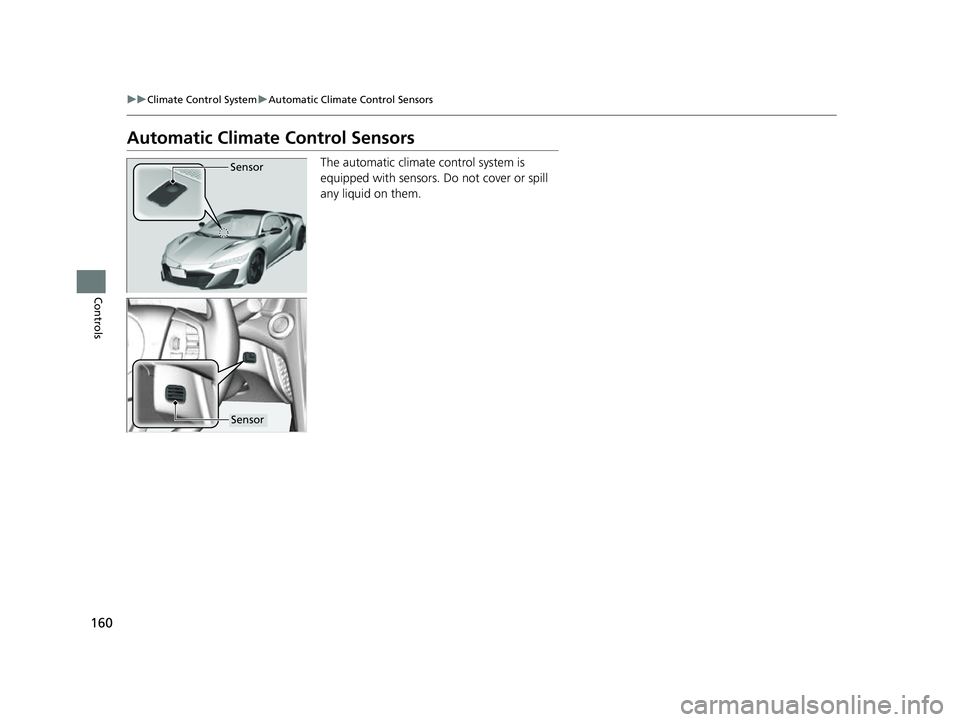
The automatic climate control system is
equipped with sensors. Do not cover or spill
any liquid on them.Sensor
Sensor
22 ACURA NSX PMC-31T6N6500.book 160 ページ 2021年9月28日 火曜日 午後4時7分
Page 187 of 492
185
uuAudio System Basic Operation uVoice Control Operation
Continued
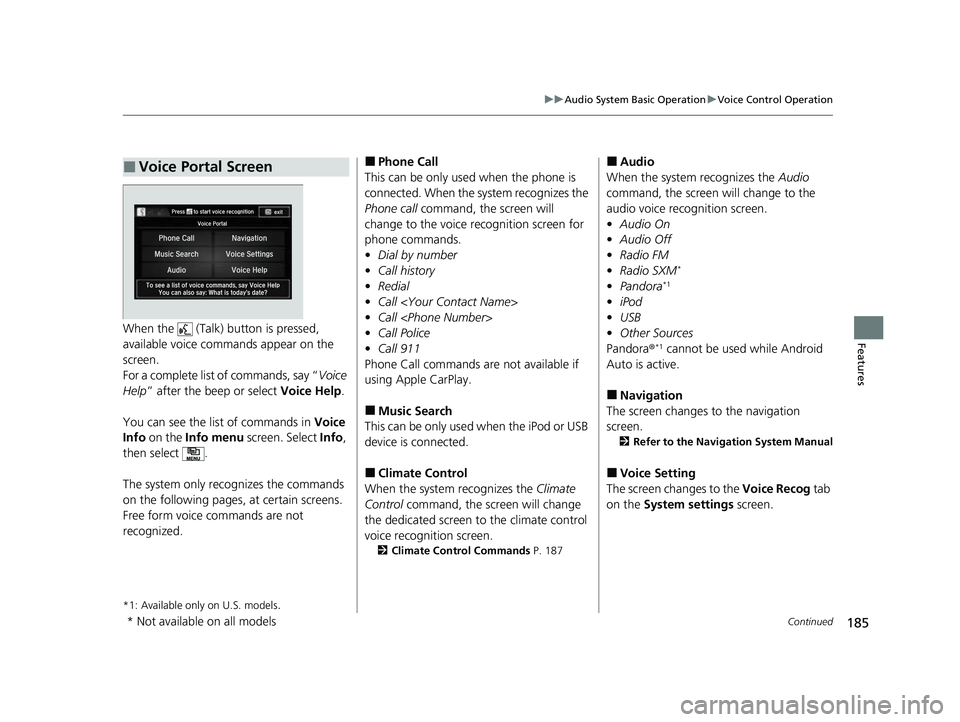
FeaturesWhen the (Talk) button is pressed,
available voice comma nds appear on the
screen.
For a complete list of commands, say “ Voice
Help ” after the beep or select Voice Help.
You can see the list of commands in Voice
Info on the Info menu screen. Select Info,
then select .
The system only recognizes the commands
on the following pages, at certain screens.
Free form voice commands are not
recognized.
*1: Available only on U.S. models.
■Voice Portal Screen■Phone Call
This can be only used when the phone is
connected. When the sy stem recognizes the
Phone call command, the screen will
change to the voice re cognition screen for
phone commands.
• Dial by number
• Call history
• Redial
• Call
• Call
• Call Police
• Call 911
Phone Call commands are not available if
using Apple CarPlay.
■Music Search
This can be only used when the iPod or USB
device is connected.
■Climate Control
When the system recognizes the Climate
Control command, the screen will change
the dedicated screen to the climate control
voice recognition screen.
2 Climate Control Commands P. 187
■Audio
When the system recognizes the Audio
command, the screen will change to the
audio voice recognition screen.
• Audio On
• Audio Off
• Radio FM
• Radio SXM
*
•Pandora*1
•iPod
• USB
• Other Sources
Pandora ®
*1 cannot be used while Android
Auto is active.
■Navigation
The screen changes to the navigation
screen.
2 Refer to the Navigation System Manual
■Voice Setting
The screen changes to the Voice Recog tab
on the System settings screen.
* Not available on all models
22 ACURA NSX PMC-31T6N6500.book 185 ページ 2021年9月28日 火曜日 午後4時7分
Page 188 of 492
186
uuAudio System Basic Operation uVoice Control Operation
Features
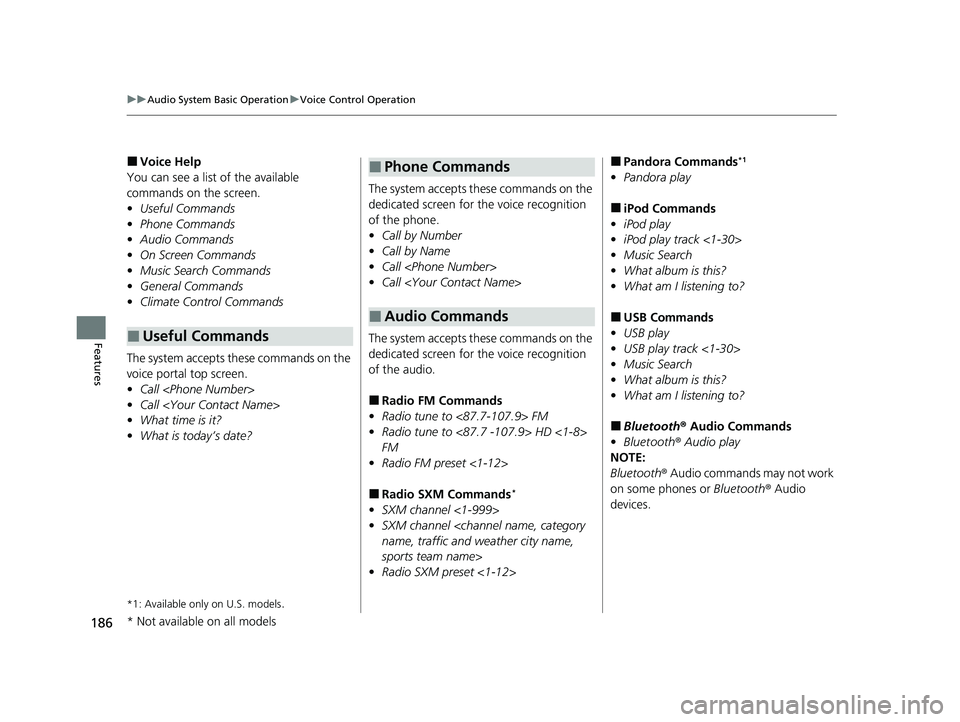
■Voice Help
You can see a list of the available
commands on the screen.
• Useful Commands
• Phone Commands
• Audio Commands
• On Screen Commands
• Music Search Commands
• General Commands
• Climate Control Commands
The system accepts th ese commands on the
voice portal top screen.
• Call
• Call
• What time is it?
• What is today’s date?
*1: Available only on U.S. models.
■Useful Commands
The system accepts these commands on the
dedicated screen for the voice recognition
of the phone.
• Call by Number
• Call by Name
• Call
• Call
The system accepts these commands on the
dedicated screen for the voice recognition
of the audio.
■Radio FM Commands
• Radio tune to <87.7-107.9> FM
• Radio tune to <87.7 -107.9> HD <1-8>
FM
• Radio FM preset <1-12>
■Radio SXM Commands*
•SXM channel <1-999>
• SXM channel
sports team name>
• Radio SXM preset <1-12>
■Phone Commands
■Audio Commands
■Pandora Commands*1
•Pandora play
■iPod Commands
• iPod play
• iPod play track <1-30>
• Music Search
• What album is this?
• What am I listening to?
■USB Commands
• USB play
• USB play track <1-30>
• Music Search
• What album is this?
• What am I listening to?
■Bluetooth ® Audio Commands
• Bluetooth ® Audio play
NOTE:
Bluetooth® Audio commands may not work
on some phones or Bluetooth ® Audio
devices.
* Not available on all models
22 ACURA NSX PMC-31T6N6500.book 186 ページ 2021年9月28日 火曜日 午後4時7分
Page 189 of 492
187
uuAudio System Basic Operation uVoice Control Operation
Features
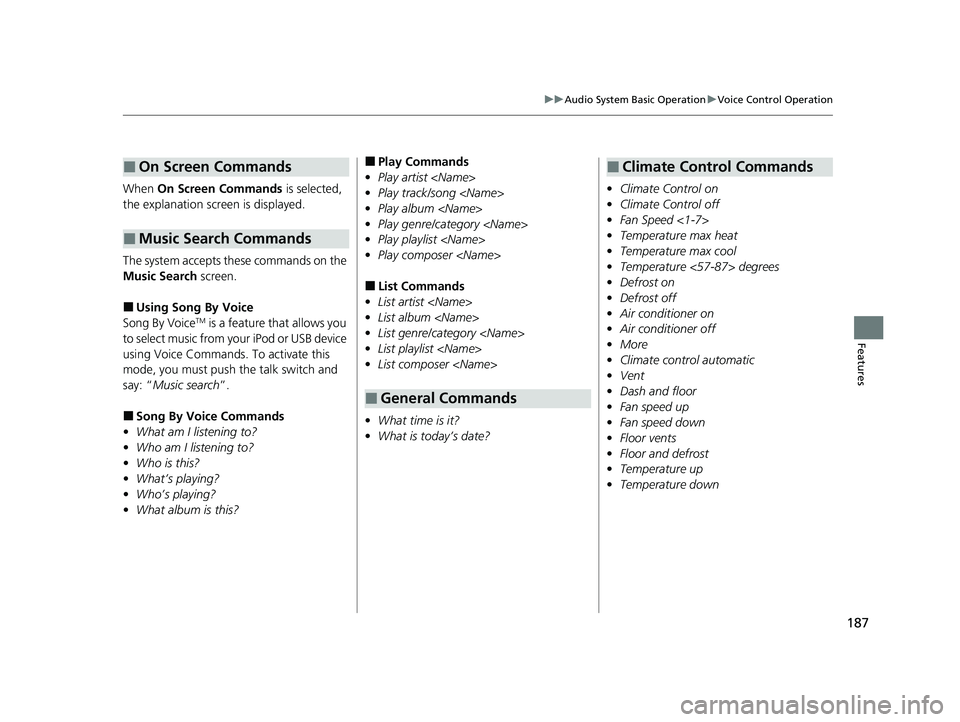
When On Screen Commands is selected,
the explanation scr een is displayed.
The system accepts th ese commands on the
Music Search screen.
■Using Song By Voice
Song By VoiceTM is a feature that allows you
to select music from yo ur iPod or USB device
using Voice Commands. To activate this
mode, you must push the talk switch and
say: “ Music search ”.
■Song By Voice Commands
• What am I listening to?
• Who am I listening to?
• Who is this?
• What’s playing?
• Who’s playing?
• What album is this?
■On Screen Commands
■Music Search Commands
■Play Commands
• Play artist
• Play track/song
• Play album
• Play genre/category
• Play playlist
• Play composer
■List Commands
• List artist
• List album
• List genre/category
• List playlist
• List composer
• What time is it?
• What is today’s date?
■General Commands
•Climate Control on
• Climate Control off
• Fan Speed <1-7>
• Temperature max heat
• Temperature max cool
• Temperature <57-87> degrees
• Defrost on
• Defrost off
• Air conditioner on
• Air conditioner off
• More
• Climate control automatic
• Vent
• Dash and floor
• Fan speed up
• Fan speed down
• Floor vents
• Floor and defrost
• Temperature up
• Temperature down
■Climate Control Commands
22 ACURA NSX PMC-31T6N6500.book 187 ページ 2021年9月28日 火曜日 午後4時7分
Page 262 of 492
260
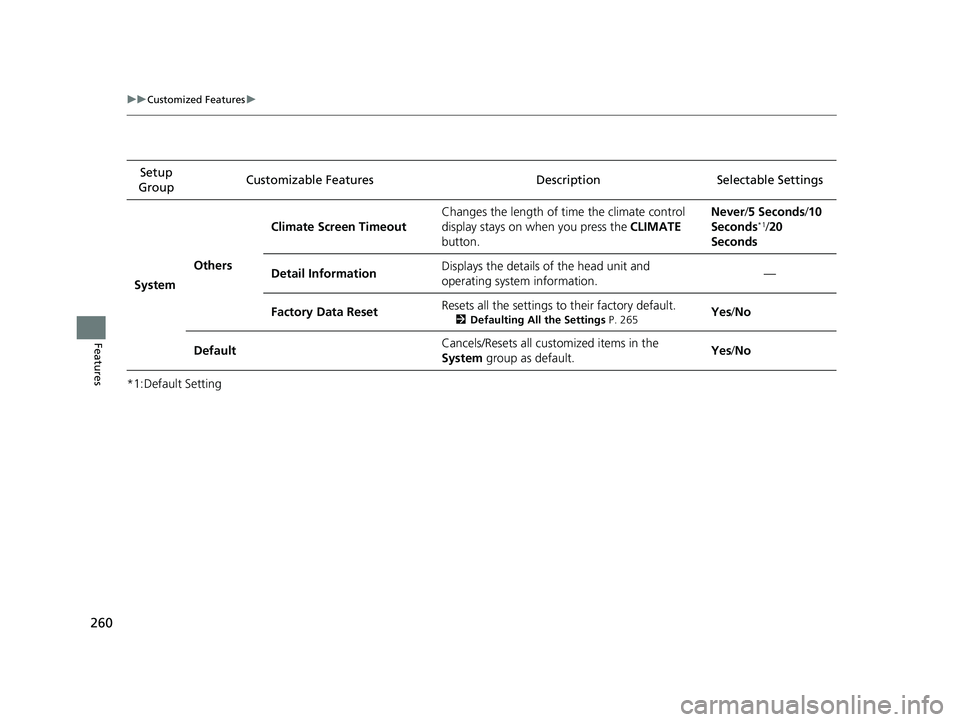
uuCustomized Features u
Features
*1:Default SettingSetup
Group Customizable Features Desc
ription Selectable Settings
System Others Climate Screen Timeout
Changes the length of time the climate control
display stays on when you press the
CLIMATE
button. Never/
5 Seconds /10
Seconds
*1/ 20
Seconds
Detail Information Displays the details of the head unit and
operating system information. —
Factory Data Reset Resets all the settings to their factory default.
2
Defaulting All the Settings P. 265Yes/No
Default Cancels/Resets all customized items in the
System
group as default. Yes
/No
22 ACURA NSX PMC-31T6N6500.book 260 ページ 2021年9月28日 火曜日 午後4時7分
Page 321 of 492

319Continued
Driving
When Driving
Turning on the Power
1.Make sure the parkin g brake is applied.
u The electric parking brake indicator
comes on for 15 seconds when you pull
up the electric parking brake switch.
2. Depress the brake pedal.1Turning on the Power
Keep your foot firmly on the brake pedal when
starting the power system.
The engine is harder to st art in cold weather and in
thinner air found at altit udes above 8,000 feet (2,400
meters).
When turning on the power system in cold weather,
turn off all electrical accessories such as the lights,
climate control system, and rear defogger in order to
reduce 12-volt battery drain.
If the exhaust system sounds abnormal or you can
smell exhaust gas inside the vehicle, have your vehicle
checked by an authorized Acura NSX dealer. There
may be a problem with the engine or exhaust system.
Electric Parking
Brake Switch
Brake Pedal
22 ACURA NSX PMC-31T6N6500.book 319 ページ 2021年9月28日 火曜日 午後4時7分
Page 324 of 492

322
uuWhen Driving uPrecautions While Driving
Driving
Precautions While Driving
Avoid driving in deep water and on flooded roads. This can damage the power
system or driveline, or cause electrical component failure.
The vehicle is equipped with ultra high performance summer tires that, due to their
decreased tread depth, are at greater risk of hydroplaning on wet roads compared
to regular tires. Exercise caution when driving on wet surfaces.
The vehicle is equipped with ultra high performance summer tires. These tires are
designed for optimum performance and handling in warm climates, and are not
suitable for below freezing, snowy or ic y weather conditions. If you drive under
these circumstances, use of winter tires is recommended and may be mandatory,
depending on your region, province or territory.
2 Winter Tires P. 415
2 Cold Weather Driving P. 416
Due to limitations of the Lithium-ion Hi gh Voltage battery, the minimum starting
temperature for the vehicle is -4°F (-20°C).
Inability to start the vehicle and/or decrea sed performance is expected if the vehicle
is operated at temperatures below -4°F (-20°C).
■In Rain
■In Snow and Ice
1 Precautions While Driving
NOTICE
Do not select a shift button while pressing the
accelerator pedal.
NOTICE
The following can damage the under spoiler, under
covers, front bumper, rear diffuser, brake cooling
components, and side sill:
•Parking the vehicle by a parking block•Parallel pa rking along the road shoulder•Driving toward the bottom of a hill•Driving up or down to a different surface level
(such as a road shoulder)
•Driving on a rutted or bumpy road•Driving on a road with potholes•Driving over speed bump
NOTICE
If you repeatedly turn the steering wheel at an
extremely low speed, or hold the steering wheel in
the full left or right position for a while, the electric
power steering (EPS) system heats up. The system
goes into a protective mode, and limits its
performance. The steering wheel becomes harder
and harder to operate. Once the system cools down,
the EPS system is restored.
Repeated operation under these conditions can
eventually damage the system.
If the power mode is set to ACCESSORY while
driving, the power system will shut down and all
steering and brake power a ssist functions will stop,
making it difficult to control the vehicle.
Driving in snow or icy c onditions may accumulate ice
on the brake disk surface, reducing braking power.
22 ACURA NSX PMC-31T6N6500.book 322 ページ 2021年9月28日 火曜日 午後4時7分