wheel ACURA NSX 2022 User Guide
[x] Cancel search | Manufacturer: ACURA, Model Year: 2022, Model line: NSX, Model: ACURA NSX 2022Pages: 492, PDF Size: 16.2 MB
Page 50 of 492

48
uuAirbags uTypes of Airbags
Safe Driving
Types of Airbags
Your vehicle is equipped with four types of airbags:
• Front airbags: Airbags in front of the driv er’s and passenger’s seats.
• Driver’s knee airbag: Airbag under the steering column.
• Side airbags: Airbags in the driver’s a nd passenger’s seat-backs.
• Side curtain airbags: Airbags above the side windows.
Each is discussed in the following pages.
Front Airbags (SRS)
The front SRS airbags inflate in a moderate-to -severe frontal collision to help protect
the head and chest of the driver and/or passenger.
SRS (Supplemental Restraint System) indica tes that the airbags are designed to
supplement seat belts, not replace them. Seat belts are the occupant’s primary
restraint system.
The front airbags are housed in the center of the steering wheel for the driver, and
in the dashboard for the passe nger. Both airbags are marked SRS AIRBAG.
■Housing Locations
1Types of Airbags
The airbags can inflate whenever the power mode is
in ON.
After an airbag inflates in a crash, you may see a
small amount of smoke. This is from the combustion
process of the infl ator material and is not harmful.
People with respiratory pr oblems may experience
some temporary discomfort. If this occurs, get out of
the vehicle as soon as it is safe to do so.
1 Front Airbags (SRS)
During a frontal crash severe enough to cause one or
both front airbags to deploy, the airbags can inflate
at different rates, dependi ng on the severity of the
crash, whether or not the se at belts are latched, and/
or other factors. Frontal airbags are designed to
supplement the seat belts to help reduce the
likelihood of head and chest injuries in frontal
crashes.
22 ACURA NSX PMC-31T6N6500.book 48 ページ 2021年9月28日 火曜日 午後4時7分
Page 53 of 492

51
uuAirbags uFront Airbags (SRS)
Safe DrivingThe passenger’s airbag have advanced f eatures to help reduce the likelihood of
airbag related injuries to a smaller occupant. The passenger’s advanced airbag system has
weight sensors. The sensors are used for
occupant classification to activate or
deactivate the passenger’s airbag.
For adult size occupant s, the system will
automatically activate the passenger’s airbag.
If a small adult sits in the passenger seat and
the system does not recognize him/her as an
adult, see
2 Passenger Airbag Off Indicator P. 58
We advise against allowing a child age 12 or under to ride in the passenger’s seat.
However, if you do allow a small child or in fant to ride in the passenger’s seat, the
system is designed to automatically deacti vate the passenger’s airbag. Do not let a
small child or infant ride in the passenger’ s seat if the airbag does not automatically
deactivate.
■Advanced Airbags1 Advanced Airbags
If there is a problem with the passenger’s seat weight
sensors, the SRS indicator will come on, and in the
event of a crash, the airbag will deploy (regardless of
the passenger’s occupant cl assification) with a force
corresponding to the se verity of the impact.
2 Supplemental Restraint System (SRS)
Indicator P. 57
For the advanced front airbags to work properly,
confirm that:
•The occupant is sitting in an upright position,
wearing the seat belt prope rly and the seat-back is
not excessively reclined.
•The occupant is not leaning against the door or
center console.
•The occupant’s feet are plac ed on the floor in front
of them.
•There are no objects hanging from the passenger’s
seat.
•The steering wheel and passenger’s side dashboard
are not obstructed by any object.
•No liquid has been spille d on or under the seat.
•There are no objects placed under or beside the
passenger’s seat. Improperly positioned objects can
interfere with the advanced airbag sensors.
2 Passenger Airbag Off Indicator P. 58
Passenger’s
Seat Weight
Sensors
22 ACURA NSX PMC-31T6N6500.book 51 ページ 2021年9月28日 火曜日 午後4時7分
Page 86 of 492

84
uuIndicators u
Instrument Panel
IndicatorNameOn/BlinkingExplanationMessage
Low Tire Pressure/
TPMS Indicator
•Comes on for a few seconds when
you set the power mode to ON,
then goes off.
• Comes on if the tire pressure of any
of the tires becomes significantly
low.
• Blinks for about one minute, and
then stays on if there is a problem
with the TPMS.•Comes on while driving - Stop in a safe
place, check tire pres sures, and inflate the
tire(s) if necessary.
• Blinks and remains on - Have your
vehicle checked by an authorized Acura
NSX dealer.
System Message
Indicator
• Comes on for a few seconds when
you set the power mode to ON,
then goes off.
• Comes on along with a beep when
a problem is detected. A system
message on the driver information
interface appears at the same time.•While the indicator is on, roll the right
selector wheel to see the message again.
• Refer to the Indicators information in this
chapter when a system message appears
on the driver information interface. Take
the appropriate action for the message.
• The driver information interface does not
return to the normal screen unless the
warning is canceled, or the right selector
wheel is rolled.
—
22 ACURA NSX PMC-31T6N6500.book 84 ページ 2021年9月28日 火曜日 午後4時7分
Page 89 of 492

87
uuIndicators uDriver Information Interface Wa rning and Information Messages
Continued
Instrument Panel
Driver Information Interface Warning and Information Messages
The following messages appear only on the driver information interface. Roll the right selector wheel to see the message again with the
system message indicator on.
MessageConditionExplanation
• Appears when the washer fluid is low.•Refill the washer fluid.
2 Refilling Window Washer Fluid P. 400
•Appears when the scheduled maintenance is due soon.
• Consequently, Service Due Now and Service Past
Due follow.2Maintenance Minder Messages on the Driver
Information Interface P. 381
•Appears when the temperatur e of the transmission is
starting to get too hot.
• The performance of the vehicle may be reduced.•It may not be possible to use the paddle shifters.
• Until the message disappears, reduce your speed and
allow the system to cool down.
•Appears when the transmission system temperature is
too high. The vehicle does not operate properly.•You may find it difficult to accelerate, or to start the
vehicle on uphill.
• Immediately stop in a safe place in
(P.
• Let the engine idle until the message disappears.
22 ACURA NSX PMC-31T6N6500.book 87 ページ 2021年9月28日 火曜日 午後4時7分
Page 96 of 492

94
uuIndicators uDriver Information Interface Wa rning and Information Messages
Instrument Panel
MessageConditionExplanation
•Appears when the transmission temperature is too low
to operate (approx. -13°F [-25°C] or below).• You can start the engine an d use the climate control
system to warm up the interior, which will also warm
the transmission enough for you to drive the vehicle.
• The engine speed does not increase even if you fully
depress the accelerator pedal.
•Appears when the High Volt age battery temperature is
extremely low (-4°F [-20°C]).• Contact an authorized Acura NSX dealer immediately.
• To prevent the message to come on, store the vehicle in
the garage or drive in advance to warm up the High
Voltage battery.
• The minimum operation guarantee environmental
temperature is -4°F [-20°C].
•Appears when the twin motor unit fluid temperature is
extremely low.•Vehicle speed is limited to 81 mph (130 km/h) until twin
motor unit fluid warms up.
• Appears if the AWD system has a problem due to a
hybrid system or power distribution control failure.•Drives with the rear wheels only in this state.
Have your vehicle checked by an authorized Acura NSX
dealer.
•Appears when the engine is running and indicates that
the engine oil level is low.• Appears while driving - Immediately stop in a safe
place.
2 If the Check Engine Oil Level Warning Appears
P. 459
22 ACURA NSX PMC-31T6N6500.book 94 ページ 2021年9月28日 火曜日 午後4時7分
Page 104 of 492

102
uuGauges and Displays uDriver Information Interface
Instrument Panel
Driver Information Interface
The driver information interface shows in formation such as the estimated travelable
distance and fuel economy of the vehicle. It also displays messages such as warnings
and other helpful information.
Roll the right selector wheel to change the display.
■Switching the Display
Right Selector Wheel Engine Oil LifeElapsed Time
Blank Screen
Average Speed
Range
Average Fuel Economy/
Instant Fuel Economy
Tire Pressure for
Each Tire
Turn-by-Turn
Directions
Oil Level Check Assist Compass
22 ACURA NSX PMC-31T6N6500.book 102 ページ 2021年9月28日 火曜日 午後4時7分
Page 109 of 492
107
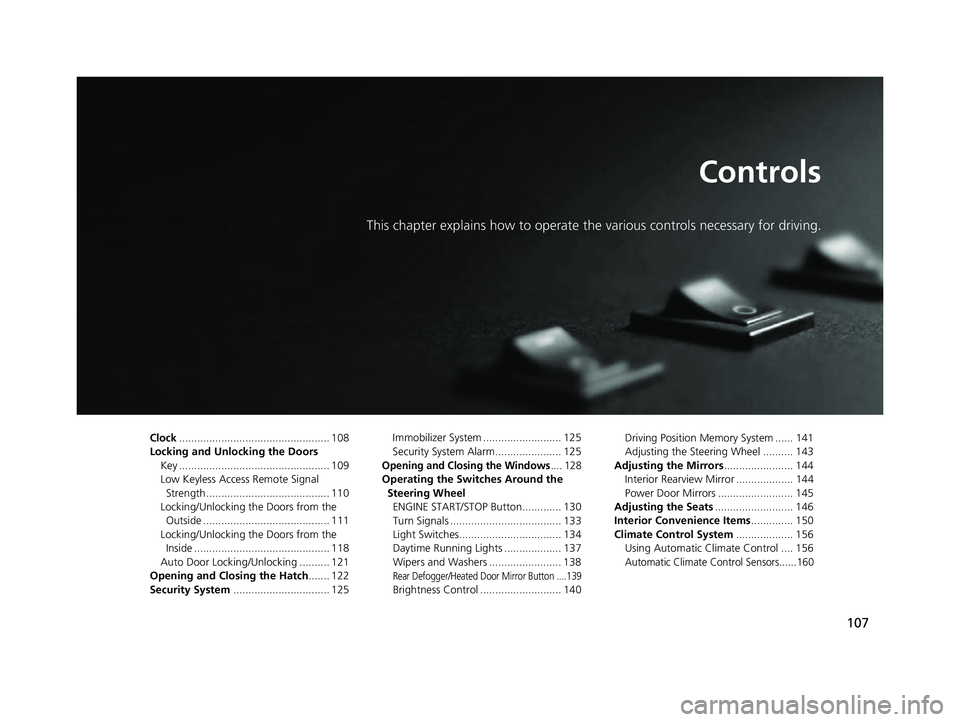
Controls
This chapter explains how to operate the various controls necessary for driving.
Clock.................................................. 108
Locking and Unlocking the Doors Key .................................................. 109
Low Keyless Access Remote Signal Strength ......................................... 110
Locking/Unlocking the Doors from the Outside .......................................... 111
Locking/Unlocking the Doors from the Inside ............................................. 118
Auto Door Locking/Unlocking .......... 121
Opening and Closing the Hatch....... 122
Security System ................................ 125 Immobilizer System .......................... 125
Security System Alarm...................... 125
Opening and Closing the Windows.... 128
Operating the Switches Around the
Steering Wheel ENGINE START/STOP Button............. 130
Turn Signals ..................................... 133
Light Switches.................................. 134
Daytime Running Lights ................... 137
Wipers and Washers ........................ 138
Rear Defogger/Heated Door Mirror Button ....139
Brightness Control ........................... 140 Driving Position Memory System ...... 141
Adjusting the Steering Wheel .......... 143
Adjusting the Mirrors ....................... 144
Interior Rearview Mirror ................... 144
Power Door Mirrors ......................... 145
Adjusting the Seats .......................... 146
Interior Convenience Items .............. 150
Climate Control System ................... 156
Using Automatic Climate Control .... 156
Automatic Climate Control Sensors......160
22 ACURA NSX PMC-31T6N6500.book 107 ページ 2021年9月28日 火曜日 午後4時7分
Page 132 of 492

130
Controls
Operating the Switches Around the Steering Wheel
ENGINE START/STOP Button
■Changing the Power Mode1ENGINE START/STOP Button
ENGINE START/STOP Button Operating Range
You can start the power system when the keyless
access remote is inside the vehicle.
The power system may also start if the keyless access
remote is close to the door or window, even if it is
outside the vehicle.
If the battery of the keyless access remote is getting
low, the power system may not start when you push
the ENGINE START/STOP button. If the power
system does not start, refer to the following link. 2 If the Keyless Access Remote Battery is
Weak P. 448
Do not leave the power mode in ACCESSORY or ON
when you get out.
Operating RangeVEHICLE OFF (LOCK)
The button is off.
The power to all electrical components is turned off.
Press the button. Without pressing
the brake pedal ACCESSORY
The button blinks (in red).
Operate the audio system and other accessories in
this position.
ON
The button blinks (in red).
All electrical components can be used.
22 ACURA NSX PMC-31T6N6500.book 130 ページ 2021年9月28日 火曜日 午後4時7分
Page 133 of 492

131
uuOperating the Switches Around the Steering Wheel uENGINE START/STOP Button
Continued
Controls
If you leave the vehicle for more than 30 minutes with the transmission in (P and
the power mode in ACCESSORY, the vehicl e will automatically go into VEHICLE OFF
(LOCK) mode to prevent draining the 12-volt battery.
If you open the driver’s door when the pow er mode is set to ACCESSORY, a warning
buzzer will sound.
■Automatic Power Off
■Power Mode Reminder
22 ACURA NSX PMC-31T6N6500.book 131 ページ 2021年9月28日 火曜日 午後4時7分
Page 134 of 492

uuOperating the Switches Around the Steering Wheel uENGINE START/STOP Button
132
Controls
When the power mode is set to any mode
other than OFF and you remove the keyless
access remote from the vehicle and shut the
door, an alarm will sound. If the alarm
continues to sound, place the keyless access
remote in another location.
■When the power mode is in
ACCESSORY
The alarm will sound from outside the vehicle.
■When the power mode is in ON
An alarm will sound both inside and outside
the vehicle. In addition, a warning indicator
will appear on the instrument panel.
■Keyless Access Remote Reminder1 Keyless Access Remote Reminder
When the keyless access remote is within the
system’s operational ra nge, and both doors are
closed, the warni ng function cancels.
If the keyless access remote is taken out of the vehicle
after the power system has been turned on, you can
no longer change the ENGINE START/STOP button
mode or restart the power system. Always make sure
if the remote is in your vehicle when you operate the
ENGINE START/STOP button.
Removing the keyless access remote from the vehicle
through a window does not activate the warning
buzzer.
Do not put the keyless access remote on the
dashboard or in the glove box. It may cause the
warning buzzer to go off. Under some other
conditions that can prevent the vehicle from locating
the remote, the warning buzzer may also go off even
if the remote is within the system’s operational
range.
22 ACURA NSX PMC-31T6N6500.book 132 ページ 2021年9月28日 火曜日 午後4時7分