lights ACURA NSX 2022 Owner's Manual
[x] Cancel search | Manufacturer: ACURA, Model Year: 2022, Model line: NSX, Model: ACURA NSX 2022Pages: 492, PDF Size: 16.2 MB
Page 138 of 492

uuOperating the Switches Around the Steering Wheel uLight Switches
136
Controls
The headlights automatically come on when the wipers are used several times within
a certain interval with the headlight switch in AUTO.
The headlights automatically go off a few minutes later if the wipers are stopped.
The headlights, all other exterior lights, an d the instrument panel lights turn off 15
seconds after you set the power mode to VE HICLE OFF, take the remote with you,
and close the driver’s door.
If you set the power mode to VEHICLE OFF with the headlight switch on, but do not
open the door, the lights turn off after 10 minutes (3 minutes, if the switch is in the
AUTO position).
The lights turn on again when you unlock or open the driver’s door. If you unlock
the door, but do not open it within 15 seconds, the lights go off. If you open the
driver’s door, you will hear a reminder chime alerting you that the lights are on.
■Headlight Integration with Wipers
■Automatic Lighting Off Feature
1Headlight Integration with Wipers
This feature activates when the headlights are off in
AUTO .
The instrument panel br ightness does not change
when the headlights come on.
At dark ambient light leve ls, the automatic lighting
control feature turns on the headlights, regardless of
the number of wiper sweeps.
You can turn the headlight integration with wipers
function on and off.
2 Customized Features P. 243
1Automatic Lighting Off Feature
You can change the headli ght auto off timer setting.
2 Customized Features P. 243
22 ACURA NSX PMC-31T6N6500.book 136 ページ 2021年9月28日 火曜日 午後4時7分
Page 139 of 492

137
uuOperating the Switches Around the Steering Wheel uDaytime Running Lights
Controls
Daytime Running Lights
The daytime running lights come on when th e following conditions have been met:
• The power mode is in ON.
• The headlight switch is in AUTO.
• The parking brake is released.
The daytime running lights are off the headlig ht switch is turned on, or when the
headlight switch is in AUTO and it is getting darker outside.1Daytime Running Lights
The brightness of the dayt ime running lights is lower
when the headlight switch is in than when it is
in AUTO . When it is in AUTO, the low-beam
headlights come on once the level of ambient light is
very low.
U.S. models
22 ACURA NSX PMC-31T6N6500.book 137 ページ 2021年9月28日 火曜日 午後4時7分
Page 142 of 492
140
uuOperating the Switches Around the Steering Wheel uBrightness Control
Controls
Brightness Control
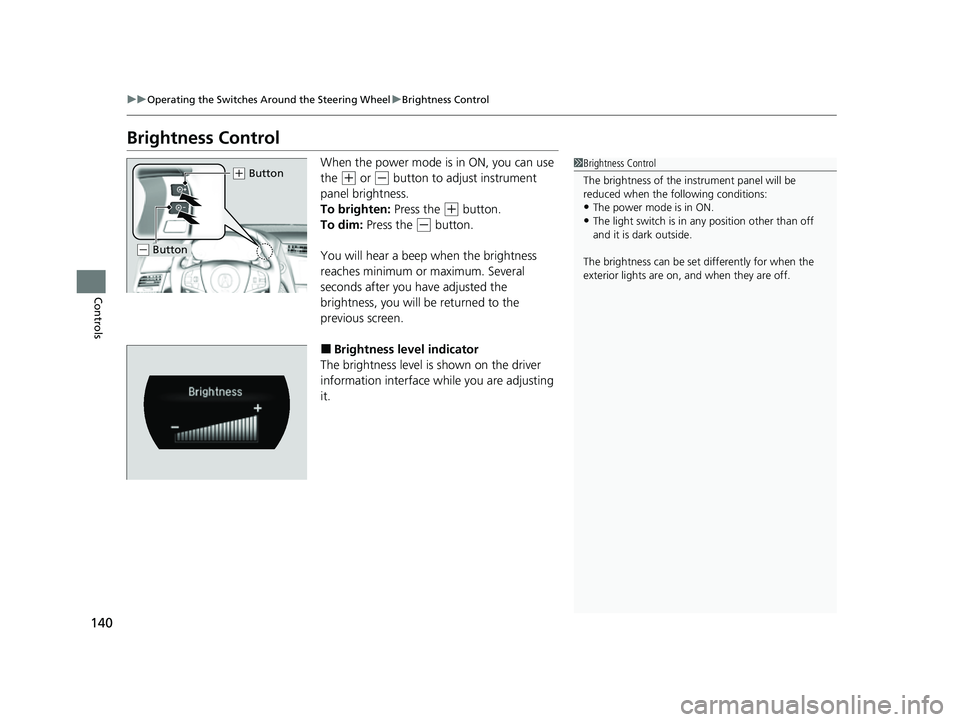
When the power mode is in ON, you can use
the
(+ or (- button to adjust instrument
panel brightness.
To brighten: Press the
(+ button.
To dim: Press the
(- button.
You will hear a beep when the brightness
reaches minimum or maximum. Several
seconds after you have adjusted the
brightness, you will be returned to the
previous screen.
■Brightness level indicator
The brightness level is shown on the driver
information interface wh ile you are adjusting
it.
1 Brightness Control
The brightness of the in strument panel will be
reduced when the following conditions:
•The power mode is in ON.
•The light switch is in any position other than off
and it is da rk outside.
The brightness can be set differently for when the
exterior lights are on, and when they are off.
( + Button
(- Button
22 ACURA NSX PMC-31T6N6500.book 140 ページ 2021年9月28日 火曜日 午後4時7分
Page 146 of 492

144
Controls
Adjusting the Mirrors
Interior Rearview Mirror
Adjust the angle of the rearview mirror when you are sitting in the correct driving
position.
When you are driving after dark, the
automatic dimming rearview mirror reduces
the glare from headlights behind you, based
in inputs from the mirror sensor. This feature
is always active.
■Automatic Dimming Rearview Mirror
1Adjusting the Mirrors
Keep the inside and out side mirrors clean and
adjusted for best visibility.
Adjust the mirrors before you start driving. 2 Adjusting the Seat Positions P. 146
1Automatic Dimming Rearview Mirror
The auto dimming function cancels when the
transmission is in
(R.
22 ACURA NSX PMC-31T6N6500.book 144 ページ 2021年9月28日 火曜日 午後4時7分
Page 152 of 492
150
Controls
Interior Convenience Items
Interior Lights
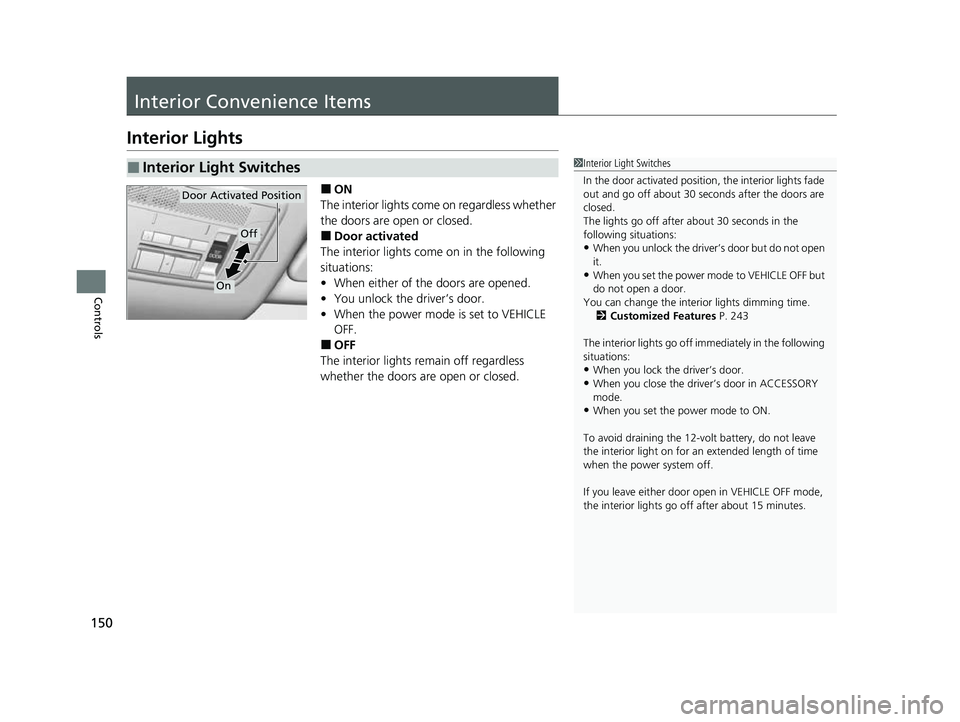
■ON
The interior lights come on regardless whether
the doors are open or closed.
■Door activated
The interior lights come on in the following
situations:
• When either of the doors are opened.
• You unlock the driver’s door.
• When the power mode is set to VEHICLE
OFF.
■OFF
The interior lights remain off regardless
whether the doors are open or closed.
■Interior Light Switches1 Interior Light Switches
In the door activated position, the interior lights fade
out and go off about 30 seconds after the doors are
closed.
The lights go off after about 30 seconds in the
following situations:
•When you unlock the driver’s door but do not open
it.
•When you set the power mode to VEHICLE OFF but
do not open a door.
You can change the interi or lights dimming time.
2 Customized Features P. 243
The interior lights go off im mediately in the following
situations:
•When you lock the driver’s door.
•When you close the driver’s door in ACCESSORY
mode.
•When you set the power mode to ON.
To avoid draining the 12-vo lt battery, do not leave
the interior light on for an extended length of time
when the power system off.
If you leave either door open in VEHICLE OFF mode,
the interior lights go of f after about 15 minutes.
Door Activated Position
Off
On
22 ACURA NSX PMC-31T6N6500.book 150 ページ 2021年9月28日 火曜日 午後4時7分
Page 153 of 492
151
uuInterior Convenience Items uInterior Lights
Controls
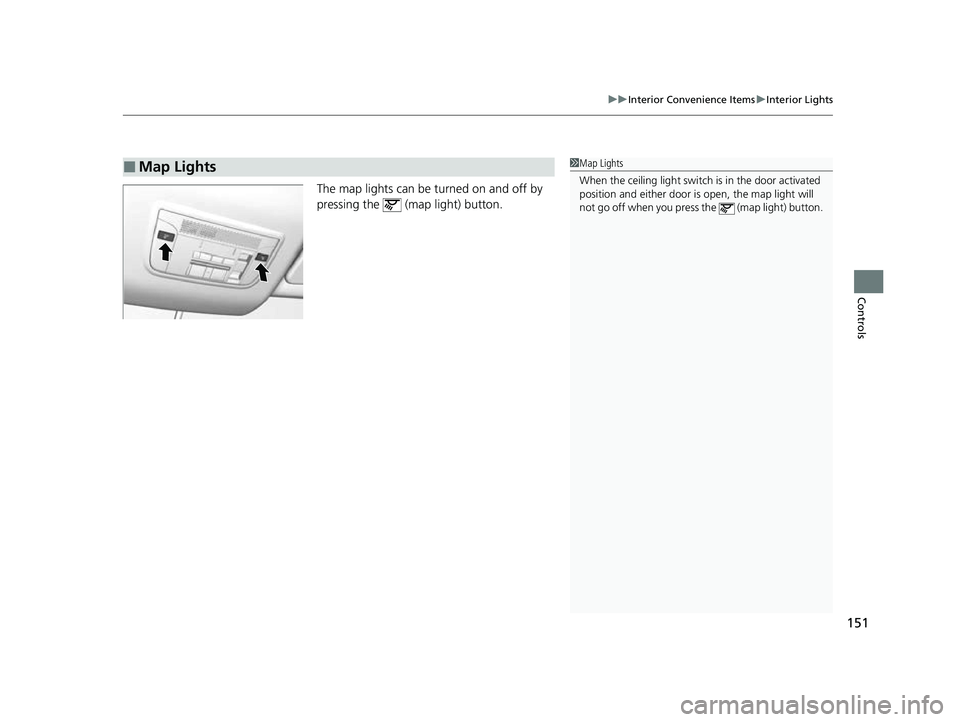
The map lights can be turned on and off by
pressing the (map light) button.
■Map Lights1Map Lights
When the ceiling light switch is in the door activated
position and either door is open, the map light will
not go off when you press the (map light) button.
22 ACURA NSX PMC-31T6N6500.book 151 ページ 2021年9月28日 火曜日 午後4時7分
Page 186 of 492

184
uuAudio System Basic Operation uVoice Control Operation
Features
Voice Control Operation
Your vehicle has a voice control system that allows hands-free operation.
The voice control system uses the ( Talk) and (hang-up/back) buttons on
the steering wheel and a microphone near the map lights on the ceiling.
To achieve optimum voice recognition when using the voice control system:
• Make sure the correct screen is displa yed for the voice command that you are
using.
The system recognizes only certain commands.
Available voice commands.
2 Voice Portal Screen P. 185
•Close the windows.
• Adjust the dashboard and side vents so air does not blow onto the microphone
on the ceiling.
• Speak clearly in a natural speaking vo ice without pausing between words.
• Reduce any background noise if possible. The system may misinterpret your
command if more than one person is speaking at the same time.
■Voice Recognition
1Voice Control Operation
When you press the button, a helpful prompt asks
what you would like to do. Press and release the
button again to bypass this prompt and give a
command.
1 Voice Recognition
The voice control system can only be used from the
driver’s seat because the microphone unit removes
noises from the front passenger’s side.
22 ACURA NSX PMC-31T6N6500.book 184 ページ 2021年9月28日 火曜日 午後4時7分
Page 264 of 492

262
uuCustomized Features u
Features
*1:Default SettingSetup
Group Customizable Features Desc
ription Selectable Settings
Vehicle
Driving
Position
SetupEasy Entry/Exit
Moves the seat rearward when you get in/get out
of the vehicle. Changes the setting for this
feature.
On*1/Off
Memory Position LinkTurns the driving position memory system on and
off.On*1/Off
Keyless
Access
Setup
Door Unlock ModeChanges which doors unlock when you grab the
driver’s door handle.Driver Door Only*1/
All Doors
Keyless Access Light FlashCauses some exterior lights to flash when you
unlock/lock the doors.On*1/ Off
Keyless Access BeepCauses the beeper to sound when you unlock/
lock the doors.On*1/Off
Lighting
Setup
Interior Light Dimming
TimeChanges the length of time the interior lights stay
on after you close the doors.60 sec /30 sec*1/ 15 sec
Headlight Auto Off TimerChanges the length of ti me the exterior lights
stay on after you close the driver’s door.60 sec /30 sec /15
sec*1/ 0 sec
Auto Interior Illumination
SensitivityChanges the sensitivity of the brightness of the
instrument panel when the headlight switch is in
the AUTO position.Min/Low/Mid*1/High /
Max
22 ACURA NSX PMC-31T6N6500.book 262 ページ 2021年9月28日 火曜日 午後4時7分
Page 265 of 492

263
uuCustomized Features u
Continued
Features
*1:Default SettingSetup
Group Customizable Features Description Selectable Settings
Vehicle
Lighting
Setup
Auto Headlight On with
Wiper OnChanges the settings for the wiper operation
when the headlights automatically come on while
the headlight switch is in the
AUTO position.
On*1/Off
Auto Light Sensitivity*Changes the level of ambient light that causes
the headlights to come on in AUTO position.Max/High /Mid*1/
Low/ Min
Door
Setup
Auto Door LockUsed to change the sett ing for when the doors
automatically lock.With Vehicle
Speed*1/ Shift from P /
Off
Auto Door UnlockChanges the setting for when the doors unlock
automatically.
All Doors with
Driver’s Door
Opens
*1/ All Doors
with Shift to P /All
Doors with IGN Off /
Off
Key And Remote Unlock
ModeSets up the driver’s door or all the doors to unlock
on the first push of the remote.Driver Door*1/ All
Doors
Keyless Lock Answer BackLOCK/UNLOCK- The exterior lights flash.
LOCK (2nd push)- The beeper sounds.On*1/ Off
Security Relock Timer
Changes the time it takes for the doors to relock
and the security system to set after you unlock
the vehicle without opening either door.
90 sec /60 sec /30 sec*1
* Not available on all models
22 ACURA NSX PMC-31T6N6500.book 263 ページ 2021年9月28日 火曜日 午後4時7分
Page 307 of 492

Continued305
uuAcuraLink ®u
Features
Your subscribed telematics service prov ider can track your vehicle’s location,
remotely lock or unlock doors, and help you find your vehicle.
To use these features, you n eed your user ID and personal identification number
(PIN).
■Stolen vehicle tracking
This feature searches and tracks down your vehicle position even if it is on the move.
If you believe that your vehicle has been stolen, contact the police as well as the
provider. Tracking requests must be initiated by the police.
■Remote door lock/unlock
The provider can remotely lock or unlock doors upon your request.
■Vehicle finder
This feature is convenient to use when trying to locate your vehicle in large areas,
such as a crowded parking lot. If you cannot locate your vehicle after using the
remote transmitter’s answerback function, you can contact the provider which can
then flash your vehicle’s exterior lights and sound the horn.
■Security alarm notification
If the security system in your vehicl e detects an abnormal condition, such as
someone tampering with the lock on your vehicle, the provider notifies you by email
or SMS.
■Security Features1 Security Features
The contact information of your provider, your user
ID and PIN will be given when you subscribe to
AcuraLink. If you forget any of the above, contact an
authorized Acura NSX dealer, or go to
owners.acura.com (in U.S.) or www.acura.ca (in
Canada).
You can also activate the remote door lock/unlock
and vehicle finder features from the Internet or using
your smartphone app. Ask an authorized Acura NSX
dealer, or visit owners.acura.com (in U.S.) or
www.acura.ca (in Canada) for details.
1Vehicle finder
The lights will stop flas hing and horn will stop
sounding under the foll owing conditions:
•When 30 seconds have elapsed.
•You unlock the doors using the remote transmitter.•You unlock the doors using the keyless access
system.
•You unlock the doors us ing the built-in key.•The power mode is set to ACCESSORY or ON.
22 ACURA NSX PMC-31T6N6500.book 305 ページ 2021年9月28日 火曜日 午後4時7分