phone Acura RDX 2011 Owner's Guide
[x] Cancel search | Manufacturer: ACURA, Model Year: 2011, Model line: RDX, Model: Acura RDX 2011Pages: 517, PDF Size: 27.89 MB
Page 330 of 517
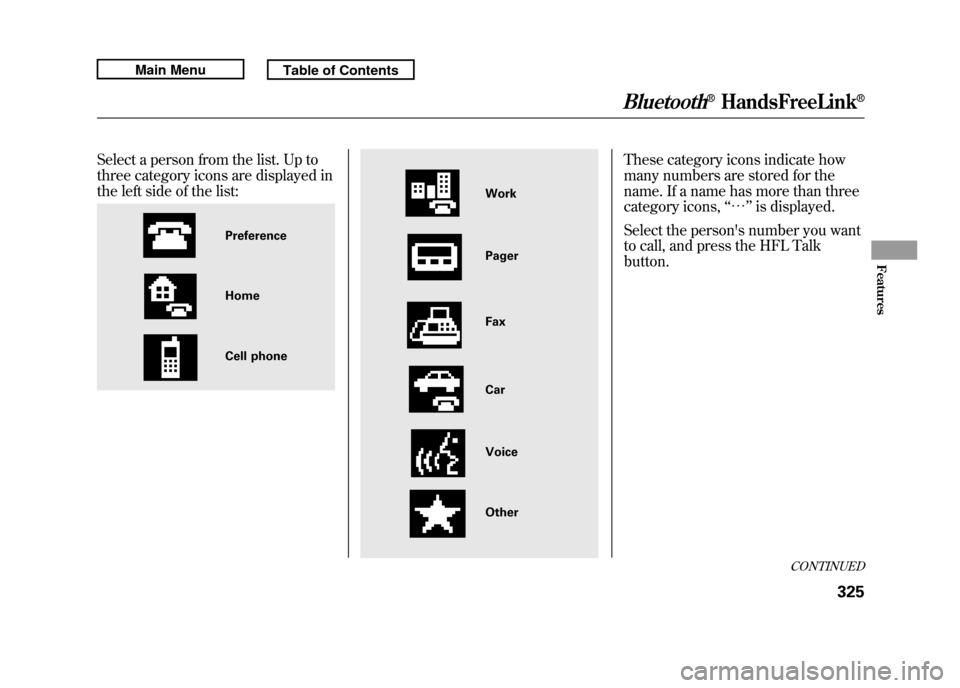
Select a person from the list. Up to
three category icons are displayed in
the left side of the list:
These category icons indicate how
many numbers are stored for the
name. If a name has more than three
category icons,‘‘… ’’is displayed.
Select the person's number you want
to call, and press the HFL Talk
button.
Preference
Home
Cell phone
Work
Pager
Car
Voice
Other Fax
CONTINUED
Bluetooth
®HandsFreeLink
®
325
Features
10/06/08 17:42:32 11 ACURA RDX MMC North America Owner's M 50 31STK640 enu
Page 331 of 517
Delete Imported Phonebook:You can delete any imported
phonebook.
Select‘‘Delete Imported
Phonebook, ’’and a list of imported
phonebooks will be displayed.
Select a phonebook you want to
delete. If the phonebook is PIN
protected, you will need to enter the
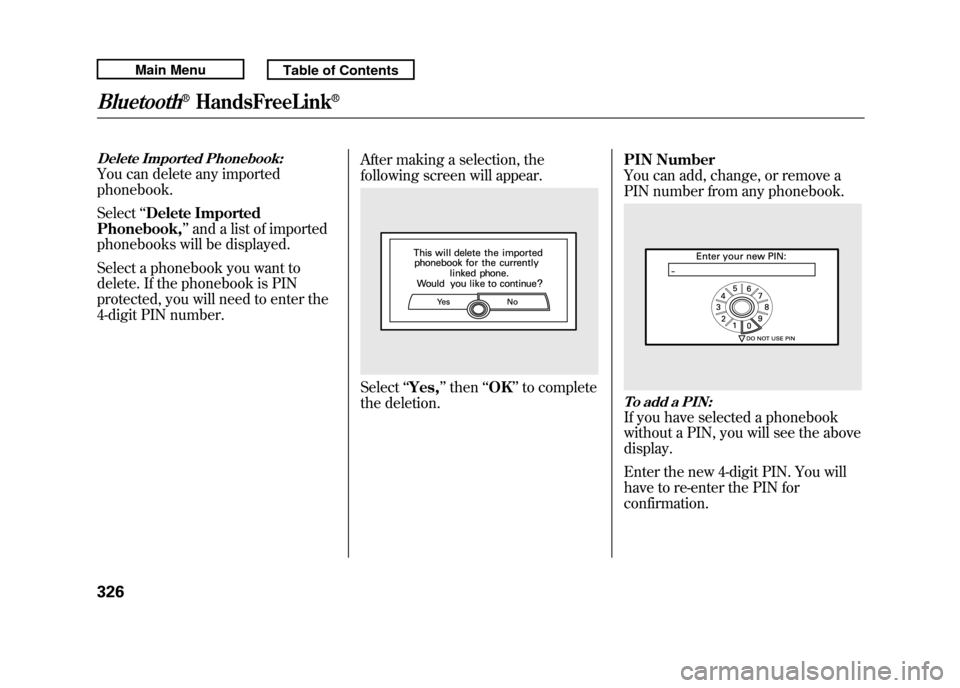
4-digit PIN number. After making a selection, the
following screen will appear.
Select
‘‘Yes, ’’then ‘‘OK’’ to complete
the deletion. PIN Number
You can add, change, or remove a
PIN number from any phonebook.
To add a PIN:If you have selected a phonebook
without a PIN, you will see the above
display.
Enter the new 4-digit PIN. You will
have to re-enter the PIN for
confirmation.
Bluetooth
®HandsFreeLink
®
32610/06/08 17:42:32 11 ACURA RDX MMC North America Owner's M 50 31STK640 enu
Page 332 of 517
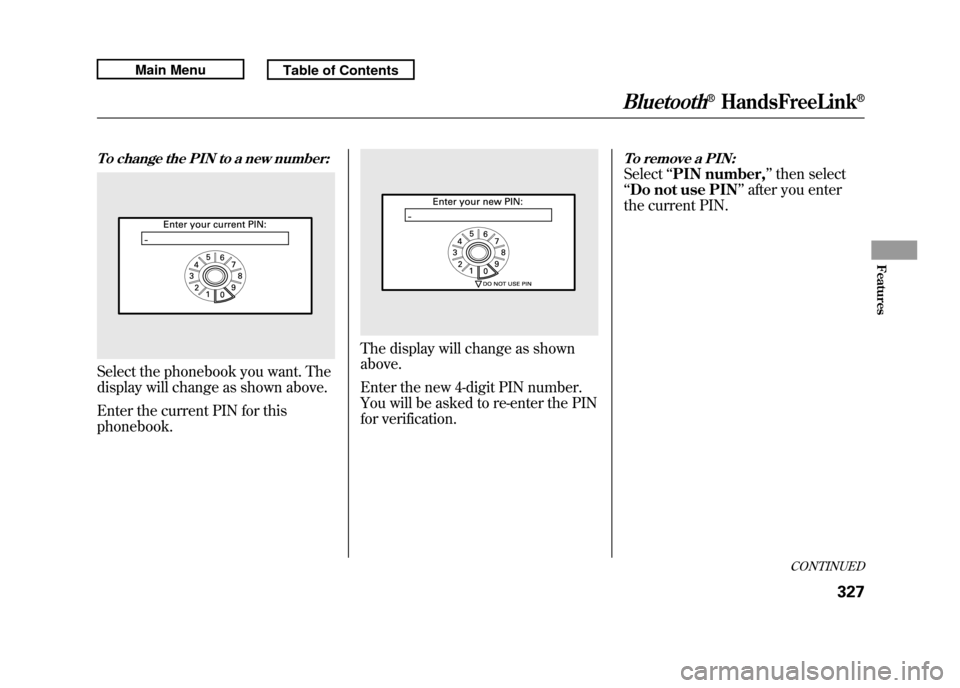
To change the PIN to a new number:Select the phonebook you want. The
display will change as shown above.
Enter the current PIN for this
phonebook.
The display will change as shown
above.
Enter the new 4-digit PIN number.
You will be asked to re-enter the PIN
for verification.
To remove a PIN:Select‘‘PIN number, ’’then select
‘‘ Do not use PIN ’’after you enter
the current PIN.
CONTINUED
Bluetooth
®HandsFreeLink
®
327
Features
10/06/08 17:42:32 11 ACURA RDX MMC North America Owner's M 50 31STK640 enu
Page 334 of 517

To change your security pass code:Press and release the HFL Talk
button before a command.1. Say ‘‘System setup .’’
2. Say ‘‘Change passcode ’’after the
prompts.
3. Follow the HFL prompts and say the new 4-digit passcode.
4. Follow the HFL prompts to confirm the number.
To select either a ring tone or aprompt as the incoming call
notification
ꭧ:
Press and release the HFL Talk
button before a command.
1. Say ‘‘System setup .’’
2. Say ‘‘Call notification ’’after the
prompts.
3. Follow the HFL prompts and say ‘‘Ring tone ’’or ‘‘Prompt. ’’You can
also say ‘‘Off ’’for no audible
incoming call notification.
ꭧ : The default setting is a ring tone.
To activate or deactivate the auto
transfer function:If you get into the vehicle while you
are on the phone, the call can be
automatically transferred to HFL
with the ignition switch in the
ACCESSORY (I) or ON (II) position.
1. Say ‘‘System setup .’’
2. Say ‘‘Auto transfer ’’after the
prompts.
3. HFL will let you know if auto transfer is on or off, depending on
the previous setting. Follow the
HFL prompts to change the
setting.
CONTINUED
Bluetooth
®HandsFreeLink
®
329
Features
10/06/08 17:42:32 11 ACURA RDX MMC North America Owner's M 50 31STK640 enu
Page 335 of 517

To clear the system:This operation clears the passcodes,
paired phones, all names in the HFL
phonebook, and all imported
phonebook data.
Press and release the HFL Talk
button before a command.1. Say ‘‘System setup .’’
2. Say ‘‘Clear ’’after the prompts.
3. Follow the HFL prompts to continue to complete the clearing
procedure. You can also clear the system when
you have forgotten the passcode and
cannot access HFL. When HFL asks
you for the passcode, say
‘‘System
clear .’’ Paired phones, all names in
the HFL phonebook and all imported
phonebook data will be lost. Quick Language Selection
Canadian models onlyTo quickly change the language:Press and release the HFL Talk
button before a command.
1. Say the language you want to
change to in that language.
2. Follow the HFL prompts.
Bluetooth
®HandsFreeLink
®
33010/06/08 17:42:32 11 ACURA RDX MMC North America Owner's M 50 31STK640 enu
Page 336 of 517

Change LanguageCanadian models onlyTo change the system languagebetween English and French:Press and release the HFL Talk
button before a command.
1. Say ‘‘Change language .’’
2. Follow the HFL prompts to change the language to English or French.
If you have not named your paired
phone in the language you just
selected, HFL will ask you to name it
in the current language.
When French is your currently
selected language, you can give voice
commands in French.
Bluetooth
®Wireless Technology
The
Bluetooth
®name and logos are
registered trademarks owned by
Bluetooth SIG, Inc. and any use of
such marks by Honda Motor Co.,
Ltd. is under license. Other
trademarks and trade names are
those of their respective owners.
HFL Limitations
An incoming call on HFL will
interrupt
Bluetooth
®Audio when it is
playing. Audio will resume when the
call is ended.
U.S. models onlyIn addition, you cannot use HFL
while using AcuraLink.
As required by the FCC:
This device complies with Part 15 of theFCC rules. Operation is subject to the
following two conditions: (1) This devicemay not cause harmful interference, and(2) this device must accept any
interference received, includinginterference that may cause undesiredoperation.
Changes or modifications not expresslyapproved by the party responsible for
compliance could void the user'sauthority to operate the equipment.
This device complies with IndustryCanada Standard RSS-210.
Operation is subject to the following twoconditions: (1) this device may not causeinterference, and (2) this device must
accept any interference that may causeundesired operation of the device.Bluetooth
®HandsFreeLink
®
331
Features
10/06/08 17:42:32 11 ACURA RDX MMC North America Owner's M 50 31STK640 enu
Page 341 of 517

Delete-Select this option to delete
the current message.
Voice -Select this option to hear a
voice read the entire message. This
gives you more information than the
screen can display at one time. When
you select the Voice option, it
changes to a Stop Reading option.
Select the option again to stop the
voice.
Call -Select this button to call a
phone number embedded in the
message. When you select Call,theBluetooth
®HandsFreeLink
®(HFL)
dials the number for you.
To make a call, your
Bluetooth
®
compatible phone must be paired to
your vehicle's HandsFreeLink
system, have its power on, and be
inside the vehicle (see page 313). Find Nearest Acura Dealer
-
Select this option to find the nearest
Acura dealer using the navigation
system.
Call Your Acura Dealer -Select
this button to call the Acura dealer
you purchased your vehicle from.
AcuraLink also directs you to this
dealer so you can schedule a
maintenance appointment or receive
information about a message. If you
visit another dealer for service two
times within a 14-month period,
AcuraLink will reset to call that
dealer.
Diagnostic Info -Select this
button to get more information about
the current diagnostic message. To
use this option, your cell phone must
be linked to the HFL and have a
compatible data service available.
Access the Owner Link website to
find out which data services are
currently compatible with AcuraLink. Message Preferences
To set your AcuraLink preferences
(the types of messages you want to
receive, if any), visit the My Acura
website at
www.owners.acura.com
If you do not have internet access,
call Acura Client Services at
(800) 382-2238; they can set your
message preferences for you.
AcuraLink
®(U.S. models only)
33610/06/08 17:42:32 11 ACURA RDX MMC North America Owner's M 50 31STK640 enu
Page 342 of 517
AcuraLink/Message Screen
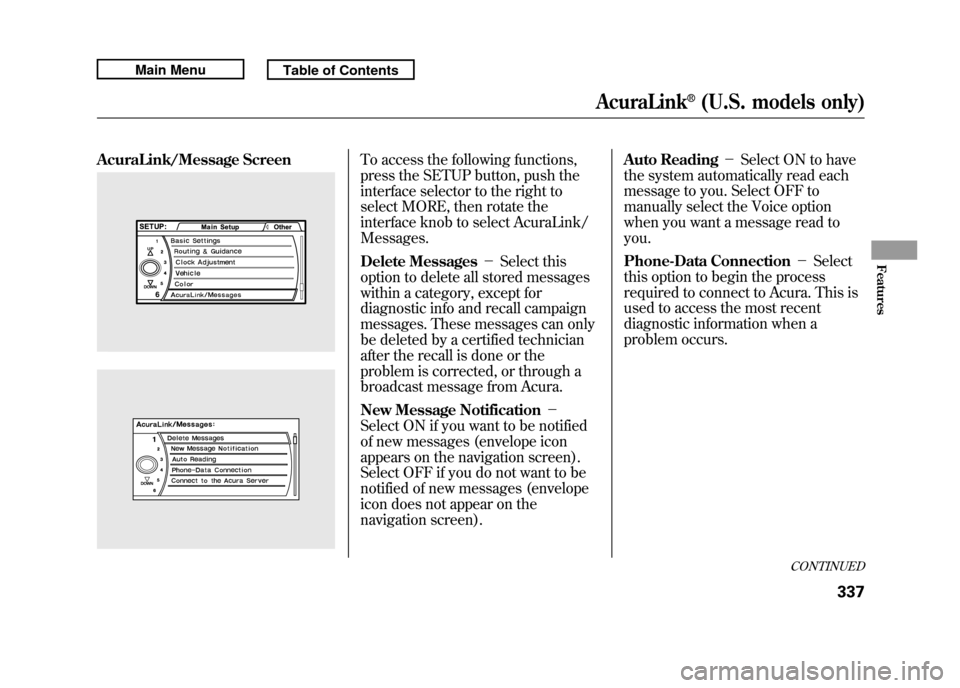
To access the following functions,
press the SETUP button, push the
interface selector to the right to
select MORE, then rotate the
interface knob to select AcuraLink/
Messages.
Delete Messages-Select this
option to delete all stored messages
within a category, except for
diagnostic info and recall campaign
messages. These messages can only
be deleted by a certified technician
after the recall is done or the
problem is corrected, or through a
broadcast message from Acura.
New Message Notification -
Select ON if you want to be notified
of new messages (envelope icon
appears on the navigation screen).
Select OFF if you do not want to be
notified of new messages (envelope
icon does not appear on the
navigation screen). Auto Reading
-Select ON to have
the system automatically read each
message to you. Select OFF to
manually select the Voice option
when you want a message read to
you.
Phone-Data Connection -Select
this option to begin the process
required to connect to Acura. This is
used to access the most recent
diagnostic information when a
problem occurs.
CONTINUED
AcuraLink
®(U.S. models only)
337
Features
10/06/08 17:42:32 11 ACURA RDX MMC North America Owner's M 50 31STK640 enu
Page 343 of 517

NOTE:For the Phone Data
Connection button to be active, you
need a
Bluetooth
®compatible and
enabled cell phone paired to the
Bluetooth
®HandsFreeLink
®(HFL).
To complete the data connection
setup, the paired phone must have a
compatible data service.
To find more information on
Bluetooth
®compatible and enabled
cell phones, visit
www.acura.com/
handsfreelink
or call the
HandsFreeLink®consumer support
at 1-888-528-7876. Connect to the Acura Server
-
The default setting is prompt. When
a diagnostic info message appears,
and you select the Check Now
option, the system will prompt you
before connecting to the Acura
server. If you do not wish to connect
at that time, select No at the prompt,
and you will see the information from
the onboard database. The ‘‘Auto ’’
setting will remove the prompt when
you select the Check Now option and
will automatically connect to the
Acura server. This setting only
applies when you have a
Bluetooth
®
enabled phone that is paired with
HFL and you have completed the
Phone-Data Connection setup. Message Categories
There are six message categories in
AcuraLink: Quick Tips, Feature
Guides, Maintenance Minders,
Recalls/Campaigns, Diagnostic Info,
and Scheduled Dealer Appointment.
The system can store up to 255
messages.
Message categories can be added,
revised, or deleted through
broadcast messages from Acura.
AcuraLink
®(U.S. models only)
33810/06/08 17:42:32 11 ACURA RDX MMC North America Owner's M 50 31STK640 enu
Page 345 of 517
You can use the following message
options:●Make an appointment from the
schedule at the dealer.●Reschedule the appointment with
the dealer.●Call your dealer for an
appointment.●Find the nearest dealer.
Automated AppointmentYou can make an appointment with
your dealer through the AcuraLink
when you receive a maintenance
minder message.
To use the automated appointment
function, you should visit the Owner
Link website at
www.owners.acura.
com,
register some required settings,
and complete the Phone-Data
Connection set-up (see page 337).
YourBluetooth
®compatible phone
should also be paired and linked to
your vehicle's
Bluetooth
®HFL (see
page 313).
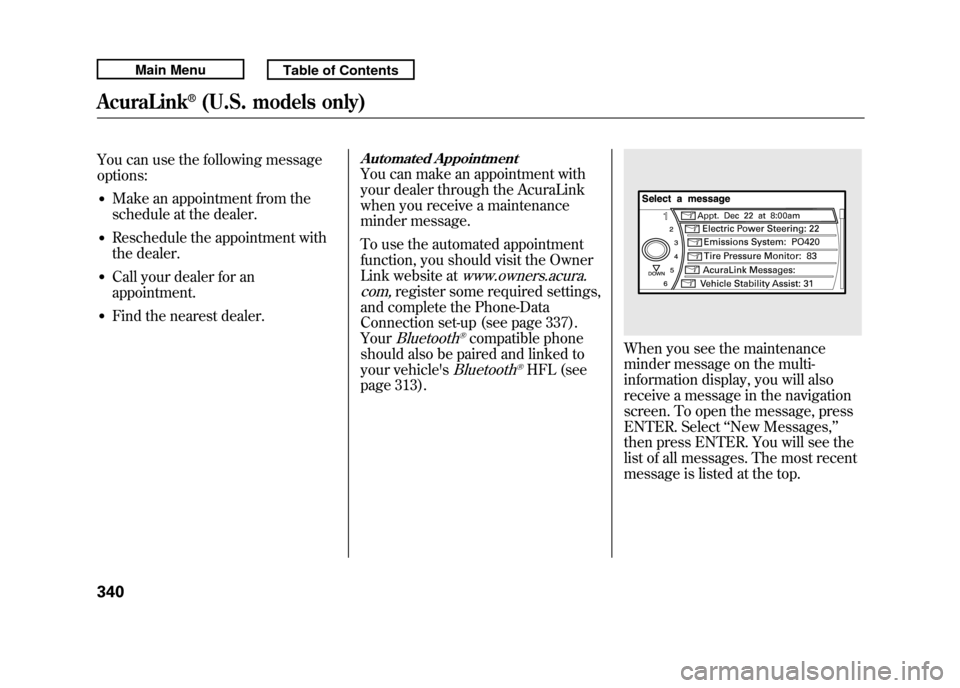
When you see the maintenance
minder message on the multi-
information display, you will also
receive a message in the navigation
screen. To open the message, press
ENTER. Select ‘‘New Messages, ’’
then press ENTER. You will see the
list of all messages. The most recent
message is listed at the top.
AcuraLink
®(U.S. models only)
34010/06/08 17:42:32 11 ACURA RDX MMC North America Owner's M 50 31STK640 enu