air condition Acura RDX 2013 User Guide
[x] Cancel search | Manufacturer: ACURA, Model Year: 2013, Model line: RDX, Model: Acura RDX 2013Pages: 364, PDF Size: 12.54 MB
Page 267 of 364
266Driving
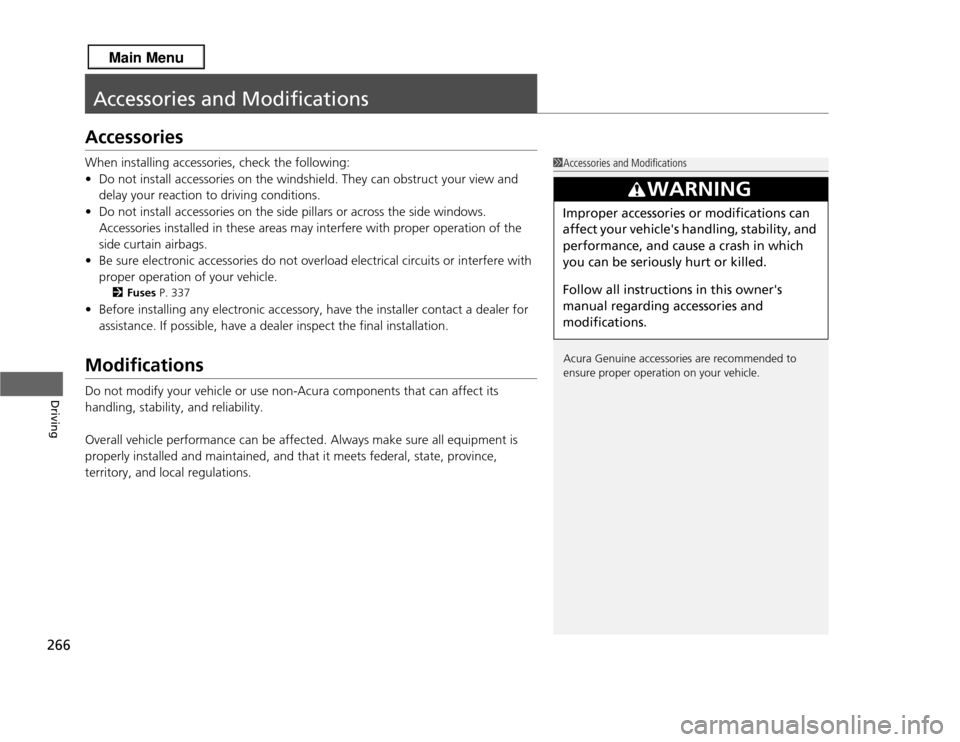
Accessories and ModificationsAccessoriesWhen installing accessories, check the following:
•Do not install accessories on the windshield. They can obstruct your view and
delay your reaction to driving conditions.
• Do not install accessories on the side pillars or across the side windows.
Accessories installed in these areas may interfere with proper operation of the
side curtain airbags.
• Be sure electronic accessories do not overload electrical circuits or interfere with
proper operation of your vehicle.
2 Fuses P. 337
•Before installing any electronic accessory, have the installer contact a dealer for
assistance. If possible, have a dealer inspect the final installation.ModificationsDo not modify your vehicle or use non-Acura components that can affect its
handling, stability, and reliability.
Overall vehicle performance can be affected. Always make sure all equipment is
properly installed and maintained, and that it meets federal, state, province,
territory, and local regulations.
1Accessories and Modifications
Acura Genuine accessories are recommended to
ensure proper operation on your vehicle.
3
WARNING
Improper accessories or modifications can
affect your vehicle's handling, stability, and
performance, and cause a crash in which
you can be seriously hurt or killed.
Follow all instruction s in this owner's
manual regarding accessories and
modifications.
Page 269 of 364
268Maintenance
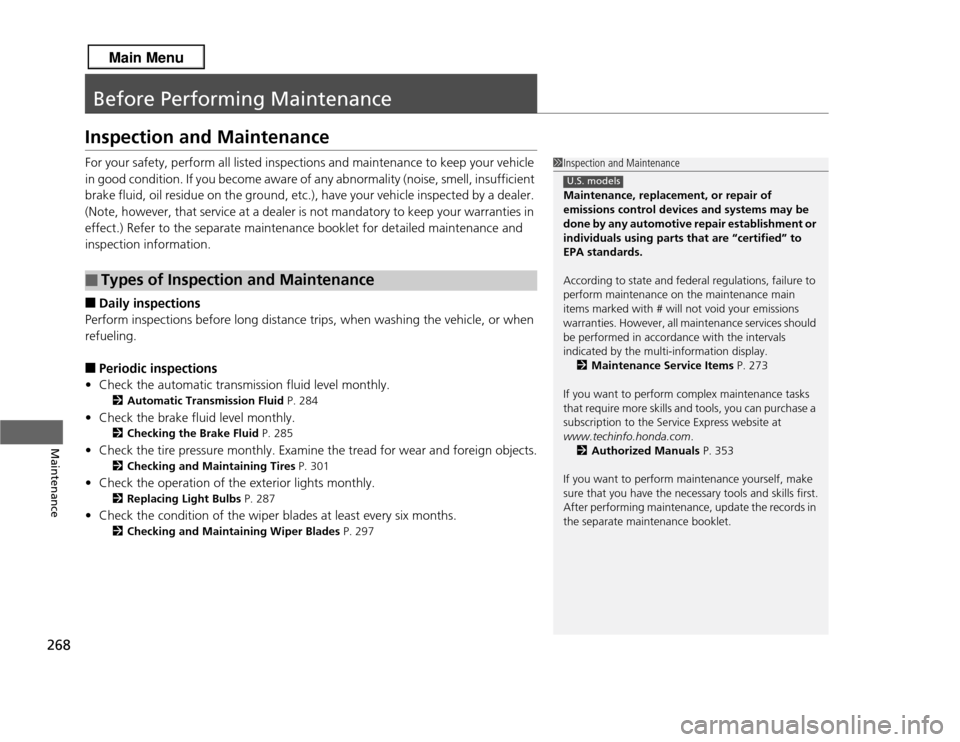
Before Performing MaintenanceInspection and MaintenanceFor your safety, perform all listed inspections and maintenance to keep your vehicle
in good condition. If you become aware of any abnormality (noise, smell, insufficient
brake fluid, oil residue on the ground, etc.), have your vehicle inspected by a dealer.
(Note, however, that service at a dealer is not mandatory to keep your warranties in
effect.) Refer to the separate maintenance booklet for detailed maintenance and
inspection information.■
Daily inspections
Perform inspections before long distance trips, when washing the vehicle, or when
refueling.
■
Periodic inspections
• Check the automatic transmission fluid level monthly.
2 Automatic Transmission Fluid P. 284
•Check the brake fluid level monthly.
2 Checking the Brake Fluid P. 285
•Check the tire pressure monthly. Examine the tread for wear and foreign objects.
2 Checking and Maintaining Tires P. 301
•Check the operation of the exterior lights monthly.
2 Replacing Light Bulbs P. 287
•Check the condition of the wiper blades at least every six months.
2 Checking and Maintaining Wiper Blades P. 297
■
Types of Inspection and Maintenance
1Inspection and Maintenance
Maintenance, replacement, or repair of
emissions control devices and systems may be
done by any automotive repair establishment or
individuals using parts that are “certified” to
EPA standards.
According to state and federal regulations, failure to
perform maintenance on the maintenance main
items marked with # will not void your emissions
warranties. However, all maintenance services should
be performed in accordance with the intervals
indicated by the multi-information display.
2 Maintenance Service Items P. 273
If you want to perform complex maintenance tasks
that require more skills and tools, you can purchase a
subscription to the Service Express website at
www.techinfo.honda.com .
2 Authorized Manuals P. 353
If you want to perform maintenance yourself, make
sure that you have the necessary tools and skills first.
After performing maintenance, update the records in
the separate maintenance booklet.
U.S. models
Page 270 of 364
269
uuBefore Performing Maintenance uSafety When Performing Maintenance
Maintenance
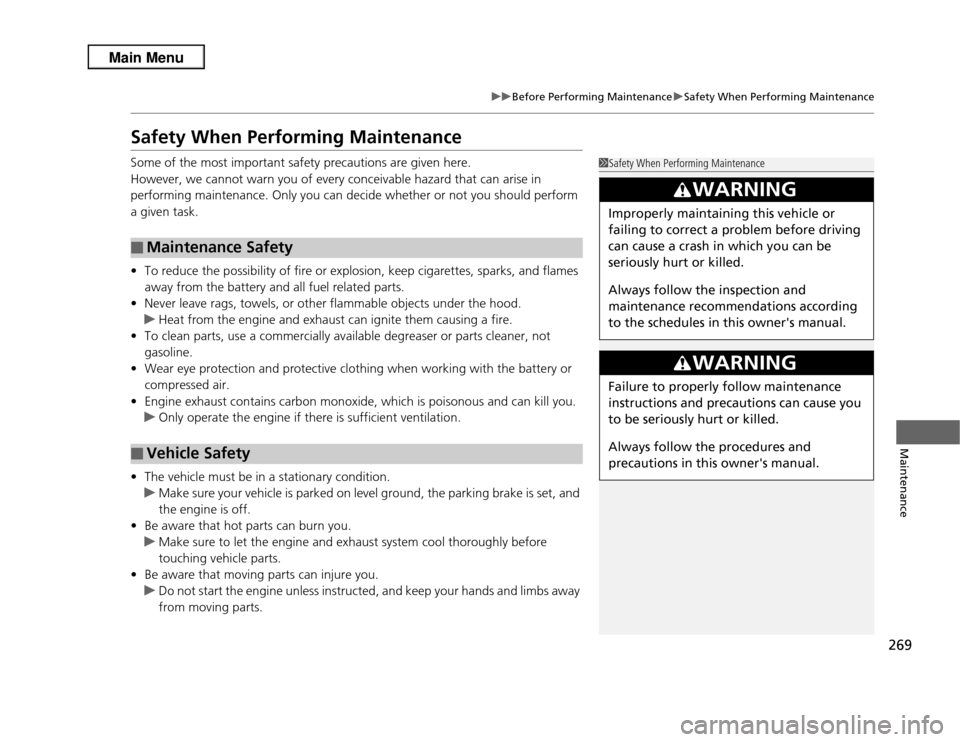
Safety When Performing MaintenanceSome of the most important safety precautions are given here.
However, we cannot warn you of every conceivable hazard that can arise in
performing maintenance. Only you can decide whether or not you should perform
a given task.
• To reduce the possibility of fire or explosion, keep cigarettes, sparks, and flames
away from the battery and all fuel related parts.
• Never leave rags, towels, or other flammable objects under the hood.
u Heat from the engine and exhaust can ignite them causing a fire.
• To clean parts, use a commercially available degreaser or parts cleaner, not
gasoline.
• Wear eye protection and protective clothing when working with the battery or
compressed air.
• Engine exhaust contains carbon monoxide, which is poisonous and can kill you.
u Only operate the engine if there is sufficient ventilation.
• The vehicle must be in a stationary condition.
u Make sure your vehicle is parked on level ground, the parking brake is set, and
the engine is off.
• Be aware that hot parts can burn you.
u Make sure to let the engine and exhaust system cool thoroughly before
touching vehicle parts.
• Be aware that moving parts can injure you.
u Do not start the engine unless instructed, and keep your hands and limbs away
from moving parts.■
Maintenance Safety
■
Vehicle Safety
1Safety When Performing Maintenance
3
WARNING
Improperly maintaining this vehicle or
failing to correct a problem before driving
can cause a crash in which you can be
seriously hurt or killed.
Always follow the inspection and
maintenance recommendations according
to the schedules in this owner's manual.
3
WARNING
Failure to properly follow maintenance
instructions and precautions can cause you
to be seriously hurt or killed.
Always follow the procedures and
precautions in this owner's manual.
Page 274 of 364
273
uuMaintenance Minder
TMuTo Use Maintenance Minder
TM
Continued
Maintenance
■
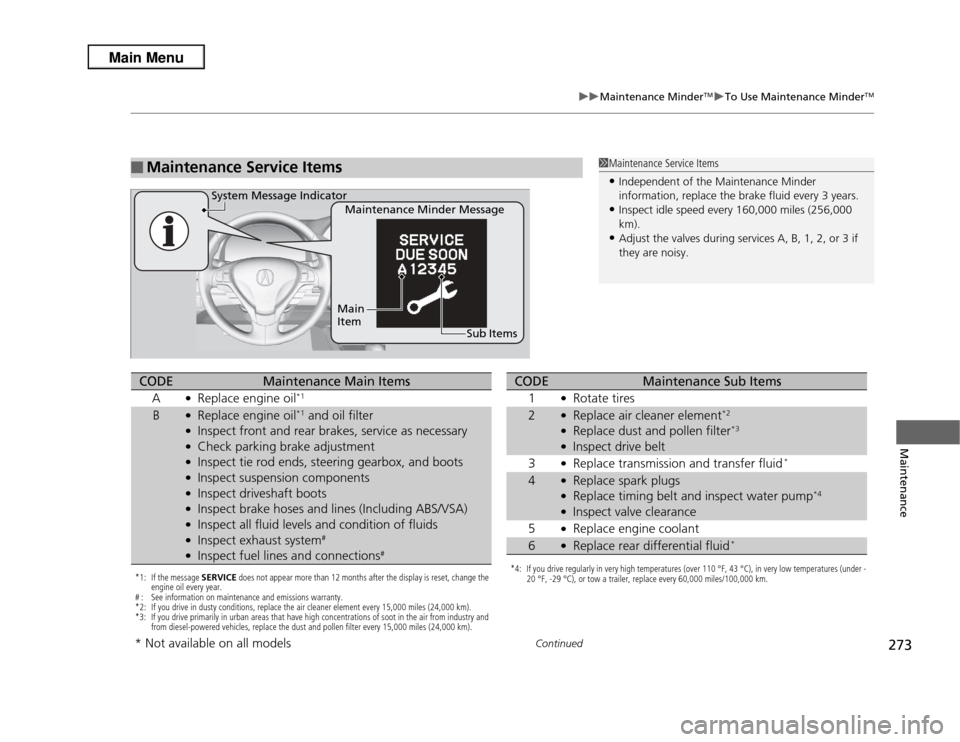
Maintenance Service Items
1Maintenance Service Items•Independent of the Maintenance Minder
information, replace the brake fluid every 3 years.•Inspect idle speed every 160,000 miles (256,000
km).•Adjust the valves during services A, B, 1, 2, or 3 if
they are noisy.
Maintenance Minder Message
System Message Indicator
Sub Items
Main
Item
*1: If the message
SERVICE does not appear more than 12 months after the display is reset, change the
engine oil every year.
# : See information on maintenance and emissions warranty.
*2: If you drive in dusty conditions, replace the air cleaner element every 15,000 miles (24,000 km).
*3: If you drive primarily in urban areas that have high concentrations of soot in the air from industry and from diesel-powered vehicles, replace the dust and pollen filter every 15,000 miles (24,000 km).CODE
Maintenance Main Items
A
●Replace engine oil
*1
B
●Replace engine oil
*1 and oil filter
●Inspect front and rear brakes, service as necessary●Check parking brake adjustment●Inspect tie rod ends, steering gearbox, and boots●Inspect suspension components●Inspect driveshaft boots●Inspect brake hoses and lines (Including ABS/VSA)●Inspect all fluid levels and condition of fluids●Inspect exhaust system
#
●Inspect fuel lines and connections
#
*4: If you drive regularly in very high temperatures (over 110 °F, 43 °C), in very low temperatures (under - 20 °F, -29 °C), or tow a trailer, replace every 60,000 miles/100,000 km.CODE
Maintenance Sub Items
1
●Rotate tires
2
●Replace air cleaner element
*2
●Replace dust and pollen filter
*3
●Inspect drive belt
3●Replace transmission and transfer fluid
*
4
●Replace spark plugs●Replace timing belt and inspect water pump
*4
●Inspect valve clearance
5●Replace engine coolant
6
●Replace rear differential fluid
*
* Not available on all models
Page 302 of 364
301Maintenance
Checking and Maintaining TiresChecking TiresTo safely operate your vehicle, your tires must be of the proper type and size, in
good condition with adequate tread, and properly inflated.■
Inflation guidelines
Properly inflated tires provide the best combination of handling, tread life, and comfort.
Refer to the driver’s doorjamb label or specification’s page for the specified pressure.
Underinflated tires wear unevenly, adversely affect handling and fuel economy, and
are more likely to fail from overheating.
Overinflated tires make your vehicle ride harshly, are more prone to road hazards,
and wear unevenly.
Every day before you drive, look at each of the tires. If one looks lower than the
others, check the pressure with a tire gauge.
At least once a month and before long trips, use a gauge to measure the pressure in
all tires, including the spare. Even tires in good condition can lose 1 to 2 psi (10 to
20 kPa, 0.1 to 0.2 kgf/cm
2) per month.
■
Inspection guidelines
Every time you check inflation, also examine the tires and valve stems.
Look for:
• Bumps or bulges on the side or in the tread. Replace the tire if you find any cuts,
splits, or cracks in the side of the tire. Replace it if you see fabric or cord.
• Remove any foreign objects and inspect for air leaks.
• Uneven tread wear. Have a dealer check the wheel alignment.
• Excessive tread wear.
2 Wear Indicators P. 306
•Cracks or other damage around valve stem.
1Checking Tires
Measure the air pressure when tires are cold. This
means the vehicle has been parked for at least three
hours, or driven less than 1 mile (1.6 km). If
necessary, add or release air until the specified
pressure is reached.
If checked when hot, tire pressure can be as much as
4–6 psi (30–40 kPa, 0.3–0.4 kgf/cm
2) higher than if
checked when cold.
Have a dealer check the tires if you feel a consistent
vibration while driving. New tires and any that have
been removed and reinstalled should be properly
balanced.
3
WARNING
Using tires that are excessively worn or
improperly inflated can cause a crash in
which you can be seriously hurt or killed.
Follow all instruction s in this owner’s
manual regarding tire inflation and
maintenance.
Page 316 of 364
315
uuCleaning uExterior Care
Continued
Maintenance
Exterior CareDust off the vehicle body after you drive.
Regularly inspect your vehicle for scratches on painted surfaces. A scratch on a
painted surface can result in body rust. If you find a scratch, promptly repair it.
Wash the vehicle regularly. Wash more frequently when driving in the following
conditions:
• If driving on roads with road salt.
• If driving in coastal areas.
• If tar, soot, bird droppings, insects, or tree sap are stuck to painted surfaces.
Fold in the door mirrors.
Make sure to follow the instructions indicated on the automated vehicle wash.
• Keep sufficient distance between the cleaning nozzle and the vehicle body.
• Take particular care around the windows. Standing too close may cause water to
enter the vehicle interior. Do not spray water into the engine compartment.■
Washing the Vehicle
■
Using an Automated Vehicle Wash
■
Using High Pressure Cleaners
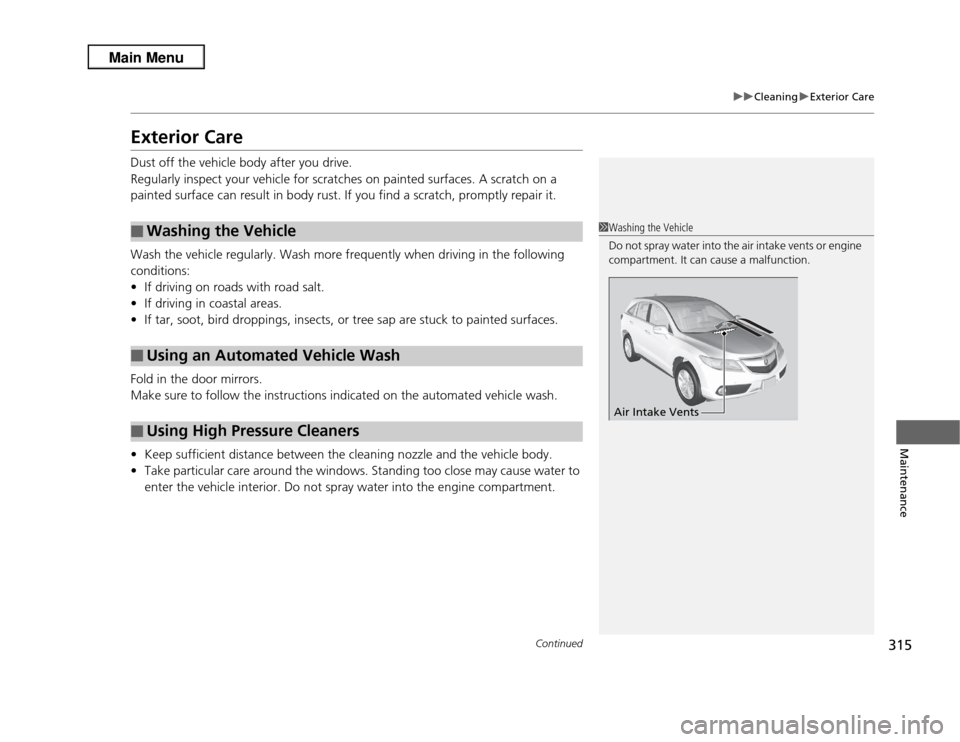
1Washing the Vehicle
Do not spray water into the air intake vents or engine
compartment. It can cause a malfunction.
Air Intake Vents
Page 336 of 364
335
uuIndicator, Coming On/Blinking uIf the Brake System Indicator (Red) Comes On
Handling the Unexpected
If the Brake System Indicator (Red) Comes On
■
Reasons for the indicator to come on
• The brake fluid is low.
• There is a malfunction in the brake system.
■
What to do when the indicator comes on while driving
Press the brake pedal lightly to check pedal pressure.
• If normal, check the brake fluid level the next time you stop.
• If abnormal, take immediate action. If necessary, downshift the
transmission to slow the vehicle using engine braking.
If the EPS System Indicator Comes On
■
Reasons for the indicator to come on
• Comes on when there is a problem with EPS system.
• If you depress the accelerator pedal repeatedly to increase the engine
speed while the engine is idling, the indicator comes on, and
sometimes the steering wheel becomes harder to operate.
■
What to do when the indicator comes on
Stop the vehicle in a safe place and restart the engine.
If the indicator comes on and stays on, immediately have your vehicle
inspected by a dealer.
1 If the Brake System Indicator (Red) Comes On
Have your vehicle repaired immediately.
It is dangerous to drive with low brake fluid. If there
is no resistance from the brake pedal, stop
immediately in a safe place. If necessary downshift
the gears.
If the brake system indicator and ABS indicator come
on simultaneously, the electronic brake distribution
system is not working. This can result in vehicle
instability under sudden braking.
Have your vehicle inspected by a dealer immediately.
U.S.
Canada
1 If the EPS System Indicator Comes On
NOTICEIf you repeatedly turn the steering wheel at an
extremely low speed, or hold the steering wheel on
the full left or right position for a while, the system
heats up. The system goes into a protective mode,
and limits its performance. The steering wheel
becomes harder and harder to operate. Once the
system cools down, EPS system is restored. Repeated
operation under these conditions can eventually
damage the system.
Page 345 of 364
344Information
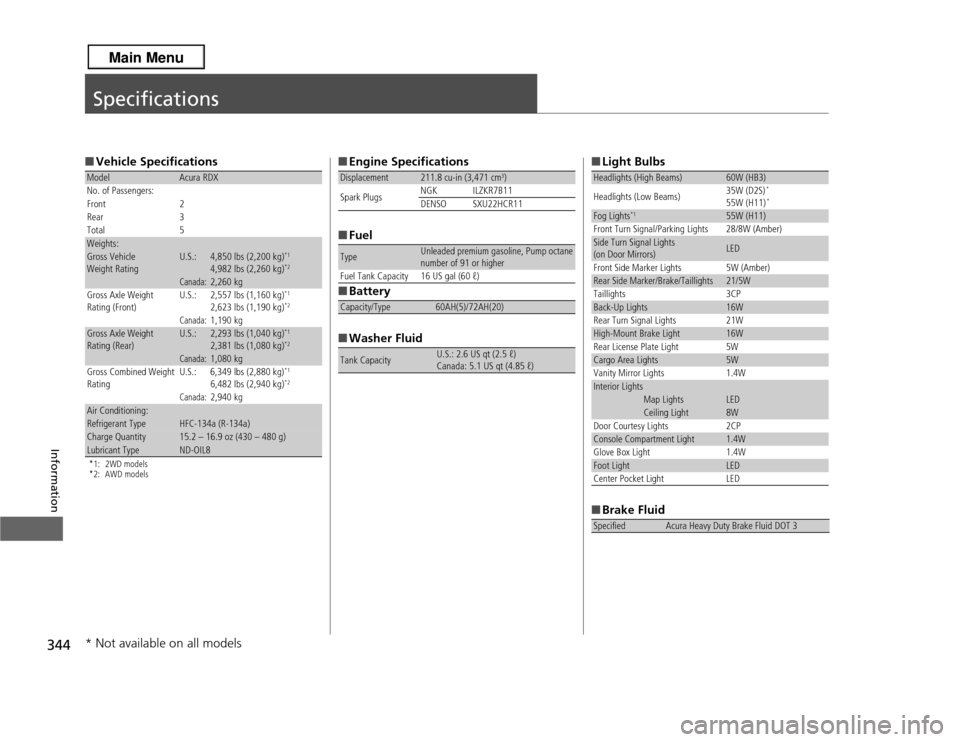
Specifications■Vehicle Specifications*1: 2WD models
*2: AWD modelsModel
Acura RDX
No. of Passengers:
Front 2
Rear 3
Total 5
Weights:Gross Vehicle
Weight Rating
U.S.:
4,850 lbs (2,200 kg)
*1
4,982 lbs (2,260 kg)
*2
Canada:
2,260 kg
Gross Axle Weight
Rating (Front)
U.S.:
2,557 lbs (1,160 kg)
*1
2,623 lbs (1,190 kg)
*2
Canada:
1,190 kg
Gross Axle Weight
Rating (Rear)
U.S.:
2,293 lbs (1,040 kg)
*1
2,381 lbs (1,080 kg)
*2
Canada:
1,080 kg
Gross Combined Weight
Rating U.S.: 6,349 lbs (2,880 kg)
*1
6,482 lbs (2,940 kg)
*2
Canada:
2,940 kg
Air Conditioning:Refrigerant Type
HFC-134a (R-134a)
Charge Quantity
15.2 – 16.9 oz (430 – 480 g)
Lubricant Type
ND-OIL8
■
Engine Specifications
■ Fuel
■ Battery
■ Washer FluidDisplacement
211.8 cu-in (3,471 cm
3)
Spark Plugs NGK ILZKR7B11
DENSO SXU22HCR11
Type
Unleaded premium gasoline, Pump octane
number of 91 or higher
Fuel Tank Capacity 16 US gal (60 ℓ)
Capacity/Type
60AH(5)/72AH(20)
Tank Capacity
U.S.: 2.6 US qt (2.5 ℓ)
Canada: 5.1 US qt (4.85 ℓ)
■ Light Bulbs
■ Brake FluidHeadlights (High Beams)
60W (HB3)
Headlights (Low Beams) 35W (D2S)
*
55W (H11)
*
Fog Lights
*1
55W (H11)
Front Turn Signal/Parking Lights 28/8W (Amber)
Side Turn Signal Lights
(on Door Mirrors)
LED
Front Side Marker Lights 5W (Amber)
Rear Side Marker/Brake/Taillights
21/5W
Taillights 3CP
Back-Up Lights
16W
Rear Turn Signal Lights 21W
High-Mount Brake Light
16W
Rear License Plate Light 5W
Cargo Area Lights
5W
Vanity Mirror Lights 1.4W
Interior Lights
Map Lights
LED
Ceiling Light
8W
Door Courtesy Lights 2CP
Console Compartment Light
1.4W
Glove Box Light 1.4W
Foot Light
LED
Center Pocket Light LED
Specified
Acura Heavy Duty Brake Fluid DOT 3
* Not available on all models
Page 356 of 364
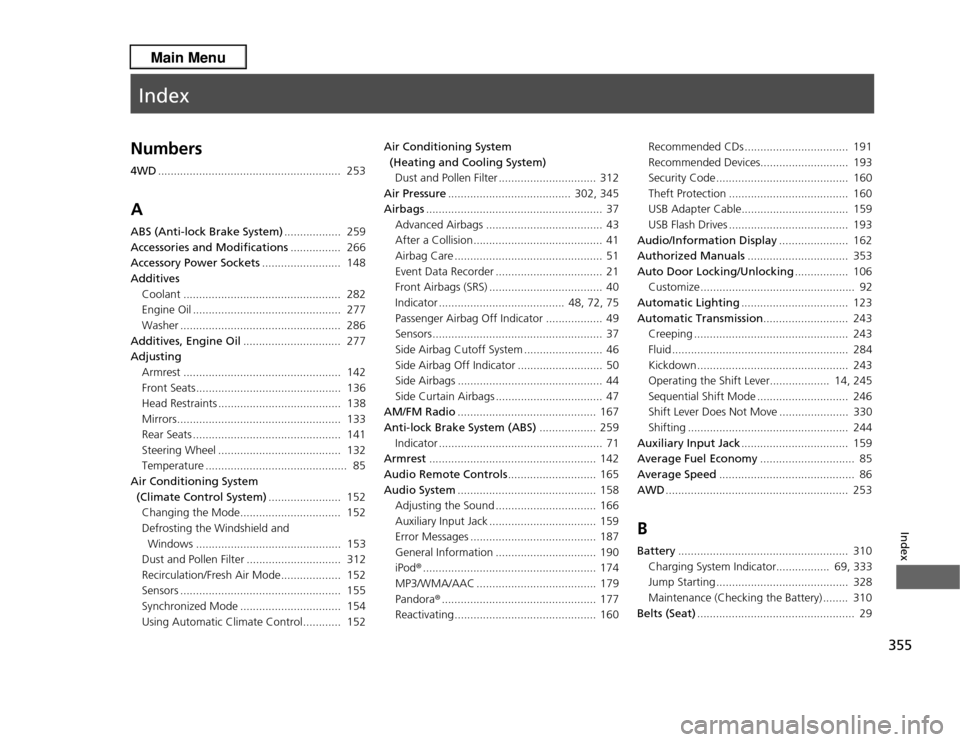
Index
355
Index
Index
Numbers4WD.......................................................... 253AABS (Anti-lock Brake System) .................. 259
Accessories and Modifications ................ 266
Accessory Power Sockets ......................... 148
Additives
Coolant .................................................. 282
Engine Oil ............................................... 277
Washer ................................................... 286
Additives, Engine Oil ............................... 277
Adjusting Armrest .................................................. 142
Front Seats.............................................. 136
Head Restraints ....................................... 138
Mirrors.................................................... 133
Rear Seats ............................................... 141
Steering Wheel ....................................... 132
Temperature ............................................. 85
Air Conditioning System (Climate Control System) ....................... 152
Changing the Mode................................ 152
Defrosting the Windshield and Windows .............................................. 153
Dust and Pollen Filter .............................. 312
Recirculation/Fresh Air Mode.... ............... 152
Sensors ................................................... 155
Synchronized Mode ................................ 154
Using Automatic Climate Control............ 152 Air Conditioning System
(Heating and Cooling System)Dust and Pollen Filter ............................... 312
Air Pressure ....................................... 302, 345
Airbags ........................................................ 37
Advanced Airbags ..................................... 43
After a Collision......................................... 41
Airbag Care ............................................... 51
Event Data Recorder .................................. 21
Front Airbags (SRS) .................................... 40
Indicator ........................................ 48, 72, 75
Passenger Airbag Off Indicator .................. 49
Sensors...................................................... 37
Side Airbag Cutoff System ......................... 46
Side Airbag Off Indicator ........................... 50
Side Airbags .............................................. 44
Side Curtain Airbags .................................. 47
AM/FM Radio ............................................ 167
Anti-lock Brake System (ABS) .................. 259
Indicator .................................................... 71
Armrest ..................................................... 142
Audio Remote Controls ............................ 165
Audio System ............................................ 158
Adjusting the Sound ................................ 166
Auxiliary Input Jack .................................. 159
Error Messages ........................................ 187
General Information ................................ 190
iPod® ....................................................... 174
MP3/WMA/AAC ...................................... 179
Pandora ®................................................. 177
Reactivating............................................. 160 Recommended CDs ................................. 191
Recommended Devices............................ 193
Security Code .......................................... 160
Theft Protection ...................................... 160
USB Adapter Cable.................................. 159
USB Flash Drives ...................................... 193
Audio/Information Display ...................... 162
Authorized Manuals ................................ 353
Auto Door Locking/Unlocking ................. 106
Customize ................................................. 92
Automatic Lighting .................................. 123
Automatic Transmission ........................... 243
Creeping ................................................. 243
Fluid ........................................................ 284
Kickdown ................................................ 243
Operating the Shift Lever................... 14, 245
Sequential Shift Mode ............................. 246
Shift Lever Does Not Move ...................... 330
Shifting ................................................... 244
Auxiliary Input Jack .................................. 159
Average Fuel Economy .............................. 85
Average Speed ........................................... 86
AWD .......................................................... 253
BBattery ...................................................... 310
Charging System Indicator................. 69, 333
Jump Starting .......................................... 328
Maintenance (Checking the Battery) ........ 310
Belts (Seat) .................................................. 29