driver seat Acura RDX 2013 User Guide
[x] Cancel search | Manufacturer: ACURA, Model Year: 2013, Model line: RDX, Model: Acura RDX 2013Pages: 364, PDF Size: 12.54 MB
Page 44 of 364
43
uuAirbags uFront Airbags (SRS)
Safe Driving
Your front airbags have advanced features to help reduce the likelihood of airbag
related injuries to smaller occupants.
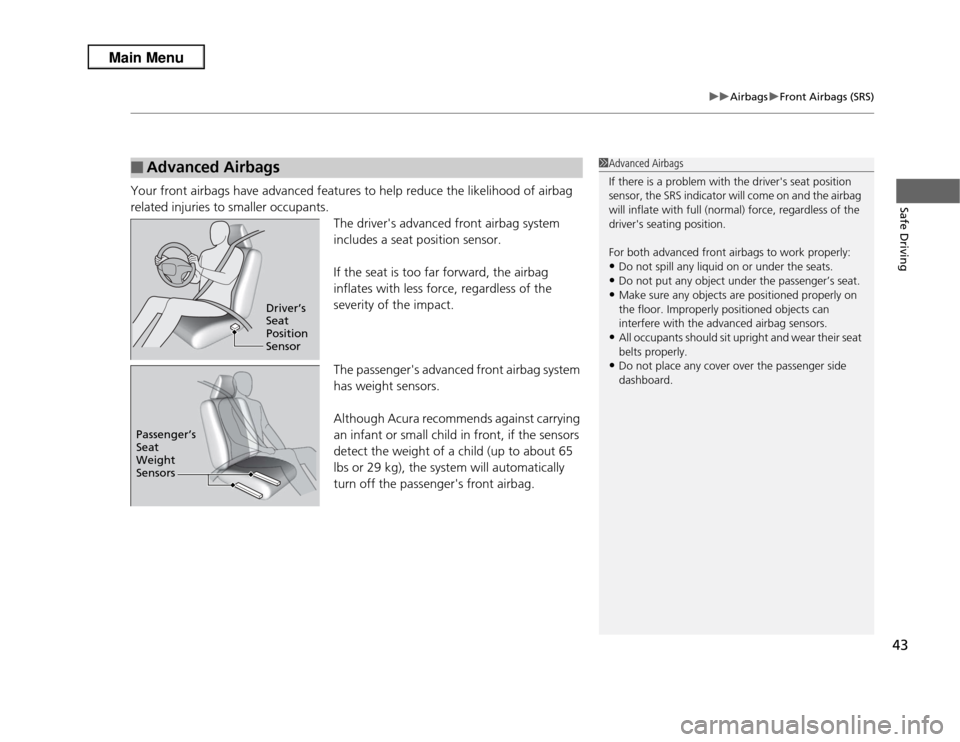
The driver's advanced front airbag system
includes a seat position sensor.
If the seat is too far forward, the airbag
inflates with less force, regardless of the
severity of the impact.
The passenger's advanced front airbag system
has weight sensors.
Although Acura recommends against carrying
an infant or small child in front, if the sensors
detect the weight of a child (up to about 65
lbs or 29 kg), the system will automatically
turn off the passenger's front airbag.■
Advanced Airbags
1Advanced Airbags
If there is a problem with the driver's seat position
sensor, the SRS indicator will come on and the airbag
will inflate with full (normal) force, regardless of the
driver's seating position.
For both advanced front airbags to work properly:•Do not spill any liquid on or under the seats.•Do not put any object under the passenger’s seat.•Make sure any objects are positioned properly on
the floor. Improperly positioned objects can
interfere with the advanced airbag sensors.•All occupants should sit upright and wear their seat
belts properly.•Do not place any cover over the passenger side
dashboard.
Driver’s
Seat
Position
Sensor
Passenger’s
Seat
Weight
Sensors
Page 45 of 364
44
uuAirbags uSide Airbags
Safe Driving
Side AirbagsThe side airbags help protect the upper torso of the driver or a front passenger
during a moderate-to-severe side impact.
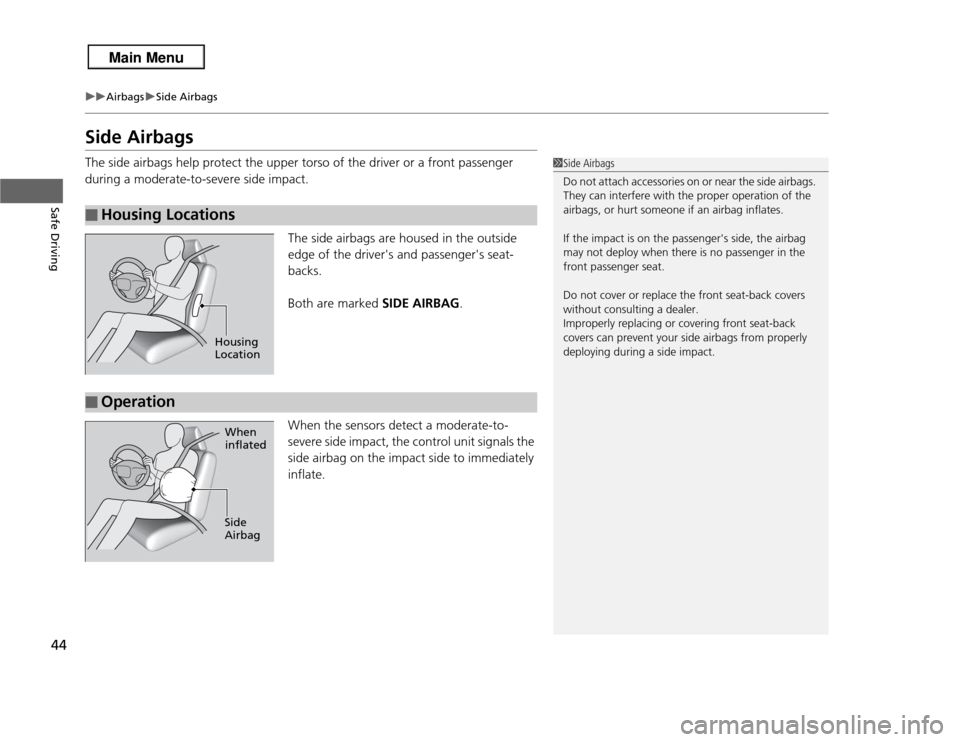
The side airbags are housed in the outside
edge of the driver's and passenger's seat-
backs.
Both are marked SIDE AIRBAG.
When the sensors detect a moderate-to-
severe side impact, the control unit signals the
side airbag on the impact side to immediately
inflate.■
Housing Locations
1 Side Airbags
Do not attach accessories on or near the side airbags.
They can interfere with the proper operation of the
airbags, or hurt someone if an airbag inflates.
If the impact is on the passenger's side, the airbag
may not deploy when there is no passenger in the
front passenger seat.
Do not cover or replace the front seat-back covers
without consulting a dealer.
Improperly replacing or covering front seat-back
covers can prevent your side airbags from properly
deploying during a side impact.
Housing
Location
■
Operation
When
inflated
Side
Airbag
Page 48 of 364
47
uuAirbags uSide Curtain Airbags
Continued
Safe Driving
Side Curtain AirbagsSide curtain airbags help protect the heads of the driver and passengers in outer
seating positions during a moderate-to-severe side impact. The side curtain airbags
equipped in this vehicle are also designed to help reduce the likelihood of partial and
complete ejection of vehicle occupants through side windows in crashes, particularly
rollover crashes.
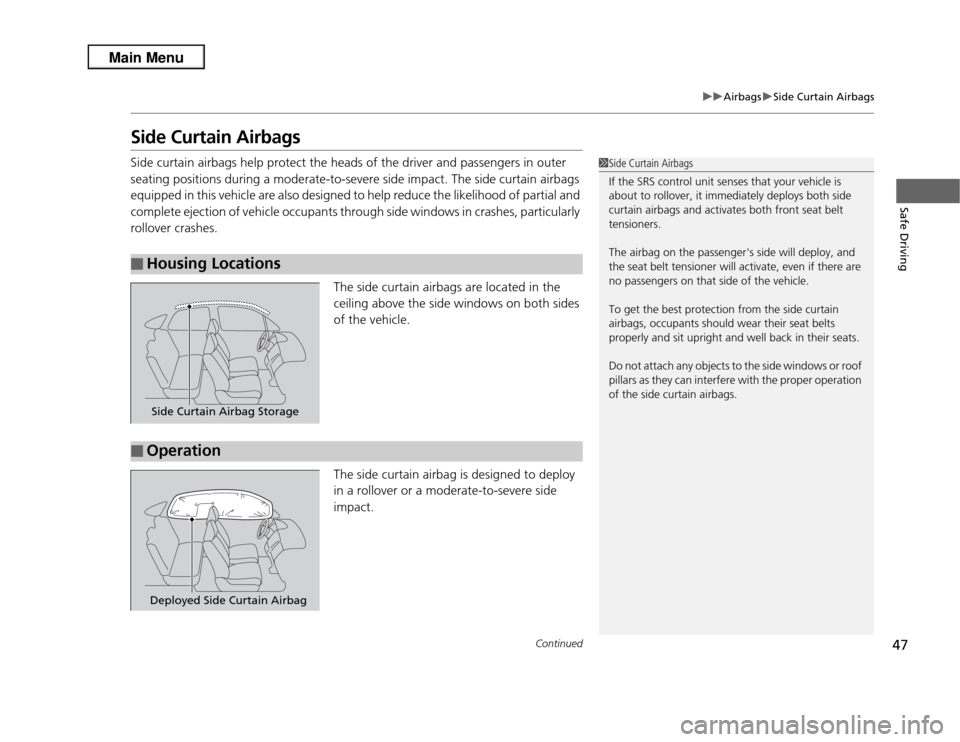
The side curtain airbags are located in the
ceiling above the side windows on both sides
of the vehicle.
The side curtain airbag is designed to deploy
in a rollover or a moderate-to-severe side
impact.■
Housing Locations
1Side Curtain Airbags
If the SRS control unit senses that your vehicle is
about to rollover, it immediately deploys both side
curtain airbags and activates both front seat belt
tensioners.
The airbag on the passenger's side will deploy, and
the seat belt tensioner will activate, even if there are
no passengers on that side of the vehicle.
To get the best protection from the side curtain
airbags, occupants should wear their seat belts
properly and sit upright and well back in their seats.
Do not attach any objects to the side windows or roof
pillars as they can interfere with the proper operation
of the side curtain airbags.
Side Curtain Airbag Storage
■
OperationDeployed Side Curtain Airbag
Page 52 of 364
51
uuAirbags uAirbag Care
Safe Driving
Airbag CareYou do not need to, and should not, perform any maintenance on or replace any
airbag system components yourself. However, you should have your vehicle
inspected by a dealer in the following situations:■
When the airbags have deployed
If an airbag has inflated, the control unit and other related parts must be replaced.
Similarly, once an automatic seat belt tensioner has been activated, it must be
replaced.
■
When the vehicle has been in a moderate-to-severe collision
Even if the airbags did not inflate, have your dealer inspect the following: the driver’s
seat position sensor, weight sensors in the passenger’s seat, front seat belt
tensioners, and each seat belt that was worn during the crash.
■
Do not remove or modify a front seat without consulting a dealer
This would likely disable the driver's seat position sensor or the weight sensors in the
passenger's seat. If it is necessary to remove or modify a front seat to accommodate
a person with disabilities, contact an Acura dealer. For U.S. vehicles, Acura Client
Service at 800-382-2238 and for Canadian vehicles, Acura Client Service at 888-9-
ACURA-9.
1 Airbag Care
We recommend against the use of salvaged airbag
system components, including the airbag, tensioners,
sensors, and control unit.
Page 53 of 364
52Safe Driving
Child SafetyProtecting Child PassengersEach year, many children are injured or killed in vehicle crashes because they are
either unrestrained or not properly restrained. In fact, vehicle accidents are the
number one cause of death of children age 12 and under.
To reduce the number of child deaths and injuries, every state, Canadian province
and territory requires that infants and children be properly restrained when they ride
in a vehicle.
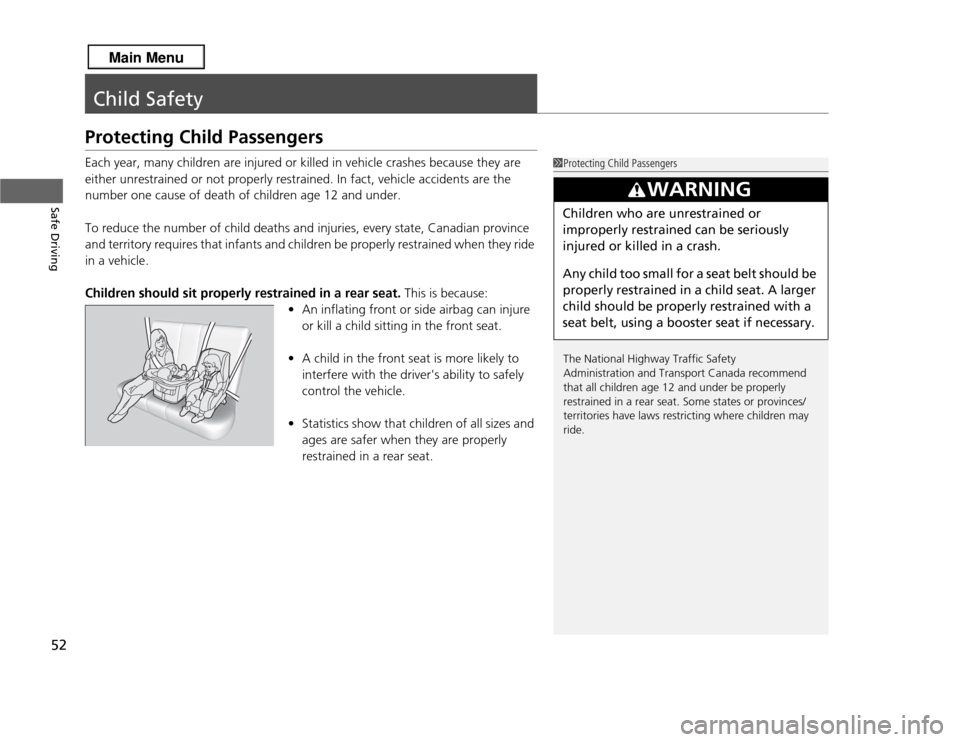
Children should sit properly restrained in a rear seat. This is because:
• An inflating front or side airbag can injure
or kill a child sitting in the front seat.
• A child in the front seat is more likely to
interfere with the driver's ability to safely
control the vehicle.
• Statistics show that children of all sizes and
ages are safer when they are properly
restrained in a rear seat.
1Protecting Child Passengers
The National Highway Traffic Safety
Administration and Transport Canada recommend
that all children age 12 and under be properly
restrained in a rear seat. Some states or provinces/
territories have laws restricting where children may
ride.
3
WARNING
Children who are unrestrained or
improperly restrained can be seriously
injured or killed in a crash.
Any child too small for a seat belt should be
properly restrained in a child seat. A larger
child should be properly restrained with a
seat belt, using a booster seat if necessary.
Page 55 of 364
54
uuChild Safety uSafety of Infants and Small Children
Safe Driving
Safety of Infants and Small ChildrenAn infant must be properly restrained in a rear-facing, reclining child seat until the
infant reaches the seat maker's weight or height limit for the seat, and the infant is
at least one year old.
■
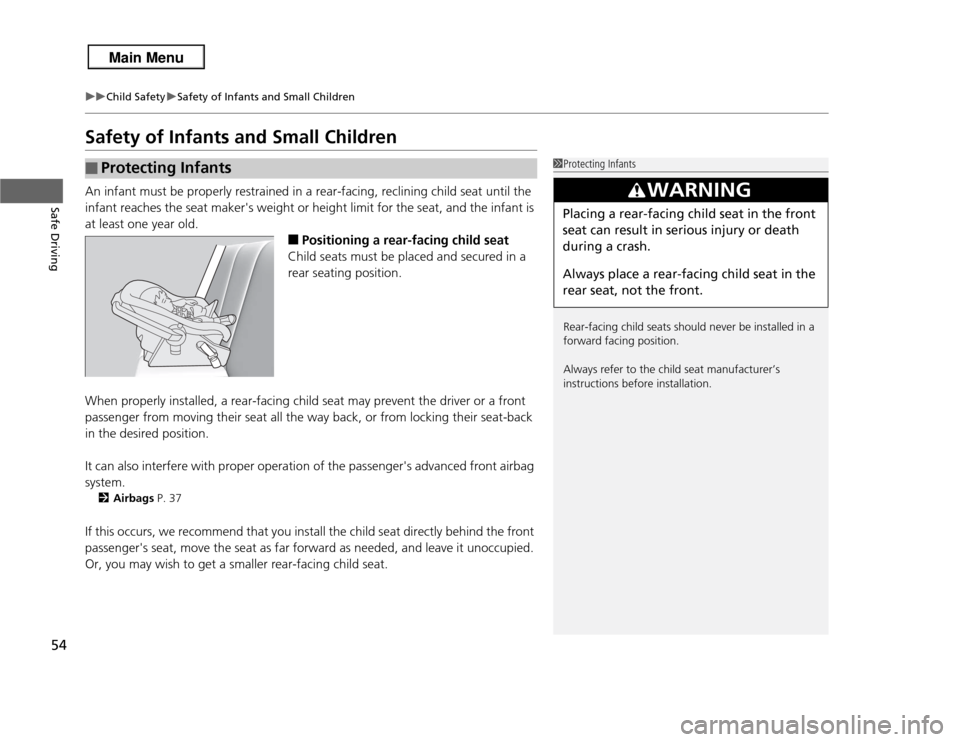
Positioning a rear-facing child seat
Child seats must be placed and secured in a
rear seating position.
When properly installed, a rear-facing child seat may prevent the driver or a front
passenger from moving their seat all the way back, or from locking their seat-back
in the desired position.
It can also interfere with proper operation of the passenger's advanced front airbag
system.
2 Airbags P. 37
If this occurs, we recommend that you install the child seat directly behind the front
passenger's seat, move the seat as far forward as needed, and leave it unoccupied.
Or, you may wish to get a smaller rear-facing child seat.■
Protecting Infants
1Protecting Infants
Rear-facing child seats should never be installed in a
forward facing position.
Always refer to the child seat manufacturer’s
instructions before installation.
3
WARNING
Placing a rear-facing child seat in the front
seat can result in serious injury or death
during a crash.
Always place a rear-facing child seat in the
rear seat, not the front.
Page 76 of 364
75
uuIndicators u
Continued
Instrument Panel
Indicator
Name
On/Blinking
Explanation
Message
Lights On
Indicator
●Comes on whenever the light
switch is on, or in AUTO when the
exterior lights are on.
●If you set the power mode to ACCESSORY
or VEHICLE OFF (LOCK) while the lights are
on, a chime sounds when the driver's door
is opened.
—
Fog Light
Indicator
*
●Comes on when the fog lights are
on.
—
—
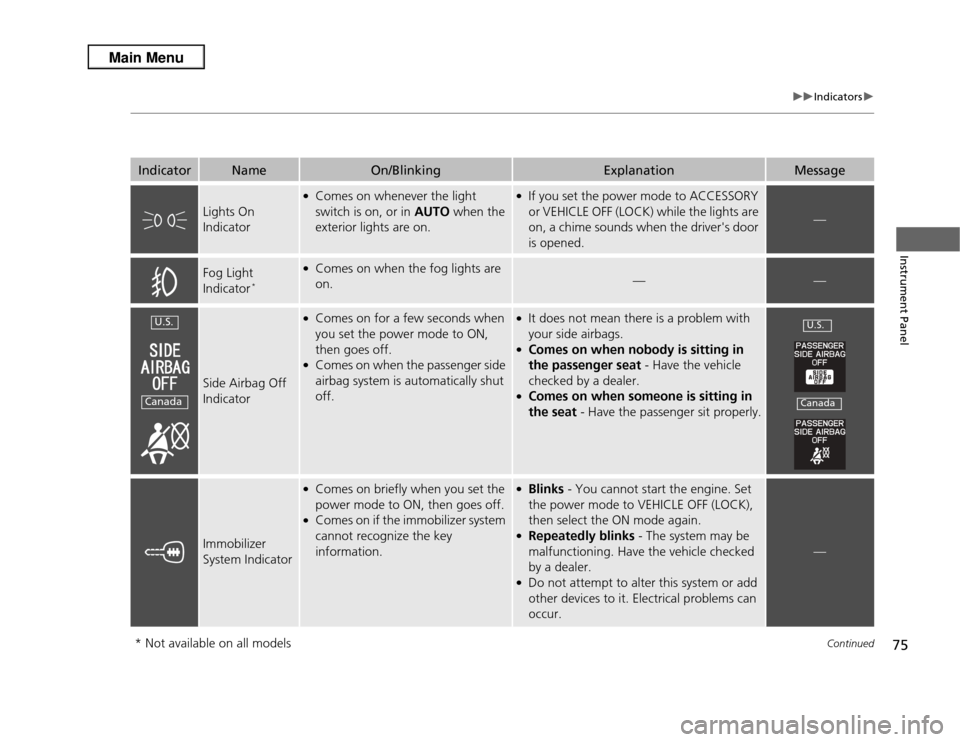
Side Airbag Off
Indicator
●Comes on for a few seconds when
you set the power mode to ON,
then goes off.●Comes on when the passenger side
airbag system is automatically shut
off.
●It does not mean there is a problem with
your side airbags.●Comes on when nobody is sitting in
the passenger seat - Have the vehicle
checked by a dealer.●Comes on when someone is sitting in
the seat - Have the passenger sit properly.
Immobilizer
System Indicator
●Comes on briefly when you set the
power mode to ON, then goes off.●Comes on if the immobilizer system
cannot recognize the key
information.
●Blinks - You cannot start the engine. Set
the power mode to VEHICLE OFF (LOCK),
then select the ON mode again.●Repeatedly blinks - The system may be
malfunctioning. Have the vehicle checked
by a dealer.●Do not attempt to alter this system or add
other devices to it. Electrical problems can
occur.
—
U.S.Canada
U.S.Canada
* Not available on all models
Page 91 of 364
90
uuGauges and Multi-Information Display uMulti-Information Display
Instrument Panel
■
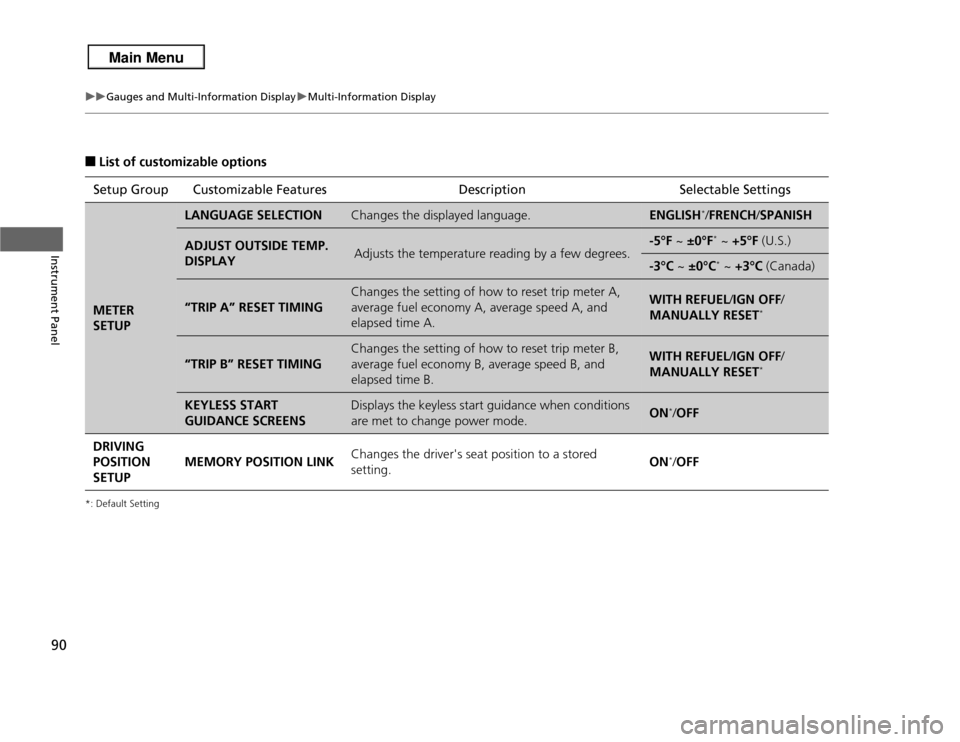
List of customizable options
*: Default SettingSetup Group Customizable Features DescriptionSelectable SettingsMETER
SETUP
LANGUAGE SELECTION
Changes the displayed language.
ENGLISH
*/FRENCH /SPANISH
ADJUST OUTSIDE TEMP.
DISPLAY
Adjusts the temperature reading by a few degrees.
-5°F ~ ±0°F
* ~ +5°F (U.S.)
-3°C ~ ±0°C
* ~ +3°C (Canada)
“TRIP A” RESET TIMING
Changes the setting of how to reset trip meter A,
average fuel economy A, average speed A, and
elapsed time A.
WITH REFUEL /IGN OFF /
MANUALLY RESET
*
“TRIP B” RESET TIMING
Changes the setting of how to reset trip meter B,
average fuel economy B, average speed B, and
elapsed time B.
WITH REFUEL /IGN OFF /
MANUALLY RESET
*
KEYLESS START
GUIDANCE SCREENS
Displays the keyless start guidance when conditions
are met to change power mode.
ON
*/ OFF
DRIVING
POSITION
SETUP MEMORY POSITION LINK
Changes the driver's seat position to a stored
setting. ON*/
OFF
Page 105 of 364
104
uuLocking and Unlocking the Doors uLocking/Unlocking the Doors from the Inside
Controls
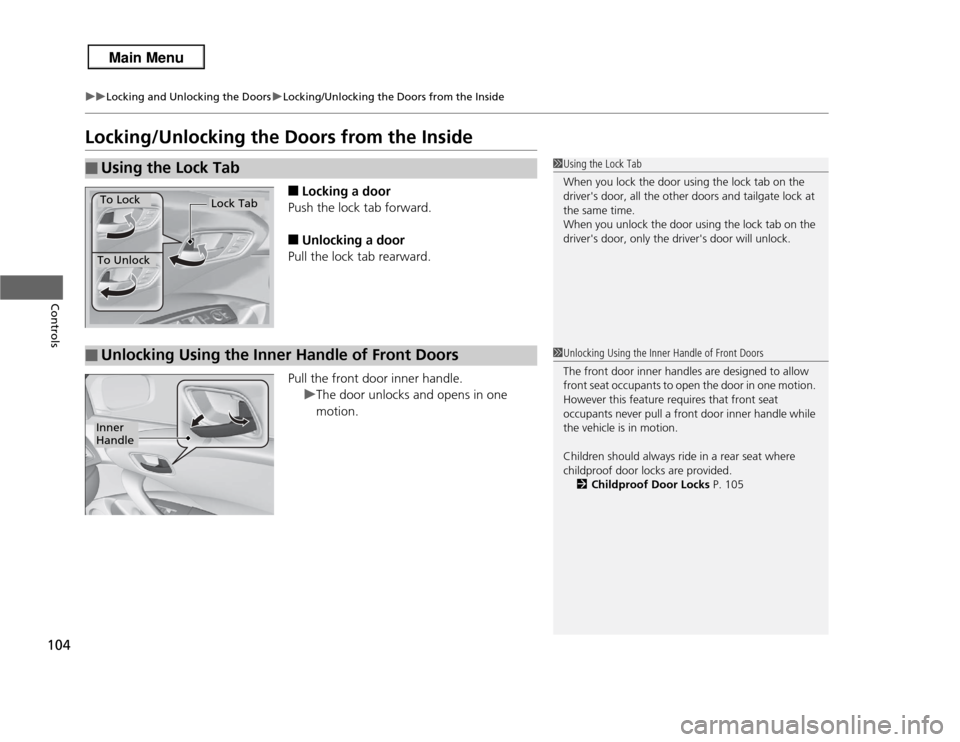
Locking/Unlocking the Doors from the Inside
■
Locking a door
Push the lock tab forward.
■
Unlocking a door
Pull the lock tab rearward.
Pull the front door inner handle. uThe door unlocks and opens in one
motion.
■
Using the Lock Tab
1Using the Lock Tab
When you lock the door using the lock tab on the
driver's door, all the other doors and tailgate lock at
the same time.
When you unlock the door using the lock tab on the
driver's door, only the driver's door will unlock.
To Unlock
Lock Tab
To Lock
■
Unlocking Using the Inner Handle of Front Doors
1Unlocking Using the Inner Handle of Front Doors
The front door inner handles are designed to allow
front seat occupants to open the door in one motion.
However this feature requires that front seat
occupants never pull a front door inner handle while
the vehicle is in motion.
Children should always ride in a rear seat where
childproof door locks are provided.
2 Childproof Door Locks P. 105
Inner
Handle
Page 116 of 364

115
Continued
Controls
Opening and Closing the WindowsOpening/Closing the Power WindowsThe power windows can be opened and closed when the power mode is in ON,
using the switches on the doors. The driver side switches can be used to open and
close all of the windows.
The power window lock button on the driver side must be switched off (not pushed
in, indicator off) to open and close the windows from anywhere other than the
driver's seat.
When the power window lock button is pushed in, the indicator comes on and you
can only operate the driver's window. Turn the power window lock button on when
children are in the vehicle.
■
Automatic operation
To open: Push the switch down firmly.
To close: Pull the switch up firmly.
The window opens or closes completely. To
stop the window at any time, push or pull the
switch briefly.
■
Manual operation
To open: Push the switch down lightly.
To close: Pull the switch up lightly.
Release the switch when the window reaches
the desired position.
■
Opening/Closing Windows with Auto-Open/Close Function
1 Opening/Closing the Power Windows
The power windows can be operated for up to 10
minutes after you set the power mode to VEHICLE
OFF.
Opening either front door cancels this function.
Auto Reverse
If a power window senses resistance when closing
automatically, it will stop closing and reverse
direction.
The driver’s window auto reverse function is disabled
when you continuously pull up the switch.
The auto reverse function stops sensing when the
window is almost closed to ensure that it fully closes.
3
WARNING
Closing a power window on someone's
hands or fingers can cause serious injury.
Make sure your passengers are away from
the windows before closing them.
ON
OFF
Power Window
Lock Button
Indicator
Driver’s
Window
Switch
Front Passenger’s
Window Switch