acc Acura RDX 2016 Owner's Manual
[x] Cancel search | Manufacturer: ACURA, Model Year: 2016, Model line: RDX, Model: Acura RDX 2016Pages: 445, PDF Size: 15.25 MB
Page 380 of 445
379
Maintenance
Battery
Checking the Battery
Check the battery terminals for corrosion monthly.
If your vehicle’s battery is disconnected or goes dead:
• The audio system is disabled.
2 Reactivating the audio system P. 188
•The clock resets.
2 Setting the Clock P. 118
•The navigation system* is disabled.
2 Refer to navigation system manual
Charging the Battery
Disconnect both battery cables to prevent damaging your vehicle’s electrical system.
Always disconnect the negative (–) cable first, and reconnect it last.
1Battery
WARNING: Battery post, terminals,
and related accessories contain lead
and lead compounds.
Wash your hands after handling.
When you find corrosion, cl ean the battery terminals
by applying a baking powder and water solution.
Rinse the terminals with water. Cloth/towel dry the
battery. Coat the terminals with grease to help
prevent future corrosion.
When replacing the battery, the replacement must be
of the same specifications.
Please consult a dealer for more information.
3WARNING
The battery gives off explosive hydrogen
gas during normal operation.
A spark or flame can cause the battery to
explode with enough force to kill or
seriously hurt you.
When conducting any battery
maintenance, wear prot ective clothing and
a face shield, or have a skilled technician do
it.
* Not available on all models
Page 381 of 445
380
Maintenance
Remote Transmitter Care
Replacing the Button Battery
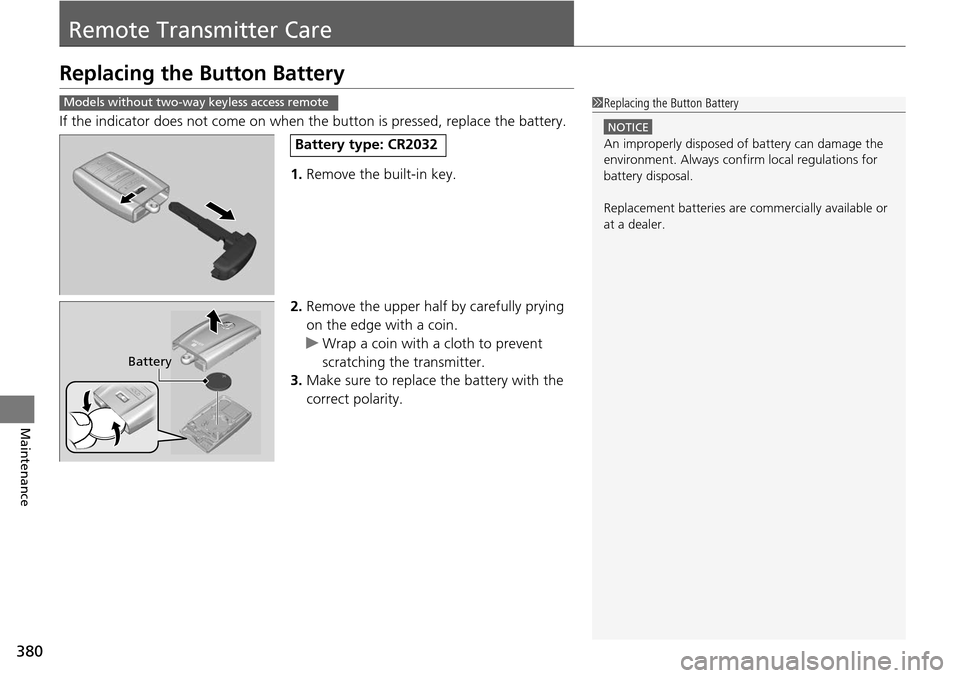
If the indicator does not come on when th e button is pressed, replace the battery.
1. Remove the built-in key.
2. Remove the upper half by carefully prying
on the edge with a coin.
u Wrap a coin with a cloth to prevent
scratching the transmitter.
3. Make sure to replace the battery with the
correct polarity.
1 Replacing the Button Battery
NOTICE
An improperly disposed of battery can damage the
environment. Always conf irm local regulations for
battery disposal.
Replacement batteries are commercially available or
at a dealer.
Models without two-way keyless access remote
Battery type: CR2032
Battery
Page 382 of 445
381
uuRemote Transmitter Care uReplacing the Button Battery
Maintenance
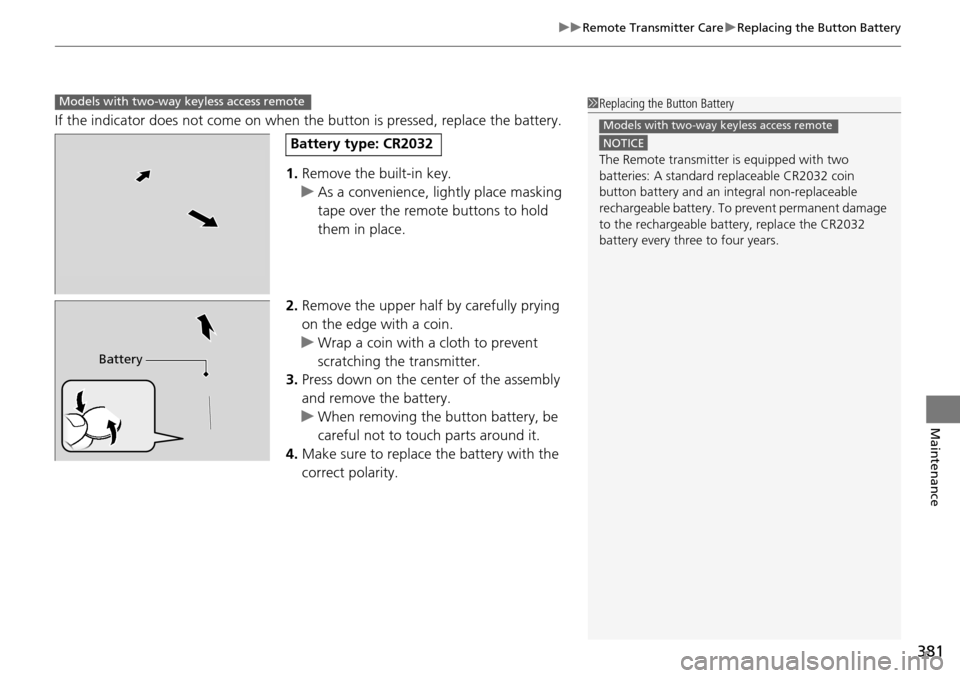
If the indicator does not come on when the button is pressed, replace the battery.
1. Remove the built-in key.
u As a convenience, lightly place masking
tape over the remote buttons to hold
them in place.
2. Remove the upper half by carefully prying
on the edge with a coin.
u Wrap a coin with a cloth to prevent
scratching the transmitter.
3. Press down on the center of the assembly
and remove the battery.
u When removing the button battery, be
careful not to touch parts around it.
4. Make sure to replace the battery with the
correct polarity.
Models with two-way keyless access remote1Replacing the Button Battery
NOTICE
The Remote transmitter is equipped with two
batteries: A standard replaceable CR2032 coin
button battery and an in tegral non-replaceable
rechargeable battery. To prevent permanent damage
to the rechargeable battery, replace the CR2032
battery every three to four years.
Models with two-way keyless access remote
Battery type: CR2032
Battery
Page 388 of 445
387
uuCleaning uExterior Care
Maintenance
The inside lenses of exterior lights (headlights, brake light s, etc.) may fog temporarily
if you have driven in the rain, or after the vehicle has been run through a car wash.
Dew condensation also may build up inside the lenses when there is a significant
enough difference between the ambient and inside lens temperatures (similar to
vehicle windows fogging up in rainy conditions).
These conditions are natura l processes, not structural design problems in the
exterior lights.
Lens design characteristics ma y result in moisture developing on the light lens frame
surfaces. This also is not a malfunction.
However, if you see large amounts wate r accumulation, or large water drops
building up inside the lenses, have your vehicle inspected by a dealer.
■Fogged Exterior Light Lenses
Page 390 of 445
389
Handling the Unexpected
This chapter explains how to handle unexpected troubles.
ToolsTypes of Tools .................................. 390
If a Tire Goes Flat Changing a Flat Tire
*....................... 391
Temporarily Repair ing a Flat Tire*..... 397
Engine Does Not Start Checking the Engine ........................ 408
If the Keyless Access Remote Battery is Weak ............................................. 409
Emergency Engine Stop ................... 410
Jump Starting .................................... 411
Shift Lever Does Not Move .............. 413Overheating
How to Handle Overheating............. 414
Indicator, Coming On/Blinking
If the Low Oil Pressure Indicator Comes On ............................................. 416
If the Charging System Indicator Comes
On ................................................. 416
If the Malfunction Indicator Lamp Comes On or Blinks ................................... 417
If the Brake System Indicator (Red) Comes On .................................................... 418
If the Electric Power Steering (EPS) System
Indicator Comes On ............................... 418
If the Low Tire Pressure/TPMS Indicator Comes On or Blinks ....................... 419
Fuses Fuse Locations ................................. 420
Inspecting and Changing Fuses ........ 422
Emergency Towing ........................... 423
When You Cannot Open the Tailgate..... 424
* Not available on all models
Page 400 of 445
Continued399
uuIf a Tire Goes Flat uTemporarily Repairing a Flat Tire*
Handling the Unexpected
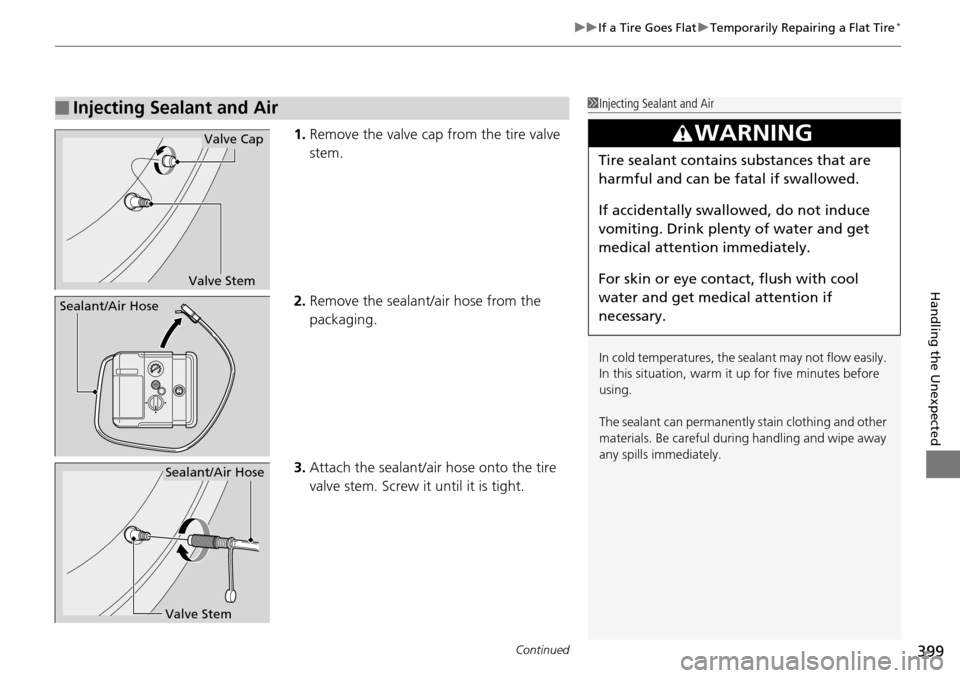
1. Remove the valve cap from the tire valve
stem.
2. Remove the sealant/air hose from the
packaging.
3. Attach the sealant/air hose onto the tire
valve stem. Screw it until it is tight.
■Injecting Sealant and Air1Injecting Sealant and Air
In cold temperatures, the sealant may not flow easily.
In this situation, warm it up for five minutes before
using.
The sealant can permanentl y stain clothing and other
materials. Be careful duri ng handling and wipe away
any spills immediately.
3WARNING
Tire sealant contains substances that are
harmful and can be fatal if swallowed.
If accidentally swallowed, do not induce
vomiting. Drink plenty of water and get
medical attention immediately.
For skin or eye contact, flush with cool
water and get medical attention if
necessary.
Valve Stem
Valve Cap
Sealant/Air Hose
Valve Stem
Sealant/Air Hose
Page 401 of 445
uuIf a Tire Goes Flat uTemporarily Repairing a Flat Tire*
400
Handling the Unexpected
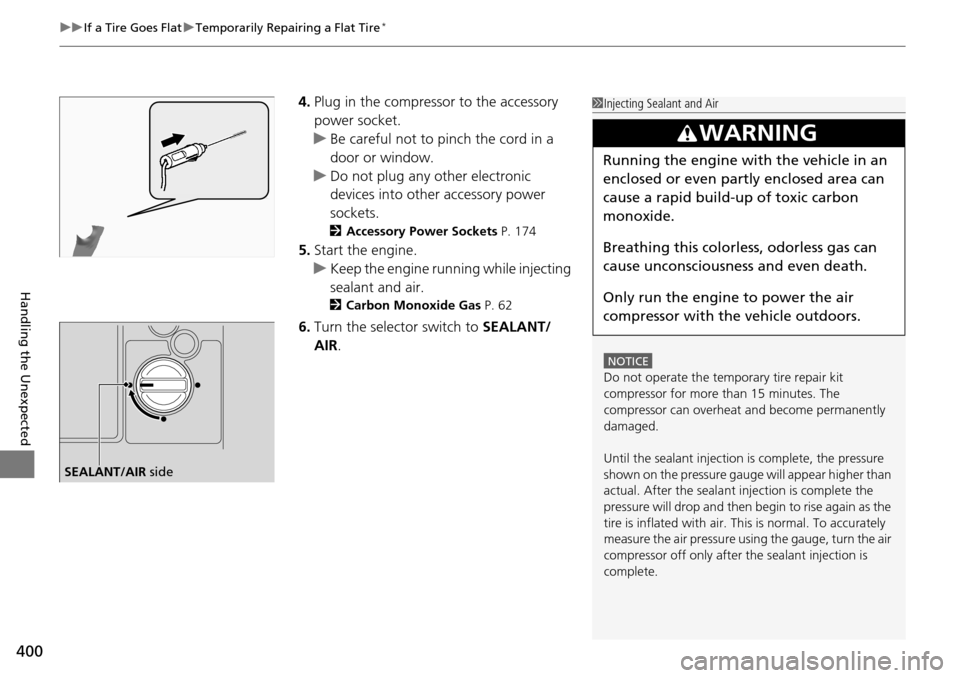
4. Plug in the compressor to the accessory
power socket.
u Be careful not to pinch the cord in a
door or window.
u Do not plug any other electronic
devices into other accessory power
sockets.
2 Accessory Power Sockets P. 174
5.Start the engine.
u Keep the engine running while injecting
sealant and air.
2 Carbon Monoxide Gas P. 62
6.Turn the selector switch to SEALANT/
AIR .
1Injecting Sealant and Air
NOTICE
Do not operate the temporary tire repair kit
compressor for more than 15 minutes. The
compressor can overheat and become permanently
damaged.
Until the sealant injection is complete, the pressure
shown on the pressure gauge will appear higher than
actual. After the sealant injection is complete the
pressure will drop and then begin to rise again as the
tire is inflated with air. This is normal. To accurately
measure the air pressure usi ng the gauge, turn the air
compressor off only after the sealant injection is
complete.
3WARNING
Running the engine with the vehicle in an
enclosed or even partly enclosed area can
cause a rapid build-up of toxic carbon
monoxide.
Breathing this colorless, odorless gas can
cause unconsciousness and even death.
Only run the engine to power the air
compressor with th e vehicle outdoors.
SEALANT/AIR side
Page 402 of 445
Continued401
uuIf a Tire Goes Flat uTemporarily Repairing a Flat Tire*
Handling the Unexpected
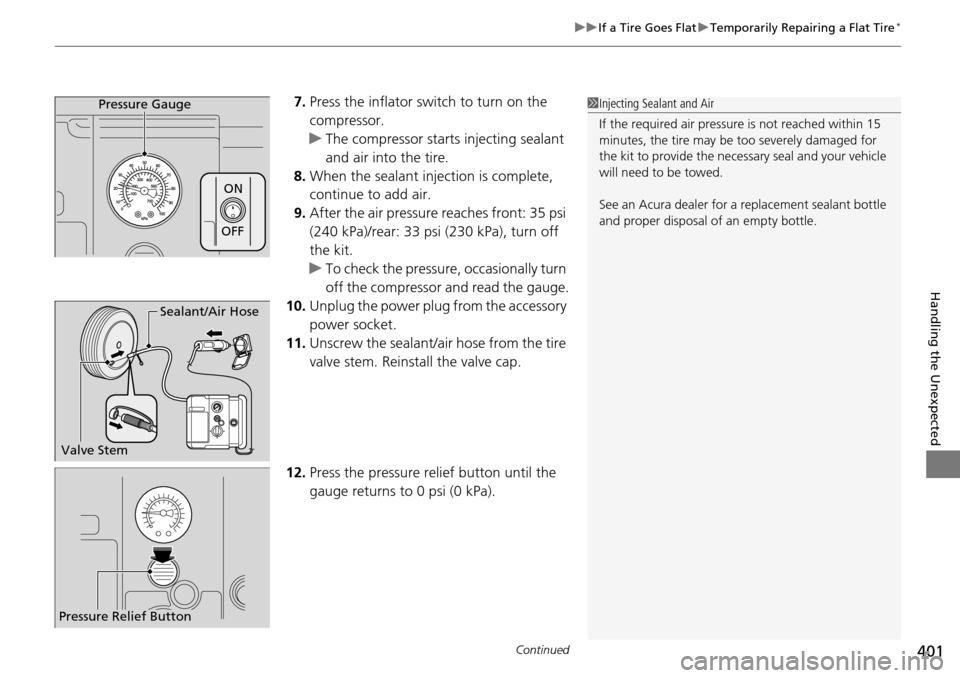
7. Press the inflator switch to turn on the
compressor.
u The compressor starts injecting sealant
and air into the tire.
8. When the sealant injection is complete,
continue to add air.
9. After the air pressure reaches front: 35 psi
(240 kPa)/rear: 33 psi (230 kPa), turn off
the kit.
u To check the pressure, occasionally turn
off the compressor and read the gauge.
10. Unplug the power plug from the accessory
power socket.
11. Unscrew the sealant/ai r hose from the tire
valve stem. Reinstall the valve cap.
12. Press the pressure relief button until the
gauge returns to 0 psi (0 kPa).Pressure Gauge
ON
OFF
1Injecting Sealant and Air
If the required air pressure is not reached within 15
minutes, the tire may be too severely damaged for
the kit to provide the necessa ry seal and your vehicle
will need to be towed.
See an Acura dealer for a replacement sealant bottle
and proper disposal of an empty bottle.
Sealant/Air Hose
Valve Stem
Pressure Relief Button
Page 407 of 445
uuIf a Tire Goes Flat uTemporarily Repairing a Flat Tire*
406
Handling the Unexpected
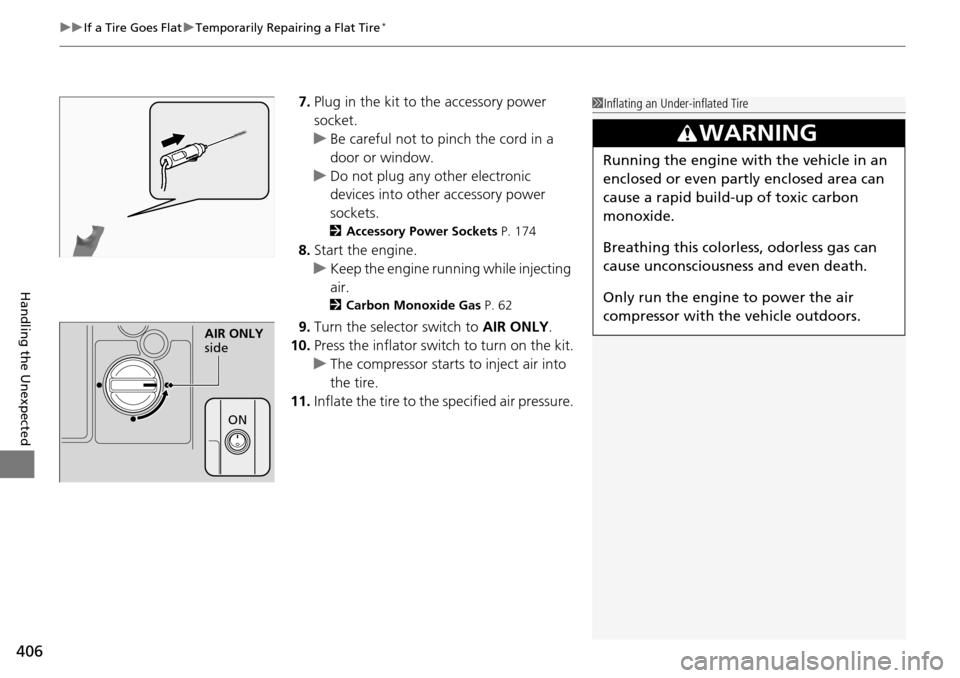
7. Plug in the kit to the accessory power
socket.
u Be careful not to pinch the cord in a
door or window.
u Do not plug any other electronic
devices into other accessory power
sockets.
2 Accessory Power Sockets P. 174
8.Start the engine.
u Keep the engine running while injecting
air.
2 Carbon Monoxide Gas P. 62
9.Turn the selector switch to AIR ONLY.
10. Press the inflator swit ch to turn on the kit.
u The compressor starts to inject air into
the tire.
11. Inflate the tire to the specified air pressure.
1Inflating an Under-inflated Tire
3WARNING
Running the engine with the vehicle in an
enclosed or even partly enclosed area can
cause a rapid build-up of toxic carbon
monoxide.
Breathing this colorless, odorless gas can
cause unconsciousness and even death.
Only run the engine to power the air
compressor with th e vehicle outdoors.
AIR ONLY
side
ON
Page 408 of 445
407
uuIf a Tire Goes Flat uTemporarily Repairing a Flat Tire*
Handling the Unexpected
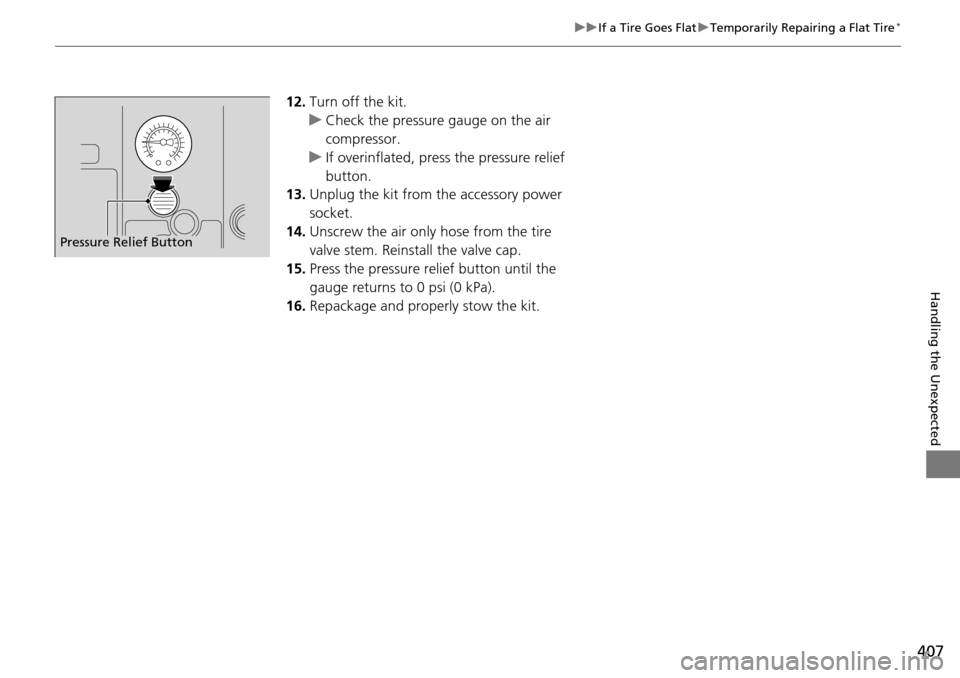
12. Turn off the kit.
u Check the pressure gauge on the air
compressor.
u If overinflated, press the pressure relief
button.
13. Unplug the kit from the accessory power
socket.
14. Unscrew the air only hose from the tire
valve stem. Reinstall the valve cap.
15. Press the pressure relief button until the
gauge returns to 0 psi (0 kPa).
16. Repackage and properly stow the kit.
Pressure Relief Button