ad blue Acura RDX 2017 Navigation Manual
[x] Cancel search | Manufacturer: ACURA, Model Year: 2017, Model line: RDX, Model: Acura RDX 2017Pages: 357, PDF Size: 12.4 MB
Page 175 of 357
174
Audio
Audio System
About Your Audio System
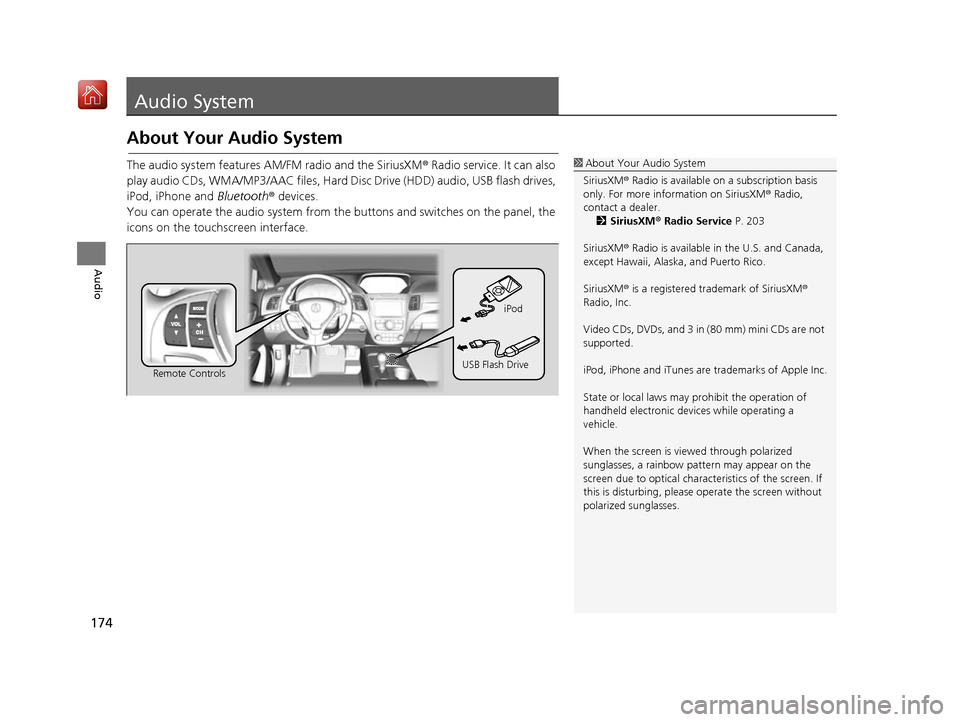
The audio system features AM/FM radio and the SiriusXM® Radio service. It can also
play audio CDs, WMA/MP3/AAC files, Hard Di sc Drive (HDD) audio, USB flash drives,
iPod, iPhone and Bluetooth® devices.
You can operate the audio system from the buttons and switches on the panel, the
icons on the touc hscreen interface.1About Your Audio System
SiriusXM ® Radio is available on a subscription basis
only. For more information on SiriusXM ® Radio,
contact a dealer. 2 SiriusXM ® Radio Service P. 203
SiriusXM ® Radio is available in the U.S. and Canada,
except Hawaii, Alaska, and Puerto Rico.
SiriusXM ® is a registered trademark of SiriusXM ®
Radio, Inc.
Video CDs, DVDs, and 3 in (80 mm) mini CDs are not
supported.
iPod, iPhone and iTunes are trademarks of Apple Inc.
State or local laws may pr ohibit the operation of
handheld electronic devi ces while operating a
vehicle.
When the screen is vi ewed through polarized
sunglasses, a rainbow pa ttern may appear on the
screen due to optical characteristics of the screen. If
this is disturbing, please operate the screen without
polarized sunglasses.
Remote Controls iPod
USB Flash Drive
16 ACURA RDX NAVI-31TX48300.book 174 ページ 2015年8月5日 水曜日 午後4時12分
Page 180 of 357
179Continued
Audio
Audio Remote Controls
Steering Wheel Controls
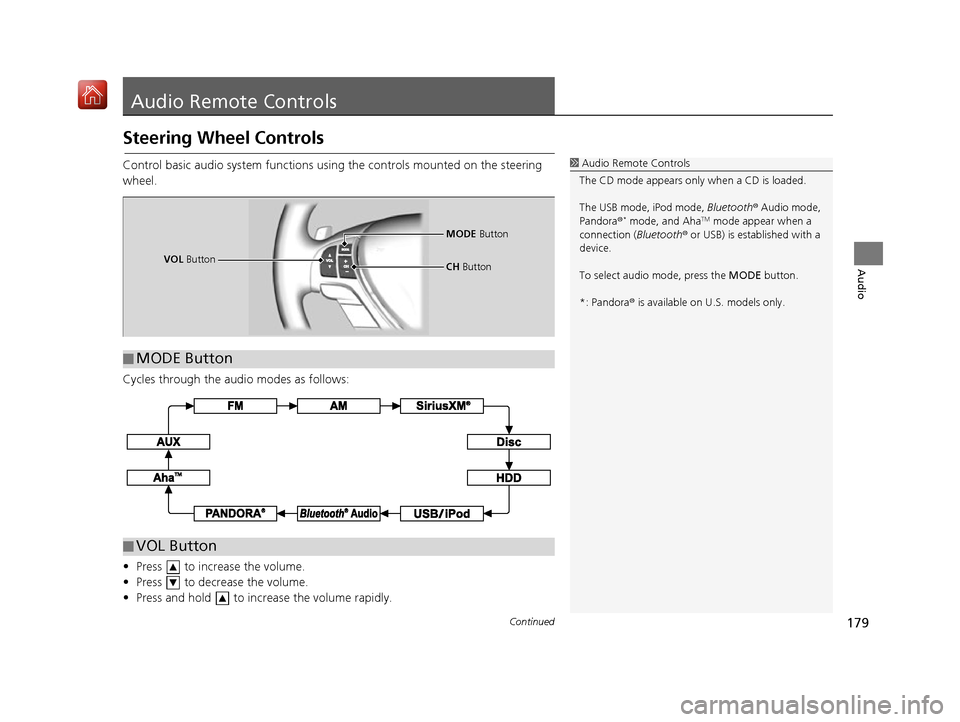
Control basic audio system functions using the controls mounted on the steering
wheel.
Cycles through the audio modes as follows:
• Press to increase the volume.
• Press to decrease the volume.
• Press and hold to increase the volume rapidly.1Audio Remote Controls
The CD mode appears only when a CD is loaded.
The USB mode, iPod mode, Bluetooth® Audio mode,
Pandora ®
* mode, and AhaTM mode appear when a
connection (Bluetooth ® or USB) is established with a
device.
To select audio mode, press the MODE button.
*: Pandora ® is available on U.S. models only.
■ MODE Button
VOL
Button MODE
Button
CH Button
■VOL Button
16 ACURA RDX NAVI-31TX48300.book 179 ページ 2015年8月5日 水曜日 午後4時12分
Page 181 of 357
uuAudio Remote Controls uSteering Wheel Controls
180
Audio
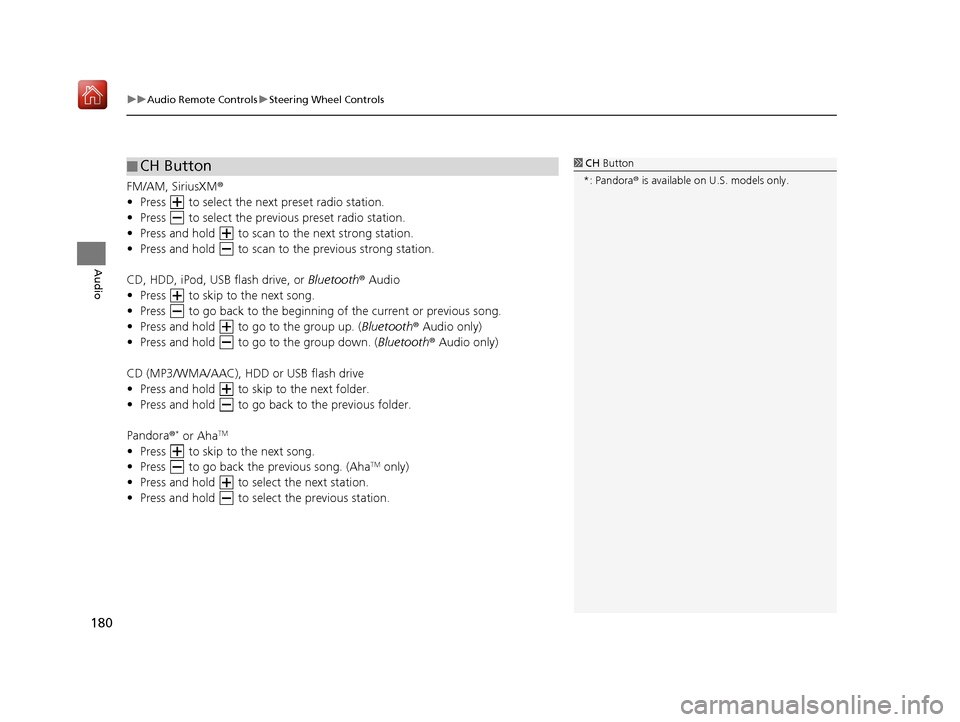
FM/AM, SiriusXM ®
• Press to select the next preset radio station.
• Press to select the previous preset radio station.
• Press and hold to scan to the next strong station.
• Press and hold to scan to the previous strong station.
CD, HDD, iPod, USB flash drive, or Bluetooth® Audio
• Press to skip to the next song.
• Press to go back to the beginning of the current or previous song.
• Press and hold to go to the group up. ( Bluetooth® Audio only)
• Press and hold to go to the group down. ( Bluetooth® Audio only)
CD (MP3/WMA/AAC), HDD or USB flash drive
• Press and hold to skip to the next folder.
• Press and hold to go back to the previous folder.
Pandora ®
* or AhaTM
• Press to skip to the next song.
• Press to go back the previous song. (AhaTM only)
• Press and hold to select the next station.
• Press and hold to select the previous station.
■ CH Button1
CH Button
*: Pandora ® is available on U.S. models only.
16 ACURA RDX NAVI-31TX48300.book 180 ページ 2015年8月5日 水曜日 午後4時12分
Page 183 of 357
uuAudio Settings u
182
Audio
CD/HDD tab
• Recording from CD (CD mode): Selects whether the songs on music CDs are
automatically recorded to the HDD.
• Recording Quality (CD mode): Selects the quality of the music files recorded to
the HDD.
• HDD Info (HDD mode): Displays the HDD capacity.
• Update Gracenote Album Info (CD or HDD mode): Updates the Gracenote ®
Album Info (Gracenote ® Media Database) from CD or from USB.
2Updating Gracenote® Album Info P. 222
•Delete All HDD Data (HDD mode): Resets all the menu and customized
settings, and delete all music data on the HDD.
Bluetooth tab
• Bluetooth Device List (Bluetooth ® Audio mode): Edits or deletes Bluetooth
Audio device paired.
• Connect Bluetooth Audio Device (Bluetooth ® Audio, Pandora ®
* or AhaTM
mode): Connects, disconnects or pairs a Bluetooth® Audio device to HFL.
Other tab
• Source Select Popup : Selects whether the list of selectable audio sources comes
on when the AUDIO button is pressed.
• HD Radio Mode
* (AM/FM mode): Selects whether the audio system
automatically switches to th e digital radio waves or receives the analogue waves
only.
• Cover Art (CD (MP3/WMA/AAC), iPod, USB, Pandora ®
* or AhaTM mode): Turns
on and off the cover art display.
• Default : Cancels/Resets all customized items in the Audio Settings group as
default.
1 Audio Settings
*: This function is availa ble on U.S. models only.
16 ACURA RDX NAVI-31TX48300.book 182 ページ 2015年8月5日 水曜日 午後4時12分
Page 237 of 357
236
Audio
Playing Internet Radio
Selecting Internet Radio Mode
1.Connect a compatible phone through Bluetooth®.
2. Press the MENU button.(in AUDIO mode)
3. Rotate to select Change Source. Press .
4. Rotate to select Pandora
* or Aha . Press .
1. Connect a compatible phone through Bluetooth®.
2. Select Audio Source.
3. Select the Pandora
* or Aha icon.
You can also connect the phone using your dock connector to the USB port.
1 Selecting Internet Radio Mode
To find out if your phone is compatible with this
feature, call 1-888-528-7876 or visit acura.com/
handsfreelink (U.S.) or handsfreelink.ca (Canada).
*: Pandora ® is available on U.S. models only.Interface Dial
On Demand Multi-Use DisplayTM
iPhone
16 ACURA RDX NAVI-31TX48300.book 236 ページ 2015年8月5日 水曜日 午後4時12分
Page 238 of 357
237
uuPlaying Internet Radio uPandora ® Menu*
Continued
Audio
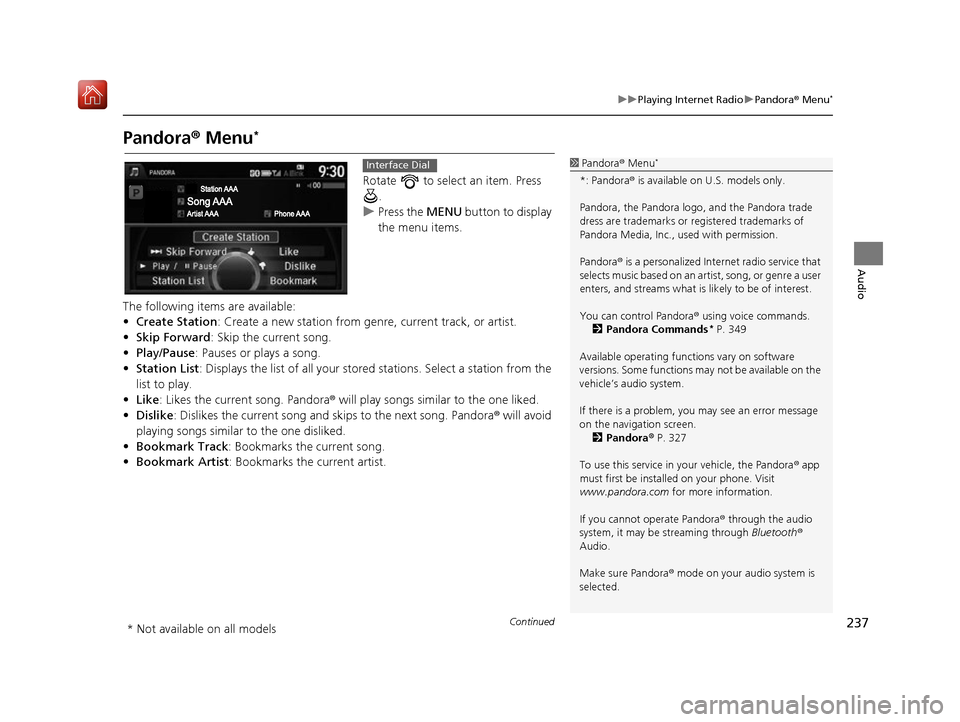
Pandora ® Menu*
Rotate to select an item. Press
.
u Press the MENU button to display
the menu items.
The following items are available:
• Create Station: Create a new station from genre, current track, or artist.
• Skip Forward: Skip the current song.
• Play/Pause : Pauses or plays a song.
• Station List : Displays the list of all your stored stations. Select a station from the
list to play.
• Like: Likes the current song. Pandora ® will play songs similar to the one liked.
• Dislike : Dislikes the current song and skips to the next song. Pandora® will avoid
playing songs similar to the one disliked.
• Bookmark Track : Bookmarks the current song.
• Bookmark Artist : Bookmarks the current artist.
1Pandora ® Menu*
*: Pandora ® is available on U.S. models only.
Pandora, the Pandora logo, and the Pandora trade
dress are trademarks or registered trademarks of
Pandora Media, Inc., used with permission.
Pandora ® is a personalized Internet radio service that
selects music based on an artist, song, or genre a user
enters, and streams what is likely to be of interest.
You can control Pandora ® using voice commands.
2 Pandora Commands
* P. 349
Available operating functi ons vary on software
versions. Some functions ma y not be available on the
vehicle’s audio system.
If there is a problem, you may see an error message
on the navigation screen. 2 Pandora ® P. 327
To use this service in your vehicle, the Pandora ® app
must first be installed on your phone. Visit
www.pandora.com for more information.
If you cannot operate Pandora ® through the audio
system, it may be streaming through Bluetooth®
Audio.
Make sure Pandora ® mode on your audio system is
selected.
Interface Dial
* Not available on all models
16 ACURA RDX NAVI-31TX48300.book 237 ページ 2015年8月5日 水曜日 午後4時12分
Page 248 of 357
247
Audio
Playing Bluetooth ® Audio
Your audio system allows you to listen to music from your Bluetooth®-compatible
phone.
This function is available when the phone is paired an d connected to the vehicle’s
Bluetooth ® HandsFreeLink ® (HFL) system.
2Bluetooth ® HandsFreeLink ® P. 252
Selecting Bluetooth ® Audio Mode
1. Make sure that your phone is on, paired, and linked to HFL.
2 Pairing a Phone P. 255
2.Press the MENU button. (in AUDIO mode)
3. Rotate to select Change Source. Press .
4. Rotate to select Bluetooth Audio. Press .
1. Make sure that your phone is on, paired, and linked to HFL.
2 Pairing a Phone P. 255
2.Select Audio Source .
3. Select the Bluetooth icon.
1Playing Bluetooth ® Audio
Not all Bluetooth ®-enabled phones with streaming
audio capabilities are compatible with the system.
For a list of compatible phones, call 1-888-528-7876
or visit www.acura.com/handsfreelink (U.S.) or
www.handsfreelink.ca (Canada).
State or local laws may pr ohibit the operation of
handheld electronic devi ces while operating a
vehicle.
If more than one phone is paired to the HFL system,
there will be a delay before the system begins to play.
You can control Bluetooth® Audio using voice
commands. 2 Bluetooth® Audio Commands P. 349
Interface Dial
On Demand Multi-Use DisplayTM
16 ACURA RDX NAVI-31TX48300.book 247 ページ 2015年8月5日 水曜日 午後4時12分
Page 249 of 357
248
uuPlaying Bluetooth ® Audio uAudio Screen Control
Audio
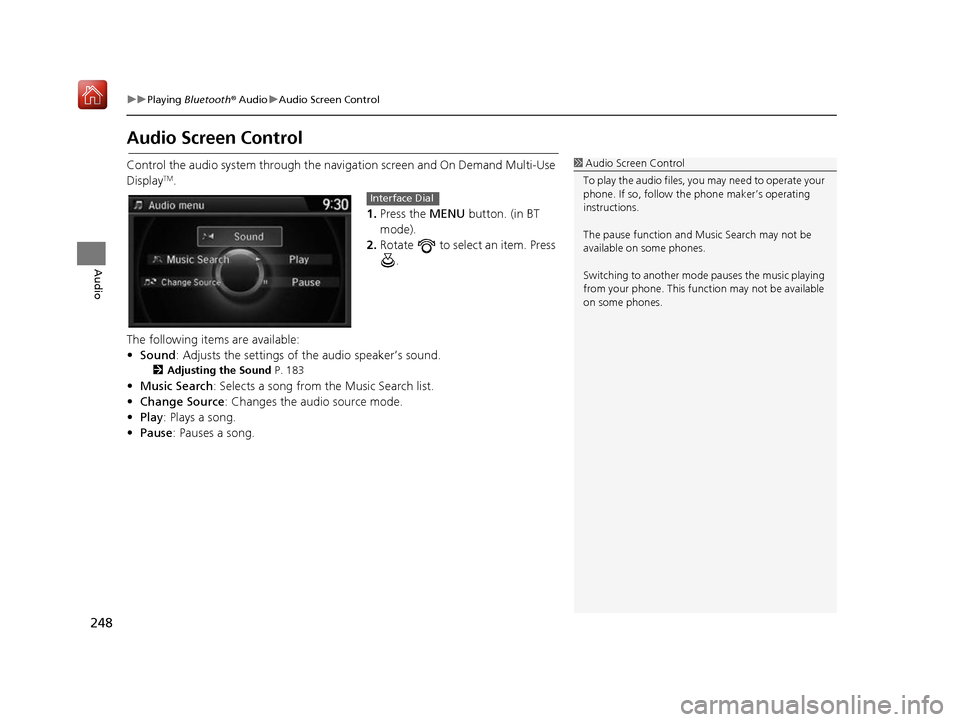
Audio Screen Control
Control the audio system through the navi gation screen and On Demand Multi-Use
DisplayTM.
1.Press the MENU button. (in BT
mode).
2. Rotate to select an item. Press
.
The following items are available:
• Sound : Adjusts the settings of the audio speaker’s sound.
2Adjusting the Sound P. 183
•Music Search : Selects a song from the Music Search list.
• Change Source: Changes the audio source mode.
• Play : Plays a song.
• Pause : Pauses a song.
1Audio Screen Control
To play the audio files, y ou may need to operate your
phone. If so, follow the phone maker’s operating
instructions.
The pause function and Mu sic Search may not be
available on some phones.
Switching to another mode pauses the music playing
from your phone. This functi on may not be available
on some phones.
Interface Dial
16 ACURA RDX NAVI-31TX48300.book 248 ページ 2015年8月5日 水曜日 午後4時12分
Page 250 of 357
249
uuPlaying Bluetooth ® Audio uAudio Screen Control
Audio
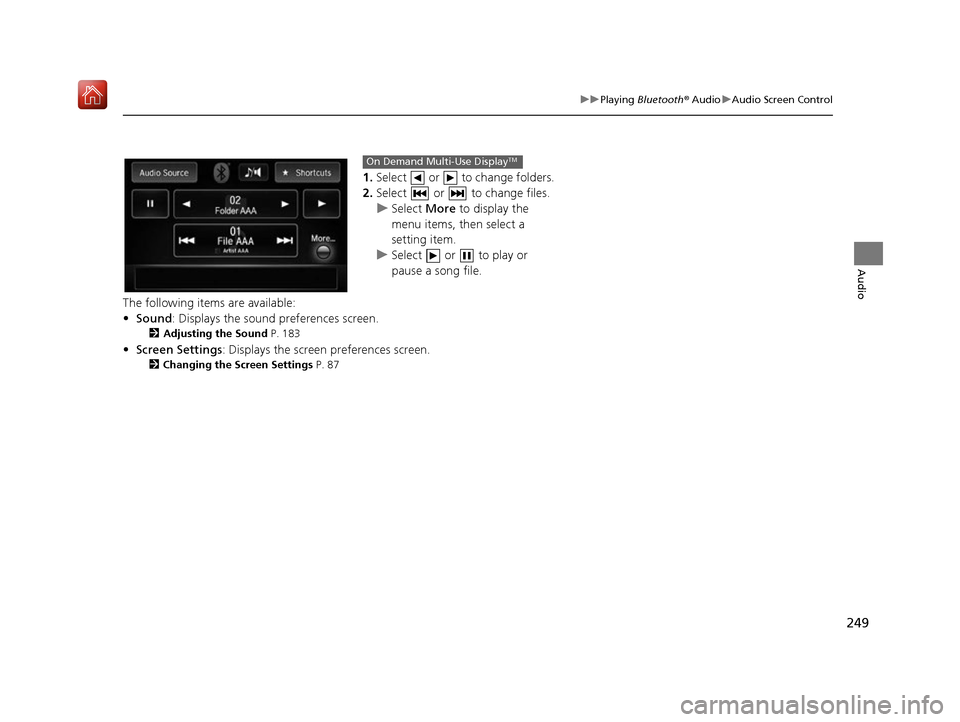
1. Select or to change folders.
2. Select or to change files.
u Select More to display the
menu items, then select a
setting item.
u Select or to play or
pause a song file.
The following items are available:
• Sound : Displays the sound preferences screen.
2Adjusting the Sound P. 183
•Screen Settings : Displays the screen preferences screen.
2Changing the Screen Settings P. 87
On Demand Multi-Use DisplayTM
16 ACURA RDX NAVI-31TX48300.book 249 ページ 2015年8月5日 水曜日 午後4時12分
Page 252 of 357
251
B l u e t o o t h® HandsFreeLink ®
This section describes how to operate Bluetooth® HandsFreeLink ®. You can place and
receive phone calls using your vehicle’s audi o system without handling your mobile phone.
Bluetooth® HandsFreeLink® ..................252
Using HFL .............................................252
Pairing a Phone .....................................255
Importing Phonebook Data ...................261
Setting Up Speed Dialing ......................262
Phonebook Phonetic Modification .........268
Phone Settings ......................................273
Making a Call .......................................278
Receiving a Call .....................................283
Options During a Call............................284 Text/E-mail Message
............................ 285
Setting a Text/E-mail Message .............. 285
Selecting a Mail Account ...................... 286
Receiving a Text/E-mail Message .......... 287
Displaying Messages ............................ 288
Roadside Assistance ............................. 292
HFL Menus ............................................. 293
16 ACURA RDX NAVI-31TX48300.book 251 ページ 2015年8月5日 水曜日 午後4時12分