eco Acura RDX 2019 Owner's Manual
[x] Cancel search | Manufacturer: ACURA, Model Year: 2019, Model line: RDX, Model: Acura RDX 2019Pages: 649, PDF Size: 33 MB
Page 568 of 649
567
Maintenance
Climate Control System Maintenance
Air Conditioning
To ensure proper and safe operation, the Society of Automotive Engineers (SAE
J2845) recommends that the refrigerant system only be serviced by trained and
certified technicians.
Never repair or replace the air conditio ning evaporator (cooling coil) with one
removed from a used or salvaged vehicle.
New replacement mobile air conditioning evaporators must be certified (and
labeled) as meeting SAE Standard J2842.1 Climate Control System Maintenance
NOTICE
Vented refrigerant is harmful to the environment.
To avoid refrigerant from venting, never replace the
evaporator with one re moved from a used or
salvaged vehicle.
Refrigerant in your vehicle’s air conditioning system is
flammable and can be igni ted during servicing if
proper procedures are not followed.
The air conditioner labe l is found under the hood:
2 Safety Labels P. 72
2 Specifications P. 628
Canadian models
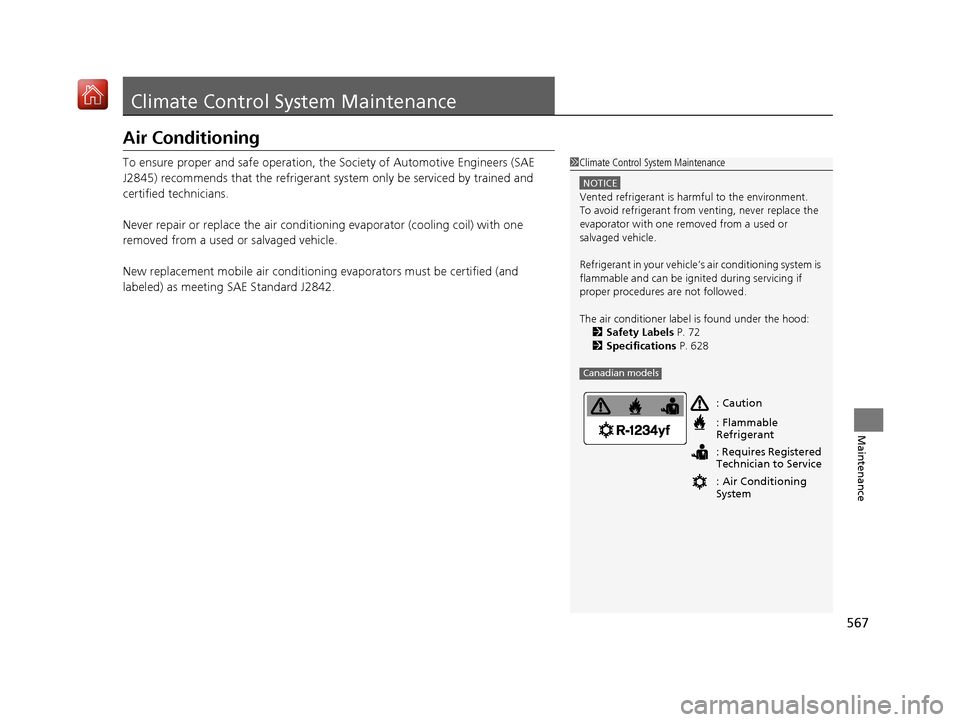
: Caution
: Flammable
Refrigerant
: Requires Registered
Technician to Service
: Air Conditioning
System
19 ACURA RDX-31TJB6000.book 567 ページ 2018年4月26日 木曜日 午後4時51分
Page 569 of 649
568
uuClimate Control System Maintenance uDust and Pollen Filter
Maintenance
Dust and Pollen Filter
The climate control system is equipped wi th a dust and pollen filter that collects
pollen, dust, and other debris in the air. The Maintenance MinderTM messages will let
you know when to replace the filter.
We recommend that you replace the dust and pollen filter sooner when using your
vehicle in areas with high concentrations of dust.
1Dust and Pollen Filter
If the airflow from the climate control system
deteriorates noticeably, and the windows fog up
easily, the filter may need to be replaced. Please
contact a dealer for replacement.
19 ACURA RDX-31TJB6000.book 568 ページ 2018年4月26日 木曜日 午後4時51分
Page 575 of 649
574
Maintenance
Accessories and Modifications
Accessories
When installing accessories, check the following:
• Do not install accessories on the windshie ld. They can obstruct your view and
delay your reaction to driving conditions.
• Do not install any accessorie s over areas marked SRS Airbag, on the sides or backs
of the front seats, on front or side pillars, or near the side windows.
Accessories installed in these areas may interfere with proper operation of the
vehicle’s airbags or may be propelled into you or another occupant if the airbags
deploy.
• Be sure electronic accessories do not over load electrical circuits or interfere with
proper operation of your vehicle.
2 Fuses P. 615
•Before installing any electronic accessory, have the inst aller contact a dealer for
assistance. If possible, have a d ealer inspect the final installation.
• It is recommended to use genuine Acura roof bicycle racks for carrying bicycles.
Do not install load-c arrying (strap-type) accessory racks to the tailgate, as they
may interfere with normal operation, whic h may result in damage to the tailgate.
1Accessories and Modifications
Acura Genuine accessori es are recommended to
ensure proper operati on on your vehicle.
3WARNING
Improper accessories or modifications can
affect your vehicle’s handling, stability, and
performance, and cause a crash in which
you can be seriously hurt or killed.
Follow all instruction s in this owner’s
manual regarding accessories and
modifications.
19 ACURA RDX-31TJB6000.book 574 ページ 2018年4月26日 木曜日 午後4時51分
Page 592 of 649
Continued591
uuIf a Tire Goes Flat uTemporarily Repairing a Flat Tire
Handling the Unexpected
4. Plug in the compressor to the accessory
power socket.
u Be careful not to pinch the cord in a
door or window.
u Do not plug any other electric devices
into other accessory power sockets.
2 Accessory Power Socket P. 225
5.Start the engine.
u Keep the engine running while injecting
sealant and air.
2 Carbon Monoxide Gas P. 71
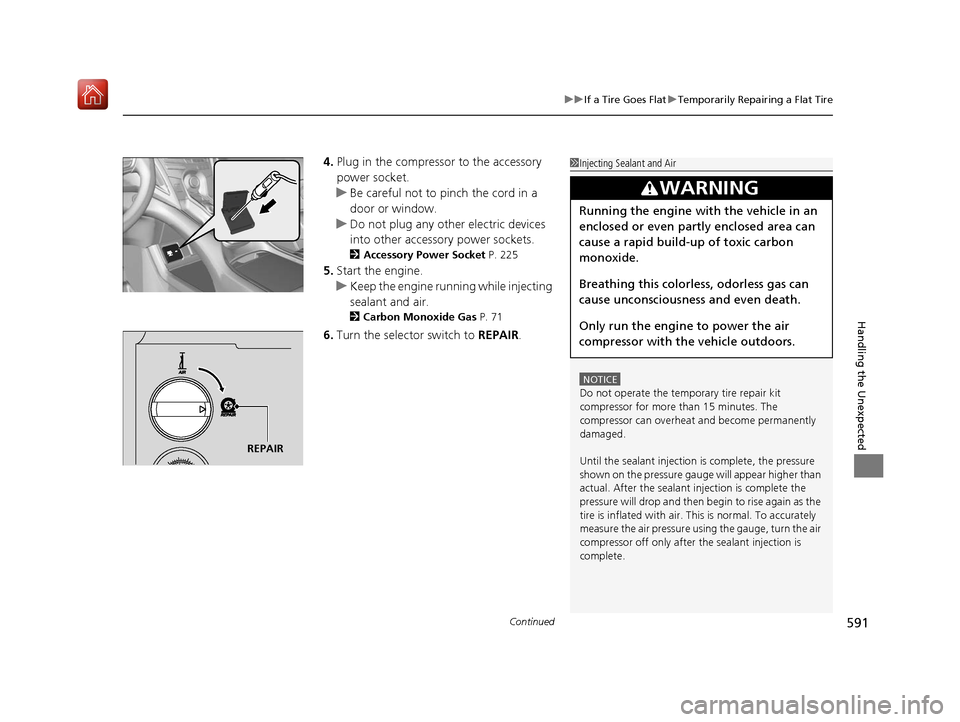
6.Turn the selector switch to REPAIR.
1Injecting Sealant and Air
NOTICE
Do not operate the temporary tire repair kit
compressor for more than 15 minutes. The
compressor can overheat and become permanently
damaged.
Until the sealant injection is complete, the pressure
shown on the pressure gauge will appear higher than
actual. After the sealant injection is complete the
pressure will drop and then begin to rise again as the
tire is inflated with air. This is normal. To accurately
measure the air pressure usi ng the gauge, turn the air
compressor off only after the sealant injection is
complete.
3WARNING
Running the engine with the vehicle in an
enclosed or even partly enclosed area can
cause a rapid build-up of toxic carbon
monoxide.
Breathing this colorless, odorless gas can
cause unconsciousness and even death.
Only run the engine to power the air
compressor with th e vehicle outdoors.
REPAIR
19 ACURA RDX-31TJB6000.book 591 ページ 2018年4月26日 木曜日 午後4時51分
Page 599 of 649
uuIf a Tire Goes Flat uTemporarily Repairing a Flat Tire
598
Handling the Unexpected
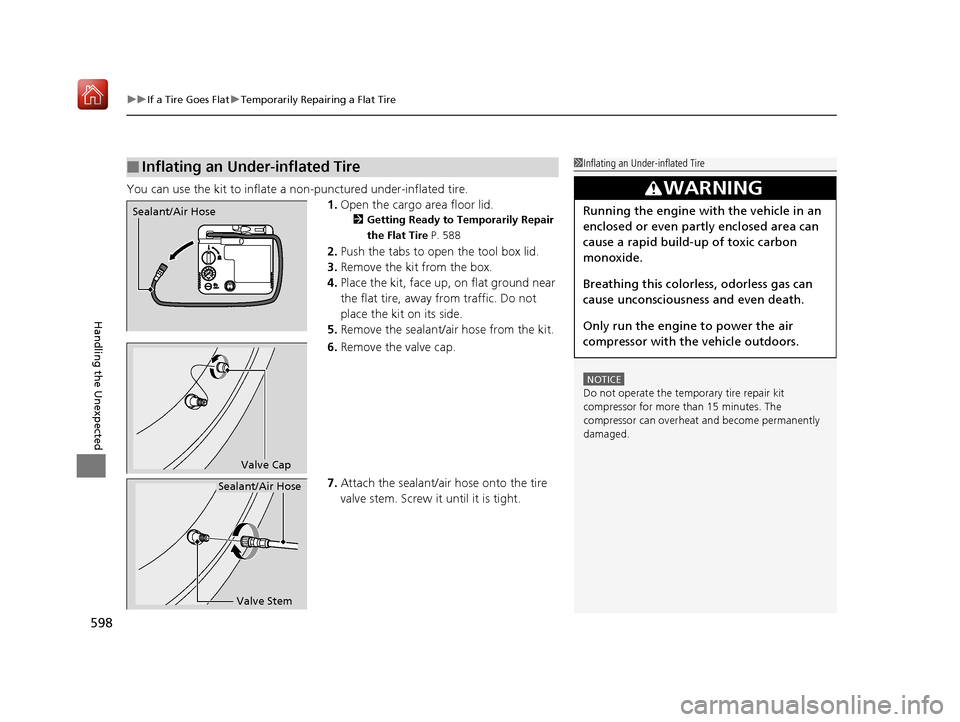
You can use the kit to inflate a non-punctured under-inflated tire.
1.Open the cargo area floor lid.
2 Getting Ready to Temporarily Repair
the Flat Tire P. 588
2.Push the tabs to open the tool box lid.
3. Remove the kit from the box.
4. Place the kit, face up, on flat ground near
the flat tire, away from traffic. Do not
place the kit on its side.
5. Remove the sealant/air hose from the kit.
6. Remove the valve cap.
7. Attach the sealant/air hose onto the tire
valve stem. Screw it until it is tight.
■Inflating an Under-inflated Tire1Inflating an Under-inflated Tire
NOTICE
Do not operate the temporary tire repair kit
compressor for more than 15 minutes. The
compressor can overheat and become permanently
damaged.
3WARNING
Running the engine with the vehicle in an
enclosed or even partly enclosed area can
cause a rapid build-up of toxic carbon
monoxide.
Breathing this colorless, odorless gas can
cause unconsciousness and even death.
Only run the engine to power the air
compressor with th e vehicle outdoors.Sealant/Air Hose
Valve Cap
Valve Stem
Sealant/Air Hose
19 ACURA RDX-31TJB6000.book 598 ページ 2018年4月26日 木曜日 午後4時51分
Page 603 of 649
602
uuEngine Does Not Start uIf the Keyless Access Remote Battery is Weak
Handling the Unexpected
If the Keyless Access Re mote Battery is Weak
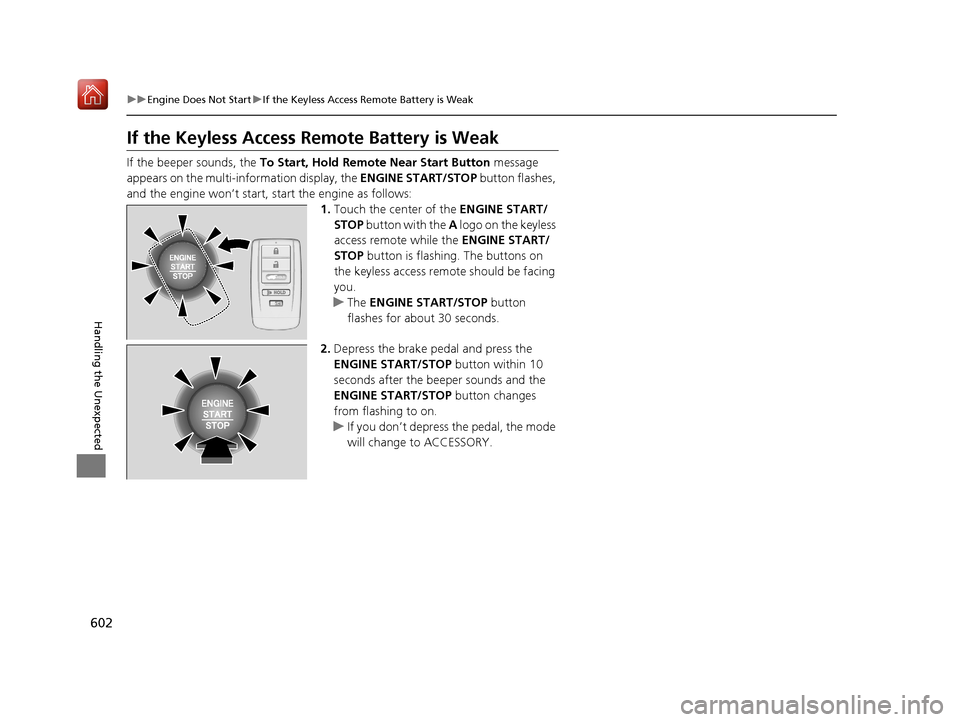
If the beeper sounds, the To Start, Hold Remote Near Start Button message
appears on the multi-information display, the ENGINE START/STOP button flashes,
and the engine won’t start, start the engine as follows:
1.Touch the center of the ENGINE START/
STOP button with the A logo on the keyless
access remote while the ENGINE START/
STOP button is flashing. The buttons on
the keyless access remo te should be facing
you.
u The ENGINE START/STOP button
flashes for about 30 seconds.
2. Depress the brake pedal and press the
ENGINE START/STOP button within 10
seconds after the beeper sounds and the
ENGINE START/STOP button changes
from flashing to on.
u If you don’t depress the pedal, the mode
will change to ACCESSORY.
HOLD
19 ACURA RDX-31TJB6000.book 602 ページ 2018年4月26日 木曜日 午後4時51分
Page 604 of 649

603
uuEngine Does Not Start uEmergency Engine Stop
Handling the Unexpected
Emergency Engine Stop
The ENGINE START/STOP button may be used to stop the engine due to an
emergency situation even while driving. If you must stop the engine, do either of the
following operations:
• Press and hold the ENGINE START/STOP button for two seconds.
• Firmly press the ENGINE START/STOP button three times.
The steering wheel will not lock. However, because turning off the engine disables
the power assist the engine provides to the steering and braking systems, it will
require significantly more physical effort an d time to steer and slow the vehicle. Use
both feet on the brake pedal to slow down the vehicle and stop immediately in a
safe place.
The gear position auto matically changes to
(P after the vehicle comes to a complete
stop. Then, the power mode changes to VEHICLE OFF.
The gear position auto matically changes to
(P after the vehicle comes to a complete
stop. Then press the ENGINE START/STOP button twice without depressing the
brake pedal to change the mode to VEHICLE OFF.
1 Emergency Engine Stop
Do not press the button while driving unless it is
absolutely necessary for the engine to be turned off.
Vehicles with U.S. models
Vehicles with Canada models
19 ACURA RDX-31TJB6000.book 603 ページ 2018年4月26日 木曜日 午後4時51分
Page 605 of 649
604
Handling the Unexpected
Jump Starting
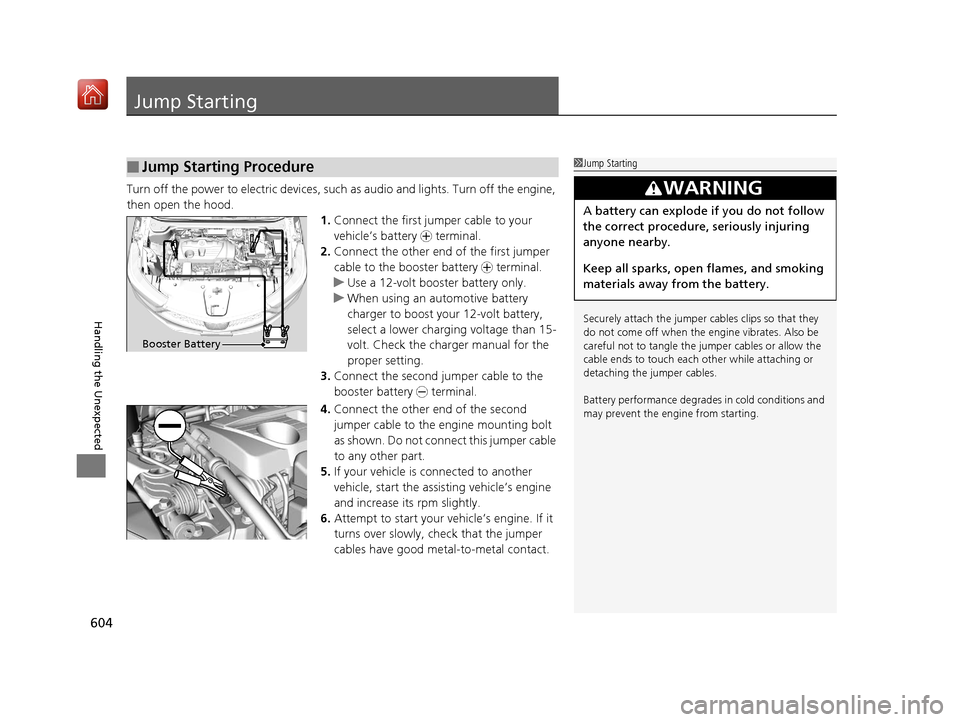
Turn off the power to electric devices, such as audio and lights. Turn off the engine,
then open the hood. 1.Connect the first jump er cable to your
vehicle’s battery + terminal.
2. Connect the other end of the first jumper
cable to the booster battery + terminal.
u Use a 12-volt booster battery only.
u When using an automotive battery
charger to boost your 12-volt battery,
select a lower charging voltage than 15-
volt. Check the charger manual for the
proper setting.
3. Connect the second jumper cable to the
booster battery - terminal.
4. Connect the other end of the second
jumper cable to the engine mounting bolt
as shown. Do not conn ect this jumper cable
to any other part.
5. If your vehicle is connected to another
vehicle, start the assi sting vehicle’s engine
and increase its rpm slightly.
6. Attempt to start your vehicle’s engine. If it
turns over slowly, check that the jumper
cables have good metal-to-metal contact.
■Jump Starting Procedure1Jump Starting
Securely attach the jumper cables clips so that they
do not come off when the e ngine vibrates. Also be
careful not to tangle the ju mper cables or allow the
cable ends to touch each other while attaching or
detaching the jumper cables.
Battery performance degrades in cold conditions and
may prevent the engi ne from starting.
3WARNING
A battery can explode if you do not follow
the correct procedure, seriously injuring
anyone nearby.
Keep all sparks, open flames, and smoking
materials away from the battery.
Booster Battery
19 ACURA RDX-31TJB6000.book 604 ページ 2018年4月26日 木曜日 午後4時51分
Page 609 of 649
608
Handling the Unexpected
Indicator, Coming On/Blinking
If the Low Oil Pressure Warning Appears
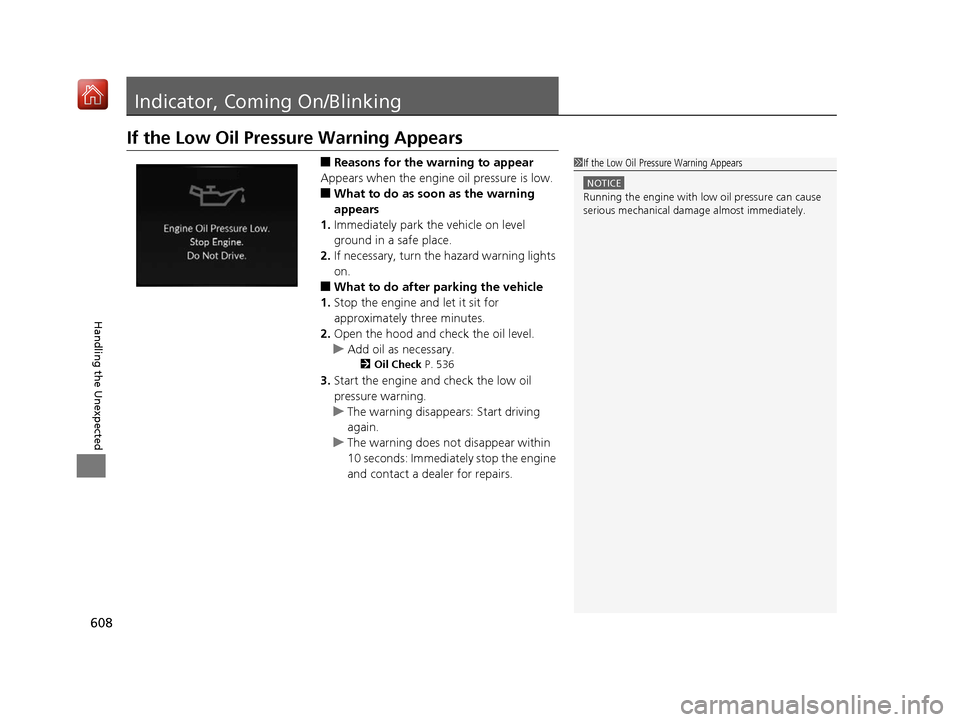
■Reasons for the warning to appear
Appears when the engine oil pressure is low.
■What to do as soon as the warning
appears
1. Immediately park the vehicle on level
ground in a safe place.
2. If necessary, turn the hazard warning lights
on.
■What to do after parking the vehicle
1. Stop the engine and let it sit for
approximately three minutes.
2. Open the hood and check the oil level.
u Add oil as necessary.
2 Oil Check P. 536
3.Start the engine and check the low oil
pressure warning.
u The warning disappears: Start driving
again.
u The warning does not disappear within
10 seconds: Immediately stop the engine
and contact a dealer for repairs.
1If the Low Oil Pressure Warning Appears
NOTICE
Running the engine with low oil pressure can cause
serious mechanical damage almost immediately.
19 ACURA RDX-31TJB6000.book 608 ページ 2018年4月26日 木曜日 午後4時51分
Page 612 of 649
611
uuIndicator, Coming On/Blinking uIf the Electric Power Steering (EPS) System Indicator Comes On
Handling the Unexpected
If the Electric Power Steeri ng (EPS) System Indicator
Comes On
■Reasons for the indicator to come on
• Comes on when there is a problem with the EPS system.
• If you depress the accelerator pedal repeatedly to increase the engine
speed while the engine is idling, the indicator comes on, and
sometimes the steering wheel becomes harder to operate.
■What to do when th e indicator comes on
Stop the vehicle in a safe place and restart the engine.
If the indicator comes on and stays on, immediately have your vehicle
inspected by a dealer.
19 ACURA RDX-31TJB6000.book 611 ページ 2018年4月26日 木曜日 午後4時51分