rear camera Acura RDX 2019 User Guide
[x] Cancel search | Manufacturer: ACURA, Model Year: 2019, Model line: RDX, Model: Acura RDX 2019Pages: 649, PDF Size: 33 MB
Page 453 of 649
452
uuAcuraWatchTMuCollision Mitigation Braking SystemTM (CMBSTM)
Driving
• When there is a group of people in front of your vehicle walking together side by
side.
• Surrounding conditions or belongings of the pedestrian alter the pedestrian’s
shape, preventing the system from recogn izing that the person is a pedestrian.
• When the pedestrian is shorter than about 3.3 feet (1 meter) or taller than about
6.6 feet (2 meters) in height.
• When a pedestrian blends in with the background.
• When a pedestrian is bent over or squa tting, or when their hands are raised or
they are running.
• When several pedestrians are walking ahead in a group.
• When the camera cannot correctly identify that a pedestrian is present due to an
unusual shape (holding luggage, body position, size).
■Automatic shutoff
The CMBSTM may automatically shut itself off and the CMBSTM indicator (amber)
comes and stays on when:
• The temperature inside the system is high.
• You drive off-road or on a mountain road, or curved and wi nding road for an
extended period.
• An abnormal tire condition is detected (wrong tire size, flat tire, etc.).
• The camera behind the rearview mirror, or the area around the camera, including
the windshield, gets dirty.
Once the conditions that caused the CMBS
TM to shut off improve or are addressed
(e.g., cleaning), the system comes back on.
Limitations applicable to pedestrian detection only
19 ACURA RDX-31TJB6000.book 452 ページ 2018年4月26日 木曜日 午後4時51分
Page 456 of 649
455
uuAcuraWatchTMuAdaptive Cruise Control (ACC) with Low Speed Follow (LSF)
Continued
Driving
Adaptive Cruise Control (ACC) with Low Speed
Follow (LSF)
Helps maintain a constant vehicle speed and a set following interval behind a vehicle
detected ahead of yours and, if the detect ed vehicle comes to a stop, can decelerate
and stop your ve hicle, without yo u having to keep your foot on the brake or the
accelerator.
When ACC with LSF slows your vehicle by applying the brakes, your vehicle’s brake
lights will illuminate.
1 Adaptive Cruise Control (ACC) with Low Speed Follow (LSF)
Important Reminder
As with any system, there are limits to ACC with LSF.
Use the brake pedal whenever necessary, and always
keep a safe interval between your vehicle and other
vehicles.
ACC with LSF can not be activated if Intelligent
Dynamics System setting is Snow.
3WARNING
Improper use of ACC wi th LSF can lead to a
crash.
Use ACC with LSF only when driving on
expressways or freeways and in good
weather conditions.
3WARNING
ACC with LSF has limited braking capability
and may not stop your vehicle in time to
avoid a collision with a vehicle that quickly
stops in front of you.
Always be prepared to apply the brake
pedal if the conditions require.
When to use
■Vehicle speed for ACC with LSF: A vehicle is detected ahead within ACC with
LSF range – ACC with LSF operates at speeds up to 90 mph (145 km/h).
No vehicle is detected within ACC with LSF range – ACC with LSF operates at
the speed of 25 mph (40 km/h) or above.
■Gear position for ACC with LSF: In ( D or ( S. The radar sensor
is behind the
emblem.
The camera is
located behind
the rearview
mirror.
19 ACURA RDX-31TJB6000.book 455 ページ 2018年4月26日 木曜日 午後4時51分
Page 469 of 649
uuAcuraWatchTMuAdaptive Cruise Control (ACC) with Low Speed Follow (LSF)
468
Driving
■Automatic cancellation
The beeper sounds and a message appears on the multi-information display when
ACC with LSF is automatically canceled. An y of these conditions may cause the ACC
with LSF to automatically cancel:
• Bad weather (rain, fog, snow, etc.)
• When the radar sensor behind the emblem gets dirty.
• The vehicle ahead of you cannot be detected.
• An abnormal tire condition is detected, or the tires are skidding.
• Driving on a mountainous road, or driving off road for extended periods.
• Abrupt steering wheel movement.
• When the ABS, VSA ® or CMBS
TM is activated.
• When the ABS or VSA ® system indicator comes on.
• When the vehicle is stopped on a very steep slope.
• When you manually apply the parking brake.
• When the detected vehicle within the ACC with LSF range is too close to your
vehicle.
• When a detected vehicle goes out of th e ACC with LSF range while your vehicle
is stationary.
• The camera behind the rearview mirror, or the area around the camera, including
the windshield, gets dirty.
• When the Maximum Load Limit is exceeded.
• When passing through an enclosed space, such as tunnel.
The ACC with LSF automatic cancellation can be also triggered by the following
causes. In these cases, the parking brake will be automatically applied.
• The driver’s seat belt is unfastened when the vehicl e is stationary.
• The vehicle stops for mo re than 10 minutes.
• The engine is turned off.
1Automatic cancellation
Even though ACC with LSF has been automatically
canceled, you can still resu me the prior set speed.
Wait until the condition that caused ACC with LSF to
cancel improves, then press the RES/+/SET/– switch
down.
19 ACURA RDX-31TJB6000.book 468 ページ 2018年4月26日 木曜日 午後4時51分
Page 477 of 649
476
uuAcuraWatchTMuLane Keeping Assist System (LKAS)
Driving
■The LKAS may automatically be canceled when:
• The camera temperature gets extremely high or low.
• The camera behind the rearview mirror, or the area around the camera, including
the windshield, gets dirty.
• The ABS or VSA ® system engages.
The beeper sounds if the LKAS is automatically canceled.
The system may not detect lane markings and therefore may not keep the vehicle in
the middle of a lane under certain conditions, including the following:
■Environmental conditions
• Driving in bad weather (rain, fog, snow, etc.).
• Sudden changes between light and dark, such as an entrance or exit of a tunnel.
• There is little contrast between la ne lines and the roadway surface.
• Driving into low sunlight (e.g., at dawn or dusk).
• Strong light is reflected onto the roadway.
• Driving in the shadows of trees, buildings, etc.
• Shadows of adjacent objects are parallel to lane markings.
• Roadway objects or structures are misinterpreted as lane markers.
• Reflections on the interi or of the windshield.
• Driving at night or in a dark condition such as a tunnel.
■LKAS Conditions and Limitations
19 ACURA RDX-31TJB6000.book 476 ページ 2018年4月26日 木曜日 午後4時51分
Page 480 of 649
479
uuAcuraWatchTMuRoad Departure Mitigation (RDM) System
Continued
Driving
Road Departure Mitigation (RDM) System
Alerts and helps to assist you when the system detects a possibility of your vehicle
unintentionally crossing over detected lane markings and/or leaving the roadway
altogether.
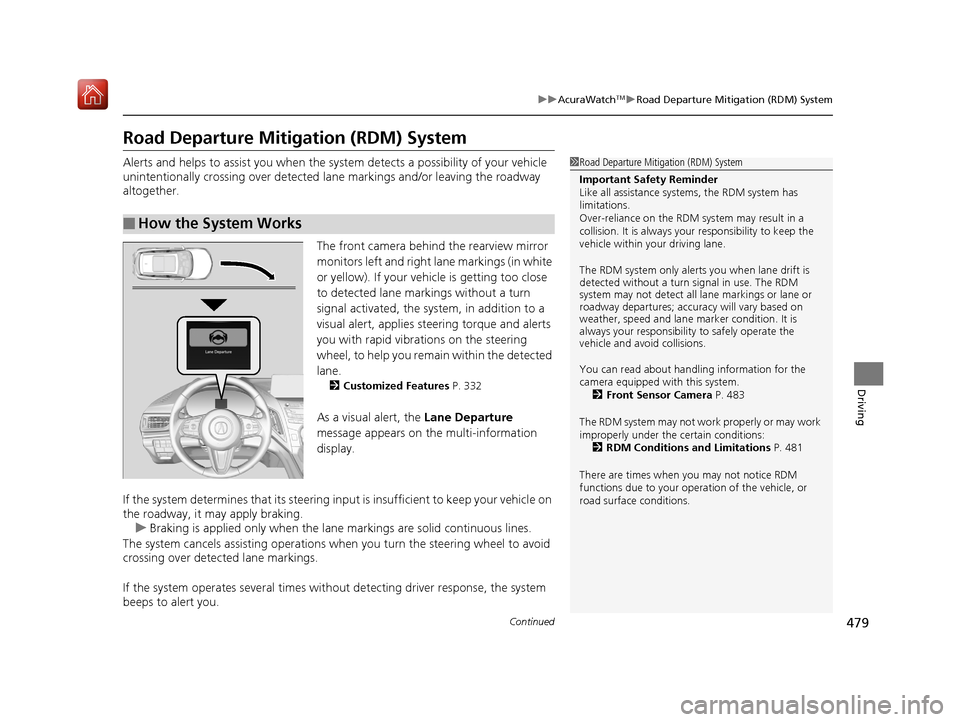
The front camera behind the rearview mirror
monitors left and right lane markings (in white
or yellow). If your vehicle is getting too close
to detected lane markings without a turn
signal activated, the system, in addition to a
visual alert, applies st eering torque and alerts
you with rapid vibrations on the steering
wheel, to help you remain within the detected
lane.
2 Customized Features P. 332
As a visual alert, the Lane Departure
message appears on the multi-information
display.
If the system determines that its steering input is insufficient to keep your vehicle on
the roadway, it may apply braking. u Braking is applied only when the lane markings are solid continuous lines.
The system cancels assisting operations wh en you turn the steering wheel to avoid
crossing over detected lane markings.
If the system operates several times with out detecting driver response, the system
beeps to alert you.
■How the System Works
1 Road Departure Mitigation (RDM) System
Important Safety Reminder
Like all assistance systems, the RDM system has
limitations.
Over-reliance on the RDM system may result in a
collision. It is always your responsibility to keep the
vehicle within your driving lane.
The RDM system only alerts you when lane drift is
detected without a turn signal in use. The RDM
system may not detect all la ne markings or lane or
roadway departures; accu racy will vary based on
weather, speed and lane marker condition. It is
always your responsibilit y to safely operate the
vehicle and avoid collisions.
You can read about handling information for the
camera equipped with this system.
2 Front Sensor Camera P. 483
The RDM system may not wo rk properly or may work
improperly under the certain conditions: 2 RDM Conditions and Limitations P. 481
There are times when you may not notice RDM
functions due to your opera tion of the vehicle, or
road surface conditions.
19 ACURA RDX-31TJB6000.book 479 ページ 2018年4月26日 木曜日 午後4時51分
Page 484 of 649

483
uuAcuraWatchTMuFront Sensor Camera
Continued
Driving
Front Sensor Camera
The camera, used in systems such as LKAS, RDM, ACC with LSF, and CMBSTM, is
designed to detect an object that tri ggers any of the systems to operate its
functions.
This camera is located behind the rearview
mirror.
To help reduce the likelihood that high interior
temperatures will cause the camera’s sensing
s y s t e m t o s h u t o f f , w h e n p a r k i n g , f i n d a s h a d y
area or face the front of the vehicle away from
the sun. If you use a reflective sun shade, do
not allow it to cover the camera housing.
Covering the camera can concentrate heat on
it.
■Camera Location and Handling Tips
1Front Sensor Camera
Never apply a film or attach any objects to the
windshield, the hood, or th e front grille that could
obstruct the camera’s fiel d of vision and cause the
system to operate abnormally.
Scratches, nicks, and othe r damage to the windshield
within the camera’s fiel d of vision can cause the
system to operate abnormall y. If this occurs, we
recommend that you replac e the windshield with a
genuine Acura replacement windshield. Making even
minor repairs within the ca mera’s field of vision or
installing an aftermarke t replacement windshield
may also cause the system to operate abnormally.
After replacing the winds hield, have a dealer
recalibrate the camera. Pr oper calibration of the
camera is necessary for the system to operate
properly.
Do not place an object on the top of the instrument
panel. It may reflect onto the windshield and prevent
the system from detecting lane lines properly.
Front Sensor
Camera
19 ACURA RDX-31TJB6000.book 483 ページ 2018年4月26日 木曜日 午後4時51分
Page 504 of 649
Continued503
uuParking Your Vehicle uCross Traffic Monitor*
Driving
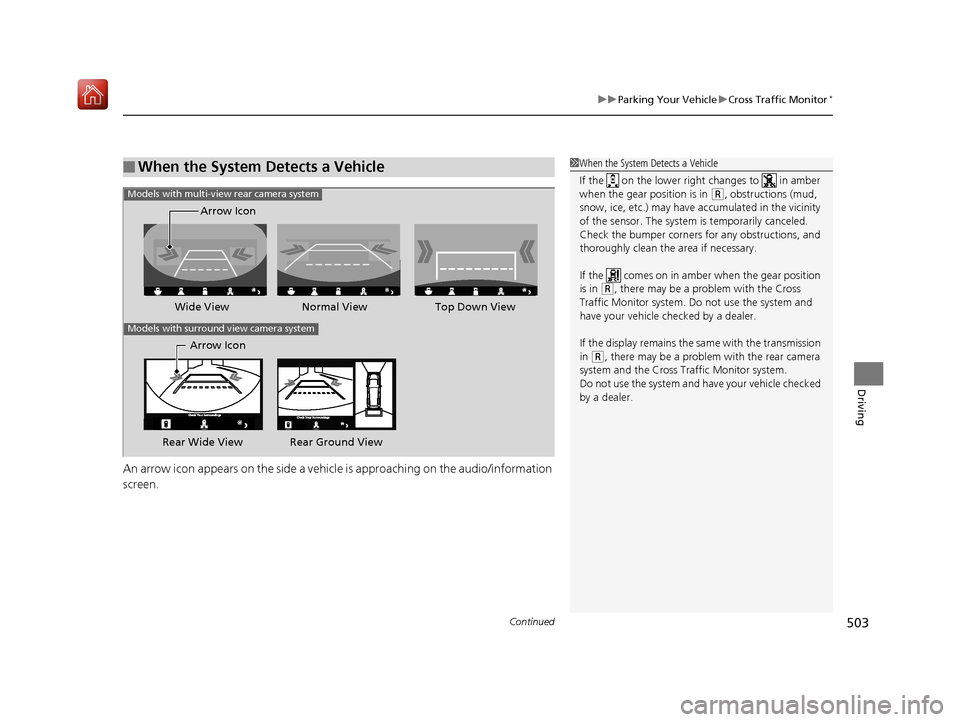
An arrow icon appears on the side a vehicle is approaching on the audio/information
screen.
■When the System Detects a Vehicle1 When the System Detects a Vehicle
If the on the lower right changes to in amber
when the gear position is in
( R, obstructions (mud,
snow, ice, etc.) may have ac cumulated in the vicinity
of the sensor. The system is temporarily canceled.
Check the bumper corners for any obstructions, and
thoroughly clean the area if necessary.
If the comes on in ambe r when the gear position
is in
( R, there may be a problem with the Cross
Traffic Monitor system. Do not use the system and
have your vehicle ch ecked by a dealer.
If the display remains the same with the transmission
in
( R, there may be a problem with the rear camera
system and the Cross Traffic Monitor system.
Do not use the system and have your vehicle checked
by a dealer.
Wide View Normal View
Arrow IconTop Down View
Models with multi-view rear camera system
Models with surround view camera system
Arrow Icon
Rear Wide View Rear Ground View
19 ACURA RDX-31TJB6000.book 503 ページ 2018年4月26日 木曜日 午後4時51分
Page 505 of 649
504
uuParking Your Vehicle uCross Traffic Monitor*
Driving
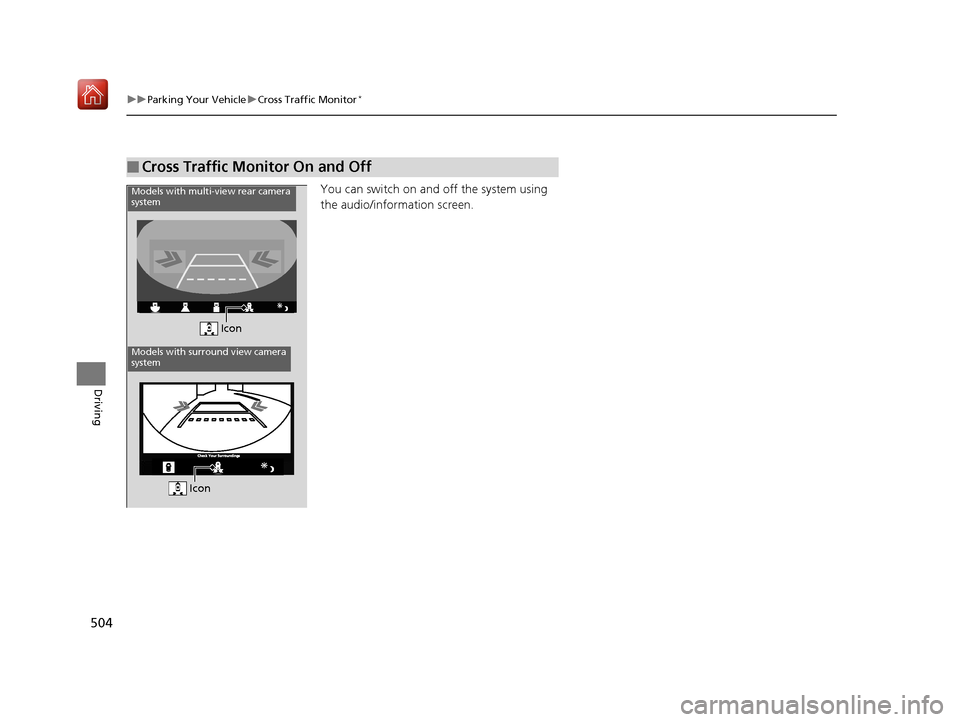
You can switch on and off the system using
the audio/information screen.
■Cross Traffic Monitor On and Off
Icon
Models with multi-view rear camera
system
Models with surround view camera
system
Icon
19 ACURA RDX-31TJB6000.book 504 ページ 2018年4月26日 木曜日 午後4時51分
Page 506 of 649
505Continued
Driving
Multi-View Rear Camera
About Your Multi-View Rear Camera
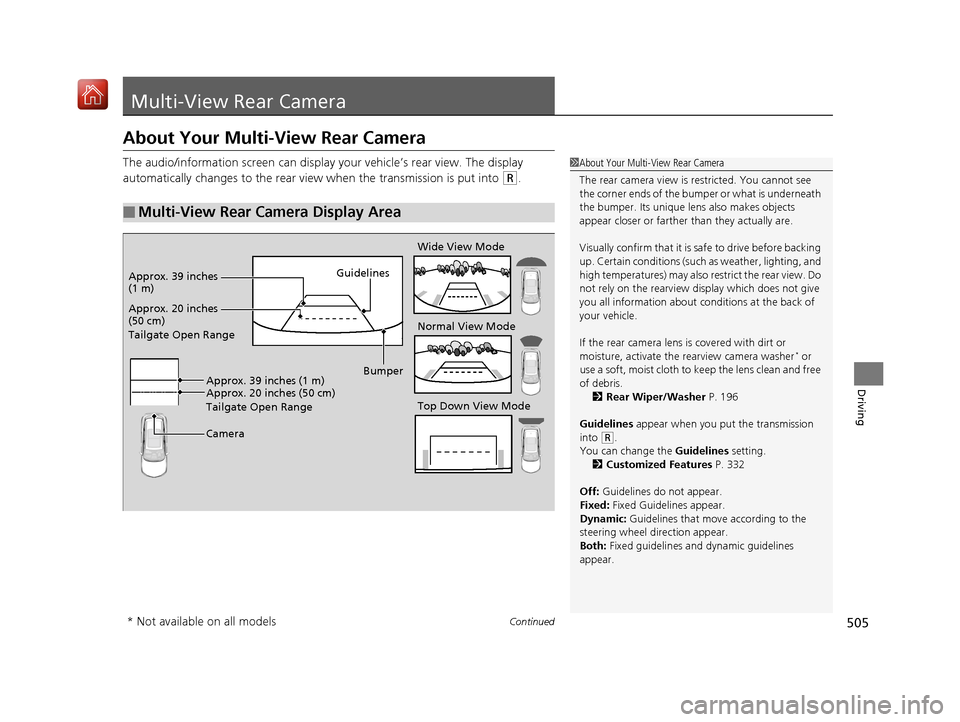
The audio/information screen can display your vehicle’s rear view. The display
automatically changes to the rear view when the transmission is put into
(R.
■Multi-View Rear Camera Display Area
1About Your Multi-View Rear Camera
The rear camera view is restricted. You cannot see
the corner ends of the bum per or what is underneath
the bumper. Its unique le ns also makes objects
appear closer or farther than they actually are.
Visually confirm that it is safe to drive before backing
up. Certain conditions (such as weather, lighting, and
high temperatures) may also re strict the rear view. Do
not rely on the rearview display which does not give
you all information about conditions at the back of
your vehicle.
If the rear camera lens is covered with dirt or
moisture, activate the rearview camera washer
* or
use a soft, moist cloth to keep the lens clean and free
of debris. 2 Rear Wiper/Washer P. 196
Guidelines appear when you put the transmission
into
( R.
You can change the Guidelines setting. 2 Customized Features P. 332
Off: Guidelines do not appear.
Fixed: Fixed Guidelines appear.
Dynamic: Guidelines that move according to the
steering wheel direction appear.
Both: Fixed guidelines and dynamic guidelines
appear.
Guidelines
Bumper
Camera
Approx. 20 inches
(50 cm)
Tailgate Open Range Approx. 39 inches
(1 m)
Wide View Mode
Normal View Mode
Top Down View Mode
Approx. 20 inches (50 cm)
Tailgate Open Range Approx. 39 inches (1 m)
* Not available on all models
19 ACURA RDX-31TJB6000.book 505 ページ 2018年4月26日 木曜日 午後4時51分
Page 507 of 649
506
uuMulti-View Rear Camera uAbout Your Multi-View Rear Camera
Driving
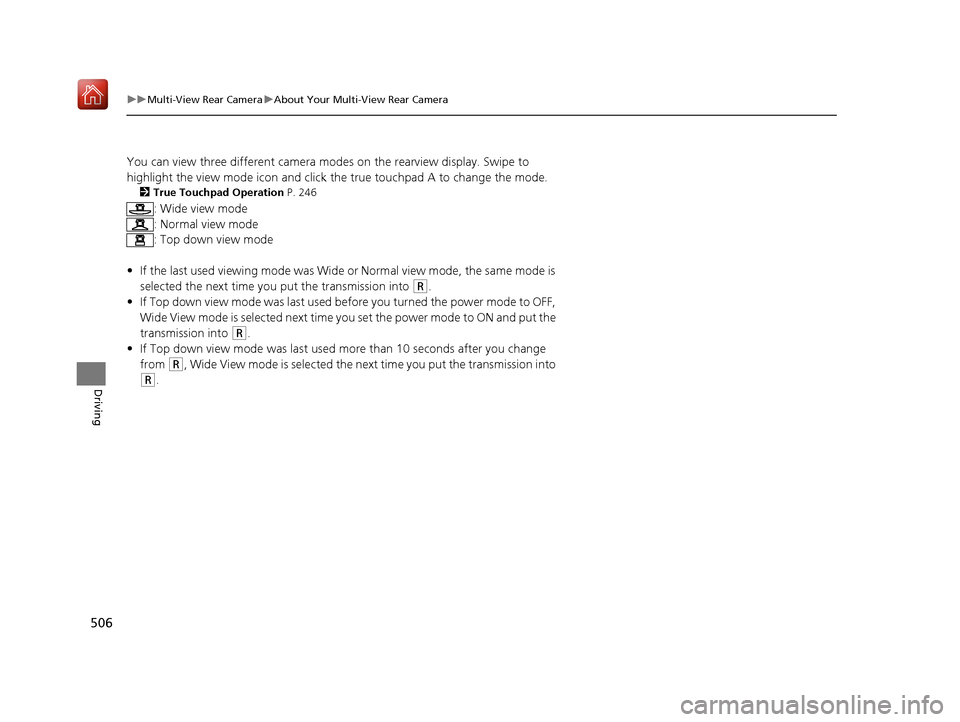
You can view three different camera mode s on the rearview display. Swipe to
highlight the view mode icon and click the true touchpad A to change the mode.
2 True Touchpad Operation P. 246
: Wide view mode
: Normal view mode
: Top down view mode
• If the last used viewing mo de was Wide or Normal view mode, the same mode is
selected the next time you put the transmission into
(R.
• If Top down view mode was last used be fore you turned the power mode to OFF,
Wide View mode is selected next time you set the power mode to ON and put the
transmission into
(R.
• If Top down view mode was last used more than 10 second s after you change
from
(R, Wide View mode is selected the ne xt time you put the transmission into
(R.
19 ACURA RDX-31TJB6000.book 506 ページ 2018年4月26日 木曜日 午後4時51分