phone Acura RDX 2019 Workshop Manual
[x] Cancel search | Manufacturer: ACURA, Model Year: 2019, Model line: RDX, Model: Acura RDX 2019Pages: 649, PDF Size: 33 MB
Page 383 of 649
uuBluetooth ® HandsFreeLink ®u Text Message
382
Features
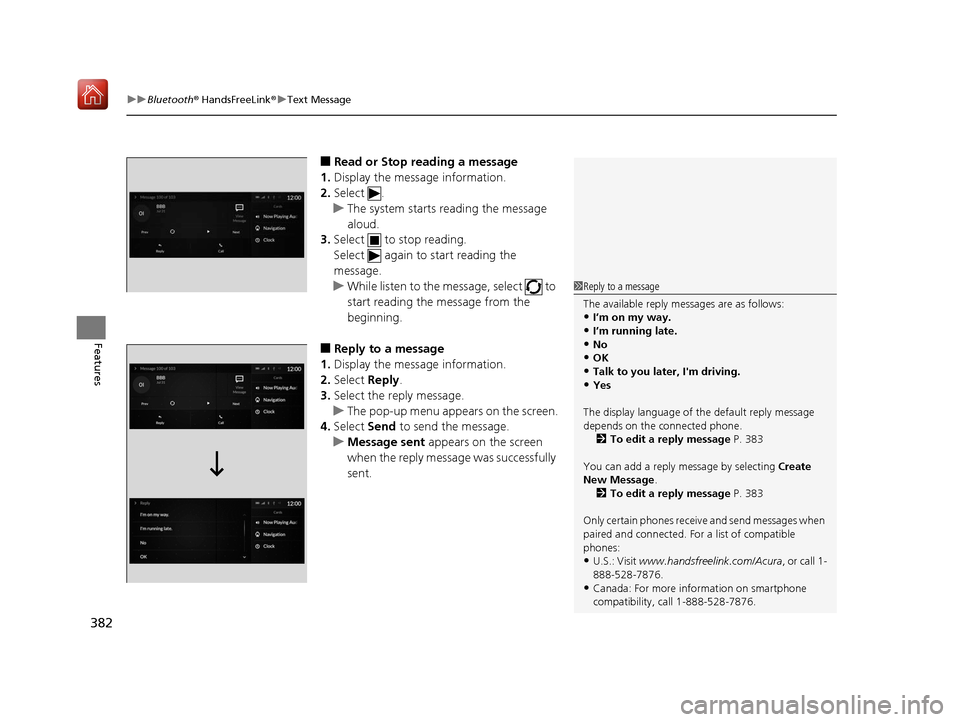
■Read or Stop reading a message
1. Display the message information.
2. Select .
u The system starts reading the message
aloud.
3. Select to stop reading.
Select again to start reading the
message.
u While listen to the message, select to
start reading the message from the
beginning.
■Reply to a message
1. Display the message information.
2. Select Reply.
3. Select the reply message.
u The pop-up menu appears on the screen.
4. Select Send to send the message.
u Message sent appears on the screen
when the reply message was successfully
sent.
1 Reply to a message
The available reply messages are as follows:
•I’m on my way.•I’m running late.
•No
•OK•Talk to you later, I'm driving.
•Yes
The display language of th e default reply message
depends on the connected phone. 2 To edit a reply message P. 383
You can add a reply message by selecting Create
New Message .
2 To edit a reply message P. 383
Only certain phones receiv e and send messages when
paired and connected. For a list of compatible
phones:
•U.S.: Visit www.handsfreelink.com/Acura, or call 1-
888-528-7876.
•Canada: For more info rmation on smartphone
compatibility, call 1-888-528-7876.
19 ACURA RDX-31TJB6000.book 382 ページ 2018年4月26日 木曜日 午後4時51分
Page 388 of 649
387Continued
Features
AcuraLink®
Is a subscription-based service that provid es convenient features such as voice
communication in case of emergency, online security, one-on-one operator
assistance, and the transmission of importa nt messages regarding your vehicle’s
status.
Use the following procedure to connect to AcuraLink.
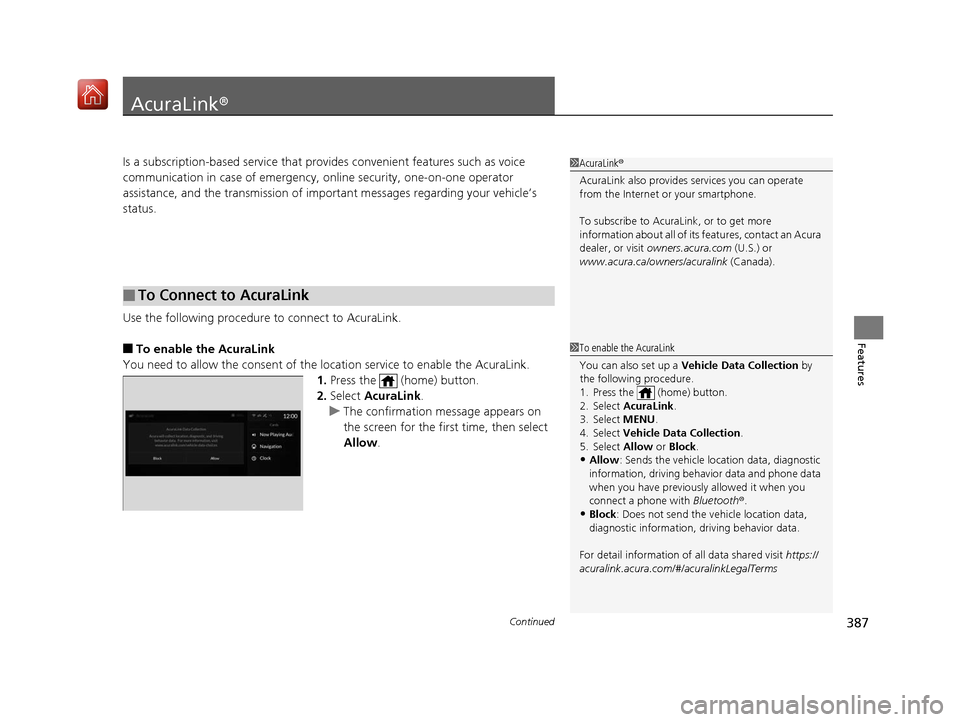
■To enable the AcuraLink
You need to allow the consent of the lo cation service to enable the AcuraLink.
1. Press the (home) button.
2. Select AcuraLink.
u The confirmation message appears on
the screen for the first time, then select
Allow .
■To Connect to AcuraLink
1AcuraLink ®
AcuraLink also provides services you can operate
from the Internet or your smartphone.
To subscribe to AcuraLink, or to get more
information about all of its features, contact an Acura
dealer, or visit owners.acura.com (U.S.) or
www.acura.ca/owners/acuralink (Canada).
1To enable the AcuraLink
You can also set up a Vehicle Data Collection by
the following procedure.
1. Press the (home) button.
2. Select AcuraLink .
3. Select MENU .
4. Select Vehicle Data Collection .
5. Select Allow or Block.
•Allow: Sends the vehicle location data, diagnostic
information, driving behavior data and phone data
when you have previously allowed it when you
connect a phone with Bluetooth®.
•Block : Does not send the ve hicle location data,
diagnostic information, driving behavior data.
For detail information of all data shared visit https://
acuralink.acura.com/#/acuralinkLegalTerms
19 ACURA RDX-31TJB6000.book 387 ページ 2018年4月26日 木曜日 午後4時51分
Page 389 of 649
uuAcuraLink ®u
388
Features
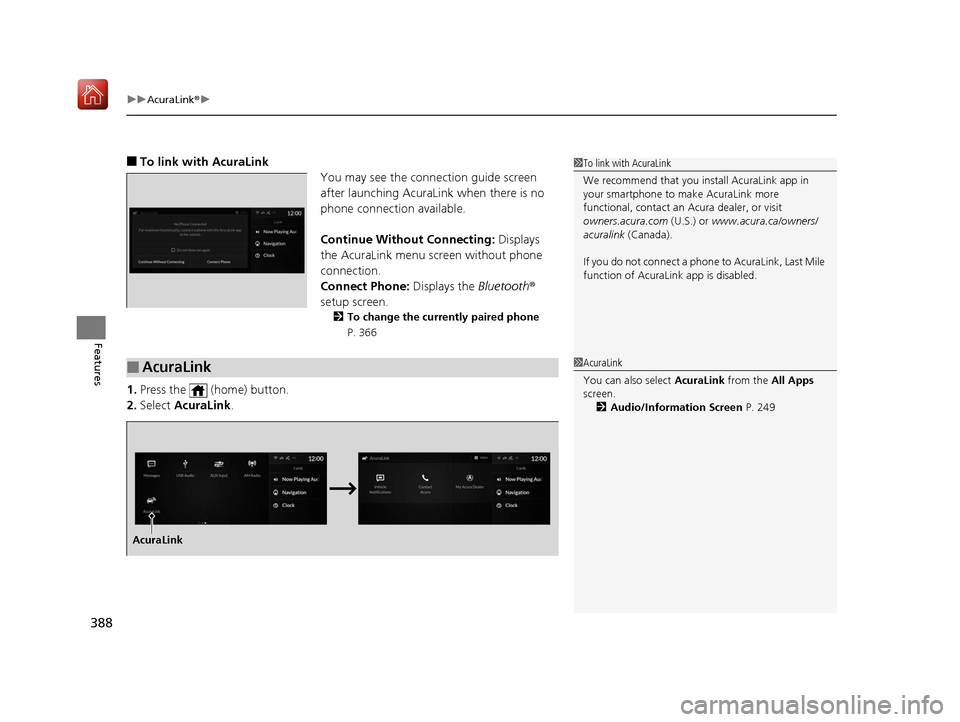
■To link with AcuraLink
You may see the connection guide screen
after launching AcuraLink when there is no
phone connecti on available.
Continue Without Connecting: Displays
the AcuraLink menu screen without phone
connection.
Connect Phone: Displays the Bluetooth®
setup screen.
2 To change the currently paired phone
P. 366
1.Press the (home) button.
2. Select AcuraLink .
1To link with AcuraLink
We recommend that you install AcuraLink app in
your smartphone to make AcuraLink more
functional, contact an Acura dealer, or visit
owners.acura.com (U.S.) or www.acura.ca/owners/
acuralink (Canada).
If you do not connect a phone to AcuraLink, Last Mile
function of AcuraLink app is disabled.
■AcuraLink1 AcuraLink
You can also select AcuraLink from the All Apps
screen.
2 Audio/Information Screen P. 249
AcuraLink
19 ACURA RDX-31TJB6000.book 388 ページ 2018年4月26日 木曜日 午後4時51分
Page 390 of 649
Continued389
uuAcuraLink ®u
Features
■Vehicle Notifications
Displays the diagnostic information, recall or impo rtant safety information*1, or
general information by connecting to the Acura server using HFL.
■Contact Acura
Connect to the AcuraLink operator when trying to find a destination or for roadside
assistance.
■My Acura Dealer
Calls your Acura dealer using HFL or sets a destination of the navigation* to the
dealer.
■MENU
Displays the AcuraLink menu screen.
• Vehicle Data Collection : Displays the AcuraLink connection setting screen.
2To enable the AcuraLink P. 387
•AcuraLink Subscriptions : Displays your current AcuraLink subscription status.
• Connect Bluetooth Device: Displays the Bluetooth® setup screen.
2To change the currently paired phone P. 366
*1: When you select Roadside Assistance, the system connect to the AcuraLink operator
through the telematics control unit (TCU).
1 Vehicle Notifications
Some messages can be deleted manually; some
others will automatica lly disappear when the
malfunction is fixed, cont act a dealer if necessary.
* Not available on all models
19 ACURA RDX-31TJB6000.book 389 ページ 2018年4月26日 木曜日 午後4時51分
Page 392 of 649
Continued391
uuAcuraLink ®u
Features
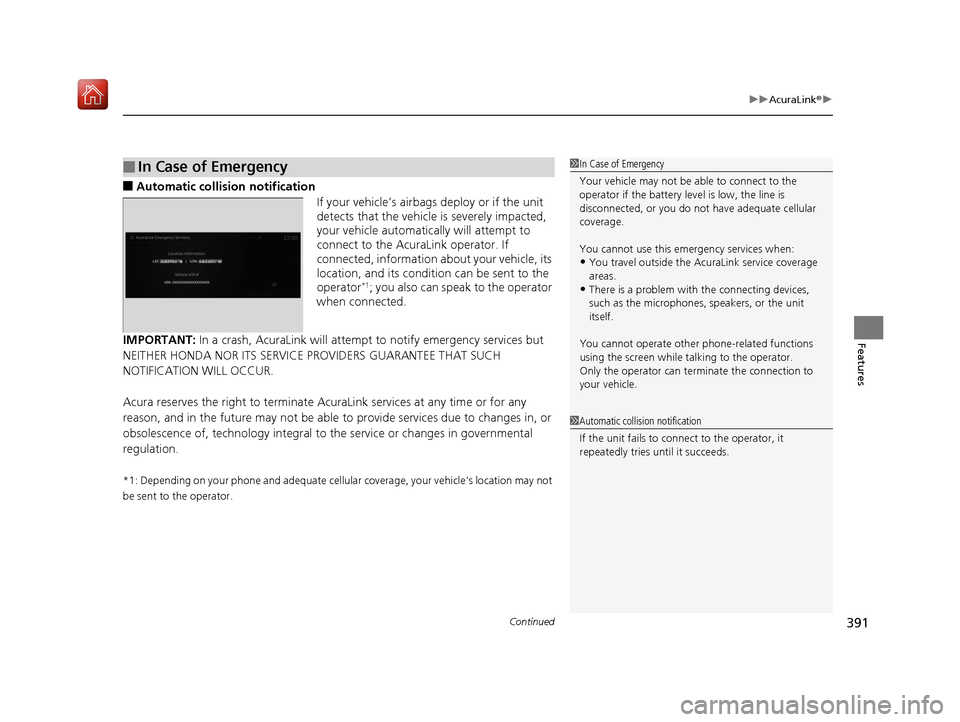
■Automatic collis ion notification
If your vehicle’s airbags deploy or if the unit
detects that the vehicle is severely impacted,
your vehicle automatically will attempt to
connect to the AcuraLink operator. If
connected, information about your vehicle, its
location, and its condition can be sent to the
operator
*1; you also can speak to the operator
when connected.
IMPORTANT: In a crash, AcuraLink will attemp t to notify emergency services but
NEITHER HONDA NOR ITS SERVICE PROVIDERS GUARANTEE THAT SUCH
NOTIFICATION WILL OCCUR.
Acura reserves the right to terminate Acur aLink services at any time or for any
reason, and in the future may not be able to provide services due to changes in, or
obsolescence of, technology integral to the service or changes in governmental
regulation.
*1: Depending on your phone and adequate cellular coverage, your vehicle’s location may not
be sent to the operator.
■In Case of Emergency1 In Case of Emergency
Your vehicle may not be able to connect to the
operator if the battery level is low, the line is
disconnected, or you do not have adequate cellular
coverage.
You cannot use this emergency services when:
•You travel outside the AcuraLink service coverage
areas.
•There is a problem with the connecting devices,
such as the microphones, speakers, or the unit
itself.
You cannot operate othe r phone-related functions
using the screen while talking to the operator.
Only the operator can terminate the connection to
your vehicle.
1 Automatic collision notification
If the unit fails to connect to the operator, it
repeatedly tries until it succeeds.
19 ACURA RDX-31TJB6000.book 391 ページ 2018年4月26日 木曜日 午後4時51分
Page 395 of 649
uuAcuraLink ®u
394
Features
Your subscribed telematics service provider can check your vehicle’s condition. For
maximum functionality download AcuraLink app in your smartphone and connect it
with the vehicle.
■Automatic Collision Notifications
A live agent will reach out and check on you and request that help be sent in the
event of a crash.
■Send Destination
Search for destinations on your phone and in stantly beam turn-by-turn directions to
your navigation system
*. Requires In-vehicle Navigation System*.
■Stolen Vehicle Locator
Get door and lock status as we ll as mileage, fuel, oil life, and tire pressure readings
on your phone.
■Remote Start & Stop
Arrive at your vehicle with the engine warmed up and the interior set to a
comfortable temperature.
■Remote Lock & Unlock
Lock and unlock your vehicle with your smartphone.
■Find My Car
Find your parked vehicle and flash/sound your horns remotely using your
smartphone.
■Connection Features1 Connection Features
The contact information of your provider, your user
ID and PIN will be given when you subscribe to
AcuraLink. If you forget any of the above, contact a
Acura dealer, or go to owners.acura.com (U.S.) or
www.acura.ca/owners/acuralink (Canada).
You can also activate the remote door lock/unlock
and vehicle finder features from the Internet or using
your smartphone app. As k a dealer, or visit
owners.acura.com (U.S.) or www.acura.ca/owners/
acuralink (Canada) for details.
1Find My Car
The lights will stop flas hing and horn will stop
sounding under the following:
•When conditions 30 seconds have elapsed.
•You unlock the doors using the remote transmitter.
•You unlock the doors using the keyless access
system.
•You unlock the doors using the built-in key.
•The power mode is set to ACCESSORY or ON.
* Not available on all models
19 ACURA RDX-31TJB6000.book 394 ページ 2018年4月26日 木曜日 午後4時51分
Page 396 of 649
395
uuAcuraLink ®u
Features
■Vehicle Status
Get door and lock status as well as mileage, fuel, oil life, and tire pressure readings
on your phone.
■Emergency Call
A live agent will stay on the call with you and request that help be sent in the event
of an emergency.
■Security Alarm Alert
Receive alerts if vehicle security alarm is triggered.
■Destination by Voice
Talk to a live assistant who will search a nd send turn by turn directions to your
vehicle’s navigation system
*. Requires In-vehicle Navigation System*.
■Last Mile
Receive walking directions to your final destination right when you get out of your
Acura. Requires In-vehicle Navigation System
*.
* Not available on all models
19 ACURA RDX-31TJB6000.book 395 ページ 2018年4月26日 木曜日 午後4時51分
Page 639 of 649
638
Information
Authorized Manuals
■Service Express
For electronic copies of se rvice publications, you can purchase a subscription to
Service Express. Visit www.techinfo.honda.com for pricing and options.
■For U.S. Owners
Manuals can be purchased from Helm Incorporated. You can order a manual by
phone at 1 (800) 782-4356 (credit ca rd orders only), or online at www.helminc.com.
■For Canadian Owners
Please contact a dealer to order any manuals that you may require.
19 ACURA RDX-31TJB6000.book 638 ページ 2018年4月26日 木曜日 午後4時51分
Page 640 of 649
639
Information
Client Service Information
Acura dealership personnel are trained professionals who should be able to deal
with any problems you may encounter with your vehicle. If, however, you are faced
with a problem that they cannot resolve to your satisf action, contact Acura Client
Relations/Services.
U.S. Owners
American Honda Motor Co., Inc.
Acura Client Relations
Mail Stop 100-5E-8F
1919 Torrance Blvd.
Torrance, CA 90501-2746
Tel: 1 (800) 382-2238 Canadian Owners
Honda Canada Inc.
Acura Client Services
180 Honda Boulevard
Markham, ON
L6C 0H9
Tel: 1-888-9-ACURA-9
Fax: 1-877-939-0909
E-Mail: [email protected]
In Puerto Rico and the U.S. Virgin
Islands
Bella International
P.O. Box 190816
San Juan, PR 00919-0816
Tel: 1 (787) 620-75461 Client Service Information
When you call or write, pl ease give us the following
information:
•Vehicle Identification Number
2Vehicle Identification Number (VIN),
Engine Number, and Transmission
Number P. 630
•Date of purchase•Odometer reading of your vehicle
•Your name, address, and telephone number
•A detailed description of the problem•Name of the dealer who sold the vehicle to you
19 ACURA RDX-31TJB6000.book 639 ページ 2018年4月26日 木曜日 午後4時51分
Page 644 of 649
643
Index
Fuel..................................................... 21, 515
Economy................................................. 518
Gauge .................................................... 126
Instant Fuel Economy .............................. 131
Low Fuel Indicator..................................... 83
Range ..................................................... 131
Recommendation.................................... 515
Refueling ................................................ 515
Fuel Economy ........................................... 518
Fuel Fill Door ...................................... 21, 516
Fuses ......................................................... 615
Inspecting and Changing ........................ 621
Locations ................................ 615, 618, 619
G
Gasoline (Fuel) Economy................................................. 518
Gauge .................................................... 126
Information............................................. 515
Instant Fuel Economy .............................. 131
Low Fuel Indicator..................................... 83
Refueling ................................................ 515
Gauges ...................................................... 126
Gear Position Indicator ...................... 79, 420
Gear Shift Positions Automatic Transmission .......................... 418
Glass (care) ............................................... 572
Glove Box ................................................. 221
H
Handling the Unexpected ........................ 577
HandsFreeLink ® (HFL) ............................... 358
Automatic Import of Cellular Phonebook
and Call History ..................................... 369
Automatic Transferring ............................ 368
Displaying Messages ................................ 381
Favorite Contacts ..................................... 370
HFL Buttons ............................................. 358
HFL Menus .............................................. 362
HFL Status Display ................................... 360
In Case of Emergency .............................. 391
Limitations for Manua l Operation ............ 361
Making a Call .......................................... 371
Options During a Call .............................. 375
Phone Setup ............................................ 364
Receiving a Call ....................................... 374
Receiving a Text Message ........................ 379
Ring Tone ................................................ 368
Selecting a Phone .................................... 380
To Set Up a Text Message Options ........... 378
Hazard Warning Button ............................... 4
HD Radio
TM................................................ 277
Head Restraints ......................................... 212
Headlight Washers ................................... 197
Headlights ................................................. 186
Adaptive Front Lighting System (AFS) ....... 189
Auto High-Beam System .......................... 191
Automatic Operation ............................... 187
Dimming ......................................... 186, 190
Operating ................................................ 186 Head-Up Display
....................................... 138
Heated Steering Wheel ............................ 227
Heaters (Seat) ........................................... 228
HFL (HandsFreeLink ®)............................... 358
High Beam Indicator .................................. 87
Hill Start Assist System ............................. 415
HomeLink ® Universal Transceiver ............ 355
Honda App License Agreement .............. 313
Honda Sensing
TM...................................... 445
I
Identification Numbers ............................ 630
Engine and Transmission ......................... 630
Vehicle Identification ............................... 630
IDS (Integrated Dynamics System) ........... 426
Illumination Control ................................. 198
Knob ....................................................... 198
Immobilizer System .................................. 173
Indicator.................................................... 88
19 ACURA RDX-31TJB6000.book 643 ページ 2018年4月26日 木曜日 午後4時51分