brake Acura RDX 2019 Repair Manual
[x] Cancel search | Manufacturer: ACURA, Model Year: 2019, Model line: RDX, Model: Acura RDX 2019Pages: 649, PDF Size: 33 MB
Page 452 of 649
451
uuAcuraWatchTMuCollision Mitigation Braking SystemTM (CMBSTM)
Continued
Driving
■Vehicle conditions
• Headlight lenses are dirty or the h eadlights are not properly adjusted.
• The outside of the windshield is blocked by dirt, mud, leaves, wet snow, etc.
• The inside of the windshield is fogged.
• An abnormal tire or wheel condition (wro ng sized, varied size or construction,
improperly inflated, compact spare tire
*, etc.).
• When tire chains are installed.
• The vehicle is tilted due to a heavy load or suspension modifications.
• The camera temperature gets too high.
• Driving with the parking brake applied.
• When the radar sensor behind the emblem gets dirty.
■Detection limitations
• A vehicle or pedestrian suddenly crosses in front of you.
• The distance between your vehicle and the vehicle or pedestrian ahead of you is
too short.
• A vehicle cuts in front of you at a slow speed, and it brakes suddenly.
• When you accelerate rapidly and approach the vehicle or pedestrian ahead of you
at high speed.
• The vehicle ahead of you is a motorcycle, bicycle, mobility scooter or other small
vehicle.
• When there are animals in front of your vehicle.
• When you drive on a curved, winding or und ulating road that makes it difficult for
the sensor to properly detect a vehicle in front of you.
• The speed difference between your vehicle an d a vehicle or pedestrian in front of
you is significantly large.
• An oncoming vehicle suddenly comes in front of you.
• Another vehicle suddenly comes in front of you at an intersection, etc.
• Your vehicle abruptly crosses over in front of an oncoming vehicle.
• When driving through a narrow iron bridge.
• When the lead vehicl e suddenly slows down.
* Not available on all models
19 ACURA RDX-31TJB6000.book 451 ページ 2018年4月26日 木曜日 午後4時51分
Page 456 of 649
455
uuAcuraWatchTMuAdaptive Cruise Control (ACC) with Low Speed Follow (LSF)
Continued
Driving
Adaptive Cruise Control (ACC) with Low Speed
Follow (LSF)
Helps maintain a constant vehicle speed and a set following interval behind a vehicle
detected ahead of yours and, if the detect ed vehicle comes to a stop, can decelerate
and stop your ve hicle, without yo u having to keep your foot on the brake or the
accelerator.
When ACC with LSF slows your vehicle by applying the brakes, your vehicle’s brake
lights will illuminate.
1 Adaptive Cruise Control (ACC) with Low Speed Follow (LSF)
Important Reminder
As with any system, there are limits to ACC with LSF.
Use the brake pedal whenever necessary, and always
keep a safe interval between your vehicle and other
vehicles.
ACC with LSF can not be activated if Intelligent
Dynamics System setting is Snow.
3WARNING
Improper use of ACC wi th LSF can lead to a
crash.
Use ACC with LSF only when driving on
expressways or freeways and in good
weather conditions.
3WARNING
ACC with LSF has limited braking capability
and may not stop your vehicle in time to
avoid a collision with a vehicle that quickly
stops in front of you.
Always be prepared to apply the brake
pedal if the conditions require.
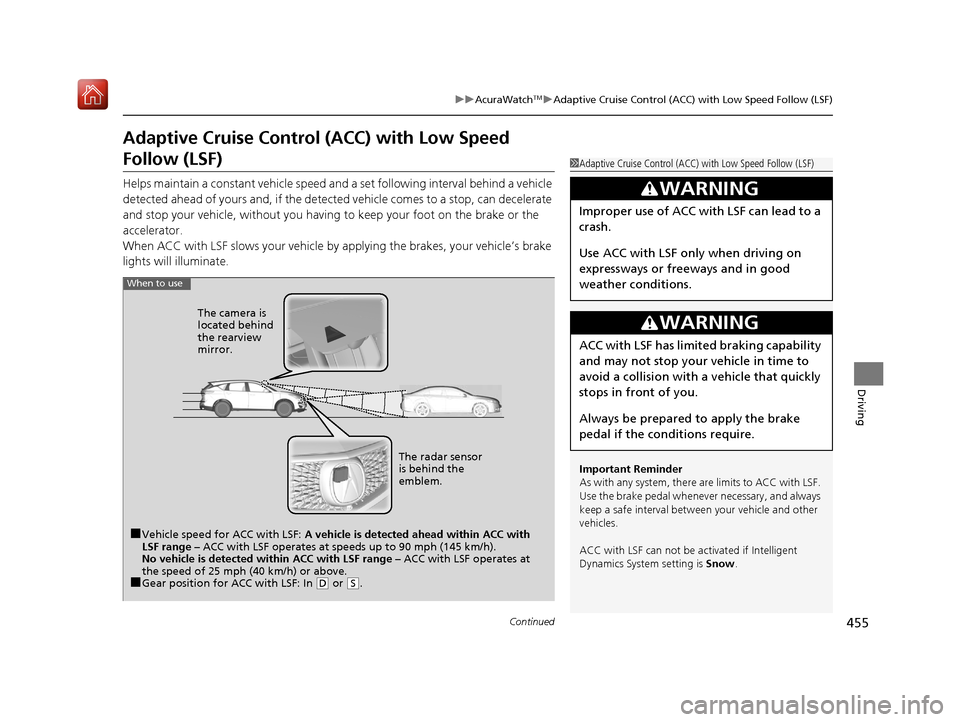
When to use
■Vehicle speed for ACC with LSF: A vehicle is detected ahead within ACC with
LSF range – ACC with LSF operates at speeds up to 90 mph (145 km/h).
No vehicle is detected within ACC with LSF range – ACC with LSF operates at
the speed of 25 mph (40 km/h) or above.
■Gear position for ACC with LSF: In ( D or ( S. The radar sensor
is behind the
emblem.
The camera is
located behind
the rearview
mirror.
19 ACURA RDX-31TJB6000.book 455 ページ 2018年4月26日 木曜日 午後4時51分
Page 457 of 649
uuAcuraWatchTMuAdaptive Cruise Control (ACC) with Low Speed Follow (LSF)
456
Driving
■How to activate the system1Adaptive Cruise Control (ACC) with Low Speed Follow (LSF)
When the MAIN button is pressed, both ACC with
LSF and the Lane Keeping Assist System (LKAS) are
either turned on or off.
ACC with LSF may not work properly under certain
conditions. 2 ACC with LSF Conditions and Limitations
P. 461
When not using ACC with LSF: Turn off adaptive
cruise by pressing the MAIN button. This also will
turn off the Lane Keeping Assist System (LKAS).
Do not use ACC with LSF under the following
conditions:
•On roads with heavy traf fic or while driving in
continuous stop and go traffic.
•On roads with sharp turns.
•On roads with steep downhill sections, as the set
vehicle speed can be exceeded by coasting. In such
cases, ACC with LSF will not apply the brakes to
maintain the set speed.
•On roads with toll collection facilities or other
objects between lanes of traffic, or in parking
areas, or faci lities with driv e through access.
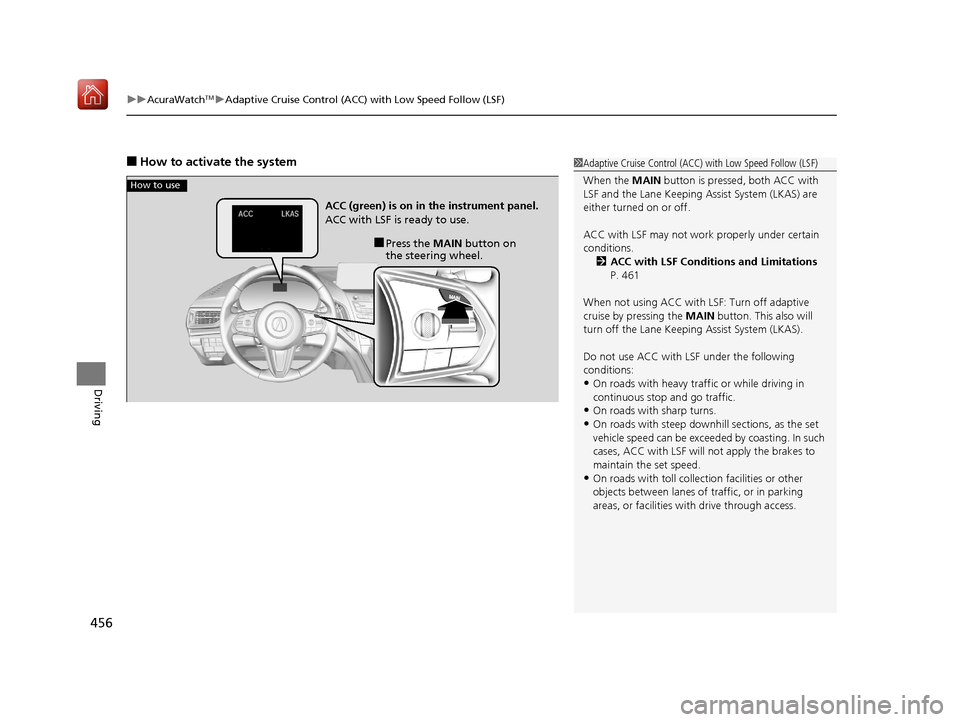
How to use
■Press the MAIN button on
the steering wheel.
ACC (green) is on in the instrument panel.
ACC with LSF is ready to use.
19 ACURA RDX-31TJB6000.book 456 ページ 2018年4月26日 木曜日 午後4時51分
Page 458 of 649
Continued457
uuAcuraWatchTMuAdaptive Cruise Control (ACC) with Low Speed Follow (LSF)
Driving
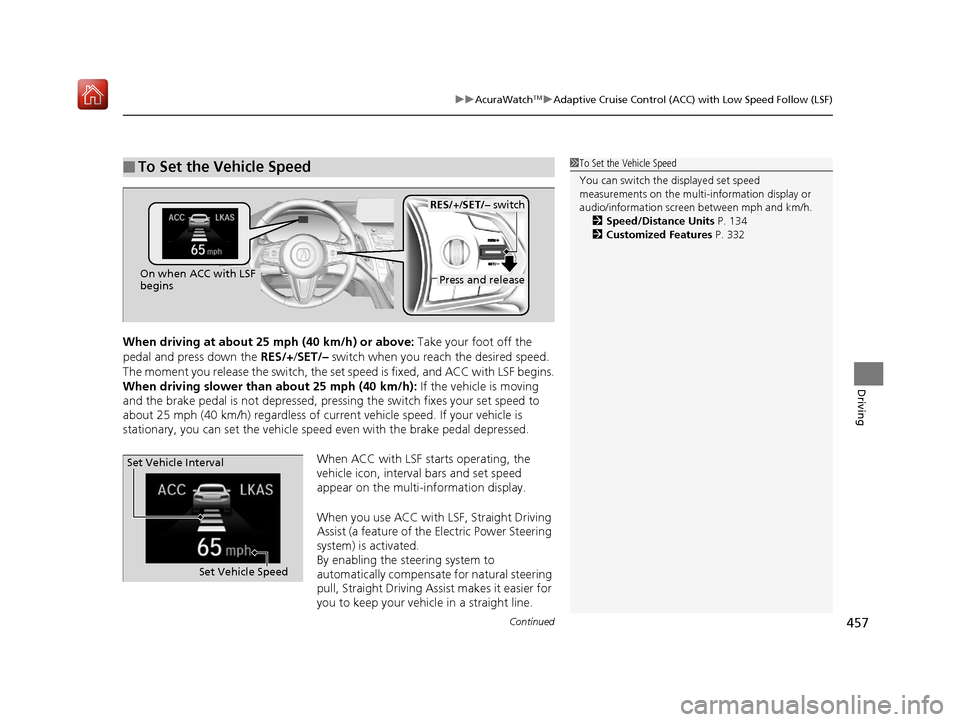
When driving at about 25 mph (40 km/h) or above: Take your foot off the
pedal and press down the RES/+/SET/– switch when you reach the desired speed.
The moment you release the switch, the set speed is fixed, and ACC with LSF begins.
When driving slower than about 25 mph (40 km/h): If the vehicle is moving
and the brake pedal is not depressed, pressing the switch fixes your set speed to
about 25 mph (40 km/h) regardless of current vehicle speed. If your vehicle is
stationary, you can set the vehicle speed even with the brake pedal depressed.
When ACC with LSF starts operating, the
vehicle icon, interval bars and set speed
appear on the multi-information display.
When you use ACC with LSF, Straight Driving
Assist (a feature of the Electric Power Steering
system) is activated.
By enabling the steering system to
automatically compensate for natural steering
pull, Straight Driving Assist makes it easier for
you to keep your vehicle in a straight line.
■To Set the Vehicle Speed1To Set the Vehicle Speed
You can switch the displayed set speed
measurements on the multi- information display or
audio/information screen between mph and km/h. 2 Speed/Distance Units P. 134
2 Customized Features P. 332
On when ACC with LSF
beginsPress and release
RES/+/SET/– switch
Set Vehicle Speed
Set Vehicle Interval
19 ACURA RDX-31TJB6000.book 457 ページ 2018年4月26日 木曜日 午後4時51分
Page 459 of 649
uuAcuraWatchTMuAdaptive Cruise Control (ACC) with Low Speed Follow (LSF)
458
Driving
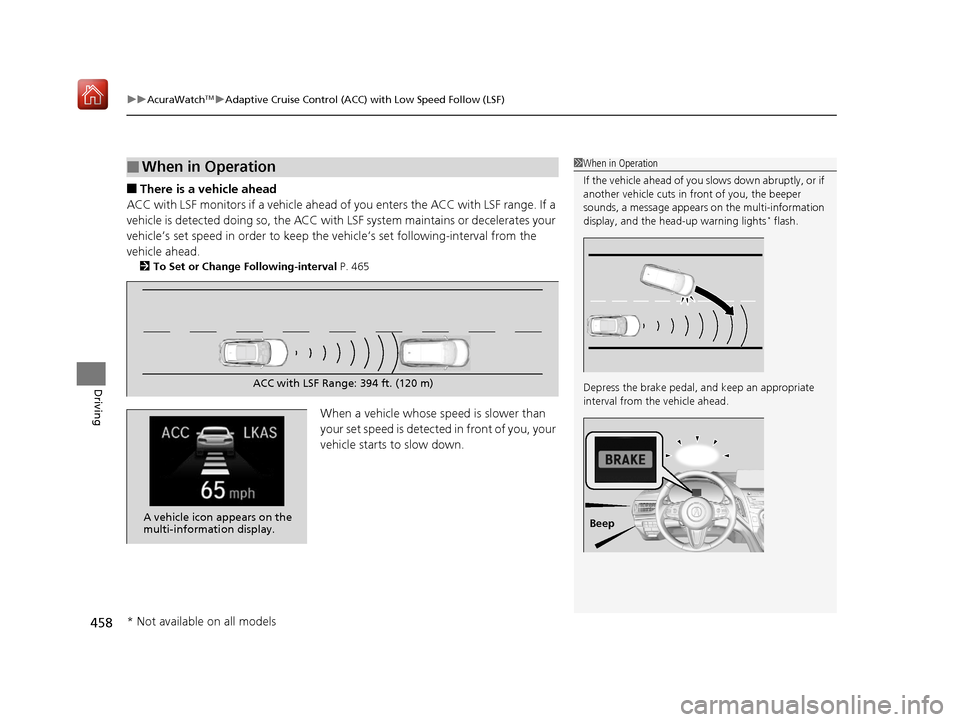
■There is a vehicle ahead
ACC with LSF monitors if a vehicle ahead of you enters the ACC with LSF range. If a
vehicle is detected doing so, the ACC with LSF system maintains or decelerates your
vehicle’s set speed in order to keep the vehicle’s set following-interval from the
vehicle ahead.
2 To Set or Change Following-interval P. 465
When a vehicle whose speed is slower than
your set speed is detected in front of you, your
vehicle starts to slow down.
■When in Operation1 When in Operation
If the vehicle ahead of you slows down abruptly, or if
another vehicle cuts in front of you, the beeper
sounds, a message appears on the multi-information
display, and the head-up warning lights
* flash.
Depress the brake pedal, and keep an appropriate
interval from the vehicle ahead.
Beep
ACC with LSF Range: 394 ft. (120 m)
A vehicle icon appears on the
multi-information display.
* Not available on all models
19 ACURA RDX-31TJB6000.book 458 ページ 2018年4月26日 木曜日 午後4時51分
Page 460 of 649
Continued459
uuAcuraWatchTMuAdaptive Cruise Control (ACC) with Low Speed Follow (LSF)
Driving
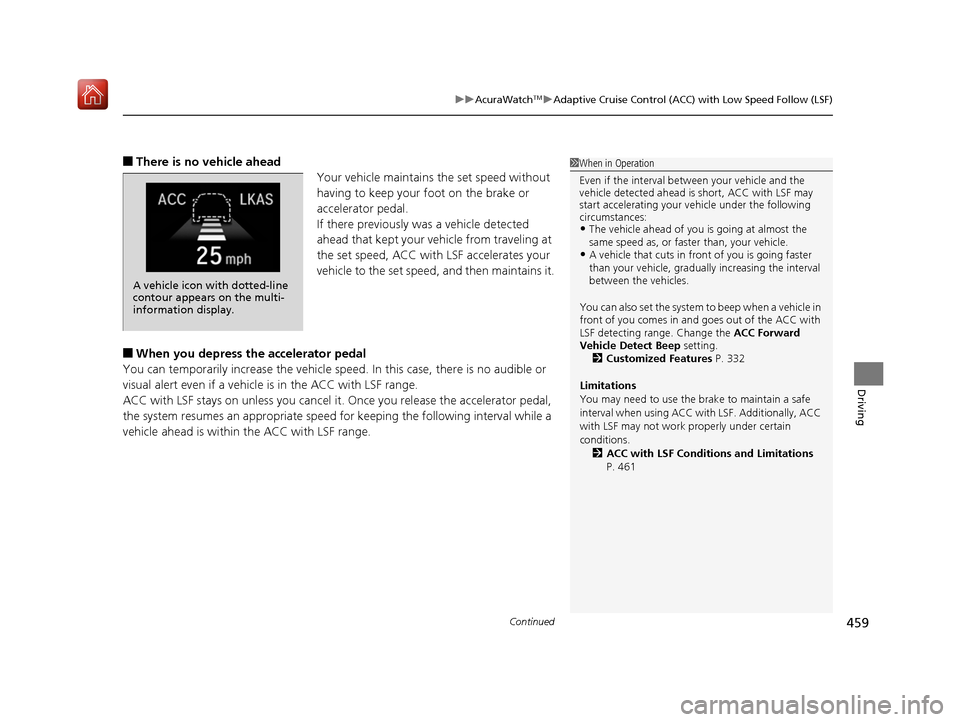
■There is no vehicle ahead
Your vehicle maintains the set speed without
having to keep your foot on the brake or
accelerator pedal.
If there previously was a vehicle detected
ahead that kept your vehicle from traveling at
the set speed, ACC with LSF accelerates your
vehicle to the set speed, and then maintains it.
■When you depress the accelerator pedal
You can temporarily increase the vehicle speed . In this case, there is no audible or
visual alert even if a vehicl e is in the ACC with LSF range.
ACC with LSF stays on unless you cancel it . Once you release the accelerator pedal,
the system resumes an appropriate speed for keeping the following interval while a
vehicle ahead is within the ACC with LSF range.
1 When in Operation
Even if the interval betw een your vehicle and the
vehicle detected ahead is short, ACC with LSF may
start accelerating your vehicle under the following
circumstances:
•The vehicle ahead of you is going at almost the
same speed as, or faster than, your vehicle.
•A vehicle that cuts in front of you is going faster
than your vehicle, gradua lly increasing the interval
between the vehicles.
You can also set the system to beep when a vehicle in
front of you comes in and goes out of the ACC with
LSF detecting range. Change the ACC Forward
Vehicle Detect Beep setting. 2 Customized Features P. 332
Limitations
You may need to use the brake to maintain a safe
interval when using ACC wi th LSF. Additionally, ACC
with LSF may not work properly under certain
conditions. 2 ACC with LSF Conditions and Limitations
P. 461
A vehicle icon with dotted-line
contour appears on the multi-
information display.
19 ACURA RDX-31TJB6000.book 459 ページ 2018年4月26日 木曜日 午後4時51分
Page 462 of 649
Continued461
uuAcuraWatchTMuAdaptive Cruise Control (ACC) with Low Speed Follow (LSF)
Driving
The system may automatically shut off and the ACC with LSF indicator will come on
under certain conditions. Some examples of these conditions are listed below. Other
conditions may reduce some of the ACC with LSF functions.
■Environmental conditions
Driving in bad weather (r ain, fog, snow, etc.).
■Roadway conditions
Driving on a snowy or wet roadway (obscure d lane marking, vehicle tracks, reflected
lights, road spra y, high contrast).
■Vehicle conditions
• The outside of the windshield is blocked by dirt, mud, leaves, wet snow, etc.
• An abnormal tire or wheel condition (Wro ng sized, varied size or construction,
improperly inflated, compact spare tire
*, etc.).
• The camera temperature gets too high.
• The parking brake is applied.
• When the radar sensor cover is dirty.
• The vehicle is tilted due to a heavy load or suspension modifications.
• When tire chains are installed.
■ACC with LSF Conditions and Limitations1ACC with LSF Conditions and Limitations
For directions on the prop er handling of the radar
sensor, refer to the following page.
2 Radar Sensor P. 485
You can read about handling information for the
camera equipped with this system. 2 Front Sensor Camera P. 483
Have your vehicle checked by a dealer if you find any
unusual behavior of the system (e.g., the warning
message appears too frequently).
* Not available on all models
19 ACURA RDX-31TJB6000.book 461 ページ 2018年4月26日 木曜日 午後4時51分
Page 463 of 649
462
uuAcuraWatchTMuAdaptive Cruise Control (ACC) with Low Speed Follow (LSF)
Driving
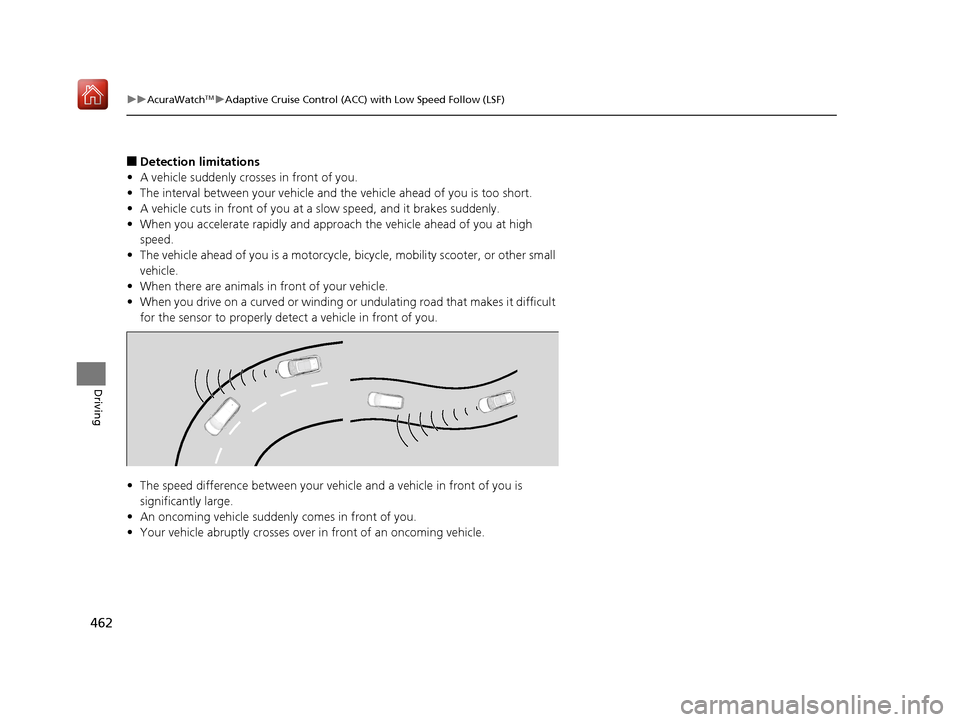
■Detection limitations
• A vehicle suddenly crosses in front of you.
• The interval between your vehicle and the vehicle ahead of you is too short.
• A vehicle cuts in front of you at a slow speed, and it brakes suddenly.
• When you accelerate rapidly and approach the vehicle ahead of you at high
speed.
• The vehicle ahead of you is a motorcycle, bicycle, mobility scooter, or other small
vehicle.
• When there are animals in front of your vehicle.
• When you drive on a curved or winding or undulating road that makes it difficult
for the sensor to properly dete ct a vehicle in front of you.
• The speed difference between your vehicl e and a vehicle in front of you is
significantly large.
• An oncoming vehicle suddenly comes in front of you.
• Your vehicle abruptly crosses over in front of an oncoming vehicle.
19 ACURA RDX-31TJB6000.book 462 ページ 2018年4月26日 木曜日 午後4時51分
Page 464 of 649
463
uuAcuraWatchTMuAdaptive Cruise Control (ACC) with Low Speed Follow (LSF)
Continued
Driving
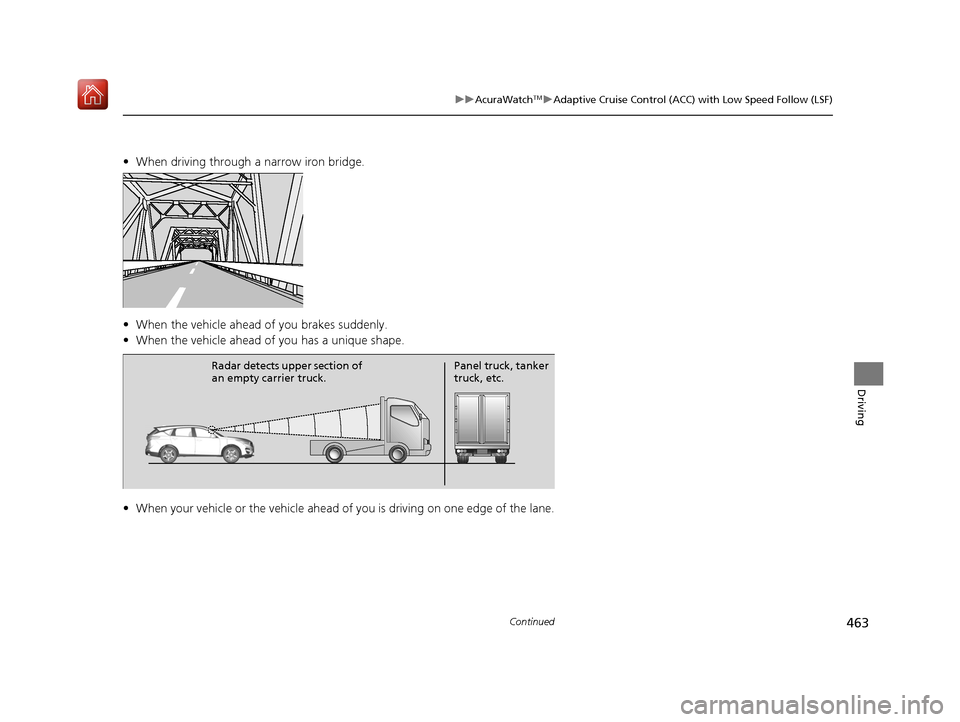
• When driving through a narrow iron bridge.
• When the vehicle ahead of you brakes suddenly.
• When the vehicle ahead of you has a unique shape.
• When your vehicle or the vehicle ahead of you is driving on one edge of the lane.
Radar detects upper section of
an empty carrier truck. Panel truck, tanker
truck, etc.
19 ACURA RDX-31TJB6000.book 463 ページ 2018年4月26日 木曜日 午後4時51分
Page 468 of 649
Continued467
uuAcuraWatchTMuAdaptive Cruise Control (ACC) with Low Speed Follow (LSF)
Driving
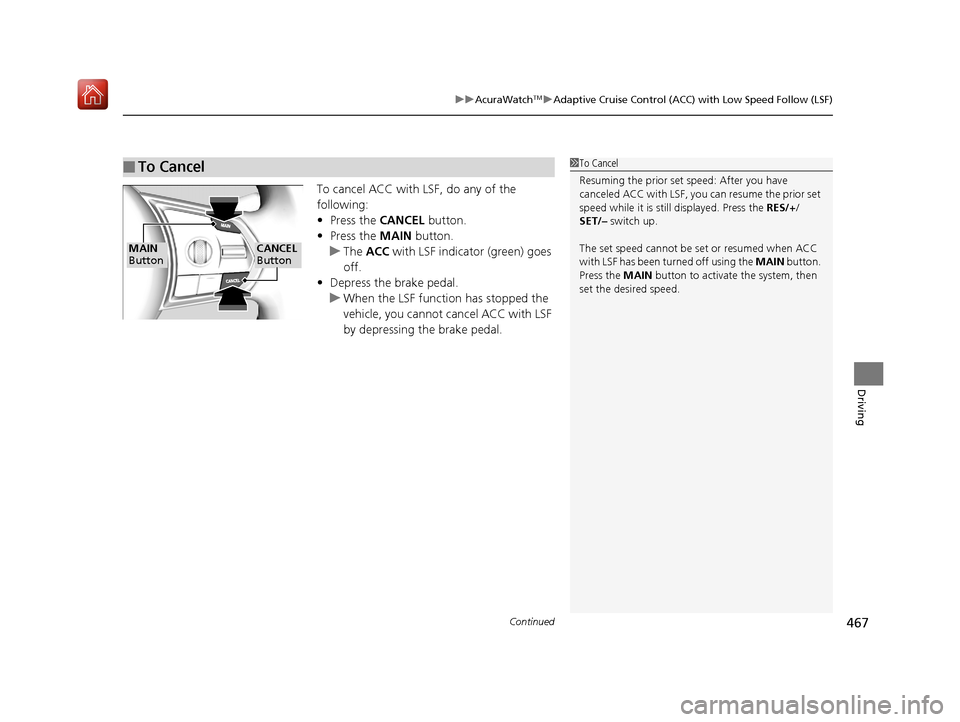
To cancel ACC with LSF, do any of the
following:
• Press the CANCEL button.
• Press the MAIN button.
u The ACC with LSF indicator (green) goes
off.
• Depress the brake pedal.
u When the LSF function has stopped the
vehicle, you cannot cancel ACC with LSF
by depressing the brake pedal.
■To Cancel1 To Cancel
Resuming the prior set speed: After you have
canceled ACC with LSF, you can resume the prior set
speed while it is still displayed. Press the RES/+ /
SET/– switch up.
The set speed cannot be set or resumed when ACC
with LSF has been turned off using the MAIN button.
Press the MAIN button to activate the system, then
set the desired speed.
CANCEL
ButtonMAIN
Button
19 ACURA RDX-31TJB6000.book 467 ページ 2018年4月26日 木曜日 午後4時51分