Console Acura RDX 2020 User Guide
[x] Cancel search | Manufacturer: ACURA, Model Year: 2020, Model line: RDX, Model: Acura RDX 2020Pages: 657, PDF Size: 33.2 MB
Page 307 of 657
306
uuAudio System Basic Operation uAndroid Auto
Features
Android Auto
When you connect an Android phone to the audio system via the USB port in the
console compartment, Android Auto is auto matically initiated. When connected via
Android Auto, you can use the audio/information screen to access the Phone,
Google Maps (Navigation), Google Play Music, and Google Now functions. When
you first use Android Auto, a tuto rial will appear on the screen.
We recommend that you complete this tuto rial while safely parked before using
Android Auto.
2 USB Ports P. 239
2 Auto Pairing Connection P. 308
1Android Auto
To use Android Auto, you need to download the
Android Auto app from Google Play to your
smartphone.
Only Android 5.0 (Lollipop) or later versions are
compatible with Android Auto.
Bluetooth A2DP cannot be used with Android Auto
phone.
Park in a safe place befo re connecting your Android
phone to Android Auto and when launching any
compatible apps.
To use Android Auto, connect the USB cable to the
USB port located in the console compartment. The
USB ports located on the front panel and the back of
the console compartment
* are used only for
charging.
2 USB Ports P. 239
When your Android phone is connected to Android
Auto, it is not possible to use the Bluetooth® Audio.
However, other previously paired phones can stream
audio via Bluetooth ® while Android Auto is
connected. 2 Phone Setup P. 367
* Not available on all models
20 ACURA RDX-31TJB6111.book 306 ページ 2020年2月11日 火曜日 午後2時6分
Page 309 of 657
uuAudio System Basic Operation uAndroid Auto
308
Features
c Google Now (Home screen)
Display useful information organized by Andr oid Auto into simple cards that appear
just when they’re needed.
d Music and audio
Play Google Play Music and music apps that are compatible with Android Auto.
To switch between music apps, press this icon.
e Go back to the Home Screen.
f Voice
Operate Android Auto with your voice.
When you connect an Android phone to the unit via the USB port in the console
compartment, Android Auto is automatically initiated.
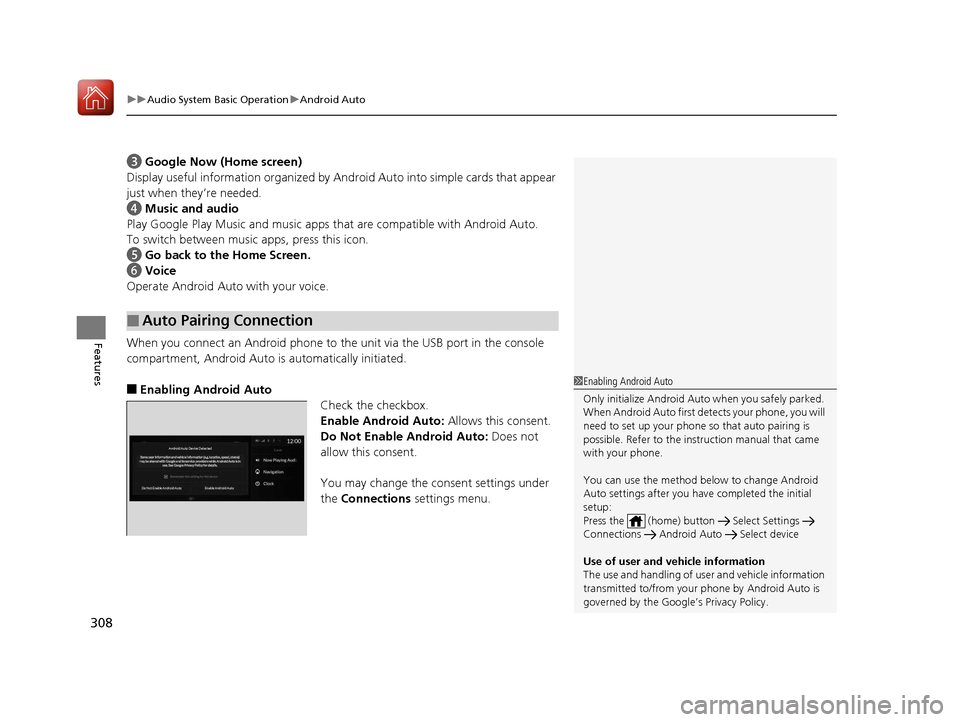
■Enabling Android Auto
Check the checkbox.
Enable Android Auto: Allows this consent.
Do Not Enable Android Auto: Does not
allow this consent.
You may change the consent settings under
the Connections settings menu.
■Auto Pairing Connection
1Enabling Android Auto
Only initialize Android Auto when you safely parked.
When Android Auto first detects your phone, you will
need to set up your phone so that auto pairing is
possible. Refer to the inst ruction manual that came
with your phone.
You can use the method below to change Android
Auto settings after you ha ve completed the initial
setup:
Press the (home) butt on Select Settings
Connections Android Auto Select device
Use of user and vehicle information
The use and handling of user and vehicle information
transmitted to/from your phone by Android Auto is
governed by the Google’s Privacy Policy.
Android Auto Device Detected
Do Not Enable Android Auto Enable Android Auto
20 ACURA RDX-31TJB6111.book 308 ページ 2020年2月11日 火曜日 午後2時6分
Page 396 of 657
Continued395
uuAcuraLink ®u
Features
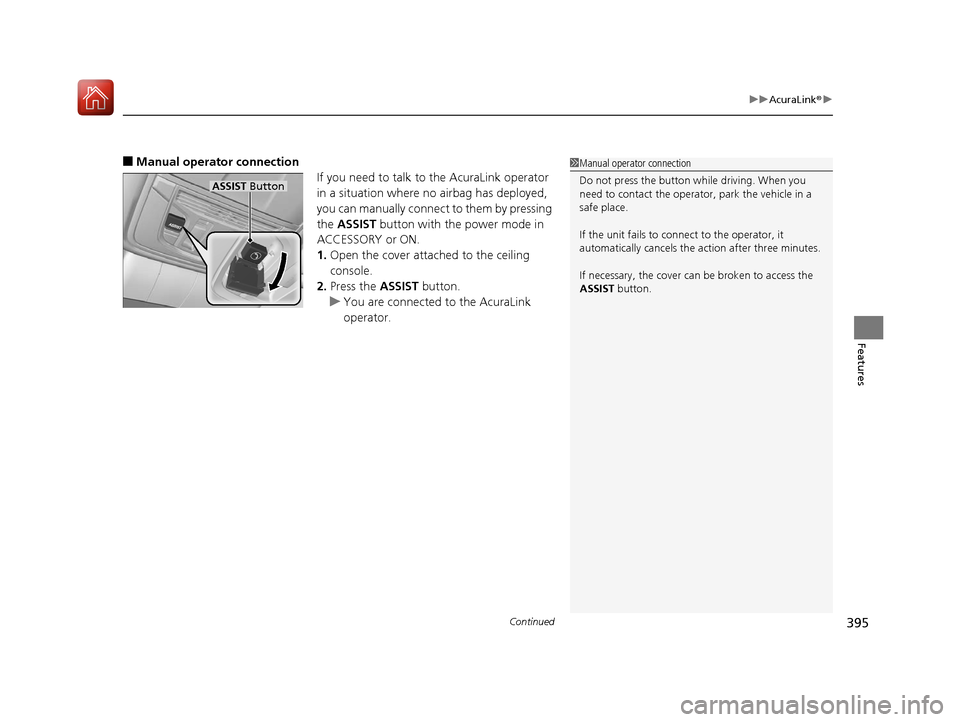
■Manual operator connection
If you need to talk to the AcuraLink operator
in a situation where no airbag has deployed,
you can manually connect to them by pressing
the ASSIST button with the power mode in
ACCESSORY or ON.
1. Open the cover attached to the ceiling
console.
2. Press the ASSIST button.
u You are connected to the AcuraLink
operator.1Manual operator connection
Do not press the button while driving. When you
need to contact the operato r, park the vehicle in a
safe place.
If the unit fails to connect to the operator, it
automatically cancels the action after three minutes.
If necessary, the cover can be broken to access the
ASSIST button.
ASSIST Button
20 ACURA RDX-31TJB6111.book 395 ページ 2020年2月11日 火曜日 午後2時6分
Page 647 of 657
646
Index
Automatic Transmission........................... 419
Creeping ................................................. 419
Fluid ........................................................ 548
Kickdown ................................................ 419
Operating the Shift Button....................... 422
Sequential Shift Mode ............................. 426
Shifting.................................................... 420
Auxiliary Input Jack .................................. 241
Average Fuel Economy ............................. 131
AWD .......................................................... 439
B
Battery ....................................................... 569
Charging System Indicator ................. 79, 615
Jump Starting .......................................... 610
Maintenance (Checking the Battery) ........ 569
Belts (Seat) .................................................. 35
Beverage Holders ...................................... 223
Blind spot information System ................ 444
Bluetooth ® Audio ..................................... 296
Bluetooth ® HandsFreeLink ®..................... 361
Booster Seats (For Children) ....................... 70
Brake System ............................................. 492
Anti-lock Brake System (ABS) ................... 499
Automatic Brake Hold.............................. 497
Brake Assist System ................................. 500
Fluid ........................................................ 549
Foot Brake ............................................... 496
Indicator ...................................... 75, 76, 616
Indicator (Red) ......................................... 618 Parking Brake .......................................... 492
Brightness Control (Instrument Panel) .... 198
Built-in Key ............................................... 147
Bulb Replacement .................................... 551
Fog Lights ............................................... 551
Front Turn Signal, Parking/Daytime Running and Front Side Marker Lights ... 551
Headlights ............................................... 551
High-Mount Brake Light .......................... 554
Puddle Lights........................................... 554
Rear License Plate Light ........................... 554
Rear Turn Signal Light Bulbs .................... 552
Side Turn Signal/Emergency Indicator Lights .................................................... 551
Taillights, Brake and Rear Side Marker Lights .................................................... 553
Taillights/Brake and Back-Up Lights ......... 554
Bulb Specifications ................................... 634
C
CAMERA Button....................................... 514
Carbon Monoxide Gas ............................... 71
Carrying Cargo ................................. 401, 403
Certification Label .................................... 636
Changing Bulbs ........................................ 551
Charging System Indicator ................. 79, 615
Child Safety ................................................. 58
Childproof Door Locks............................. 161
Child Seat .................................................... 58
Booster Seats ............................................ 70 Child Seat for Infants ................................ 60
Child Seat for Small Children .................... 61
Installing a Child Seat
with a Lap/Shoulder
Seat Belt ................................................. 65
Larger Children ......................................... 69
Rear-facing Child Seat............................... 60
Selecting a Child Seat ............................... 62
Childproof Door Locks ............................. 161
Cleaning the Exterior ............................... 577
Cleaning the Interior ............................... 575
Client Service Information ....................... 644
Climate Control System ........................... 230
Changing the Mode................................ 230
Defrosting the Windshield and
Windows .............................................. 232
Dust and Pollen Filter .............................. 574
Rear Temperature Control Dial ................ 234
Recirculation/Fresh Air Mode................... 230
Sensors ................................................... 235
Synchronized Mode ................................ 233
Using Automatic Climate Control............ 230
Clock ......................................................... 144
CMBSTM (Collision Mitigation Braking
SystemTM) ................................................ 450
Coat Hook ................................................ 225
Collision Mitigation Braking System
TM
(CMBSTM) ................................................. 450
Compact Spare Tire .......................... 585, 635
Console Compartment ............................. 222
Controls .................................................... 143
20 ACURA RDX-31TJB6111.book 646 ページ 2020年2月11日 火曜日 午後2時6分