USB Acura RDX 2020 User Guide
[x] Cancel search | Manufacturer: ACURA, Model Year: 2020, Model line: RDX, Model: Acura RDX 2020Pages: 657, PDF Size: 33.2 MB
Page 267 of 657

uuAudio System Basic Operation uSystem Updates
266
Features
■Download the update files from the server
1.Press the (home) button.
2. Select System Updates .
3. Select via USB .
u A notification appears on the screen.
4. Connect a USB device into the USB port in
the console compartment.
u The inventory data is copied into the USB
device.
2 USB Ports P. 239
5.Remove the USB device from the USB port.
6. Connect the USB device into your
computer, and then download the update
files.
u Follow the link to download the required
software update files. Refer to
https://usb.acura.com for instructions.
■How to Update with a USB Device1How to Update with a USB Device
A USB device with a minimum of 8 GB of free space
or more is recommended.
Be sure to delete any pr evious inventory or update
files from the USB device before starting the USB
update process.
20 ACURA RDX-31TJB6111.book 266 ページ 2020年2月11日 火曜日 午後2時6分
Page 268 of 657
267
uuAudio System Basic Operation uSystem Updates
Features
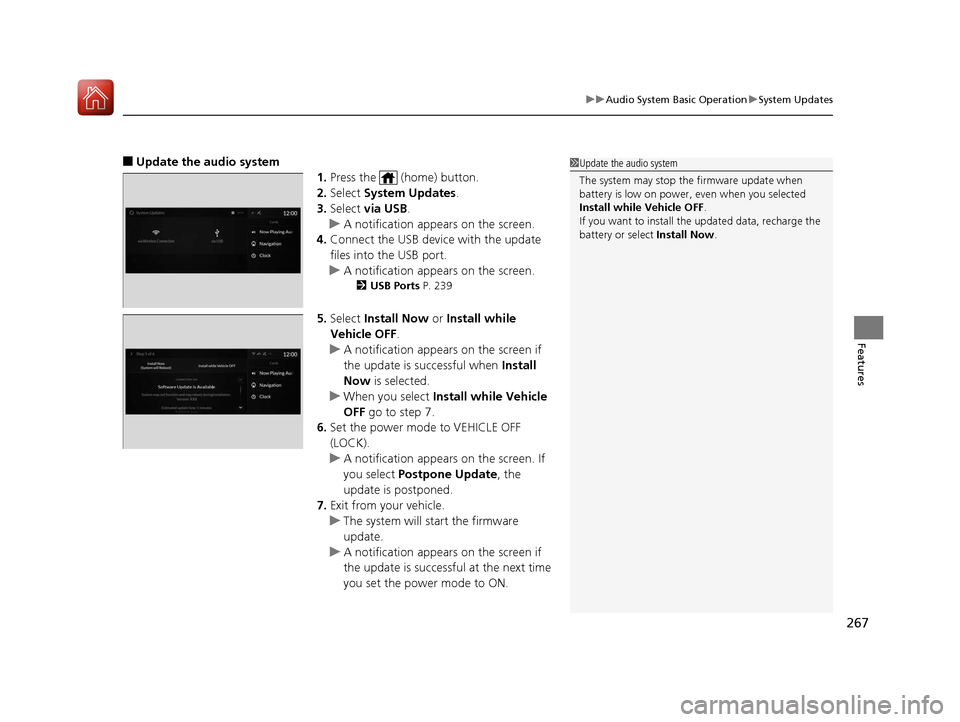
■Update the audio system
1.Press the (home) button.
2. Select System Updates .
3. Select via USB .
u A notification appears on the screen.
4. Connect the USB device with the update
files into the USB port.
u A notification appears on the screen.
2 USB Ports P. 239
5.Select Install Now or Install while
Vehicle OFF .
u A notification appears on the screen if
the update is successful when Install
Now is selected.
u When you select Install while Vehicle
OFF go to step 7.
6. Set the power mode to VEHICLE OFF
(LOCK).
u A notification appears on the screen. If
you select Postpone Update , the
update is postponed.
7. Exit from your vehicle.
u The system will start the firmware
update.
u A notification appears on the screen if
the update is successf ul at the next time
you set the power mode to ON.
1 Update the audio system
The system may stop the firmware update when
battery is low on power, even when you selected
Install while Vehicle OFF .
If you want to install the updated data, recharge the
battery or select Install Now.
20 ACURA RDX-31TJB6111.book 267 ページ 2020年2月11日 火曜日 午後2時6分
Page 269 of 657
268
uuAudio System Basic Operation uAdjusting the Sound
Features
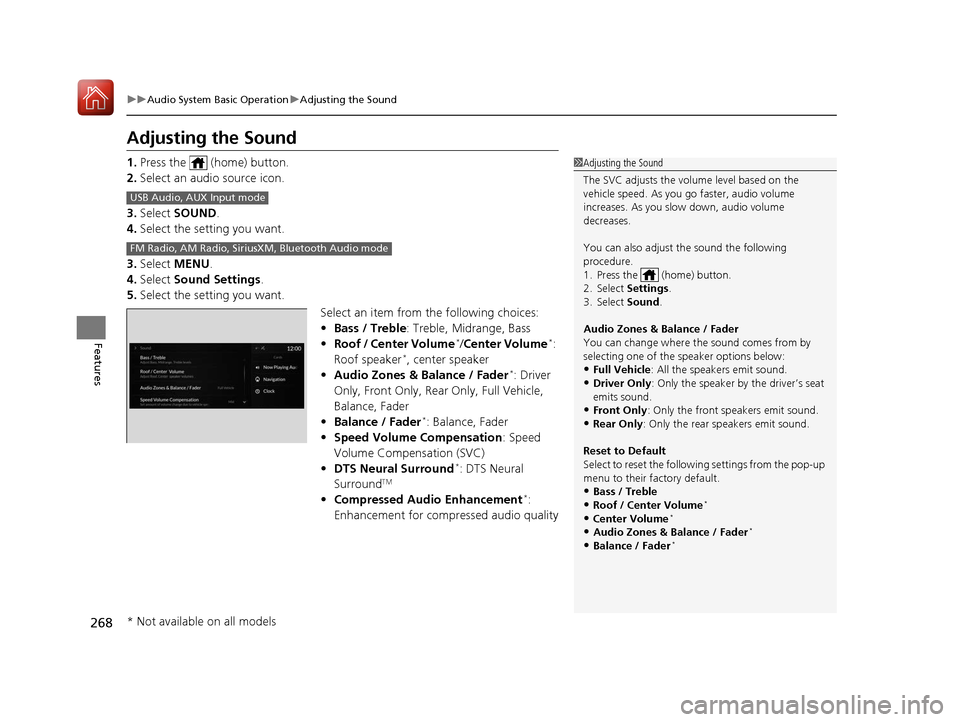
Adjusting the Sound
1. Press the (home) button.
2. Select an audio source icon.
3. Select SOUND .
4. Select the setting you want.
3. Select MENU .
4. Select Sound Settings .
5. Select the setting you want.
Select an item from the following choices:
•Bass / Treble : Treble, Midrange, Bass
• Roof / Center Volume
*/Center Volume*:
Roof speaker*, center speaker
• Audio Zones & Balance / Fader*: Driver
Only, Front Only, Rear Only, Full Vehicle,
Balance, Fader
• Balance / Fader
*: Balance, Fader
• Speed Volume Compensation : Speed
Volume Compensation (SVC)
• DTS Neural Surround
*: DTS Neural
SurroundTM
• Compressed Audio Enhancement*:
Enhancement for compressed audio quality
1 Adjusting the Sound
The SVC adjusts the volume level based on the
vehicle speed. As you go faster, audio volume
increases. As you slow down, audio volume
decreases.
You can also adjust the sound the following
procedure.
1. Press the (home) button.
2. Select Settings .
3. Select Sound .
Audio Zones & Balance / Fader
You can change where the sound comes from by
selecting one of the speaker options below:
•Full Vehicle: All the speakers emit sound. •Driver Only: Only the speaker by the driver’s seat
emits sound.
•Front Only : Only the front speakers emit sound.•Rear Only: Only the rear speakers emit sound.
Reset to Default
Select to reset the follow ing settings from the pop-up
menu to their factory default.
•Bass / Treble•Roof / Center Volume*
•Center Volume*
•Audio Zones & Balance / Fader*
•Balance / Fader*
USB Audio, AUX Input mode
FM Radio, AM Radio, Siri usXM, Bluetooth Audio mode
* Not available on all models
20 ACURA RDX-31TJB6111.book 268 ページ 2020年2月11日 火曜日 午後2時6分
Page 273 of 657
272
uuAudio System Basic Operation uVoice Control Operation
Features
■Sirius XM Commands
• Play XM radio
• Play XM
• Listen to
• Play XM Channel
• Tune to
• Listen to
satellite radio
■USB Commands
• Play USB
• Play iPod
• Play genre
• Play
• Play
• Play
• Play
■Bluetooth ® Audio Commands
• Play Bluetooth
■AUX Commands
• Play AUX
2 Refer to the Navigation System Manual
•Help
• Cancel
• Repeat
Voice Help are readout voice guidance for
Help on current screen.
You can search for the desired item on each
search screen with your voice.
• Next Page
• Previous Page
• Back
• Go to
• Select
*1: Models with navigation system
■Navigation Commands*1
■Standard Commands
■Letter Input Commands
■List Commands
20 ACURA RDX-31TJB6111.book 272 ページ 2020年2月11日 火曜日 午後2時6分
Page 291 of 657
290
uuAudio System Basic Operation uPlaying an iPod
Features
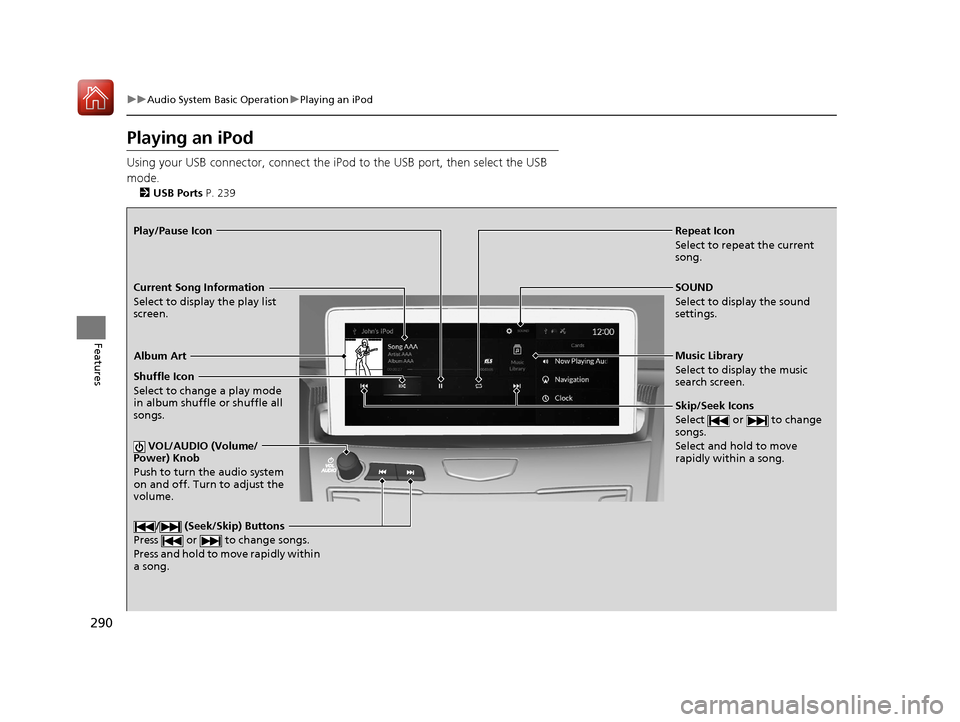
Playing an iPod
Using your USB connector, connect the iPod to the USB port, then select the USB
mode.
2 USB Ports P. 239
Repeat Icon
Select to repeat the current
song.
SOUND
Select to display the sound
settings.
Music Library
Select to display the music
search screen.
Skip/Seek Icons
Select or to change
songs.
Select and hold to move
rapidly within a song.
Shuffle Icon
Select to change a play mode
in album shuffle or shuffle all
songs.
VOL/AUDIO (Volume/
Power) Knob
Push to turn the audio system
on and off. Turn to adjust the
volume.
/ (Seek/Skip) Buttons
Press or to change songs.
Press and hold to move rapidly within
a song.
Play/Pause Icon
Album Art
Current Song Information
Select to display the play list
screen.
20 ACURA RDX-31TJB6111.book 290 ページ 2020年2月11日 火曜日 午後2時6分
Page 292 of 657
Continued291
uuAudio System Basic Operation uPlaying an iPod
Features
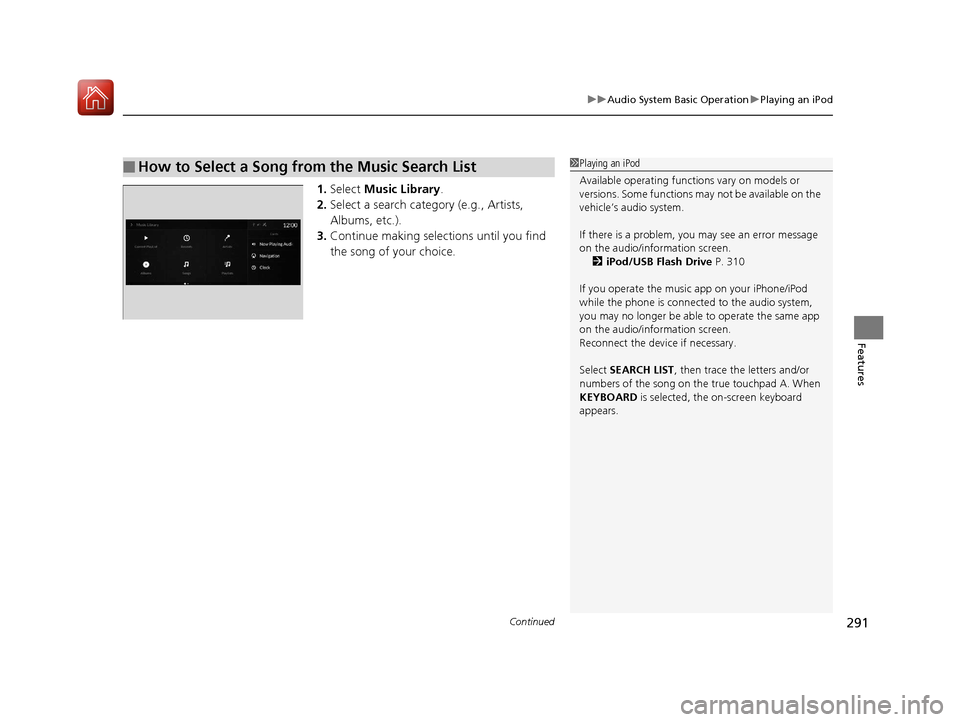
1. Select Music Library .
2. Select a search catego ry (e.g., Artists,
Albums, etc.).
3. Continue making selections until you find
the song of your choice.
■How to Select a Song from the Music Search List1Playing an iPod
Available operating functi ons vary on models or
versions. Some functions ma y not be available on the
vehicle’s audio system.
If there is a problem, you may see an error message
on the audio/information screen. 2 iPod/USB Flash Drive P. 310
If you operate the musi c app on your iPhone/iPod
while the phone is connected to the audio system,
you may no longer be able to operate the same app
on the audio/information screen.
Reconnect the devi ce if necessary.
Select SEARCH LIST, then trace the letters and/or
numbers of the song on the true touchpad A. When
KEYBOARD is selected, the on-screen keyboard
appears.
20 ACURA RDX-31TJB6111.book 291 ページ 2020年2月11日 火曜日 午後2時6分
Page 294 of 657
293
uuAudio System Basic Operation uPlaying a USB Flash Drive
Continued
Features
Playing a USB Flash Drive
Your audio system reads and plays audio f iles on a USB flash drive in either format
of MP3, WMA, AAC*1, etc.
2 Playable audio file P. 315
Connect your USB flash drive to the USB port, then select the USB mode.
2USB Ports P. 239
*1:Only AAC format files recorded with iTunes are playable on this unit.
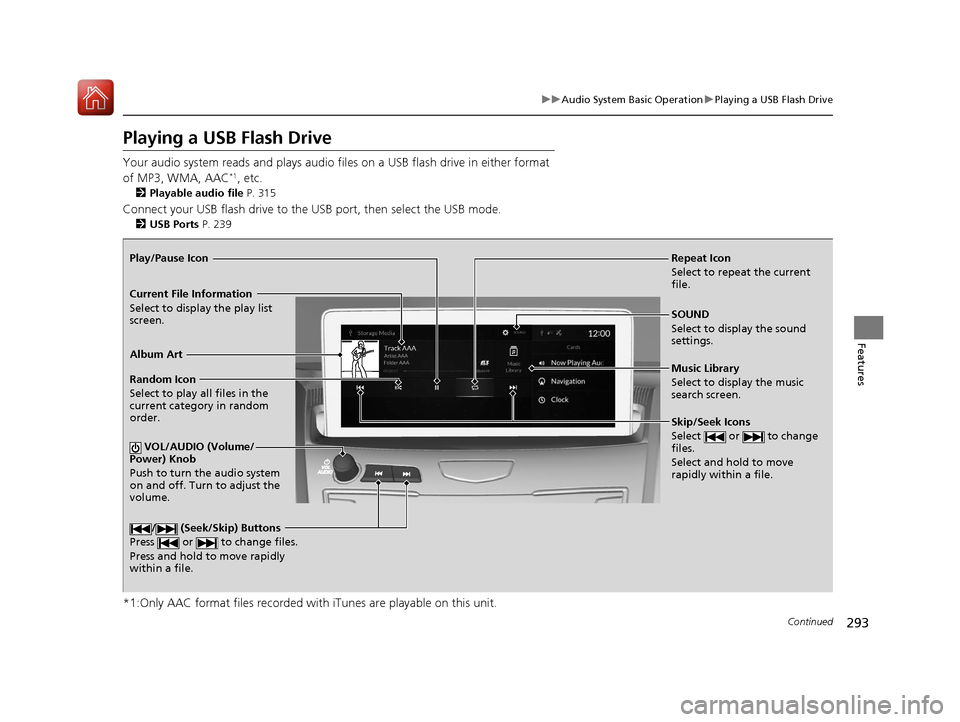
Repeat Icon
Select to repeat the current
file.
SOUND
Select to display the sound
settings.
Music Library
Select to display the music
search screen.
Skip/Seek Icons
Select or to change
files.
Select and hold to move
rapidly within a file.
Random Icon
Select to play all files in the
current category in random
order.
VOL/AUDIO (Volume/
Power) Knob
Push to turn the audio system
on and off. Turn to adjust the
volume.
/ (Seek/Skip) Buttons
Press or to change files.
Press and hold to move rapidly
within a file.
Play/Pause Icon
Album Art
Current File Information
Select to display the play list
screen.
20 ACURA RDX-31TJB6111.book 293 ページ 2020年2月11日 火曜日 午後2時6分
Page 295 of 657
uuAudio System Basic Operation uPlaying a USB Flash Drive
294
Features
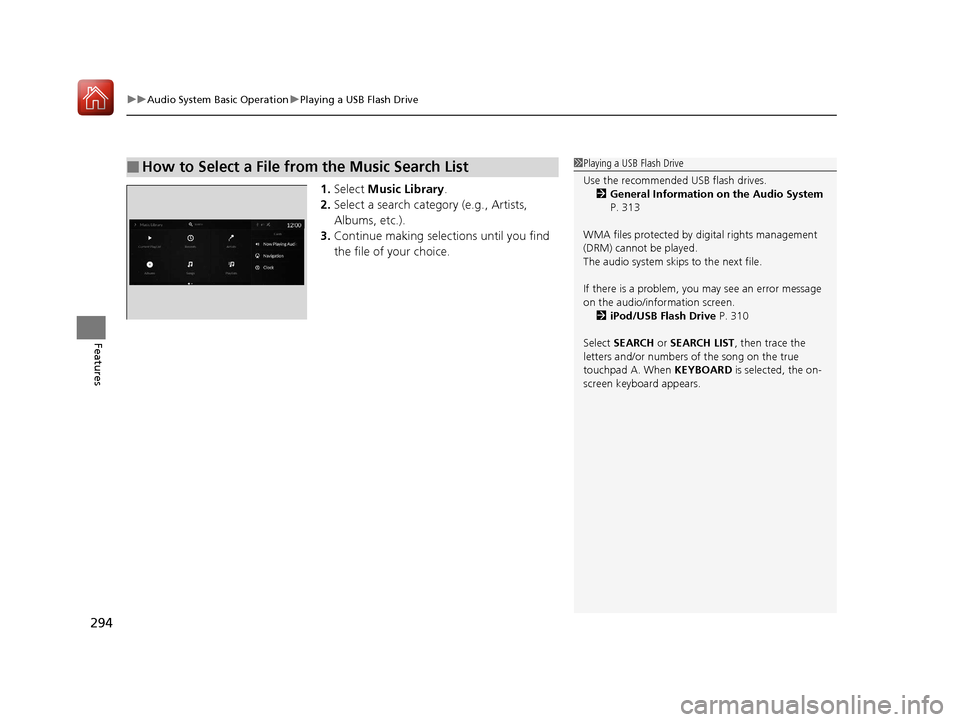
1. Select Music Library.
2. Select a search catego ry (e.g., Artists,
Albums, etc.).
3. Continue making selections until you find
the file of your choice.
■How to Select a File from the Music Search List1Playing a USB Flash Drive
Use the recommended USB flash drives.
2 General Information on the Audio System
P. 313
WMA files protected by di gital rights management
(DRM) cannot be played.
The audio system skips to the next file.
If there is a problem, you may see an error message
on the audio/information screen. 2 iPod/USB Flash Drive P. 310
Select SEARCH or SEARCH LIST , then trace the
letters and/or numbers of the song on the true
touchpad A. When KEYBOARD is selected, the on-
screen keyboard appears.
20 ACURA RDX-31TJB6111.book 294 ページ 2020年2月11日 火曜日 午後2時6分
Page 296 of 657
295
uuAudio System Basic Operation uPlaying a USB Flash Drive
Features
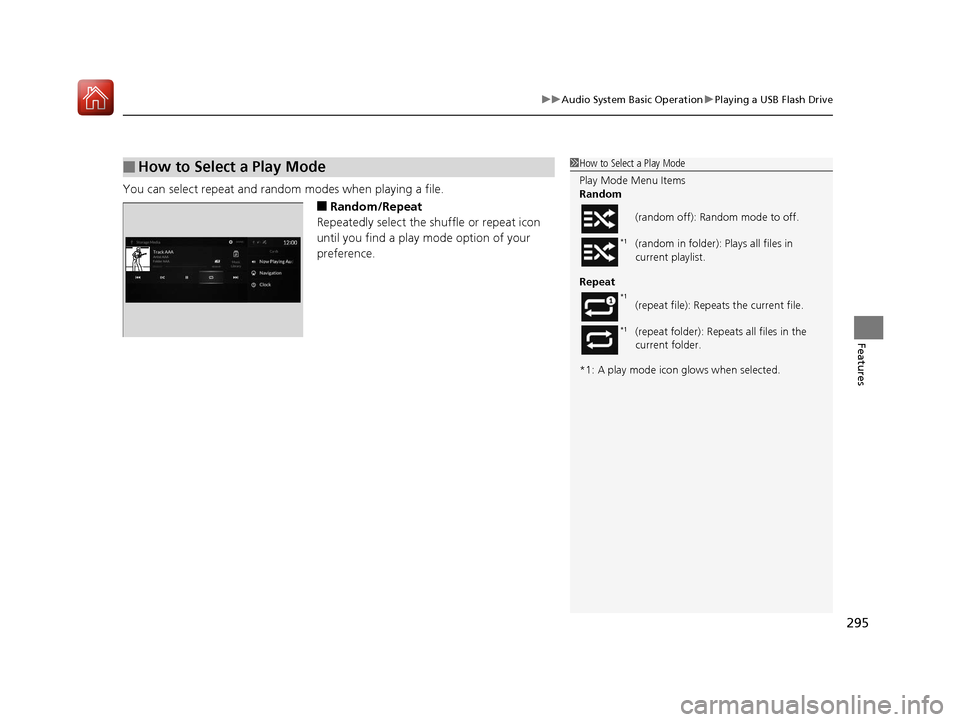
You can select repeat and random modes when playing a file.
■Random/Repeat
Repeatedly select the shuffle or repeat icon
until you find a play mode option of your
preference.
■How to Select a Play Mode1 How to Select a Play Mode
Play Mode Menu Items
Random
Repeat
*1: A play mode icon glows when selected. (random off): Random mode to off.
(random in folder): Plays all files in
current playlist.
(repeat file): Repeats the current file.
(repeat folder): Repeats all files in the
current folder.
*1
*1
*1
20 ACURA RDX-31TJB6111.book 295 ページ 2020年2月11日 火曜日 午後2時6分
Page 303 of 657
302
uuAudio System Basic Operation uApple CarPlay
Features
Apple CarPlay
If you connect an Apple CarPlay-compatible iPhone to the system via the USB port
in the console compartment, you can use the audio/information screen, instead of
the iPhone display, to make a phone call, listen to music, view maps (navigation),
and access messages.
2 USB Ports P. 239
■Phone
Access the contact list, make phone calls, or listen to voice mail.
■Messages
Check and reply to text messages, or have messages read to you.
■Music
Play music stored on your iPhone.
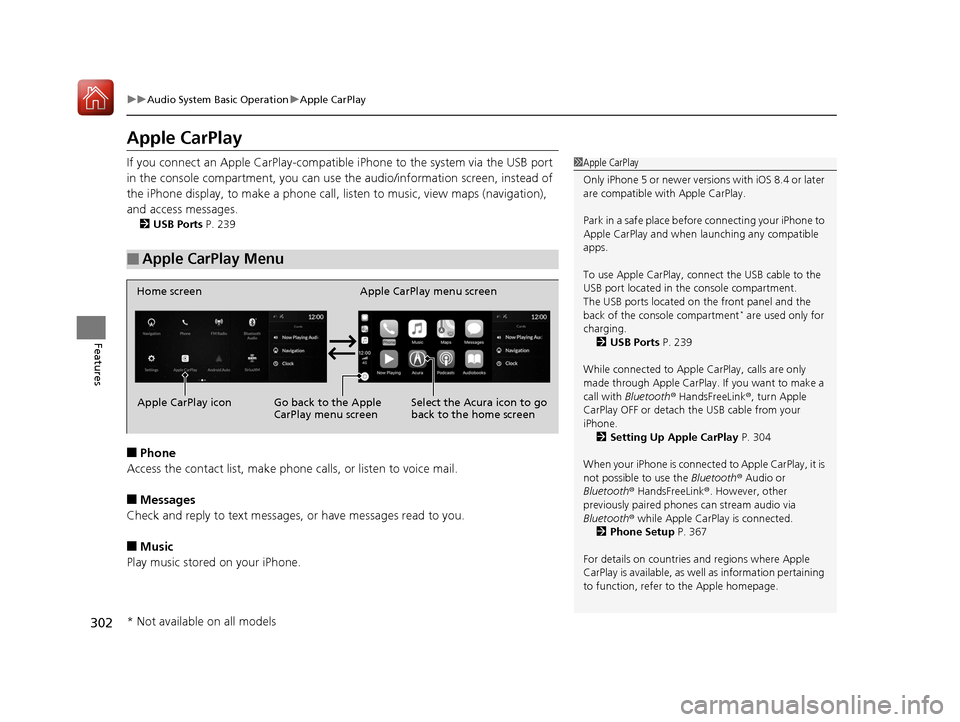
■Apple CarPlay Menu
1 Apple CarPlay
Only iPhone 5 or newer versi ons with iOS 8.4 or later
are compatible with Apple CarPlay.
Park in a safe place before connecting your iPhone to
Apple CarPlay and when launching any compatible
apps.
To use Apple CarPlay, connect the USB cable to the
USB port located in the console compartment.
The USB ports located on the front panel and the
back of the console compartment
* are used only for
charging. 2 USB Ports P. 239
While connected to Apple CarPlay, calls are only
made through Apple CarPlay. If you want to make a
call with Bluetooth ® HandsFreeLink ®, turn Apple
CarPlay OFF or detach th e USB cable from your
iPhone.
2 Setting Up Apple CarPlay P. 304
When your iPhone is connected to Apple CarPlay, it is
not possible to use the Bluetooth® Audio or
Bluetooth ® HandsFreeLink ®. However, other
previously paired phones can stream audio via
Bluetooth ® while Apple CarPlay is connected.
2 Phone Setup P. 367
For details on c ountries and regions where Apple
CarPlay is available, as well as information pertaining
to function, refer to the Apple homepage.
Home screen
Apple CarPlay icon Apple CarPlay menu screen
Go back to the Apple
CarPlay menu screen
Select the Acura icon to go
back to the home screen
* Not available on all models
20 ACURA RDX-31TJB6111.book 302 ページ 2020年2月11日 火曜日 午後2時6分