audio ACURA RDX 2022 Service Manual
[x] Cancel search | Manufacturer: ACURA, Model Year: 2022, Model line: RDX, Model: ACURA RDX 2022Pages: 709, PDF Size: 25.22 MB
Page 275 of 709
Continued273
uuAudio System Basic Operation uAudio/Information Screen
Features
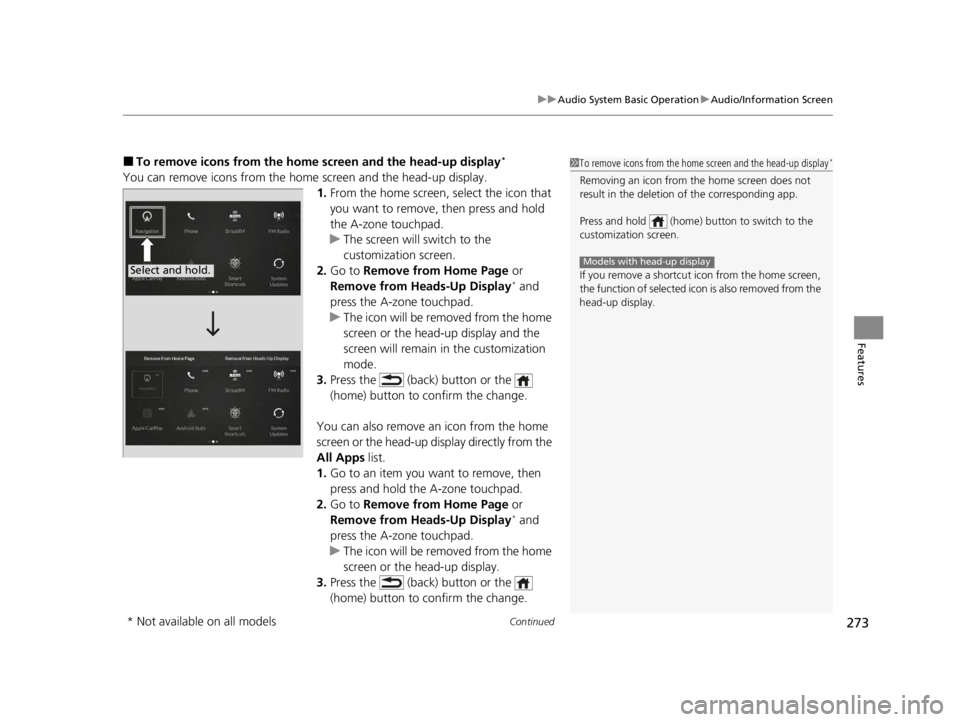
■To remove icons from the home screen and the head-up display*
You can remove icons from the home screen and the head-up display.
1.From the home screen, se lect the icon that
you want to remove, then press and hold
the A-zone touchpad.
u The screen will switch to the
customization screen.
2. Go to Remove from Home Page or
Remove from Heads-Up Display
* and
press the A-zone touchpad.
u The icon will be removed from the home
screen or the head-up display and the
screen will remain in the customization
mode.
3. Press the (back) button or the
(home) button to confirm the change.
You can also remove an icon from the home
screen or the head-up display directly from the
All Apps list.
1. Go to an item you want to remove, then
press and hold the A-zone touchpad.
2. Go to Remove from Home Page or
Remove from Heads-Up Display
* and
press the A-zone touchpad.
u The icon will be removed from the home
screen or the head-up display.
3. Press the (back) button or the
(home) button to confirm the change.
1To remove icons from the home screen and the head-up display*
Removing an icon from the home screen does not
result in the deletion of the corresponding app.
Press and hold (home) button to switch to the
customization screen.
If you remove a shortcut icon from the home screen,
the function of selected ic on is also removed from the
head-up display.
Models with head-up displaySelect and hold.
* Not available on all models
22 ACURA RDX-31TJB6300.book 273 ページ 2021年8月2日 月曜日 午前11時0分
Page 276 of 709
274
uuAudio System Basic Operation uAudio/Information Screen
Features
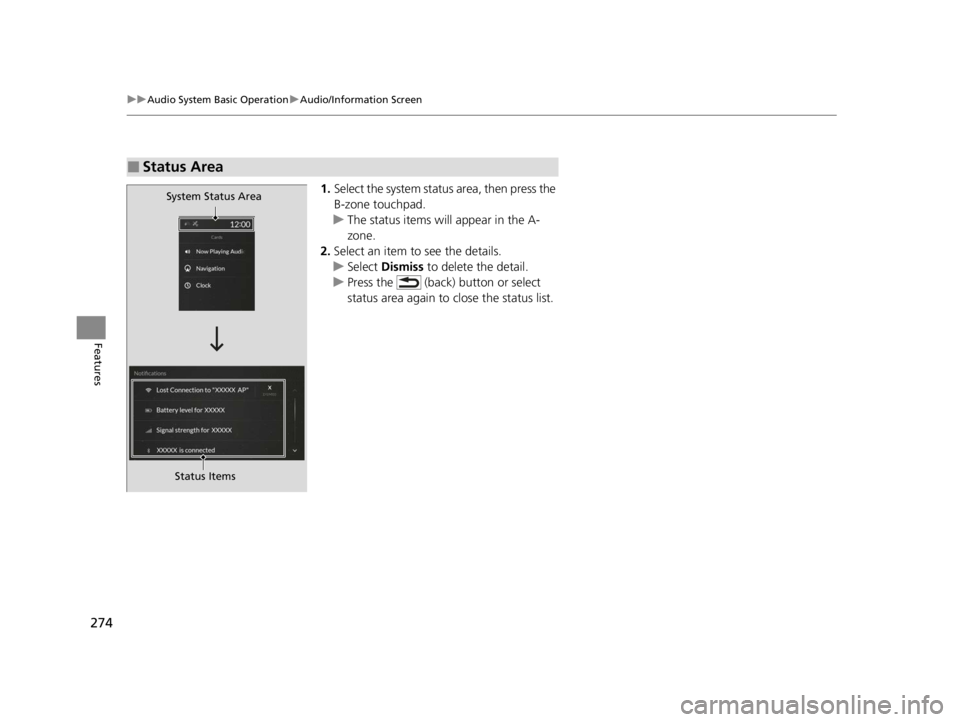
1. Select the system status area, then press the
B-zone touchpad.
u The status items will appear in the A-
zone.
2. Select an item to see the details.
u Select Dismiss to delete the detail.
u Press the (back) button or select
status area again to close the status list.
■Status Area
System Status Area
Status Items
22 ACURA RDX-31TJB6300.book 274 ページ 2021年8月2日 月曜日 午前11時0分
Page 277 of 709
Continued275
uuAudio System Basic Operation uAudio/Information Screen
Features
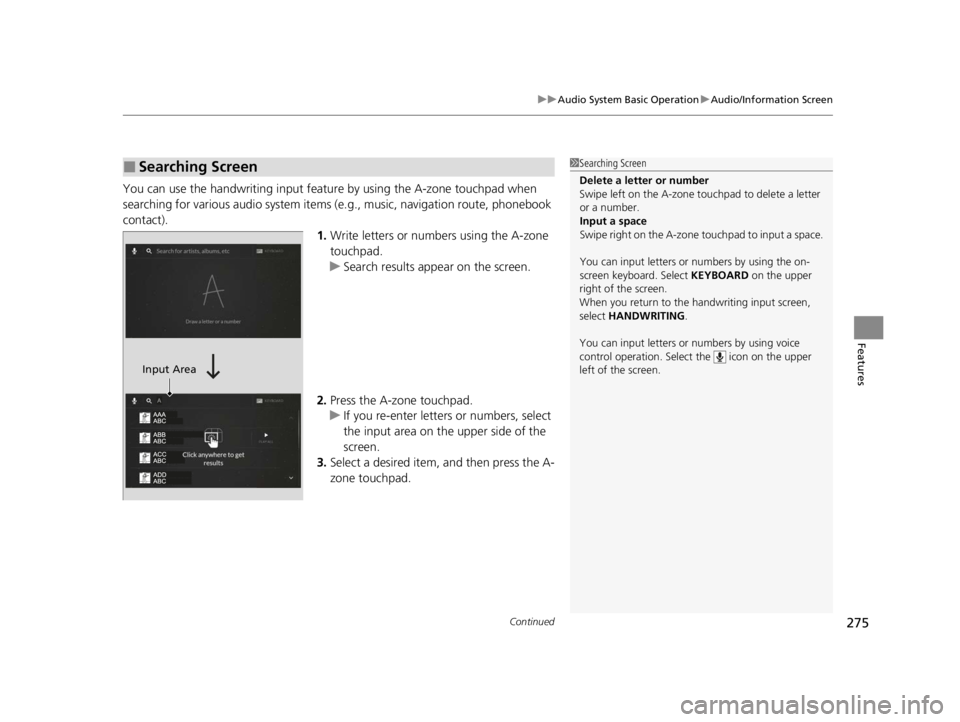
You can use the handwriting input feature by using the A-zone touchpad when
searching for various audio system items (e .g., music, navigation route, phonebook
contact). 1.Write letters or numbers using the A-zone
touchpad.
u Search results appear on the screen.
2. Press the A-zone touchpad.
u If you re-enter letters or numbers, select
the input area on the upper side of the
screen.
3. Select a desired item, and then press the A-
zone touchpad.
■Searching Screen1Searching Screen
Delete a letter or number
Swipe left on the A-zone t ouchpad to delete a letter
or a number.
Input a space
Swipe right on the A-zone touchpad to input a space.
You can input lett ers or numbers by using the on-
screen keyboard. Select KEYBOARD on the upper
right of the screen.
When you return to the handwriting input screen,
select HANDWRITING .
You can input lett ers or numbers by using voice
control operation. Select the icon on the upper
left of the screen.
Input Area
22 ACURA RDX-31TJB6300.book 275 ページ 2021年8月2日 月曜日 午前11時0分
Page 278 of 709
276
uuAudio System Basic Operation uAudio/Information Screen
Features
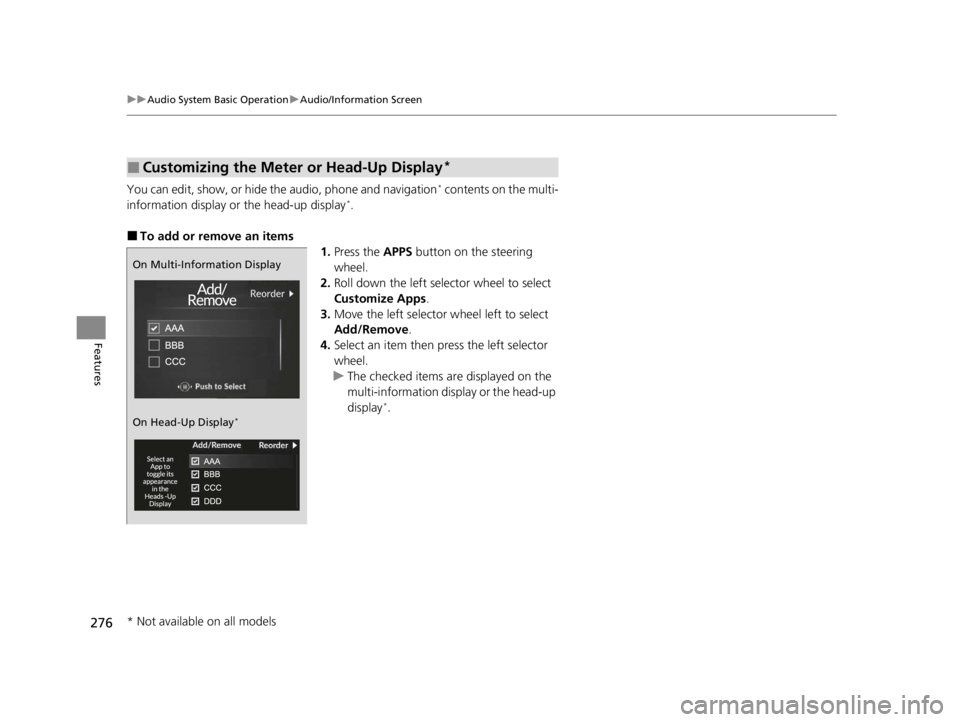
You can edit, show, or hide the audio, phone and navigation* contents on the multi-
information display or the head-up display*.
■To add or remove an items 1.Press the APPS button on the steering
wheel.
2. Roll down the left selector wheel to select
Customize Apps .
3. Move the left selector wheel left to select
Add/Remove .
4. Select an item then press the left selector
wheel.
u The checked items are displayed on the
multi-information display or the head-up
display
*.
■Customizing the Meter or Head-Up Display*
On Multi-Information Display
On Head-Up Display
*
* Not available on all models
22 ACURA RDX-31TJB6300.book 276 ページ 2021年8月2日 月曜日 午前11時0分
Page 279 of 709
277
uuAudio System Basic Operation uAudio/Information Screen
Features
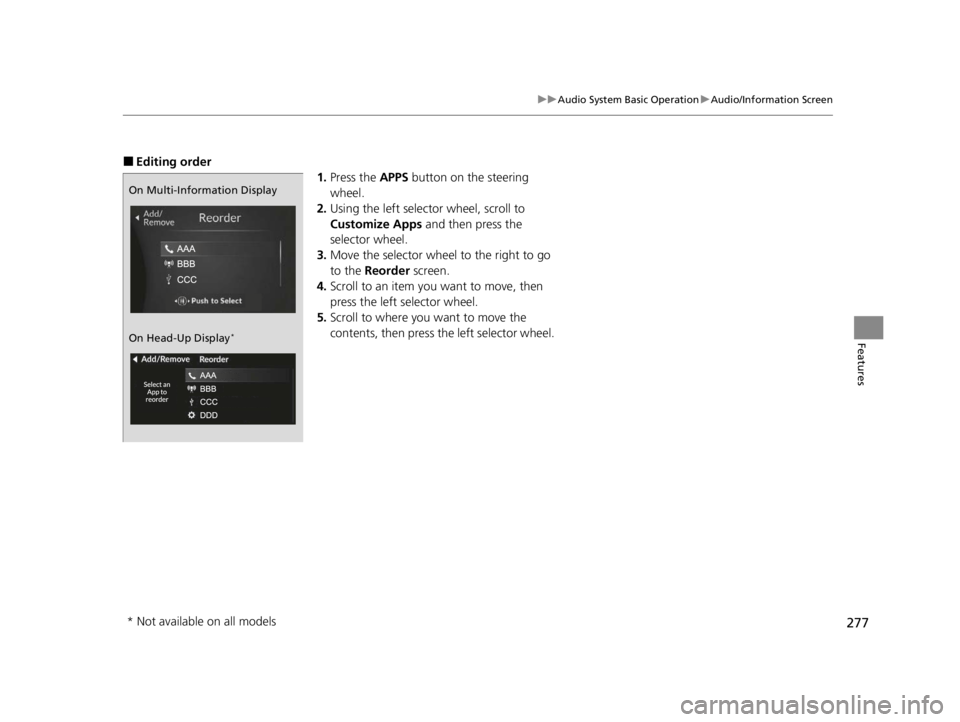
■Editing order
1.Press the APPS button on the steering
wheel.
2. Using the left selector wheel, scroll to
Customize Apps and then press the
selector wheel.
3. Move the selector wheel to the right to go
to the Reorder screen.
4. Scroll to an item you want to move, then
press the left selector wheel.
5. Scroll to where you want to move the
contents, then press the left selector wheel.
On Multi-Information Display
On Head-Up Display
*
* Not available on all models
22 ACURA RDX-31TJB6300.book 277 ページ 2021年8月2日 月曜日 午前11時0分
Page 280 of 709
278
uuAudio System Basic Operation uSmart Shortcuts
Features
Smart Shortcuts
By observing and learning driver behaviors, patterns, and preferences, the system
anticipates driver actions and presents on-screen suggestions to help perform
desired actions quicker and with fewer steps.
• The app will suggest actions based on what it learns you do often, and
occasionally make recommendations ba sed on your learned preferences.
• The system will take some time to learn. The more you interact with the system,
the more suggestion you will see, and the more accurate they will become.
• Suggestions will automatically refresh peri odically to provide updated content for
each profile.
• You can also provide feedback on whether a suggestion is helpful by pressing and
holding on it. This can help the app grow smarter over time.
• To change the notifications behavior for Smart Shortcuts:
1. Select MENU on the Smart Shortcuts screen.
2. Select Suggestion Settings .
3. Select an option.
• All data used for Smart Shortcuts can be erased by a Factory Data Reset.
2Defaulting All the Settings P. 385
1Smart Shortcuts
The app also supports different profiles for each user,
with customized learning for each profile. The app
will also learn to associate a profile to a user over time
based on key fob and connected phone data.
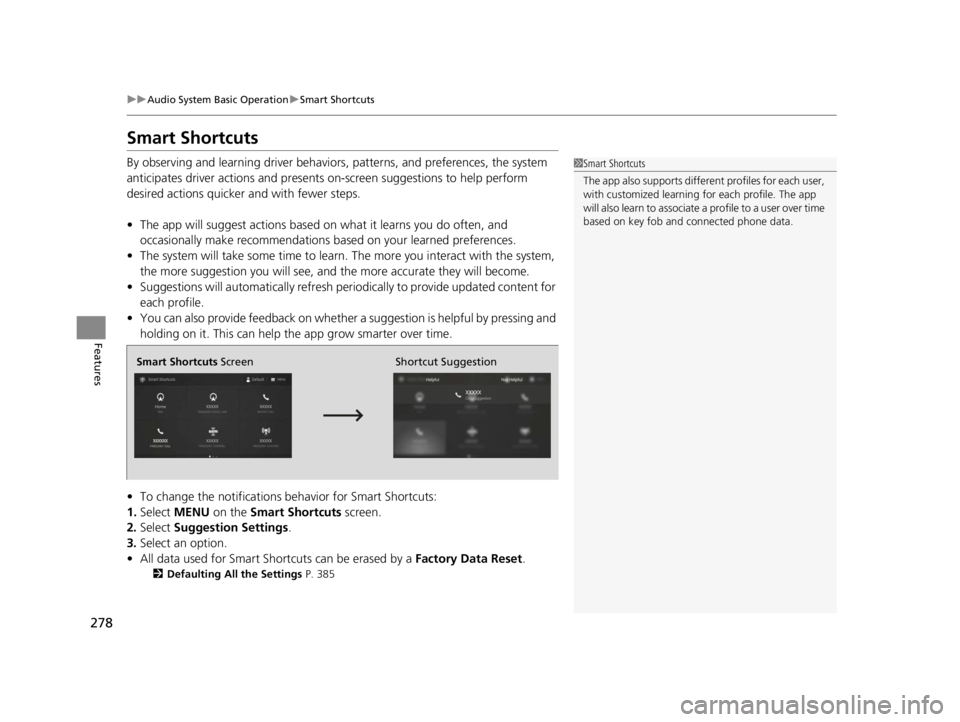
Smart Shortcuts Screen Shortcut Suggestion
22 ACURA RDX-31TJB6300.book 278 ページ 2021年8月2日 月曜日 午前11時0分
Page 281 of 709
Continued279
uuAudio System Basic Operation uSmart Shortcuts
Features
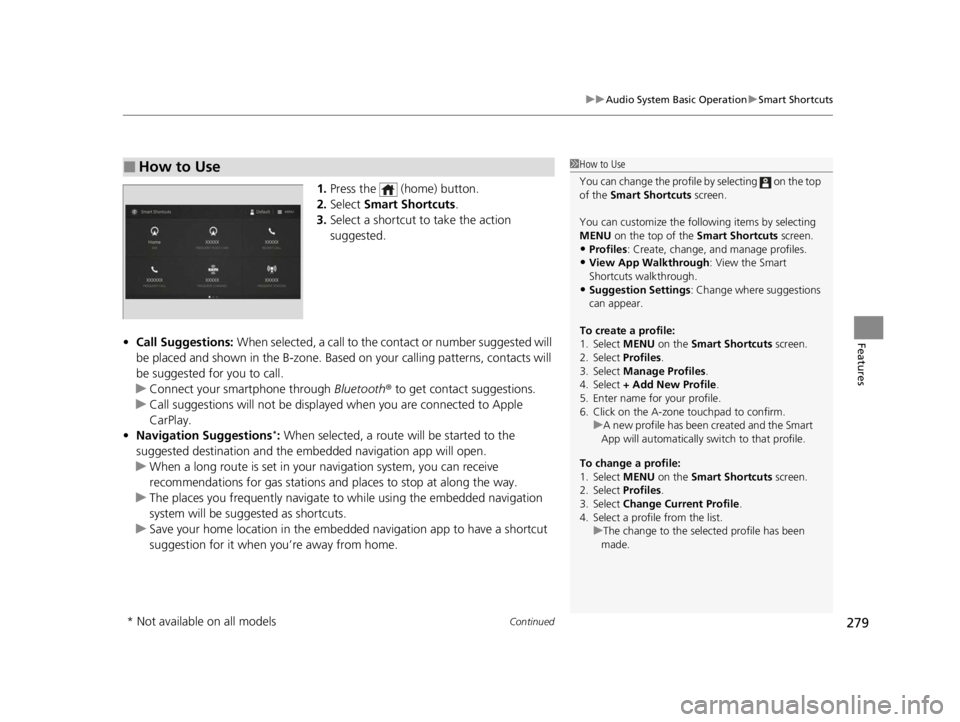
1. Press the (home) button.
2. Select Smart Shortcuts .
3. Select a shortcut to take the action
suggested.
• Call Suggestions: When selected, a call to the cont act or number suggested will
be placed and shown in the B-zone. Base d on your calling patterns, contacts will
be suggested for you to call.
u Connect your smartphone through Bluetooth® to get contact suggestions.
u Call suggestions will not be displayed when you are connected to Apple
CarPlay.
• Navigation Suggestions
*: When selected, a route will be started to the
suggested destination and the embedded navigation app will open.
u When a long route is set in your navigation system, you can receive
recommendations for gas stations an d places to stop at along the way.
u The places you frequently navigate to while using the embedded navigation
system will be suggested as shortcuts.
u Save your home location in the embedded navigation app to have a shortcut
suggestion for it when you’re away from home.
■How to Use1How to Use
You can change the profile by selecting on the top
of the Smart Shortcuts screen.
You can customize the foll owing items by selecting
MENU on the top of the Smart Shortcuts screen.
•Profiles : Create, change, a nd manage profiles.
•View App Walkthrough : View the Smart
Shortcuts walkthrough.
•Suggestion Settings : Change where suggestions
can appear.
To create a profile:
1. Select MENU on the Smart Shortcuts screen.
2. Select Profiles .
3. Select Manage Profiles .
4. Select + Add New Profile .
5. Enter name for your profile.
6. Click on the A-zone touchpad to confirm.
To change a profile:
1. Select MENU on the Smart Shortcuts screen.
2. Select Profiles .
3. Select Change Current Profile .
4. Select a profile from the list. u
A new profile has been created and the Smart
App will automatically switch to that profile.
u The change to the selected profile has been
made.
* Not available on all models
22 ACURA RDX-31TJB6300.book 279 ページ 2021年8月2日 月曜日 午前11時0分
Page 282 of 709
280
uuAudio System Basic Operation uSmart Shortcuts
Features
• Radio Suggestions: When selected, the corresponding radio app (FM, AM, or
SiriusXM ®) will open and it will start playing the station.
u From radio apps you can receive:
- FM, AM, SiriusXM ®: Most frequently listened stations.
- FM, SiriusXM ®: Genre-based suggestions.
u Considerations:
- FM suggestions will appear only when they are within range, according to
your vehicle’s tuner signal.
- SiriusXM ® suggestions will be avai lable as long as there is an active account in
the vehicle.
22 ACURA RDX-31TJB6300.book 280 ページ 2021年8月2日 月曜日 午前11時0分
Page 283 of 709
281
uuAudio System Basic Operation uSystem Updates
Continued
Features
System Updates
The audio system’s firmware can be updated with the telematics control unit (TCU)
through the subscrip tion-based service.
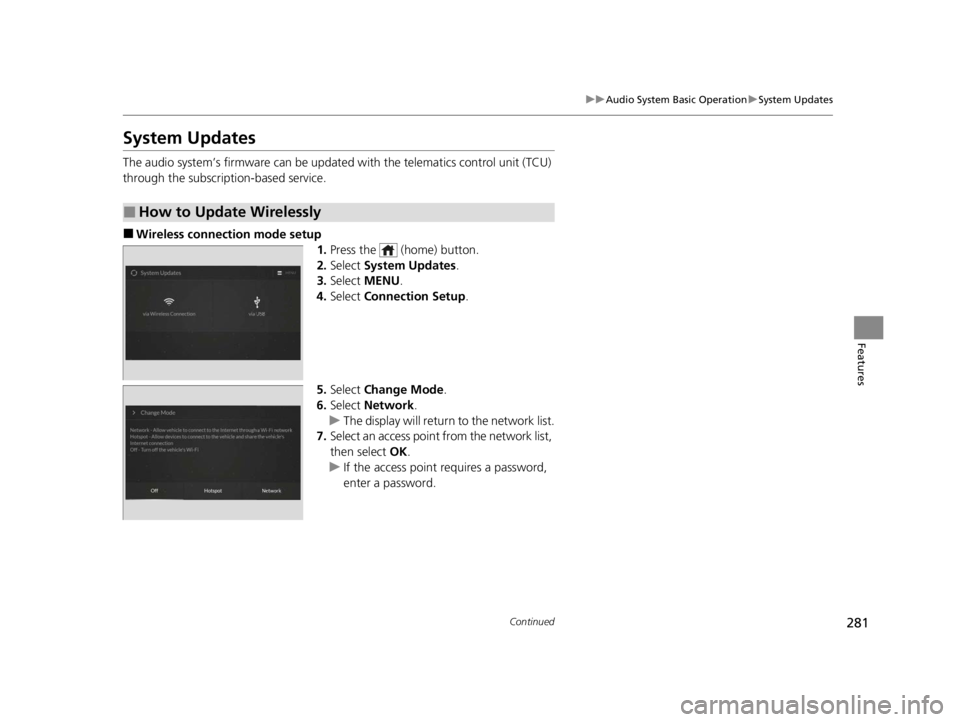
■Wireless connection mode setup
1.Press the (home) button.
2. Select System Updates .
3. Select MENU .
4. Select Connection Setup.
5. Select Change Mode .
6. Select Network .
u The display will return to the network list.
7. Select an access point from the network list,
then select OK.
u If the access point requires a password,
enter a password.
■How to Update Wirelessly
22 ACURA RDX-31TJB6300.book 281 ページ 2021年8月2日 月曜日 午前11時0分
Page 284 of 709
282
uuAudio System Basic Operation uSystem Updates
Features
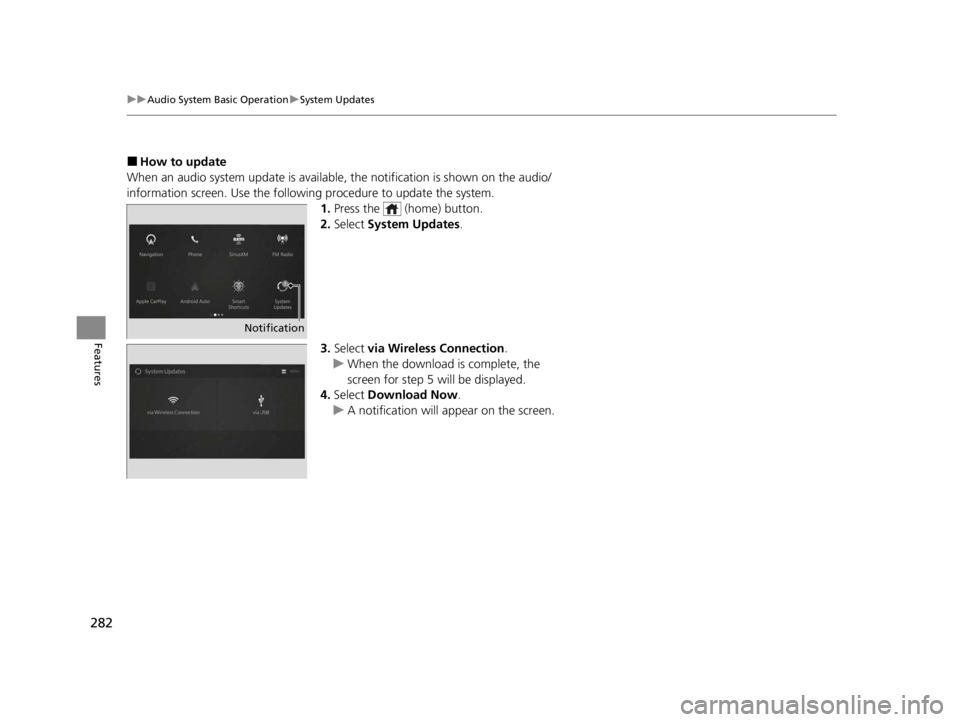
■How to update
When an audio system update is available, the notification is shown on the audio/
information screen. Use the following procedure to update the system.
1.Press the (home) button.
2. Select System Updates .
3. Select via Wireless Connection .
u When the download is complete, the
screen for step 5 will be displayed.
4. Select Download Now .
u A notification will appear on the screen.
Notification
22 ACURA RDX-31TJB6300.book 282 ページ 2021年8月2日 月曜日 午前11時0分