stop ACURA RDX 2023 Owner's Manual
[x] Cancel search | Manufacturer: ACURA, Model Year: 2023, Model line: RDX, Model: ACURA RDX 2023Pages: 713, PDF Size: 21.99 MB
Page 103 of 713

101
uuIndicators u
Continued
Instrument Panel
IndicatorNameOn/BlinkingExplanationMessage
Super
Handling-All
Wheel Drive
TM
( SH-AWD ®)
Indicator
*
●Comes on if there is a problem with
the SH-AWD ® system.●Stays on constantly - The engine drives
the front wheels only in this state. Have
your vehicle checked by a dealer.
●Blinks when the differential
temperature is too high.●Blinks while driving - Stop in a safe
place, put the transmission into
(P, and
idle the engine until the indicator goes off.
If the indicator does not stop blinking,
take your vehicle to a dealer.
2 Super Handling-All Wheel DriveTM
(SH-AWD® )* P. 474
Maintenance
Minder
Indicator
●Comes on when the scheduled
maintenance is due soon.
●Consequently, Maintenance Due
Now and Maintenance Past Due
follow.2 Maintenance MinderTM P. 585
Cruise Mode
Indicator
(White/Green)●Lights up in white when you change
to cruise mode.
●Lights up in green when you have
set a speed for cruise control.
2To Switch ACC with Low Speed
Follow to Cruise Control P. 518—
* Not available on all models
23 ACURA RDX-31TJB6400.book 101 ページ 2022年8月4日 木曜日 午後1時51分
Page 106 of 713

104
uuIndicators u
Instrument Panel
IndicatorNameOn/BlinkingExplanationMessage
Safety Support
Indicator
(Amber)
●Comes on when the Road
Departure Mitigation system, Low
Speed Braking Control
* and/or
CMBSTM shuts itself off.
●Indicator may come on temporarily when
passing through an enclosed space, such
as a tunnel.
●The area around the radar sensor is
blocked by dirt, mud, etc. Stop your
vehicle in a safe place and wipe the debris
off with a soft cloth. Indicator may take
some time to go off after the radar sensor
is cleaned.
●Have your vehicle checked by a dealer if
the indicator does not go off even after
you have cleaned the radar sensor.
2 Radar Sensor P. 543
●Stays on - The temperature inside the
camera is too high.
Use the climate control system to cool
down the camera.
The system activates when the
temperature inside the camera cools
down.
2 Front Sensor Camera P. 541
* Not available on all models
23 ACURA RDX-31TJB6400.book 104 ページ 2022年8月4日 木曜日 午後1時51分
Page 107 of 713

105
uuIndicators u
Continued
Instrument Panel
IndicatorNameOn/BlinkingExplanationMessage
Safety Support
Indicator
(Amber)
●Comes on when the Road
Departure Mitigation system, Low
Speed Braking Control
* and/or
CMBSTM shuts itself off.
●Stays on - The area around the camera is
blocked by dirt, mud, etc.
Stop your vehicle in a safe place and wipe
the debris off with a soft cloth.
●Have your vehicle checked by a dealer if
the indicator and message are still
displayed even after you have cleaned the
area around the camera.
2 Front Sensor Camera P. 541
●Comes on when mud, snow, or ice
has accumulated in the vicinity of
the blind spot information system
sensor.
●Comes on when the temperature of
the blind spot information system
sensor is high.
●Comes on while driving - Something
may be interfering wi th the blind spot
information system sensor. Check the
vicinity of the blind spot information
system sensor and remove any obstacles.
●The system will return to normal when the
temperature cools down.
2 Blind Spot Information System P. 479
●Comes on when mud, snow, or ice
accumulates in the vicinity of the
sonar sensor.
●Remove the obstacle in the vicinity of the
sonar sensor.
2Low Speed Braking Control* P. 497
Models with Low Speed Braking Control
* Not available on all models
23 ACURA RDX-31TJB6400.book 105 ページ 2022年8月4日 木曜日 午後1時51分
Page 109 of 713
107
uuIndicators uMulti-Information Display Warning and Information Messages
Continued
Instrument Panel
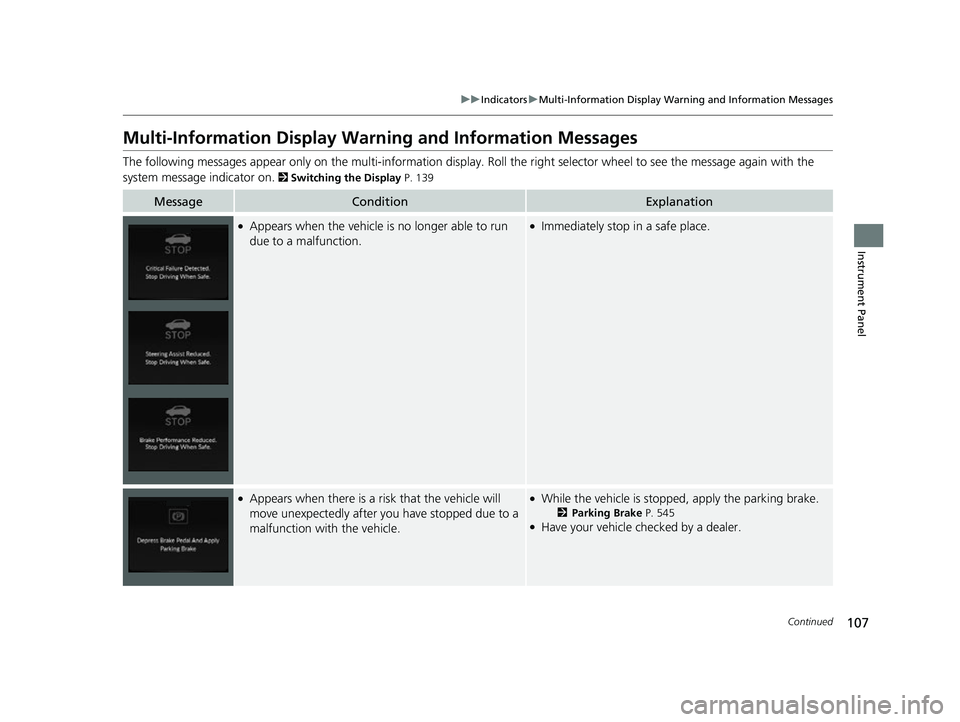
Multi-Information Display Warn ing and Information Messages
The following messages appear only on the multi-information display. Roll the right selector wheel to see the message again with the
system message indicator on.
2 Switching the Display P. 139
MessageConditionExplanation
●Appears when the vehicle is no longer able to run
due to a malfunction.●Immediately stop in a safe place.
●Appears when there is a ri sk that the vehicle will
move unexpectedly after you have stopped due to a
malfunction with the vehicle.●While the vehicle is stopped, apply the parking brake.
2 Parking Brake P. 545●Have your vehicle checked by a dealer.
23 ACURA RDX-31TJB6400.book 107 ページ 2022年8月4日 木曜日 午後1時51分
Page 110 of 713
108
uuIndicators uMulti-Information Display Warn ing and Information Messages
Instrument Panel
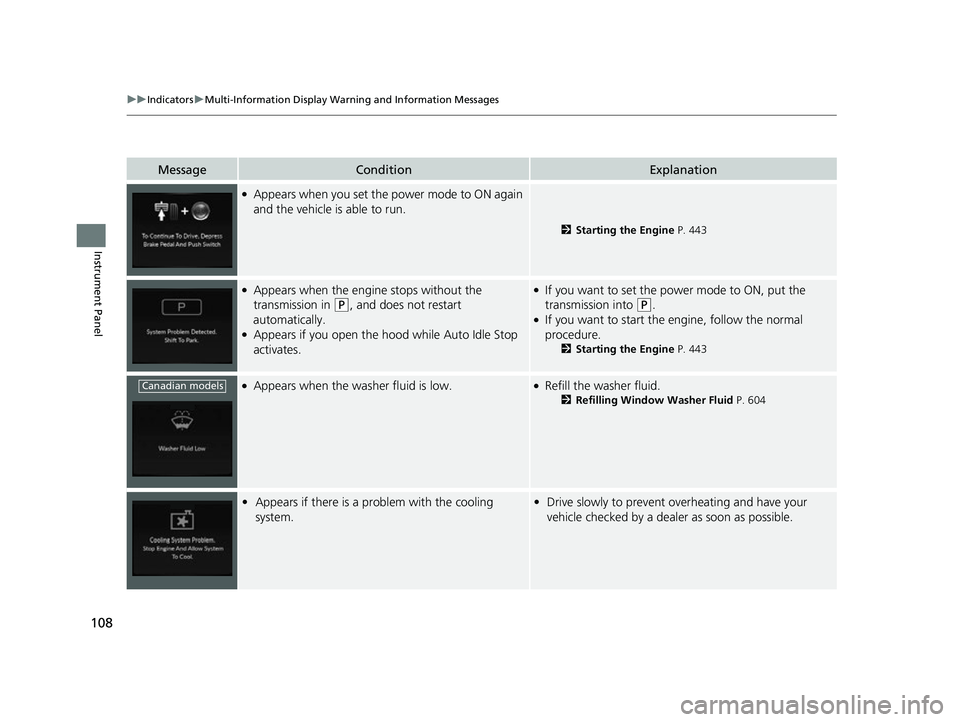
MessageConditionExplanation
●Appears when you set the power mode to ON again
and the vehicle is able to run.
2Starting the Engine P. 443
●Appears when the engine stops without the
transmission in
(P, and does not restart
automatically.
●Appears if you open the hood while Auto Idle Stop
activates.
●If you want to set the power mode to ON, put the
transmission into
(P.●If you want to start the engine, follow the normal
procedure.
2 Starting the Engine P. 443
●Appears when the washer fluid is low.●Refill the washer fluid.
2Refilling Window Washer Fluid P. 604
•Appears if there is a problem with the cooling
system.•Drive slowly to prevent overheating and have your
vehicle checked by a dealer as soon as possible.
Canadian models
23 ACURA RDX-31TJB6400.book 108 ページ 2022年8月4日 木曜日 午後1時51分
Page 111 of 713

109
uuIndicators uMulti-Information Display Warning and Information Messages
Continued
Instrument Panel
MessageConditionExplanation
●Appears when the starter system has a problem.●As a temporary measur e, press and hold the ENGINE
START/STOP button for up to 15 seconds while
pressing the brake pedal, manually start the engine.
Have your vehicle checked by a dealer.
• Appears when the engine oil pressure is low.•Appears while driving - Immediately stop in a safe
place.
2 If the Engine Oil Pressure Low Warning Appears
P. 671
●Appears when the engine coolant temperature gets
abnormally high.
2 Overheating P. 669
U.S.
Canada
23 ACURA RDX-31TJB6400.book 109 ページ 2022年8月4日 木曜日 午後1時51分
Page 116 of 713

114
uuIndicators uMulti-Information Display Warn ing and Information Messages
Instrument Panel
MessageConditionExplanation
●Appears when you close the door with the power
mode in ON without the keyless remote inside the
vehicle.●Disappears when you bring the keyless remote back
inside the vehicle and close the door.
2 Keyless Remote Reminder P. 195
●Appears when the keyless remote battery becomes
weak.
2Replacing the Remote Battery P. 625
●Appears after you set the power mode to
ACCESSORY or ON.
●Appears after you unlock and open the driver’s door.
2Starting the Engine P. 443
•Appears when the engine does not restart
automatically due to the following reasons:
- The hood is open.
- There is a problem in the system that disables Auto
Idle Stop.●Follow the normal procedure to start the engine.
2 Starting the Engine P. 443
Canadian models
23 ACURA RDX-31TJB6400.book 114 ページ 2022年8月4日 木曜日 午後1時51分
Page 117 of 713

115
uuIndicators uMulti-Information Display Warning and Information Messages
Continued
Instrument Panel
MessageConditionExplanation
●Appears after the driver’s door is opened when the
power mode is in ACCESSORY.●Change the power mode to VEHICLE OFF.
2 ENGINE START/STOP Button P. 193
●Appears when the power mode is in ACCESSORY.
—
●Appears if the keyless remote’s battery is too weak
to start the engine or the key is not within operating
range to start the engine.
The beeper sounds six times.●Bring the back of the keyless remote into contact with
the ENGINE START/STOP button.
2If the Keyless Remote Battery is Weak P. 665
23 ACURA RDX-31TJB6400.book 115 ページ 2022年8月4日 木曜日 午後1時51分
Page 118 of 713

116
uuIndicators uMulti-Information Display Warn ing and Information Messages
Instrument Panel
MessageConditionExplanation
•Appears if you press the ENGINE START/STOP
button while the vehicle is moving.
2 Emergency Engine Stop P. 666
●Appears after the driver’s door is opened when the
power mode is in ACCESSORY.●Press and hold the ENGINE START/STOP button with
your foot off the brake pedal to change the power
mode to VEHICLE OFF.
• Appears when you turn the Auto Idle Stop system
on.
2 Auto Idle Stop P. 464
•Appears when the hood is opened.●Close the hood.
23 ACURA RDX-31TJB6400.book 116 ページ 2022年8月4日 木曜日 午後1時51分
Page 120 of 713

118
uuIndicators uMulti-Information Display Warn ing and Information Messages
Instrument Panel
MessageConditionExplanation
•Appears when the (P button is pressed while the
vehicle is moving.• Make sure that the vehicl e comes to a stop before
operating the select button.
●Appears if you put the transmission into (R while the
vehicle is moving forward, or into
(D while the
vehicle is reversing.
• Appears when you set the power mode to OFF while
driving.•Immediately stop in a safe place, set the parking brake,
then restart the engine. If the message disappears,
continue driving.
•Appears when the vehicle is stopped with the
driver’s seat belt unfastened and there is a chance
that the vehicle may roll unintentionally.•Press the (P button before release the brake pedal
when idling, parking or exiting the vehicle.
2 Shift Operation P. 453
●Appears when you attempt to change to another
gear position with the transmission in
(P and the
engine OFF.
●To select another gear position while in (P, the engine
must be ON.
23 ACURA RDX-31TJB6400.book 118 ページ 2022年8月4日 木曜日 午後1時51分