stop ACURA RDX 2023 Repair Manual
[x] Cancel search | Manufacturer: ACURA, Model Year: 2023, Model line: RDX, Model: ACURA RDX 2023Pages: 713, PDF Size: 21.99 MB
Page 244 of 713
uuInterior Convenience Items uOther Interior Convenience Items
242
Controls
1Wireless Charger*
The wireless charger can support up to 15W, but the
charging rate varies base d on the device and other
conditions.
NOTICE
Do not place any magneti c recording media or
precision machines within the charging area while
charging.
The data on your cards such as credit cards can be
lost because of the magneti c effect. Also, precision
machines such as watc hes can be affected.
“Qi” and marks are the registered trademarks
owned by Wire less Power Consortium (WPC).
In the following cases, ch arging may stop or not start:
•The device is already fully charged.•The temperature of the device is extremely high
while charging.
•You are at a place that emits strong
electromagnetic waves or noises such as TV station,
electric power plant, or gas station.
•The device has a cover, case or accessories which
are not compatible wi th wireless charging.
* Not available on all models
23 ACURA RDX-31TJB6400.book 242 ページ 2022年8月4日 木曜日 午後1時51分
Page 249 of 713

247Continued
Controls
Climate Control System
Using Automatic Climate Control
The automatic climate control system maintains the interior temperature you select.
The system also selects the proper mix of heat ed or cooled air that raises or lowers
the interior temperature to your pr eference as quickly as possible.
Use the system when the engine is running.
1. Press the AUTO button.
2. Adjust the interior temperature using the driver’s side or passenger’s side
temperature control buttons.
3. Press the (ON/OFF) button to cancel.1Using Automatic Climate Control
If any buttons are presse d while using the climate
control system in auto, the function of the button
that was pressed will take priority.
The AUTO indicator will go off, but functions
unrelated to the button th at was pressed will be
controlled automatically.
During idle-stops, air-conditioning is suspended, and
only the blower remains active.
If you do not want air-cond itioning suspended, press
the Auto Idle Stop OFF button to cancel idle-stop.
To prevent cold air from bl owing in from outside, the
fan may not start i mmediately when the AUTO
button is pressed.
If the interior is very warm, you can cool it down
more rapidly by partial ly opening the windows,
turning the system on auto, and setting the
temperature to low. Change the fresh air mode to
recirculation mode until the temperature cools down.
When you set the temperat ure to the lower or upper
limit, Lo or Hi is displayed.
Pressing the button switches the climate
control system between on and off. When turned on,
the system returns to your last selection.
Floor and
defroster
vents
Floor
vents
Dashboard and floor
vents, and back of
the center console
Dashboard vents
and back of the
center console
AUTO Button
Driver’s Side
Temperature
Control Buttons Passenger’s Side
Temperature
Control Buttons
A/C (Air Conditioning) Button (ON/OFF) Button
Fan Control Button SYNC
(Synchronization) Button
(Recirculation) Button
23 ACURA RDX-31TJB6400.book 247 ページ 2022年8月4日 木曜日 午後1時51分
Page 251 of 713
Continued249
uuClimate Control System u
Controls
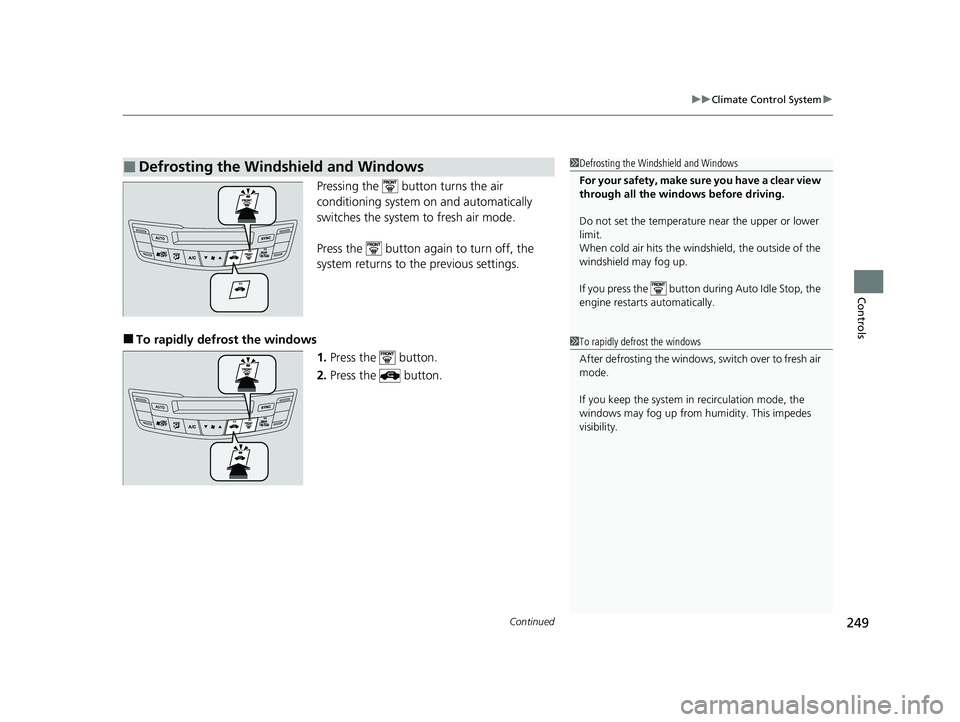
Pressing the button turns the air
conditioning system on and automatically
switches the system to fresh air mode.
Press the button again to turn off, the
system returns to the previous settings.
■To rapidly defrost the windows
1.Press the button.
2. Press the button.
■Defrosting the Windshield and Windows1Defrosting the Windshield and Windows
For your safety, make sure you have a clear view
through all the windows before driving.
Do not set the temperatur e near the upper or lower
limit.
When cold air hits the windshield, the outside of the
windshield may fog up.
If you press the button during Auto Idle Stop, the
engine restarts automatically.
1 To rapidly defrost the windows
After defrosting the windows, switch over to fresh air
mode.
If you keep the system in recirculation mode, the
windows may fog up from humidity. This impedes
visibility.
23 ACURA RDX-31TJB6400.book 249 ページ 2022年8月4日 木曜日 午後1時51分
Page 263 of 713
261
uuAudio System Basic Operation uTrue Touchpad Interface
Continued
Features
True Touchpad Interface
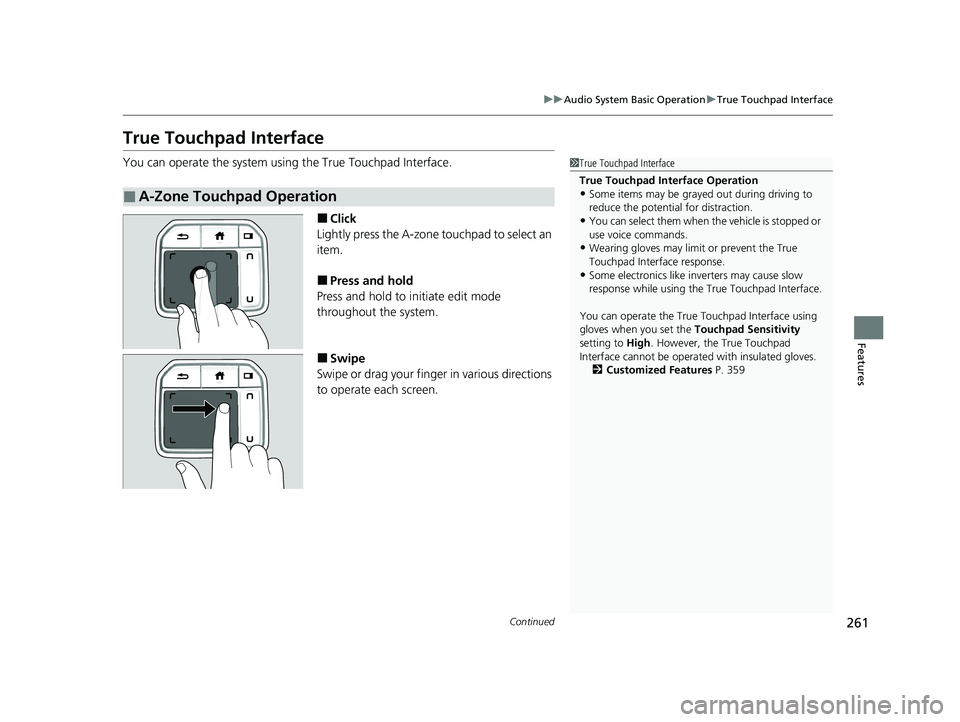
You can operate the system using the True Touchpad Interface.
■Click
Lightly press the A-zone touchpad to select an
item.
■Press and hold
Press and hold to in itiate edit mode
throughout the system.
■Swipe
Swipe or drag your finger in various directions
to operate each screen.
■A-Zone Touchpad Operation
1 True Touchpad Interface
True Touchpad Interface Operation
•Some items may be grayed out during driving to
reduce the potential for distraction.
•You can select them when the vehicle is stopped or
use voice commands.
•Wearing gloves may limi t or prevent the True
Touchpad Interfa ce response.
•Some electronics like inverters may cause slow
response while using the True Touchpad Interface.
You can operate the True Touchpad Interface using
gloves when you set the Touchpad Sensitivity
setting to High . However, the True Touchpad
Interface cannot be operated with insulated gloves.
2 Customized Features P. 359
23 ACURA RDX-31TJB6400.book 261 ページ 2022年8月4日 木曜日 午後1時51分
Page 281 of 713
Continued279
uuAudio System Basic Operation uSmart Shortcuts
Features
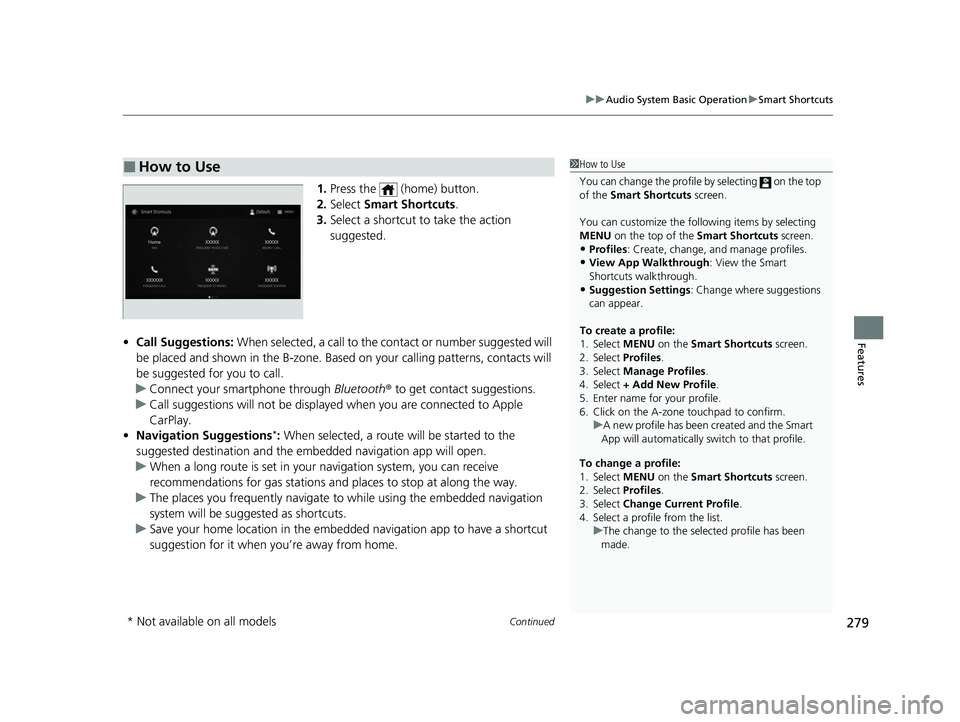
1. Press the (home) button.
2. Select Smart Shortcuts .
3. Select a shortcut to take the action
suggested.
• Call Suggestions: When selected, a call to the contact or number suggested will
be placed and shown in the B-zone. Base d on your calling patterns, contacts will
be suggested for you to call.
u Connect your smartphone through Bluetooth® to get contact suggestions.
u Call suggestions will not be displayed when you are connected to Apple
CarPlay.
• Navigation Suggestions
*: When selected, a route will be started to the
suggested destination and the embedded navigation app will open.
u When a long route is set in your navigation system, you can receive
recommendations for gas stations and places to stop at along the way.
u The places you frequently navigate to while using the embedded navigation
system will be suggested as shortcuts.
u Save your home location in the embedded navigation app to have a shortcut
suggestion for it when you’re away from home.
■How to Use1How to Use
You can change the profile by selecting on the top
of the Smart Shortcuts screen.
You can customize the foll owing items by selecting
MENU on the top of the Smart Shortcuts screen.
•Profiles : Create, change, a nd manage profiles.
•View App Walkthrough : View the Smart
Shortcuts walkthrough.
•Suggestion Settings : Change where suggestions
can appear.
To create a profile:
1. Select MENU on the Smart Shortcuts screen.
2. Select Profiles .
3. Select Manage Profiles .
4. Select + Add New Profile .
5. Enter name for your profile.
6. Click on the A-zone touchpad to confirm.
To change a profile:
1. Select MENU on the Smart Shortcuts screen.
2. Select Profiles .
3. Select Change Current Profile .
4. Select a profile from the list. u
A new profile has been created and the Smart
App will automatically switch to that profile.
u The change to the selected profile has been
made.
* Not available on all models
23 ACURA RDX-31TJB6400.book 279 ページ 2022年8月4日 木曜日 午後1時51分
Page 288 of 713
uuAudio System Basic Operation uSystem Updates
286
Features
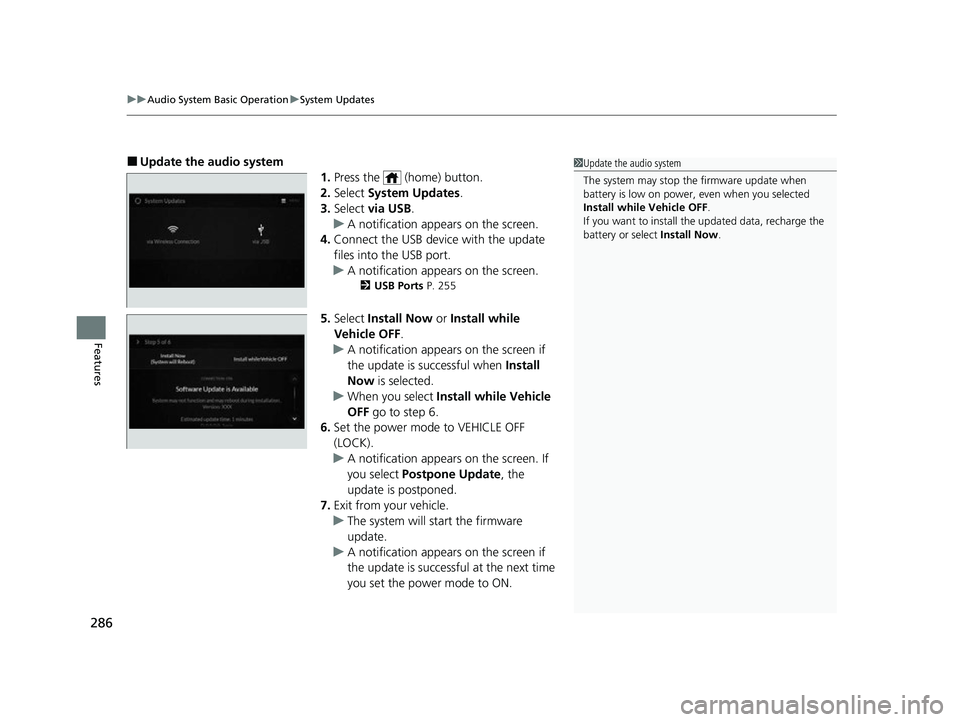
■Update the audio system
1.Press the (home) button.
2. Select System Updates .
3. Select via USB .
u A notification appears on the screen.
4. Connect the USB device with the update
files into the USB port.
u A notification appears on the screen.
2 USB Ports P. 255
5.Select Install Now or Install while
Vehicle OFF .
u A notification appears on the screen if
the update is successful when Install
Now is selected.
u When you select Install while Vehicle
OFF go to step 6.
6. Set the power mode to VEHICLE OFF
(LOCK).
u A notification appears on the screen. If
you select Postpone Update , the
update is postponed.
7. Exit from your vehicle.
u The system will start the firmware
update.
u A notification appears on the screen if
the update is successful at the next time
you set the power mode to ON.
1Update the audio system
The system may stop the firmware update when
battery is low on power, even when you selected
Install while Vehicle OFF .
If you want to install the updated data, recharge the
battery or select Install Now.
23 ACURA RDX-31TJB6400.book 286 ページ 2022年8月4日 木曜日 午後1時51分
Page 290 of 713
288
uuAudio System Basic Operation uDisplay Setup
Features
Display Setup
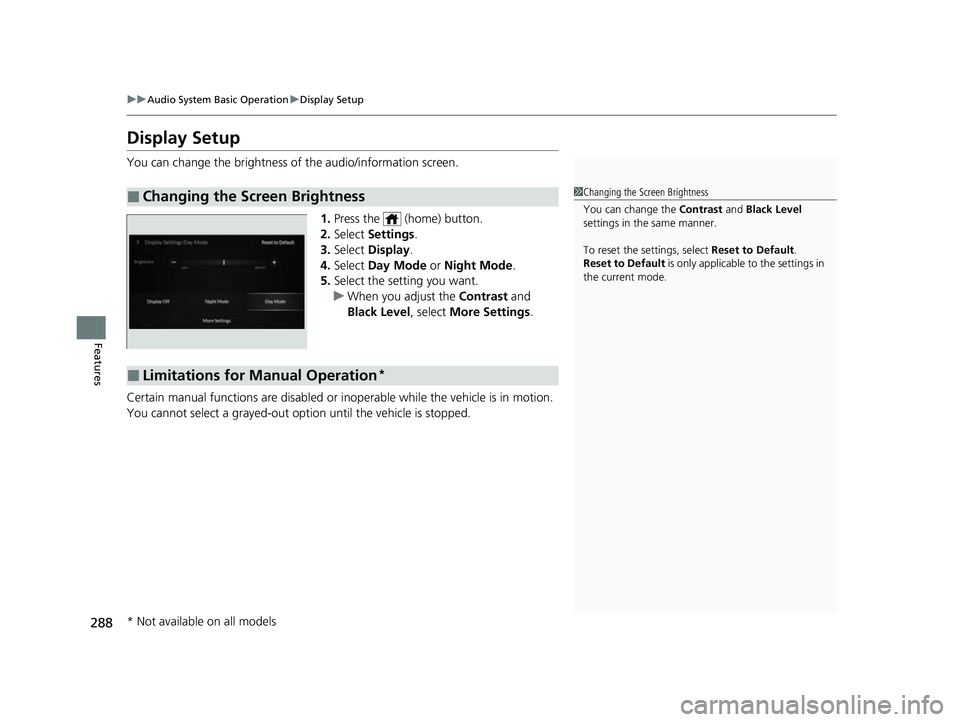
You can change the brightness of the audio/information screen.
1.Press the (home) button.
2. Select Settings .
3. Select Display .
4. Select Day Mode or Night Mode .
5. Select the setting you want.
u When you adjust the Contrast and
Black Level , select More Settings .
Certain manual functions are disabled or inoperable while the vehicle is in motion.
You cannot select a grayed-out option until the vehicle is stopped.
■Changing the Screen Brightness1 Changing the Screen Brightness
You can change the Contrast and Black Level
settings in the same manner.
To reset the settings, select Reset to Default.
Reset to Default is only applicable to the settings in
the current mode.
■Limitations for Manual Operation*
* Not available on all models
23 ACURA RDX-31TJB6400.book 288 ページ 2022年8月4日 木曜日 午後1時51分
Page 297 of 713
Continued295
uuAudio System Basic Operation uPlaying AM/FM Radio
Features
Lists the strongest stations on the selected band.
1. Select Station List to display a list.
2. Select the station.
■Manual update
Updates your available st ation list at any time.
1. Select Station List to display a list.
2. Select Refresh .
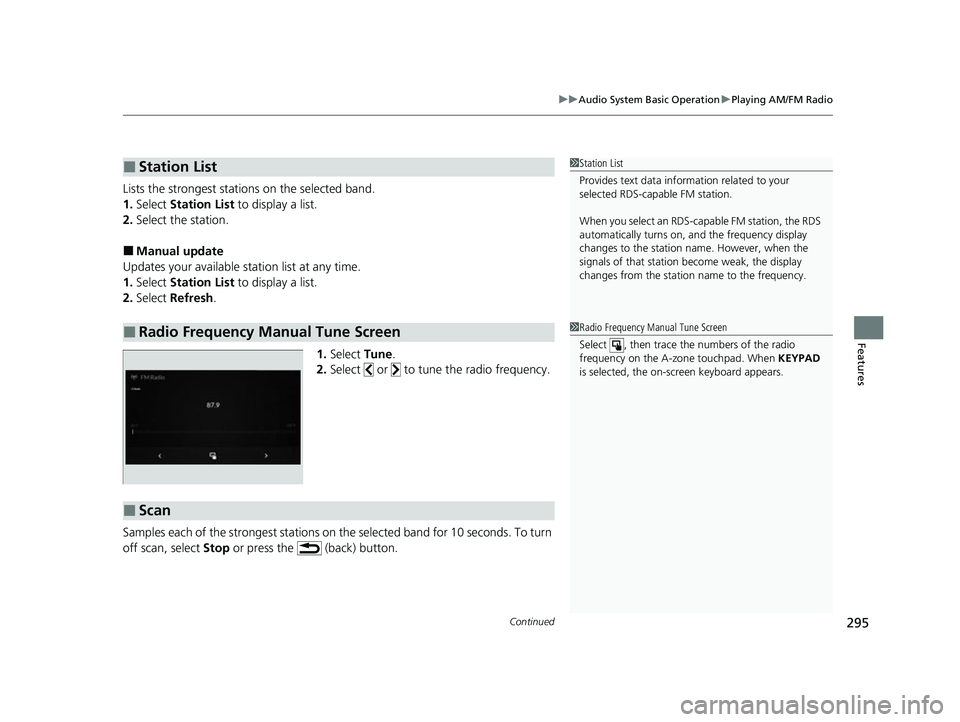
1.Select Tune.
2. Select or to tune the radio frequency.
Samples each of the strongest stations on th e selected band for 10 seconds. To turn
off scan, select Stop or press the (back) button.
■Station List
■Radio Frequency Manual Tune Screen
1Station List
Provides text data info rmation related to your
selected RDS-capable FM station.
When you select an RDS-capable FM station, the RDS
automatically turns on, and the frequency display
changes to the station name. However, when the
signals of that station become weak, the display
changes from the statio n name to the frequency.
1Radio Frequency Manual Tune Screen
Select , then trace the numbers of the radio
frequency on the A-zone touchpad. When KEYPAD
is selected, the on-screen keyboard appears.
■Scan
23 ACURA RDX-31TJB6400.book 295 ページ 2022年8月4日 木曜日 午後1時51分
Page 307 of 713
Continued305
uuAudio System Basic Operation uPlaying SiriusXM ® Radio
Features
You can receive traffic and weather information.
1. Select MENU .
2. Select SiriusXM Settings .
3. Select Traffic & Weather Setup.
4. Select Selected City .
5. Select the region.
■Receiving a traffic and weather information
1. A pop-up will appear in the B-zone to notify you that new traffic and weather
information is available.
2. Select the system status area, then press the B-zone touchpad.
u The status area will ap pear in the A-zone.
3. To see the details, select an item using the A-zone touchpad.
u The traffic and weather information will appear in the B-zone.
u Select Keep Listening to continue receiving traffic and weather information.
u Select Return to Ch (channel number) to stop viewing traffic and weather
information.
■Traffic and Weather Information1 Traffic and Weather Information
When traffic and weather information is received, a
notification is displa yed in the B-zone.
2 B-Zone P. 267
23 ACURA RDX-31TJB6400.book 305 ページ 2022年8月4日 木曜日 午後1時51分
Page 310 of 713
uuAudio System Basic Operation uPlaying SiriusXM ® Radio
308
Features
Sample each channel on the selected mode for 10 seconds.
1. Select More.
2. Select Scan.
You can change a scan mode by the following procedure.
1. Select MENU .
2. Select SiriusXM Settings .
3. Select Scan Mode .
4. Select Channels or Favorites .
To turn off scan, select Stop.
■Scan1Scan
The favorites scan func tion is based on TuneScan
TM
technology of SiriusXM ®.
The “Featured Channels ” function is based on
Featured Favorites
TM technology of SiriusXM ®.
TuneScan
TM and Featured FavoritesTM are registered
trademarks of SiriusXM ® Radio, Inc.
23 ACURA RDX-31TJB6400.book 308 ページ 2022年8月4日 木曜日 午後1時51分