phone ACURA RDX 2023 Repair Manual
[x] Cancel search | Manufacturer: ACURA, Model Year: 2023, Model line: RDX, Model: ACURA RDX 2023Pages: 713, PDF Size: 21.99 MB
Page 412 of 713

uuBluetooth ® HandsFreeLink ®u Text Message
410
Features
HFL can display newly received text messa ges as well as the last 20 messages
received on a linked cell phone. Each received message can be read aloud and
replied to using a fixed common phrase. 1.A pop-up appears and notifies you of a new
text message.
2. Select Open.
3. Select to listen to the message. To stop
listening to the message, select .
u Select to hear the message from the
beginning.
■Receiving a Text Message1Receiving a Text Message
Some cell phones might not be able to read the
transmission log of data sent and data received.
The system does not display any received messages
while you are driving. You can only hear them read
aloud.
The system can only receive messages that are sent as
text (SMS) messages. Messages sent using the data
services will not be displayed in the list.
With some phones, you may be able to display up to
20 of the last text messages received.
State or local laws may limit your use of the HFL text
message feature. Only use the text message feature
when conditions allow you to do so safely.
Depending on the status of the A-zone, the received
message screen may be displayed on the B-zone.
23 ACURA RDX-31TJB6400.book 410 ページ 2022年8月4日 木曜日 午後1時51分
Page 413 of 713

Continued411
uuBluetooth ® HandsFreeLink ®u Text Message
Features
You can select one from the Bluetooth® device list to be active and receive
notifications. 1.Press the (home) button.
2. Select Messages.
3. Select MENU .
4. Select Change Connected Phone .
5. Change a desired phone.
2 To change the currently paired phone
P. 397
■Selecting a Phone1 Selecting a Phone
You can only receive notifications from one phone at
a time.
You can only connect one de vice to use both text
message function and Bluetooth® hands-free phone
function.
If there is a connection to Apple CarPlay or Android
Auto, a message will appear if this setting is selected
allowing the user to e nd the Apple CarPlay or
Android Auto session and continue with the setting.
23 ACURA RDX-31TJB6400.book 411 ページ 2022年8月4日 木曜日 午後1時51分
Page 414 of 713

uuBluetooth ® HandsFreeLink ®u Text Message
412
Features
1. Press the (home) button.
2. Select Messages.
3. Select Inbox.
4. Select a message.
u The message information is displayed.
5. Select View Message .
u The text message is displayed.
■Displaying Messages1Displaying Messages
The icon appears next to an unread message.
If you delete a message on the phone, the message
will also be dele ted from the system. If you send a
message from the system, the message goes to your
phone’s outbox.
To see the previous or next message, select Prev or
Next on the message screen.
Message List
Message
Information
23 ACURA RDX-31TJB6400.book 412 ページ 2022年8月4日 木曜日 午後1時51分
Page 416 of 713

uuBluetooth ® HandsFreeLink ®u Text Message
414
Features
■Reply to a message
1. Display the message information.
2. Select Reply.
3. Select the reply message.
u The pop-up menu appears on the screen.
4. Select Send to send the message.
u Message sent appears on the screen
when the reply messag e was successfully
sent.1 Reply to a message
The available reply messages are as follows:
•I’m on my way.
•I’m running late.
•No•OK
•Talk to you later, I'm driving.
•Yes
The display language of th e default reply message
depends on the connected phone. 2 To edit a reply message P. 415
You can add or delete a re ply message by selecting
Saved Replies.
2 To edit a reply message P. 415
2 To delete a reply message P. 415
Only certain phones receive and send messages when
paired and connected. For a list of compatible
phones:
•U.S.: Visit www.handsfreeli nk.com/Acura, or call 1-
888-528-7876.
•Canada: For more info rmation on smartphone
compatibility, call 1-855-490-7351.
23 ACURA RDX-31TJB6400.book 414 ページ 2022年8月4日 木曜日 午後1時51分
Page 421 of 713

419Continued
Features
AcuraLink®
Is a subscription-based service that provides convenient features such as voice
communication in case of emergency, online security, one-on-one operator
assistance, and the transmission of importa nt messages regarding your vehicle’s
status.
Use the following procedure to connect to AcuraLink.
■To enable the AcuraLink
You need to allow the consent of the lo cation service to enable the AcuraLink.
1. Press the (home) button.
2. Select AcuraLink .
u The confirmation message appears on
the screen for the first time, then select
Allow .
■To Connect to AcuraLink
1AcuraLink ®
AcuraLink also provides services you can operate
from the Internet or your smartphone.
To subscribe to AcuraLink, or to get more
information about all of its features, contact an Acura
dealer, or visit owners.acura.com (U.S.) or
www.acura.ca/owners/acuralink (Canada).
1To enable the AcuraLink
You can also set up a Vehicle Data Collection by
the following procedure.
1. Press the (home) button.
2. Select AcuraLink .
3. Select MENU .
4. Select Vehicle Data Collection .
5. Select Allow or Block.
•Allow: Sends the vehicle location data, diagnostic
information, driving behavior data and phone data
when you have previously allowed it when you
connect a phone with Bluetooth®.
•Block : Does not send the ve hicle location data,
diagnostic information, driving behavior data.
For detail information of all data shared visit https://
acuralink.acura.com/#/acuralinkLegalTerms
23 ACURA RDX-31TJB6400.book 419 ページ 2022年8月4日 木曜日 午後1時51分
Page 422 of 713

uuAcuraLink ®u
420
Features
■To link with AcuraLink
You may see the connection guide screen
after launching AcuraLink when there is no
phone connecti on available.
Continue Without Connecting: Displays
the AcuraLink menu screen without phone
connection.
Connect Phone: Displays the Bluetooth®
setup screen.
2 To change the currently paired phone
P. 397
1. Press the (home) button.
2. Select AcuraLink .
1To link with AcuraLink
We recommend that you install the AcuraLink app in
your smartphone to make AcuraLink more
functional. Contact an Acura dealer, or visit
owners.acura.com (U.S.) or www.acura.ca/owners/
acuralink (Canada).
If you do not connect a phone to AcuraLink, Last Mile
function of AcuraLink app is disabled.
■AcuraLink1 AcuraLink
You can also select AcuraLink from the All Apps
screen. 2 Audio/Information Screen P. 264
AcuraLink
23 ACURA RDX-31TJB6400.book 420 ページ 2022年8月4日 木曜日 午後1時51分
Page 423 of 713

Continued421
uuAcuraLink ®u
Features
■Vehicle Notifications
Displays the diagnostic information, re call or important safety information*1, or
general information by connecting to the Acura server using HFL.
■Contact Acura
Connect to the AcuraLink operator when trying to find a destination or for roadside
assistance.
■My Acura Dealer
Calls your Acura dealer using HFL or sets a destination of the navigation* to the
dealer.
■MENU
Displays the AcuraLink menu screen.
• Vehicle Data Collection : Displays the AcuraLink connection setting screen.
2To enable the AcuraLink P. 419
•AcuraLink Su bscriptions: Displays your current AcuraLink subscription status.
• Connect Bluetooth Device: Displays the Bluetooth® setup screen.
2To change the currently paired phone P. 397
*1: When you select Roadside Assistance, the system connect to the AcuraLink operator
through the telematics control unit (TCU).
1Vehicle Notifications
Some messages can be deleted manually; some
others will automatica lly disappear when the
malfunction is fixed, cont act a dealer if necessary.
* Not available on all models
23 ACURA RDX-31TJB6400.book 421 ページ 2022年8月4日 木曜日 午後1時51分
Page 425 of 713
Continued423
uuAcuraLink ®u
Features
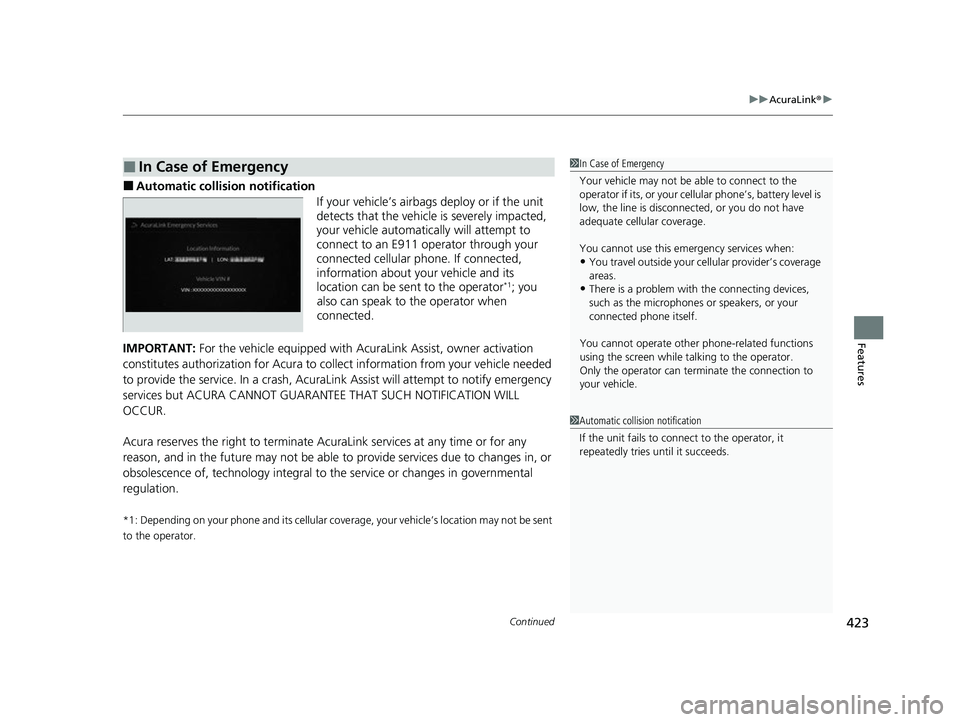
■Automatic collis ion notification
If your vehicle’s airbags deploy or if the unit
detects that the vehicle is severely impacted,
your vehicle automatically will attempt to
connect to an E911 operator through your
connected cellular phone. If connected,
information about your vehicle and its
location can be sent to the operator
*1; you
also can speak to the operator when
connected.
IMPORTANT: For the vehicle equipped with Ac uraLink Assist, owner activation
constitutes authorization for Acura to co llect information from your vehicle needed
to provide the service. In a crash, AcuraLink Assist will attempt to notify emergency
services but ACURA CANNOT GUARAN TEE THAT SUCH NOTIFICATION WILL
OCCUR.
Acura reserves the right to terminate Acur aLink services at any time or for any
reason, and in the future may not be able to provide services due to changes in, or
obsolescence of, technology integral to the service or changes in governmental
regulation.
*1: Depending on your phone and its cellular cove rage, your vehicle’s location may not be sent
to the operator.
■In Case of Emergency1 In Case of Emergency
Your vehicle may not be able to connect to the
operator if its, or your cellular phone’s, battery level is
low, the line is disconnected, or you do not have
adequate cellul ar coverage.
You cannot use this emergency services when:
•You travel outside your cellular provider’s coverage
areas.
•There is a problem with the connecting devices,
such as the microphones or speakers, or your
connected phone itself.
You cannot operate othe r phone-related functions
using the screen while talking to the operator.
Only the operator can terminate the connection to
your vehicle.
1 Automatic collision notification
If the unit fails to connect to the operator, it
repeatedly tries until it succeeds.
23 ACURA RDX-31TJB6400.book 423 ページ 2022年8月4日 木曜日 午後1時51分
Page 428 of 713
uuAcuraLink ®u
426
Features
Your subscribed telematics service provider can check your vehicle’s condition. For
maximum functionality, download AcuraLin k app in your smartphone and connect
it with the vehicle.
■Automatic Collision Notifications
A live agent will reach out and check on you and request that help be sent in the
event of a crash.
■Send Destination
Search for destinations on your phone and instantly beam turn-by-turn directions to
your navigation system
*. Requires In-vehicle Navigation System*.
■Stolen Vehicle Locator
In the event of a stolen vehicle, your vehi cle will help local authorities recover it.
■Remote Start & Stop
Arrive at your vehicle with the engine warmed up and the interior set to a
comfortable temperature.
■Remote Lock & Unlock
Lock and unlock your vehicle with your smartphone.
■Find My Car
Find your parked vehicle and flash/so und your horns remotely using your
smartphone.
■Connection Features1 Connection Features
The contact information of your provider, your user
ID and PIN will be given when you subscribe to
AcuraLink. If you forget any of the above, contact a
Acura dealer, or go to owners.acura.com (U.S.) or
www.acura.ca/owners/acuralink (Canada).
You can also activate the remote door lock/unlock
and vehicle finder features from the Internet or using
your smartphone app. As k a dealer, or visit
owners.acura.com (U.S.) or www.acura.ca/owners/
acuralink (Canada) for details.
1Find My Car
The lights will stop flas hing and horn will stop
sounding under the following:
•When conditions 30 seconds have elapsed.
•You unlock the doors using the remote transmitter.
•You unlock the doors using the keyless access
system.
•You unlock the doors us ing the built-in key.
•The power mode is set to ACCESSORY or ON.
* Not available on all models
23 ACURA RDX-31TJB6400.book 426 ページ 2022年8月4日 木曜日 午後1時51分
Page 429 of 713

427
uuAcuraLink ®u
Features
■Vehicle Status
Get door and lock status as well as mileage, fuel, oil life, and tire pressure readings
on your phone.
■Emergency Call
A live agent will stay on the call with you and request that help be sent in the event
of an emergency.
■Security Alarm Alert
Receive alerts if vehicle security alarm is triggered.
■Destination by Voice
Talk to a live assistant who will search and send turn by turn directions to your
vehicle’s navigation system
*. Requires In-vehicle Navigation System*.
■Last Mile
Receive walking directions to your final destination right when you get out of your
Acura. Requires In-vehicle Navigation System
*.
■Geofence Alert
Receive a notification anytime your vehicle enters or leaves a region set by you.
■Speed Alert
Receive a notification when your vehicle has exceeded a speed limit set by you.
* Not available on all models
23 ACURA RDX-31TJB6400.book 427 ページ 2022年8月4日 木曜日 午後1時51分