change wheel Acura RL 2001 3.5 Owner's Manual
[x] Cancel search | Manufacturer: ACURA, Model Year: 2001, Model line: RL, Model: Acura RL 2001Pages: 333, PDF Size: 4.28 MB
Page 66 of 333
Controls Near the Steering Wheel
Headlights
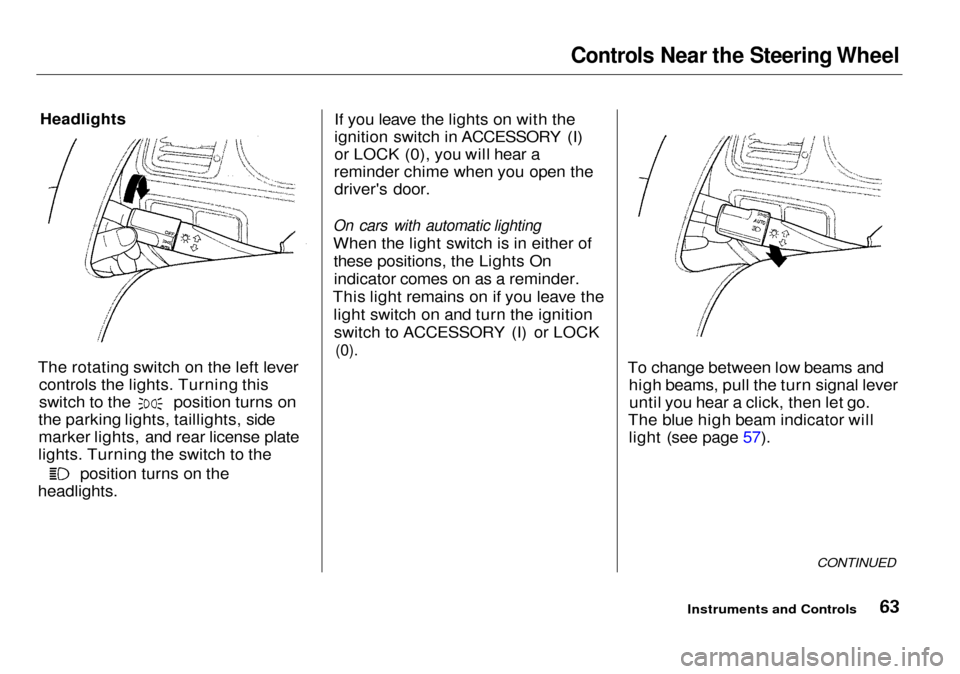
The rotating switch on the left lever controls the lights. Turning this switch to the position turns on
the parking lights, taillights, side marker lights, and rear license plate
lights. Turning the switch to the position turns on the
headlights. If you leave the lights on with the
ignition switch in ACCESSORY (I)
or LOCK (0), you will hear a
reminder chime when you open the driver's door.
On cars with automatic lighting
When the light switch is in either of these positions, the Lights Onindicator comes on as a reminder.
This light remains on if you leave the light switch on and turn the ignitionswitch to ACCESSORY (I) or LOCK
(0).
To change between low beams andhigh beams, pull the turn signal leveruntil you hear a click, then let go.
The blue high beam indicator will light (see page 57).
CONTINUED
Instruments and Controls
Page 69 of 333
Controls Near the Steering Wheel
Instrument Panel Brightness
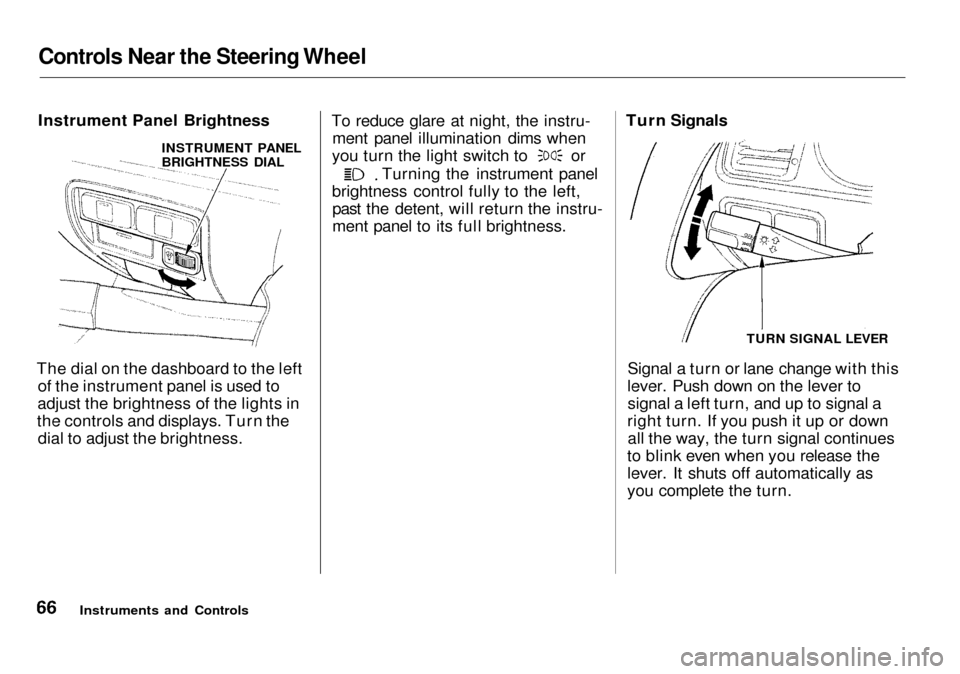
The dial on the dashboard to the left of the instrument panel is used to
adjust the brightness of the lights in
the controls and displays. Turn the dial to adjust the brightness. To reduce glare at night, the instru-
ment panel illumination dims when you turn the light switch to or
Turning the instrument panel
brightness control fully to the left, past the detent, will return the instru-
ment panel to its full brightness.
Signal a turn or lane change with this
lever. Push down on the lever to signal a left turn, and up to signal a
right turn. If you push it up or down all the way, the turn signal continues
to blink even when you release the
lever. It shuts off automatically as
you complete the turn.
Instruments and Controls Turn Signals
TURN SIGNAL LEVER
INSTRUMENT PANEL
BRIGHTNESS DIAL
Page 70 of 333
Controls Near the Steering Wheel
To signal a lane change, push lightly on the turn signal lever in the proper
direction and hold it. The lever will
return to the center position as soon as you release it. Fog Lights
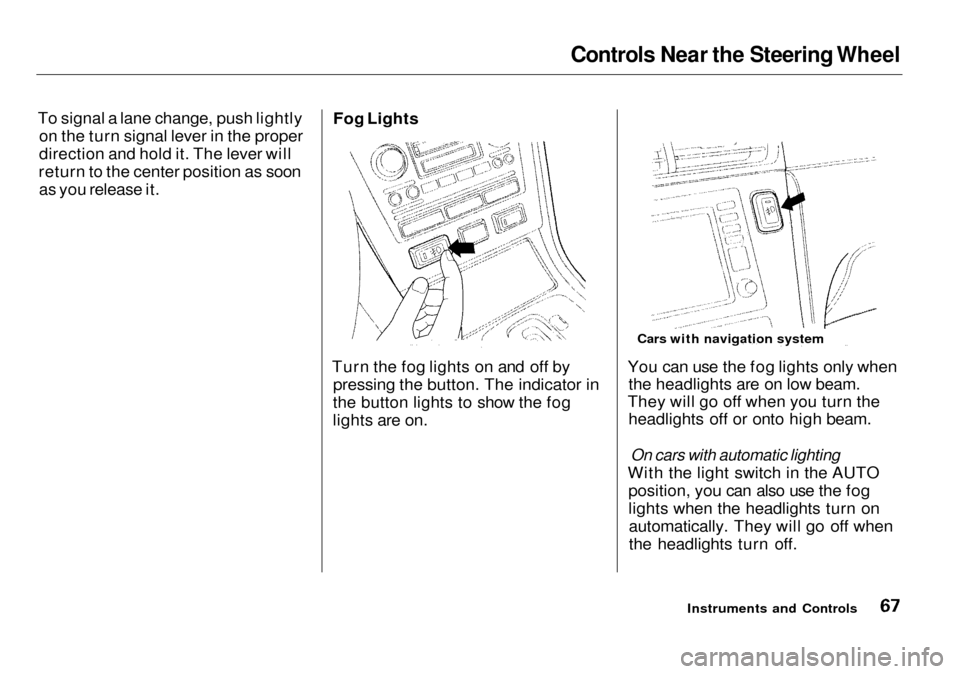
Turn the fog lights on and off by pressing the button. The indicator in
the button lights to show the fog
lights are on. You can use the fog lights only when
the headlights are on low beam.
They will go off when you turn the headlights off or onto high beam.
On cars with automatic lighting
With the light switch in the AUTO position, you can also use the fog
lights when the headlights turn onautomatically. They will go off when
the headlights turn off.
Instruments and Controls
Cars with navigation system
Page 71 of 333
Controls Near the Steering Wheel
Windshield Wipers
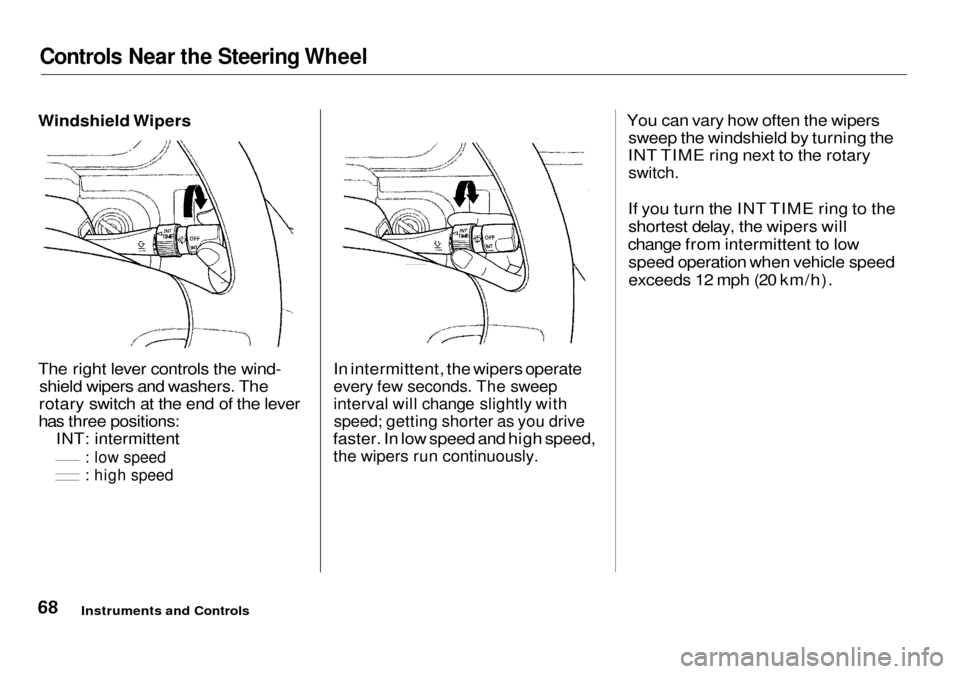
The right lever controls the wind- shield wipers and washers. The
rotary switch at the end of the lever
has three positions: INT: intermittent
: low speed
: high speed
In intermittent, the wipers operate
every few seconds. The sweep
interval will change slightly with
speed; getting shorter as you drive
faster. In low speed and high speed,
the wipers run continuously.
You can vary how often the wipers
sweep the windshield by turning the
INT TIME ring next to the rotary
switch.
If you turn the INT TIME ring to the shortest delay, the wipers will
change from intermittent to low speed operation when vehicle speed
exceeds 12 mph (20 km/h).
Instruments and Controls
Page 106 of 333

Driving Position Memory System, Seat Heaters
To stop the system's automatic ad- justment; Press any button on the control
panel: MEMO, 1 or 2.
Push any of the adjustment
switches for the seat or steering
wheel. Shift out of Park. Adjust the outside mirrors.
If you select a memorized position
without inserting the key in the ignition switch, only the seat andoutside mirrors will adjust. To get
the system to also adjust the steering
wheel, insert the key in the ignition switch. You will hear two beeps
when it is complete. If desired, you can use the adjust-
ment switches to change the posi-
tions of the seat, steering wheel or outside mirrors after they are in
their memorized position. To keep
this driving position for later use,
you must store it in the driving posi- tion memory. Seat Heaters
Both front seats are equipped withseat heaters. The ignition switch
must be ON (II) to use them. Push
the front of the switch, HI, to rapidly
heat up the seat. After the seat reaches a comfortable temperature,select LO by pushing the back of the
switch. This will keep the seat warm.
CONTINUED
Instruments and Controls
SEAT HEATERS
Page 166 of 333

Audio System
Remote Audio Controls
Two controls for the audio system are mounted in the steering wheel
hub. These let you control basic
functions without removing your
hand from the wheel. The top and bottom buttons adjust the volume up ( ) or down ( ).
Press the proper button and hold it
until the desired volume is reached,
then release it.
The AUDIO/CH button has three functions, depending on whether you are listening to the radio, or playing a
cassette or CD.
If you are listening to the radio, use
the AUDIO/CH button to change stations. Each time you press this
button, the system advances to the next preset station on the band you
are listening to. You will see the
number of the selected Preset button
in the display. To change bands,
press the AM/FM button on the audio system's front panel. If you are playing a cassette, use the
AUDIO/CH button to advance to the next selection. You will see "FF"
blinking in the display when you
press the AUDIO/CH button. The system fast forwards until it senses asilent period, then goes back to
PLAY.
If you are playing a CD, the system skips to the beginning of the next
track each time you push the
AUDIO/CH button. You will see the disc and track number in the display.
Comfort and Convenience Features
AUDIO/CH
BUTTON
Page 178 of 333

Accessories and Modifications
Modifications Do not remove any original
equipment or modify your car in any
way that would alter its design or operation. This could make your car
unsafe and illegal to drive.
For example, do not make any
modifications that would change the
ride height of your car, or install
wheels and tires with a different overall diameter.
Such modifications can adversely
affect handling, and interfere with
the operation of the car's anti-lock
brakes and other systems.
In addition, any modifications that
decrease ground clearance increase
the chance of undercarriage parts striking a curb, speed bump, or other
raised object, which could cause
your airbags to deploy. Do not modify your steering wheel
or any other part of your
Supplemental Restraint System.
Modifications could make the
system ineffective.
Additional Safety Precautions
Do not attach or place objects on
the front airbag covers. Any object
attached to or placed on the covers
marked "SRS AIRBAG," in the
center of the steering wheel and
on top of the dashboard, could
interfere with the proper operation of the airbags. Or, if the airbags
inflate, the objects could be
propelled inside the car and hurt
someone.
Do not attach hard objects on or
near a front door. If a side airbag
inflates, a cup holder or other hard
object attached on or near the door could be propelled inside the
car and hurt someone.
Do not place any objects over theoutside edge of a front seat-back.
Covering the outside edge of a
front seat-back, with a non-Acura seat cover for example, could
prevent the airbag from inflating
properly.
Before Driving
Page 192 of 333

The Braking System
Important Safety Reminders
ABS does not reduce the time or distance it takes to stop the car, it
only helps with steering controlduring braking. You should always
maintain a safe following distance
from other vehicles.
ABS will not prevent a skid that results from changing direction
abruptly, such as trying to take a corner too fast or making a sudden
lane change. Always drive at a safe,
prudent speed for the road and
weather conditions.
ABS cannot prevent a loss of stability. Always steer moderately
when you are braking hard. Severe or sharp steering wheel movement
can still cause your car to veer into
oncoming traffic or off the road. A vehicle with ABS may require a
longer distance to stop on loose or
uneven surfaces, such as gravel or snow, than a vehicle without anti-
lock. Slow down and allow a greater distance between vehicles under
those conditions.
ABS Indicator
U.S. indicator shown
The ABS is self-checking. If anything goes wrong, the ABS indicator on
the instrument panel comes on (see page 56 ). This means the anti-lock function of the braking system has
shut down. The brakes still work like
a conventional system without anti-
lock, providing normal stopping ability. You should have the dealer
inspect your car as soon as possible
if this light stays on after you start
the engine, or comes on whiledriving.
DrivingCONTINUED
ABS INDICATOR*
Page 197 of 333
Driving in Bad Weather
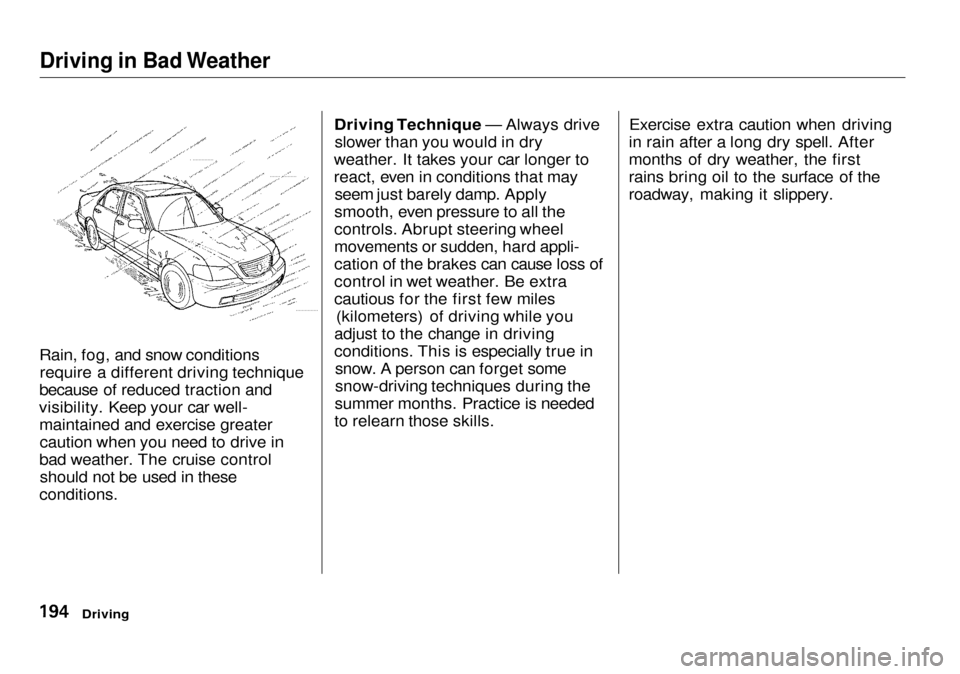
Rain, fog, and snow conditions require a different driving technique
because of reduced traction and
visibility. Keep your car well- maintained and exercise greatercaution when you need to drive in
bad weather. The cruise control should not be used in these
conditions. Driving Technique — Always drive
slower than you would in dry
weather. It takes your car longer to
react, even in conditions that may seem just barely damp. Apply
smooth, even pressure to all the
controls. Abrupt steering wheel
movements or sudden, hard appli-
cation of the brakes can cause loss of
control in wet weather. Be extra
cautious for the first few miles (kilometers) of driving while you
adjust to the change in driving
conditions. This is especially true in snow. A person can forget some
snow-driving techniques during the
summer months. Practice is needed
to relearn those skills. Exercise extra caution when driving
in rain after a long dry spell. After
months of dry weather, the first
rains bring oil to the surface of the
roadway, making it slippery.
Driving
Page 198 of 333
Driving in Bad Weather
Visibility — Being able to see clearly in all directions and being
visible to other drivers are important in all weather conditions. This is
more difficult in bad weather. To be seen more clearly during daylight
hours, turn on your headlights.
Inspect your windshield wipers and
washers frequently. Keep the wind- shield washer reservoir full of the
proper fluid. Have the windshield
wiper blades replaced if they start to streak the windshield or leave parts
unwiped. Use the defroster and air conditioning to keep the windows
from fogging up on the inside (see
pages 128 and 133). Traction — Check your tires
frequently for wear and properpressure. Both are important in
preventing "hydroplaning" (loss of
traction on a wet surface). In the
winter, mount snow tires on all four
wheels for the best handling.
Watch road conditions carefully, they can change from moment tomoment. Wet leaves can be as slip-
pery as ice. "Clear" roads can have
patches of ice. Driving conditionscan be very hazardous when the
outside temperature is near freezing.
The road surface can become covered with areas of water puddles
mixed with areas of ice, so your
traction can change without warning.
Be careful when downshifting. If
traction is low, you can lock up the drive wheels for a moment and cause
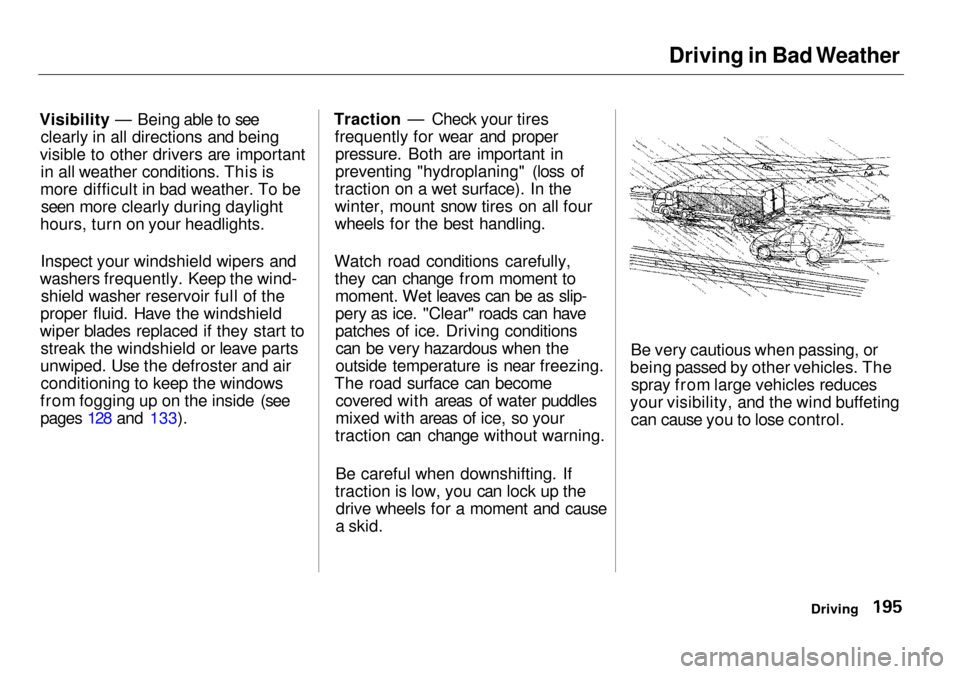
a skid. Be very cautious when passing, or
being passed by other vehicles. The spray from large vehicles reduces
your visibility, and the wind buffeting can cause you to lose control.
Driving