brakes Acura RL 2006 User Guide
[x] Cancel search | Manufacturer: ACURA, Model Year: 2006, Model line: RL, Model: Acura RL 2006Pages: 454, PDF Size: 5.58 MB
Page 323 of 454

Check the brakes after driving
through deep water. Apply the
brakes moderately to see if they f eel
normal. If not, apply them gently and
f requently until they do. Be extra
cautious in your driving.
The hydraulic system that operates
the brakes has two separate circuits.
Each circuit works diagonally across
the vehicle (the lef t-f ront brake is
connected with the right-rear brake,
etc.). If one circuit should develop a
problem, you will still have braking
at two wheels.If the brake pads need replacing, you
will hear a distinctive, metallic
screeching sound when you apply
the brake pedal. If you do not have
the brake pads replaced, they will
screech all the time. It is normal f or
the brakes to occasionally squeal or
squeak when you apply them.
Your vehicle is equipped with disc
brakes at all f our wheels. A power
assist helps reduce the ef f ort needed
on the brake pedal. Emergency
Brake Assist System gains the
stopping f orce when you depressed
thebrakepedalhardinanemergent
situation. The anti-lock brake system
(ABS) helps you retain steering
control when braking very hard.
Constant application of the brakes
when going down a long hill builds
up heat and reduces their ef f ective-
ness. Use the engine to assist the
brakes by taking your f oot of f the
accelerator and downshif ting to a
lower gear. Resting your f oot on the pedal keeps
the brakes applied lightly, builds up
heat, and reduces their ef f ectiveness.
It also keeps your brake lights on all
the time, conf using drivers behind
you. Braking System Design
Brake Wear Indicators
Braking System
322
Page 324 of 454
The anti-lock brake system (ABS)
helps prevent the brakes f rom
locking up, and helps you retain
steering control by pumping the
brakes rapidly, much f aster than a
person can do it.
this def eats the purpose of the ABS.
Let the ABS work f or you by always
keeping f irm, steady pressure on the
brake pedal as you steer away from
the hazard. This is sometimes
ref erred to as ‘‘stomp and steer.’’
You will f eel a pulsation in the brake
pedal when the ABS activates, and
you may hear some noise. This is
normal: it is the ABS rapidly
pumpingthebrakes.Ondry
pavement, you will need to press on
thebrakepedalveryhardbeforethe
ABS activates. However, you may
feel the ABS activate immediately if
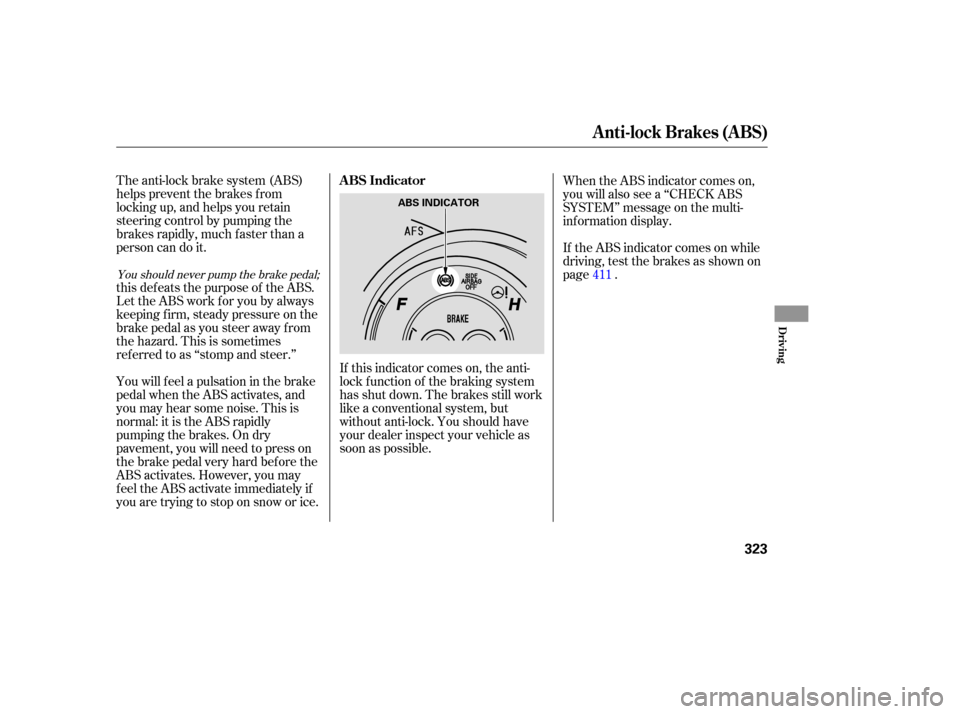
you are trying to stop on snow or ice.If this indicator comes on, the anti-
lock f unction of the braking system
has shut down. The brakes still work
like a conventional system, but
without anti-lock. You should have
your dealer inspect your vehicle as
soon as possible.If the ABS indicator comes on while
driving, test the brakes as shown on
page . When the ABS indicator comes on,
you will also see a ‘‘CHECK ABS
SYSTEM’’ message on the multi-
inf ormation display.
411
You should never pump the brake pedal;
ABS Indicator
Anti-lock Brakes (ABS)
Driving
323
ABS INDICATOR
Page 325 of 454
on loose or
uneven surf aces, such as gravel or
snow, than a vehicle without anti-
lock.
Always steer moderately
when you are braking hard. Severe
or sharp steering wheel movement
can still cause your vehicle to veer
into oncoming traffic or off the road. such as trying to take a
corner too f ast or making a sudden
lane change. Always drive at a safe
speed f or the road and weather
conditions. It only helps with steering
control during braking. Important Saf ety Reminders A vehicle with A BS may require a longer distance to stop
A BS cannot prevent the loss of
stability. A BS will not prevent a skid that
results f rom changing direction
abruptly, A BS does not reduce the time or
distance it takes to stop the
vehicle.
Anti-lock Brakes (ABS)
324
Page 326 of 454
The CMBS does not activate if the
speed dif f erence between your
vehicles is less than 10 mph (15
km/h). CMBS may also not
activate if you turn the steering
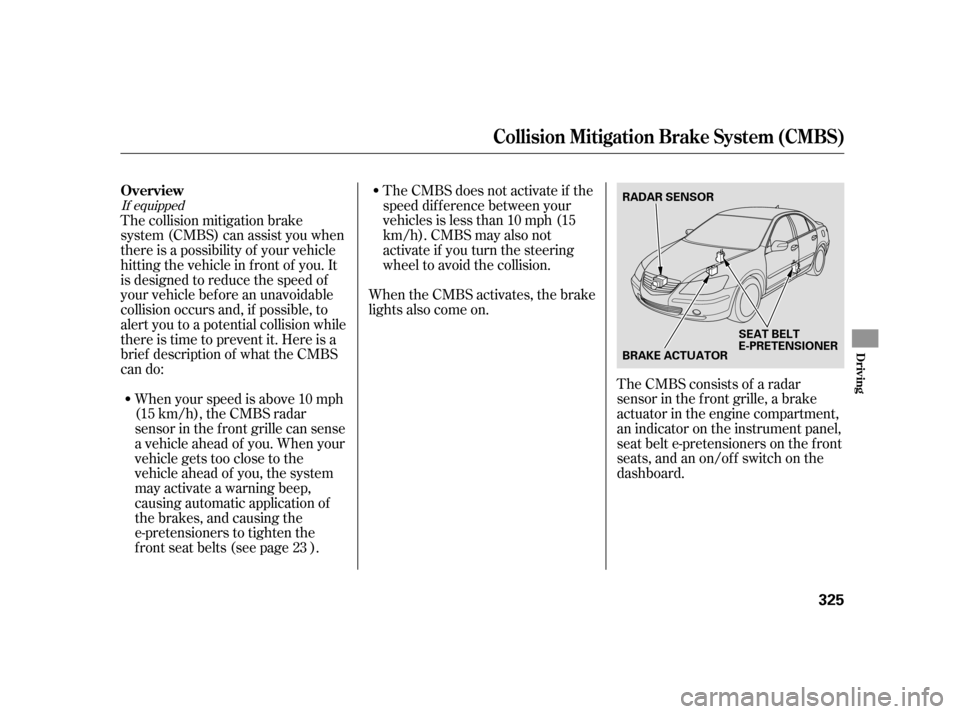
wheel to avoid the collision.The CMBS consists of a radar
sensor in the f ront grille, a brake
actuator in the engine compartment,
an indicator on the instrument panel,
seat belt e-pretensioners on the f ront
seats,andanon/off switchonthe
dashboard.
When the CMBS activates, the brake
lights also come on.
The collision mitigation brake
system (CMBS) can assist you when
there is a possibility of your vehicle
hitting the vehicle in f ront of you. It
is designed to reduce the speed of
your vehicle before an unavoidable
collision occurs and, if possible, to
alert you to a potential collision while
thereistimetopreventit.Hereisa
brief description of what the CMBS
can do:
When your speed is above 10 mph
(15 km/h), the CMBS radar
sensor in the f ront grille can sense
a vehicle ahead of you. When your
vehicle gets too close to the
vehicle ahead of you, the system
mayactivateawarningbeep,
causing automatic application of
the brakes, and causing the
e-pretensioners to tighten the
f ront seat belts (see page ). 23
If equipped
Collision Mitigation Brake System (CMBS)
Overview
Driving
325
RADAR SENSOR
BRAKE ACTUATORSEAT BELT
E-PRETENS
IONER
Page 329 of 454

If the system senses a likely collision
with a vehicle or object ahead of you,
it alerts you with an audible and a
visual alarm.The audible alarm is a constant
beeping sound; the visual alert is an
amber colored BRAKE message that
f lashes in the multi-inf ormation
display. If these alarms come on,
take the appropriate means to
prevent a collision (apply the brakes,
change lanes, etc.).To turn the CMBS off, press the
CMBS OFF switch on the dashboard
f or about 1 second. When you do this,
a beeper sounds, a CMBS indicator
on the instrument panel comes on,
and a CMBS OFF message appears
on the multi-information display. To
turn the system back on, press the
switch again for about 1 second.
Collision Alarm
CMBS OFF Switch
Collision Mitigation Brake System (CMBS)
328
CMBS OFF SWITCH
Page 332 of 454
CONT INUED
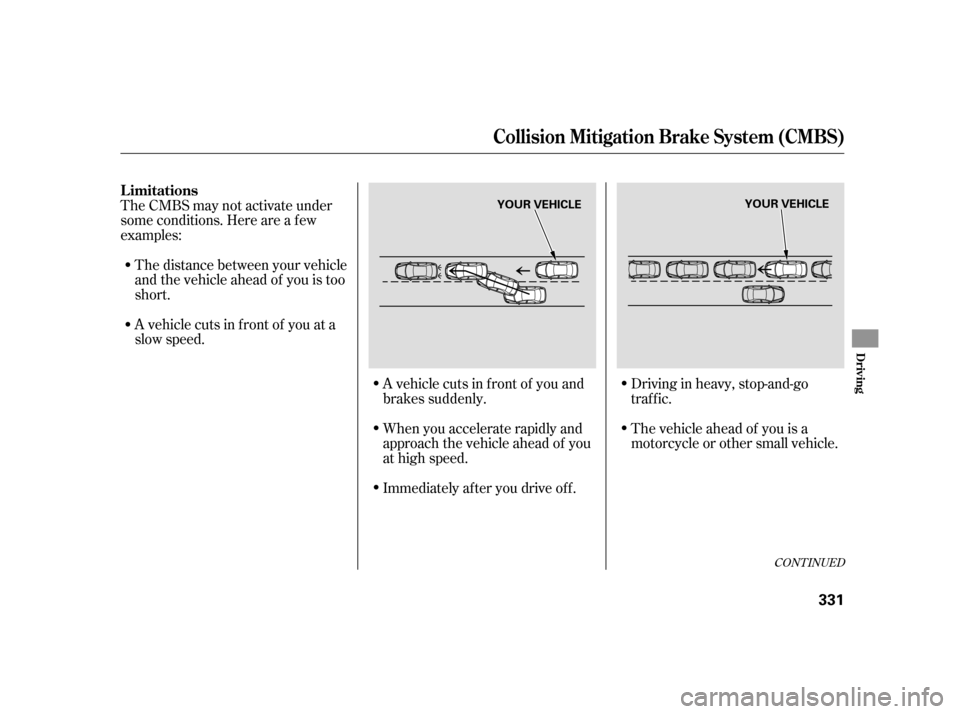
A vehicle cuts in f ront of you and
brakes suddenly.
When you accelerate rapidly and
approach the vehicle ahead of you
at high speed.Driving in heavy, stop-and-go
traffic.
The vehicle ahead of you is a
motorcycle or other small vehicle.
Immediately af ter you drive of f .
The CMBS may not activate under
some conditions. Here are a f ew
examples:
The distance between your vehicle
and the vehicle ahead of you is too
short.
A vehicle cuts in f ront of you at a
slow speed.
Collision Mitigation Brake System (CMBS)
Limitations
Driving
331
YOUR VEHICLE
YOUR VEHICLE
Page 334 of 454

CONT INUED
When you pass a low bridge at
high speed.
When you go over a sharp-edged
speed bump at high speed.When you approach train tracks at
the bottom of a hill and you do not
apply the brakes.
Because of the road condition
(curved, winding, etc.) or the state of
your vehicle (turning angle, lane
position, etc.), CMBS can sometimes
mistake a stationary object (light
pole, traf f ic sign, etc.) as a vehicle
ahead of you and temporarily
operate. This is normal.
Collision Mitigation Brake System (CMBS)
Driving
333
LOW BRIDGE
RAILS YOUR VEHICLE
SIGN, POLE, etc.
Page 340 of 454

When VSA activates, you will see the
VSA activation indicator blink (see
page ).
If this indicator comes on while
driving, pull to the side of the road
when it is saf e, and turn of f the
engine. Reset the system by
restarting the engine. If the VSA
system indicator stays on, or comes
back on while driving, have the VSA
system inspected by your dealer.
If the indicator does not come on
when the ignition switch is turned to
the ON (II) position, there may be a
problem with the VSA system. Have
your dealer inspect your vehicle as
soon as possible (see page ).
The vehicle stability assist (VSA)
system helps to stabilize the vehicle
during cornering if the vehicle turns
more or less than desired. It also
assists you in maintaining traction
while accelerating on loose or
slippery road surf aces. It does this
by regulating the engine’s output and
by selectively applying the brakes.
When VSA activates, you may notice
that the engine does not respond to
the accelerator in the same way it
does at other times.
The VSA system cannot enhance the
vehicle’s driving stability in all
situations and does not control your
vehicle’s entire braking system. It is
still your responsibility to drive and
corner at reasonable speeds and to
leave a sufficient margin of safety.
65
65
Changes or modif ications not expressly
approved by the party responsible f orcompliance could void the user’sauthority to operate the equipment.
This device complies with IndustryCanada Standard RSS-210.Operation is subject to the f ollowing twoconditions: (1) this device may not causeinterf erence, and (2) this device mustaccept any interf erence that may causeundesired operation of the device.
As required by the FCC:
This device complies with Part 15 of theFCC rules. Operation is subject to thef ollowing two conditions: (1) This devicemay not cause harmf ul interf erence, and(2) this device must accept anyinterf erence received, includinginterf erence that may cause undesiredoperation.
CONT INUED
VSA A ctivation Indicator
VSA System Indicator
Vehicle Stability Assist (VSA)
System
Tire Pressure Monitoring System (TPMS), Vehicle Stability A ssist (VSA ) System
Driving
339
Page 344 of 454

Always use saf ety chains when you
tow a trailer. Make sure the chains
are secured to the trailer and hitch,
and that they cross under the tongue
and can catch the trailer if it
becomes unhitched. Leave enough
slack to allow the trailer to turn
corners easily, but do not let the
chains drag on the ground.Acura recommends that any trailer
having a total weight of 1,000 lbs
(450 kg) or more be equipped with
its own electric or surge-type brakes.
If you choose electric brakes, be
sure they are electrically actuated.
Do not attempt to tap into your
vehicle’s hydraulic system. No
matter how successf ul it may seem,
any attempt to attach trailer brakes
to your vehicle’s hydraulic system
will lower braking ef f ectiveness and
create a potential hazard.Trailer lights and equipment must
comply with federal, state, and local
regulations. Check with your local
recreational vehicle dealer f or the
requirements in your area, and use
only equipment designed f or your
vehicle.
Since lighting and wiring vary by
trailer type and brand, you should
have a qualif ied technician install a
suitable connector between the
vehicle and the trailer. Improper
equipment or installation can cause
damage to your vehicle’s electrical
system and af f ect your vehicle
warranty.
Saf et y Chains
T railer L ight s
Trailer Brakes
Towing a Trailer
Driving
343
Page 345 of 454

Many states and Canadian provinces
require special outside mirrors when
towing a trailer. Even if they don’t,
you should install special mirrors if
you cannot clearly see behind you, or
if the trailer creates a blind spot.
Askyourtrailersalesorrental
agency if any other items are
recommended or required f or your
towing situation.When preparing to tow, and bef ore
driving away, be sure to check the
f ollowing:
The vehicle has been properly
serviced, and the tires, brakes,
suspension, cooling system, and
lights are in good operating
condition.
All items in or on the trailer are
properly secured and cannot shif t
while you drive. Thehitch,safetychains,andany
other attachments are secure. All weights and loads are within
limits. The trailer has been properly
serviced and is in good condition,
and the lights and brakes on the
trailer are working properly. Your vehicle tires and spare are
properly inf lated, and the trailer
tires and spare are inflated as
recommended by the trailer
maker.
A dditional T owing Equipment Pre-T ow Checklist
Towing a Trailer
344