display ACURA RL 2012 Owners Manual
[x] Cancel search | Manufacturer: ACURA, Model Year: 2012, Model line: RL, Model: ACURA RL 2012Pages: 562, PDF Size: 12.87 MB
Page 350 of 562
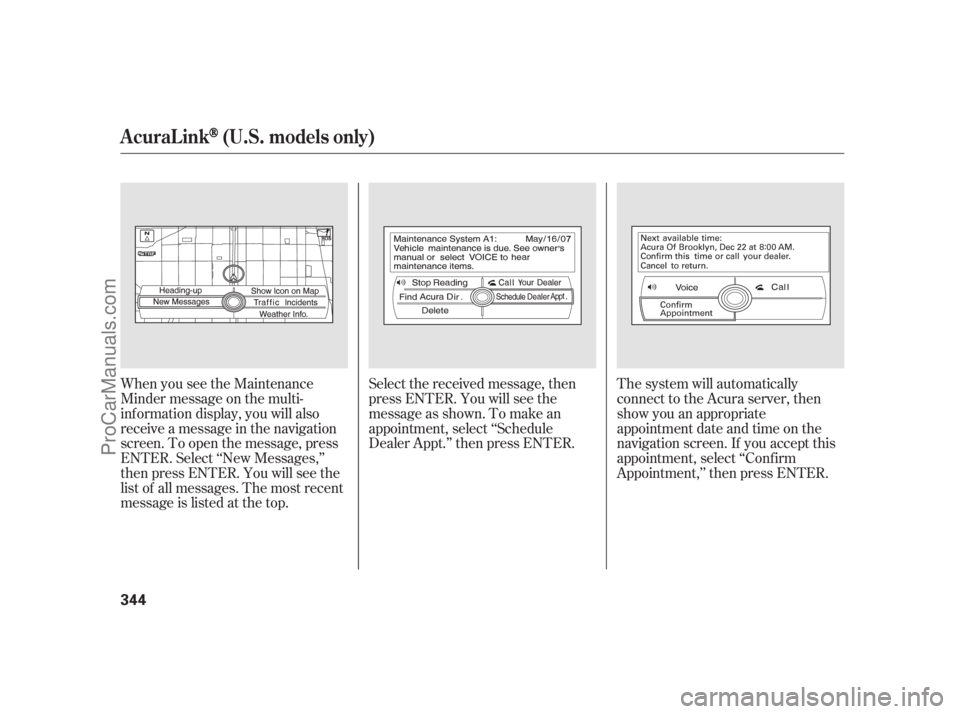
When you see the Maintenance
Minder message on the multi-
inf ormation display, you will also
receive a message in the navigation
screen. To open the message, press
ENTER. Select ‘‘New Messages,’’
then press ENTER. You will see the
list of all messages. The most recent
message is listed at the top.Select the received message, then
press ENTER. You will see the
message as shown. To make an
appointment, select ‘‘Schedule
Dealer Appt.’’ then press ENTER.The system will automatically
connect to the Acura server, then
show you an appropriate
appointment date and time on the
navigation screen. If you accept this
appointment, select ‘‘Conf irm
Appointment,’’ then press ENTER.
AcuraLink(U.S. models only)
344
11/07/20 18:44:49 31SJA670_349
ProCarManuals.com
Page 351 of 562
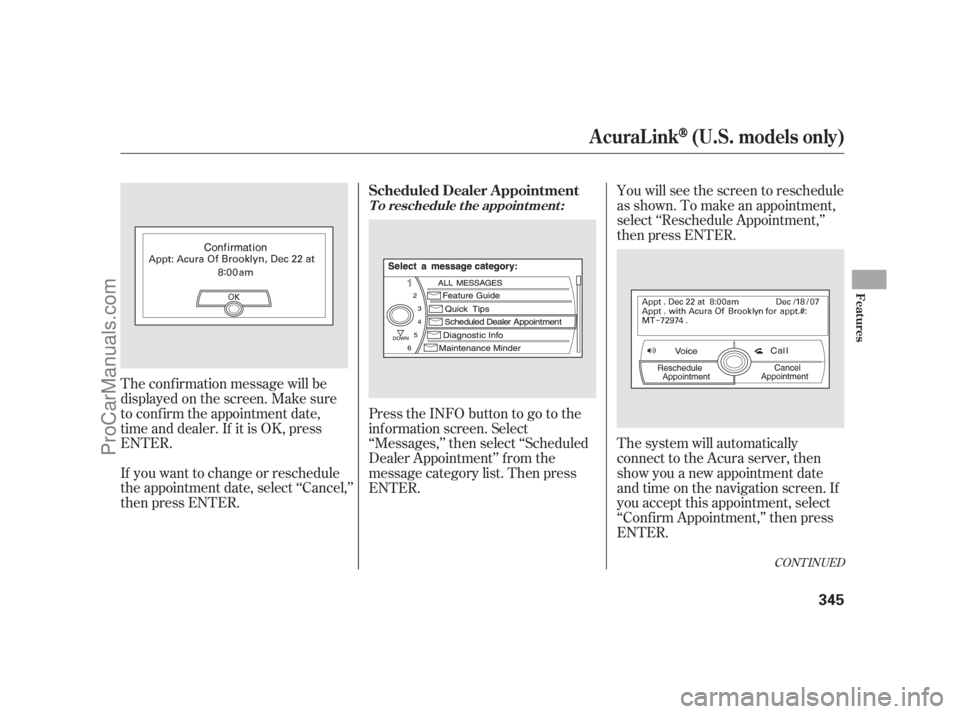
The conf irmation message will be
displayed on the screen. Make sure
to conf irm the appointment date,
time and dealer. If it is OK, press
ENTER.
If you want to change or reschedule
the appointment date, select ‘‘Cancel,’’
then press ENTER.PresstheINFObuttontogotothe
inf ormation screen. Select
‘‘Messages,’’ then select ‘‘Scheduled
Dealer Appointment’’ f rom the
message category list. Then press
ENTER.You will see the screen to reschedule
as shown. To make an appointment,
select ‘‘Reschedule Appointment,’’
then press ENTER.
The system will automatically
connect to the Acura server, then
show you a new appointment date
and time on the navigation screen. If
you accept this appointment, select
‘‘Conf irm Appointment,’’ then press
ENTER.
CONT INUED
T o reschedule t he appoint ment :
Scheduled Dealer A ppointment
AcuraLink(U.S. models only)
Features
345
11/07/20 18:44:59 31SJA670_350
ProCarManuals.com
Page 352 of 562
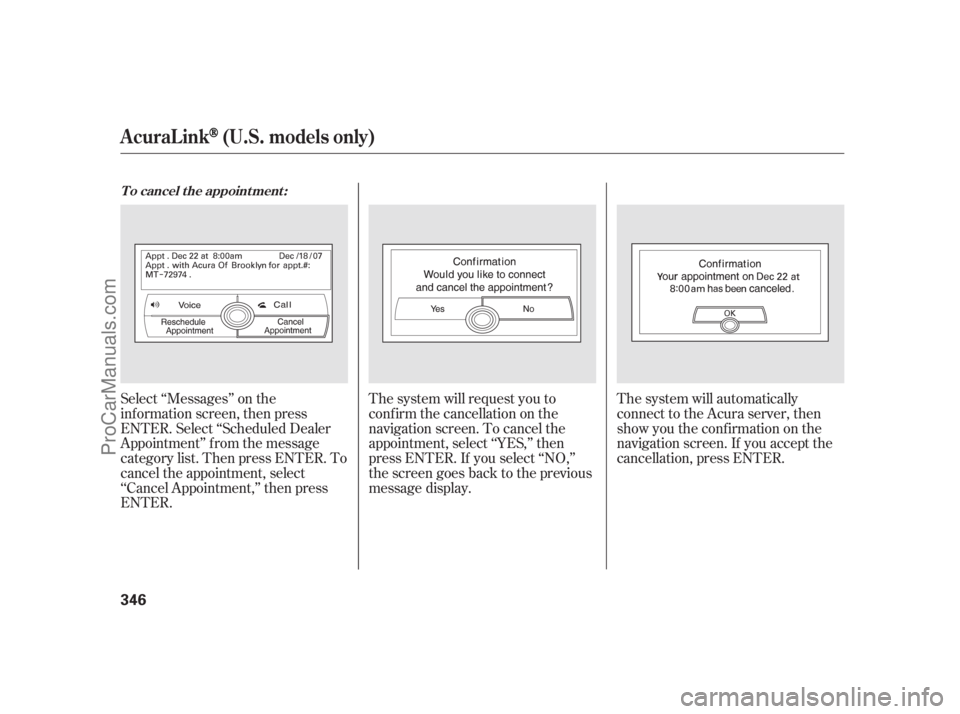
Select ‘‘Messages’’ on the
inf ormation screen, then press
ENTER. Select ‘‘Scheduled Dealer
Appointment’’ f rom the message
category list. Then press ENTER. To
cancel the appointment, select
‘‘Cancel Appointment,’’ then press
ENTER.The system will request you to
conf irm the cancellation on the
navigation screen. To cancel the
appointment, select ‘‘YES,’’ then
press ENTER. If you select ‘‘NO,’’
the screen goes back to the previous
message display.The system will automatically
connect to the Acura server, then
show you the conf irmation on the
navigation screen. If you accept the
cancellation, press ENTER.
T o cancel t he appoint ment :
AcuraLink(U.S. models only)
346
11/07/20 18:45:06 31SJA670_351
ProCarManuals.com
Page 354 of 562
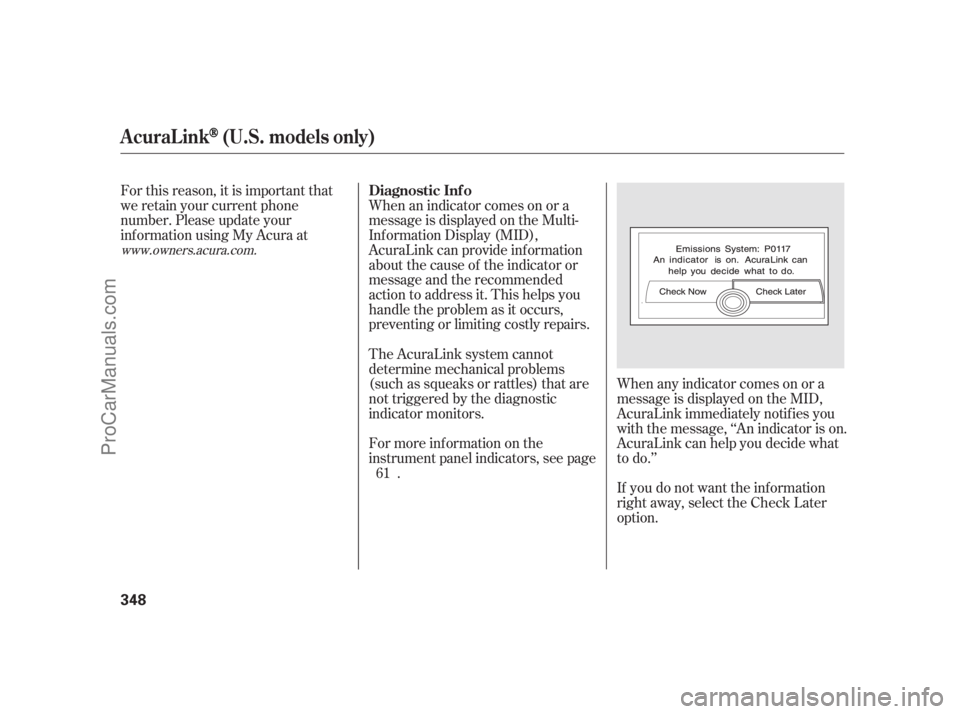
When any indicator comes on or a
message is displayed on the MID,
AcuraLink immediately notif ies you
with the message, ‘‘An indicator is on.
AcuraLink can help you decide what
to do.’’
If you do not want the inf ormation
right away, select the Check Later
option. For this reason, it is important that
we retain your current phone
number. Please update your
inf ormation using My Acura at
The AcuraLink system cannot
determine mechanical problems
(such as squeaks or rattles) that are
not triggered by the diagnostic
indicator monitors. When an indicator comes on or a
message is displayed on the Multi-
Inf ormation Display (MID),
AcuraLink can provide inf ormation
about the cause of the indicator or
message and the recommended
action to address it. This helps you
handle the problem as it occurs,
preventing or limiting costly repairs.
For more inf ormation on the
instrument panel indicators, see page
. 61
www.owners.acura.com.
Diagnostic Inf o
AcuraLink(U.S. models only)
348
11/07/20 18:45:20 31SJA670_353
ProCarManuals.com
Page 362 of 562
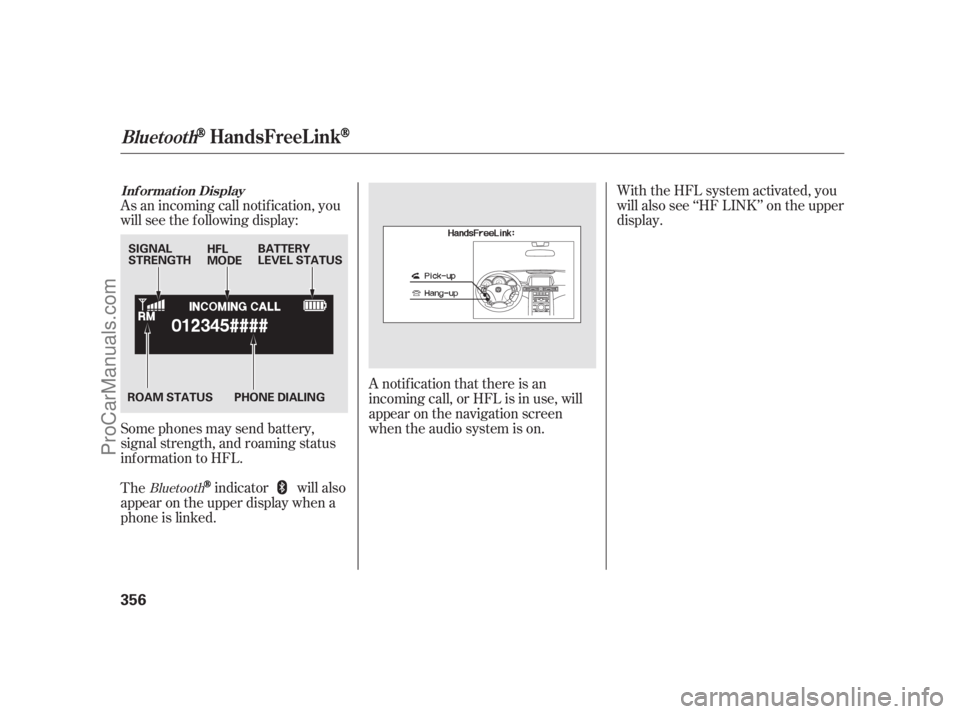
As an incoming call notif ication, you
will see the f ollowing display:
Some phones may send battery,
signal strength, and roaming status
inf ormation to HFL.With the HFL system activated, you
will also see ‘‘HF LINK’’ on the upper
display.
A notif ication that there is an
incoming call, or HFL is in use, will
appear on the navigation screen
when the audio system is on.
The
indicator will also
appear on the upper display when a
phone is linked.Bluetooth
BluetoothHandsFreeL ink
Inf ormat ion Display
356
SIGNAL
STRENGTHBATTERY
LEVEL STATUS HFL
MODE
PHONE DIALING ROAM STATUS
11/07/20 18:46:15 31SJA670_361
ProCarManuals.com
Page 370 of 562
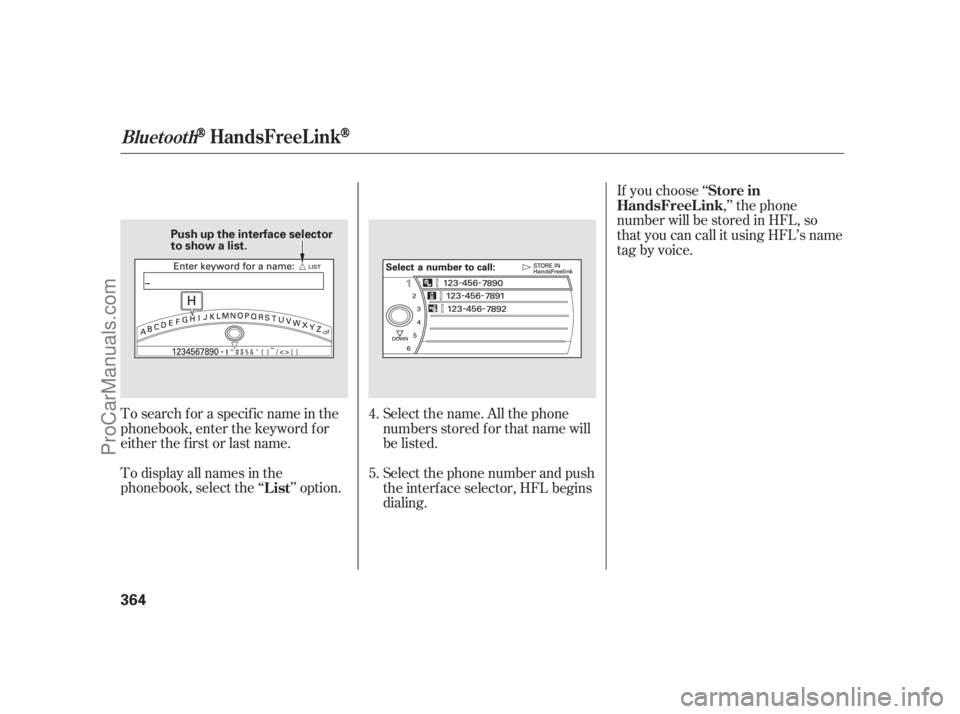
Select the name. All the phone
numbers stored f or that name will
be listed. To search f or a specif ic name in the
phonebook, enter the keyword f or
either the f irst or last name.
To display all names in the
phonebook, select the ‘‘ ’’ option.If you choose ‘‘
,’’ the phone
number will be stored in HFL, so
that you can call it using HFL’s name
tag by voice.
Select the phone number and push
the interf ace selector, HFL begins
dialing. 4.
5.
ListStore in
HandsFreeL ink
BluetoothHandsFreeL ink
364
Push up the interface selector
to show a list.
11/07/20 18:47:35 31SJA670_369
ProCarManuals.com
Page 371 of 562
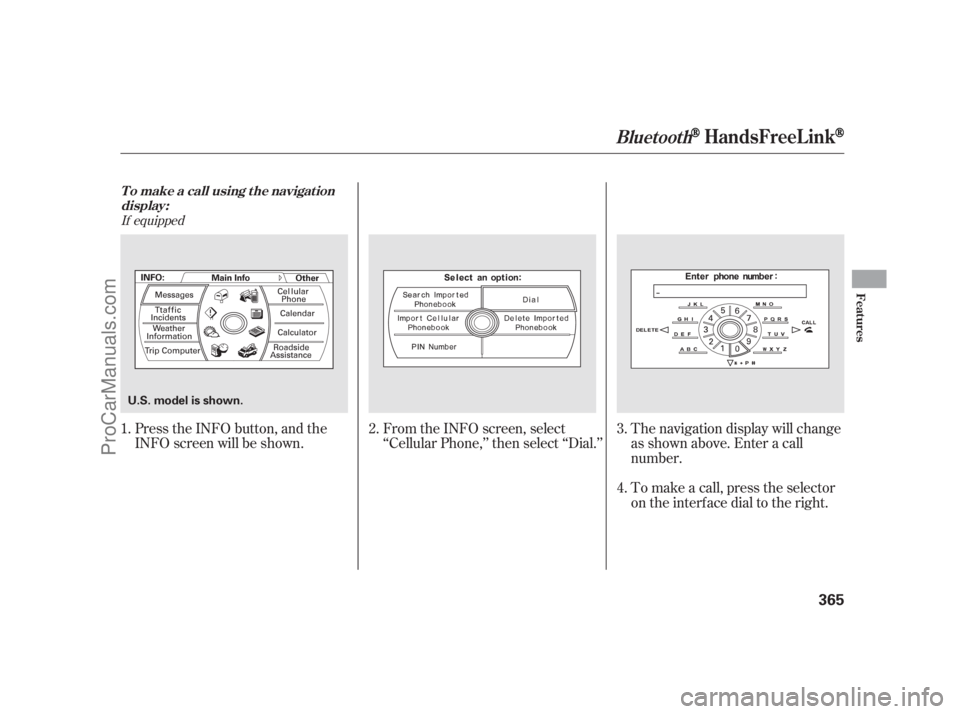
If equipped
Press the INFO button, and the
INFO screen will be shown.From the INFO screen, select
‘‘Cellular Phone,’’ then select ‘‘Dial.’’
To make a call, press the selector
on the interface dial to the right. The navigation display will change
as shown above. Enter a call
number. 1. 2. 3.
4.
BluetoothHandsFreeL ink
T o make a call using t he navigat ion
display:
Features
365
U.S. model is shown.
11/07/20 18:47:43 31SJA670_370
ProCarManuals.com
Page 376 of 562
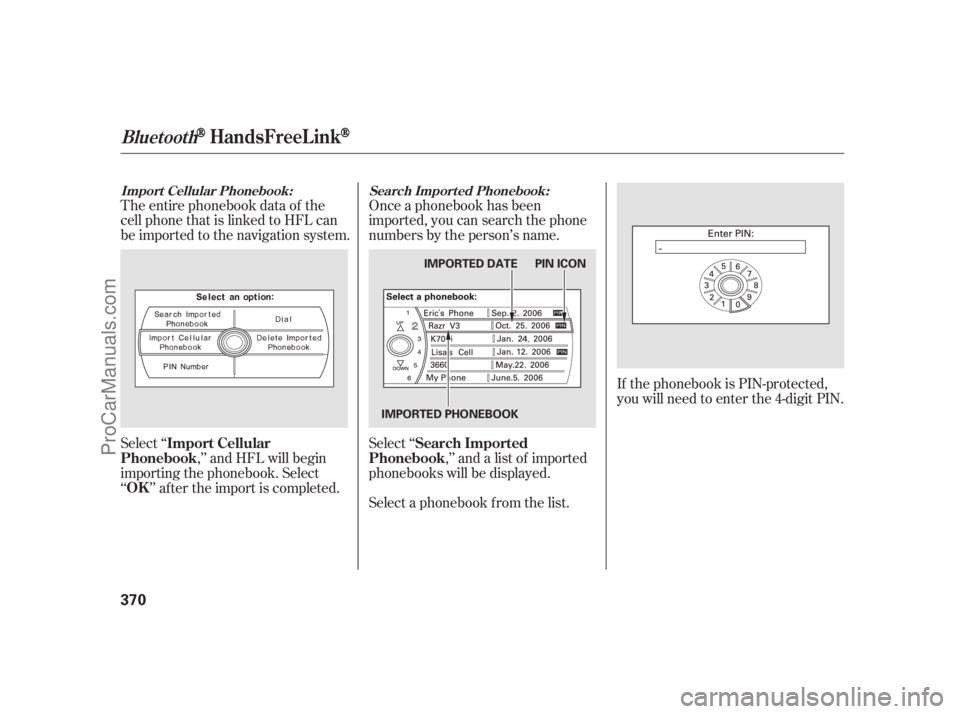
The entire phonebook data of the
cell phone that is linked to HFL can
be imported to the navigation system.Once a phonebook has been
imported, you can search the phone
numbers by the person’s name.
Select ‘‘
,’’ and HFL will begin
importing the phonebook. Select
‘‘ ’’ af ter the import is completed.Select ‘‘
,’’ and a list of imported
phonebooks will be displayed.
Select a phonebook f rom the list.If the phonebook is PIN-protected,
you will need to enter the 4-digit PIN.
Import Cellular Phonebook: Search Import ed Phonebook:
Import Cellular
Phonebook
OKSearch Imported
Phonebook
BluetoothHandsFreeL ink
370
IMPORTED DATE PIN ICON
IMPORTED PHONEBOOK
11/07/20 18:48:42 31SJA670_375
ProCarManuals.com
Page 377 of 562
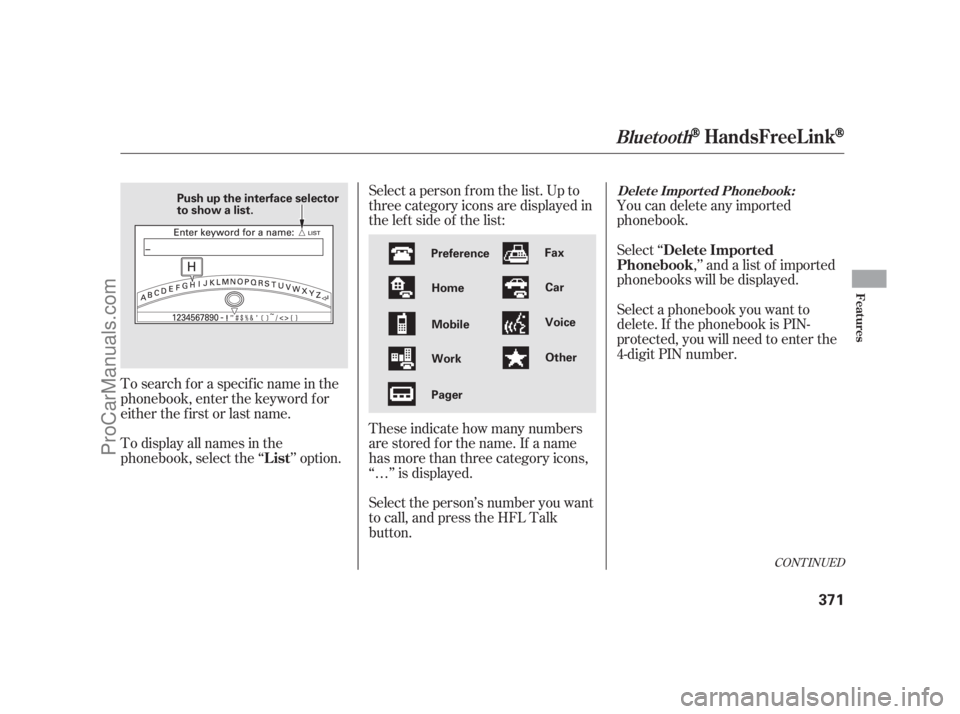
Select a person f rom the list. Up to
threecategoryiconsaredisplayedin
the lef t side of the list:
These indicate how many numbers
are stored for the name. If a name
has more than three category icons,
‘‘…’’ is displayed.
Select the person’s number you want
to call, and press the HFL Talk
button.You can delete any imported
phonebook.
Select ‘‘
,’’ and a list of imported
phonebooks will be displayed.
Select a phonebook you want to
delete. If the phonebook is PIN-
protected, you will need to enter the
4-digit PIN number.
To search f or a specif ic name in the
phonebook, enter the keyword f or
either the f irst or last name.
To display all names in the
phonebook, select the ‘‘ ’’ option.
CONT INUED
BluetoothHandsFreeL ink
Delet e Import ed Phonebook:
Delete Imported
Phonebook
List
Features
371
Preference
Home
Mobile
Work
PagerFax
Car
Voice
Other Push up the interface selector
to show a list.
11/07/20 18:48:55 31SJA670_376
ProCarManuals.com
Page 378 of 562
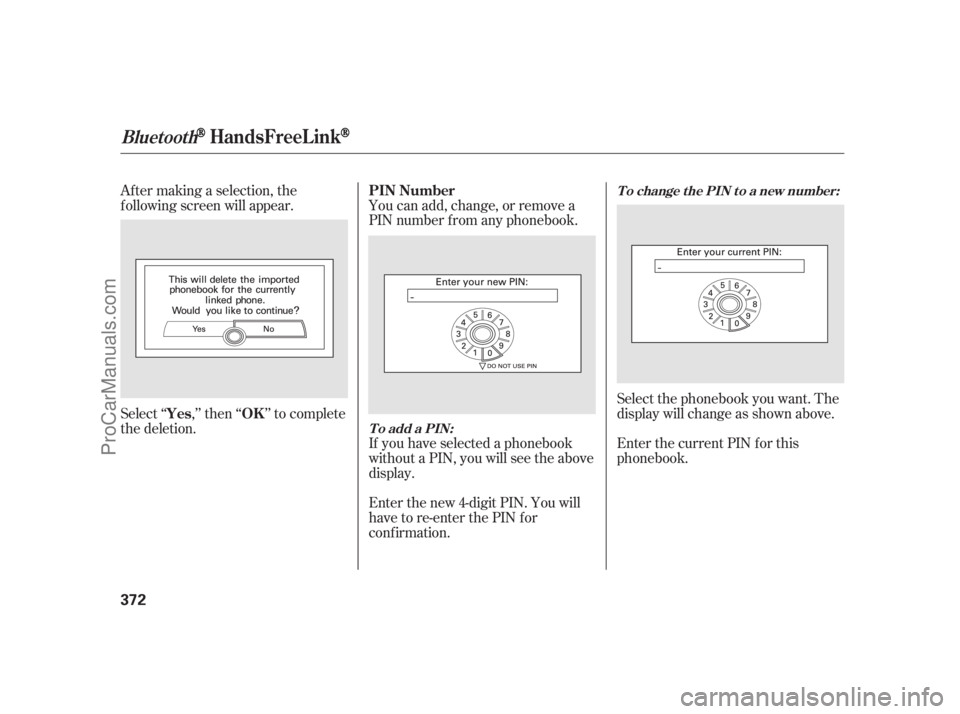
Af ter making a selection, the
f ollowing screen will appear. You can add, change, or remove a
PIN number f rom any phonebook.
Select‘‘ ,’’then‘‘ ’’tocomplete
the deletion.
If you have selected a phonebook
without a PIN, you will see the above
display.
Enter the new 4-digit PIN. You will
have to re-enter the PIN for
conf irmation.Select the phonebook you want. The
display will change as shown above.
Enter the current PIN for this
phonebook. PIN Number
Yes OK
To add a PIN:T o change t he PIN t o a new number:
BluetoothHandsFreeL ink
372
11/07/20 18:49:05 31SJA670_377
ProCarManuals.com