lock Acura RLX 2014 Workshop Manual
[x] Cancel search | Manufacturer: ACURA, Model Year: 2014, Model line: RLX, Model: Acura RLX 2014Pages: 518, PDF Size: 15.83 MB
Page 134 of 518

133
Continued
Controls
Operating the Switches Around the Steering WheelENGINE START/STOP Button■
Changing the Power Mode
1ENGINE START/STOP Button
ENGINE START/STOP Button Operating Range
You can start the engine when the keyless access
remote is inside the vehicle.
The engine may also run if the keyless access remote
is close to the door or window, even if it is outside the
vehicle.
ON mode:
Indicator in the button is off, if the engine is running.
If the keyless access remote battery is weak, beeper
sounds and the To Start, Hold Remote Near Start
Button message appears on the multi-information
display.
2If the Keyless Access Remote Battery is
Weak P. 473
Operating Range
VEHICLE OFF (LOCK)
Indicator in the button is off. The steering wheel
is locked. The power to all electrical components
is turned off.
Press the button without the shift lever in
(P.
Shift to
(P then press the button. Press the button. Without depressing
the brake pedalACCESSORY
Indicator in the button is on. Indicator in the
button blinks (from ON to ACCESSORY). Operate
the audio system and other accessories in this
position.
ON
Indicator in the button is on. All electrical
components can be used. Indicator
Page 135 of 518

134
uuOperating the Switches Around the Steering WheeluENGINE START/STOP Button
Controls
If you leave the vehicle for 30 to 60 minutes with the shift lever in
(P
and the power
mode in ACCESSORY, the vehicle automatically goes into the mode similar to
VEHICLE OFF (LOCK) to avoid the battery drain.
When in this mode:
The steering wheel does not lock.
You cannot lock or unlock doors with the remote transmitter or the keyless access
system.
Press the ENGINE START/STOP button to switch the mode to VEHICLE OFF (LOCK).
If you open the driver’s door when the power mode is set to ACCESSORY, a warning
buzzer sounds.
■
Automatic Power Off
■
Power Mode Reminder
Page 138 of 518
137
uuOperating the Switches Around the Steering WheeluLight Switches
Continued
Controls
Light Switches
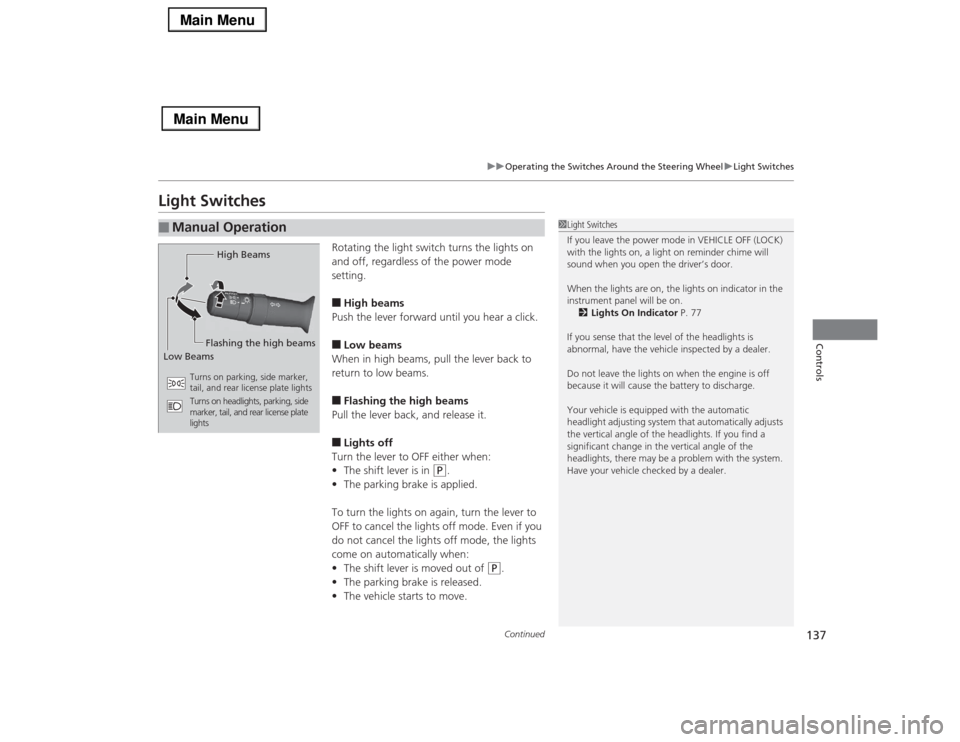
Rotating the light switch turns the lights on
and off, regardless of the power mode
setting.■High beams
Push the lever forward until you hear a click.■Low beams
When in high beams, pull the lever back to
return to low beams.■Flashing the high beams
Pull the lever back, and release it.■Lights off
Turn the lever to OFF either when:
•The shift lever is in
(P
.
•The parking brake is applied.
To turn the lights on again, turn the lever to
OFF to cancel the lights off mode. Even if you
do not cancel the lights off mode, the lights
come on automatically when:
•The shift lever is moved out of
(P
.
•The parking brake is released.
•The vehicle starts to move.
■
Manual Operation
1Light Switches
If you leave the power mode in VEHICLE OFF (LOCK)
with the lights on, a light on reminder chime will
sound when you open the driver’s door.
When the lights are on, the lights on indicator in the
instrument panel will be on.
2Lights On Indicator P. 77
If you sense that the level of the headlights is
abnormal, have the vehicle inspected by a dealer.
Do not leave the lights on when the engine is off
because it will cause the battery to discharge.
Your vehicle is equipped with the automatic
headlight adjusting system that automatically adjusts
the vertical angle of the headlights. If you find a
significant change in the vertical angle of the
headlights, there may be a problem with the system.
Have your vehicle checked by a dealer.
High Beams
Flashing the high beams
Low Beams
Turns on parking, side marker,
tail, and rear license plate lights
Turns on headlights, parking, side
marker, tail, and rear license plate
lights
Page 140 of 518

139
uuOperating the Switches Around the Steering WheeluLight Switches
Controls
The headlights automatically come on when the wipers are used several times within
a certain intervals with the headlight switch in AUTO.
The headlights automatically go off a few minutes later if the wipers are stopped.
The headlights, all other exterior lights, and the instrument panel lights turn off 15
seconds after you set the power mode to VEHICLE OFF (LOCK), take the remote with
you, and close the driver's door.
If you set the power mode to VEHICLE OFF (LOCK) with the headlight switch on, but
do not open the door, the lights turn off after 10 minutes (three minutes, if the
switch is in the AUTO position).
The lights turn on again when you unlock or open the driver’s door. If you unlock
the door, but do not open it within 15 seconds, the lights go off. If you open the
driver’s door, you will hear a lights on reminder chime.■
Headlight Integration with Wipers
*
■
Automatic Lighting Off Feature
1Automatic Lighting Control
Adjust the auto light sensitivity as follows:
2Customized Features P. 102, 264
Setting
The exterior lights come on
when the ambient light is at
MAXHIGHMIDLOWMIN
Bright
Dark
1Headlight Integration with Wipers
*
This feature activates during the headlights are off in
AUTO.
The instrument panel brightness does not change
when the headlights come on.
When the ambient light is at dark, the automatic
lighting control feature overrides, and the headlights
come on with or without the wipers sweeping more
than several times.1Automatic Lighting Off Feature
You can change the headlight auto off timer setting.
2Customized Features P. 102, 264
* Not available on all models
Page 143 of 518

uuOperating the Switches Around the Steering WheeluWipers and Washers
142Controls
When you push the lever down to AUTO, the
windshield wipers sweep once, and go into
the automatic mode.
The wipers operate intermittently, at low
speed, or at high speed and stops in
accordance with the amount of rainfall the
rainfall sensor detects.■AUTO sensitivity adjustment
When in AUTO, you can also adjust the
rainfall sensor sensitivity using the adjustment
ring.
Sensor sensitivity
■
Automatic Intermittent Wipers
*
1Wipers and Washers
If the wiper stops operating due to any obstacle such
as the build-up of snow, park the vehicle in a safe
place.
Rotate the wiper switch to OFF, and set the power
mode to ACCESSORY or VEHICLE OFF (LOCK), then
remove the obstacle.1Automatic Intermittent Wipers
*
The rainfall sensor is in the location shown below.
Do not put the wiper lever in AUTO when cleaning
the windshield or driving through a car wash. If the
wiper lever is in AUTO, and the power mode is in ON,
the rainfall sensor may respond to your hand or car
wash liquids, and the wipers may operate
automatically.
Rainfall Sensor
Adjustment Ring
Low: The wipers start to
react to a larger amount
of rainfall.
High: The wipers start to
react to a smaller amount
of rainfall.
* Not available on all models
Page 147 of 518
146
uuOperating the Switches Around the Steering WheeluDriving Position Memory System
Controls
Driving Position Memory SystemYou can store two driver’s seat (except for power lumbar), steering wheel and door
mirror positions with the driving position memory system.
When you unlock and open the driver’s door with a remote transmitter, or keyless
access system, the seat and door mirrors adjust automatically to one of the two
preset positions.
The steering wheel will move to the stored position when you set the power mode
to ACCESSORY.
The multi-information display shows you which remote transmitter you used to
unlock the vehicle when you enter.
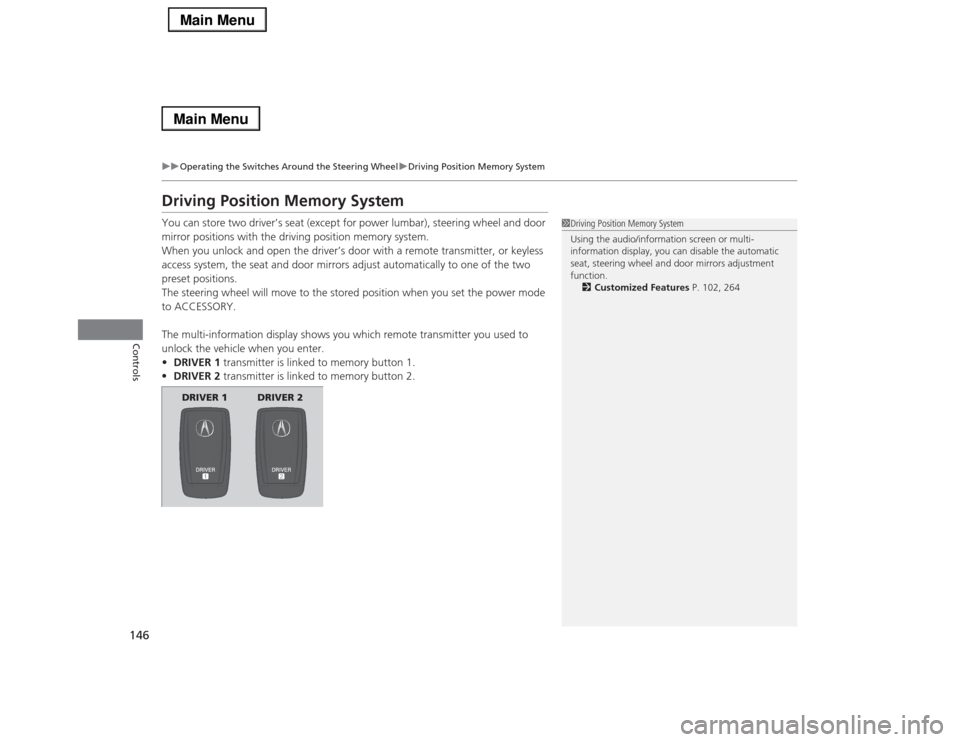
•DRIVER 1 transmitter is linked to memory button 1.
•DRIVER 2 transmitter is linked to memory button 2.
1Driving Position Memory System
Using the audio/information screen or multi-
information display, you can disable the automatic
seat, steering wheel and door mirrors adjustment
function.
2Customized Features P. 102, 264
DRIVER 1 DRIVER 2
Page 152 of 518
151
uuAdjusting the MirrorsuPower Door Mirrors
Controls
■Folding in the door mirrors
Press the lock button on the keyless access remote, or press the door lock button on
any door.
uThe mirrors start folding in automatically.■Folding out the door mirrors
Press the unlock button on the keyless access remote, or grab the door handle on
any door.
uThe mirrors start folding out automatically.
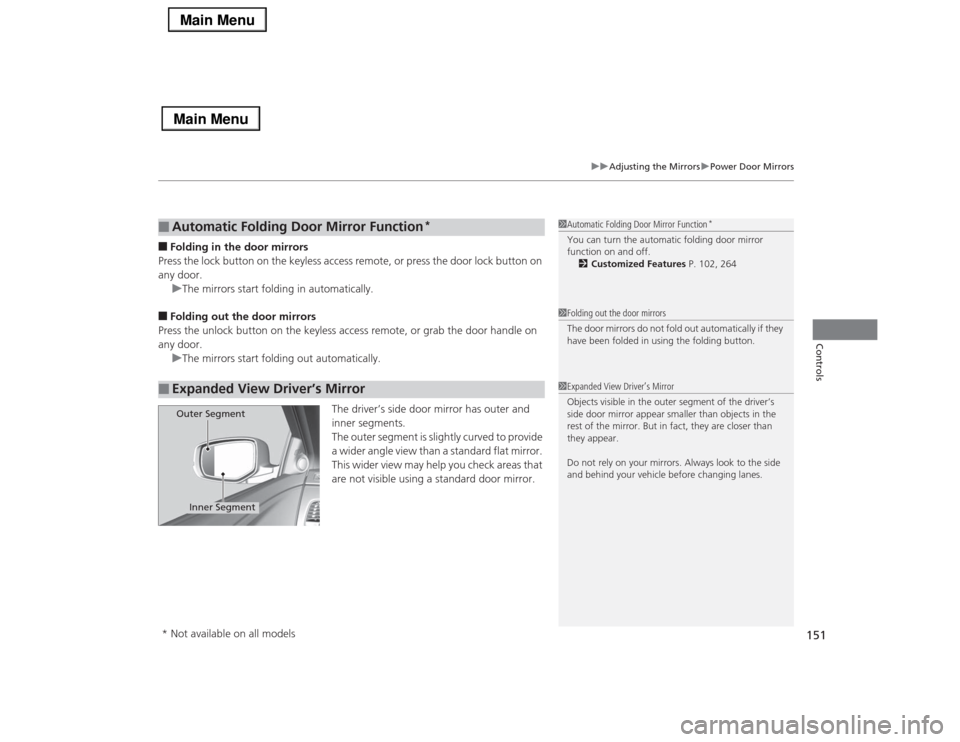
The driver’s side door mirror has outer and
inner segments.
The outer segment is slightly curved to provide
a wider angle view than a standard flat mirror.
This wider view may help you check areas that
are not visible using a standard door mirror.■
Automatic Folding Door Mirror Function
*
■
Expanded View Driver’s Mirror
1Automatic Folding Door Mirror Function
*
You can turn the automatic folding door mirror
function on and off.
2Customized Features P. 102, 2641Folding out the door mirrors
The door mirrors do not fold out automatically if they
have been folded in using the folding button.1Expanded View Driver’s Mirror
Objects visible in the outer segment of the driver’s
side door mirror appear smaller than objects in the
rest of the mirror. But in fact, they are closer than
they appear.
Do not rely on your mirrors. Always look to the side
and behind your vehicle before changing lanes.
Inner Segment
Outer Segment
* Not available on all models
Page 157 of 518
uuAdjusting the SeatsuAdjusting the Seat Positions
156Controls
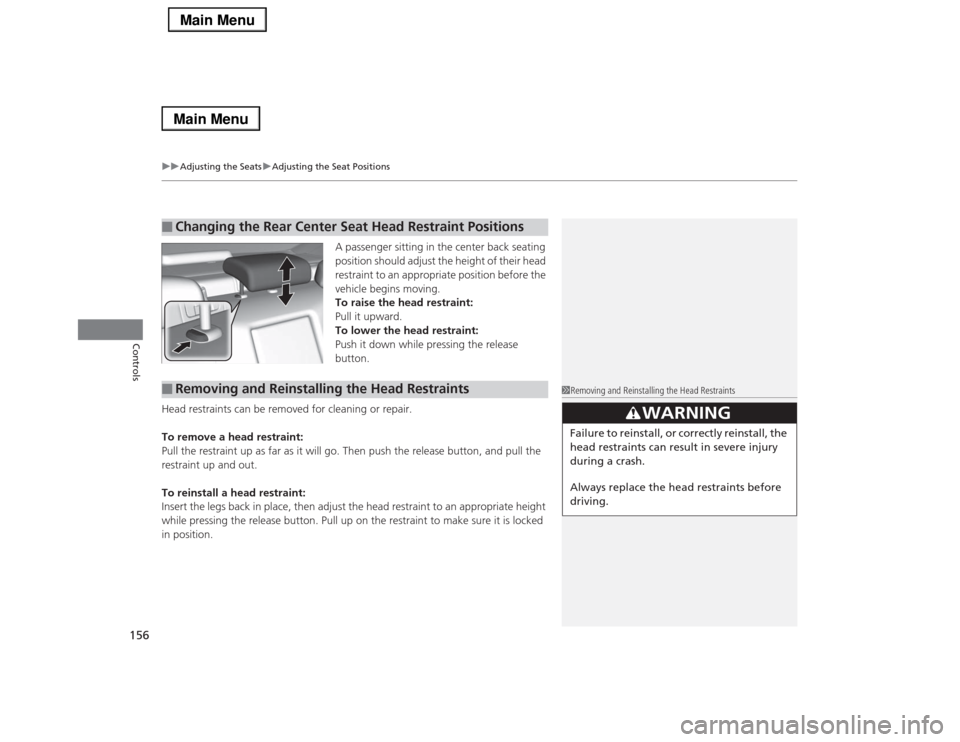
A passenger sitting in the center back seating
position should adjust the height of their head
restraint to an appropriate position before the
vehicle begins moving.
To raise the head restraint:
Pull it upward.
To lower the head restraint:
Push it down while pressing the release
button.
Head restraints can be removed for cleaning or repair.
To remove a head restraint:
Pull the restraint up as far as it will go. Then push the release button, and pull the
restraint up and out.
To reinstall a head restraint:
Insert the legs back in place, then adjust the head restraint to an appropriate height
while pressing the release button. Pull up on the restraint to make sure it is locked
in position.
■
Changing the Rear Center Seat Head Restraint Positions
■
Removing and Reinstalling the Head Restraints
1Removing and Reinstalling the Head Restraints
3
WARNING
Failure to reinstall, or correctly reinstall, the
head restraints can result in severe injury
during a crash.
Always replace the head restraints before
driving.
Page 160 of 518
159
Continued
Controls
Interior Lights/Interior Convenience ItemsInterior Lights
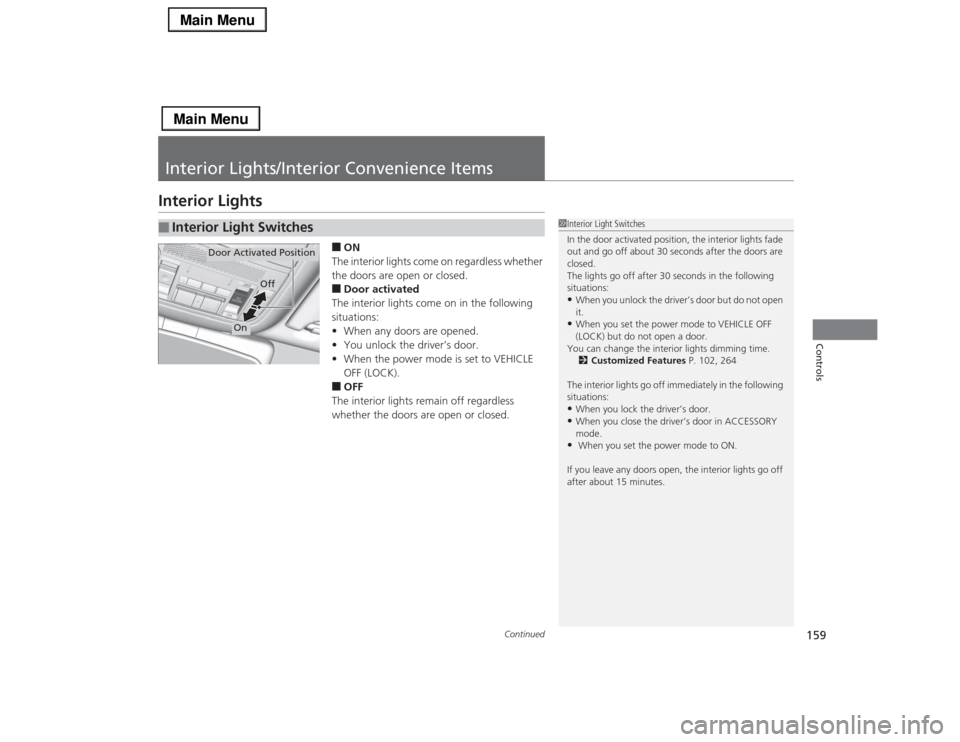
■ON
The interior lights come on regardless whether
the doors are open or closed.■Door activated
The interior lights come on in the following
situations:
•When any doors are opened.
•You unlock the driver’s door.
•When the power mode is set to VEHICLE
OFF (LOCK).■OFF
The interior lights remain off regardless
whether the doors are open or closed.
■
Interior Light Switches
1Interior Light Switches
In the door activated position, the interior lights fade
out and go off about 30 seconds after the doors are
closed.
The lights go off after 30 seconds in the following
situations:•When you unlock the driver’s door but do not open
it.•When you set the power mode to VEHICLE OFF
(LOCK) but do not open a door.
You can change the interior lights dimming time.
2Customized Features P. 102, 264
The interior lights go off immediately in the following
situations:•When you lock the driver’s door.•When you close the driver’s door in ACCESSORY
mode.• When you set the power mode to ON.
If you leave any doors open, the interior lights go off
after about 15 minutes.
Door Activated Position
Off
On
Page 163 of 518
uuInterior Lights/Interior Convenience ItemsuInterior Convenience Items
162Controls
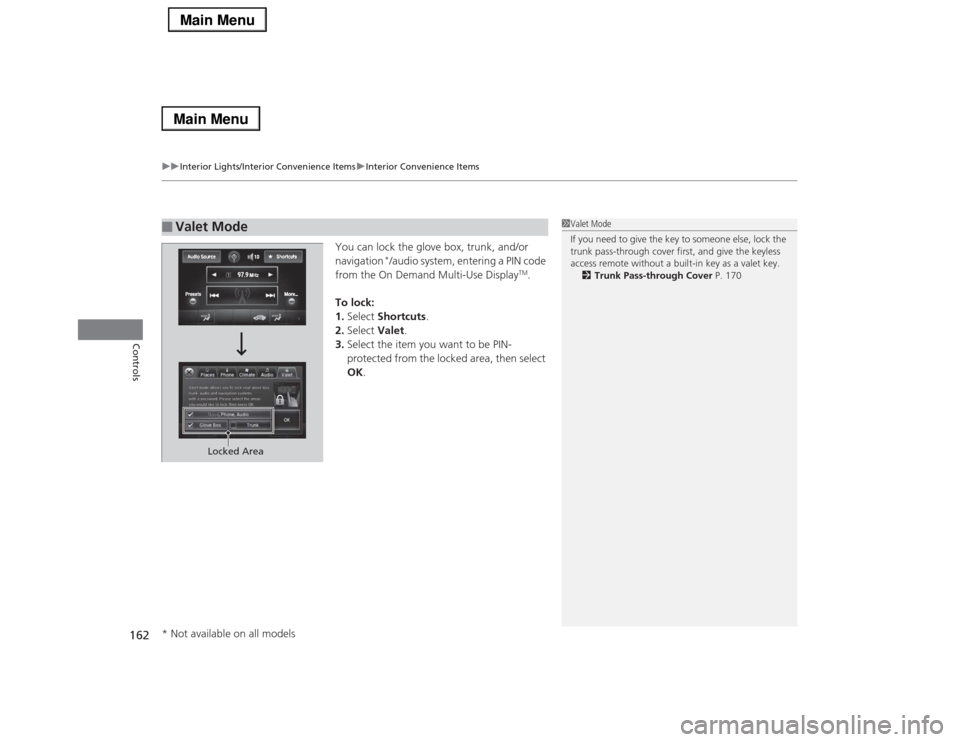
You can lock the glove box, trunk, and/or
navigation
*/audio system, entering a PIN code
from the On Demand Multi-Use Display
TM.
To lock:
1.Select Shortcuts.
2.Select Valet.
3.Select the item you want to be PIN-
protected from the locked area, then select
OK.
■
Valet Mode
1Valet Mode
If you need to give the key to someone else, lock the
trunk pass-through cover first, and give the keyless
access remote without a built-in key as a valet key.
2Trunk Pass-through Cover P. 170
Locked Area
* Not available on all models