seats Acura RLX 2017 Owner's Guide
[x] Cancel search | Manufacturer: ACURA, Model Year: 2017, Model line: RLX, Model: Acura RLX 2017Pages: 557, PDF Size: 37.97 MB
Page 159 of 557
uuAdjusting the Seats uFront Seats
158
Controls
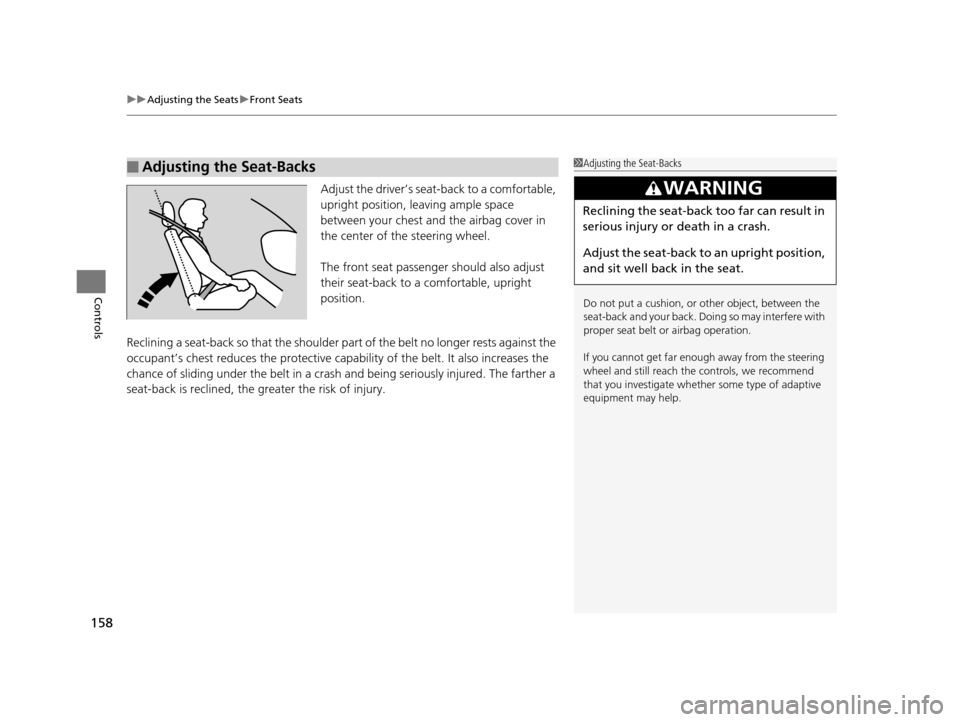
Adjust the driver’s sea t-back to a comfortable,
upright position, leaving ample space
between your chest and the airbag cover in
the center of the steering wheel.
The front seat passenger should also adjust
their seat-back to a comfortable, upright
position.
Reclining a seat-back so that the shoulder pa rt of the belt no longer rests against the
occupant’s chest reduces the protective capa bility of the belt. It also increases the
chance of sliding under the belt in a crash and being seriously injured. The farther a
seat-back is reclined, the greater the risk of injury.
■Adjusting the Seat-Backs1 Adjusting the Seat-Backs
Do not put a cushion, or other object, between the
seat-back and your back. Do ing so may interfere with
proper seat belt or airbag operation.
If you cannot get far e nough away from the steering
wheel and still reach th e controls, we recommend
that you investigate whether some type of adaptive
equipment may help.
3WARNING
Reclining the seat-back too far can result in
serious injury or death in a crash.
Adjust the seat-back to an upright position,
and sit well back in the seat.
17 ACURA RLX-31TY26300.book 158 ページ 2016年6月17日 金曜日 午前8時12分
Page 160 of 557
159
uuAdjusting the Seats uHead Restraints
Continued
Controls
Head Restraints
Your vehicle is equipped with head restraints
in all seating positions.
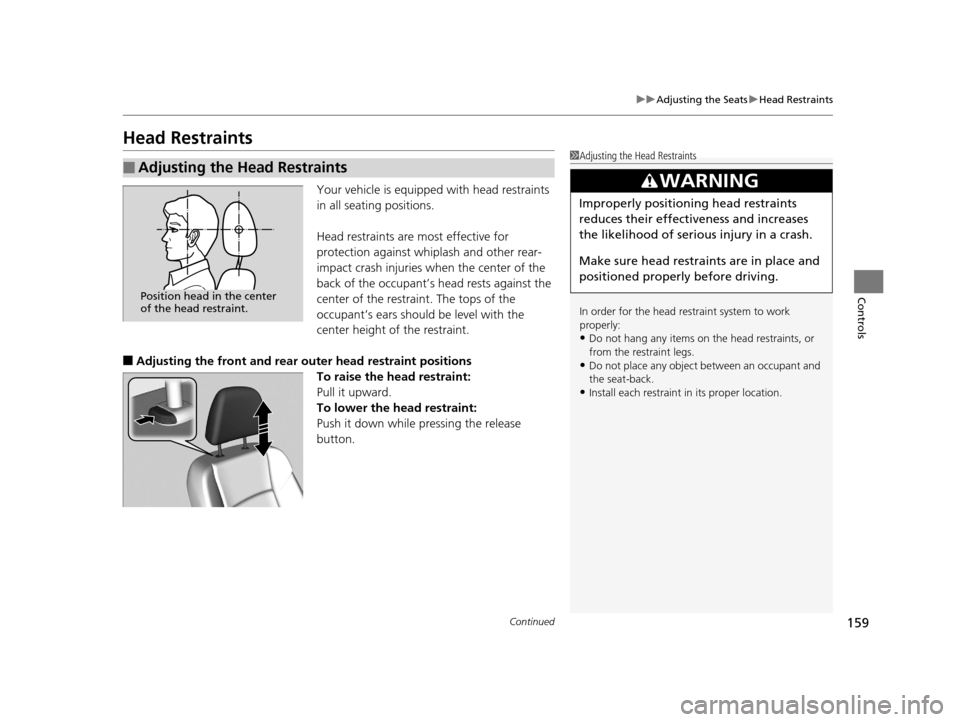
Head restraints are most effective for
protection against whiplash and other rear-
impact crash injuries when the center of the
back of the occupant’s head rests against the
center of the restraint. The tops of the
occupant’s ears should be level with the
center height of the restraint.
■Adjusting the front and rear outer head restra int positions
To raise the head restraint:
Pull it upward.
To lower the head restraint:
Push it down while pressing the release
button.
■Adjusting the Head Restraints1 Adjusting the Head Restraints
In order for the head restraint system to work
properly:
•Do not hang any items on the head restraints, or
from the restraint legs.
•Do not place any object be tween an occupant and
the seat-back.
•Install each restraint in its proper location.
3WARNING
Improperly positioning head restraints
reduces their effectiveness and increases
the likelihood of serious injury in a crash.
Make sure head restraints are in place and
positioned properly before driving.
Position head in the center
of the head restraint.
17 ACURA RLX-31TY26300.book 159 ページ 2016年6月17日 金曜日 午前8時12分
Page 161 of 557
uuAdjusting the Seats uHead Restraints
160
Controls
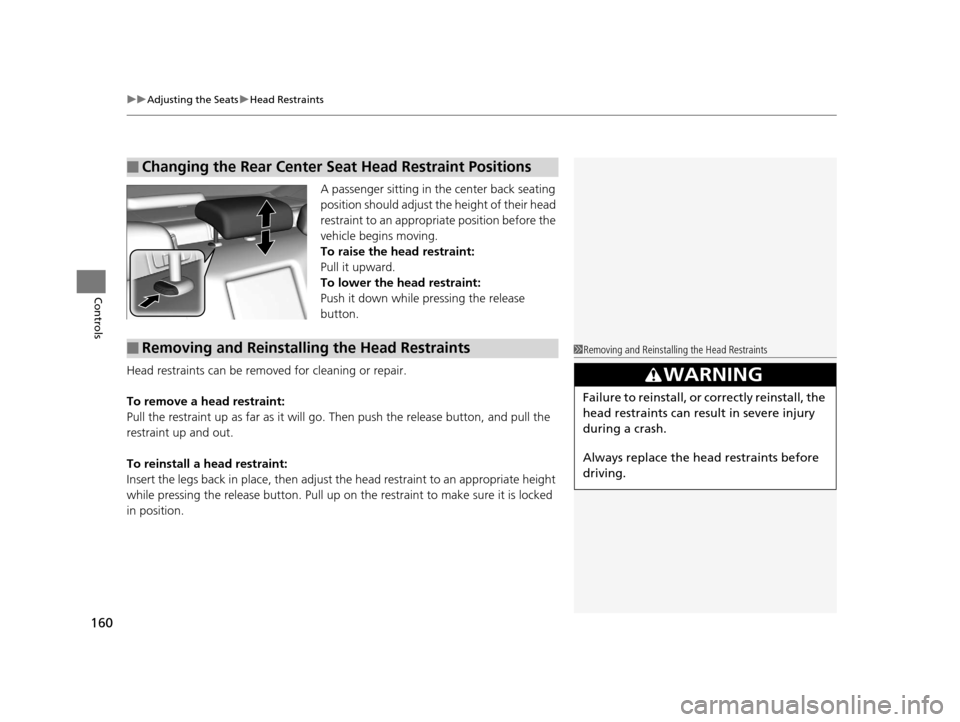
A passenger sitting in the center back seating
position should adjust th e height of their head
restraint to an appropriate position before the
vehicle begins moving.
To raise the head restraint:
Pull it upward.
To lower the head restraint:
Push it down while pressing the release
button.
Head restraints can be removed for cleaning or repair.
To remove a head restraint:
Pull the restraint up as far as it will go. Then push the release button, and pull the
restraint up and out.
To reinstall a head restraint:
Insert the legs back in place, then adjust the head restraint to an appropriate height
while pressing the release butto n. Pull up on the restraint to make sure it is locked
in position.
■Changing the Rear Center Seat Head Restraint Positions
■Removing and Reinstalling the Head Restraints1 Removing and Reinstalling the Head Restraints
3WARNING
Failure to reinstall, or correctly reinstall, the
head restraints can result in severe injury
during a crash.
Always replace the he ad restraints before
driving.
17 ACURA RLX-31TY26300.book 160 ページ 2016年6月17日 金曜日 午前8時12分
Page 162 of 557
161
uuAdjusting the Seats uMaintain a Proper Sitting Position
Controls
Maintain a Proper Sitting Position
After all occupants have adjusted their s eats and head restraints, and put on their
seat belts, it is very important that they continue to sit upright, well back in their
seats, with their feet on the floor, until the vehicle is safe ly parked and the engine is
off.
Sitting improperly can increase the chance of injury during a crash. For example, if
an occupant slouches, lies down, turns sideways, sits forward, leans forward or
sideways, or puts one or both feet up, the chance of injury during a crash is greatly
increased.
In addition, an occupant who is out of posi tion in the front seat can be seriously or
fatally injured in a crash by striking interior parts of the vehicle or being struck by an
inflating front airbag.1 Maintain a Proper Sitting Position
3WARNING
Sitting improperly or out of position can
result in serious injury or death in a crash.
Always sit upright, well back in the seat,
with your feet on the floor.
17 ACURA RLX-31TY26300.book 161 ページ 2016年6月17日 金曜日 午前8時12分
Page 163 of 557
162
uuAdjusting the Seats uArmrest
Controls
Armrest
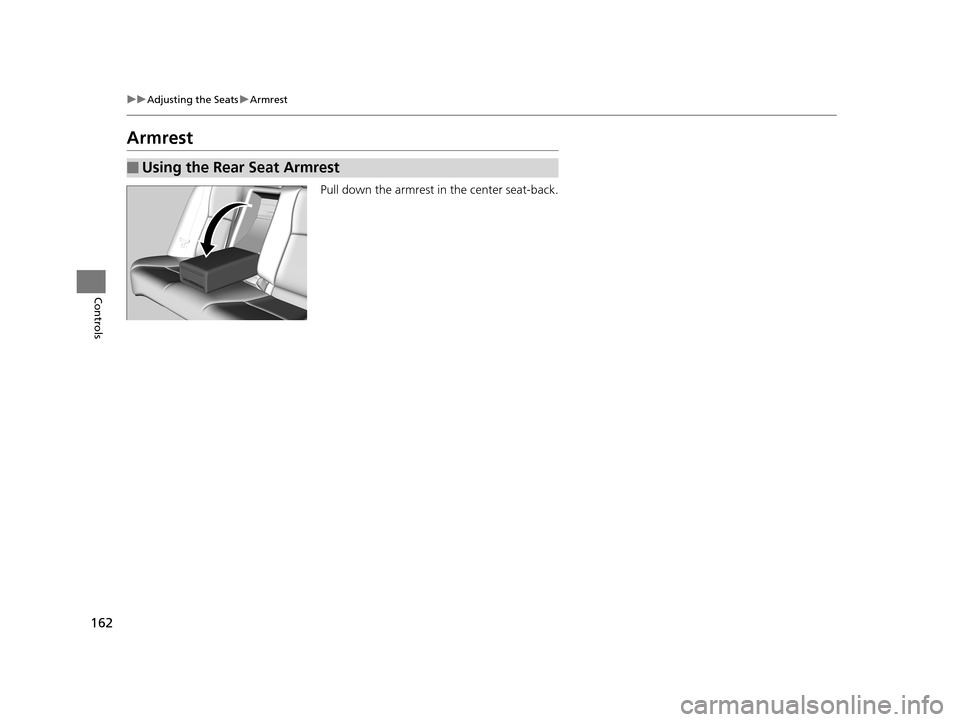
Pull down the armrest in the center seat-back.
■Using the Rear Seat Armrest
17 ACURA RLX-31TY26300.book 162 ページ 2016年6月17日 金曜日 午前8時12分
Page 340 of 557
Continued339
uuBefore Driving uDriving Preparation
Driving
• Store or secure all items on board properly.
u Carrying too much cargo, or improperly storing it, can affect your vehicle’s
handling, stability, sto pping distance, and tires, and make it unsafe.
2Maximum Load Limit P. 341
•Do not pile items higher than the seat height.
u They can block your view and may be thrown forward in the event of sudden
braking.
• Do not place anything in the front seat footwells. Make sure to secure the floor
mat.
u An object or unsecured floor mat can in terfere with your brake and accelerator
pedal operation while driving.
• If you have any animals on board, do not let them move around in the vehicle.
u They may interfere with driv ing and a crash could occur.
• Securely close and lock all doors and the trunk.
2 Locking/Unlocking the Doors from the Inside P. 124
•Adjust your seating position properly.
u Adjust the head restraint, too.
2Adjusting the Seats P. 156
2 Adjusting the Head Restraints P. 159
•Adjust the mirrors and steering wh eel properly for your driving.
u Adjust them while sitting in the proper driving position.
2 Adjusting the Mirrors P. 153
2 Adjusting the Steering Wheel P. 152
■Interior Checks1Interior Checks
The headlight aim is set by the factory, and does not
need to be adjusted. Howeve r, if you regularly carry
heavy items in the trunk ha ve the aiming readjusted
at a dealer or by a qualified technician.
17 ACURA RLX-31TY26300.book 339 ページ 2016年6月17日 金曜日 午前8時12分
Page 341 of 557

340
uuBefore Driving uDriving Preparation
Driving
• Be sure items placed on the floor behind the front seats cannot roll under the
seats.
u They can interfere with the driver’s ability to operate the pedals, the operation
of the seats, or the operation of the sensors under the seats.
• Everyone in the vehicle must fasten their seat belt.
2Fastening a Seat Belt P. 33
•Make sure that the indicators in the ins trument panel come on when you start the
vehicle, and go off soon after.
u Always have a dealer check the vehicle if a problem is indicated.
2 Indicators P. 68
17 ACURA RLX-31TY26300.book 340 ページ 2016年6月17日 金曜日 午前8時12分
Page 367 of 557
uuWhen Driving uAdaptive Cruise Control (ACC) with Low Speed Follow (LSF)*
366
Driving
The system may automatically shut off and the ACC indicator will come on under
certain conditions. Some examples of th ese conditions are listed below. Other
conditions may reduce some of the ACC functions.
2 Front Sensor Camera* P. 359
■Environmental conditions
• Driving in bad weather (rain, fog, snow, etc.).
■Roadway conditions
• Driving on a snowy or wet roadway (obscured lane marking, vehicle tracks,
reflected lights, road spray, high contrast).
■Vehicle conditions
• The outside of the windshie ld is blocked by dirt, mud, leaves, wet snow, etc.
• An abnormal tire or wheel condition (Wrong sized, varied size or construction,
improperly inflated, compact spare tire
*, etc.).
• The camera temperature gets too high.
• The parking brake is applied.
• When the front grille is dirty.
• When the front of the vehicle tilts up due to heavy cargo in the trunk or rear seats.
• When tire chains are installed.
■ACC with LSF Conditions and Limitations1ACC with LSF Conditions and Limitations
The radar sensor for ACC with LSF is shared with the
collision mitigation braking system
TM (CMBSTM).
2 Collision Mitigation Braking SystemTM
(CMBSTM)* P. 409
You can read about handling information for the
camera equipped with this system. 2 Front Sensor Camera
* P. 359
* Not available on all models
17 ACURA RLX-31TY26300.book 366 ページ 2016年6月17日 金曜日 午前8時12分
Page 489 of 557
488
Maintenance
Accessories and Modifications
Accessories
When installing accessories, check the following:
• Do not install accessories on the windshie ld. They can obstruct your view and
delay your reaction to driving conditions.
• Do not install any access ories over areas marked SRS AIRBAG, on the sides or
backs of the front seats, on front or side pillars, or near the side windows.
Accessories installed in these areas may interfere with proper operation of the
vehicle’s airbags or may be propelled into you or another occupant if the airbags
deploy.
• Be sure electronic accessories do not over load electrical circuits or interfere with
proper operation of your vehicle.
2 Fuses P. 522
•Before installing any electronic accessory, have the inst aller contact a dealer for
assistance. If possible, have a d ealer inspect the final installation.
Modifications
Do not modify your vehicle in a manner that may affect its handling, stability, or
reliability, or install non-genuine Acura parts or accessories that may have a similar
effect.
Even minor modifications to vehicle system s can affect overall vehicle performance.
Always make sure all equipment is prop erly installed and maintained, and do not
make any modification to your vehicle or its systems that might cause your vehicle
to no longer meet federal, state, provin cial, territorial, or local regulations.
Do not modify or attempt to repair any of the electrical components.
1 Accessories and Modifications
Acura Genuine accessori es are recommended to
ensure proper operati on on your vehicle.
3WARNING
Improper accessories or modifications can
affect your vehicle’s handling, stability, and
performance, and cause a crash in which
you can be seriously hurt or killed.
Follow all instruction s in this owner’s
manual regarding accessories and
modifications.
17 ACURA RLX-31TY26300.book 488 ページ 2016年6月17日 金曜日 午前8時12分
Page 547 of 557
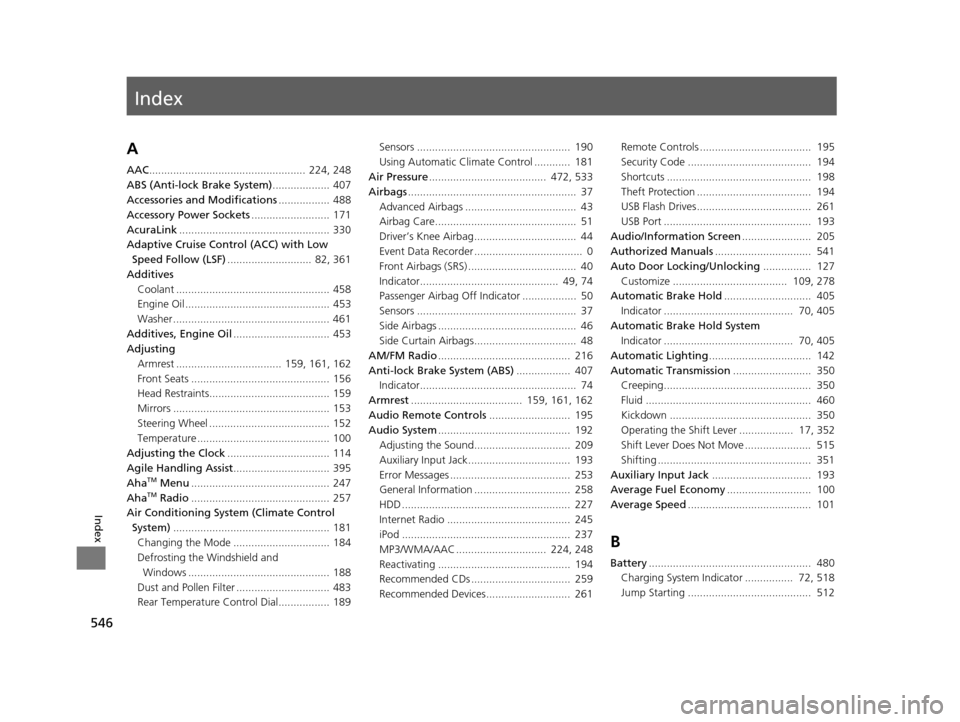
Index
546
Index
Index
A
AAC.................................................... 224, 248
ABS (Anti-lock Brake System) ................... 407
Accessories and Modifications ................. 488
Accessory Power Sockets .......................... 171
AcuraLink .................................................. 330
Adaptive Cruise Control (ACC) with Low Speed Follow (LSF) ............................ 82, 361
Additives Coolant ................................................... 458
Engine Oil ................................................ 453
Washer .................................................... 461
Additives, Engine Oil ................................ 453
Adjusting
Armrest ................................... 159, 161, 162
Front Seats .............................................. 156
Head Restraints........................................ 159
Mirrors .................................................... 153
Steering Wheel ........................................ 152
Temperature ............................................ 100
Adjusting the Clock .................................. 114
Agile Handling Assist ................................ 395
Aha
TM Menu .............................................. 247
AhaTM Radio .............................................. 257
Air Conditioning System (Climate Control
System) .................................................... 181
Changing the Mode ................................ 184
Defrosting the Windshield and
Windows ............................................... 188
Dust and Pollen Filter ............................... 483
Rear Temperature Control Dial................. 189 Sensors ................................................... 190
Using Automatic Climate Control ............ 181
Air Pressure ....................................... 472, 533
Airbags ........................................................ 37
Advanced Airbags ..................................... 43
Airbag Care............................................... 51
Driver’s Knee Airbag.................................. 44
Event Data Recorder .................................... 0
Front Airbags (SRS) .................................... 40
Indicator.............................................. 49, 74
Passenger Airbag Off Indicator .................. 50
Sensors ..................................................... 37
Side Airbags .............................................. 46
Side Curtain Airbags.................................. 48
AM/FM Radio ............................................ 216
Anti-lock Brake System (ABS) .................. 407
Indicator.................................................... 74
Armrest ..................................... 159, 161, 162
Audio Remote Controls ........................... 195
Audio System ............................................ 192
Adjusting the Sound................................ 209
Auxiliary Input Jack.................................. 193
Error Messages ........................................ 253
General Information ................................ 258
HDD ........................................................ 227
Internet Radio ......................................... 245
iPod ........................................................ 237
MP3/WMA/AAC .............................. 224, 248
Reactivating ............................................ 194
Recommended CDs ................................. 259
Recommended Devices............................ 261 Remote Controls ..................................... 195
Security Code ......................................... 194
Shortcuts ................................................ 198
Theft Protection ...................................... 194
USB Flash Drives...................................... 261
USB Port ................................................. 193
Audio/Information Screen ....................... 205
Authorized Manuals ................................ 541
Auto Door Locking/Unlocking ................ 127
Customize ...................................... 109, 278
Automatic Brake Hold ............................. 405
Indicator ........................................... 70, 405
Automatic Brake Hold System Indicator ........................................... 70, 405
Automatic Lighting .................................. 142
Automatic Transmission .......................... 350
Creeping................................................. 350
Fluid ....................................................... 460
Kickdown ............................................... 350
Operating the Shift Lever .................. 17, 352
Shift Lever Does Not Move ...................... 515
Shifting ................................................... 351
Auxiliary Input Jack ................................. 193
Average Fuel Economy ............................ 100
Average Speed ......................................... 101
B
Battery...................................................... 480
Charging System Indicator ................ 72, 518
Jump Starting ......................................... 512
17 ACURA RLX-31TY26300.book 546 ページ 2016年6月17日 金曜日 午前8時12分