immobilizer Acura RLX 2017 Owner's Manual
[x] Cancel search | Manufacturer: ACURA, Model Year: 2017, Model line: RLX, Model: Acura RLX 2017Pages: 557, PDF Size: 37.97 MB
Page 11 of 557
10
Quick Reference Guide
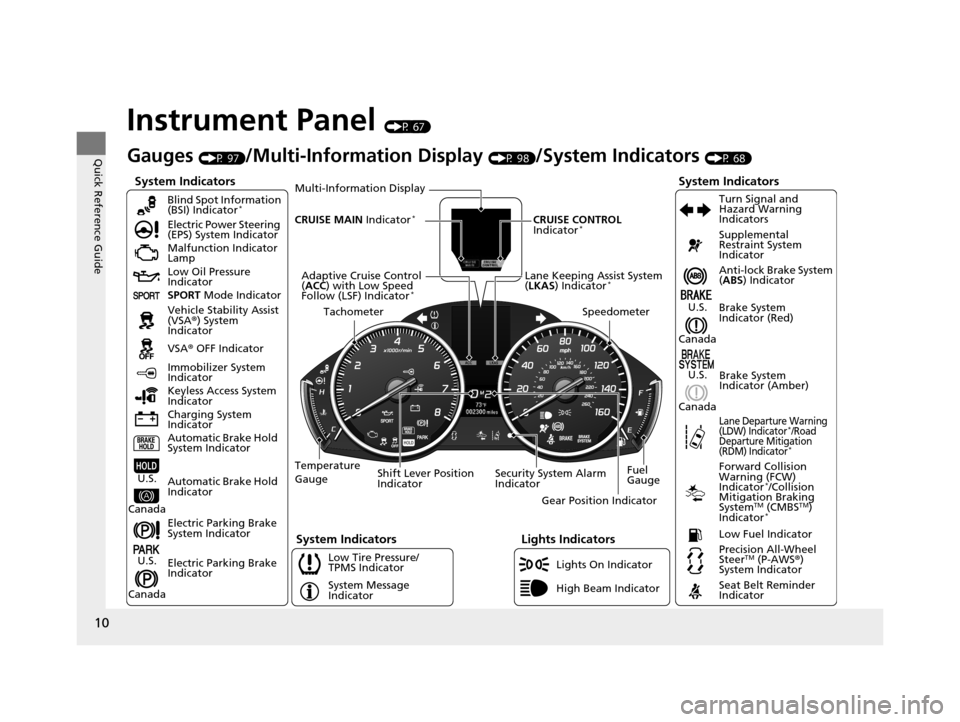
Instrument Panel (P 67)
System Indicators
Malfunction Indicator
Lamp
Low Oil Pressure
Indicator
Charging System
IndicatorAnti-lock Brake System
(
ABS ) Indicator
Vehicle Stability Assist
(VSA ®) System
Indicator
VSA ® OFF Indicator
Electric Power Steering
(EPS) System Indicator
Lights Indicators
Lights On Indicator
High Beam Indicator
Immobilizer System
Indicator
Seat Belt Reminder
Indicator
System Indicators
System Message
IndicatorBrake System
Indicator (Red) Supplemental
Restraint System
Indicator
Low Fuel Indicator
Gauges (P 97)/Multi-Information Display (P 98)/System Indicators (P 68)
Low Tire Pressure/
TPMS Indicator Turn Signal and
Hazard Warning
Indicators
Keyless Access System
Indicator
Temperature
Gauge Security System Alarm
IndicatorFuel
Gauge
Tachometer
Multi-Information Display
Speedometer
Shift Lever Position
Indicator Gear Position Indicator
Electric Parking Brake
System Indicator
Electric Parking Brake
Indicator Automatic Brake Hold
System Indicator Brake System
Indicator (Amber)
SPORT
Mode Indicator
Blind Spot Information
(BSI) Indicator
*
System Indicators
Forward Collision
Warning (FCW)
Indicator
*/Collision
Mitigation Braking
System
TM (CMBSTM)
Indicator*
Precision All-Wheel
SteerTM (P-AWS ®)
System Indicator
Lane Departure Warning
(LDW) Indicator*/Road
Departure Mitigation
(RDM) Indicator
*
Lane Keeping Assist System
( LKAS ) Indicator*Adaptive Cruise Control
(ACC ) with Low Speed
Follow (LSF) Indicator
*
Automatic Brake Hold
IndicatorU.S.
Canada
U.S.
Canada
U.S.
Canada
U.S.
Canada
CRUISE MAIN Indicator*CRUISE CONTROL
Indicator*
17 ACURA RLX-31TY26300.book 10 ページ 2016年6月17日 金曜日 午前8時12分
Page 78 of 557
77
uuIndicators u
Continued
Instrument Panel
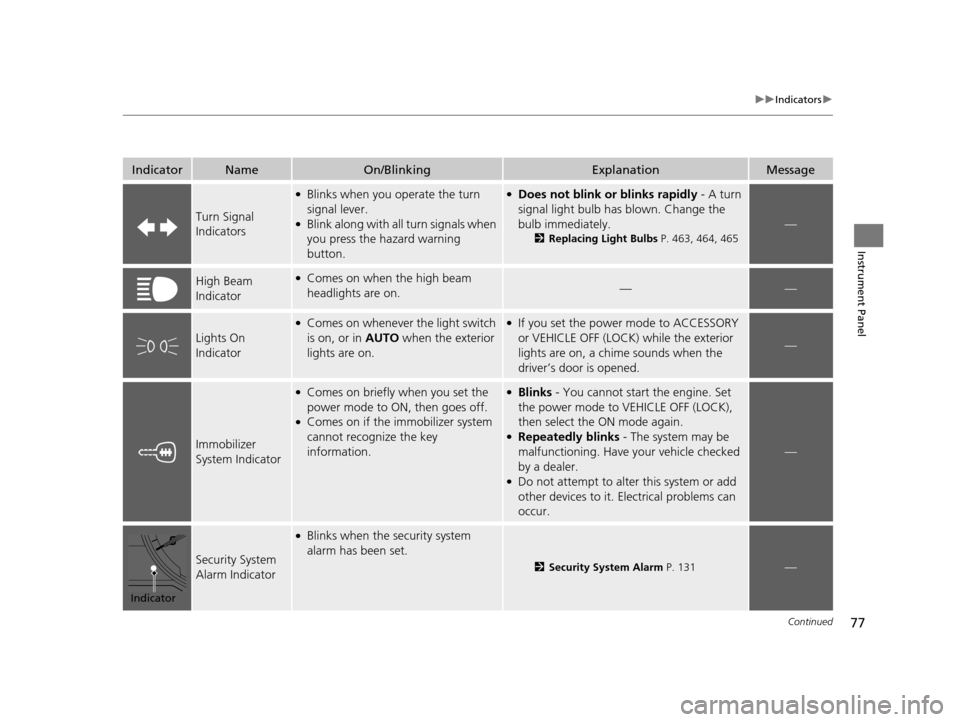
IndicatorNameOn/BlinkingExplanationMessage
Turn Signal
Indicators
●Blinks when you operate the turn
signal lever.
●Blink along with all turn signals when
you press the hazard warning
button.
●Does not blink or blinks rapidly - A turn
signal light bulb has blown. Change the
bulb immediately.
2Replacing Light Bulbs P. 463, 464, 465
—
High Beam
Indicator●Comes on when the high beam
headlights are on.——
Lights On
Indicator
●Comes on whenever the light switch
is on, or in AUTO when the exterior
lights are on.●If you set the power mode to ACCESSORY
or VEHICLE OFF (LOCK) while the exterior
lights are on, a chime sounds when the
driver’s door is opened.
—
Immobilizer
System Indicator
●Comes on briefly when you set the
power mode to ON, then goes off.
●Comes on if the immobilizer system
cannot recognize the key
information.
●Blinks - You cannot start the engine. Set
the power mode to VEHICLE OFF (LOCK),
then select the ON mode again.
●Repeatedly blinks - The system may be
malfunctioning. Have your vehicle checked
by a dealer.
●Do not attempt to alter this system or add
other devices to it. Electrical problems can
occur.
—
Security System
Alarm Indicator
●Blinks when the security system
alarm has been set.
2 Security System Alarm P. 131—
Indicator
17 ACURA RLX-31TY26300.book 77 ページ 2016年6月17日 金曜日 午前8時12分
Page 114 of 557
113
Controls
This chapter explains how to operate the various controls necessary for driving.
Clock.................................................. 114
Locking and Unlocking the Doors
Key Types and Functions .................. 115
Low Keyless Access Remote Signal Strength ......................................... 117
Locking/Unlocking the Doors from the Outside .......................................... 118
Locking/Unlocking the Doors from the
Inside ............................................. 124
Childproof Door Locks ..................... 126
Auto Door Locking/Unlocking .......... 127
Opening and Closing the Trunk ....... 128
Security System ................................ 131
Immobilizer System .......................... 131 Security System Alarm...................... 131Opening and Closing the Windows
.... 134Opening and Closing the Moonroof....... 136Operating the Switches Around the
Steering Wheel
ENGINE START/STOP Button............. 137
Turn Signals ..................................... 140
Light Switches.................................. 141
Daytime Running Lights ................... 144
Wipers and Washers ........................ 145
Brightness Control ........................... 148
Rear Defogger/Heated Door Mirror Button...149
Driving Position Memory System ...... 150
Adjusting the Steering Wheel........... 152 Adjusting the Mirrors
....................... 153
Interior Rearview Mirror ................... 153
Power Door Mirrors ......................... 154
Adjusting the Seats .......................... 156
Front Seats ...................................... 156
Interior Lights/Interior Convenience Items ................................................ 163
Interior Lights .................................. 163
Interior Convenience Items .............. 165
Climate Control System ................... 181
Using Automatic Climate Control .... 181
Automatic Climate Control Sensors......190
17 ACURA RLX-31TY26300.book 113 ページ 2016年6月17日 金曜日 午前8時12分
Page 116 of 557
115Continued
Controls
Locking and Unlocking the Doors
Key Types and Functions
This vehicle comes with the following keys:
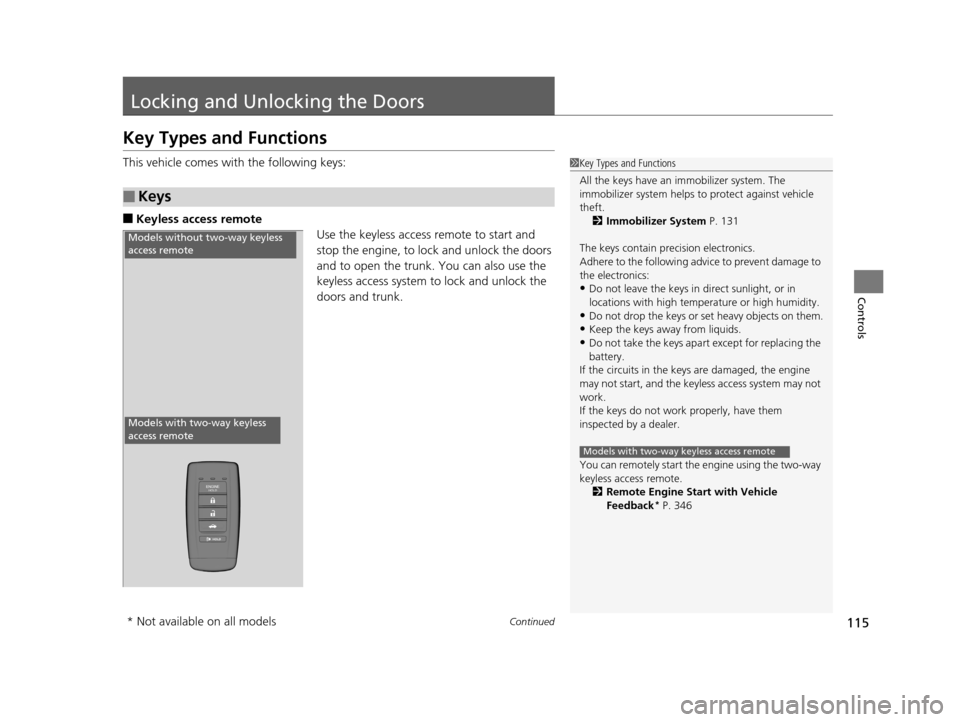
■Keyless access remote
Use the keyless access remote to start and
stop the engine, to lock and unlock the doors
and to open the trunk. You can also use the
keyless access system to lock and unlock the
doors and trunk.
■Keys
1Key Types and Functions
All the keys have an immobilizer system. The
immobilizer system helps to protect against vehicle
theft. 2 Immobilizer System P. 131
The keys contain precision electronics.
Adhere to the following advi ce to prevent damage to
the electronics:
•Do not leave the keys in direct sunlight, or in
locations with high temperature or high humidity.
•Do not drop the keys or set heavy objects on them.
•Keep the keys away from liquids.
•Do not take the keys apart except for replacing the
battery.
If the circuits in the keys are damaged, the engine
may not start, and the keyless access system may not
work.
If the keys do not work properly, have them
inspected by a dealer.
You can remotely start the engine using the two-way
keyless access remote.
2 Remote Engine Start with Vehicle
Feedback
* P. 346
Models with two-way keyless access remote
Models without two-way keyless
access remote
Models with two-way keyless
access remote
* Not available on all models
17 ACURA RLX-31TY26300.book 115 ページ 2016年6月17日 金曜日 午前8時12分
Page 132 of 557
131Continued
Controls
Security System
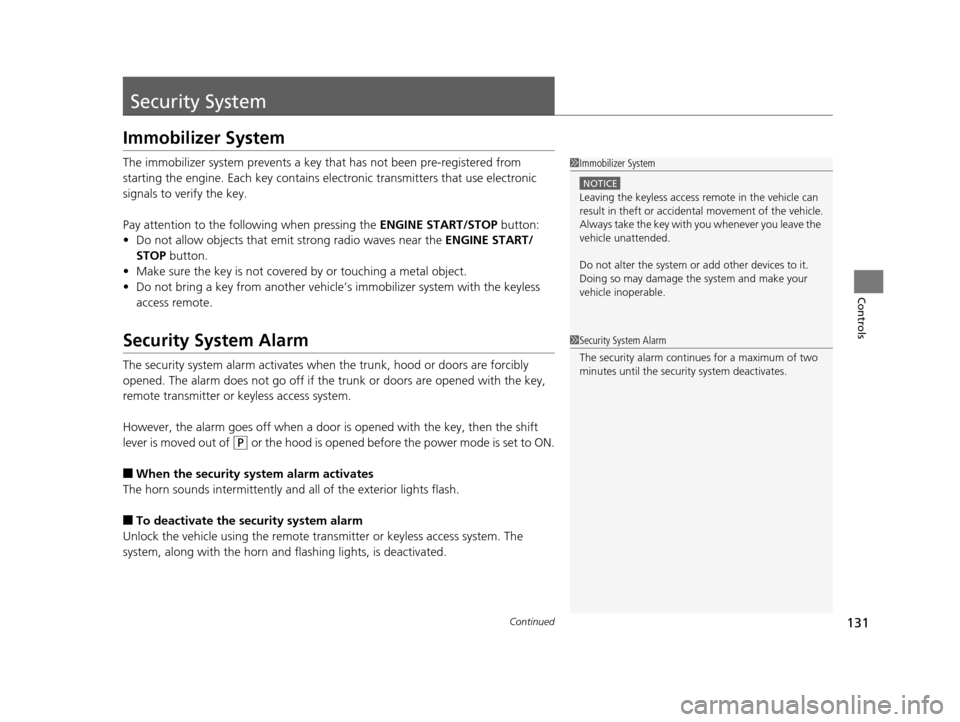
Immobilizer System
The immobilizer system prevents a key that has not been pre-registered from
starting the engine. Each key contains electronic transmitters that use electronic
signals to verify the key.
Pay attention to the follo wing when pressing the ENGINE START/STOP button:
• Do not allow objects that emit strong radio waves near the ENGINE START/
STOP button.
• Make sure the key is not covered by or touching a metal object.
• Do not bring a key from another vehicle’s immobilizer system with the keyless
access remote.
Security System Alarm
The security system alarm activates when the trunk, hood or doors are forcibly
opened. The alarm does not go off if the trunk or doors are opened with the key,
remote transmitter or keyless access system.
However, the alarm goes off when a door is opened with the key, then the shift
lever is moved out of
( P or the hood is opened before the power mode is set to ON.
■When the security system alarm activates
The horn sounds intermittently and all of the exterior lights flash.
■To deactivate the security system alarm
Unlock the vehicle using the remote transmitter or keyless access system. The
system, along with the horn and flashing lights, is deactivated.
1 Immobilizer System
NOTICE
Leaving the keyless access re mote in the vehicle can
result in theft or accident al movement of the vehicle.
Always take the key with you whenever you leave the
vehicle unattended.
Do not alter the system or add other devices to it.
Doing so may damage the system and make your
vehicle inoperable.
1 Security System Alarm
The security alarm continues for a maximum of two
minutes until the security system deactivates.
17 ACURA RLX-31TY26300.book 131 ページ 2016年6月17日 金曜日 午前8時12分
Page 345 of 557
344
Driving
When Driving
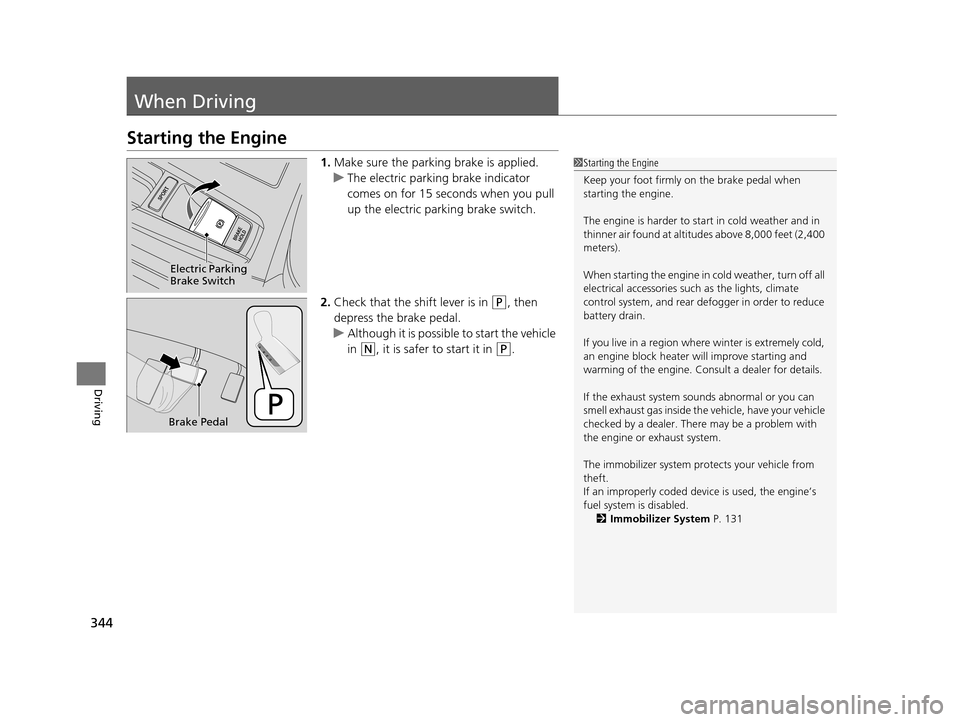
Starting the Engine
1.Make sure the parking brake is applied.
u The electric parking brake indicator
comes on for 15 seconds when you pull
up the electric parking brake switch.
2. Check that the shift lever is in
(P, then
depress the brake pedal.
u Although it is possibl e to start the vehicle
in
(N, it is safer to start it in (P.
1 Starting the Engine
Keep your foot firmly on the brake pedal when
starting the engine.
The engine is harder to st art in cold weather and in
thinner air found at altitudes above 8,000 feet (2,400
meters).
When starting the engine in cold weather, turn off all
electrical accessories such as the lights, climate
control system, and rear de fogger in order to reduce
battery drain.
If you live in a region where winter is extremely cold,
an engine block heater will improve starting and
warming of the engine. Cons ult a dealer for details.
If the exhaust system sounds abnormal or you can
smell exhaust gas inside the vehicle, have your vehicle
checked by a dealer. There may be a problem with
the engine or exhaust system.
The immobilizer system pr otects your vehicle from
theft.
If an improperly c oded device is used, the engine’s
fuel system is disabled.
2 Immobilizer System P. 131
Electric Parking
Brake Switch
Brake Pedal
17 ACURA RLX-31TY26300.book 344 ページ 2016年6月17日 金曜日 午前8時12分
Page 510 of 557
509
Handling the Unexpected
Engine Does Not Start
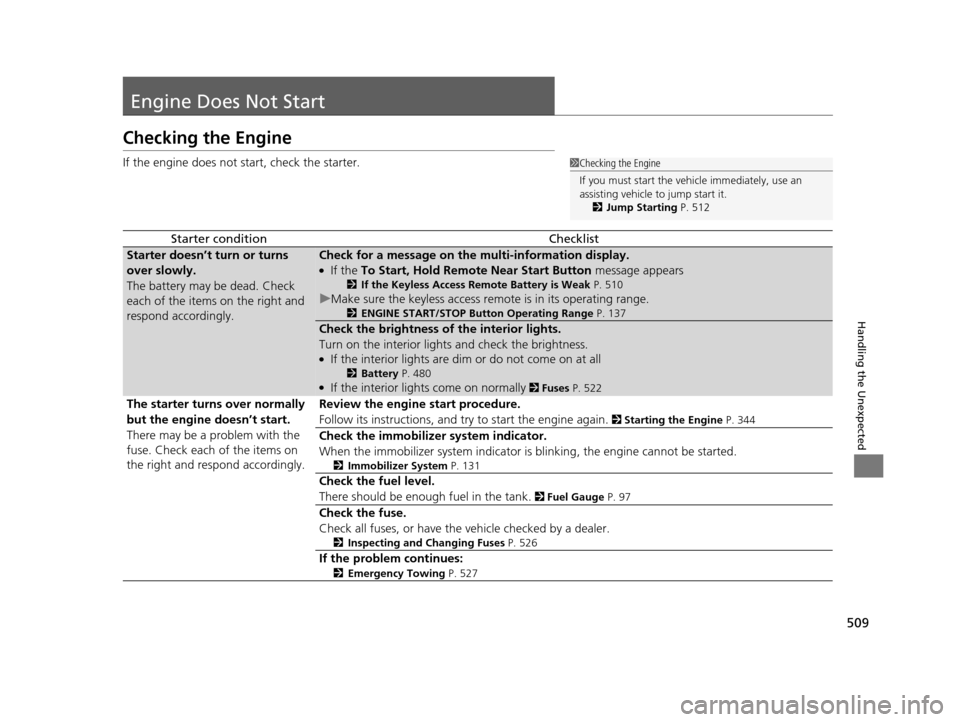
Checking the Engine
If the engine does not start, check the starter.
Starter conditionChecklist
Starter doesn’t turn or turns
over slowly.
The battery may be dead. Check
each of the items on the right and
respond accordingly.Check for a message on the multi-information display.
●If the To Start, Hold Remote Near Start Button message appears
2If the Keyless Access Remote Battery is Weak P. 510
uMake sure the keyless access remote is in its operating range.
2ENGINE START/STOP Button Operating Range P. 137
Check the brightness of the interior lights.
Turn on the interior lights and check the brightness.
●If the interior lights are dim or do not come on at all
2 Battery P. 480●If the interior lights come on normally 2 Fuses P. 522
The starter turns over normally
but the engine doesn’t start.
There may be a problem with the
fuse. Check each of the items on
the right and respond accordingly. Review the engine start procedure.
Follow its instructions, and try
to start the engine again.
2 Starting the Engine P. 344
Check the immobilizer system indicator.
When the immobilizer system indicator is blinking, the engine cannot be started.
2Immobilizer System P. 131
Check the fuel level.
There should be enough fuel in the tank.
2 Fuel Gauge P. 97
Check the fuse.
Check all fuses, or have the vehicle checked by a dealer.
2Inspecting and Changing Fuses P. 526
If the problem continues:
2Emergency Towing P. 527
1Checking the Engine
If you must start the vehi cle immediately, use an
assisting vehicle to jump start it.
2 Jump Starting P. 512
17 ACURA RLX-31TY26300.book 509 ページ 2016年6月17日 金曜日 午前8時12分
Page 536 of 557

535
Information
Devices that Emit Radio Waves
The following products and systems on your vehicle emit radio waves when in operation.
Each of the above complies with the appropriate requirements or the required standards of FCC
(Federal Communications Commission) and Industry Canada Standard, described below:
As required by the FCC:
This device complies with Part 15 of the FCC rules. Operation is
subject to the following two cond itions: (1) This device may not
cause harmful interferenc e, and (2) this device must accept any
interference received, including interference that may cause
undesired operation.
Changes or modifications not ex pressly approved by the party
responsible for compliance could void the user’s authority to
operate the equipment.
This device complies with industry Canada licence -exempt RSS standard(s). Operation is subject to
the following two conditions: (1) this device may not cause interference, and (2) this device must
accept any interference, including interference th at may cause undesired operation of the device.
AcuraLink
Audio System
Blind Spot Information System
Bluetooth® Audio
Bluetooth® HandsFreeLink ®
Collision Mitigati on Braking SystemTM
HomeLink® Universal Transceiver
Immobilizer System
Keyless Access System
Tire Pressure Monitoring System (TPMS)
Remote Engine Start with Vehicle Feedback
17 ACURA RLX-31TY26300.book 535 ページ 2016年6月17日 金曜日 午前8時12分
Page 550 of 557
549
Index
Fuel..................................................... 18, 437
Economy................................................. 439
Gauge ...................................................... 97
Instant Fuel Economy .............................. 101
Low Fuel Indicator..................................... 73
Range ..................................................... 101
Recommendation............................ 437, 532
Refueling ................................................ 437
Fuel Economy ........................................... 439
Fuel Fill Door ...................................... 18, 438
Fuses ......................................................... 522
Inspecting and Changing ........................ 526
Locations ................................ 522, 524, 525
G
Gasoline (Fuel)
Economy................................................. 439
Gauge ...................................................... 97
Information............................................. 437
Instant Fuel Economy .............................. 101
Low Fuel Indicator..................................... 73
Refueling ................................................ 437
Gauges ........................................................ 97
Gear Shift Lever Positions Automatic Transmission .......................... 351
Glass (care) ....................................... 484, 487
Glove Box ................................................. 165
H
Handling the Unexpected ........................ 489
HandsFreeLink ® (HFL) ............................... 290
Auto Answer ........................................... 305
Automatic Import of Cellular Phonebook
and Call History ..................................... 307
Automatic Transferring ............................ 305
Displaying Messages ................................ 325
Editing User Name ................................... 304
HFL Buttons ............................................. 290
HFL Menus .............................................. 292
HFL Status Display ................................... 291
Limitations for Manua l Operation ............ 291
Making a Call .......................................... 316
Options During a Call .............................. 322
Phone Setup ............................................ 296
Phonebook Phonetic M odification ........... 311
Receiving a Call ....................................... 321
Receiving a Text/E-mail Message .............. 323
Ring Tone ................................................ 306
Roadside Assistance ................................. 329
Selecting a Mail Account ......................... 324
Speed Dial ............................................... 308
To Create a Security PIN .......................... 303
To Set Up a Text/E-mail Message Options ................................................. 301
Use Contact Photo .................................. 306
Hard Disk Drive (HDD) Audio .................. 227
Hazard Warning Button ............................... 4
Head Restraints ......................................... 159
Headlight Washers ................................... 147 Headlights
................................................. 141
Aiming .................................................... 462
Automatic Operation............................... 142
Dimming ......................................... 141, 144
Operating................................................ 141
Heated Steering Wheel ............................ 175
Heaters (Seat) ........................... 176, 177, 178
HFL (HandsFreeLink ®)............................... 290
High Beam Indicator .................................. 77
Hill Start Assist System ............................. 348
HomeLink ® Universal Transceiver ............ 288
I
Identification Numbers
Engine and Transmission ......................... 534
Vehicle Identification ............................... 534
Illumination Control
Buttons ................................................... 148
Immobilizer System .................................. 131
Indicator.................................................... 77
Indicators .................................................... 68
Adaptive Cruise Control (ACC) with Low Speed Follow (LSF) ........................... 82, 361
Anti-lock Brake System (ABS)..................... 74
Automatic Brake Hold ....................... 70, 405
Automatic Brake Hold System ........... 70, 405
Blind Spot Information (BSI) ............... 84, 397
Brake System (Amber) ............................... 71
Brake System (Red) ............................ 68, 519
Charging System ............................... 72, 518
17 ACURA RLX-31TY26300.book 549 ページ 2016年6月17日 金曜日 午前8時12分
Page 551 of 557
550
Index
Collision Mitigation Braking SystemTM (CMBSTM) ............................ 84, 85
CRUISE CONTROL .............................. 78, 357
CRUISE MAIN .................................... 78, 356
Door and Trunk Open ................................ 29
Electric Parking Brake................................. 69
Electric Parking Brake System ............. 69, 520
Electric Power Steering (EPS) System .. 74, 520
Forward Collision Wa rning (FCW) .............. 79
High Beam................................................. 77
Immobilizer System .................................... 77
Keyless Access System ............................... 78
Lane Departure Warning (LDW) ................. 80
Lane Keeping Assist System (LKAS) .... 83, 388
Lights On ................................................... 77
Low Fuel .................................................... 73
Low Oil Pressure ................................ 68, 518
Low Tire Pressure/TPMS ............. 76, 398, 400
Malfunction Indicator Lamp ............... 72, 519
Precision All-Wheel Steer
TM (P-AWS ®)
System ..................................................... 78
Road Departure Mitigation (RDM) .............. 81
Seat Belt Reminder .............................. 31, 73
Security System Alarm ............................... 77
Shift Lever Position .................................... 72
SPORT Mode ..................................... 78, 355
Supplemental Restraint System ............ 49, 74
System Message ........................................ 76
Transmission .............................................. 72
Turn Signal ................................................ 77 Vehicle Stability Assist (VSA
®)
System ............................................ 75, 393
VSA ® OFF .......................................... 75, 394
Information .............................................. 531
Instant Fuel Economy ............................... 101
Instrument Panel ........................................ 67
Brightness Control................................... 148
Interface Dial ............................................ 196
Interior Lights ........................................... 163
Interior Rearview Mirror .......................... 153
J
Jack (Wheel Nut Wrench) ........................ 506
Jump Starting ........................................... 512
K
Key Number Tag ....................................... 117
Keyless Access System .............................. 118
Keyless Lockout Prevention ..................... 122
Keys ........................................................... 115
Lockout Prevention.................................. 122
Number Tag ............................................ 117
Rear Door Won’t Open............................ 126
Remote Transmitter ................................. 120
Two-way Keyless Access Remote ..... 123, 346
Types and Functions ................................ 115
Kickdown (Automatic Transmission) ....... 350
L
Lane Departure Warning (LDW)............. 378
Lane Keeping Assist System (LKAS) ........ 386
Language (HFL) ........................................ 291
LATCH (Child Seats) ................................... 57
Lights ................................................ 141, 462
Automatic............................................... 142
Bulb Replacement ................................... 462
Daytime Running Lights .......................... 144
High Beam Indicator ................................. 77
Interior.................................................... 163
Light Switches......................................... 141
Lights On Indicator.................................... 77
Turn Signals ............................................ 140
Load Limits ............................................... 341
Locking/Unlocking ................................... 115
Auto Door Locking/Unlocking ................. 127
Childproof Door Locks ............................ 126
From Inside ............................................. 124
From Outside .......................................... 118
Keys........................................................ 115
Using a Key............................................. 122
Lockout Prevention System ..................... 122
Low Battery Charge ................................. 518
Low Fuel Indicator ..................................... 73
Low Keyless Access Remote Signal Strength .................................................. 117
Low Oil Pressure Indicator ................. 68, 518
Lower Anchors ........................................... 57
Luggage (Maximum Load Limit) ............. 341
Lumbar Support ....................................... 157
17 ACURA RLX-31TY26300.book 550 ページ 2016年6月17日 金曜日 午前8時12分