warning Acura RLX 2017 Service Manual
[x] Cancel search | Manufacturer: ACURA, Model Year: 2017, Model line: RLX, Model: Acura RLX 2017Pages: 557, PDF Size: 37.97 MB
Page 162 of 557
161
uuAdjusting the Seats uMaintain a Proper Sitting Position
Controls
Maintain a Proper Sitting Position
After all occupants have adjusted their s eats and head restraints, and put on their
seat belts, it is very important that they continue to sit upright, well back in their
seats, with their feet on the floor, until the vehicle is safe ly parked and the engine is
off.
Sitting improperly can increase the chance of injury during a crash. For example, if
an occupant slouches, lies down, turns sideways, sits forward, leans forward or
sideways, or puts one or both feet up, the chance of injury during a crash is greatly
increased.
In addition, an occupant who is out of posi tion in the front seat can be seriously or
fatally injured in a crash by striking interior parts of the vehicle or being struck by an
inflating front airbag.1 Maintain a Proper Sitting Position
3WARNING
Sitting improperly or out of position can
result in serious injury or death in a crash.
Always sit upright, well back in the seat,
with your feet on the floor.
17 ACURA RLX-31TY26300.book 161 ページ 2016年6月17日 金曜日 午前8時12分
Page 166 of 557
165
uuInterior Lights/Interior Convenience Items uInterior Convenience Items
Continued
Controls
Interior Convenience Items
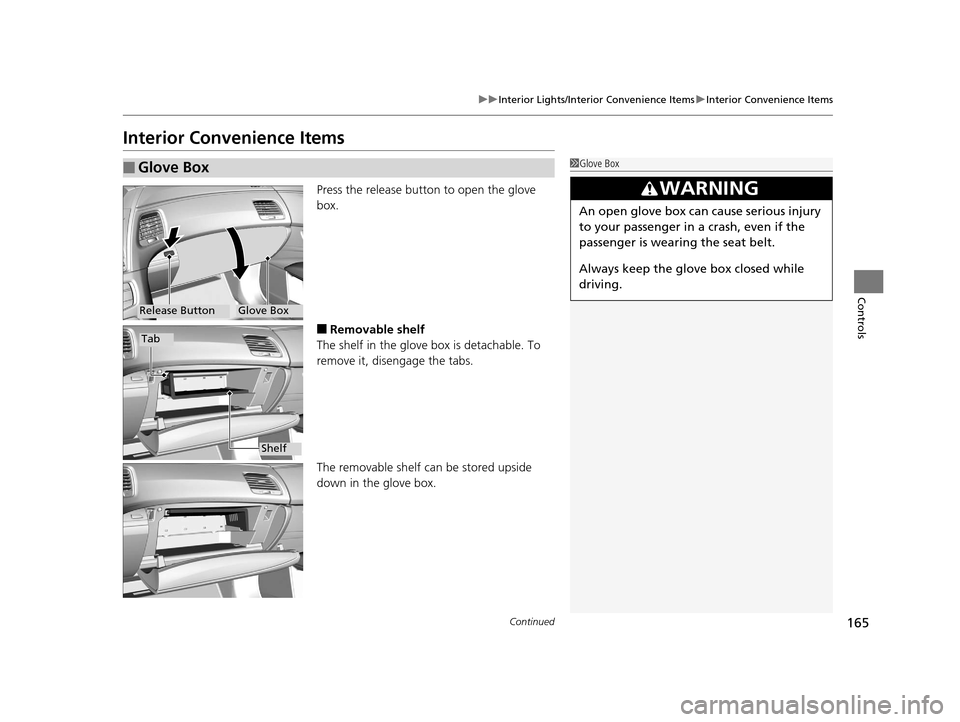
Press the release button to open the glove
box.
■Removable shelf
The shelf in the glove box is detachable. To
remove it, disengage the tabs.
The removable shelf can be stored upside
down in the glove box.
■Glove Box1 Glove Box
3WARNING
An open glove box can cause serious injury
to your passenger in a crash, even if the
passenger is wearing the seat belt.
Always keep the glove box closed while
driving.
Glove BoxRelease Button
Tab
Shelf
17 ACURA RLX-31TY26300.book 165 ページ 2016年6月17日 金曜日 午前8時12分
Page 177 of 557
uuInterior Lights/Interior Convenience Items uInterior Convenience Items
176
Controls
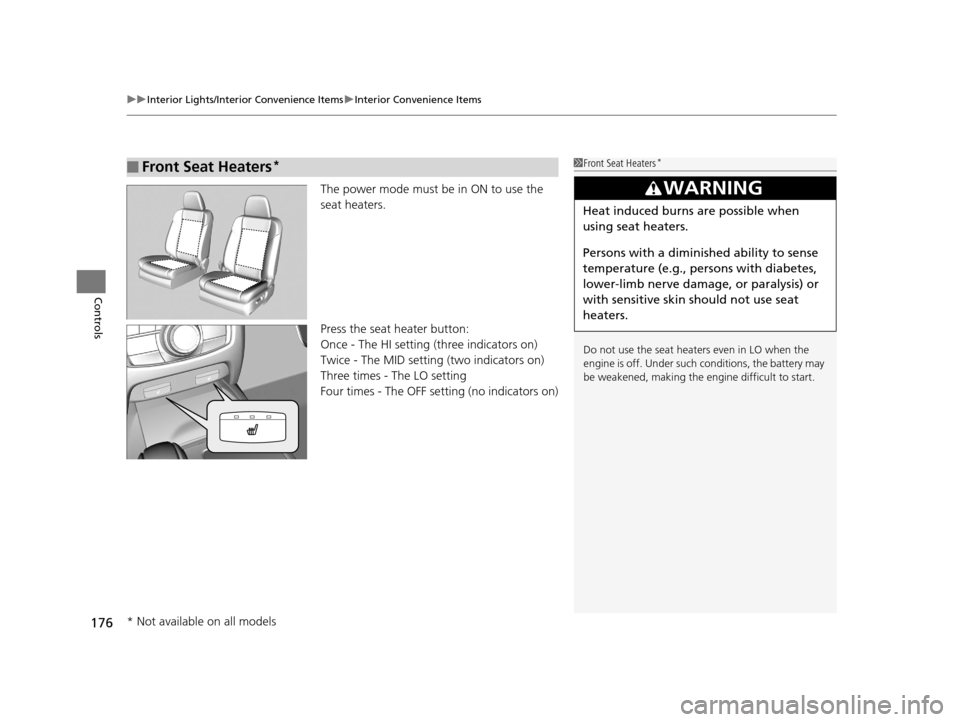
The power mode must be in ON to use the
seat heaters.
Press the seat heater button:
Once - The HI setting (three indicators on)
Twice - The MID setting (two indicators on)
Three times - The LO setting
Four times - The OFF se tting (no indicators on)
■Front Seat Heaters*1Front Seat Heaters*
Do not use the seat heaters even in LO when the
engine is off. Under such conditions, the battery may
be weakened, making the engine difficult to start.
3WARNING
Heat induced burns are possible when
using seat heaters.
Persons with a diminished ability to sense
temperature (e.g., persons with diabetes,
lower-limb nerve damage, or paralysis) or
with sensitive skin should not use seat
heaters.
* Not available on all models
17 ACURA RLX-31TY26300.book 176 ページ 2016年6月17日 金曜日 午前8時12分
Page 178 of 557

Continued177
uuInterior Lights/Interior Convenience Items uInterior Convenience Items
Controls
The power mode must be in ON to use the
seat heaters and ventilation.
Press the seat heater or the seat ventilation
button:
Once - The HI setting (three indicators on)
Twice - The MID setting (two indicators on)
Three times - The LO setting
Four times - The OFF setting (no indicators on)
■Front Seat Heaters and Seat Ventilation*1Front Seat Heaters and Seat Ventilation*
Do not use the seat heater s and the seat ventilation
even in LO when the engine is OFF. Under such
conditions, the battery ma y be weakened, making
the engine difficult to start.
3WARNING
Heat induced burns are possible when
using seat heaters.
Persons with a diminished ability to sense
temperature (e.g., persons with diabetes,
lower-limb nerve damage, or paralysis) or
with sensitive skin should not use seat
heaters.
* Not available on all models
17 ACURA RLX-31TY26300.book 177 ページ 2016年6月17日 金曜日 午前8時12分
Page 179 of 557

uuInterior Lights/Interior Convenience Items uInterior Convenience Items
178
Controls
The power mode must be in ON to use the
seat heaters.
There is no heater in the rear center seating
position.
Press the seat heater button:
Once - The HI setting (three indicators on)
Twice - The MID setting (two indicators on)
Three times - The LO setting
Four times - The OFF se tting (no indicators on)
To open the sunglasses holder, push and
release the indent. To clos e, push it again until
it latches.
You can store eyeglasses and other small
items in this holder.
■Rear Seat Heaters*1 Rear Seat Heaters*
Do not use the seat heaters even in LO when the
engine is off. Under such conditions, the battery may
be weakened, making the engine difficult to start.
3WARNING
Heat induced burns are possible when
using seat heaters.
Persons with a diminished ability to sense
temperature (e.g., persons with diabetes,
lower-limb nerve damage, or paralysis) or
with sensitive skin should not use seat
heaters.
■Sunglasses Holder1Sunglasses Holder
Keep the holder closed wh ile driving except when
accessing stored items.
Push
* Not available on all models
17 ACURA RLX-31TY26300.book 178 ページ 2016年6月17日 金曜日 午前8時12分
Page 180 of 557
Continued179
uuInterior Lights/Interior Convenience Items uInterior Convenience Items
Controls
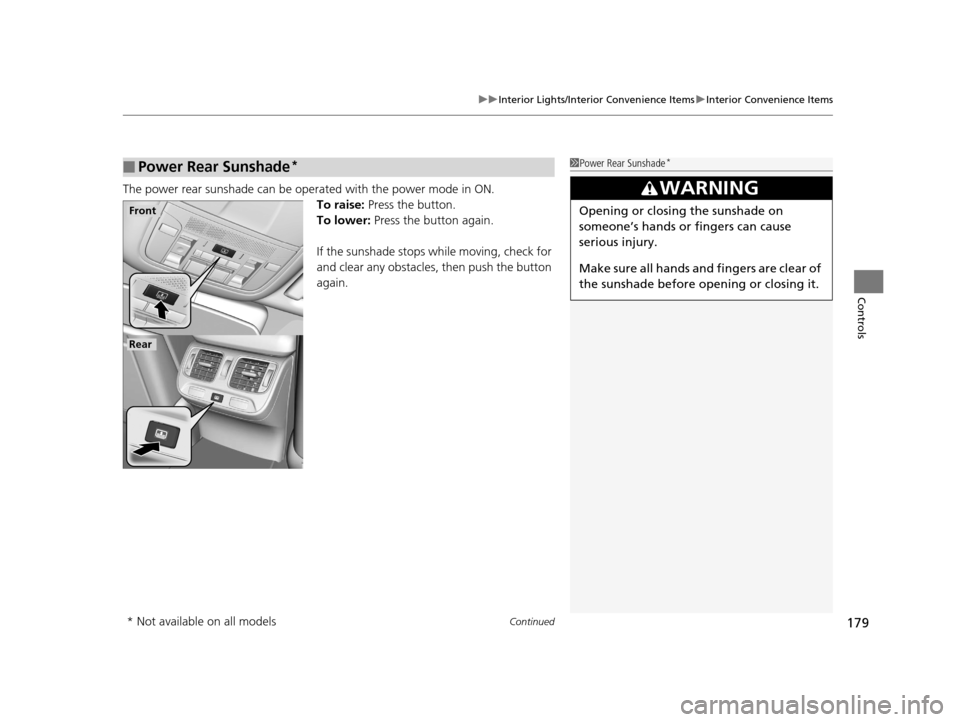
The power rear sunshade can be oper ated with the power mode in ON.
To raise: Press the button.
To lower: Press the button again.
If the sunshade stops while moving, check for
and clear any obstacles, then push the button
again.
■Power Rear Sunshade*1 Power Rear Sunshade*
3WARNING
Opening or closing the sunshade on
someone’s hands or fingers can cause
serious injury.
Make sure all hands and fingers are clear of
the sunshade before opening or closing it.Front
Rear
* Not available on all models
17 ACURA RLX-31TY26300.book 179 ページ 2016年6月17日 金曜日 午前8時12分
Page 266 of 557
265
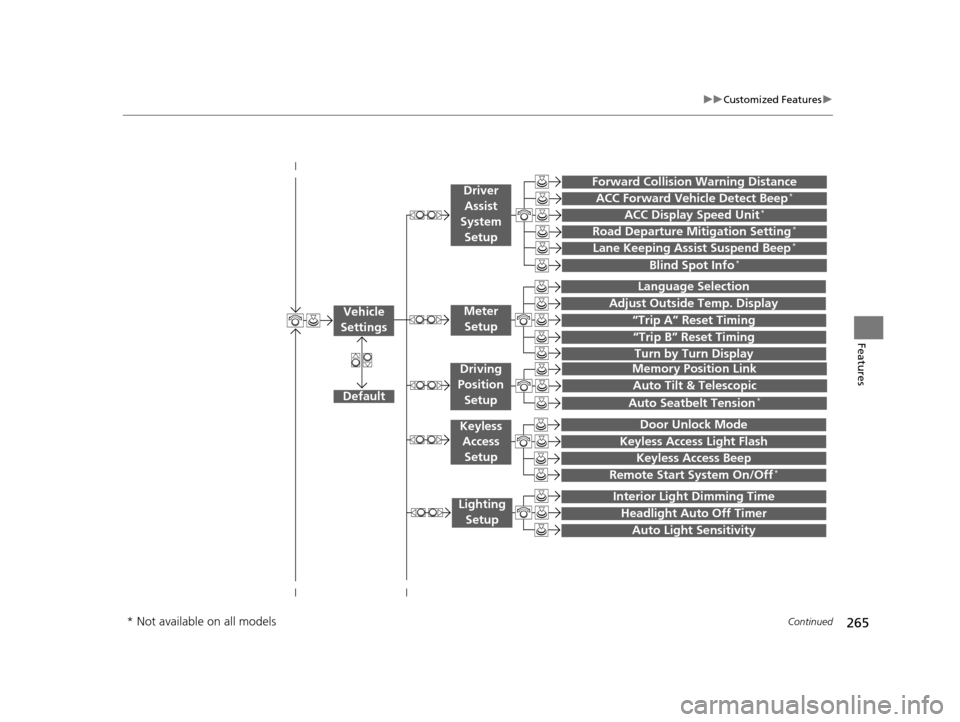
uuCustomized Features u
Continued
Features
“Trip A” Reset Timing
“Trip B” Reset Timing
Language Selection
Adjust Outside Temp. Display
Forward Collision Warning Distance
ACC Forward Vehicle Detect Beep*
ACC Display Speed Unit*
Turn by Turn Display
Default
Memory Position Link
Door Unlock Mode
Keyless Access Light Flash
Interior Light Dimming Time
Headlight Auto Off Timer
Auto Light Sensitivity
Vehicle
SettingsMeter Setup
Driver Assist
System Setup
Keyless Access
Setup
Lighting Setup
Keyless Access Beep
Lane Keeping Assist Suspend Beep*
Blind Spot Info*
Auto Tilt & Telescopic
Auto Seatbelt Tension*
Driving
Position Setup
Road Departure Mitigation Setting*
Remote Start System On/Off*
* Not available on all models
17 ACURA RLX-31TY26300.book 265 ページ 2016年6月17日 金曜日 午前8時12分
Page 276 of 557

275
uuCustomized Features u
Continued
Features
*1:Default SettingSetup
Group Customizable Features Description Selectable Settings
Vehicle
Settings Driver
Assist
System
SetupForward Collision Warning
Distance
Changes at which distance FCW
* or CMBSTM *
alerts, or turns FCW* on and off.Long
/Normal
*1/
Short/ Off
ACC Forward Vehicle
Detect Beep
*
Causes the system to beep when the system
detects a vehicle, or when the vehicle goes out of
the ACC with LSF range. On
/Off*1
ACC Display Speed Unit*Changes the speed unit for ACC with LSF on the
multi-information display. mph
*1/
km/h
(U.S.)
mph /km/h
*1
(Canada)
Road Departure Mitigation
Setting
*Changes the setting for the road departure
mitigation system. Normal*1/
Wide /
Warning Only
Lane Keeping Assist
Suspend Beep
*Causes the system to be ep when the LKAS is
suspended. On
/Off*1
Blind Spot Info*Changes the setting for the blind spot
information. Audible And Visual
Alert*1/
Visual Alert /
Off
* Not available on all models
17 ACURA RLX-31TY26300.book 275 ページ 2016年6月17日 金曜日 午前8時12分
Page 335 of 557
uuAcuraLink ®u
334
Features
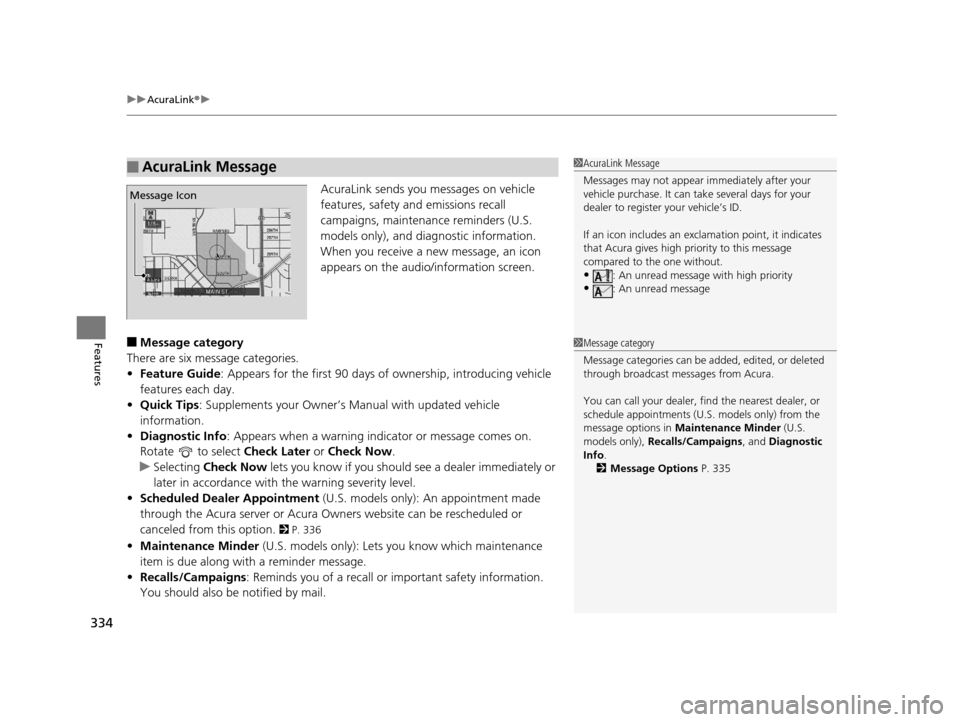
AcuraLink sends you messages on vehicle
features, safety and emissions recall
campaigns, maintenance reminders (U.S.
models only), and diagnostic information.
When you receive a new message, an icon
appears on the audio/information screen.
■Message category
There are six message categories.
• Feature Guide: Appears for the first 90 days of ownership, introducing vehicle
features each day.
• Quick Tips : Supplements your Owner’s Manual with updated vehicle
information.
• Diagnostic Info : Appears when a warning indicator or message comes on.
Rotate to select Check Later or Check Now .
u Selecting Check Now lets you know if you should see a dealer immediately or
later in accordance with the warning severity level.
• Scheduled Dealer Appointment (U.S. models only): An appointment made
through the Acura server or Acura Owners website can be rescheduled or
canceled from this option.
2 P. 336
• Maintenance Minder (U.S. models only): Lets you know which maintenance
item is due along with a reminder message.
• Recalls/Campaigns: Reminds you of a recall or important safety information.
You should also be notified by mail.
■AcuraLink Message1AcuraLink Message
Messages may not appear immediately after your
vehicle purchase. It can ta ke several days for your
dealer to register your vehicle’s ID.
If an icon includes an excl amation point, it indicates
that Acura gives high priority to this message
compared to the one without.
•: An unread message with high priority
•: An unread message
Message Icon
1 Message category
Message categories can be added, edited, or deleted
through broadcast me ssages from Acura.
You can call your dealer, find the nearest dealer, or
schedule appointments (U.S. models only) from the
message options in Maintenance Minder (U.S.
models only), Recalls/Campaigns , and Diagnostic
Info .
2 Message Options P. 335
17 ACURA RLX-31TY26300.book 334 ページ 2016年6月17日 金曜日 午前8時12分
Page 338 of 557
337
Driving
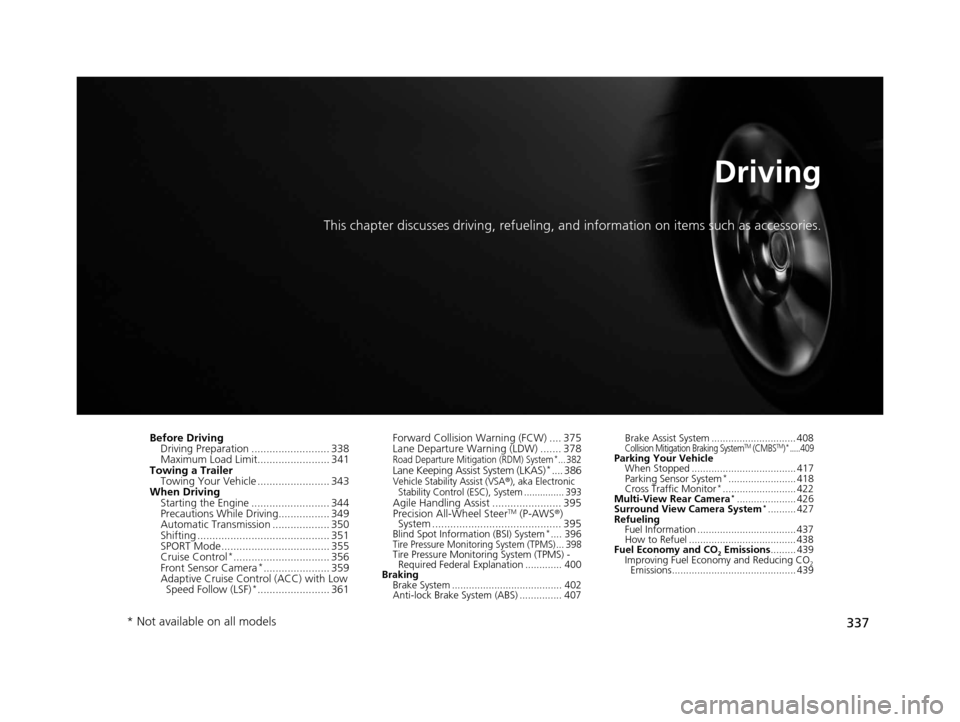
This chapter discusses driving, refueling, and information on items such as accessories.
Before Driving
Driving Preparation .......................... 338
Maximum Load Limit........................ 341
Towing a Trailer Towing Your Vehicle ........................ 343
When Driving
Starting the Engine .......................... 344
Precautions While Driving................. 349
Automatic Transmission ................... 350
Shifting ............................................ 351
SPORT Mode.................................... 355
Cruise Control
*................................ 356
Front Sensor Camera*...................... 359
Adaptive Cruise Control (ACC) with Low Speed Follow (LSF)
*........................ 361 Forward Collision Warning (FCW) .... 375
Lane Departure Warning (LDW) ....... 378
Road Departure Mitigation (RDM) System*... 382Lane Keeping Assist System (LKAS)*.... 386Vehicle Stability Assist (VSA®), aka Electronic
Stability Control (ESC), System ............... 393
Agile Handling Assist ....................... 395
Precision All-Wheel SteerTM (P-AWS ®)
System ........................................... 395
Blind Spot Information (BSI) System*.... 396Tire Pressure Monitoring System (TPMS) ... 398Tire Pressure Monitoring System (TPMS) -
Required Federal Explanation ............. 400
Braking Brake System ....................................... 402
Anti-lock Brake System (ABS) ............... 407 Brake Assist System .............................. 408
Collision Mitigation Braking SystemTM (CMBSTM)*.....409Parking Your Vehicle
When Stopped ..................................... 417
Parking Sensor System
*........................ 418
Cross Traffic Monitor*.......................... 422
Multi-View Rear Camera*..................... 426
Surround View Camera System*.......... 427
Refueling Fuel Information ................................... 437
How to Refuel ...................................... 438
Fuel Economy and CO
2 Emissions ......... 439
Improving Fuel Economy and Reducing CO2
Emissions............................................ 439
* Not available on all models
17 ACURA RLX-31TY26300.book 337 ページ 2016年6月17日 金曜日 午前8時12分