warning Acura RLX Hybrid 2017 Workshop Manual
[x] Cancel search | Manufacturer: ACURA, Model Year: 2017, Model line: RLX Hybrid, Model: Acura RLX Hybrid 2017Pages: 577, PDF Size: 38.63 MB
Page 354 of 577
Continued353
uuAcuraLink ®u
Features
AcuraLink sends you messages on vehicle
features, safety and emissions recall
campaigns, maintenance reminders (U.S.
models only), and diagnostic information.
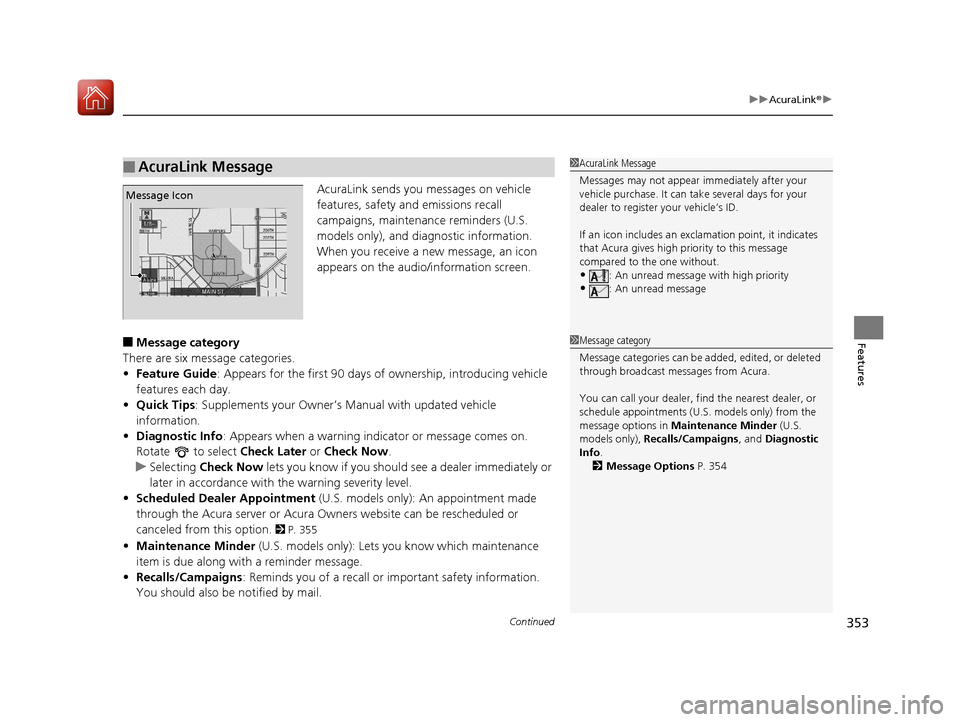
When you receive a new message, an icon
appears on the audio/information screen.
■Message category
There are six message categories.
• Feature Guide : Appears for the first 90 days of ownership, introducing vehicle
features each day.
• Quick Tips : Supplements your Owner’s Manual with updated vehicle
information.
• Diagnostic Info: Appears when a warning indicator or message comes on.
Rotate to select Check Later or Check Now .
u Selecting Check Now lets you know if you should see a dealer immediately or
later in accordance with the warning severity level.
• Scheduled Dealer Appointment (U.S. models only): An appointment made
through the Acura server or Acura Owners website can be rescheduled or
canceled from this option.
2 P. 355
• Maintenance Minder (U.S. models only): Lets you know which maintenance
item is due along with a reminder message.
• Recalls/Campaigns : Reminds you of a recall or important safety information.
You should also be notified by mail.
■AcuraLink Message1 AcuraLink Message
Messages may not appear immediately after your
vehicle purchase. It can ta ke several days for your
dealer to register your vehicle’s ID.
If an icon includes an excl amation point, it indicates
that Acura gives high priority to this message
compared to the one without.
•: An unread message with high priority
•: An unread message
Message Icon
1 Message category
Message categories can be added, edited, or deleted
through broadcast me ssages from Acura.
You can call your dealer, find the nearest dealer, or
schedule appointments (U.S. models only) from the
message options in Maintenance Minder (U.S.
models only), Recalls/Campaigns , and Diagnostic
Info .
2 Message Options P. 354
17 ACURA RLX E-AWD-31TY36300.book 353 ページ 2016年6月17日 金曜日 午前8時 29分
Page 362 of 577
361
uuBefore Driving uMaximum Load Limit
Continued
Driving
Maximum Load Limit
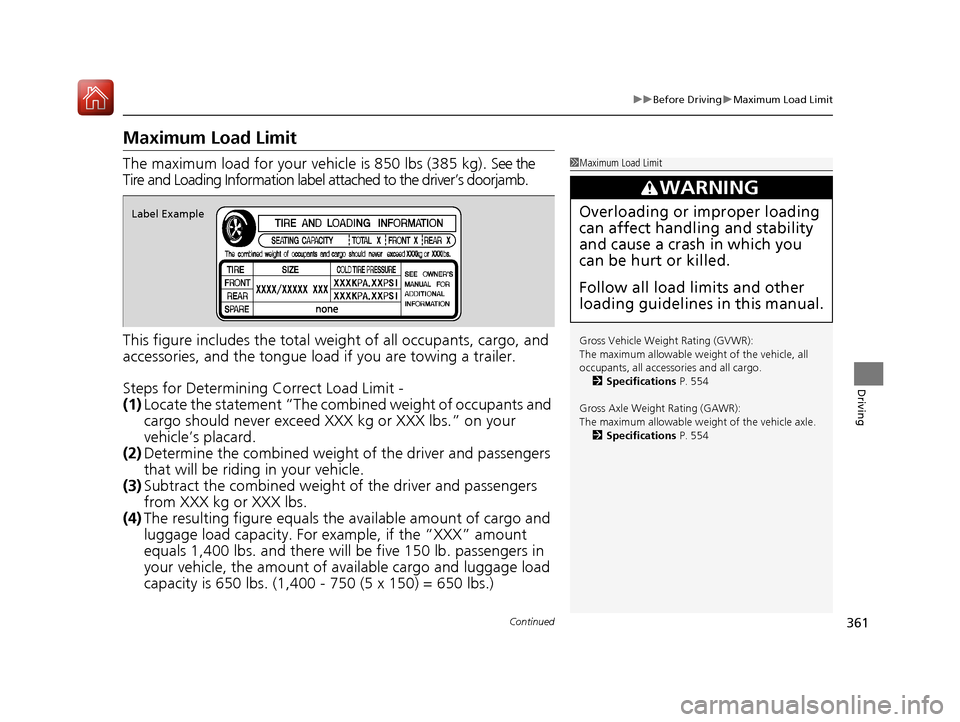
The maximum load for your vehicl e is 850 lbs (385 kg). See the
Tire and Loading Information label attached to the driver’s doorjamb.
This figure includes the total weig ht of all occupants, cargo, and
accessories, and the tongue load if you are towing a trailer.
Steps for Determining Correct Load Limit -
(1) Locate the statement “The comb ined weight of occupants and
cargo should never exceed XXX kg or XXX lbs.” on your
vehicle’s placard.
(2) Determine the combined weight of the driver and passengers
that will be riding in your vehicle.
(3) Subtract the combined weight of the driver and passengers
from XXX kg or XXX lbs.
(4) The resulting figure equals the available amount of cargo and
luggage load capacity. For example, if the “XXX” amount
equals 1,400 lbs. and there will be five 150 lb. passengers in
your vehicle, the am ount of available cargo and luggage load
capacity is 650 lbs. (1,400 - 750 (5 x 150) = 650 lbs.)1 Maximum Load Limit
Gross Vehicle Weight Rating (GVWR):
The maximum allowable weight of the vehicle, all
occupants, all accesso ries and all cargo.
2 Specifications P. 554
Gross Axle Weight Rating (GAWR):
The maximum allowable weight of the vehicle axle. 2 Specifications P. 554
3WARNING
Overloading or improper loading
can affect handling and stability
and cause a crash in which you
can be hurt or killed.
Follow all load limits and other
loading guidelines in this manual.Label Example
17 ACURA RLX E-AWD-31TY36300.book 361 ページ 2016年6月17日 金曜日 午前8時 29分
Page 366 of 577

Continued365
uuWhen Driving uTurning on the Power
Driving
3. Press the POWER button without
depressing the accelerator pedal.
u The Ready To Drive message appears
on the multi-information display.
u When the ambient temperature is
extremely low, the vehicle does not move
until certain conditions are met.
A warning message appears instead of
Ready To Drive .
2Multi-Information Display Warning
and Information Messages P. 99
uIf the High Voltage battery is fully
charged, the gasoline engine may not
start.
u If the High Voltage battery charge level is
low, the gasoline engine starts.
You can turn the power system off when the vehicle is completely stopped.
1. Select
(P.
2. Press the POWER button.
1Turning on the Power
The immobilizer system pr otects your vehicle from
theft.
If an improperly coded de vice is used, the power
system does not activate. 2 Immobilizer System P. 149
Bring the keyless access remote close to the POWER
button if the battery in the keyless access remote is
weak.
2 If the Keyless Access Remote Battery is
Weak P. 530
The power system may not activate if the keyless
access remote is subjecte d to strong radio waves.
Do not hold the POWER button to start the power
system.
If the power system does not start, wait at least 30
seconds before trying again.
■Stopping the Power System
17 ACURA RLX E-AWD-31TY36300.book 365 ページ 2016年6月17日 金曜日 午前8時 29分
Page 367 of 577

uuWhen Driving uTurning on the Power
366
Driving
You can remotely turn the power system on using the two-way keyless access
remote from extended distances.
■To turn the power system on
The power system is on for up to 10 minutes without you starting the vehicle.
To extend the time for another 10 minute s during the first 10 minutes, press the
button, then press and hold the button.
u The amber LED blinks, then the green LED comes back on if a 10-minute
extension request was tra nsmitted successfully.
After pressing the (lock) button, wait for th e green LED to blink. This indicates that
the all the doors and the trunk are locked.
■Remote Engine Start with Vehicle Feedback*1 Remote Engine Start with Vehicle Feedback*
If there are buildings an d obstacles between your
vehicle and the remote, th e range will be reduced.
This distance may vary by external electrical
interference.
The power system may not be turned on by the
remote engine start if:
•You have disabled a remo te engine start setting
using the multi-information display.
•The power mode is not in VEHICLE OFF (LOCK).
•The gear is in a position other than ( P.
•The hood is open, or any door or the trunk is
unlocked.
•You have already used the remote twice to turn the
power system on.
•Another registered keyless access remote is in the
vehicle.
•There is any antenna failure.•Door is unlocked with the built-in key.
3WARNING
Engine exhaust contains toxic carbon
monoxide.
Breathing carbon monoxide can kill you
or cause unconsciousness.
Never use the remote engine starter
when the vehicle is parked in a garage
or other area with limited ventilation.
With the doors locked, Press the button,
then press and hold the button.
Amber LED: Blinks when any button is pressed.
Continues to blink
during a vehicle
self check until the
power system is
turned on. Go within the range,
and try again.
Green LED: Comes on while
the power system is on. Red LED: Blinks when the
remote is out of the keyless
access system range.
* Not available on all models
17 ACURA RLX E-AWD-31TY36300.book 366 ページ 2016年6月17日 金曜日 午前8時
29分
Page 372 of 577

371
uuWhen Driving uShifting
Continued
Driving
Shifting
Change the gear position in accordance with your driving needs.
■Shift button positions
1Shifting
While the High Voltage battery level is full, or the
High Voltage battery temperature is low,
regenerative braking ma y become less effective.
To prevent malfunc tion and unintended
engagement:
•Do not spill any liquids on or around shift buttons.
•Do not place or drop any objects on or around shift
buttons.
•Do not let passengers or ch ildren operate the shift
buttons.
You may occasionally find th at it takes longer than
usual for the vehicle to start moving when you select
( R, release the brake peda l, and/or depress the
accelerator pedal. This may occur when the High
Voltage battery level is extremely low, and does not
indicate a vehicle malfunction.
3WARNING
The vehicle can roll aw ay if left unattended
without confirming th at Park is engaged.
Always keep your foot on the brake pedal
until you have confirmed that
( P is shown
on the gear position indicator.
Park
Used when parking or starting the power
system
Reverse
Used when reversing
Neutral
Used when idling
Drive
Used for:
●Normal driving (gears change between 1st
and 7th automatically)
●Temporarily driving in the sequential
mode
●Driving in the sequential mode (when
driving in SPORT mode)
17 ACURA RLX E-AWD-31TY36300.book 371 ページ 2016年6月17日 金曜日 午前8時 29分
Page 384 of 577

383
uuWhen Driving uAdaptive Cruise Control (ACC) with Low Speed Follow (LSF)
Continued
Driving
Adaptive Cruise Control (ACC) with Low Speed Follow (LSF)
Helps maintain a constant vehicle speed an d a set following-interval behind a vehicle
detected ahead of yours and, if the detect ed vehicle slows to a stop, decelerates and
stops your vehicle, without you having to keep your foot on the brake or the
accelerator.
When ACC with LSF slows your vehicle by applying the brakes, your vehicle's brake
lights will illuminate.1 Adaptive Cruise Control (ACC) with Low Speed Follow (LSF)
Important Reminder
As with any system, there are limits to ACC with LSF.
Use the brake pedal whenever necessary, and always
keep a safe distance betw een your vehicle and other
vehicles.
3WARNING
Improper use of ACC with LSF can lead
to a crash.
Use ACC with LSF only when driving on
expressways or freeways and in good
weather conditions.
3WARNING
ACC with LSF has limited braking
capability and may not stop your vehicle
in time to avoid a co llision with a vehicle
that quickly stops in front of you.
Always be prepared to apply the brake
pedal if the cond itions require.
When to use
■Vehicle speed for ACC with LSF: A vehicle is detected ahead within ACC with
LSF range – ACC with LSF operates at speeds up to 90 mph (145 km/h).
No vehicle is detected within ACC with LSF range – ACC with LSF operates at
the speed of 25 mph (40 km/h) or above.
■Gear position for ACC with LSF: In ( D. The radar sensor is
in the front grille.
The camera is
located behind
the rearview
mirror.
17 ACURA RLX E-AWD-31TY36300.book 383 ページ 2016年6月17日 金曜日 午前8時
29分
Page 387 of 577
uuWhen Driving uAdaptive Cruise Control (ACC) with Low Speed Follow (LSF)
386
Driving
■There is a vehicle ahead
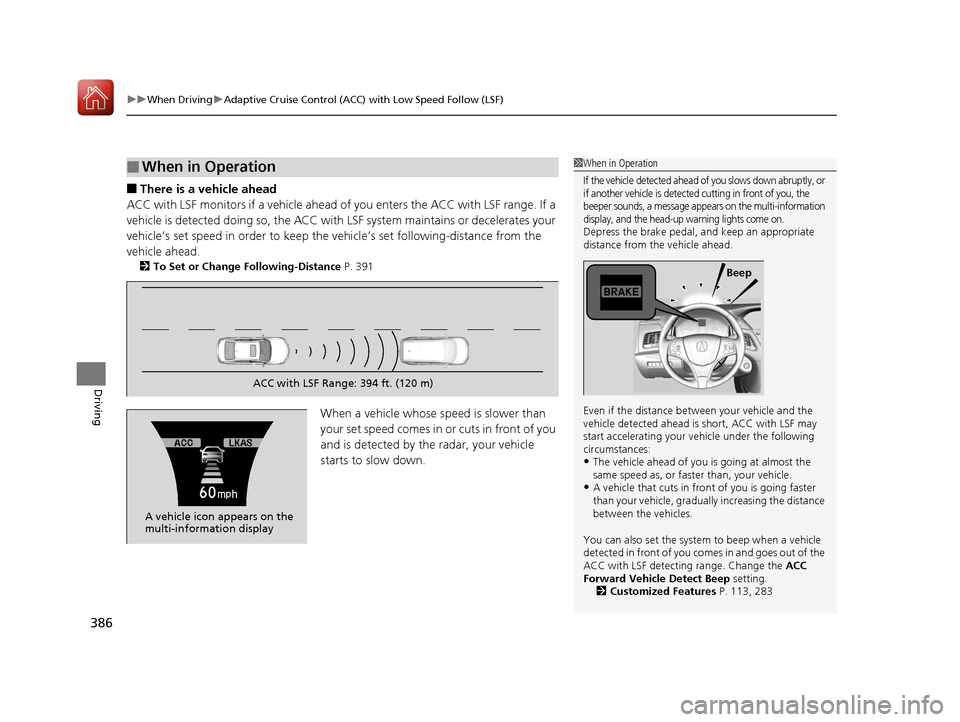
ACC with LSF monitors if a vehicle ahead of you enters the ACC with LSF range. If a
vehicle is detected doing so, the ACC with LSF system maintains or decelerates your
vehicle’s set speed in order to keep the vehicle’s set following-distance from the
vehicle ahead.
2 To Set or Change Following-Distance P. 391
When a vehicle whose speed is slower than
yo ur se t spe e d com e s i n or c ut s in fr o nt of y ou
and is detected by the radar, your vehicle
starts to slow down.
■When in Operation1 When in Operation
If the vehicle detected ahead of you slows down abruptly, or
if another vehicle is detected cutting in front of you, the
beeper sounds, a message appears on the multi-information
display, and the head-u p warning lights come on.
Depress the brake pedal, and keep an appropriate
distance from the vehicle ahead.
Even if the distance betw een your vehicle and the
vehicle detected ahead is short, ACC with LSF may
start accelerating your vehicle under the following
circumstances:
•The vehicle ahead of you is going at almost the
same speed as, or faster than, your vehicle.
•A vehicle that cuts in front of you is going faster
than your vehicle, gradually increasing the distance
between the vehicles.
You can also set the system to beep when a vehicle
detected in front of you co mes in and goes out of the
ACC with LSF detecting range. Change the ACC
Forward Vehicle Detect Beep setting.
2 Customized Features P. 113, 283
Beep
ACC with LSF Range: 394 ft. (120 m)
A vehicle icon appears on the
multi-information display
17 ACURA RLX E-AWD-31TY36300.book 386 ページ 2016年6月17日 金曜日 午前8時 29分
Page 388 of 577

Continued387
uuWhen Driving uAdaptive Cruise Control (ACC) with Low Speed Follow (LSF)
Driving
■There is no vehicle ahead
Your vehicle maintains the set speed without
having to keep your foot on the brake or
accelerator pedal.
If there previously was a vehicle detected
ahead that kept your vehicle from traveling at
the set speed, ACC with LSF accelerates your
vehicle to the set speed, and then maintains it.
■When you depress the accelerator pedal
You can temporarily increase the vehicle speed . In this case, there is no audible or
visual alert even if a vehicl e is in the ACC with LSF range.
ACC with LSF stays on unless you cancel it . Once you release the accelerator pedal,
the system resumes the set speed.
There are times when the vehicle speed will decrease when the accelerator pedal is
lightly applied.
■A vehicle detected ahead is within ACC with LSF range and slows to a stop
Your vehicle also stops, automatically. The
Stopped message appears on the multi-
information display.
When the vehicle ahead of you starts again,
the vehicle icon on the multi-information
display blinks. If you press the RES/+/SET/–
switch up or down, or depress the accelerator
pedal, ACC with LSF operates again within the
prior set speed.
1 When in Operation
Limitations
You may need to use the brake to maintain a safe
distance when using ACC with LSF. Additionally,
ACC with LSF may not work properly under certain
conditions. 2 ACC with LSF Conditions and Limitations
P. 388
A vehicle icon with dotted-line
contour appears on the multi-
information display
1 A vehicle detected ahead is with in ACC with LSF range and slows
to a stop
3WARNING
Exiting a vehicle that has been stopped
while the ACC with LSF system is
operating can result in the vehicle
moving without operator control.
A vehicle that moves without operator
control can cause a crash, resulting in
serious injury or death.
Never exit a vehicle when the vehicle is
stopped by ACC with LSF.
17 ACURA RLX E-AWD-31TY36300.book 387 ページ 2016年6月17日 金曜日 午前8時 29分
Page 399 of 577
uuWhen Driving uRoad Departure Mitigation (RDM) System
398
Driving
The system becomes ready to start sear ching for lane markings when all the
following conditions are met:
• The vehicle is traveling between about 45 and 90 mph (72 and 145 km/h).
• The vehicle is on a straight or slightly curved road.
• The turn signals are off.
• The brake pedal is not depressed.
• The wipers are not in continuous operation.
• The system makes a determination that the driver is not actively accelerating,
braking or steering.
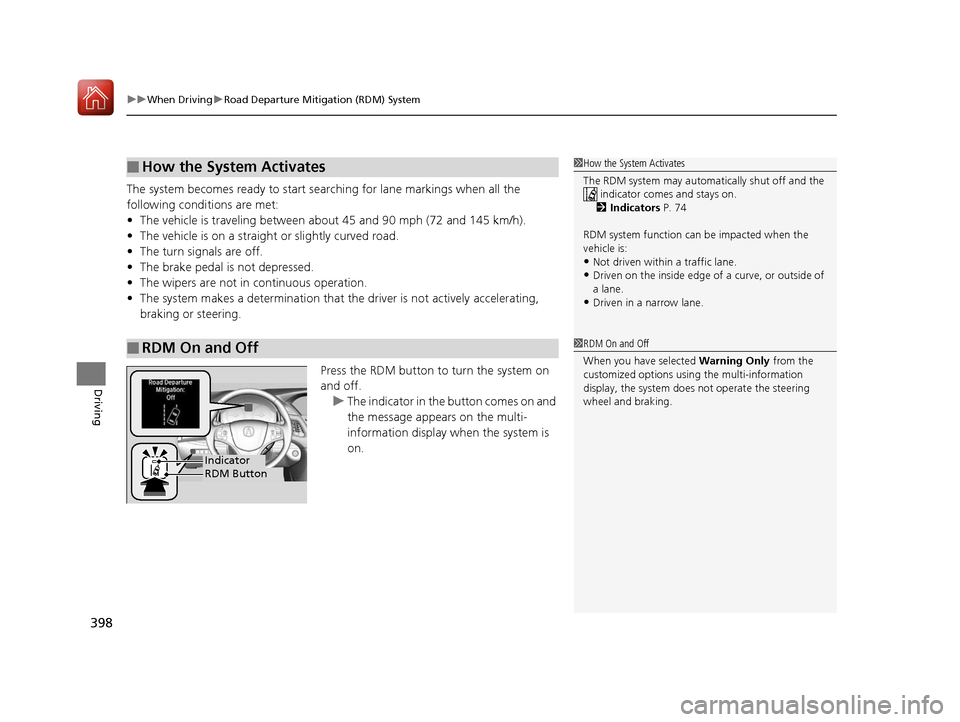
Press the RDM button to turn the system on
and off.u The indicator in the button comes on and
the message appears on the multi-
information display when the system is
on.
■How the System Activates
■RDM On and Off
1How the System Activates
The RDM system may automa tically shut off and the
indicator comes and stays on.
2 Indicators P. 74
RDM system function can be impacted when the
vehicle is:
•Not driven within a traffic lane.•Driven on the inside edge of a curve, or outside of
a lane.
•Driven in a narrow lane.
1 RDM On and Off
When you have selected Warning Only from the
customized options usi ng the multi-information
display, the system does not operate the steering
wheel and braking.
RDM ButtonIndicator
17 ACURA RLX E-AWD-31TY36300.book 398 ページ 2016年6月17日 金曜日 午前8時 29分
Page 402 of 577

401
uuWhen Driving uLane Keeping Assist System (LKAS)
Continued
Driving
Lane Keeping Assist System (LKAS)
Provides steering input to help keep the vehicle in the middle of a detected lane and
provides tactile and visual al erts if the vehicle is detected drifting out of its lane.1Lane Keeping Assist System (LKAS)
Important Safety Reminders
The LKAS is for your convenience only. It is not a
substitute for your vehicl e control. The system does
not work if you take y our hands off the steering
wheel or fail to steer the vehicle.
2 Multi-Information Display Warning and
Information Messages P. 104
Do not place objects on the instrument panel.
Objects may reflect on th e front windshield and
prevent correct detectio n of the traffic lanes.
The LKAS only alerts you when lane drift is detected
without a turn signal in us e. The LKAS may not detect
all lane markings or lane departures; accuracy will
vary based on weather, speed, and lane marker
condition. It is always your responsibility to safely
operate the vehicle an d avoid collisions.
The LKAS is convenient when it is used on freeways.
The LKAS may not work properly or may work
improperly under the certain conditions: 2 LKAS Conditions and Limitations P. 406
You can read about handling information for the
camera equipped with this system. 2 Front Sensor Camera P. 381
When you operate the turn signals to chan ge lanes, the system is suspended, and
resumes after the signals are off.
() If you make a lane change without operating the turn signals, the LKAS
alerts activate, and torque is applied to the steering.
■LKAS camera
Monitors the lane
lines
■Tactile and visual alerts
Rapid vibrations on the steering wheel and a warning display alert you that the
vehicle is drifting out of a detected lane.
■Steering input assist
The system applies torque to the
steering to keep the vehicle between
the left and right lane lines. The applied
torque becomes stronger as the vehicle
gets closer to either of the lane lines.
17 ACURA RLX E-AWD-31TY36300.book 401 ページ 2016年6月17日 金曜日 午前8時 29分