lights Acura TL 2000 3.2 User Guide
[x] Cancel search | Manufacturer: ACURA, Model Year: 2000, Model line: TL, Model: Acura TL 2000Pages: 311, PDF Size: 3.05 MB
Page 70 of 311
Controls Near the Steering Wheel
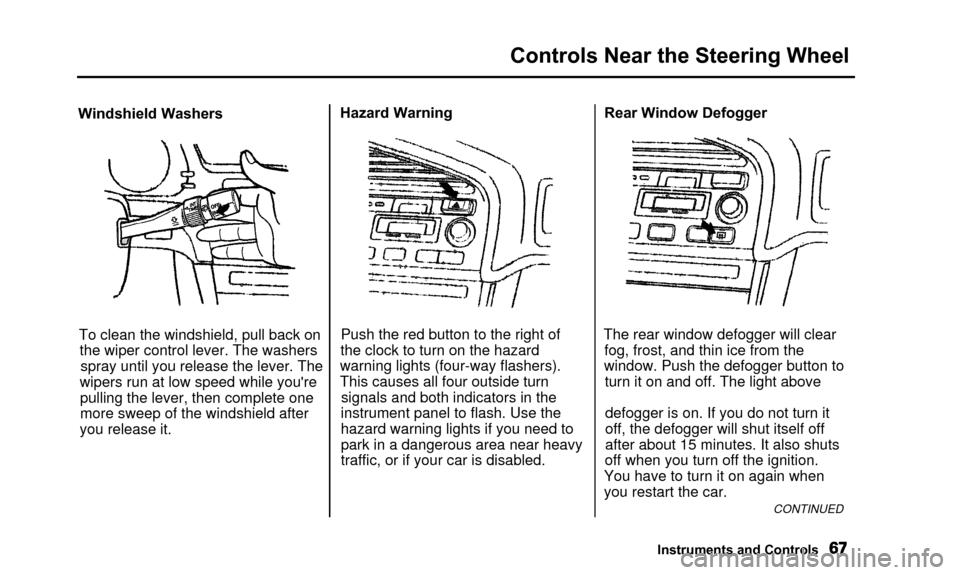
Windshield WashersTo clean the windshield, pull back onthe wiper control lever. The washersspray until you release the lever. The
wipers run at low speed while you're pulling the lever, then complete one
more sweep of the windshield after
you release it. Hazard Warning
Push the red button to the right of
the clock to turn on the hazard
warning lights (four-way flashers).
This causes all four outside turn signals and both indicators in the
instrument panel to flash. Use the
hazard warning lights if you need to
park in a dangerous area near heavy
traffic, or if your car is disabled. Rear Window Defogger
The rear window defogger will clear fog, frost, and thin ice from the
window. Push the defogger button to turn it on and off. The light above
defogger is on. If you do not turn it
off, the defogger will shut itself off
after about 15 minutes. It also shuts
off when you turn off the ignition.
You have to turn it on again when
you restart the car.
CONTINUED
Instruments and Controls
Page 71 of 311

Controls Near the Steering Wheel
Make sure the rear window is clear
and you have good visibility before
starting to drive.
The defogger and antenna wires on the inside of the rear window can beaccidentally damaged. When
cleaning the glass, always wipe side
to side. Steering Wheel Adjustment
See page 17 for important safety
information about how to properly
position the steering wheel.
Make any steering wheel adjustment
before you start driving.
Adjusting the steering wheelposition while driving may
cause you to lose control of the
car and be seriously injured in a
crash.
Adjust the steering wheel only
when the car is stopped.
To adjust the steering wheel upward or downward:
1. Push the lever under the steering column all the way down. 2. Move the steering wheel to the
desired position, making sure the
wheel points toward your chest, not toward your face. Make sure
you can see the instrument panel gauges and the indicator lights.
3. Push the lever up to lock the steering wheel in that position.
4. Make sure you have securely locked the steering wheel in place
by trying to move it up and down.
Instruments and Controls
Page 79 of 311

Keys and Locks
ACCESSORY (I) - In this position,you can operate the audio systemand the accessory power socket.
ON (II) — This is the normal key
position when driving. All features
and accessories on the car are usable.
Several of the lights on the instru-
ment panel come on as a test when
you turn the ignition switch from
ACCESSORY to ON. START (III) - Use this position
only to start the engine. The switch
returns to ON (II) when you let go of
the key.
The engine will not start if the
Immobilizer System does not
recognize the key's coding (see page
74).
You will hear a reminder beeper if
you leave the key in the ignition
switch in the LOCK (0) or
ACCESSORY (I) position and open the driver's door. Remove the key to
turn off the beeper.
Instruments and Controls
Page 81 of 311

Keys and Locks
Remote Transmitter
LEDBUTTON
TRUNK
RELEASE
BUTTON
UNLOCK
BUTTON
You can lock and unlock your car
with the remote transmitter. When
you push the LOCK button, all doors lock. The parking lights, side marker
lights, and taillights flash once. When you push the UNLOCK button
once, only the driver's door unlocks.
The remaining doors unlock when you push the button a second time.
The parking lights, side marker lights, and taillights flash twice. The ceiling light (if the ceiling light
switch is in the center position) will
come on when you press the
UNLOCK button. If you do not open any door, the light stays on for about10 seconds, then fades out. If you
relock the doors with the remote
transmitter before 10 seconds have
elapsed, the light will go off
immediately.
Instruments and Controls
PANIC
BUTTON LOCK
Page 82 of 311

Keys and Locks
You cannot lock or unlock the doorswith the remote transmitter if any door is not fully closed or the key is
in the ignition switch.
If you unlock the doors with the
remote transmitter, but do not open any of the doors within 30 seconds,
the doors automatically relock and
the security system sets.
When you push the LOCK button a second time within 5 seconds after
you have locked the doors, the horn
will sound once to verify that the security system will be set. To open the trunk, push the Trunk
Release button for approximatelyone second.
The trunk will not open if the key is in the ignition switch.Panic Mode
Panic mode allows you to remotely
activate your car's security system to
attract attention. When activated, the
horn will sound, and the exterior
lights will flash, for about 30 seconds.
To activate panic mode, press and hold the PANIC button for about twoseconds.
To cancel PANIC mode before 30 seconds, press any button on the
remote transmitter. You can also
turn the ignition switch to
ACCESSORY (I) or ON (II).
Panic mode will not activate if the
ignition switch is in ON (II).
CONTINUED
Instruments and Controls
Page 86 of 311

Keys and Locks
2. Lock the glove box with themaster key. Make sure the trunk
pass-through cover is locked (see
page 92).
3. Give the person the valet key. Even if the trunk main switch is
turned off, you can open the trunk
with the remote transmitter.
GLOVE BOX
Open the glove box by squeezing the
handle. Close it with a firm push.
Lock or unlock the glove box with
the master key.
The glove box light comes on only when the instrument panel lights are on.
Instruments and Controls
Glove Box
An open glove box can cause
serious injury to your passenger
in a crash, even if the
passenger is wearing the seatbelt.
Always keep the glove box
closed while driving.
Page 97 of 311
Seat Heaters
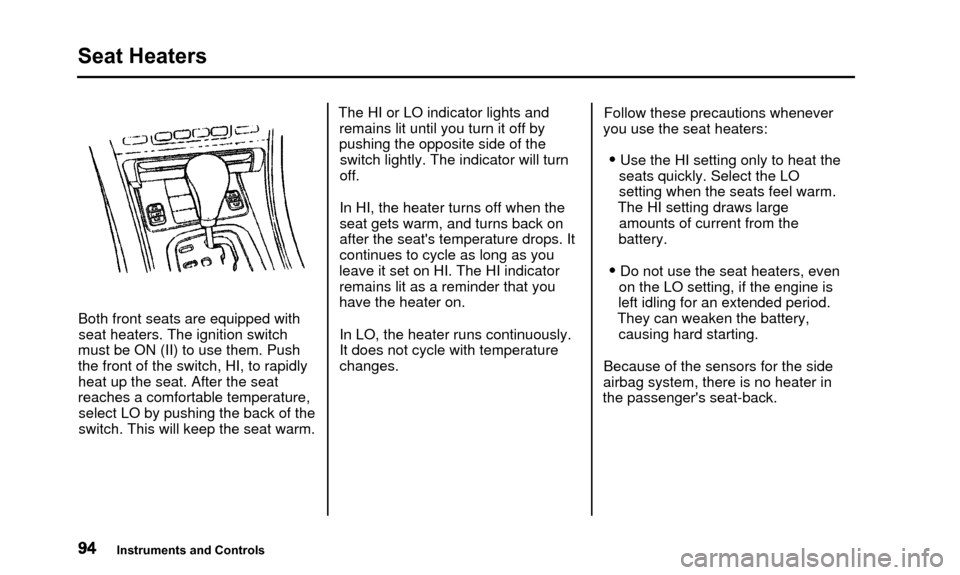
Both front seats are equipped withseat heaters. The ignition switch
must be ON (II) to use them. Push
the front of the switch, HI, to rapidly
heat up the seat. After the seat
reaches a comfortable temperature, select LO by pushing the back of the
switch. This will keep the seat warm. The HI or LO indicator lights and
remains lit until you turn it off by
pushing the opposite side of theswitch lightly. The indicator will turn
off.
In HI, the heater turns off when the
seat gets warm, and turns back on
after the seat's temperature drops. It
continues to cycle as long as you
leave it set on HI. The HI indicator
remains lit as a reminder that you
have the heater on.
In LO, the heater runs continuously.
It does not cycle with temperaturechanges. Follow these precautions whenever
you use the seat heaters:
• Use the HI setting only to heat the seats quickly. Select the LO
setting when the seats feel warm.
The HI setting draws large amounts of current from the
battery.
• Do not use the seat heaters, even on the LO setting, if the engine is
left idling for an extended period.
They can weaken the battery, causing hard starting.
Because of the sensors for the side
airbag system, there is no heater in
the passenger's seat-back.
Instruments and Controls
Page 101 of 311
Mirrors
SENSORINDICATORAUTO SWITCH
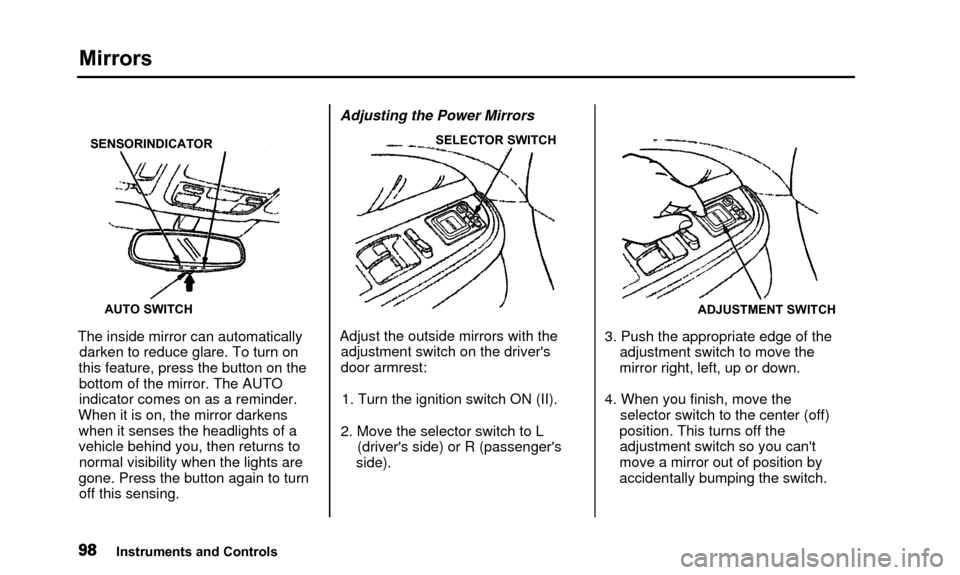
The inside mirror can automaticallydarken to reduce glare. To turn on
this feature, press the button on the bottom of the mirror. The AUTO
indicator comes on as a reminder.
When it is on, the mirror darkens when it senses the headlights of a
vehicle behind you, then returns tonormal visibility when the lights are
gone. Press the button again to turn off this sensing. Adjusting the Power Mirrors
SELECTOR SWITCH
Adjust the outside mirrors with the
adjustment switch on the driver's
door armrest:
1. Turn the ignition switch ON (II).
2. Move the selector switch to L (driver's side) or R (passenger's
side).
ADJUSTMENT SWITCH
3. Push the appropriate edge of the adjustment switch to move the
mirror right, left, up or down.
4. When you finish, move the selector switch to the center (off)
position. This turns off the adjustment switch so you can't
move a mirror out of position by
accidentally bumping the switch.
Instruments and Controls
Page 109 of 311

Accessory Power Sockets, Interior Lights
COVER
ACCESSORY POWER SOCKET
These sockets are intended to supply power for 12 volt DC accessories
that are rated 120 watts or less (10amps).
They will not power an automotive type cigarette lighter element. Ceiling Light
DOOR ACTIVATED
The ceiling light has a three-position
switch. In the OFF position, the light
does not come on. In the center
position, the ceiling light comes on
when you open any door. The light fades out after all doors are closed.
In the ON position, the ceiling lightstays on continuously.
The ceiling light (with the switch in the center position) also comes on
when you unlock the door with the remote transmitter (see page 78). Spotlights
Turn on the spotlight by pushing the button next to each light. Push the
button again to turn it off. You can
use the spotlights at all times.
Instruments and Controls
Page 110 of 311

Interior Lights, CD Holder
Courtesy Lights
IGNITION SWITCH LIGHT
DOOR LIGHT
Each door has a courtesy light. This
light comes on when you open the door.
Your car also has a courtesy light in the ignition switch. This light comeson when you open the driver's door.
It remains on for several seconds after the door is closed. CD Holder
You can store up to four CDs in the CD holder. Push on the center of the
holder to get it to pop out. Then
remove it by pulling it straight out. Lift the lid to reach the storage trays.
Instruments and Controls