light Acura TL 2000 3.2 Workshop Manual
[x] Cancel search | Manufacturer: ACURA, Model Year: 2000, Model line: TL, Model: Acura TL 2000Pages: 311, PDF Size: 3.05 MB
Page 131 of 311

Audio System
Adjusting the SoundBalance/Fader — These twocontrols adjust the strength of thesound coming from each speaker.
The Balance control adjusts the side- to-side strength, while the Fadercontrol adjusts the front-to-backstrength.
To adjust the fader, push on the BASS/FADER control knob to get it
to pop out. Pull it out slightly farther,and adjust the front-to-back sound to
your liking. Push the knob back in
when you are done so you cannot change the setting by accidentally
bumping it.
To adjust the balance, push on the
TREBLE/BALANCE control knob to get it to pop out. Pull it out slightly
farther, and adjust the side-to-side sound to your liking. Push the knob
back in when you are done so you cannot change the setting by
accidentally bumping it.BASS/FADER
CONTROL TREBLE/BALANCE
CONTROL
Treble/Bass — Use these controls
to adjust the tone to your liking.
To adjust the Treble level, push on the TREBLE/BALANCE control
knob to get it to pop out. Without
pulling it out farther, turn the knob
to adjust the treble level. Push the
knob back in when you are done so
you cannot change the setting by accidentally bumping it. To adjust the Bass level, push on the
BASS/FADER control knob to get it
to pop out. Without pulling it out
farther, turn the knob to adjust the
bass level. Push the knob back in
when you are done so you cannot change the setting by accidentally
bumping it.
Comfort and Convenience Features
Page 132 of 311
Audio System
Audio System LightingYou can use the instrument panel brightness control knob to adjust the
illumination of the audio system (see
page 64). The audio system
illuminates when the parking lightsare on, even if the radio is turned off.
Radio Frequencies
Your Acura's radio can receive the complete AM and FM bands.
Those bands cover these frequen- cies:
AM band: 530 to 1,710 kilohertz
FM band: 87.7 to 107.9 megahertz
Radio stations on the AM band are
assigned frequencies at least ten
kilohertz apart (530, 540, 550). Stations on the FM band are
assigned frequencies at least 0.2
megahertz apart (87.9, 88.1, 88.3). Stations must use these exact
frequencies. It is fairly common for stations to round-off the frequency in
their advertising, so your radio could display a frequency of 100.9 even
though the announcer may identify
the station as "FM101."
Radio Reception How well your Acura's radio receivesstations is dependent on many
factors, such as the distance from
the station's transmitter, nearby
large objects, and atmospheric conditions.
A radio station's signal gets weaker as you get farther away from its
transmitter. If you are listening to an
AM station, you will notice the sound volume becoming weaker, and the station drifting in and out. If you are
listening to an FM station, you will see the stereo indicator flickering off
and on as the signal weakens.
Eventually, the stereo indicator will go off and the sound will fade
completely as you get out of range of
the station's signal.
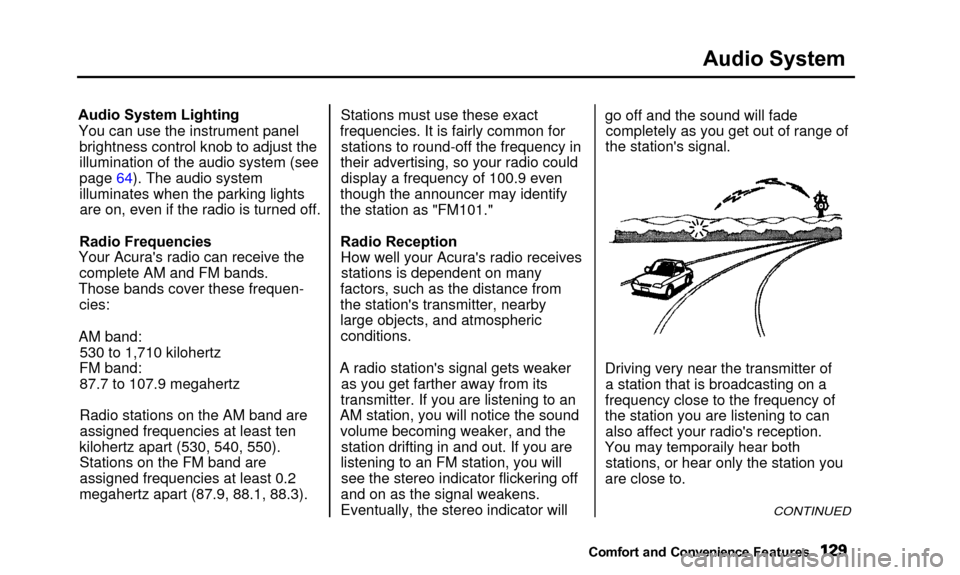
Driving very near the transmitter of a station that is broadcasting on a
frequency close to the frequency of
the station you are listening to can also affect your radio's reception.
Yo u
ma
y
temporaril
y
hea
r
bot
h
stations, or hear only the station you
are close to.
CONTINUED
Comfort and Convenienc e Features
You may temporaily hear both
Page 137 of 311

Audio System
Protecting Compact Discs
Handle a CD by its edges; never
touch either surface. Contamination
from fingerprints, liquids, felt-tip
pens, and labels can cause the CD to
not play properly, or possibly jam in
the drive.
When a CD is not being played, store
it in its case to protect it from dust and other contamination. To prevent
warpage, keep CDs out of direct sunlight and extreme heat.
To clean a disc, use a clean soft cloth.
Wipe across the disc from the centerto the outside edge. A new CD may be rough on the
inner and outer edges. The small
plastic pieces causing this roughness can flake off and fall on the re-
cording surface of the disc, causing
skipping or other problems. Remove
these pieces by rubbing the inner
and outer edges with the side of a
pencil or pen.
Never try to insert foreign objects in
the CD player or the magazine.
Comfort and Convenience Features
Page 141 of 311
Audio System
The tape direction indicator will lightto show you which side of the
cassette is playing. The indicates
the side you inserted facing upward is now playing. If you want to play
the other side, press the PROG
button.
Dolby B noise reduction turns on
when you insert a cassette. If the
tape was not recorded with Dolby B noise reduction, turn it off by
pressing the NR button.
When the system reaches the end of
the tape, it will automatically reverse direction and play the other side. If
you want to remove the cassette from the drive, press the EJECT
button. If you turn the system off while a
tape is playing, either with the PWR/
VOL knob or by turning off the ignition, the cassette will remain in
the drive. When you turn the system
back on, the tape will begin playing
where it left off.
To switch to the radio or CD player while a tape is playing, press the AM,FM or CD button. To change back to
the cassette player, push the TAPEbutton. Tape Search Functions
With a cassette playing, you can usethe FF, REW, SKIP, or REPEAT
function to find a desired program.
FF/REW - Fast Forward and Re-
wind move the tape rapidly. To re-
wind the tape, push the REW button.
You will see REW in the display. To fast forward the tape, push the FF
button. You will see FF displayed.
Press the PLAY button to take thesystem out of rewind or fast forward.
If the system reaches the end of the
tape while in fast forward or rewind, it automatically stops that function,
reverses direction, and begins to play.
Comfort and Convenience Features
Page 143 of 311

Audio System
Caring for the Cassette Player
The cassette player picks up dirt and oxides from the tape. This contami-
nation builds up over time and
causes the sound quality to degrade.
To prevent this, you should clean the player after every 30 hours of use.
Your dealer has a cleaning kit available.
If you do not clean the cassette
player regularly, it may eventually
become impossible to remove the contamination with a normal
cleaning kit. Use 100-minute or shorter cassettes.
Cassettes longer than that use
thinner tape that may break or jam the drive.
Look at the cassette before you
insert it. If the tape is loose, tightenit by turning a hub with a pencil or
your finger.
If the label is peeling off, remove it
from the cassette or it could cause
the cassette to jam in the player.
Never try to insert a warped ordamaged cassette in the player. When they are not in use, store
cassettes in their cases to protect
them from dust and moisture. Never
place cassettes where they will beexposed to direct sunlight, high heat,
or high humidity. If a cassette is
exposed to extreme heat or cold, let
it reach a moderate temperature
before inserting it in the player.
Never try to insert foreign objects
into the cassette player.
Comfort and Convenience Features
Page 146 of 311

Security System
The security system helps to protectyour vehicle and valuables from theft.
The horn sounds and a combination of headlights, parking lights, side
marker lights and taillights flashes if someone attempts to break into your
vehicle or remove the radio. This alarm continues for two minutes,
then the system resets. To reset an alarming system before the two
minutes have elapsed, unlock either
front door with the key or the remote transmitter.
The security system sets auto- matically fifteen seconds after you
lock the doors, hood, and trunk. For
the system to activate, you must lock
the doors from the outside with the
key, lock tab, door lock switch, or
remote transmitter. The securitysystem light next to the driver's door
lock starts blinking immediately to show you the system is setting itself.SECURITY SYSTEM LIGHT
Once the security system is set,
opening any door (without using the
key or the remote transmitter), or the hood, will cause it to alarm. Italso alarms if the radio is removed
from the dashboard or the wiring is cut. With the system set, you can still
open the trunk with the remote
transmitter without triggering the alarm. The alarm will sound if the
trunk is opened with the trunk
release handle.
The security system will not set if the hood, trunk, or any door is not
fully closed. If the system will not set,check the Door Monitor on the
instrument panel (see page 56), to see if the doors and trunk are fully
closed. Since it is not part of the
monitor display, manually check the
hood.
Do not attempt to alter this system or add other devices to it.
Comfort and Convenience Features
Page 151 of 311
Service Station Procedures
4. Stop filling the tank after the fuelnozzle automatically clicks off. Do
not try to "top off' the tank, leavesome room for the fuel to expand
with temperature changes.
Your car has an on-board refueling vapor recovery system to helpkeep fuel vapors from going into
the atmosphere. If the fuel pump
keeps clicking off even though the
tank is not full, there may be aproblem with this system. Consult
your dealer. 5. Screw the fuel fill cap back on,
tighten it until it clicks several
times. If you do not properly
tighten the cap, the MalfunctionIndicator Lamp may come on (see
page 54).
6. Push the fuel fill door closed until it latches. Opening the Hood
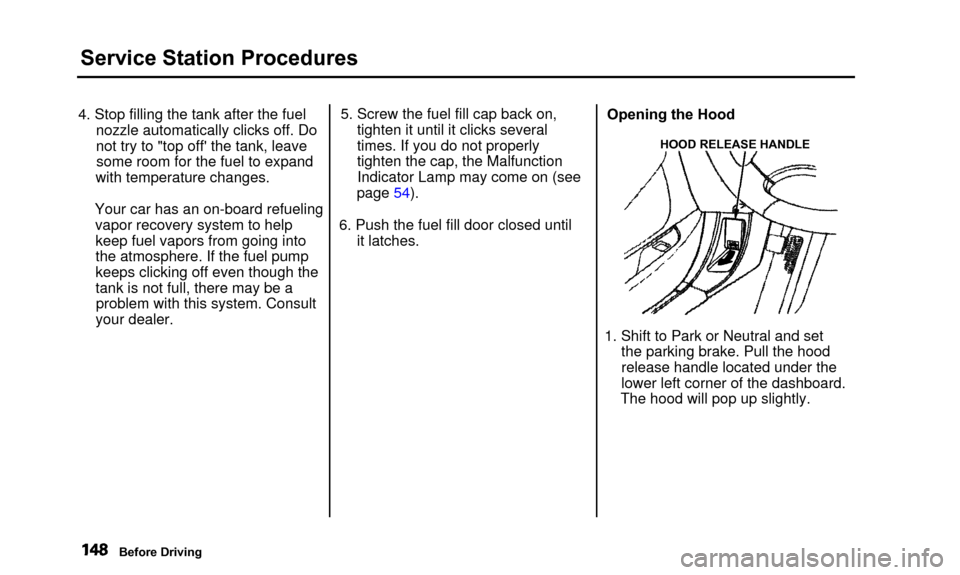
HOOD RELEASE HANDLE
1. Shift to Park or Neutral and set
the parking brake. Pull the hood
release handle located under the
lower left corner of the dashboard.
The hood will pop up slightly.
Before Driving
Page 156 of 311
Accessories and Modifications
Modifying your car, or installing
some non-Acura accessories, can
make your car unsafe. Before you
make any modifications or add anyaccessories, be sure to read the
following information.
Accessories Your dealer has Genuine Acura accessories that allow you to
personalize your car. These accessories have been designed andapproved for your car, and are
covered by warranty.
Non-Acura accessories are usually
designed for universal applications.
Although aftermarket accessories may fit on your car, they may not
meet factory specifications, and
could adversely affect your car's
handling and stability. (See "Modifications" on the page 154 for
additional information.) Improper accessories or
modifications can affect your
car's handling, stability and performance, and cause a
crash in which you can be hurt
or killed.
Follow all instructions in this
owner's manual regarding
accessories and modifications.
When properly installed, cellular phones, alarms, two-way radios, and
low-powered audio systems should not interfere with your car's
computer-controlled systems, such
as the SRS and anti-lock brakesystem.
However, if electronic accessories are improperly installed, or exceed
your car's electrical system capacity, they can interfere with the operation of your car, or even cause the
airbags to deploy.
Before installing any accessory:
• Make sure the accessory does not obscure any lights, or interfere
with proper car operation or performance.
• Be sure electronic accessories do not overload electrical circuits(see page 275).
• Have the installer contact your Acura dealer for assistance beforeinstalling any electronic accessory.
If possible, have your dealer inspect
the final installation.
Before Driving
Page 158 of 311

Carrying Cargo
CONSOLE COMPARTMENT FRONT DOOR POCKETTRUNK SEAT-BACK POCKET GLOVE BOXYour car has several convenientstorage areas so you can stow cargo
safely.
The glove box, and the pockets in the front doors and seat-back, are
designed for small, lightweight items.
The trunk is intended for larger, heavier items.
However, carrying too much cargo,or improperly storing it, can affect
your car's handling, stability and operation and make it unsafe. Before
carrying any type of cargo, be sure to read the following pages.
Before Driving
Page 163 of 311
Preparing to Drive
You should do the following checksand adjustments every day before
you drive your car.
1. Make sure all windows, mirrors, and outside lights are clean and
unobstructed. Remove frost, snow, or ice.
2. Check that the hood and trunk are fully closed.
3. Visually check the tires. If a tire looks low, use a gauge to check its
pressure.
4. Check that any items you may be carrying with you inside are stored
properly or fastened down securely. 5. Check the adjustment of the seat
(see page 12).
6. Check the adjustment of the inside and outside mirrors (seepage 97).
7. Check the adjustment of the steering wheel (see page 17).
8. Make sure the doors are securely closed and locked.
9. Fasten your seat belt. Check that your passengers have fastenedtheir seat belts (see page 15). 10. Turn the ignition switch ON (II).
Check the indicator lights in the
instrument panel.
11. Start the engine (see page 161). 12. Check the gauges and indicator lights in the instrument panel (see
page 53).
Driving