oil Acura TL 2000 3.2 Owner's Manual
[x] Cancel search | Manufacturer: ACURA, Model Year: 2000, Model line: TL, Model: Acura TL 2000Pages: 311, PDF Size: 3.05 MB
Page 52 of 311
Carbon Monoxide Hazard
Your vehicle's exhaust containscarbon monoxide gas. You should
have no problem with carbon monoxide entering the vehicle in
normal driving if you maintain your
vehicle properly.
Have the exhaust system inspected
for leaks whenever:
• The vehicle is raised for an oil change.
• You notice a change in the sound of the exhaust.
• The vehicle was in an accident that may have damaged the under-side. Carbon monoxide gas is toxic.
Breathing it can cause
unconsciousness and even kill
you.
Avoid any enclosed areas or activities that expose you to
carbon monoxide.
High levels of carbon monoxide can
collect rapidly in enclosed areas, such as a garage. Do not run the
engine with the garage door closed.
Even with the door open, run the
engine only long enough to move the
vehicle out of the garage. With the trunk lid open, air flow can
pull exhaust gas into your car's
interior and create a hazardouscondition. If you must drive with the
trunk lid open, open all the windows and set the climate control system as
shown below.
If you must sit in your parked car, even in an unconfined area, with the
engine running, adjust the climate
control system as follows:
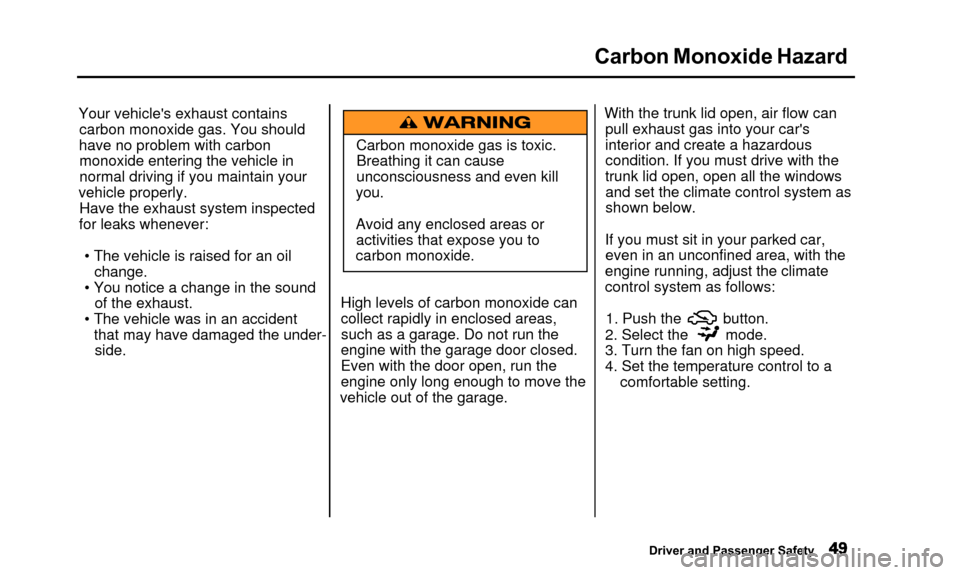
1. Push the button.
2. Select the mode.
3. Turn the fan on high speed.
4. Set the temperature control to a
comfortable setting.
Driver and Passenger Safety
Page 56 of 311
Indicator Lights
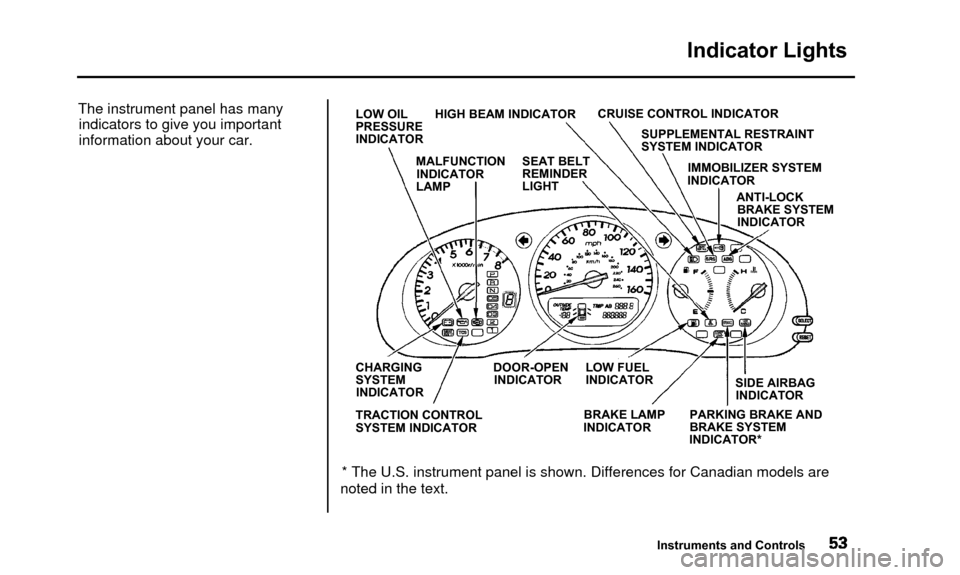
The instrument panel has manyindicators to give you important
information about your car.LOW OIL HIGH BEAM INDICATOR
PRESSURE
INDICATOR CRUISE CONTROL INDICATOR
SUPPLEMENTAL RESTRAINT
SYSTEM INDICATOR
IMMOBILIZER SYSTEM
INDICATOR
ANTI-LOCKBRAKE SYSTEM
INDICATOR
CHARGING DOOR-OPEN LOW FUEL
SYSTEM INDICATOR INDICATOR INDICATOR
TRACTION CONTROL
SYSTEM INDICATOR BRAKE LAMP
INDICATOR SIDE AIRBAG
INDICATOR
PARKING BRAKE AND
BRAKE SYSTEM
INDICATOR*
* The U.S. instrument panel is shown. Differences for Canadian models ar\
e
noted in the text.
Instruments and Controls
MALFUNCTION
INDICATOR
LAMP SEAT BELT
REMINDER
LIGHT
Page 57 of 311
Indicator Lights
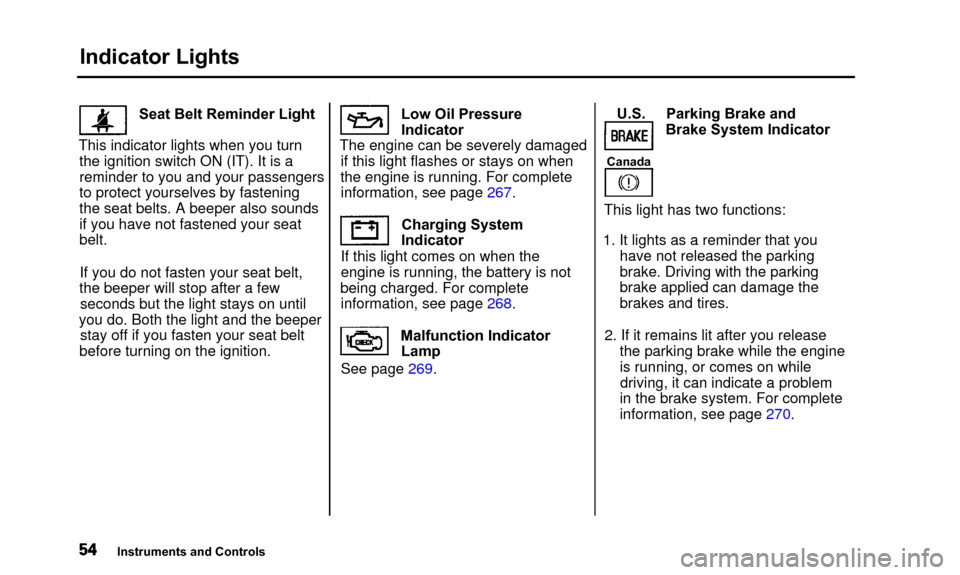
Seat Belt Reminder Light
This indicator lights when you turn the ignition switch ON (IT). It is a
reminder to you and your passengers
to protect yourselves by fasteningthe seat belts. A beeper also sounds
if you have not fastened your seat
belt.
If you do not fasten your seat belt,
the beeper will stop after a few seconds but the light stays on until
you do. Both the light and the beeper stay off if you fasten your seat belt
before turning on the ignition. Low Oil Pressure
Indicator
The engine can be severely damaged if this light flashes or stays on when
the engine is running. For complete information, see page 267.
Charging System
Indicator
If this light comes on when the
engine is running, the battery is not
being charged. For complete information, see page 268.
See page 269. Malfunction Indicator
Lamp U.S. Parking Brake and
Brake System Indicator
Canada
This light has two functions:
1. It lights as a reminder that you have not released the parking
brake. Driving with the parking
brake applied can damage the
brakes and tires.
2. If it remains lit after you release the parking brake while the engine
is running, or comes on whiledriving, it can indicate a problem
in the brake system. For complete
information, see page 270.
Instruments and Controls
Page 148 of 311
Before Driving
Before you begin driving your Acura,
you should know what gasoline to
use, and how to check the levels of important fluids. You also need to
know how to properly store luggage or packages. The information in this
section will help you. If you plan to
add any accessories to your car,
please read the information in this section first. Break-in Period
..................... 146
Gasoline.............................. 146
Service Station Procedures.......... 147
Filling the Fuel Tank ................ 147
Opening the Hood.................. 148
Oil Check............................
150
Engine Coolant Check ......... 151
Fuel Economy...........................
152
Vehicle Condition.................... 152
Driving Habits.......................... 152
Accessories and Modifications..... 153
Carrying Cargo........................... 155
Before Driving
Page 153 of 311
Service Station Procedures
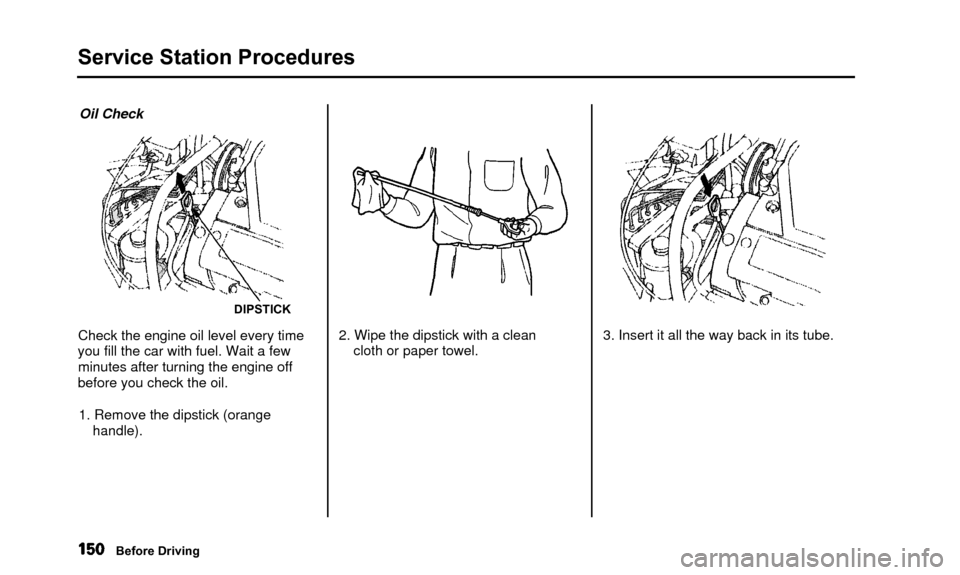
Oil Check
DIPSTICK
Check the engine oil level every time
you fill the car with fuel. Wait a few minutes after turning the engine off
before you check the oil.
1. Remove the dipstick (orange handle). 2. Wipe the dipstick with a clean
cloth or paper towel. 3. Insert it all the way back in its tube.
Before Driving
Page 154 of 311
Service Station Procedures
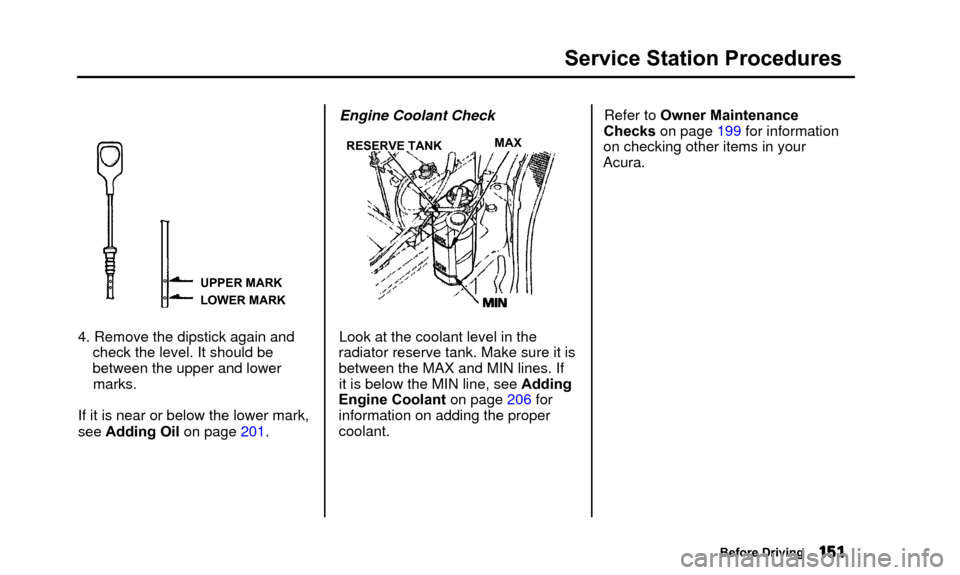
UPPER MARK
LOWER MARK
4. Remove the dipstick again andcheck the level. It should be
between the upper and lowermarks.
If it is near or below the lower mark,
see Adding Oil on page 201. Engine Coolant Check
RESERVE TANK
Look at the coolant level in the
radiator reserve tank. Make sure it is
between the MAX and MIN lines. If it is below the MIN line, see Adding
Engine Coolant on page 206 for
information on adding the proper coolant. Refer to Owner Maintenance
Checks on page 199 for information
on checking other items in your
Acura.
Before Driving
MAX
Page 181 of 311
Driving in Bad Weather
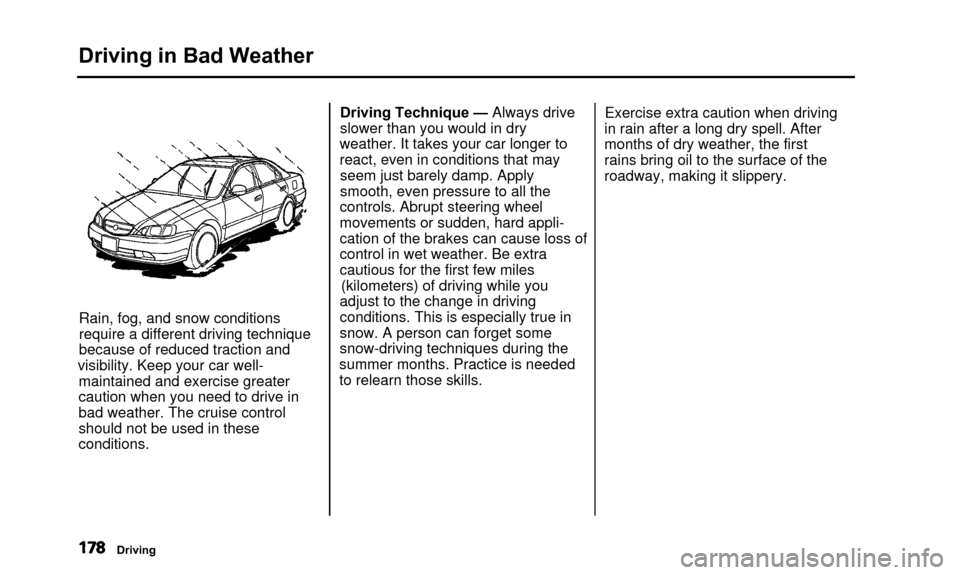
Rain, fog, and snow conditions
require a different driving technique
because of reduced traction and
visibility. Keep your car well- maintained and exercise greater
caution when you need to drive in
bad weather. The cruise control
should not be used in these
conditions. Driving Technique — Always drive
slower than you would in dry
weather. It takes your car longer to
react, even in conditions that may seem just barely damp. Apply
smooth, even pressure to all the
controls. Abrupt steering wheel
movements or sudden, hard appli-
cation of the brakes can cause loss of
control in wet weather. Be extra
cautious for the first few miles (kilometers) of driving while you
adjust to the change in driving
conditions. This is especially true in
snow. A person can forget some
snow-driving techniques during the
summer months. Practice is needed
to relearn those skills. Exercise extra caution when driving
in rain after a long dry spell. After
months of dry weather, the first
rains bring oil to the surface of the
roadway, making it slippery.
Driving
Page 190 of 311
Maintenance
This section explains why it isimportant to keep your car wellmaintained and to follow basic
maintenance safety precautions.
This section also includes Maintenance Schedules for normal
driving and severe driving conditions,
a Maintenance Record, and instruc-
tions for simple maintenance tasks
you may want to take care of
yourself.
If you have the skills and tools to per-
form more complex maintenance
tasks on your Acura, you may want
to purchase the Service Manual. See page 297 for information on how toobtain a copy, or see your Acuradealer. Maintenance Safety .................................188
Important Safety Precautions......189
Maintenance Schedule
.......................... 190
Maintenance Record ............................ 197
Owner Maintenance Checks.............. 199
Fluid Locations.................................... 200
Engine Oil...................................... 201
Adding Oil................................ 201
Recommended Oil...................... 201
Synthetic Oil................................ 203
Additives.................................. 203
Changing the Oil and Filter.......... 203
Cooling System ............................ 206
Adding Engine Coolant............ 206 Replacing Engine Coolant........ 208
Windshield Washers .................... 212
Transmission Fluid...................... 213
Automatic Transmission.......... 213
Brake Fluid................................ 214
Brake System .......................... 214
Power Steering ............................ 215
Hood Latch.................................. 215
Air Cleaner Element .................. 216
Spark Plugs................................ 217
Replacement............................ 217
Specifications............................ 219Battery..........................................
220
Wiper Blades.............................. 223 Air Conditioning System.............. 225
Air Conditioning Filter................ 226
Drive Belts.................................... 226
Timing Belt................................ 227
Tires............................................ 227
Inflation................................ 228
Inspection................................ 229
Maintenance............................ 230
Tire Rotation............................ 231
Replacing Tires and Wheels..... 231
Wheels and Tires.................... 232
Winter Driving...................... 233
Snow Tires.......................... 233
Traction Devices.................. 233
Lights........................................ 234
Replacing Bulbs...................... 236
Storing Your Car........................ 243
Maintenance
Page 191 of 311

Maintenance Safety
Regularly maintaining your car is the
best way to protect your investment. Proper maintenance is essential to
your safety and the safety of your passengers. It will also reward you
with more economical, trouble-free driving and help reduce air pollution.
Improperly maintaining this car
or failing to correct a problem
before driving can cause a
crash in which you can be
seriously hurt or killed.
Always follow the inspection and maintenancerecommendations and
schedules in this owner's manual. This section includes instructions for
simple maintenance tasks, such as
checking and adding oil. Any service
items not detailed in this sectionshould be performed by an Acura
technician or other qualified mechanic. Some of the most important safety
precautions are given here. However,
we cannot warn you of every conceivable hazard that can arise in
performing maintenance. Only you can decide whether or not you
should perform a given task.
Failure to properly follow
maintenance instructions and
precautions can cause you to
be seriously hurt or killed.
Always follow the procedures
and precautions in this owner's manual.
Maintenance
Page 195 of 311
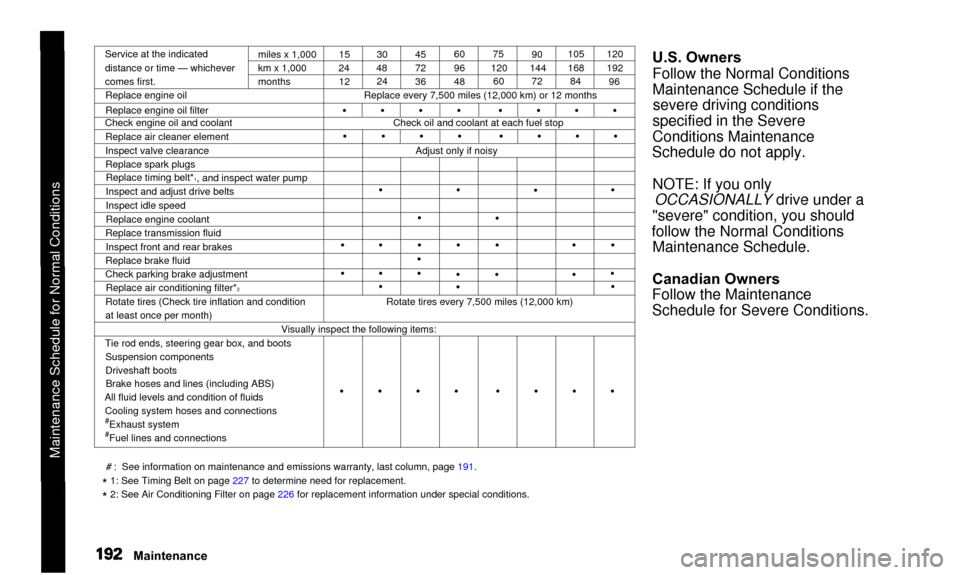
Maintenance Schedule for Normal Conditions
Service at the indicated
distance or time — whichever
comes first.miles x 1,000
km x 1,000
months
Replace engine oil
Replace engine oil filter
Check engine oil and coolant
Replace air cleaner element
Inspect valve clearance
Replace spark plugsReplace timing belt*
1, and inspect water pump
Inspect and adjust drive belts
Inspect idle speed
Replace engine coolant
Replace transmission fluid
Inspect front and rear brakes
Replace brake fluid
Check parking brake adjustment Replace air conditioning filter*
2Rotate tires (Check tire inflation and condition
at least once per month) 15
24
12 30
48 24 45
72
36 60
96
4875
120 60 90
144 72 105
168
84 120
192
96
Replace every 7,500 miles (12,000 km) or 12 months
Check oil and coolant at each fuel stop
•
•
Adjust only if noisy
•
•
•
• •
•
•
• •
•
•
• •
•
• •
•
• •
•
• •
Rotate tires every 7,500 miles (12,000 km)
Visually inspect the following items:
Tie rod ends, steering gear box, and boots Suspension components
Driveshaft bootsBrake hoses and lines (including ABS)
All fluid levels and condition of fluids Cooling system hoses and connections
#Exhaust system#Fuel lines and connections
U.S. Owners
Follow the Normal Conditions
Maintenance Schedule if thesevere driving conditions
specified in the Severe
Conditions Maintenance
Schedule do not apply.
NOTE: If you only OCCASIONALLY drive under a
"severe" condition, you should
follow the Normal Conditions Maintenance Schedule.
Canadian Owners
Follow the Maintenance
Schedule for Severe Conditions.
# : See information on maintenance and emissions warranty, last column, page\
191.
* 1: See Timing Belt on page 227 to determine need for replacement.
* 2: See Air Conditioning Filter on page 226 for replacement information under special conditions.
Maintenance
• • • • • •\
• •
• • • • • •\
• •
• • • • • •\
• •