AC system Acura TLX 2016 Workshop Manual
[x] Cancel search | Manufacturer: ACURA, Model Year: 2016, Model line: TLX, Model: Acura TLX 2016Pages: 553, PDF Size: 31.29 MB
Page 92 of 553
91
uuIndicators u
Continued
Instrument Panel
IndicatorNameOn/BlinkingExplanationMessage
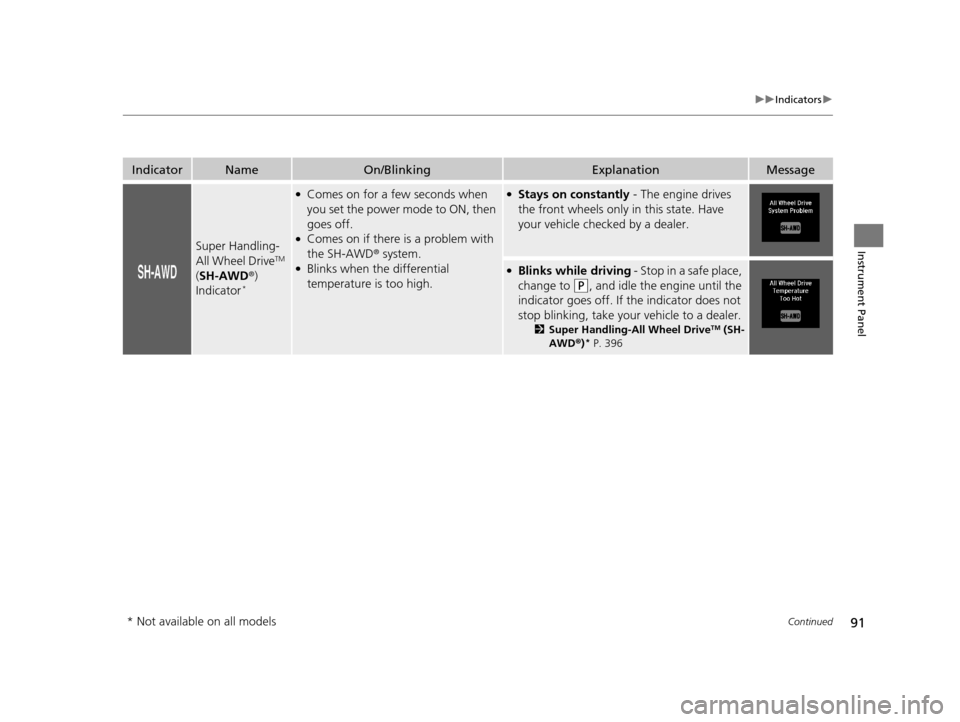
Super Handling-
All Wheel DriveTM
( SH-AWD ®)
Indicator
*
●Comes on for a few seconds when
you set the power mode to ON, then
goes off.
●Comes on if there is a problem with
the SH-AWD ® system.
●Blinks when the differential
temperature is too high.
●Stays on constantly - The engine drives
the front wheels only in this state. Have
your vehicle checked by a dealer.
●Blinks while driving - Stop in a safe place,
change to
(P, and idle the engine until the
indicator goes off. If the indicator does not
stop blinking, take your vehicle to a dealer.
2 Super Handling-All Wheel DriveTM (SH-
AWD ®)* P. 396
* Not available on all models
16 ACURA TLX-31TZ36100.book 91 ページ 2015年8月26日 水曜日 午後1時54分
Page 93 of 553

92
uuIndicators u
Instrument Panel
IndicatorNameOn/BlinkingExplanationMessage
Auto Idle Stop
Indicator (Green)*
●Comes on when Auto Idle Stop is in
operation. The engine automatically
shuts off.
2Auto Idle Stop* P. 344—
Auto Idle Stop
System Indicator
(Amber)
*
●Comes on for a few seconds when
you set the power mode to ON, then
goes off.
●Blinks if there is a problem with the
Auto Idle Stop System.
●Comes on when Auto Idle Stop
System has been turned off by Auto
Idle Stop OFF Button.
●Blinks - Have your vehicle checked by a
dealer.
* Not available on all models
16 ACURA TLX-31TZ36100.book 92 ページ 2015年8月26日 水曜日 午後1時54分
Page 94 of 553
93
uuIndicators u
Continued
Instrument Panel
IndicatorNameOn/BlinkingExplanationMessage
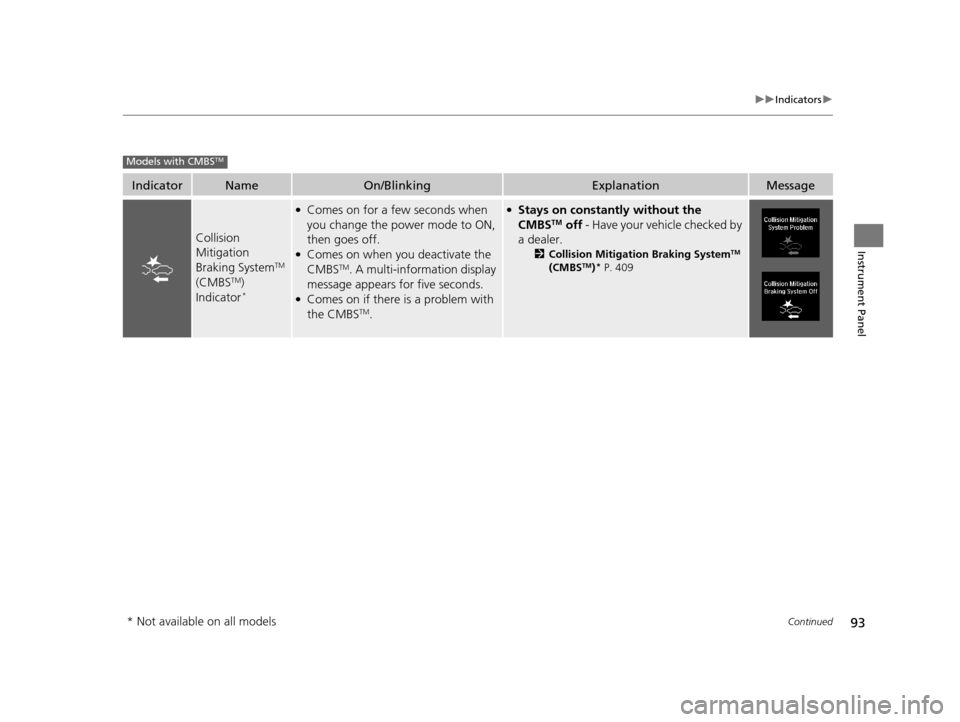
Collision
Mitigation
Braking System
TM
(CMBSTM)
Indicator*
●Comes on for a few seconds when
you change the power mode to ON,
then goes off.
●Comes on when you deactivate the
CMBSTM. A multi-information display
message appears for five seconds.
●Comes on if there is a problem with
the CMBSTM.
●Stays on constantly without the
CMBSTM off - Have your vehicle checked by
a dealer.
2 Collision Mitigation Braking SystemTM
(CMBSTM)* P. 409
Models with CMBSTM
* Not available on all models
16 ACURA TLX-31TZ36100.book 93 ページ 2015年8月26日 水曜日 午後1時54分
Page 95 of 553
94
uuIndicators u
Instrument Panel
IndicatorNameOn/BlinkingExplanationMessage
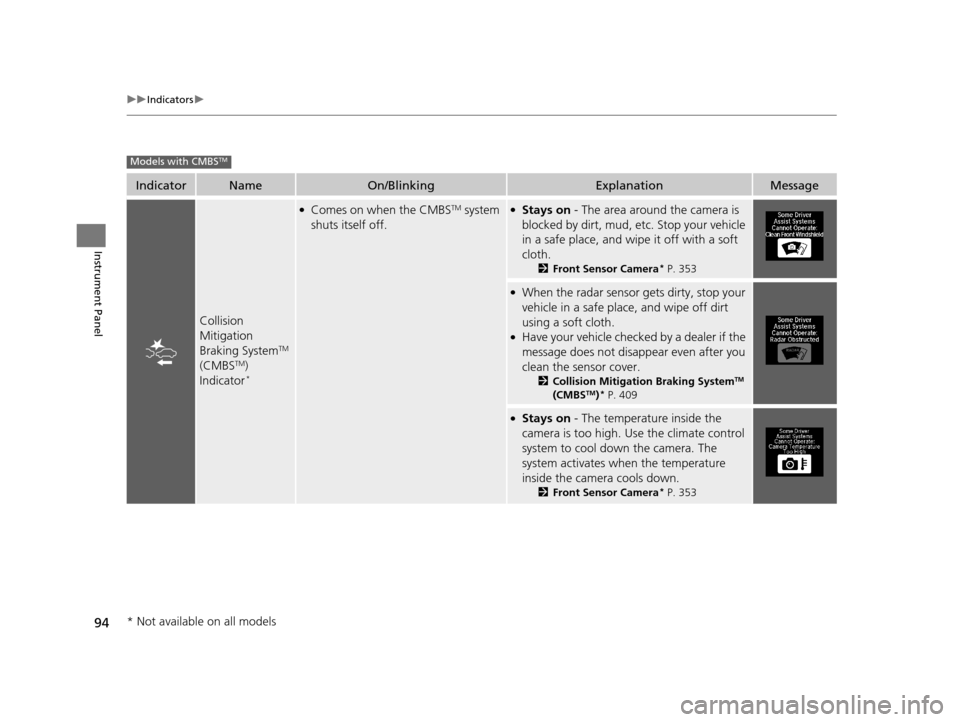
Collision
Mitigation
Braking System
TM
(CMBSTM)
Indicator*
●Comes on when the CMBSTM system
shuts itself off.●Stays on - The area around the camera is
blocked by dirt, mud, etc. Stop your vehicle
in a safe place, and wipe it off with a soft
cloth.
2 Front Sensor Camera* P. 353
●When the radar sensor gets dirty, stop your
vehicle in a safe place, and wipe off dirt
using a soft cloth.
●Have your vehicle checked by a dealer if the
message does not disa ppear even after you
clean the sensor cover.
2 Collision Mitigation Braking SystemTM
(CMBSTM)* P. 409
●Stays on - The temperature inside the
camera is too high. Us e the climate control
system to cool down the camera. The
system activates when the temperature
inside the camera cools down.
2 Front Sensor Camera* P. 353
Models with CMBSTM
* Not available on all models
16 ACURA TLX-31TZ36100.book 94 ページ 2015年8月26日 水曜日 午後1時54分
Page 96 of 553
95
uuIndicators uMulti-Information Display Warning and Information Messages
Continued
Instrument Panel
Multi-Information Display Warn ing and Information Messages
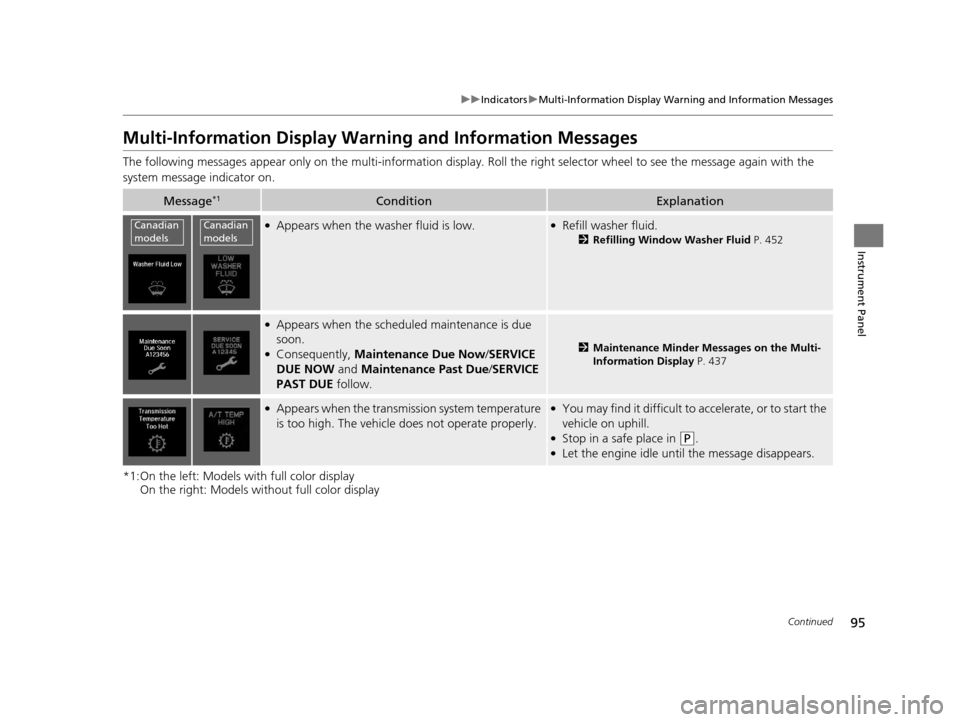
The following messages appear only on the multi-information display. Roll the right selector wheel to see the message again with the
system message indicator on.
*1:On the left: Models with full color display On the right: Models wi thout full color display
Message*1ConditionExplanation
●Appears when the washer fluid is low.●Refill washer fluid.
2Refilling Window Washer Fluid P. 452
●Appears when the scheduled maintenance is due
soon.
●Consequently, Maintenance Due Now /SERVICE
DUE NOW and Maintenance Past Due /SERVICE
PAST DUE follow.2Maintenance Minder Messages on the Multi-
Information Display P. 437
●Appears when the transmi ssion system temperature
is too high. The vehicle does not operate properly.●You may find it difficult to accelerate, or to start the
vehicle on uphill.
●Stop in a safe place in (P.●Let the engine idle until the message disappears.
Canadian
modelsCanadian
models
16 ACURA TLX-31TZ36100.book 95 ページ 2015年8月26日 水曜日 午後1時54分
Page 97 of 553
96
uuIndicators uMulti-Information Display Warn ing and Information Messages
Instrument Panel
*1:On the left: Models with full color display
On the right: Models wi thout full color display
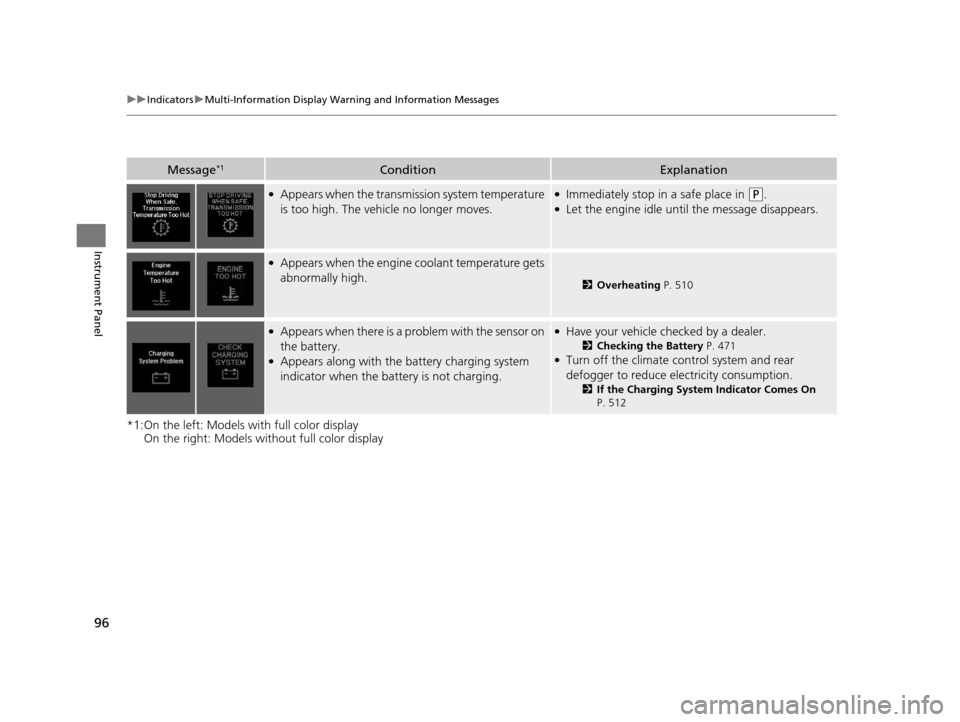
Message*1ConditionExplanation
●Appears when the transmission system temperature
is too high. The vehicle no longer moves.●Immediately stop in a safe place in (P.●Let the engine idle until the message disappears.
●Appears when the engine coolant temperature gets
abnormally high.
2Overheating P. 510
●Appears when there is a pr oblem with the sensor on
the battery.
●Appears along with the battery charging system
indicator when the batte ry is not charging.
●Have your vehicle checked by a dealer.
2Checking the Battery P. 471●Turn off the climate control system and rear
defogger to reduce electricity consumption.
2If the Charging System Indicator Comes On
P. 512
16 ACURA TLX-31TZ36100.book 96 ページ 2015年8月26日 水曜日 午後1時54分
Page 98 of 553

97
uuIndicators uMulti-Information Display Warning and Information Messages
Continued
Instrument Panel
*1:On the left: Models with full color display
On the right: Models wi thout full color display
Message*1ConditionExplanation
●Appears when the starter system has a problem.●Hold the ENGINE START/STOP button up to 15
seconds to start the engine.
Have your vehicle ch ecked by a dealer.
●Appears after the driver’s door is opened when the
power mode is in ACCESSORY.
2Starting the Engine P. 324
●Appears when the power mode is in ACCESSORY.
—
U.S.
Canada
U.S.
Canada
16 ACURA TLX-31TZ36100.book 97 ページ 2015年8月26日 水曜日 午後1時54分
Page 102 of 553
101
uuIndicators uMulti-Information Display Warning and Information Messages
Continued
Instrument Panel
*1:On the left: Models with full color display
On the right: Models wi thout full color display
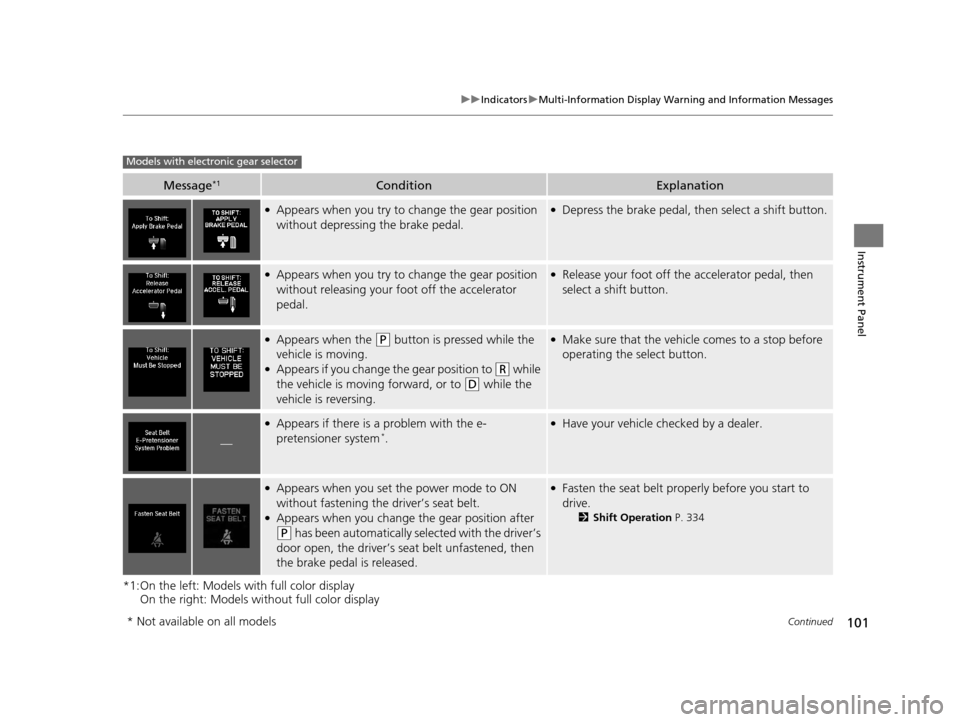
Message*1ConditionExplanation
●Appears when you try to change the gear position
without depressing the brake pedal.●Depress the brake pedal, then select a shift button.
●Appears when you try to change the gear position
without releasing your foot off the accelerator
pedal.●Release your foot off the accelerator pedal, then
select a shift button.
●Appears when the (P button is pressed while the
vehicle is moving.
●Appears if you change the gear position to (R while
the vehicle is moving forward, or to
(D while the
vehicle is reversing.
●Make sure that the vehicle comes to a stop before
operating the select button.
—
●Appears if there is a problem with the e-
pretensioner system*.
●Have your vehicle ch ecked by a dealer.
●Appears when you set the power mode to ON
without fastening the driver’s seat belt.
●Appears when you change the gear position after
(P has been automatically selected with the driver’s
door open, the driver’s s eat belt unfastened, then
the brake pedal is released.
●Fasten the seat belt properly before you start to
drive.
2 Shift Operation P. 334
Models with electronic gear selector
* Not available on all models
16 ACURA TLX-31TZ36100.book 101 ページ 2015年8月26日 水曜日 午後1時54分
Page 105 of 553
104
uuIndicators uMulti-Information Display Warn ing and Information Messages
Instrument Panel
*1:On the left: Models with full color display
On the right: Models wi thout full color display
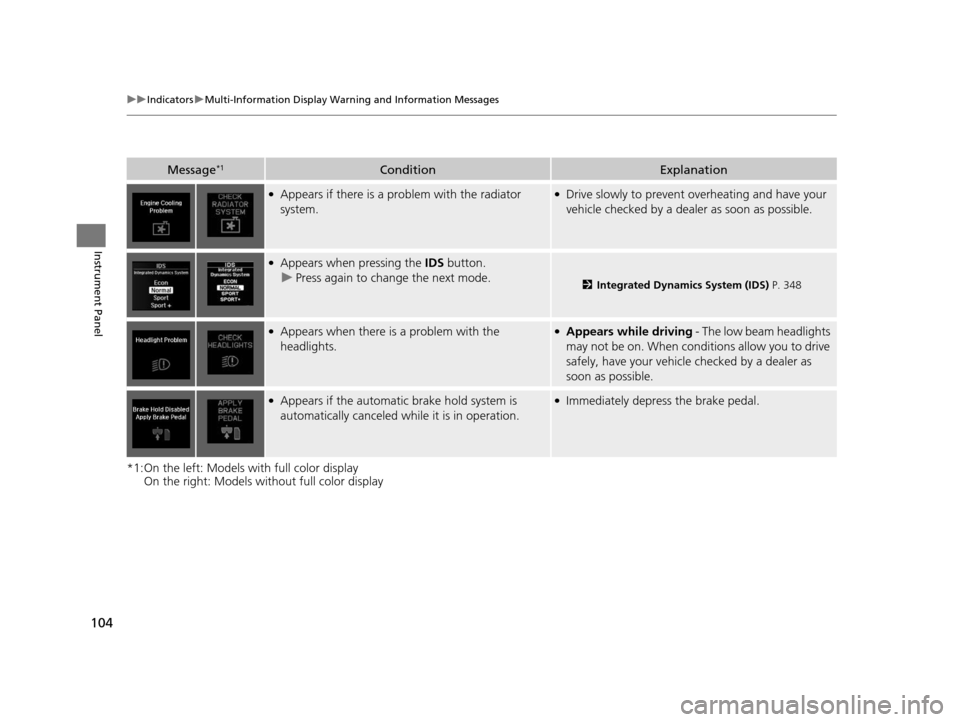
Message*1ConditionExplanation
●Appears if there is a problem with the radiator
system.●Drive slowly to prevent overheating and have your
vehicle checked by a deal er as soon as possible.
●Appears when pressing the IDS button.
u Press again to change the next mode.
2 Integrated Dynamics System (IDS) P. 348
●Appears when there is a problem with the
headlights.●Appears while driving - The low beam headlights
may not be on. When conditions allow you to drive
safely, have your vehicle checked by a dealer as
soon as possible.
●Appears if the automatic brake hold system is
automatically canceled while it is in operation.●Immediately depress the brake pedal.
16 ACURA TLX-31TZ36100.book 104 ページ 2015年8月26日 水曜日 午後1時54分
Page 106 of 553
105
uuIndicators uMulti-Information Display Warning and Information Messages
Continued
Instrument Panel
*1:On the left: Models with full color display
On the right: Models wi thout full color display
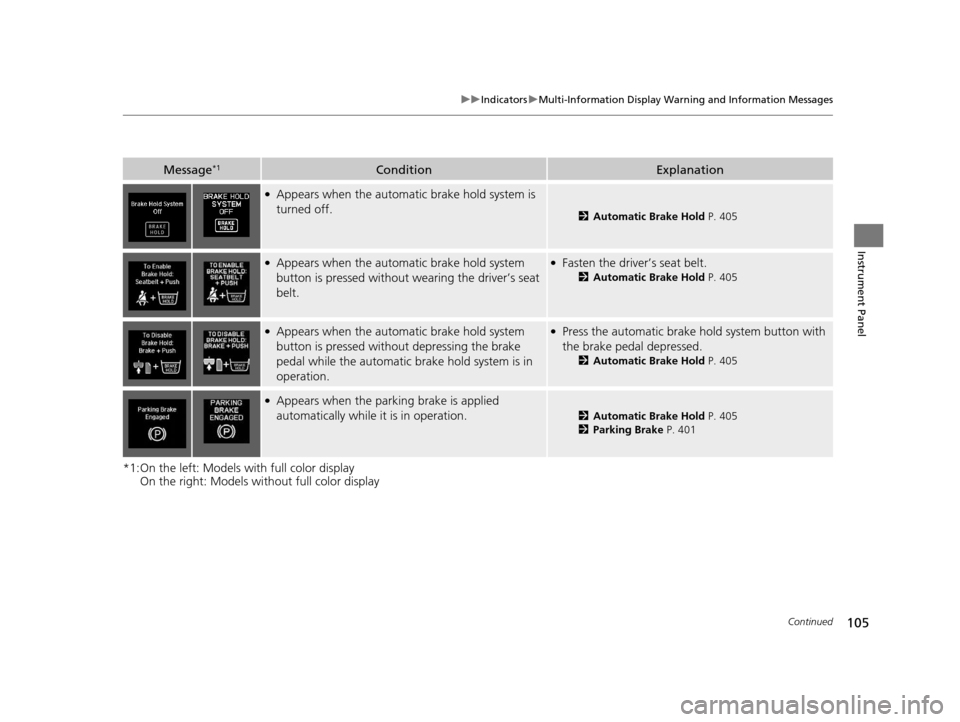
Message*1ConditionExplanation
●Appears when the automa tic brake hold system is
turned off.
2 Automatic Brake Hold P. 405
●Appears when the automatic brake hold system
button is pressed without w earing the driver’s seat
belt.●Fasten the driver’s seat belt.
2 Automatic Brake Hold P. 405
●Appears when the automatic brake hold system
button is pressed without depressing the brake
pedal while the automatic br ake hold system is in
operation.●Press the automatic brake hold system button with
the brake pedal depressed.
2 Automatic Brake Hold P. 405
●Appears when the parking brake is applied
automatically while it is in operation.
2Automatic Brake Hold P. 405
2 Parking Brake P. 401
16 ACURA TLX-31TZ36100.book 105 ページ 2015年8月26日 水曜日 午後1時54分