instrument panel Acura TLX 2017 Owner's Guide
[x] Cancel search | Manufacturer: ACURA, Model Year: 2017, Model line: TLX, Model: Acura TLX 2017Pages: 553, PDF Size: 33.77 MB
Page 94 of 553
93
uuIndicators u
Continued
Instrument Panel
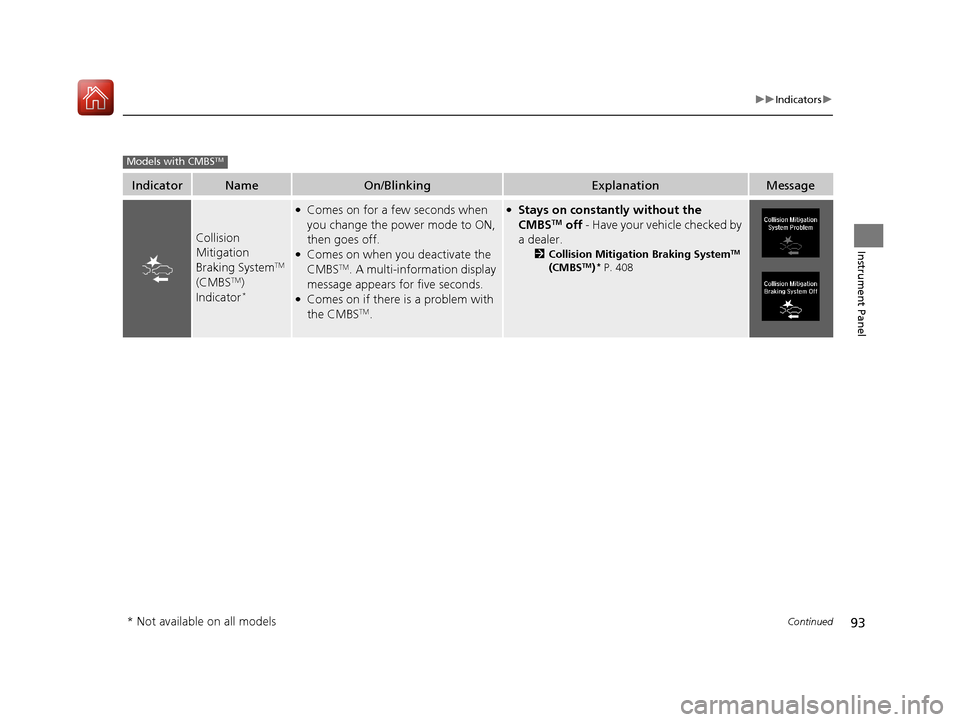
IndicatorNameOn/BlinkingExplanationMessage
Collision
Mitigation
Braking System
TM
(CMBSTM)
Indicator*
●Comes on for a few seconds when
you change the power mode to ON,
then goes off.
●Comes on when you deactivate the
CMBSTM. A multi-information display
message appears for five seconds.
●Comes on if there is a problem with
the CMBSTM.
●Stays on constantly without the
CMBSTM off - Have your vehicle checked by
a dealer.
2 Collision Mitigation Braking SystemTM
(CMBSTM)* P. 408
Models with CMBSTM
* Not available on all models
17 ACURA TLX-31TZ36200.book 93 ページ 2016年6月10日 金曜日 午後6時39分
Page 95 of 553
94
uuIndicators u
Instrument Panel
IndicatorNameOn/BlinkingExplanationMessage
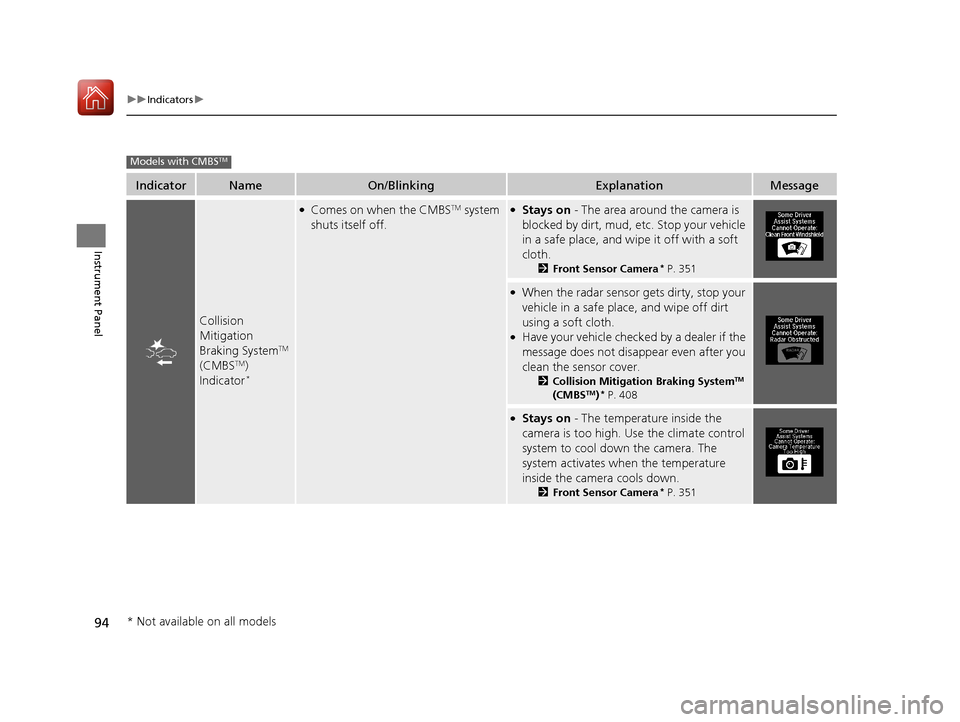
Collision
Mitigation
Braking System
TM
(CMBSTM)
Indicator*
●Comes on when the CMBSTM system
shuts itself off.●Stays on - The area around the camera is
blocked by dirt, mud, etc. Stop your vehicle
in a safe place, and wipe it off with a soft
cloth.
2 Front Sensor Camera* P. 351
●When the radar sensor gets dirty, stop your
vehicle in a safe place, and wipe off dirt
using a soft cloth.
●Have your vehicle checked by a dealer if the
message does not disa ppear even after you
clean the sensor cover.
2 Collision Mitigation Braking SystemTM
(CMBSTM)* P. 408
●Stays on - The temperature inside the
camera is too high. Us e the climate control
system to cool down the camera. The
system activates when the temperature
inside the camera cools down.
2 Front Sensor Camera* P. 351
Models with CMBSTM
* Not available on all models
17 ACURA TLX-31TZ36200.book 94 ページ 2016年6月10日 金曜日 午後6時39分
Page 96 of 553
95
uuIndicators uMulti-Information Display Warning and Information Messages
Continued
Instrument Panel
Multi-Information Display Warn ing and Information Messages
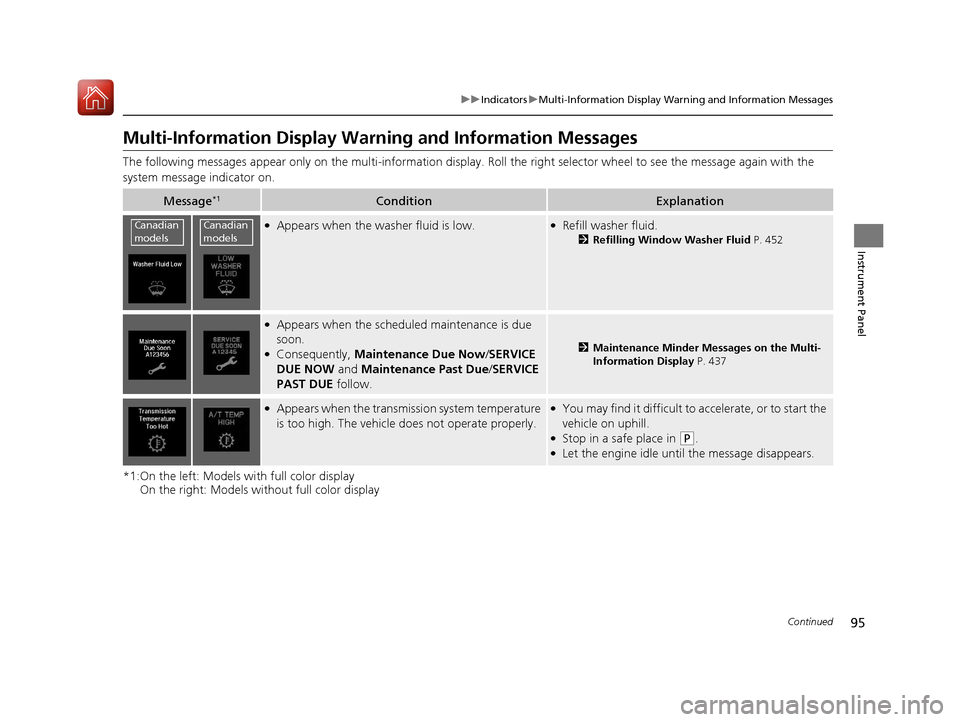
The following messages appear only on the multi-information display. Roll the right selector wheel to see the message again with the
system message indicator on.
*1:On the left: Models with full color display On the right: Models wi thout full color display
Message*1ConditionExplanation
●Appears when the washer fluid is low.●Refill washer fluid.
2Refilling Window Washer Fluid P. 452
●Appears when the scheduled maintenance is due
soon.
●Consequently, Maintenance Due Now /SERVICE
DUE NOW and Maintenance Past Due /SERVICE
PAST DUE follow.2Maintenance Minder Messages on the Multi-
Information Display P. 437
●Appears when the transmi ssion system temperature
is too high. The vehicle does not operate properly.●You may find it difficult to accelerate, or to start the
vehicle on uphill.
●Stop in a safe place in (P.●Let the engine idle until the message disappears.
Canadian
modelsCanadian
models
17 ACURA TLX-31TZ36200.book 95 ページ 2016年6月10日 金曜日 午後6時39分
Page 97 of 553
96
uuIndicators uMulti-Information Display Warn ing and Information Messages
Instrument Panel
*1:On the left: Models with full color display
On the right: Models wi thout full color display
Message*1ConditionExplanation
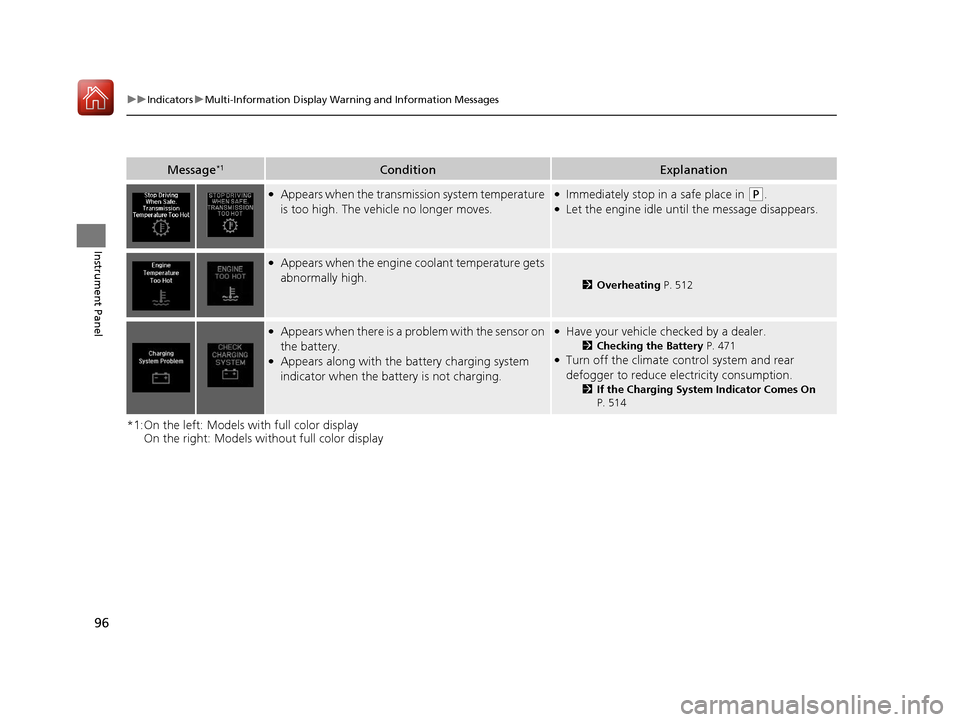
●Appears when the transmission system temperature
is too high. The vehicle no longer moves.●Immediately stop in a safe place in (P.●Let the engine idle until the message disappears.
●Appears when the engine coolant temperature gets
abnormally high.
2Overheating P. 512
●Appears when there is a pr oblem with the sensor on
the battery.
●Appears along with the battery charging system
indicator when the batte ry is not charging.
●Have your vehicle checked by a dealer.
2Checking the Battery P. 471●Turn off the climate control system and rear
defogger to reduce electricity consumption.
2If the Charging System Indicator Comes On
P. 514
17 ACURA TLX-31TZ36200.book 96 ページ 2016年6月10日 金曜日 午後6時39分
Page 98 of 553
97
uuIndicators uMulti-Information Display Warning and Information Messages
Continued
Instrument Panel
*1:On the left: Models with full color display
On the right: Models wi thout full color display
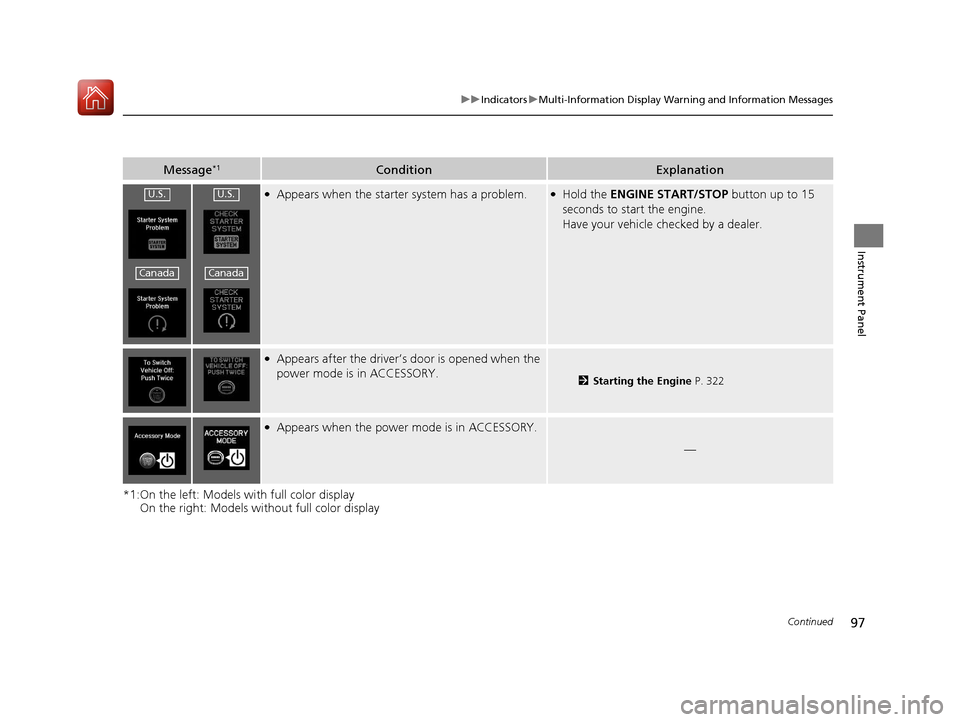
Message*1ConditionExplanation
●Appears when the starter system has a problem.●Hold the ENGINE START/STOP button up to 15
seconds to start the engine.
Have your vehicle ch ecked by a dealer.
●Appears after the driver’s door is opened when the
power mode is in ACCESSORY.
2Starting the Engine P. 322
●Appears when the power mode is in ACCESSORY.
—
U.S.
Canada
U.S.
Canada
17 ACURA TLX-31TZ36200.book 97 ページ 2016年6月10日 金曜日 午後6時39分
Page 99 of 553
98
uuIndicators uMulti-Information Display Warn ing and Information Messages
Instrument Panel
*1:On the left: Models with full color display
On the right: Models wi thout full color display
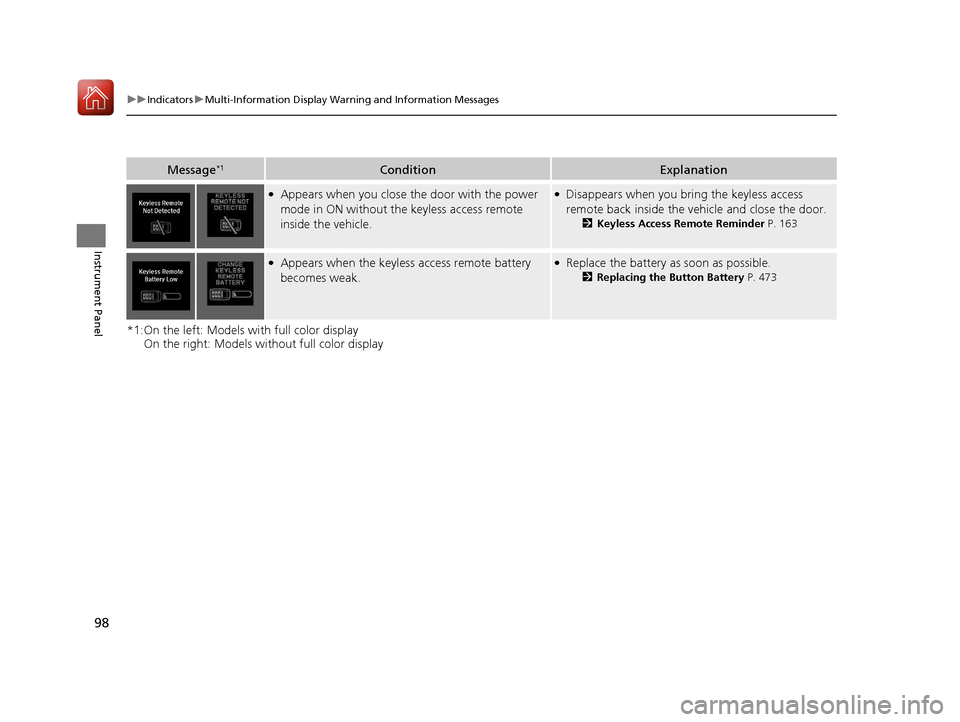
Message*1ConditionExplanation
●Appears when you close the door with the power
mode in ON without the keyless access remote
inside the vehicle.●Disappears when you bring the keyless access
remote back inside the vehicle and close the door.
2Keyless Access Remote Reminder P. 163
●Appears when the keyless access remote battery
becomes weak.●Replace the battery as soon as possible.
2Replacing the Button Battery P. 473
17 ACURA TLX-31TZ36200.book 98 ページ 2016年6月10日 金曜日 午後6時39分
Page 100 of 553
99
uuIndicators uMulti-Information Display Warning and Information Messages
Continued
Instrument Panel
*1:On the left: Models with full color display
On the right: Models wi thout full color display
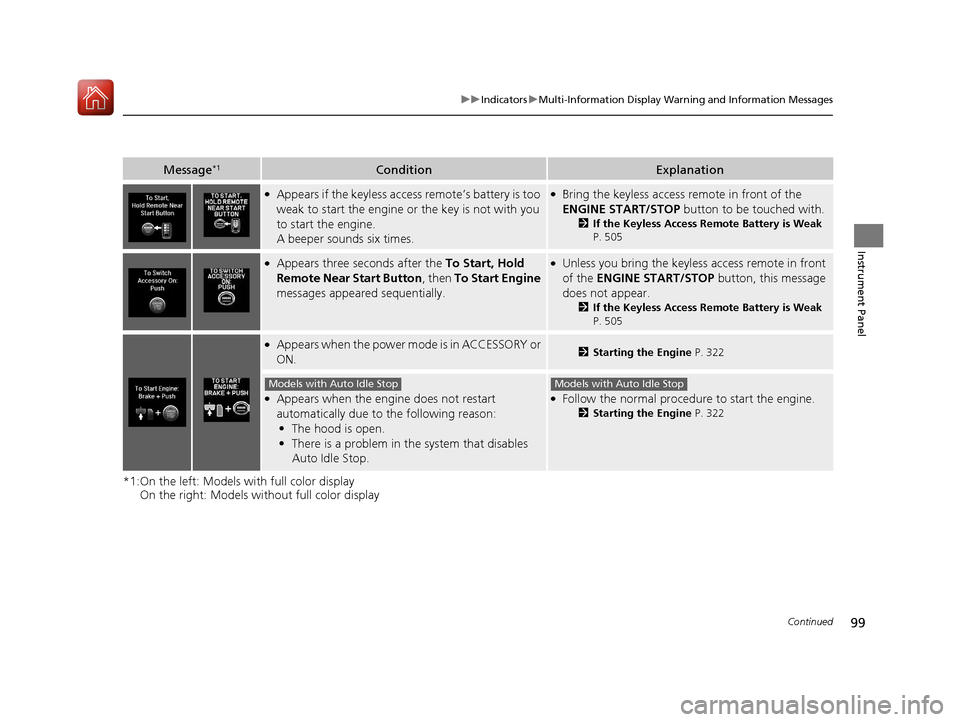
Message*1ConditionExplanation
●Appears if the keyless access remote’s battery is too
weak to start the engine or the key is not with you
to start the engine.
A beeper sounds six times.●Bring the keyless access remote in front of the
ENGINE START/STOP button to be touched with.
2If the Keyless Access Remote Battery is Weak
P. 505
●Appears three seconds after the To Start, Hold
Remote Near Start Button , then To Start Engine
messages appeared sequentially.●Unless you bring the keyless access remote in front
of the ENGINE START/STOP button, this message
does not appear.
2 If the Keyless Access Remote Battery is Weak
P. 505
●Appears when the power m ode is in ACCESSORY or
ON.2 Starting the Engine P. 322
●Appears when the engine does not restart
automatically due to the following reason:
• The hood is open.
• There is a problem in the system that disables
Auto Idle Stop.●Follow the normal procedure to start the engine.
2 Starting the Engine P. 322
Models with Auto Idle StopModels with Auto Idle Stop
17 ACURA TLX-31TZ36200.book 99 ページ 2016年6月10日 金曜日 午後6時39分
Page 101 of 553
100
uuIndicators uMulti-Information Display Warn ing and Information Messages
Instrument Panel
*1:On the left: Models with full color display
On the right: Models wi thout full color display
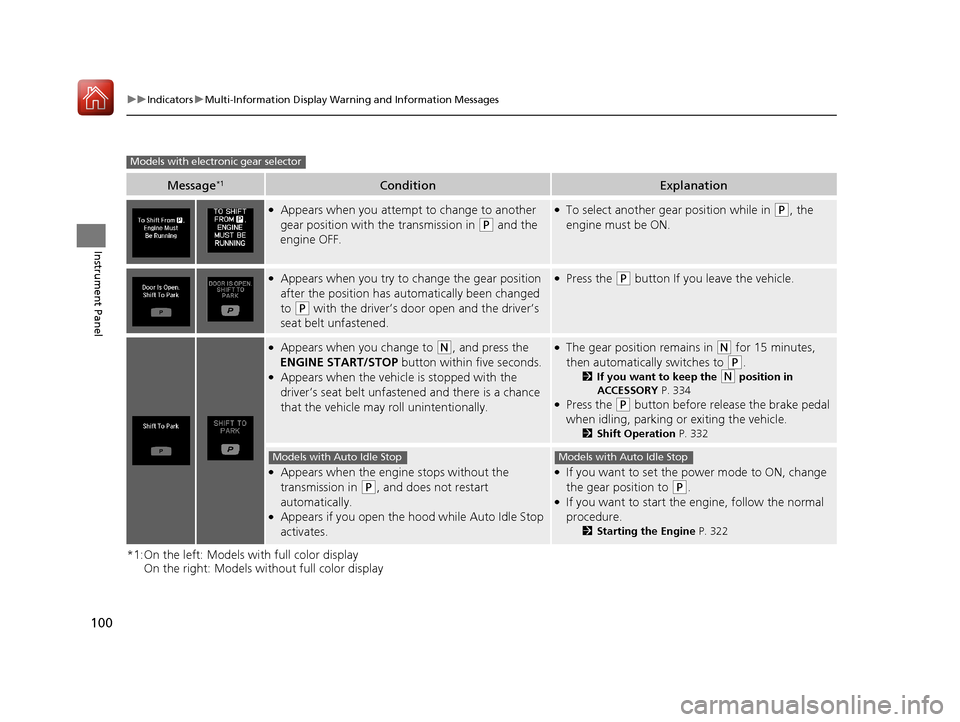
Message*1ConditionExplanation
●Appears when you attempt to change to another
gear position with the transmission in
(P and the
engine OFF.
●To select another gear position while in (P, the
engine must be ON.
●Appears when you try to change the gear position
after the position has au tomatically been changed
to
(P with the driver’s door open and the driver’s
seat belt unfastened.
●Press the (P button If you leave the vehicle.
●Appears when you change to (N, and press the
ENGINE START/STOP button within five seconds.
●Appears when the vehicle is stopped with the
driver’s seat belt unfastened and there is a chance
that the vehicle may roll unintentionally.
●The gear position remains in (N for 15 minutes,
then automatically switches to
(P.
2 If you want to keep the (N position in
ACCESSORY P. 334
●Press the (P button before release the brake pedal
when idling, parking or exiting the vehicle.
2 Shift Operation P. 332
●Appears when the engine stops without the
transmission in
(P, and does not restart
automatically.
●Appears if you open the ho od while Auto Idle Stop
activates.
●If you want to set the power mode to ON, change
the gear position to
(P.●If you want to start the engine, follow the normal
procedure.
2 Starting the Engine P. 322
Models with electronic gear selector
Models with Auto Idle StopModels with Auto Idle Stop
17 ACURA TLX-31TZ36200.book 100 ページ 2016年6月10日 金曜日 午後6時39分
Page 102 of 553
101
uuIndicators uMulti-Information Display Warning and Information Messages
Continued
Instrument Panel
*1:On the left: Models with full color display
On the right: Models wi thout full color display
Message*1ConditionExplanation
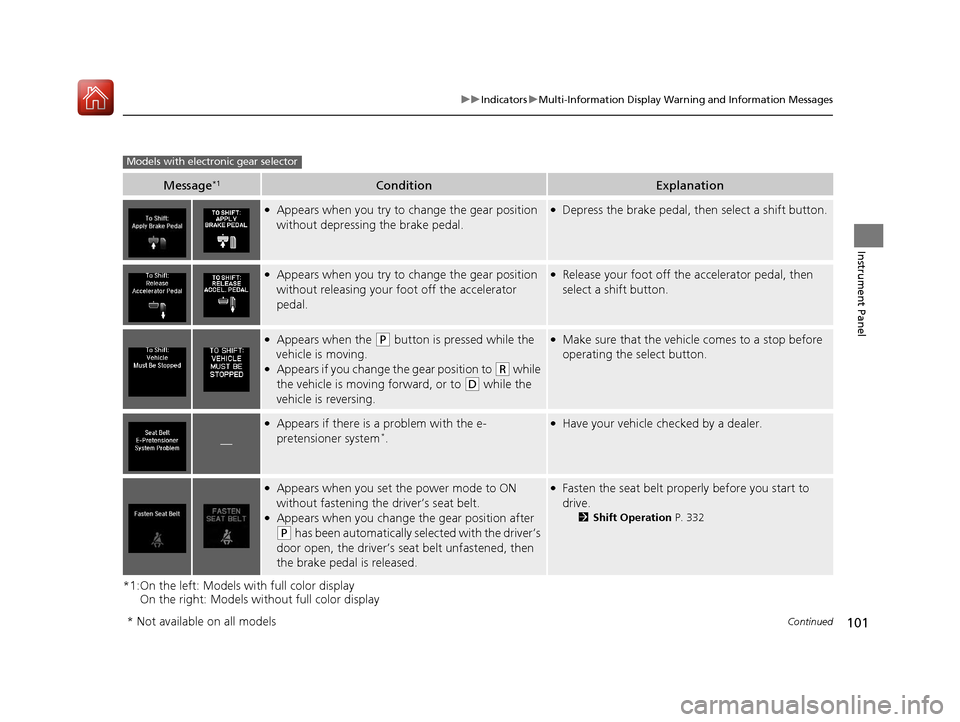
●Appears when you try to change the gear position
without depressing the brake pedal.●Depress the brake pedal, then select a shift button.
●Appears when you try to change the gear position
without releasing your foot off the accelerator
pedal.●Release your foot off the accelerator pedal, then
select a shift button.
●Appears when the (P button is pressed while the
vehicle is moving.
●Appears if you change the gear position to (R while
the vehicle is moving forward, or to
(D while the
vehicle is reversing.
●Make sure that the vehicle comes to a stop before
operating the select button.
—
●Appears if there is a problem with the e-
pretensioner system*.
●Have your vehicle ch ecked by a dealer.
●Appears when you set the power mode to ON
without fastening the driver’s seat belt.
●Appears when you change the gear position after
(P has been automatically selected with the driver’s
door open, the driver’s s eat belt unfastened, then
the brake pedal is released.
●Fasten the seat belt properly before you start to
drive.
2 Shift Operation P. 332
Models with electronic gear selector
* Not available on all models
17 ACURA TLX-31TZ36200.book 101 ページ 2016年6月10日 金曜日 午後6時39分
Page 103 of 553
102
uuIndicators uMulti-Information Display Warn ing and Information Messages
Instrument Panel
*1:On the left: Models with full color display
On the right: Models wi thout full color display
Message*1ConditionExplanation
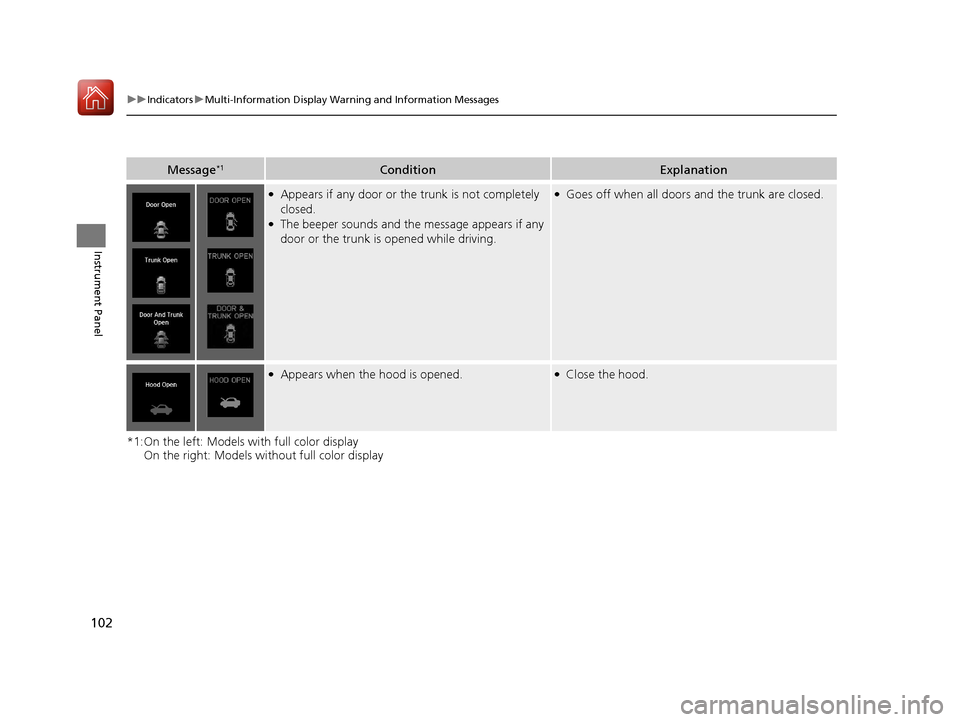
●Appears if any door or the trunk is not completely
closed.
●The beeper sounds and the message appears if any
door or the trunk is opened while driving.
●Goes off when all doors and the trunk are closed.
●Appears when the hood is opened.●Close the hood.
17 ACURA TLX-31TZ36200.book 102 ページ 2016年6月10日 金曜日 午後6時39分