lights Acura TLX 2017 Owner's Guide
[x] Cancel search | Manufacturer: ACURA, Model Year: 2017, Model line: TLX, Model: Acura TLX 2017Pages: 553, PDF Size: 33.77 MB
Page 192 of 553
Continued191
uuInterior Lights/Interior Convenience Items uInterior Convenience Items
Controls
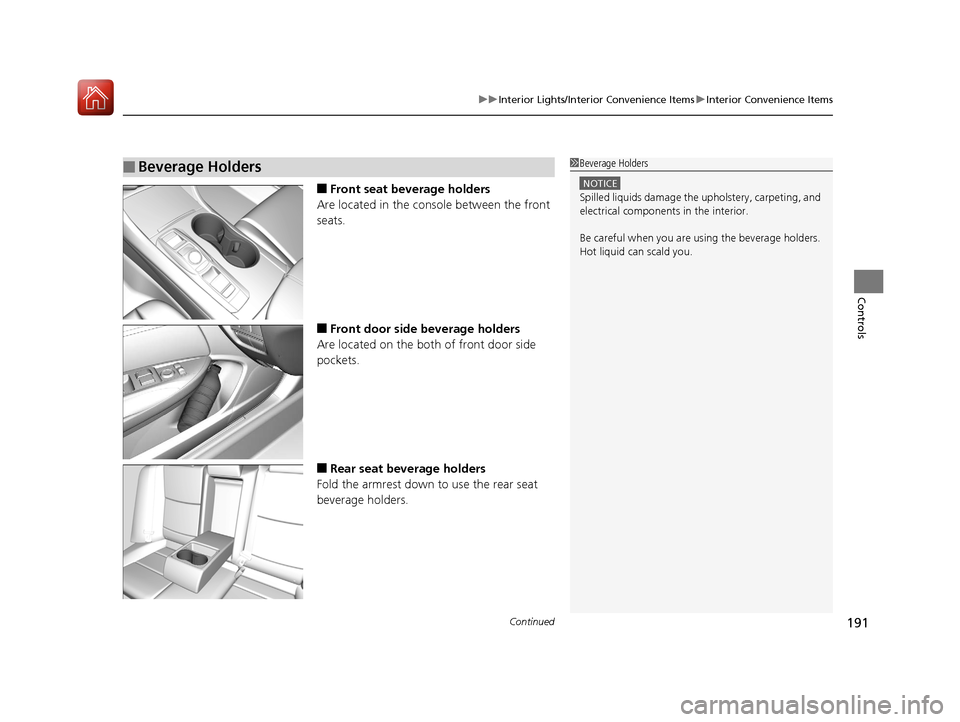
■Front seat beverage holders
Are located in the console between the front
seats.
■Front door side beverage holders
Are located on the both of front door side
pockets.
■Rear seat beverage holders
Fold the armrest down to use the rear seat
beverage holders.
■Beverage Holders1 Beverage Holders
NOTICE
Spilled liquids damage the upholstery, carpeting, and
electrical components in the interior.
Be careful when you are us ing the beverage holders.
Hot liquid can scald you.
17 ACURA TLX-31TZ36200.book 191 ページ 2016年6月10日 金曜日 午後6時39分
Page 193 of 553
uuInterior Lights/Interior Convenience Items uInterior Convenience Items
192
Controls
The accessory power sockets can be used when the power mode is in ACCESSORY
or ON.
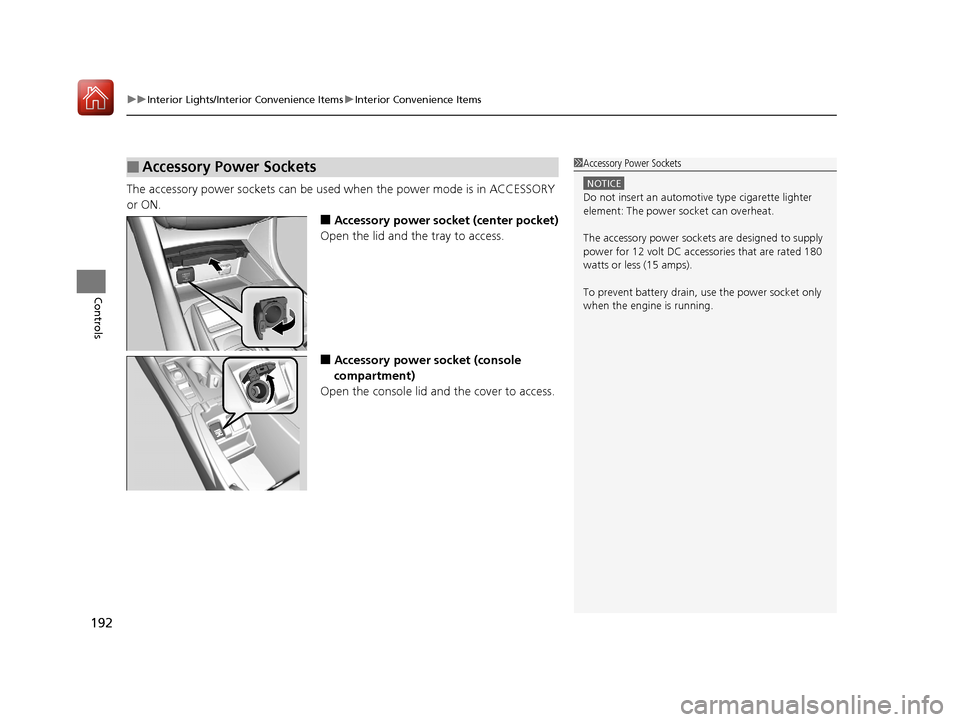
■Accessory power socket (center pocket)
Open the lid and the tray to access.
■Accessory power socket (console
compartment)
Open the console lid and the cover to access.
■Accessory Power Sockets1 Accessory Power Sockets
NOTICE
Do not insert an automotive type cigarette lighter
element: The power socket can overheat.
The accessory power socket s are designed to supply
power for 12 volt DC access ories that are rated 180
watts or less (15 amps).
To prevent battery drain, use the power socket only
when the engine is running.
17 ACURA TLX-31TZ36200.book 192 ページ 2016年6月10日 金曜日 午後6時39分
Page 194 of 553
Continued193
uuInterior Lights/Interior Convenience Items uInterior Convenience Items
Controls
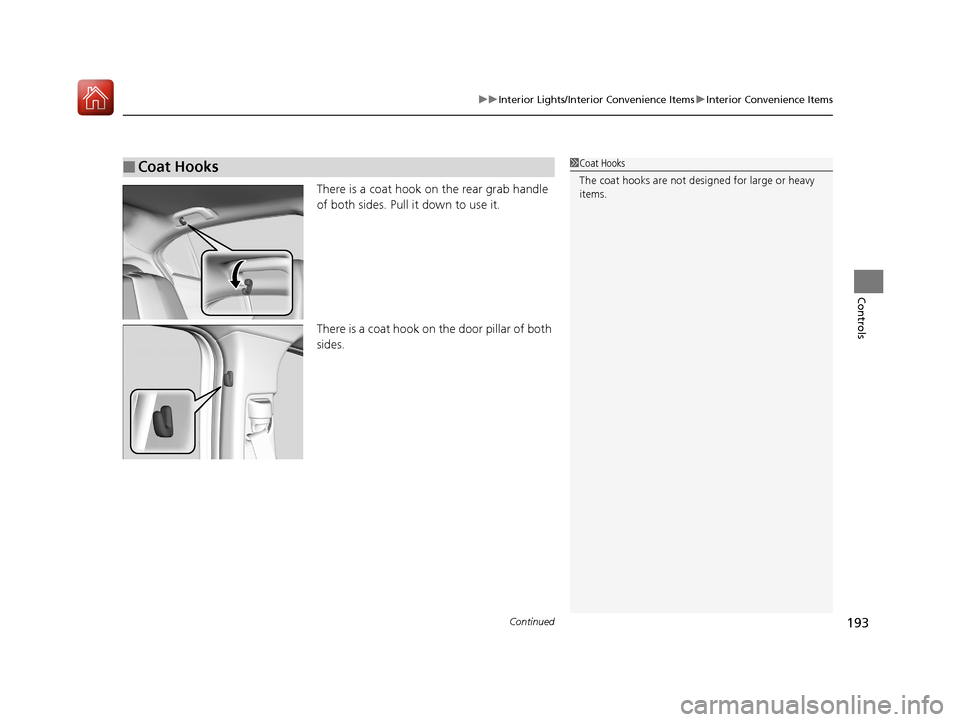
There is a coat hook on the rear grab handle
of both sides. Pull it down to use it.
There is a coat hook on the door pillar of both
sides.
■Coat Hooks1Coat Hooks
The coat hooks are not desi gned for large or heavy
items.
17 ACURA TLX-31TZ36200.book 193 ページ 2016年6月10日 金曜日 午後6時39分
Page 195 of 553
uuInterior Lights/Interior Convenience Items uInterior Convenience Items
194
Controls
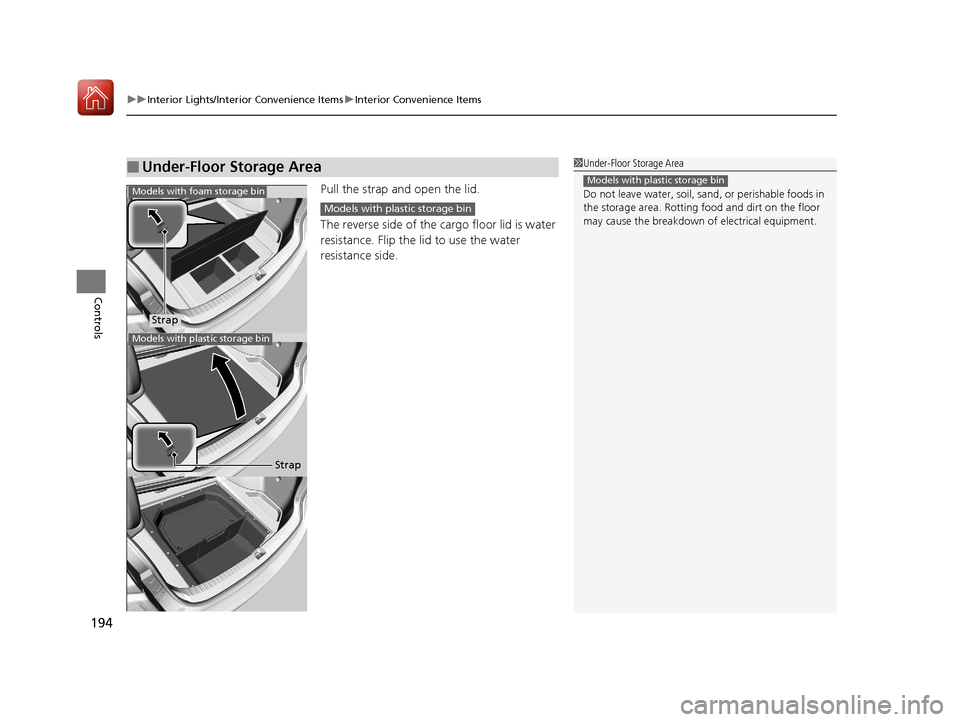
Pull the strap and open the lid.
The reverse side of the cargo floor lid is water
resistance. Flip the lid to use the water
resistance side.
■Under-Floor Storage Area1 Under-Floor Storage Area
Do not leave water, soil, sand, or perishable foods in
the storage area. Rotting f ood and dirt on the floor
may cause the breakdown of electrical equipment.
Models with plastic storage bin
Strap
Models with foam storage bin
Models with plastic storage bin
Strap
Models with plastic storage bin
17 ACURA TLX-31TZ36200.book 194 ページ 2016年6月10日 金曜日 午後6時39分
Page 196 of 553
Continued195
uuInterior Lights/Interior Convenience Items uInterior Convenience Items
Controls
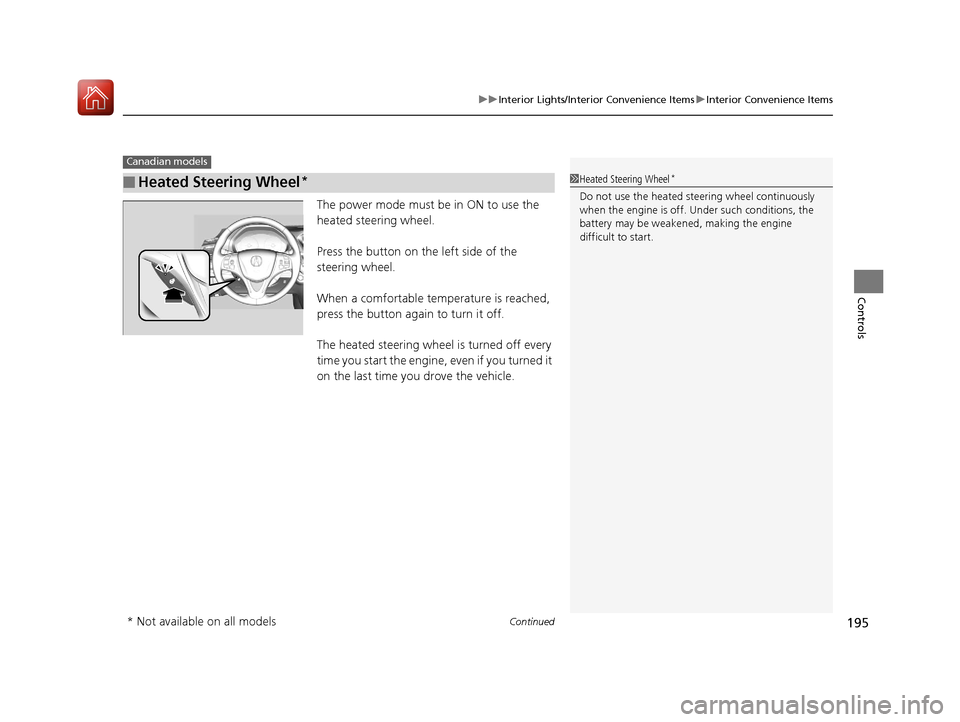
The power mode must be in ON to use the
heated steering wheel.
Press the button on the left side of the
steering wheel.
When a comfortable temperature is reached,
press the button again to turn it off.
The heated steering wheel is turned off every
time you start the engine, even if you turned it
on the last time yo u drove the vehicle.
■Heated Steering Wheel*
Canadian models
1Heated Steering Wheel*
Do not use the heated steering wheel continuously
when the engine is off. Under such conditions, the
battery may be weaken ed, making the engine
difficult to start.
* Not available on all models
17 ACURA TLX-31TZ36200.book 195 ページ 2016年6月10日 金曜日 午後6時39分
Page 197 of 553
uuInterior Lights/Interior Convenience Items uInterior Convenience Items
196
Controls
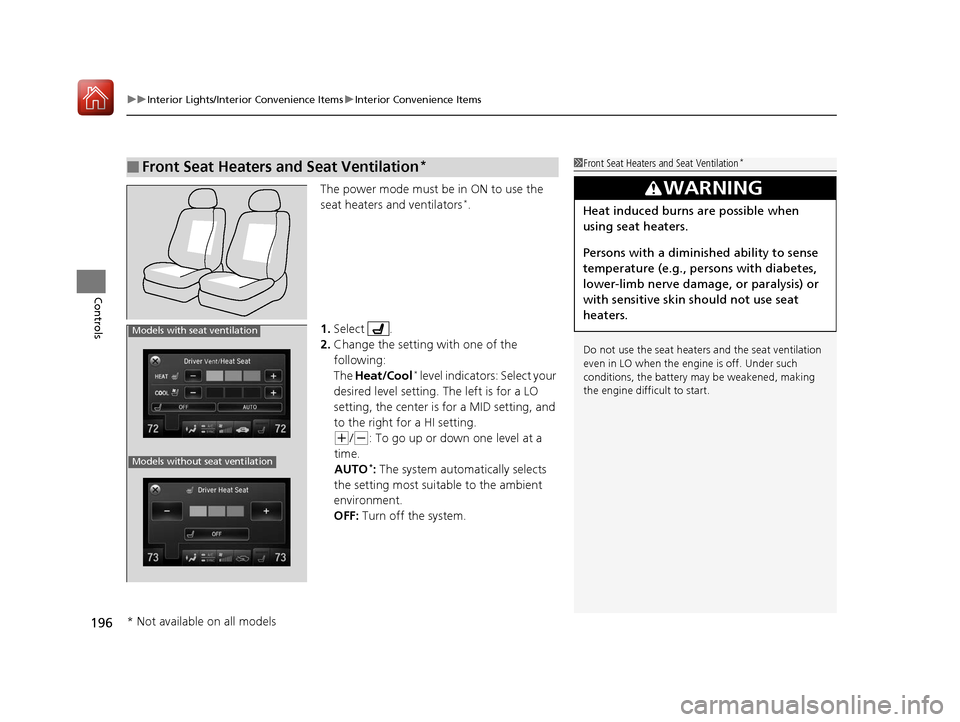
The power mode must be in ON to use the
seat heaters and ventilators*.
1. Select .
2. Change the setting with one of the
following:
The Heat/Cool
* level indicators: Select your
desired level setting. The left is for a LO
setting, the center is for a MID setting, and
to the right for a HI setting.
(+/(-: To go up or down one level at a
time.
AUTO
*: The system automatically selects
the setting most suitable to the ambient
environment.
OFF: Turn off the system.
■Front Seat Heaters and Seat Ventilation*1Front Seat Heaters and Seat Ventilation*
Do not use the seat heater s and the seat ventilation
even in LO when the engine is off. Under such
conditions, the battery ma y be weakened, making
the engine difficult to start.
3WARNING
Heat induced burns are possible when
using seat heaters.
Persons with a diminished ability to sense
temperature (e.g., persons with diabetes,
lower-limb nerve damage, or paralysis) or
with sensitive skin should not use seat
heaters.
Models without seat ventilation
Models with seat ventilation
* Not available on all models
17 ACURA TLX-31TZ36200.book 196 ページ 2016年6月10日 金曜日 午後6時39分
Page 198 of 553
197
uuInterior Lights/Interior Convenience Items uInterior Convenience Items
Controls
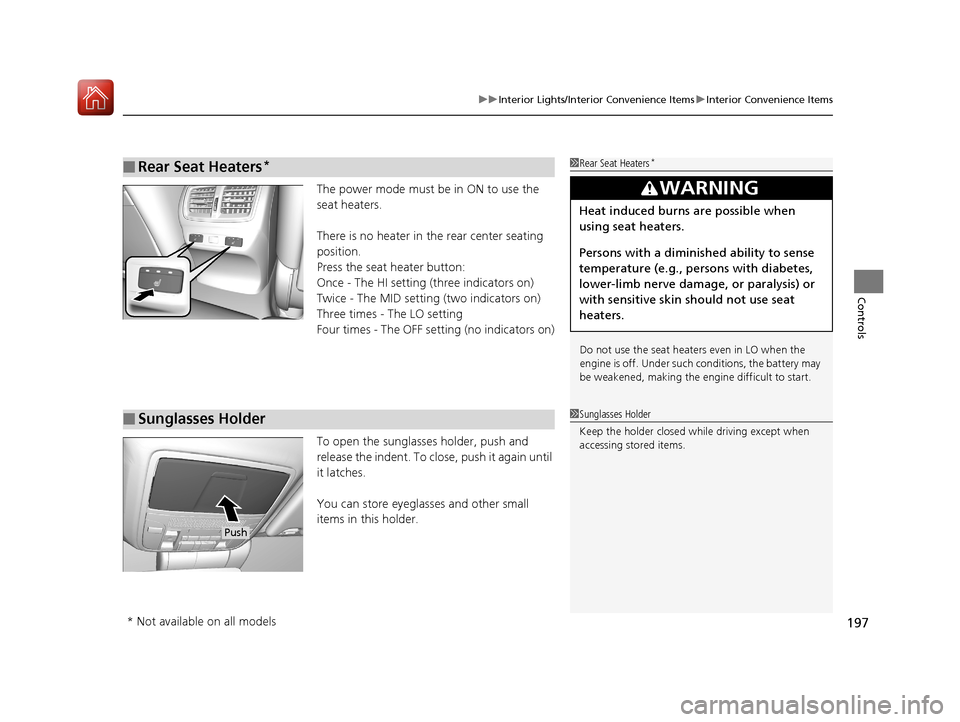
The power mode must be in ON to use the
seat heaters.
There is no heater in the rear center seating
position.
Press the seat heater button:
Once - The HI setting (three indicators on)
Twice - The MID setting (two indicators on)
Three times - The LO setting
Four times - The OFF setting (no indicators on)
To open the sunglasses holder, push and
release the indent. To clos e, push it again until
it latches.
You can store eyeglasses and other small
items in this holder.
■Rear Seat Heaters*1 Rear Seat Heaters*
Do not use the seat heaters even in LO when the
engine is off. Under such conditions, the battery may
be weakened, making the engine difficult to start.
3WARNING
Heat induced burns are possible when
using seat heaters.
Persons with a diminished ability to sense
temperature (e.g., persons with diabetes,
lower-limb nerve damage, or paralysis) or
with sensitive skin should not use seat
heaters.
■Sunglasses Holder1Sunglasses Holder
Keep the holder closed wh ile driving except when
accessing stored items.
Push
* Not available on all models
17 ACURA TLX-31TZ36200.book 197 ページ 2016年6月10日 金曜日 午後6時39分
Page 268 of 553
267
uuCustomized Features u
Continued
Features
*1:Default SettingSetup
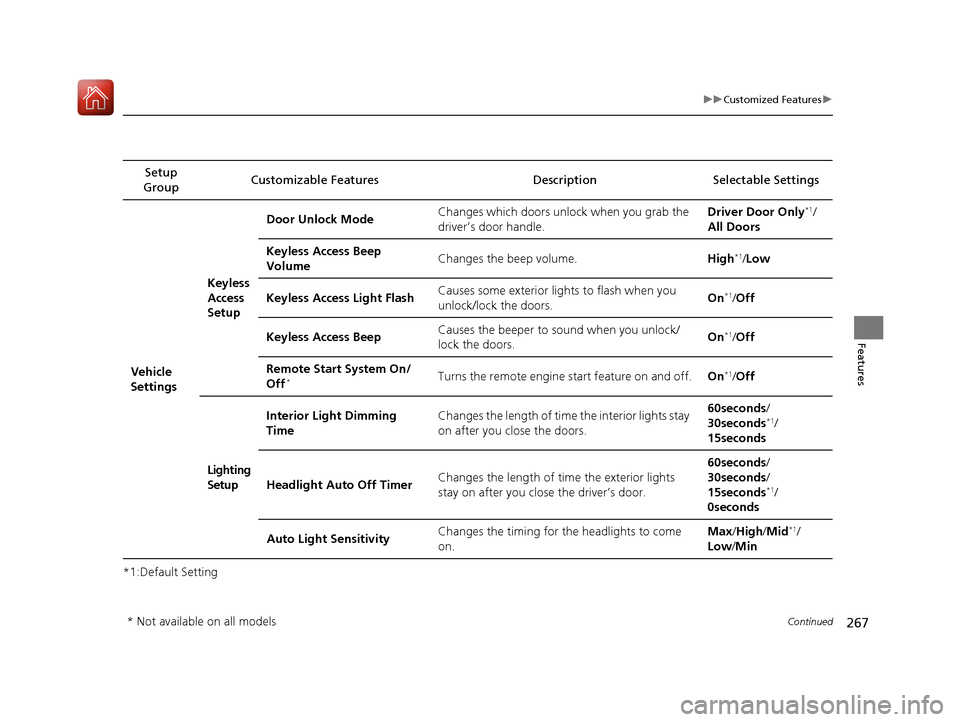
Group Customizable Features Description Selectable Settings
Vehicle
SettingsKeyless
Access
Setup
Door Unlock Mode
Changes which doors unlock when you grab the
driver’s door handle. Driver Door Only
*1/
All Doors
Keyless Access Beep
Volume Changes the beep volume.
High
*1/Low
Keyless Access Light Flash Causes some exterior lights to flash when you
unlock/lock the doors. On
*1/
Off
Keyless Access Beep Causes the beeper to
sound when you unlock/
lock the doors. On
*1/
Off
Remote Start System On/
Off
*Turns the remote engine start feature on and off. On*1/Off
Lighting
Setup Interior Light Dimming
Time
Changes the length of time the interior lights stay
on after you close the doors. 60seconds
/
30seconds
*1/
15seconds
Headlight Auto Off Timer Changes the length of time the exterior lights
stay on after you close the driver’s door. 60seconds
/
30seconds /
15seconds
*1/
0seconds
Auto Light Sensitivity Changes the timing for the headlights to come
on. Max
/High /Mid
*1/
Low /Min
* Not available on all models
17 ACURA TLX-31TZ36200.book 267 ページ 2016年6月10日 金曜日 午後6時39分
Page 269 of 553
268
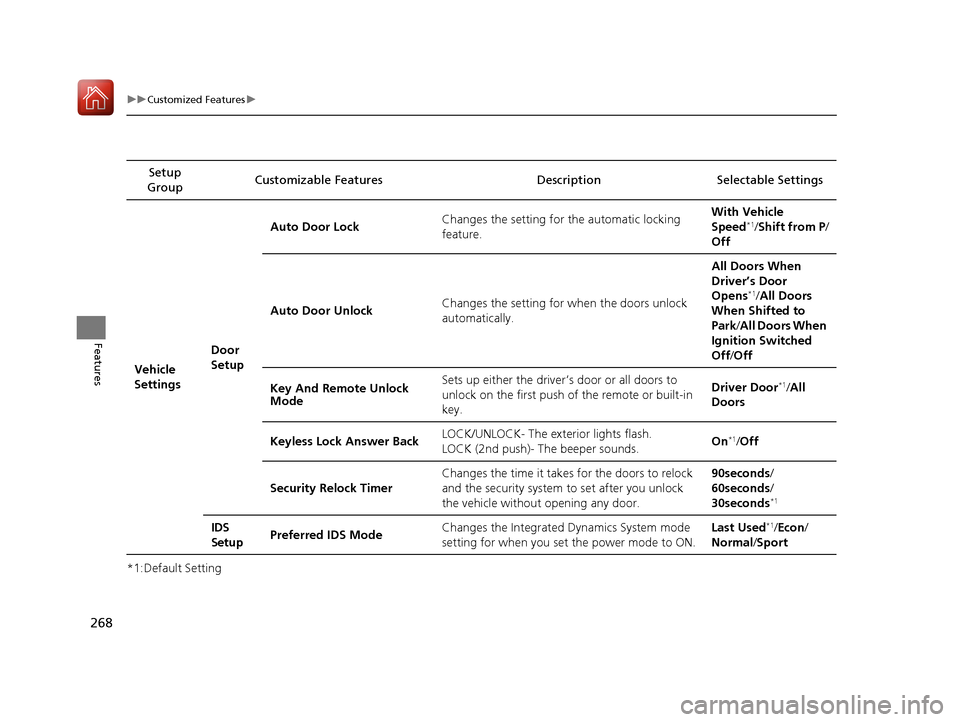
uuCustomized Features u
Features
*1:Default SettingSetup
Group Customizable Features Descri
ption Selectable Settings
Vehicle
Settings Door
SetupAuto Door Lock
Changes the setting for the automatic locking
feature. With Vehicle
Speed
*1/
Shift from P/
Off
Auto Door Unlock Changes the setting for when the doors unlock
automatically. All Doors When
Driver’s Door
Opens
*1/
All Doors
When Shifted to
Park /All Doors When
Ignition Switched
Off /Off
Key And Remote Unlock
Mode Sets up either the driver
’s door or all doors to
unlock on the first push of the remote or built-in
key. Driver Door
*1/
All
Doors
Keyless Lock Answer Back LOCK/UNLOCK- The exterior lights flash.
LOCK (2nd push)- The beeper sounds.
On
*1/
Off
Security Relock Timer Changes the time it takes for the doors to relock
and the security system to set after you unlock
the vehicle without opening any door. 90seconds/
60seconds/
30seconds
*1
IDS
Setup
Preferred IDS Mode Changes the Integrated
Dynamics System mode
setting for when you set the power mode to ON. Last Used*1/
Econ /
Normal /Sport
17 ACURA TLX-31TZ36200.book 268 ページ 2016年6月10日 金曜日 午後6時39分
Page 317 of 553
316
Driving
Before Driving
Driving Preparation
Check the following items before you start driving.
• Make sure there are no obstructions on th e windows, door mirrors, exterior
lights, or other parts of the vehicle.
u Remove any frost, snow, or ice.
u Remove any snow on the roof, as this can slip down and obstruct your field of
vision while driving. If frozen solid , remove ice once it has softened.
u When removing ice from around the wheel s, be sure not to damage the wheel
or wheel components.
• Make sure the hood is securely closed.
u If the hood opens while driving, your front view will be blocked.
• Make sure the tires are in good condition.
u Check air pressures, and check for damage and excessive wear.
2Checking and Maintaining Tires P. 462
•Make sure there are no people or ob jects behind or around the vehicle.
u There are blind spots from the inside.
■Exterior Checks1Exterior Checks
NOTICE
When doors are frozen s hut, use warm water around
the door edges to melt any ice. Do not try to force
them open, as this can damage the rubber trim
around the doors. When done, wipe dry to avoid
further freezing.
Do not pour warm water into the key cylinder.
You will be unable to insert the key if the water
freezes in the hole.
Heat from the engine and exhaust can ignite
flammable material s left under the hood, causing a
fire. If you’ve parked y our vehicle for an extended
period, inspect and remove any debris that may have
collected, such as dried grass and leaves that have
fallen or have been carried in for use as a nest by a
small animal. Also check under the hood for leftover
flammable materials after you or someone else has
performed maintenance on your vehicle.
17 ACURA TLX-31TZ36200.book 316 ページ 2016年6月10日 金曜日 午後6時39分